
Looking for alternatives to GitHub Copilot?
GitHub Copilot pioneered AI-assisted coding when it launched in 2021. Its inline suggestions and chat capabilities changed how millions of developers write code. But in 2026, the landscape has exploded. Copilot's per-seat pricing adds up fast for growing teams, its suggestions remain largely reactive rather than autonomous, and it ties you firmly into the GitHub ecosystem. Meanwhile, an entirely new generation of AI tools can build complete applications, execute multi-step coding tasks, and even eliminate the need for code altogether.
TL;DR: The best GitHub Copilot alternatives in 2026 are Cursor (AI-native editor), Windsurf (agentic IDE), Claude Code (terminal agent), and Taskade Genesis (prompt-to-running-app workspace). Copilot pioneered AI pair programming in 2021 but stays reactive and per-seat. We compare 10 tools on features and pricing below. To build complete apps, try Taskade Genesis.
Whether you're frustrated by Copilot's limitations, exploring more powerful AI coding agents, or looking for a fundamentally different approach to building software, there's never been more choice. This guide compares the 10 best GitHub Copilot alternatives in 2026, from AI code editors and autonomous agents to no-code platforms that turn plain English into working applications.
Let's dive in. 🛠️
📊 Quick Comparison: GitHub Copilot vs Alternatives
| Platform | Approach | Autonomy | Best For | Pricing |
|---|---|---|---|---|
| Taskade Genesis | No-code app builder | ✅ Multi-agent teams | Non-developers & teams | Free / $10/mo |
| GitHub Copilot | Inline completions | Low (suggestions) | VS Code developers | $10/mo |
| Cursor | AI code editor | Medium (Composer) | AI pair programming | Free / $6/mo |
| Windsurf | Agentic code editor | Medium (Cascade) | Budget-friendly agentic coding | Free / $15/mo |
| Claude Code | Terminal CLI | Medium (conversational) | Terminal-first engineers | Usage-based |
| Devin AI | Autonomous agent | ✅ Fully autonomous | Autonomous engineering | $500/mo |
| Bolt.new | Browser app generator | High (prompt-to-app) | Rapid prototyping | Free / $6/mo |
| Replit | Cloud IDE + agent | ✅ Agent builds apps | Cloud-native development | Free / $25/mo |
| Cline | Open-source VS Code extension | High (human-in-the-loop) | Open-source flexibility | Free (BYOK) |
| ClickUp AI | Project management AI | ✅ Super Agents | PM + AI automation | $7/user/mo+ |
| Lovable | Design-first builder | High (prompt-to-app) | Beautiful UI generation | Free / $25/mo |
🤖 What Is GitHub Copilot?
GitHub Copilot is an AI coding assistant developed by GitHub in partnership with OpenAI. It integrates directly into code editors like VS Code, JetBrains IDEs, and Neovim, providing real-time code suggestions as you type. Copilot analyzes the context of your current file, comments, and function signatures to predict and generate code completions, often writing entire functions, boilerplate blocks, and repetitive patterns before you finish typing.
Since its launch, Copilot has expanded well beyond simple autocomplete. Copilot Chat introduced a conversational interface inside your editor where you can ask questions about your code, request explanations of complex functions, generate tests, and get refactoring suggestions. It understands natural language and can translate descriptions into working code across dozens of programming languages, from Python and TypeScript to Rust, Go, and infrastructure-as-code tools like Terraform.
In 2025-2026, GitHub introduced Copilot Workspace, a preview feature that moves toward more agentic capabilities. Workspace can plan multi-step changes across repositories, propose implementation strategies, and execute coordinated edits. It represents GitHub's vision for autonomous coding, though it remains limited compared to dedicated agents. GitHub also rolled out Copilot Extensions, allowing third-party tools to plug into the Copilot ecosystem.
On the enterprise side, Copilot offers organization-wide policy controls, code referencing filters (to flag suggestions that match public code), IP indemnity, and audit logging. Copilot Enterprise connects to your organization's private repositories, providing context-aware suggestions trained on your own codebase. These features make it attractive for regulated industries and large engineering teams that need governance and compliance controls.
🤔 Why Look for GitHub Copilot Alternatives?
Copilot is a solid tool, but several limitations push developers and teams to explore alternatives:
| Limitation | Impact |
|---|---|
| Per-seat pricing ($10-$39/user/month) | Costs scale linearly with team size; no volume discounts for most plans |
| Limited autonomy | Primarily reactive suggestions; can't plan, execute, and iterate on complex tasks independently |
| GitHub ecosystem lock-in | Tightly integrated with GitHub; less useful if you use GitLab, Bitbucket, or self-hosted repos |
| No app building | Helps you write code but can't generate complete, deployable applications from descriptions |
| Training data concerns | Trained on public repositories, raising IP and licensing questions for some organizations |
| Single-file context bias | Chat and completions can miss broader architectural patterns across large codebases |
| No multi-agent orchestration | Single AI assistant model; no way to deploy specialized agents across workflows |
| Enterprise cost | Copilot Enterprise at $39/user/month is expensive for large organizations |
The core issue: Copilot was designed as an autocomplete upgrade. It excels at that. But in 2026, developers want tools that can plan multi-step tasks, build entire features autonomously, run in the terminal, generate complete apps from prompts, or skip code entirely. Copilot's architecture wasn't built for these use cases.
Some developers want deeper AI integration (Cursor, Windsurf). Some want full autonomy (Devin, Replit Agent). Some want terminal-first workflows (Claude Code). Some want open-source freedom (Cline). And some want to bypass code entirely and build complete applications through AI agents (Taskade Genesis, Bolt.new, Lovable).
AI Code Assistants vs Living System Orchestrators
Before comparing alternatives, understand the fundamental split in AI coding tools:
AI Code Assistants (GitHub Copilot, Cursor, Windsurf, Claude Code)
What they do: Help you write code faster with autocomplete, chat, and multi-file editing
What you still need to do:
- Know how to code (professional developer skills required)
- Set up project structure and architecture
- Configure database infrastructure (PostgreSQL, MongoDB, Supabase)
- Deploy to hosting (AWS, Vercel, configure environment variables)
- Integrate AI capabilities (API keys, prompt engineering, token management)
- Build automation workflows (Zapier, custom webhooks)
- Configure authentication, file storage, email services
- Maintain code, dependencies, security patches, hosting uptime
Time to working app: Hours to days (depending on app complexity)
Cost: Tool subscription + $50-700/month infrastructure + developer salary
Result: Code you write, deploy, and maintain
Living System Orchestrators (Taskade Genesis Apps)
What they do: Build complete, deployed, intelligent applications from natural language descriptions
Taskade Workspace DNA Architecture:
- Memory (Projects): Auto-generated database with custom fields, multiple views (list, board, calendar, table, action, mindmap, org chart, workflow)
- Intelligence (AI Agents): Workspace-aware agents that read YOUR data, learn from your business, make autonomous decisions
- Execution (Automations): 100+ integrations with autonomous workflows connecting everything
- Interface (Custom UI): Professional React/Vue interface orchestrating all three layers seamlessly
Time to working app: 2-15 minutes, fully deployed with shareable link
Cost: $10/month billed annually on Pro, unlimited apps (no infrastructure bills, no tokens, no developer required)
Result: Living system that thinks, learns, acts, and evolves with your team
Example: Building a Bug Tracking System
| What You Need | GitHub Copilot (Code Assistant) | Taskade Genesis (Living System) |
|---|---|---|
| Coding Skills | Professional developer required | None—describe in English |
| Time Investment | 20-40 hours | 5 minutes |
| Database | You code schema + migrations (4-8 hours) | Projects database auto-created (instant) |
| UI | You code React components (8-16 hours) | 7 view types built-in (instant) |
| AI Triage | You integrate OpenAI (6-12 hours) | AI Bug Triager included (instant) |
| Email Notifications | You code SendGrid integration (3-6 hours) | Email workflows built-in (instant) |
| Team Access | You code auth + permissions (4-8 hours) | Real-time multiplayer built-in (instant) |
| Deployment | You configure hosting (2-4 hours) | One-click publish with link (instant) |
| Maintenance | You monitor, patch, update | Managed for you |
| Total Cost | $10/mo + infrastructure + developer | $10/mo billed annually, unlimited apps |
The Difference: GitHub Copilot makes you a faster developer. Taskade Genesis makes development optional.
💡 Copilot helps developers code faster. Taskade Genesis helps anyone build apps without coding.
🏆 The 10 Best GitHub Copilot Alternatives in 2026
#1 Taskade Genesis — Best for Building Apps Without Code

GitHub Copilot helps you write code faster. Taskade Genesis eliminates the need to write code at all.
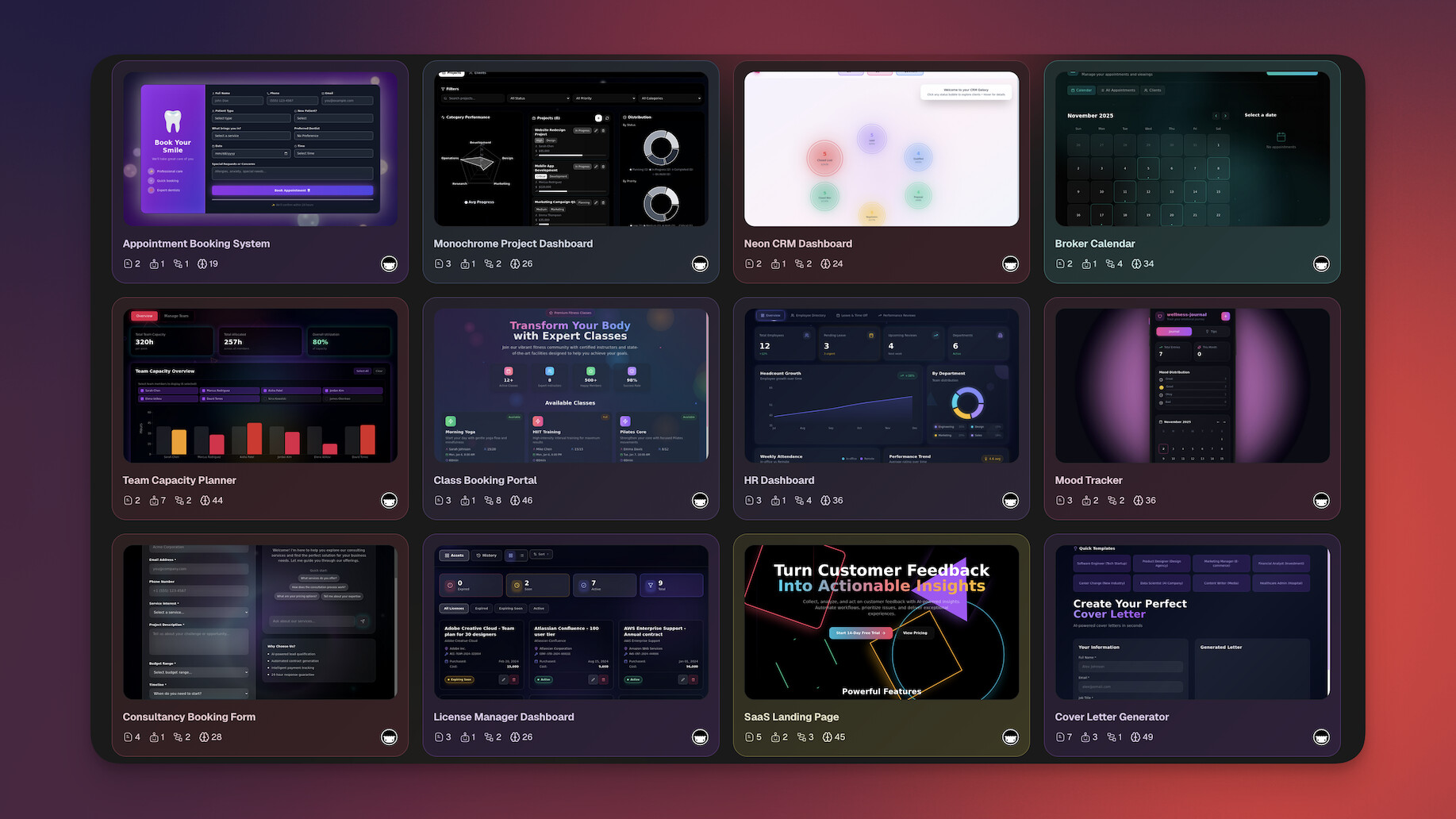
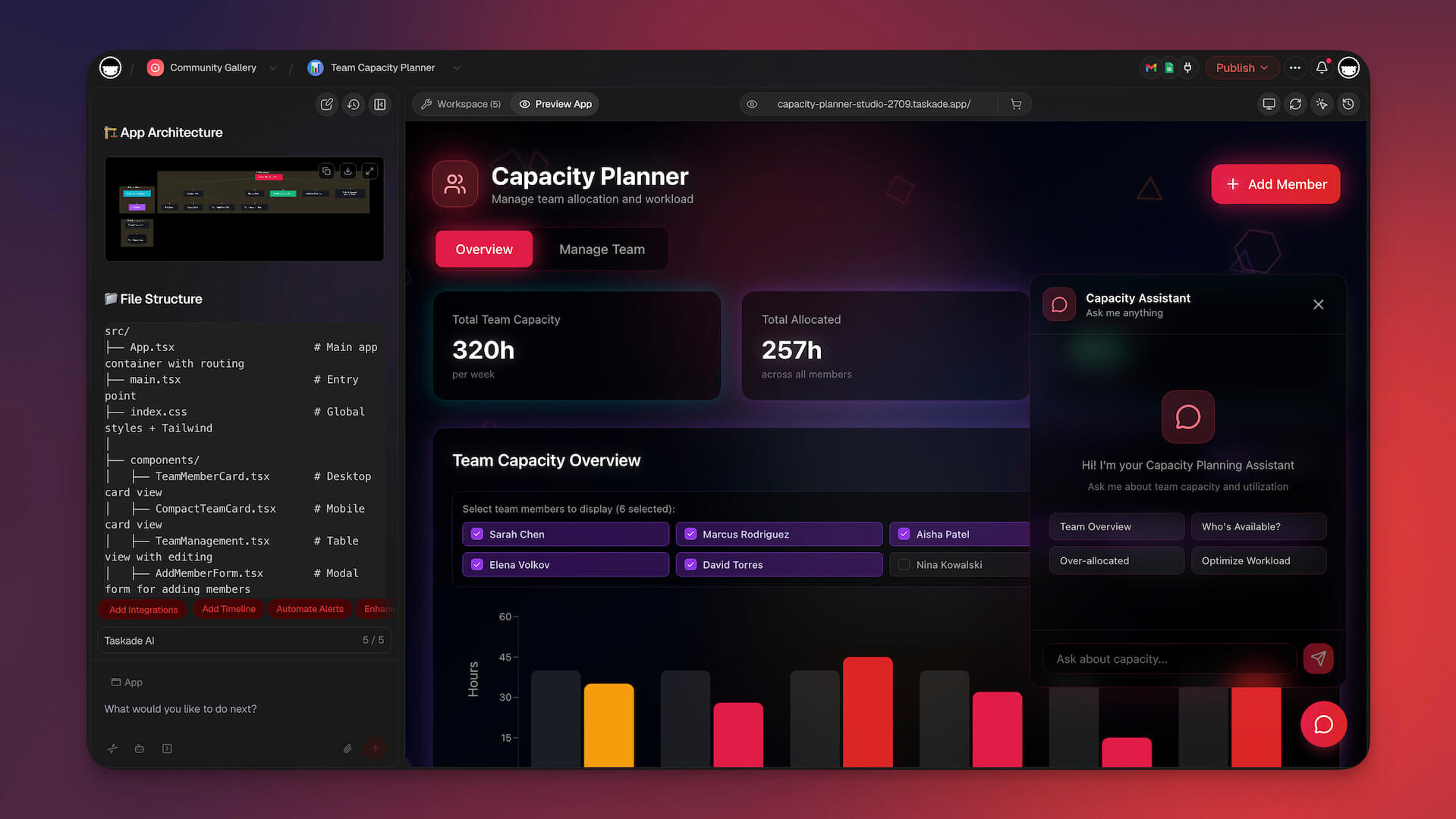
That's the fundamental difference. Copilot operates inside your editor, suggesting the next line of code. Genesis operates at a completely different level: you describe what you want in plain English, and it builds a complete, working application with built-in AI agents, data management, automations, and real-time collaboration. No IDE. No terminal. No deployment pipeline. No DevOps. Just describe your vision and get a living, functional app in minutes.
Genesis is powered by multi-agent teams — specialized AI agents that collaborate across your workspace. Each agent can be trained on your specific data, documents, and workflows. They don't just answer questions; they execute tasks autonomously, 24/7. Need a CRM that scores leads automatically? A project dashboard that generates status reports? A client portal with document collection and automated follow-ups? Describe it once, and Genesis delivers a system that runs itself.
Copilot vs Genesis: A Different Paradigm
| Feature | GitHub Copilot | Taskade Genesis |
|---|---|---|
| What it does | Suggests code lines | Builds complete apps |
| Coding required | ✅ Yes | ❌ No |
| Output | Code snippets | Working applications |
| AI agents | ❌ | ✅ Multi-agent teams |
| Built-in hosting | ❌ | ✅ Instant |
| Collaboration | Limited | ✅ Real-time workspace |
| Automations | ❌ | ✅ 100+ integrations |
| Who can use | Developers | Anyone |
| Pricing | $10-$39/user/mo | Free / $10/mo |
What You Can Build with Genesis (No Code):
| App Type | Example | Time |
|---|---|---|
| CRM | Lead tracking with AI-powered scoring and follow-ups | 5 min |
| Dashboard | Real-time business metrics with automated reporting | 3 min |
| Client Portal | Document sharing, chat, and status updates | 5 min |
| Booking System | Resource scheduling and availability management | 5 min |
| Knowledge Base | Searchable wiki with AI-powered Q&A | 3 min |
| Content Pipeline | AI-generated drafts, review workflows, publishing queue | 5 min |
| Feedback System | Collection forms, sentiment analysis, reporting | 2 min |
| Recruitment Tracker | Applicant pipeline, screening agents, interview scheduling | 5 min |
Example prompt (explore more in our prompt template library):
"Build a customer support ticket system with intake forms,
automatic priority classification, agent assignment,
SLA tracking, and a reporting dashboard."
Genesis delivers a working system, not code you need to review, test, and deploy.
See Taskade AI Automations in action:
👍 Taskade Genesis Pros
- Build complete, working applications from natural language descriptions in minutes
- Multi-agent teams trained on your specific data and workflows execute tasks autonomously
- 100+ integrations connect to your existing tools (Slack, Google Drive, Zapier, and more)
- Real-time collaboration lets teams work together in the same workspace
- Cross-platform access on web, desktop, and mobile with built-in hosting
👎 Taskade Genesis Cons
- Not designed for custom backend logic, low-level programming, or contributing to existing codebases
- Applications are hosted on the Taskade platform rather than self-hosted infrastructure
💵 Taskade Genesis Pricing
- 🟢 Free: Build 3 Taskade Genesis apps, AI agents included
- 🔵 Pro ($10/month, billed annually): Advanced features, more agent credits
- 🟣 Business ($25/month, billed annually): Team features, priority support
#2 Cursor — Best for AI Pair Programming
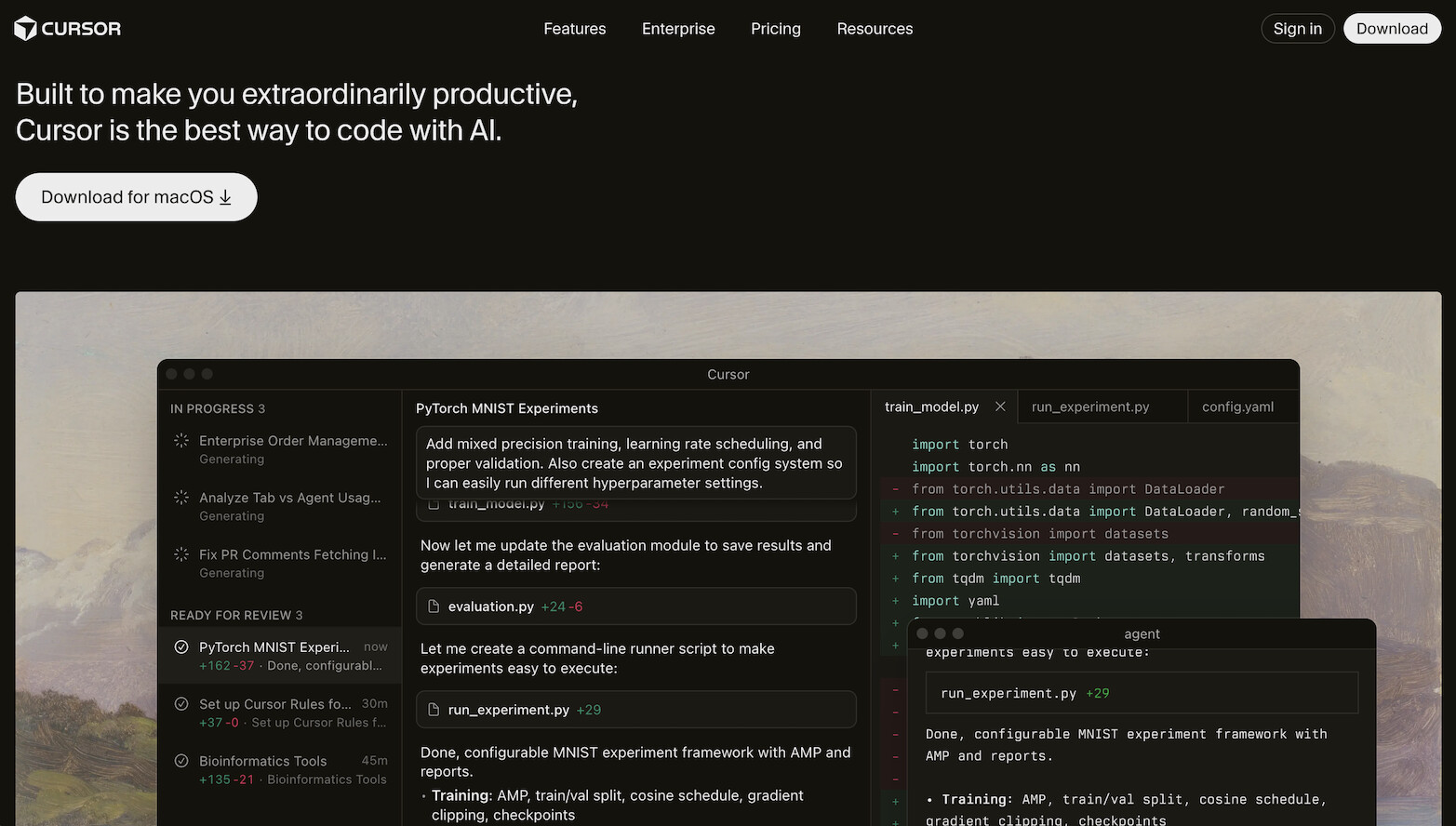
Cursor is an AI-native code editor built on VS Code that has become the go-to choice for developers who want a step beyond Copilot's suggestions. Where Copilot adds AI on top of an existing editor, Cursor was built from the ground up with AI at the core. The result is a fundamentally deeper integration between developer and AI.
Cursor's killer features include Cmd+K inline editing (highlight any code block, describe what you want changed in natural language, and Cursor rewrites it), Composer (multi-file editing sessions where the AI plans and applies coordinated changes across your project), and codebase-aware chat that indexes your entire repository. This means suggestions reference your actual function signatures, types, and patterns, not generic examples from training data.
Model flexibility is another advantage. Cursor lets you switch between Claude, OpenAI GPT (frontier models), and other models depending on the task. Use faster models for autocomplete, stronger models for complex refactors. Terminal integration means you can run commands, see errors, and have the AI fix issues without leaving the editor. Compared to Copilot, Cursor offers significantly more depth at the cost of a higher price tag.
👍 Cursor Pros
- Cmd+K inline editing lets you describe changes in natural language and apply them instantly
- Composer handles multi-file editing sessions with coherent cross-file changes
- Full codebase indexing provides context-aware suggestions that reference your actual code
- Model selection (Claude, OpenAI GPT (frontier models), and others) lets you choose the right model per task
- Built on VS Code, so your extensions and keybindings transfer seamlessly
👎 Cursor Cons
- $20/month is double Copilot's price for individual developers
- Requires coding knowledge; it augments skill rather than replacing it
💵 Cursor Pricing
- 🟢 Free: Limited AI features
- 🔵 Pro ($20/month): Extended Agent limits, frontier models, cloud agents
👉 See full Taskade vs Cursor comparison →
#3 Windsurf — Best for Agentic Coding at Budget Price

Windsurf (formerly Codeium) combines a VS Code-based editor with Cascade, an agentic AI system that executes multi-step coding tasks. If Copilot suggests individual lines and Cursor lets you edit blocks, Windsurf plans and executes entire sequences of changes. It's the middle ground between reactive suggestions and full autonomy.
Cascade is the standout feature. Instead of single-turn completions, Cascade breaks complex requests into a chain of steps — reading files, making edits, running terminal commands, and iterating based on results. It maintains context across the entire chain, so step five understands what happened in steps one through four. This produces significantly more coherent multi-file changes than Copilot's line-by-line approach.
The pricing makes Windsurf especially attractive. At $15/month for full Cascade access, it's cheaper than Cursor ($20/month) and comparable in capabilities for most workflows. The autocomplete engine (inherited from Codeium) is one of the fastest in the industry. For developers looking for agentic coding capabilities without the premium price tag, Windsurf delivers outstanding value.
👍 Windsurf Pros
- Cascade multi-step execution chains together file reads, edits, and terminal commands into coherent workflows
- Context persistence across Cascade chains reduces "forgot what we were doing" problems
- Supercomplete autocomplete is fast and accurate, inherited from Codeium's completion engine
- Memories and rules let you configure persistent context across sessions (project conventions, patterns)
- Aggressive pricing at $15/month undercuts most AI code editors
👎 Windsurf Cons
- Very long Cascade chains (10+ steps) can occasionally lose coherence
- Enterprise features are still maturing compared to Copilot Enterprise
💵 Windsurf Pricing
- 🟢 Free: Basic features and limited Cascade
- 🔵 Pro ($15/month): Full Cascade access
👉 See full Taskade vs Windsurf comparison →
#4 Claude Code — Best for Terminal-Based Deep Coding
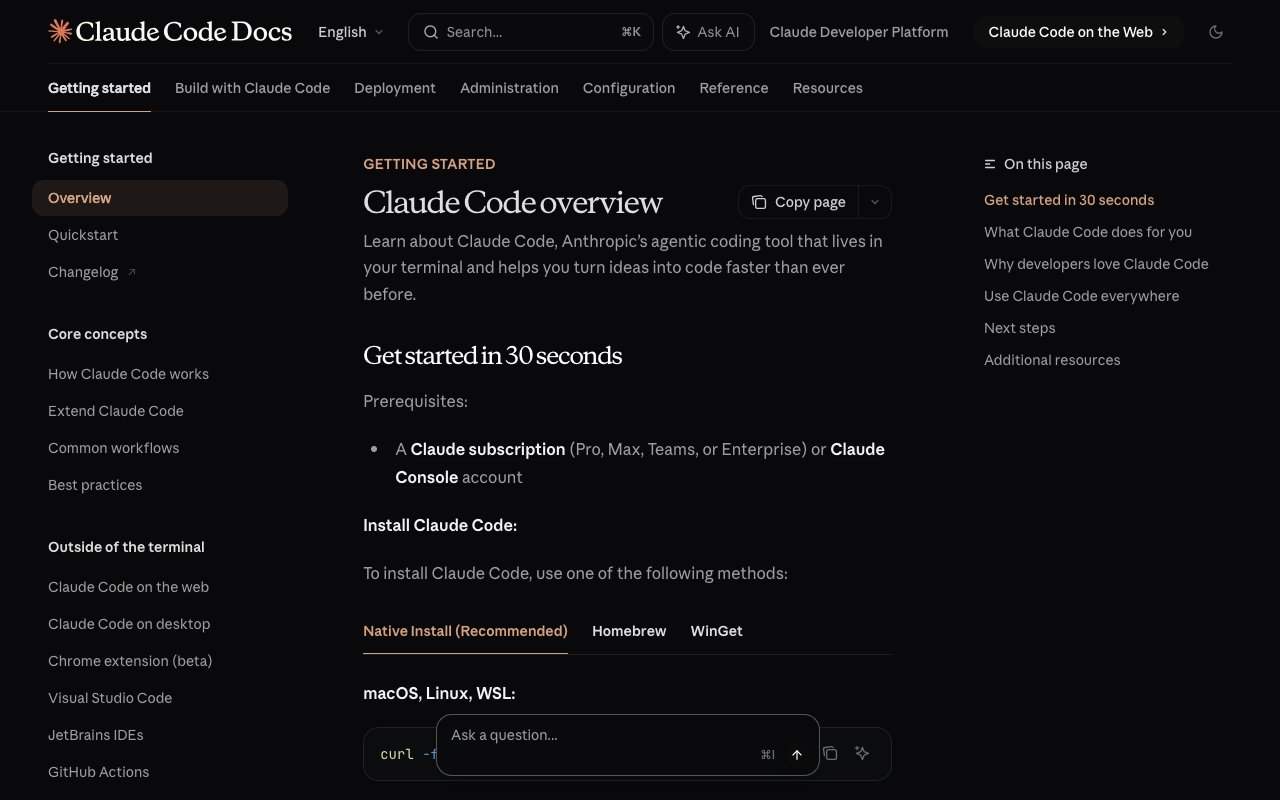
Claude Code is Anthropic's command-line AI coding tool. It operates entirely in the terminal — no IDE, no GUI, no browser. Install it, point it at your codebase, and interact through a conversational CLI. Claude Code reads your entire project structure, understands relationships between files, and makes changes across your codebase based on natural language instructions.
The differentiator is depth of understanding. Powered by Claude's massive context window, Claude Code can hold and reason about enormous codebases in a single session. Ask it to refactor a module that touches fifteen files, debug a race condition across services, or add a feature that requires changes to routes, controllers, models, tests, and documentation. It navigates the codebase intelligently, making coherent changes that respect existing patterns, naming conventions, and architectural decisions.
Where Copilot suggests line-by-line, Claude Code operates at the project level. It's Git-native, understanding your commit history, branches, and change patterns. It executes shell commands directly, running tests, installing packages, and reacting to build errors. For senior engineers who live in the terminal and want deep, conversational AI assistance, Claude Code is the most capable tool available.
👍 Claude Code Pros
- Industry-leading context window lets it reason about massive codebases without losing track
- Git-native workflow understands commit history, branches, and project evolution
- Shell command execution runs tests, builds, and installs packages directly in your terminal
- Multi-file refactoring maintains type safety, import consistency, and architectural patterns
- Conversational interface lets you iterate on complex problems step by step
👎 Claude Code Cons
- Terminal-only; no visual UI, which creates a steep learning curve for some developers
- Usage-based pricing can be unpredictable for heavy coding sessions
💵 Claude Code Pricing
- 🔵 Usage-based: Pay per tokens used through Anthropic API
👉 See full Taskade vs Claude Code comparison →
#5 Devin AI — Best for Autonomous Software Engineering
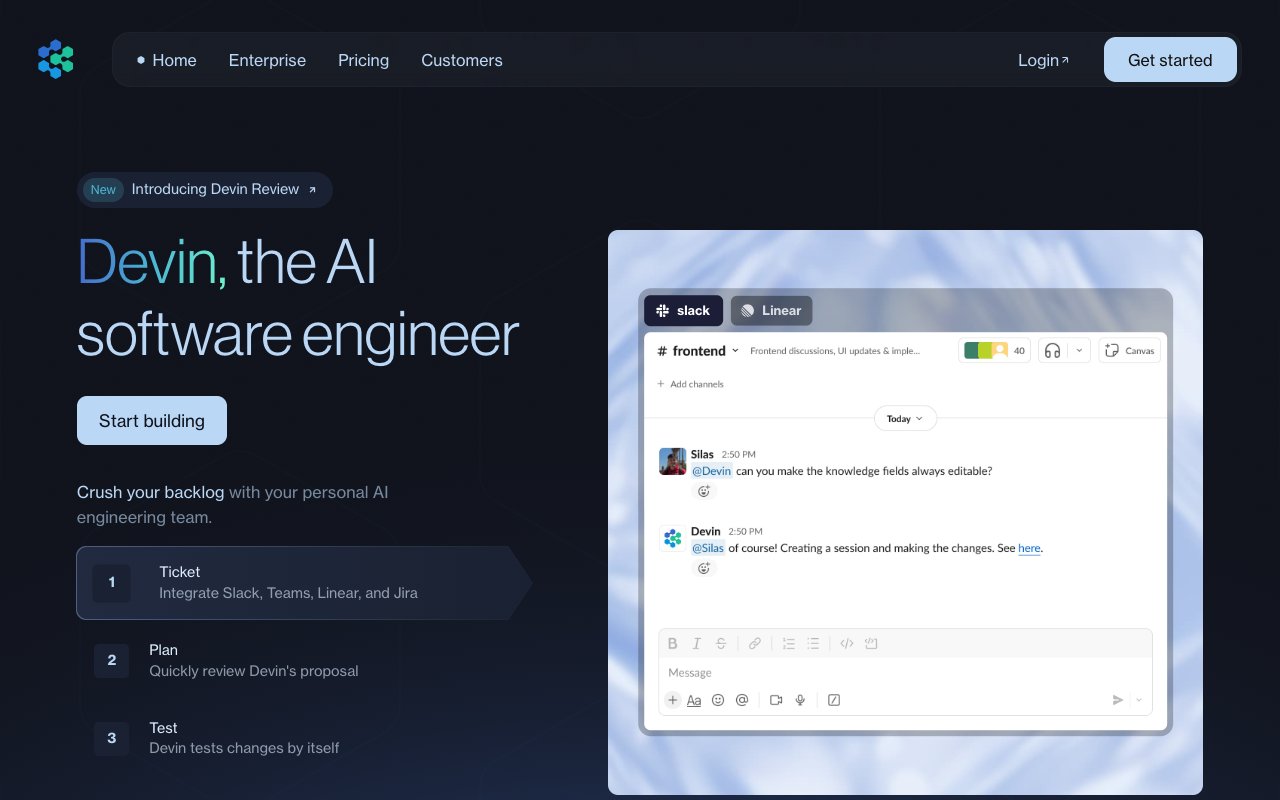
Devin AI by Cognition Labs represents the opposite end of the spectrum from Copilot. While Copilot suggests code and waits for your input, Devin operates as a fully autonomous AI software engineer. Give it a task, walk away, and come back to find completed code — planned, written, tested, debugged, and ready for review.
Devin works inside its own sandboxed environment with a code editor, browser, and terminal. It can read documentation, search the web for solutions, plan implementation strategies, write code across multiple files, run test suites, debug failures, and iterate until the task is complete. On Cognition's benchmarks, Devin resolved a meaningful percentage of real GitHub issues end-to-end without human intervention.
The catch is the $500/month price tag and real-world performance that varies from the demos. Complex tasks can take hours of compute time. Context retention degrades during extended sessions. Most teams still need experienced engineers to review, direct, and correct Devin's output. For well-funded engineering teams that need to parallelize development work, Devin has genuine value. For everyone else, alternatives deliver similar or broader capabilities at a fraction of the cost.
👍 Devin AI Pros
- Fully autonomous: plans, codes, tests, debugs, and deploys without constant guidance
- Sandboxed environment with editor, browser, and terminal handles complex engineering tasks
- Can read documentation, search the web, and learn new frameworks on the fly
- Handles multi-file, multi-service changes across complex codebases
- Parallelizes development by running multiple tasks simultaneously
👎 Devin AI Cons
- $500/month price tag puts it out of reach for most individuals and small teams
- Complex tasks can take hours; context degrades during extended sessions
💵 Devin AI Pricing
- 🔵 Team ($500/month): Autonomous AI software engineer
👉 See full Taskade vs Devin comparison →
#6 Bolt.new — Best for Instant App Generation
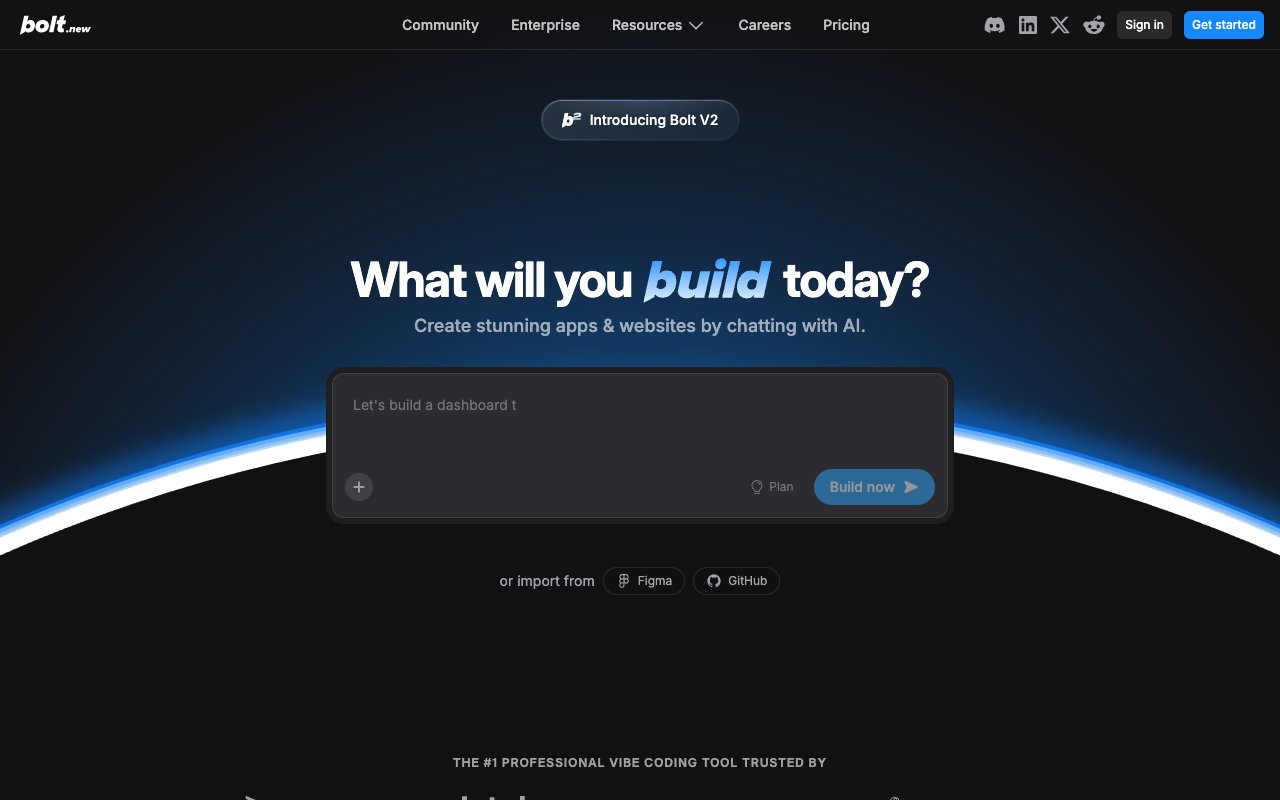
Bolt.new by StackBlitz takes a fundamentally different approach than Copilot. Instead of helping you write code line by line, Bolt generates complete, runnable applications in seconds from natural language descriptions. It runs entirely in the browser using WebContainers technology — a full Node.js environment with no server-side computation needed. Describe what you want, and Bolt scaffolds the frontend, backend, dependencies, and configuration instantly.
The speed is genuinely impressive. Need a landing page, a dashboard, a CRUD app, or a utility tool? Describe it in a few sentences and Bolt produces a working version you can see, edit, and interact with in real time. The output is real code (typically React/Next.js) that you can export to GitHub, download locally, or deploy to Vercel, Netlify, or any hosting platform.
Bolt excels at rapid prototyping and small-to-medium applications. It's iterative too — describe what's wrong or what to change, and Bolt modifies the existing project coherently. The limitation is scope: complex multi-service architectures, sophisticated backend logic, and production-grade systems with authentication and payments typically need manual extension after export.
👍 Bolt.new Pros
- Generates complete, working apps in seconds from natural language prompts
- WebContainer runtime runs Node.js in the browser — instant start, no environment setup
- Live preview shows your application running in real time as code is generated
- Full code export to GitHub, local download, or deployment platforms
- Iterative refinement lets you describe changes and Bolt modifies the existing project
👎 Bolt.new Cons
- Struggles with complex backend logic, multi-service architectures, and production-grade integrations
- Browser-based runtime has performance limits for compute-heavy applications
💵 Bolt.new Pricing
- 🟢 Free: Limited generations
- 🔵 Pro ($25/month): 10M tokens/month, no daily limit, full code export
👉 See full Taskade vs Bolt comparison →
#7 Replit — Best for Cloud IDE with AI Agent

Replit combines a cloud-based IDE with an autonomous AI agent that plans, builds, and deploys applications. If Copilot enhances your local development environment, Replit replaces it with a fully cloud-native platform where coding, building, and deployment happen in one place. The Replit Agent is the closest direct competitor to Devin in philosophy — describe what you want, and the agent handles everything from architecture to deployment.
The zero-setup experience is Replit's biggest draw. There's no local environment to configure, no dependency hell, no deployment pipeline to manage. The Agent runs in the cloud, scaffolds your application, installs packages, writes code across frontend and backend, sets up databases, and deploys with one click. For quick prototypes, MVPs, and small-to-medium applications, the speed from idea to deployed app is remarkable.
Replit's multiplayer collaboration lets team members jump into the same environment and work alongside the Agent in real time. Built-in hosting with custom domains means apps go live without configuring servers. At $25/month, it's a fraction of Devin's cost while delivering autonomous building capabilities that Copilot simply doesn't offer.
👍 Replit Pros
- Replit Agent autonomously plans, builds, and deploys full-stack applications
- Zero-setup cloud IDE eliminates local environment configuration entirely
- One-click deployment with built-in hosting and custom domains
- Real-time multiplayer collaboration alongside the AI agent
- Supports dozens of languages and frameworks in a single browser tab
👎 Replit Cons
- Complex multi-service architectures can push past the Agent's capabilities
- App performance depends on Replit's infrastructure tier
💵 Replit Pricing
- 🟢 Free: Basic IDE features
- 🔵 Replit Core ($25/month): Agent + deployment + always-on hosting
👉 See full Taskade vs Replit comparison →
#8 Cline — Best Open-Source AI Coding Agent
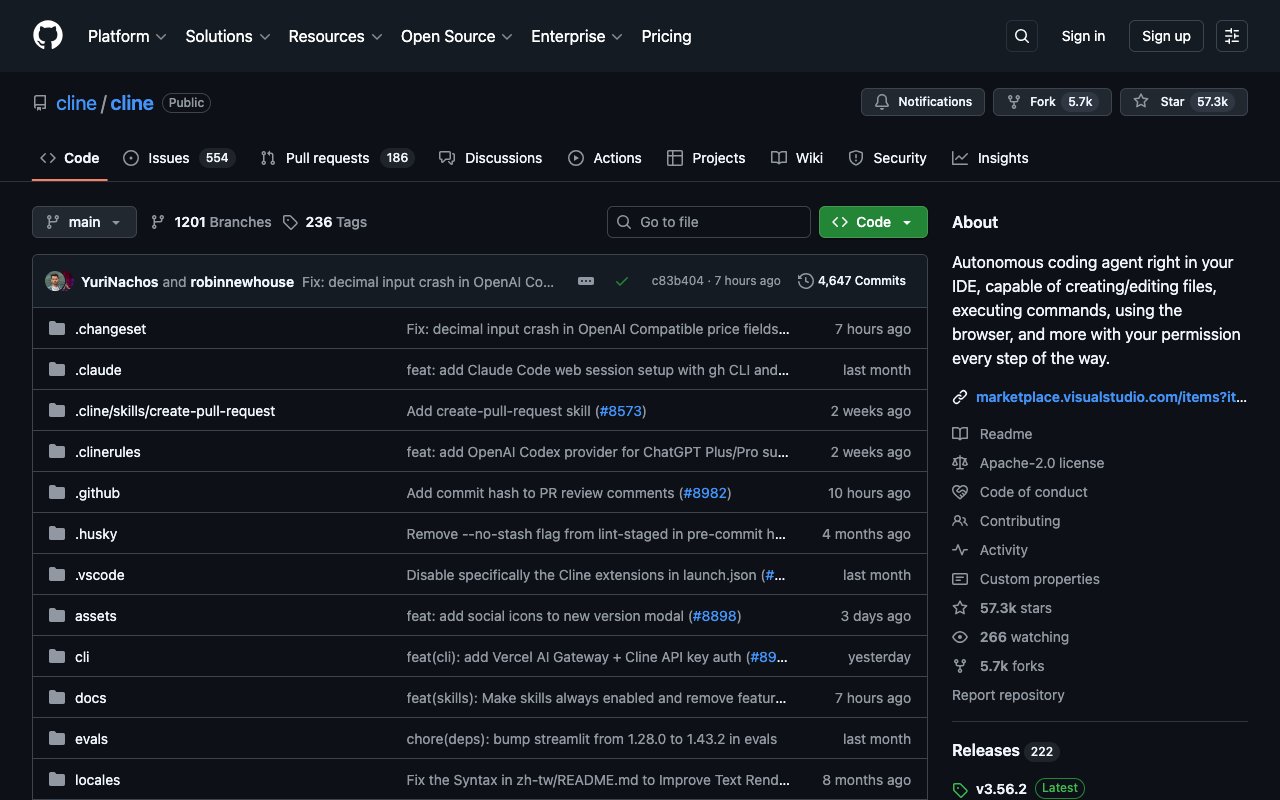
Cline is an open-source VS Code extension that brings autonomous AI coding to your editor without vendor lock-in or subscription fees. Where Copilot locks you into GitHub and OpenAI, Cline lets you bring your own API key and choose any LLM — Claude, OpenAI GPT (frontier models), Gemini, Llama, Mistral, or any model with an OpenAI-compatible API. It can read files, write code, execute terminal commands, and browse the web, all within your development environment.
The key design decision is human-in-the-loop approval. Every file write, terminal command, and browser action requires your explicit confirmation. This prevents the "AI went rogue" scenarios that plague fully autonomous agents. You get agentic capability with full transparency and control. Cline shows you exactly what it plans to do and waits for your go-ahead before executing.
MCP (Model Context Protocol) support sets Cline apart from other open-source tools. Connect it to external databases, documentation servers, APIs, and custom tooling through Anthropic's MCP standard. The active open-source community contributes extensions, memory systems, custom prompts, and workflow templates. For developers who value transparency, flexibility, and zero vendor lock-in, Cline is the clear choice.
👍 Cline Pros
- Completely open-source with an active community contributing extensions and improvements
- Model-agnostic: use Claude, OpenAI GPT (frontier models), Gemini, Llama, or any LLM with an API
- Human-in-the-loop approval ensures full visibility and control over every AI action
- MCP support connects to external tools, APIs, databases, and documentation servers
- Zero subscription cost — pay only for your own LLM API usage
👎 Cline Cons
- Requires managing your own API keys and monitoring token costs, which can add up
- Quality of output depends heavily on which model you choose; cheaper models produce worse results
💵 Cline Pricing
- 🟢 Free: Open source (pay only for your LLM API usage)
#9 ClickUp AI — Best for AI-Powered Project Management
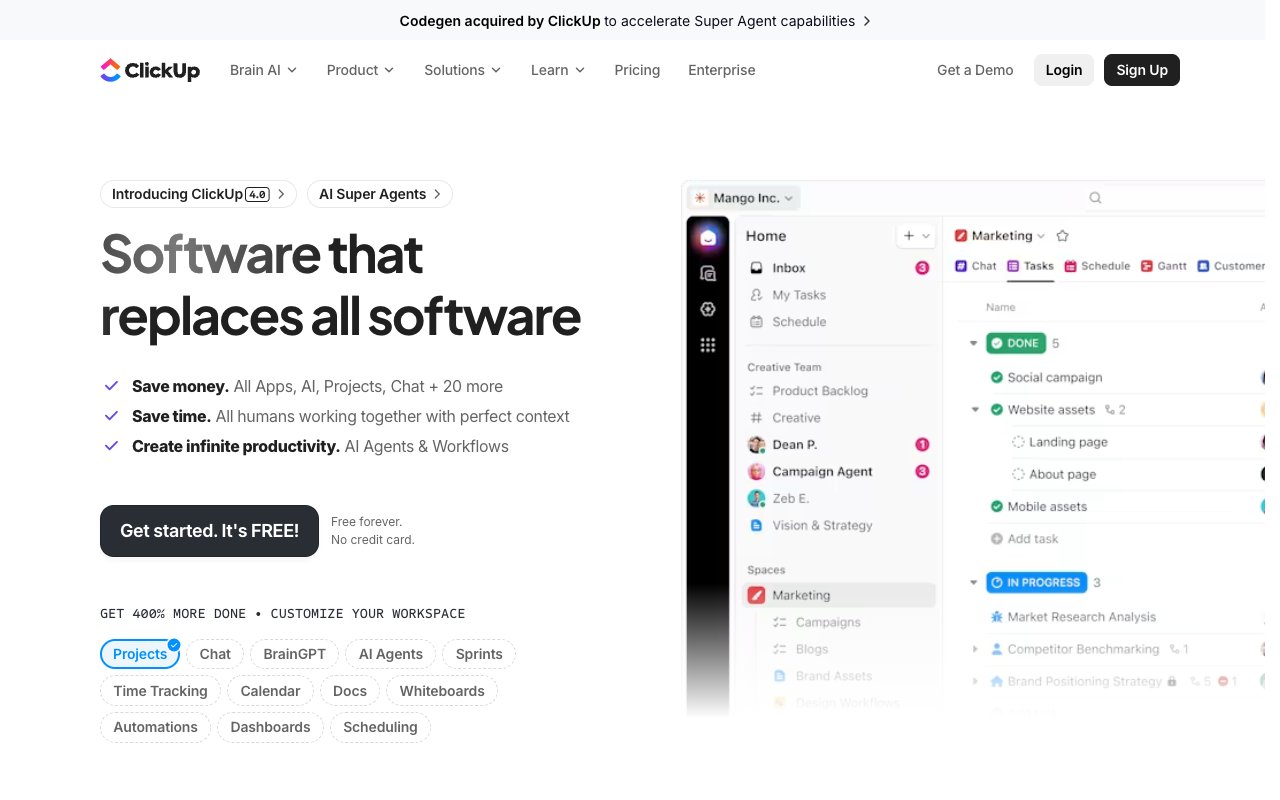
ClickUp AI takes a different approach to the Copilot alternative conversation. Instead of focusing on code generation, ClickUp integrates AI across the entire project management lifecycle. ClickUp Brain is a neural network that connects tasks, documents, people, and knowledge across your workspace. It doesn't write code for you — it manages the work around the code.
The standout feature in 2026 is Super Agents — autonomous AI teammates that handle project management tasks without manual intervention. These agents can triage incoming requests, generate project plans, draft documents, summarize meeting notes, create status reports, and route tasks to the right team members. For development teams, this means the overhead around coding — planning, tracking, communicating — gets automated.
ClickUp's workspace-wide search lets you ask natural language questions across all your projects, documents, and conversations. The AI writing assistant helps with documentation, specs, and communications. While it won't replace Copilot for actual code generation, it replaces the project management layer that surrounds your development work. Teams using both ClickUp AI and a coding tool like Cursor or Windsurf get comprehensive coverage across the full development workflow.
👍 ClickUp AI Pros
- Brain neural network connects tasks, docs, and people across your entire workspace
- Super Agents handle project management autonomously (triage, planning, reporting)
- Workspace-wide AI search answers natural language questions across all your data
- AI writing assistant generates documentation, specs, emails, and status updates
- Comprehensive project management with 15+ views (list, board, Gantt, timeline)
👎 ClickUp AI Cons
- Does not generate or write code; focused on project management, not development
- AI features require higher-tier plans, adding to per-user costs
💵 ClickUp AI Pricing
- 🟢 Free Forever: Basic features, limited AI
- 🔵 Unlimited ($7/user/month): Full PM features
- 🟣 Business ($12/user/month): Advanced automations + full AI access
👉 See full Taskade vs ClickUp comparison →
#10 Lovable — Best for Design-First App Building

Lovable (formerly GPT Engineer) focuses on what most AI coding tools neglect: beautiful design. Where Copilot generates functional but unstyled code, and most AI app builders produce generic-looking interfaces, Lovable generates applications with polished, production-quality UI from the start. Describe your app and Lovable delivers React and TypeScript code with thoughtful layouts, consistent styling, and attention to visual detail.
The design-first philosophy extends to the development experience. Lovable provides a visual interface where you can see your application taking shape in real time, make adjustments through natural language, and refine the design iteratively. Supabase integration handles the backend — authentication, database, and storage — so the generated apps have real functionality, not just pretty frontends.
For founders, designers, and product managers who care about how their applications look and feel, Lovable fills a gap that code-centric tools like Copilot completely ignore. The output is clean, well-structured React/TypeScript that developers can extend and customize after generation.
👍 Lovable Pros
- Generates applications with polished, production-quality UI and thoughtful design
- React and TypeScript output is clean, well-structured, and developer-friendly
- Supabase integration provides authentication, database, and storage out of the box
- Visual real-time preview with iterative refinement through natural language
- Design-first approach that code-centric tools completely miss
👎 Lovable Cons
- Best suited for web applications; limited support for native mobile or complex backends
- Backend capabilities depend on Supabase integration; custom server logic requires manual extension
💵 Lovable Pricing
- 🟢 Free: Limited generations
- 🔵 Starter ($25/month): More generations and projects
👉 See full Taskade vs Lovable comparison →
⚖️ Taskade vs GitHub Copilot: Two Different Visions
This isn't a comparison of code suggestion accuracy. It's a comparison of fundamentally different approaches to building software.
Copilot's philosophy: Help developers write code faster.
Taskade's philosophy: Eliminate the need to write code entirely.
| Dimension | GitHub Copilot | Taskade Genesis |
|---|---|---|
| Target user | Developers | Everyone |
| Core action | Suggest code | Build applications |
| Output | Code snippets and completions | Complete working applications |
| Agent model | Single AI assistant | Multi-agent teams |
| Knowledge | General code training data | Trained on your specific data |
| Collaboration | Limited (editor-level) | Real-time team workspace |
| Hosting | ❌ You manage | ✅ Built-in, instant |
| Automations | ❌ | ✅ 100+ integrations |
| Learning curve | High (must know how to code) | Low (natural language) |
| Pricing | $10-$39/user/month | Free / $10/month |
Copilot makes experienced developers faster at writing code. Genesis makes anyone capable of building software.
The question isn't "Which tool writes better code?" It's "Do you need to write code at all?"
- If you're contributing to an existing complex codebase, Copilot (or Cursor, Windsurf) is the right tool.
- If you need a working application, tool, or system, Genesis gets you there faster, cheaper, and without requiring engineering skills.
🏅 Final Verdict: Which GitHub Copilot Alternative Should You Choose?
| Your Situation | Best Choice | Why |
|---|---|---|
| Non-technical, need working apps | Taskade Genesis | No code required — describe and get a working app |
| Developer, want deeper AI in editor | Cursor | Composer + Cmd+K + codebase indexing is best-in-class |
| Developer, want agentic coding on a budget | Windsurf | Cascade multi-step execution at $15/month |
| Senior engineer, terminal-first workflow | Claude Code | Deepest codebase understanding, conversational CLI |
| Well-funded team, need full autonomy | Devin AI | Maximum autonomous execution for complex engineering |
| Rapid prototyping, instant results | Bolt.new | Complete apps in seconds, browser-based |
| Cloud-native development | Replit | Agent + IDE + hosting in one platform at $25/mo |
| Open-source advocate, zero lock-in | Cline | Any LLM, full transparency, community-driven |
| Project management + AI automation | ClickUp AI | Super Agents manage the work around the code |
| Design-first app building | Lovable | Beautiful UI generation with React/TypeScript output |
| Enterprise, need governance | GitHub Copilot | IP indemnity, org controls, audit logging |
| Teams, need collaboration + AI agents | Taskade Genesis | Multi-agent teams with real-time workspace |
The bigger picture: GitHub Copilot defined the first generation of AI coding tools. But in 2026, the market has fragmented into specialized categories — AI code editors, autonomous agents, terminal tools, app builders, and no-code platforms. The most productive teams combine multiple tools: Genesis for building apps and automating workflows, Cursor or Windsurf for daily coding, and Copilot for lightweight suggestions across the team.
If you're paying $19-$39 per seat for Copilot Enterprise and finding it limited to suggestions, the combination of Genesis (for app building) + Cursor (for AI-assisted coding) covers more ground and often costs less per person.
❓ Frequently Asked Questions
Is GitHub Copilot worth the price in 2026?
For individual developers, Copilot at $10/month remains good value for inline suggestions and Copilot Chat. The calculus changes at enterprise scale. At $39/user/month, a 50-person engineering team spends $23,400/year on Copilot Enterprise. Alternatives like Windsurf ($15/month) or Cline (free, BYOK) deliver comparable or superior AI coding features. Evaluate whether Copilot's enterprise governance features justify the premium for your organization.
Can Taskade Genesis replace GitHub Copilot?
They serve different purposes. Genesis builds complete applications from natural language without code — perfect for business tools, dashboards, internal apps, and automated workflows. Copilot helps developers write code faster within existing codebases. If your goal is to build a working application quickly, Genesis is faster and requires no coding. If your goal is to write better code in a complex existing project, Copilot (or Cursor) is more appropriate.
What's the best free alternative to GitHub Copilot?
Taskade Genesis offers a free tier with AI agents and app building. Cline is completely free and open-source — you pay only for your own LLM API usage. Windsurf has a free tier with basic features. For zero-cost AI coding assistance, Cline with a high-quality model (Claude or OpenAI GPT (frontier models)) through your own API key is the most capable option.
Is Cursor better than GitHub Copilot?
For most developers, yes. Cursor offers deeper AI integration with Composer (multi-file editing), Cmd+K (inline natural language editing), and full codebase indexing. Copilot's strengths are broader editor support (JetBrains, Neovim, not just VS Code) and enterprise features. If you work exclusively in a VS Code-style editor and want maximum AI assistance, Cursor is the better tool. If you need cross-editor support or enterprise governance, Copilot wins.
Can AI coding tools replace developers in 2026?
No. AI tools handle well-defined, bounded tasks effectively — generating boilerplate, writing tests, fixing bugs, scaffolding features, and building simple applications. They struggle with ambiguous requirements, novel architectures, complex debugging, and the judgment calls that experienced engineers make instinctively. The most productive approach is human-AI collaboration. Use tools like Copilot, Cursor, or Claude Code to amplify your engineering skills, and platforms like Genesis to build the applications that don't need custom code.
Should I switch from Copilot to an AI code editor like Cursor or Windsurf?
If you find yourself wanting more from Copilot — multi-file edits, agentic task execution, deeper codebase understanding — then Cursor ($20/month) or Windsurf ($15/month) are significant upgrades. Both are VS Code-based, so the transition is smooth. Try the free tiers of each before committing. Many developers find that the productivity gains from Composer (Cursor) or Cascade (Windsurf) justify the higher price within the first week.
🚀 Get Started Free
Ready to build? Here's where to start:
👉 Build apps with Genesis → — Describe what you want, get a working app in minutes
👉 Create AI agents → — Train custom agents on your data and workflows
👉 Explore the Community → — Browse thousands of templates, agents, and apps
👉 Sign up free → — No credit card required
🔗 Related Reading
- Best Free AI App Builders in 2026 — 15 tested, no credit card
- What Is GitHub? Complete History — From the Octocat to Copilot, AI agents, and the $7.5B Microsoft deal
- Best Cursor Alternatives
- Best Windsurf Alternatives — AI code editors compared
- Best Devin AI Alternatives
- Best Vibe Coding Tools
- What Is Vibe Coding?
- Best Bolt.new Alternatives
- Taskade vs GitHub Copilot — Side-by-side comparison
- Taskade vs Cursor — AI code editors compared
- Taskade vs Windsurf — Code editors compared
Start building:
- Clone a ready-made app template — Customize and deploy instantly
- AI App Builder — Build complete apps from one prompt
- Browse Community Apps — Clone real Genesis apps