







Vibe coding — the practice of building software by describing what you want in plain language — became Collins Dictionary's Word of the Year in 2025. In 2026, it is no longer a novelty. It is how millions of people build apps. 92% of US developers now use AI coding tools daily, and 41% of all code written globally is AI-generated.
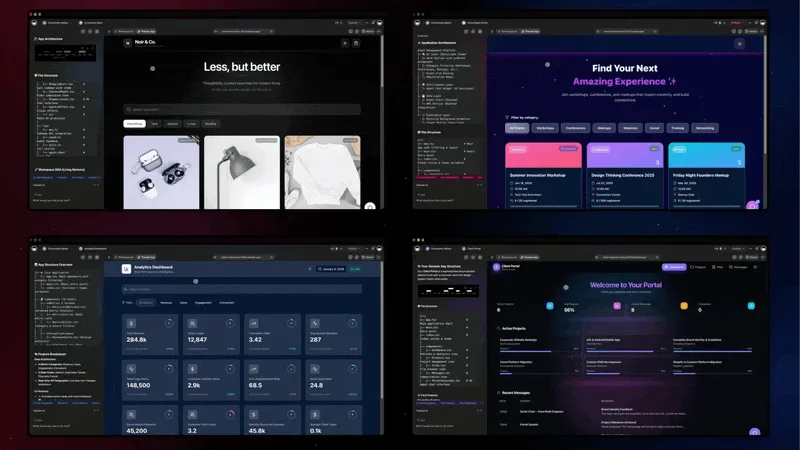
TL;DR: The vibe coding market hit $4.7 billion in 2026 with 63% of users being non-developers. Taskade Genesis leads for non-technical users (150,000+ apps built, free to start, with Pro from $10/mo billed annually), Cursor dominates professional coding ($2B ARR, $29.3B valuation), and Devin 2.0 dropped from $500/mo to $20/mo for autonomous AI engineering. Gartner forecasts 60% of all new code will be AI-generated by end of 2026.
Short on time? For most teams in 2026, Taskade Genesis is the best vibe coding tool — it builds living apps from a prompt with embedded agents, 100+ integrations, and a free tier. Code-first teams should pick Cursor or Windsurf. Full-stack prototypers should try Bolt.new or Lovable. Read on for the full 17-tool comparison.
But which vibe coding tool should you actually use? The answer depends on whether you are a developer, a founder, a product manager, or someone who has never opened a terminal.

This guide compares the 17 best vibe coding tools of 2026 — from Taskade Genesis and Cursor to Devin, Trae, Claude Code, GitHub Copilot, Firebase Studio, and emerging players — across pricing, AI depth, deployment, collaboration, and learning curve. For the latest market data, see our State of Vibe Coding 2026 report. For quick matchups against specific competitors, visit our compare page.
Quick Comparison Matrix
| Tool | Type | Agents | Apps | Backend | Collab | Deploy | Price |
|---|---|---|---|---|---|---|---|
| Taskade Genesis | AI workspace | Yes | Full apps | Built-in | Multiplayer | Instant | Free / $10 |
| Cursor | Code editor | Yes | No | BYO | No | BYO | $20 |
| Devin | Autonomous engineer | Yes | Code only | BYO | Team plan | BYO | $20 |
| Windsurf | Code editor | No | No | BYO | No | BYO | $15 |
| Trae | Code editor | No | No | BYO | No | BYO | Free |
| Bolt.new | App generator | No | Frontend | Limited | Teams | Manual | $25 |
| Replit | Cloud IDE | Yes | Full-stack | Built-in | Basic | Built-in | $20 |
| Lovable | App generator | No | Full-stack | Supabase | Multi-user | Manual | $25 |
| V0 | Component gen | No | Components | No | No | Copy-paste | $20 |
| Claude Code | Terminal agent | No | No | BYO | No | BYO | $20 |
| GitHub Copilot | Pair programmer | Partial | No | BYO | No | BYO | $19 |
| Firebase Studio | Google IDE | No | Full-stack | Firebase | Google Cloud | Firebase | Free |
| Base44 | No-code builder | No | Full apps | Built-in | Basic | Built-in | $29 |
| Emergent | AI builder | Yes | Full-stack | Built-in | Basic | Built-in | $20 |
| Dify | OSS AI platform | Yes | AI apps | Self-hosted | No | Self-hosted | Free |
| OpenClaw | OSS agent framework | Yes | No | BYO | No | Self-hosted | Free (alternatives) |
| Google AI Studio | AI prototyping | No | AI apps | Gemini API | No | Manual | Free |
🤔 What Is Vibe Coding?
In late 2025, Collins Dictionary named "vibe coding" its Word of the Year. The term captured something that had been building for years: the shift from writing code line by line to describing what you want and watching an AI system build it for you.
The phrase itself traces back to a February 2025 post by Andrej Karpathy, the former head of AI at Tesla and co-founder of OpenAI. Karpathy described a new way of programming where you "give in to the vibes, embrace exponentials, and forget that the code even exists." Instead of debugging syntax or wrestling with frameworks, you focus on the outcome. You describe the behavior, the interface, the rules, and the AI does the rest.
This idea struck a nerve because it matched what millions of people were already experiencing. Tools like ChatGPT, Claude, and Copilot had made it possible to generate working code from plain English prompts. But vibe coding goes further than autocomplete or chat-based code generation. It represents a philosophical shift: the person building the app does not need to understand how the app works under the hood. They need to understand what the app should do.
That shift has massive implications. Product managers can prototype without filing tickets. Founders can validate ideas without hiring engineers. Operations teams can build internal tools without waiting in a sprint queue. Designers can create interactive prototypes that actually work, not just look good in Figma.
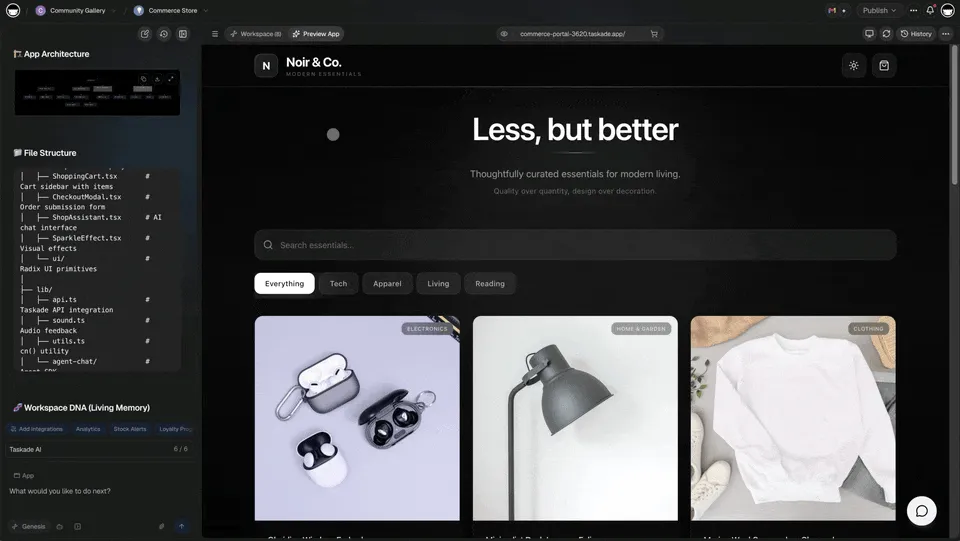
Vibe coding is not about replacing developers. Professional engineers use these tools too, and they ship faster because of them. But it is about expanding who gets to build. The barrier to creating functional software has dropped from "years of computer science education" to "the ability to describe what you need in clear language."
The seventeen tools in this guide represent different approaches to this same vision. Some enhance the developer's existing workflow. Others eliminate the need for a developer entirely. Understanding those differences is the key to choosing the right one.
Vibe Coding Market in 2026
The numbers confirm the shift is real:
| Metric | Value | Source |
|---|---|---|
| Global market size | $4.7 billion (2026) | Roots Analysis |
| Projected 2027 market | $12.3 billion (38% CAGR) | Industry forecast |
| Long-term projection | $325 billion by 2040 (36.79% CAGR) | Roots Analysis |
| US developer AI adoption | 92% use AI coding tools daily | Second Talent, 2026 |
| Global developer adoption | 82% use AI tools weekly | Industry survey |
| AI-generated code share | 41% of all code globally | 2026 data |
| Gartner forecast | 60% of new code AI-generated by end of 2026 | Gartner |
| Fortune 500 adoption | 87% use at least one vibe coding tool | Enterprise survey |
| Non-developer users | 63% of vibe coding users | Market research |
- 25% of Y Combinator startups built 95% of their codebases using AI-generated code
- Cursor hit $2B ARR in 24 months — the fastest-scaling SaaS in history, valued at $29.3B. Yet as the 20VC podcast (2026) argued, the broader SaaS industry is struggling to capture this AI-driven momentum: "These three kids from Stanford figured out how to use Opus. Why couldn't you?" The hosts called vibe coding itself "one of the most minor threats to software companies" — the real threat is incumbents' failure to innovate.
- Lovable hit $300M+ ARR and closed a $330M Series B at a $6.6B valuation (December 2025)
- Replit grew from $10M to $100M ARR in 9 months after launching Agent mode
- Walmart saved 4 million developer hours using AI coding tools
- Booking.com achieved 65% adoption and saved 150,000 hours in year one
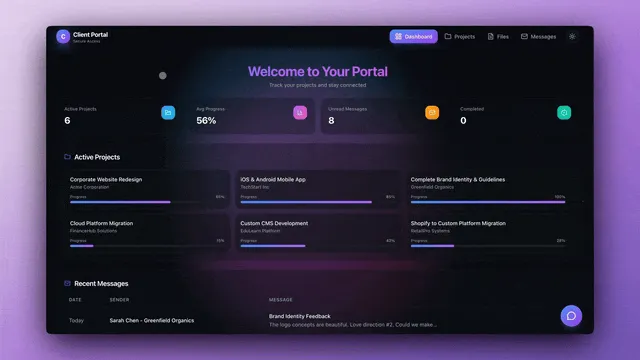
Y Combinator CEO Garry Tan named Taskade alongside Replit and Emergent as platforms enabling the vibe coding revolution, stating: "Why pay $30/seat/month for over-bundled SaaS when even non-tech ops people can vibe-code a custom solution in a weekend?" Tan's prediction has materialized — 63% of vibe coding users identify as non-developers. For a deeper look at this trend, read our analysis on why SaaS is unbundling.
Vibe Coding Funding & Valuation Landscape (March 2026)
| Company | Valuation | ARR | Latest Round | Key Investors | Category |
|---|---|---|---|---|---|
| Cursor (Anysphere) | $29.3B | $2B | $2.3B Series D (Nov 2025) | Thrive Capital, a16z | AI code editor |
| Lovable | $6.6B | $300M+ | $330M Series B (Dec 2025) | Spark Capital, GV | AI app generator |
| Replit | — | $100M | Series C | a16z, Khosla Ventures | Cloud IDE |
| Cognition AI (Devin) | $10.2B | — | Acquired Windsurf (~$250M); ~$500M raised | Founders Fund (Peter Thiel) | Autonomous engineer |
| Emergent | $300M | — | Series B (YC-backed) | Y Combinator | Multi-agent builder |
| Vercel (V0) | $3.5B | — | — | GV, Bedrock Capital | Component generator |
| StackBlitz (Bolt) | — | — | — | GV, Bloomberg Beta | Browser app builder |
| ByteDance (Trae) | — | — | Internal product | ByteDance | Free AI editor |
| Taskade (YC S19) | — | — | $5M Series Seed | Y Combinator, Grishin Robotics, Sequoia Scout, Index Scout | AI workspace + Taskade Genesis |
This table reveals the capital flowing into vibe coding: over $3 billion raised in 2025 alone. Cursor's meteoric rise ($2B ARR in 24 months) has redefined what "fast-growing SaaS" means. But notice the pattern: the highest-funded tools are code generators. Taskade Genesis takes a fundamentally different approach — building living software systems rather than generating code files. Curious how it performs in practice? Check out what users say about Taskade Genesis.
How to Choose the Right Vibe Coding Tool for Your Needs
Before diving into detailed comparisons, here's a practical decision framework based on what you're trying to accomplish:
By Use Case
Building business apps fast (CRMs, dashboards, portals)
→ Taskade Genesis — Complete systems in minutes, no code required, AI agents + automations included. See our vibe coding for non-developers guide and team case studies.
Rapid frontend prototyping (landing pages, UI mockups)
→ Bolt.new — Fastest browser-based generation, instant preview, portable React code
Professional software development (production codebases)
→ Cursor or Windsurf — AI-enhanced editing for developers who write code daily
Learning to code + building projects
→ Replit — Complete cloud platform with tutorials, community, Agent mode for building
Polished design prototypes (investor demos, user testing)
→ Lovable — Beautiful UI output, full-stack scaffolding, conversational refinement
React component library development
→ V0 by Vercel — shadcn/ui components, production-quality, modern design patterns
By Skill Level
| Your Background | Best Tool | Why |
|---|---|---|
| Non-technical (no coding experience) | Taskade Genesis | Natural language only, no deployment steps, instant working apps |
| Some coding (can read/edit code) | Bolt.new or Lovable | Generate starting point, customize as needed |
| Professional developer | Cursor or Windsurf | AI-assisted coding, full control, existing workflow integration |
| Full-stack developer | Replit or Cursor | Complete environment or enhanced local development |
| Designer (UI/UX focus) | Lovable or V0 | Visual quality, modern design patterns, clean output |
By Team Size & Collaboration Needs
Solo builder → Any tool works, choose by use case above
Small team (2-10) → Taskade Genesis (real-time collaboration) or Replit (shared cloud environment)
Development team (10-50) → Cursor or Windsurf (standardized AI editing, Git workflows)
Enterprise (50+) → Taskade Genesis (workspace-level permissions, SSO) or Cursor (enterprise licenses)
By Budget
Free tier only
- Taskade Genesis — Unlimited apps, generous AI credits
- Trae — Completely free AI code editor (ByteDance, early access)
- Windsurf — Most generous free tier for code editing
- Cline (open-source) — Free but requires your own API key
If price is the deciding factor, our roundup of the best free AI app builders ranks every tool that ships a working app at zero cost.
Under $20/month
- Taskade Genesis Pro ($10/mo, billed annually): Unlimited apps, agents, automations
- Windsurf — $15/mo (full AI features)
- Cursor — $20/mo (industry-leading AI editing)
- Devin — $20/mo Core (autonomous AI engineer)
$20-30/month
- Bolt.new — $25/mo Pro (10M tokens, frontend generation)
- Lovable — $25/mo Pro (100 credits, full-stack + Visual Edits)
- V0 — $20/mo (React components)
- Replit — $20/mo Core (cloud platform + hosting)
By Time to Production
Need it working in 5 minutes → Taskade Genesis (deployed apps with AI + automations)
Need it working today → Bolt.new (frontend prototype) or Replit Agent (full-stack in cloud)
Need it working this week → Lovable or Cursor (code generation + deployment setup)
Building over weeks/months → Cursor or Windsurf (professional development workflow)
Quick Decision Tree
Do you need a working system (not just code)?
├─ YES → Taskade Genesis
└─ NO → Do you already code daily?
    ├─ YES → Cursor (premium) or Windsurf (value)
    └─ NO → Need backend + database?
        ├─ YES → Replit (cloud) or Lovable (full-stack code)
        └─ NO → Bolt.new (frontend only)
Still unsure? Try Taskade Genesis free tier first — build a real app in 5 minutes, see if it solves your problem. If you need more control, try Bolt.new. If you're a developer, try Cursor or Windsurf free tier.
The Fundamental Divide: Code Generators vs Living Systems
Boris Cherny, Creator and Head of Claude Code at Anthropic, stated on Lenny's Podcast in February 2026 that "coding is practically solved for me." Claude Code already authors 4% of all public GitHub commits. Anthropic built Claude Cowork — their desktop application for non-technical users — in just 10 days using Claude Code itself.
If coding is solved, the question shifts: is code even the right output? That's the fundamental divide in the vibe coding landscape. Not all tools that claim to "build apps with AI" are doing the same thing.
Code Generators (Bolt.new, Lovable, V0, Cursor, Windsurf, Replit)
What they give you: React/Next.js code files that you need to deploy yourself
What you still need to do after generation:
- Set up database infrastructure (Supabase, Firebase, PostgreSQL)
- Deploy to hosting platform (Vercel, Netlify, configure environment variables)
- Integrate AI capabilities (OpenAI API keys, prompt engineering, token management)
- Add automation workflows (Zapier, Make, webhook configuration)
- Configure authentication, file storage, email services
- Wire everything together manually
- Maintain dependencies, security patches, hosting
Time to production: 10-20 hours after code generation
Cost: $100-1,000+ in tokens for complex apps + $40-700/month infrastructure
Result: Static code files you need to manage, deploy, and maintain
Living System Orchestrators (Taskade Genesis Apps)
What you get: Fully deployed intelligent system with four connected layers
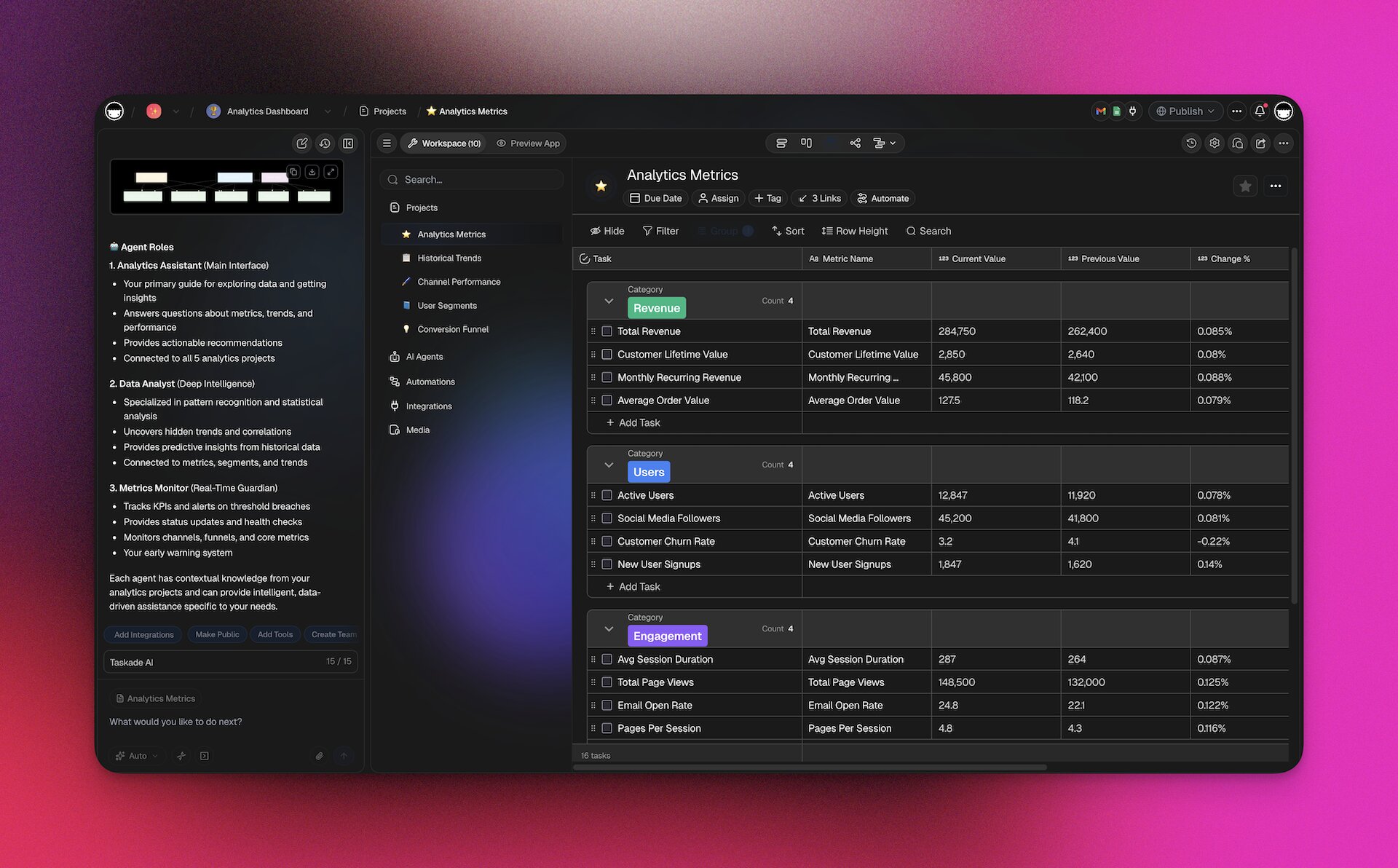
Taskade Workspace DNA Architecture:
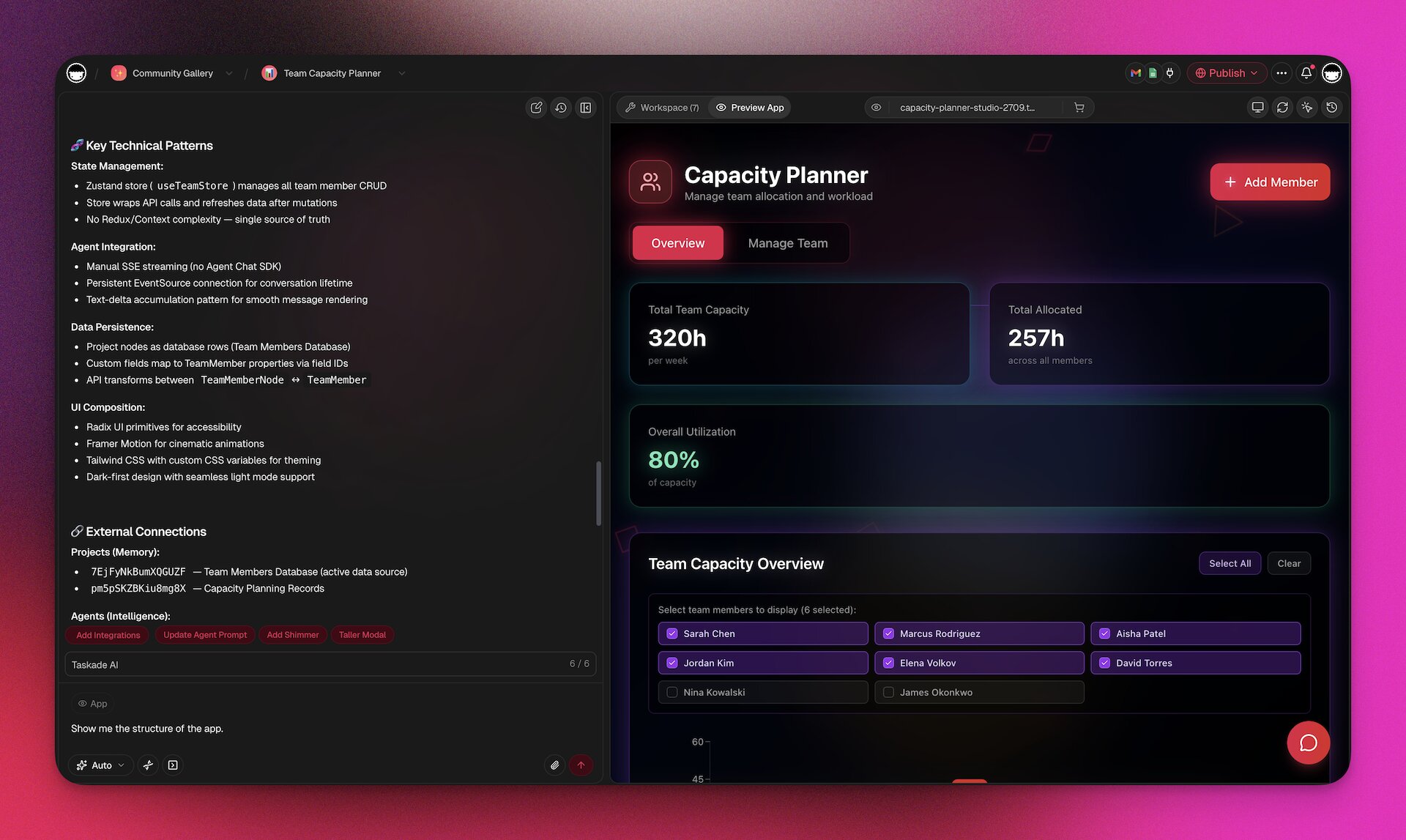
- Memory (Projects): Auto-generated database with custom fields, multiple views (List, Board, Calendar, Table, Mind Map, Gantt, Org Chart)
- Intelligence (AI Agents): Workspace-aware agents that read YOUR data, learn from your business, and make decisions — now with MCP v2 hosted servers and public API
- Execution (Automations): 100+ integrations (including Telegram Bot and Shopify) with autonomous workflows that connect everything
- Interface (Custom UI): Professional interface with 50+ shadcn/ui components, editable app files, built-in analytics (visits, pageviews, bounce rate, geo distribution), and custom domains with SSL
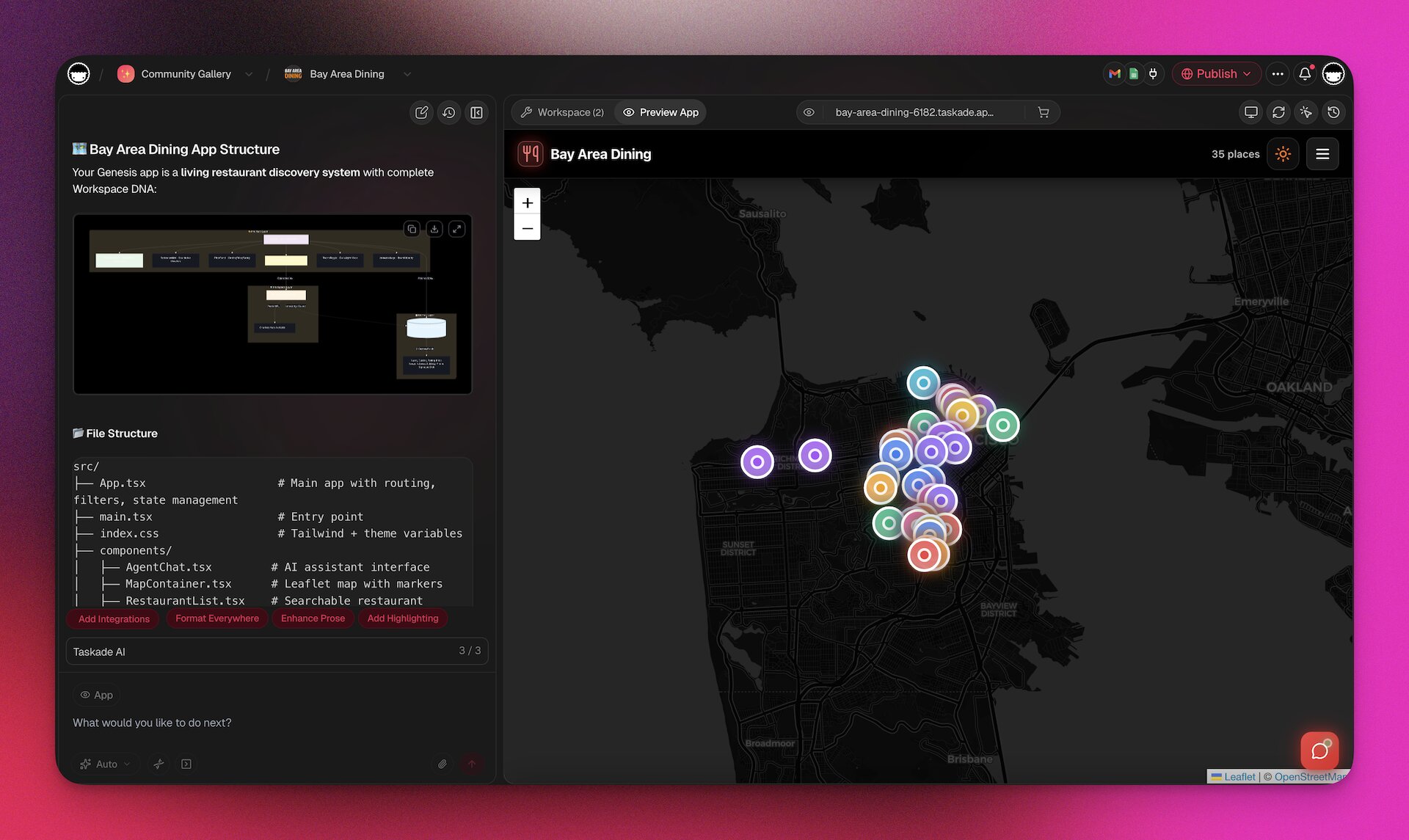
Time to production: 2-15 minutes, fully deployed with shareable link
Cost: $10/month unlimited apps (no token surprises)
Result: Living system that thinks, learns, acts, and evolves with your team
Example: Building a CRM with Vibe Coding
| What You Need | Code Generators | Taskade Genesis (Taskade Workspace DNA) |
|---|---|---|
| UI Components | Contact list, pipeline view ✅ | Contact list + 7 view types + responsive ✅ |
| Database | You add Supabase (4-8 hours) | Projects database auto-created (instant) |
| AI Intelligence | You integrate OpenAI (6-12 hours) | AI Sales Coach reads YOUR pipeline (instant) |
| Automation | You setup Zapier (3-6 hours) | Workflows: deal closes → update → Slack (instant) |
| Deployment | You configure Vercel (2-4 hours) | One-click publish with link (instant) |
| File Storage | You add S3/Cloudinary (2-4 hours) | Built-in workspace storage (instant) |
| Team Access | You setup auth (3-6 hours) | Real-time multiplayer built-in (instant) |
| Total Time | 15-30 hours | 5 minutes |
| Total Cost | $100-500+ tokens + $40-200/mo | $10/mo unlimited |
The Difference: Code generators give you a replica of a CRM. Taskade Genesis gives you a living CRM with memory (your deal data), intelligence (AI sales coach), and reflexes (automation workflows) that evolves with every interaction.
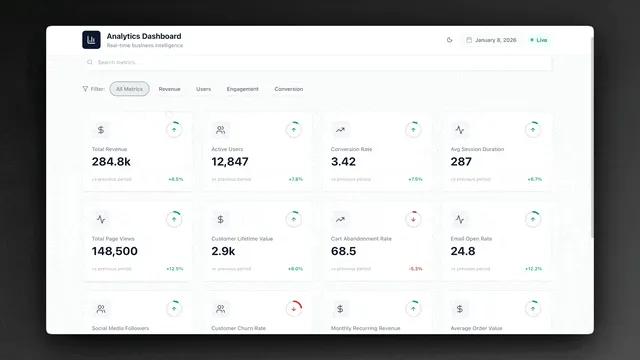
💡 True vibe coding isn't just generating code—it's orchestrating proven systems (projects + agents + automations) that work together as living software.
This architectural difference is why Taskade Genesis can build complete, production-ready systems in minutes while code generators take hours of post-generation work. Keep this distinction in mind as you evaluate each tool below.
Monday.com CEO Eran Zinman offered a broader perspective on the 20VC podcast (2026): "The TAM of software, how much companies are going to spend on software, is going to be 100x from what it is today." His reasoning — software historically did only 10-20% of the work; AI flips it to 70-80%, meaning companies will spend far more on software and far less on headcount. The implication for vibe coding tools: the market is not zero-sum. It is expanding faster than any single tool can capture.
🔍 How We Evaluated These Tools
Every tool in this comparison was evaluated against six criteria. These are the dimensions that actually determine whether a tool works for your situation, not just whether it looks impressive in a demo.
A note on what this page does not isolate: the tool and the model underneath it are two different variables, and most of these platforms do not let you choose the model at all. We ran the other experiment separately — same builder, same request, nine models swapped one at a time — in best AI model for building apps.
Code output quality. When the tool generates something, is it production-ready? Does it follow best practices? Can you maintain it without rewriting everything? For code editors, this means clean, well-structured code. For no-code platforms, this means reliable, performant apps.
AI assistance depth. How deeply does the AI understand your intent? Can it handle multi-step tasks? Does it remember context across a long session? Surface-level autocomplete is different from an AI that understands your entire project and can reason about architecture.
Deployment options. What happens after you build something? Some tools give you code you need to host yourself. Others include built-in deployment. The distance from "done building" to "live and usable" varies enormously.
Collaboration. Can your team work together in real time? Can you share results with stakeholders? Building alone in a sandbox is fine for experiments, but real projects involve other people.
Pricing. What does it actually cost to use the tool seriously? Free tiers with strict limits tell a different story than the marketing page. We look at what you pay when the tool becomes essential to your workflow.
Learning curve. How quickly can someone go from zero to productive? A tool that requires three hours of setup and a week of practice is different from one you can use in five minutes.
🧠 Karpathy's 4-Criteria Framework for Evaluating Vibe Coding Tools
Andrej Karpathy — who coined the term "vibe coding" in February 2025 — has since laid out a concrete framework for evaluating the tools that now carry his label. His criteria go beyond feature checklists to capture what actually determines whether a tool becomes part of your daily workflow or gets abandoned after a weekend experiment.
1. Personality. "The personality matters a lot," Karpathy says. How the AI communicates — whether it asks clarifying questions, explains its reasoning, or silently produces output — shapes the builder's experience more than most feature comparisons capture. A tool that feels like a collaborator produces different results than one that feels like a compiler.
2. Memory. Context retention across sessions separates capable tools from toys. Karpathy advocates for "more sophisticated memory systems" that go beyond basic context compaction. Can the tool remember your project's architecture from yesterday? Does it understand your codebase conventions without being re-told? Tools with persistent, structured memory compound their value over time.
3. Parallelization. Can you run multiple agents simultaneously? Karpathy's benchmark for power users is running parallel workstreams — multiple agents tackling different parts of a project at once. This is the difference between 1x and 10x throughput. Tools that restrict you to a single sequential conversation impose a ceiling on productivity.
4. Autonomy duration. How long can the tool work without human intervention? Karpathy distinguishes between tools that need approval every few steps and those that can take a complex task, break it into subtasks, and execute end-to-end. The longer the autonomy window, the more leverage you get per hour of attention.
How the Top Tools Score on Karpathy's Framework
| Tool | Personality | Memory | Parallelization | Autonomy | Overall |
|---|---|---|---|---|---|
| Taskade Genesis | Customizable personas | Persistent workspace | Multi-agent workflows | Automation loops | ★★★★★ |
| Cursor | Minimal | Session-level | Background Agents | Medium (BugBot) | ★★★★☆ |
| Devin 2.0 | Task-focused | Session + planning | Single-threaded | High (end-to-end) | ★★★★☆ |
| Claude Code | Conversational | Session + CLAUDE.md | Sequential | Medium | ★★★☆☆ |
| Replit | Guided | Session-level | Single-threaded | Medium | ★★★☆☆ |
| Bolt.new | Minimal | Session-level | None | Low | ★★☆☆☆ |
| Windsurf | Minimal | Session-level | None | Low | ★★☆☆☆ |
Taskade Genesis scores highest because the workspace architecture inherently addresses all four criteria: AI agents with customizable personas, persistent memory via Workspace DNA (Memory feeds Intelligence feeds Execution), multi-agent collaboration running in parallel, and automation workflows that execute autonomously — even while you sleep.
🏆 The Tools Compared
1. Taskade Genesis — The AI Workspace That Builds Complete Systems

Taskade Genesis occupies a different category from every other tool on this list. While code editors help developers write code faster and browser generators produce frontend scaffolding, Taskade Genesis lets anyone build complete, working applications — living software — by describing what they need in natural language. The workspace itself becomes the backend, the database, and the deployment platform. There is nothing to configure, nothing to host, and nothing to maintain.
This is vibe coding taken to its logical conclusion. You do not get code. You get a working system — what we call living software.
The core idea: your workspace is your backend.
Most AI coding tools produce code that you then need to deploy somewhere. That creates a chain of dependencies: you need hosting, a database, authentication, environment variables, CI/CD pipelines, and ongoing maintenance. Taskade Genesis eliminates that entire chain. When you describe an app, Taskade Genesis builds it on top of your Taskade workspace. Your projects, documents, and data become the backend. AI agents become the business logic. Automations become the workflows. The app is live the moment it is created.
This architecture is what Taskade calls Workspace DNA — three pillars that reinforce each other: Memory (your projects, documents, and data), Intelligence (AI agents that learn from that data), and Execution (automations that act on agent decisions). Memory feeds Intelligence, Intelligence triggers Execution, and Execution creates new Memory — a self-reinforcing loop that makes apps smarter over time.
This means a non-technical founder can build a working CRM in five minutes. Not a mockup. Not a prototype. A real CRM with data persistence, task tracking, automated follow-ups, and AI-powered lead scoring. The numbers back this up: 150,000+ apps generated within 90 days of Taskade Genesis launch, 3 million+ automations executed, and a Community Gallery with 70+ curated apps across 11 categories ready to clone. And every app can be shared with your team instantly — they use it immediately in the same workspace where they already manage their projects.
AI agents that actually do work.
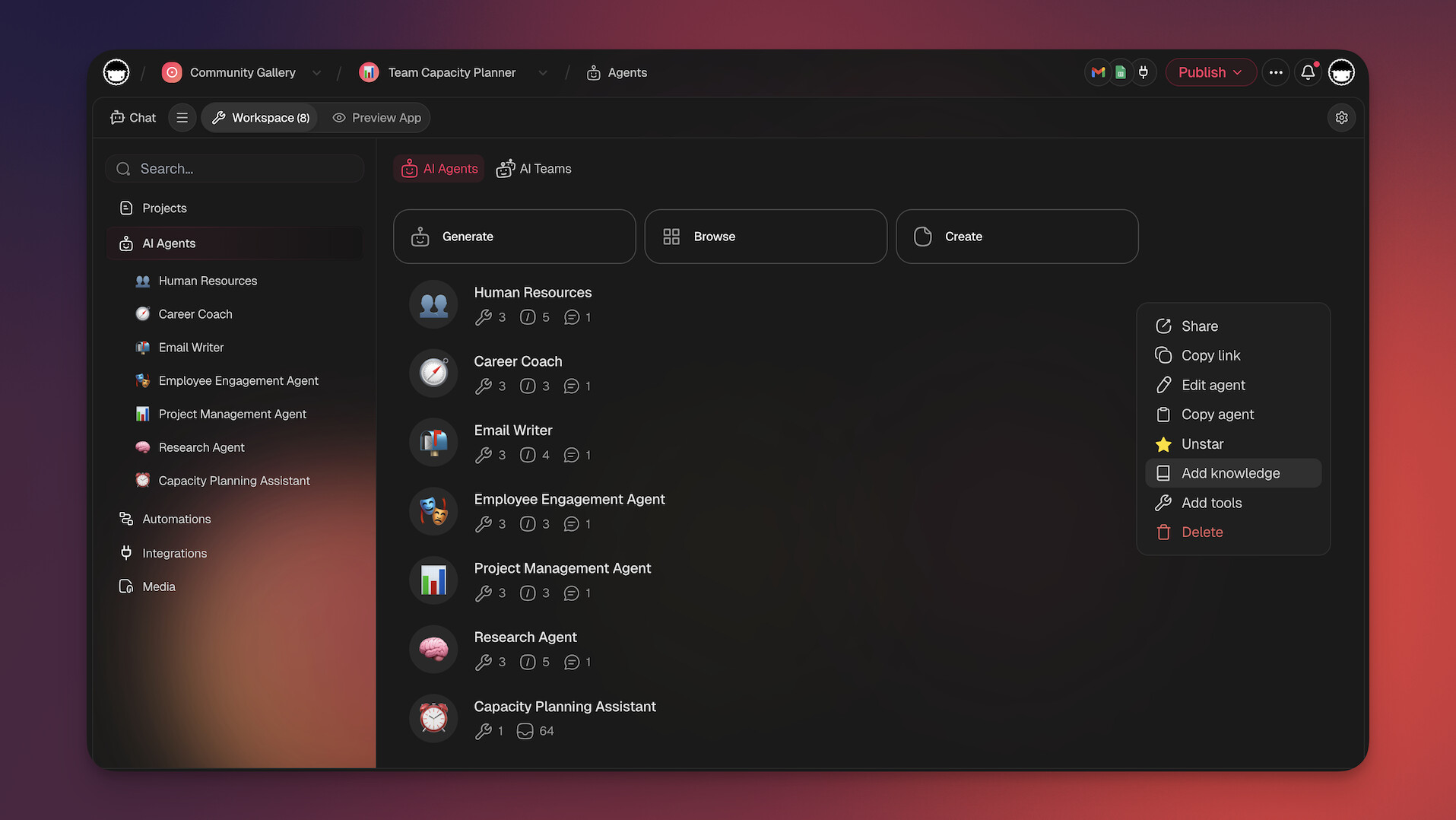
The agents in Taskade Genesis are not chatbots. They are autonomous agents — workers that you train with your own data, assign to specific roles, and let loose on real tasks. You can build an agent that monitors incoming support requests and drafts responses. You can build an agent that reads new leads and scores them based on criteria you define. You can build an agent that summarizes meeting notes and distributes action items to the right people.
Each agent comes with built-in tools (web search, code execution, data analysis, image generation, and more) and can be deployed in 7 different modes: project chat, custom slash commands, public sharing via link, embedded in Taskade Genesis apps, accessed through the public API, connected via MCP v2 hosted servers, or orchestrated in multi-agent teams where specialized agents collaborate on complex tasks.

Training an agent is as simple as pointing it at your data. Knowledge sources include uploaded files (PDF, DOCX, CSV, XLSX, EPUB, TXT, Markdown, PPTX), existing Taskade projects, URLs, YouTube transcripts, and cloud storage connections. Agents support file uploads in conversations, persistent memory across sessions, and an Intelligence Score (0-100) that measures how well-trained each agent is. You describe what the agent should do, connect it to your knowledge, and it starts working — no API keys, webhook configurations, or external integrations required. You can also start from curated AI prompt templates to accelerate agent setup and workflow design.
Recent updates include MCP v2 hosted servers, so external AI clients can connect into your workspace, a public API v2 for programmatic agent interaction, markdown export, and multi-agent orchestration where agents hand off tasks to each other. Visit AI Agents to explore what is possible.
Automations that connect everything.
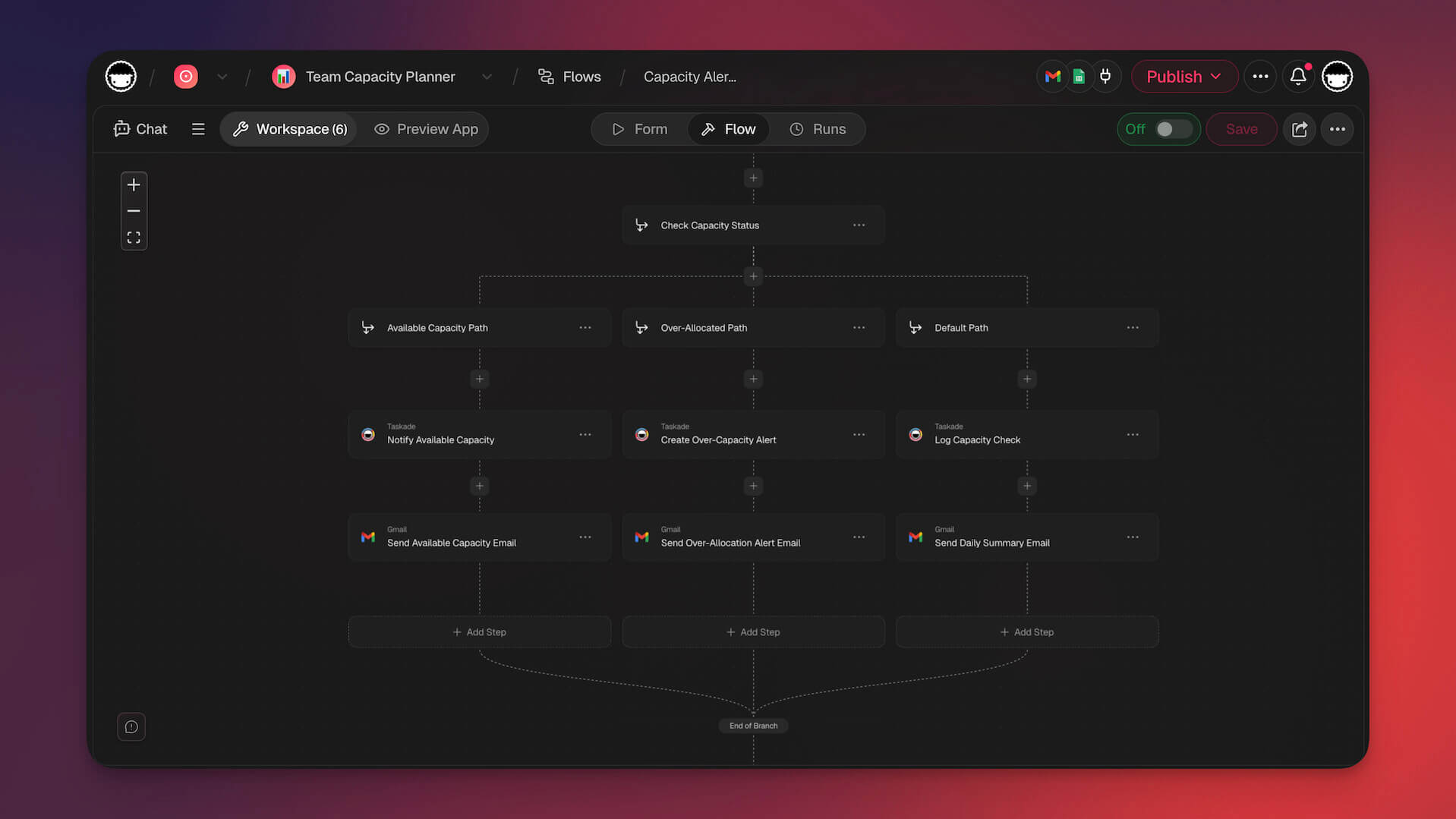
Beyond agents, Taskade Genesis includes a full automation engine powered by a durable execution engine — the same infrastructure used by Netflix and Uber for mission-critical workflows. The engine offers 104 automation actions across triggers, conditions, and operations. Triggers fire when tasks change status, when forms are submitted, when deadlines approach, or when new data arrives. Actions include sending notifications, updating records, assigning tasks, generating content, and calling external services — now with Telegram Bot, Shopify, and 100+ other integrations with branching, looping, and filtering. You build these automations by describing them, not by dragging boxes on a canvas. See the full capabilities at Automations.
Vibe coding for everyone.
The vibe coding experience in Taskade Genesis is designed for people who do not think of themselves as builders. You open a workspace, describe what you want, and Taskade Genesis produces a working app with the right views, fields, workflows, and agents already connected. You refine it by talking to it, the same way you would give feedback to a colleague. "Add a column for priority." "Send me a notification when a task is overdue." "Score leads higher if they are from enterprise companies." Each instruction updates the live system immediately.
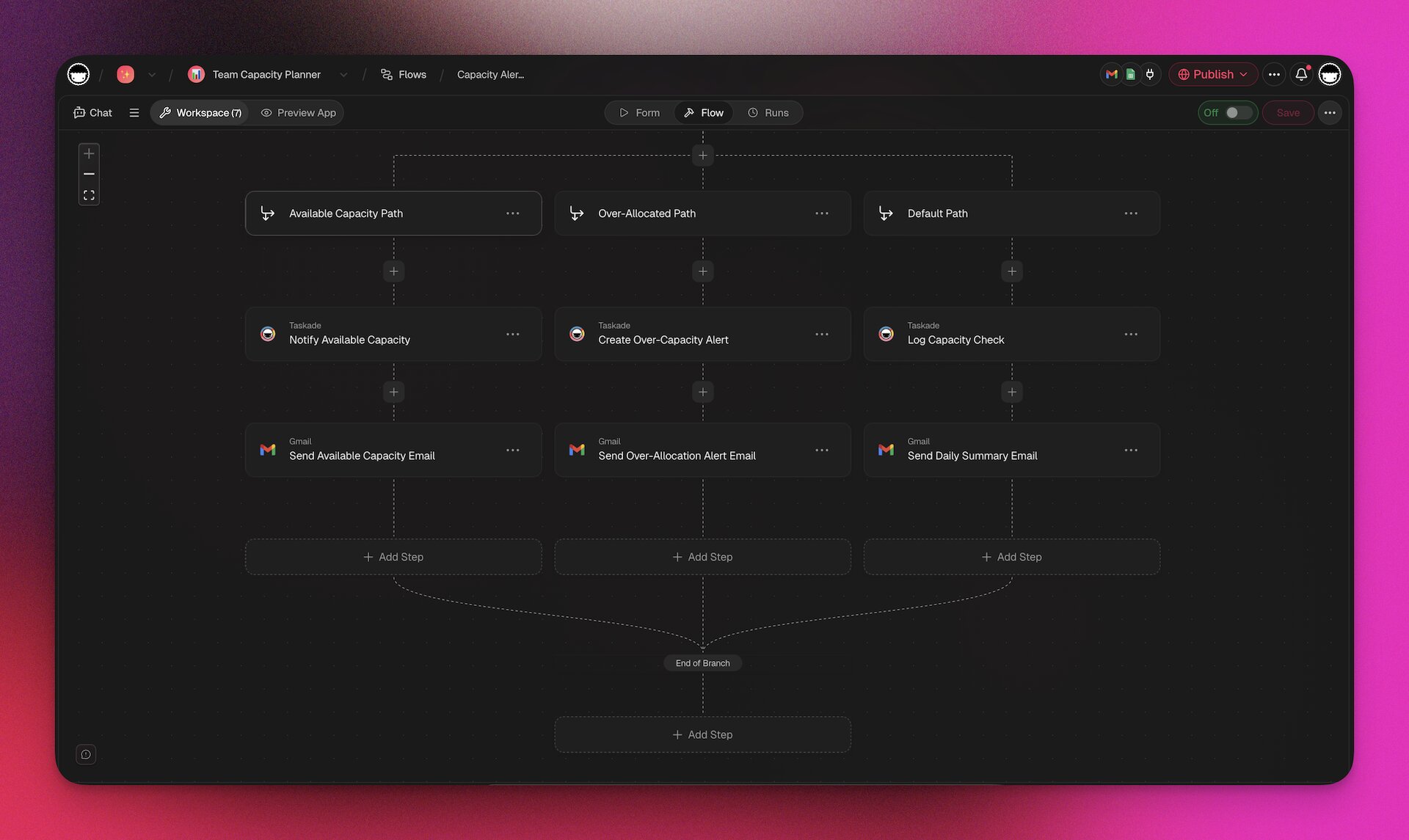
Taskade Genesis apps are built with 50+ production-grade shadcn/ui components — the same component library used by professional React developers. Apps render with proper layouts, responsive design, charts, data tables, forms, and navigation — not wireframes. You can publish apps in three modes: Public (anyone with the link), Secret (unlisted URL), or Private (password-protected).
 Custom domains, OG image branding for social previews, and a Community Gallery for publishing and discovering apps are all included.
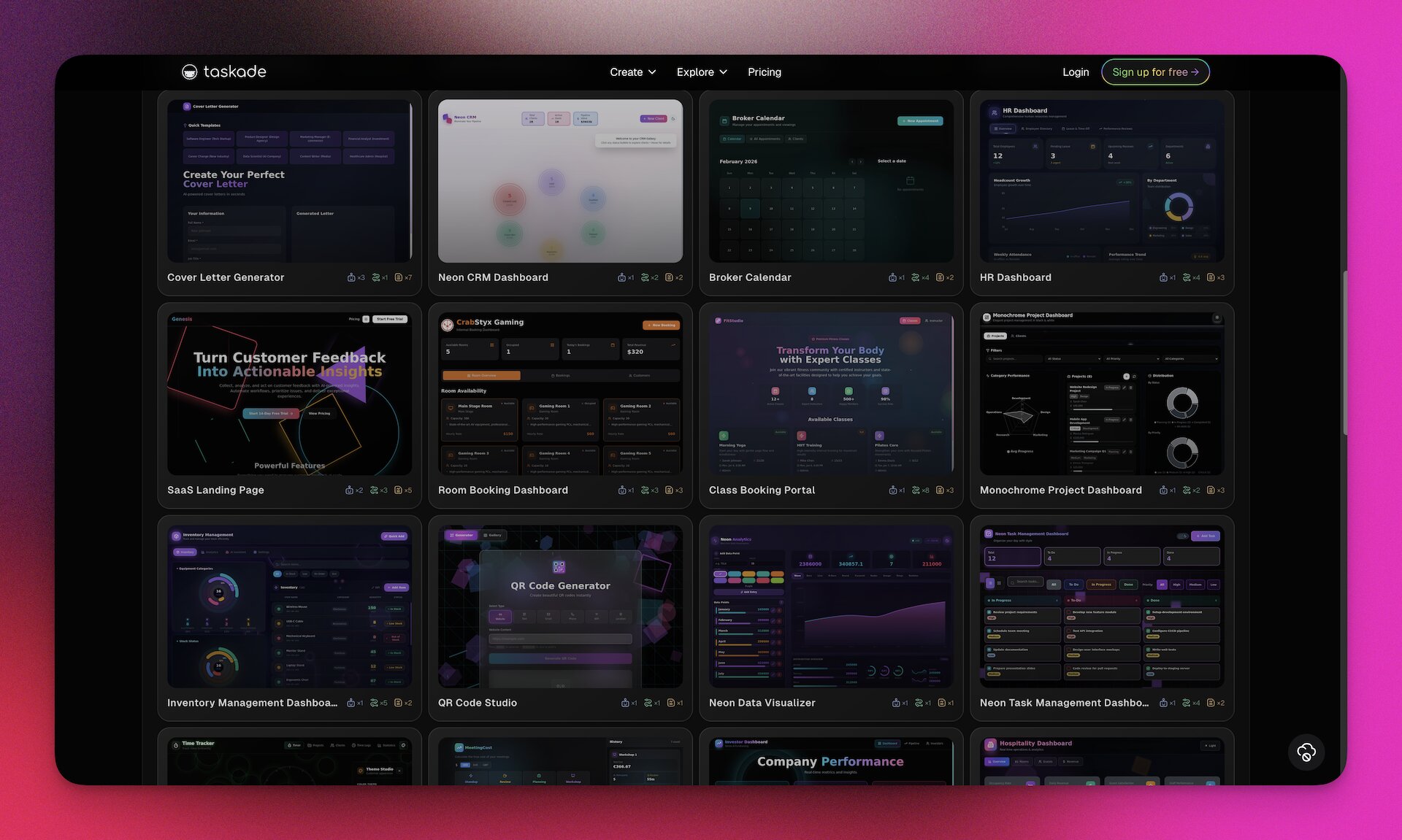
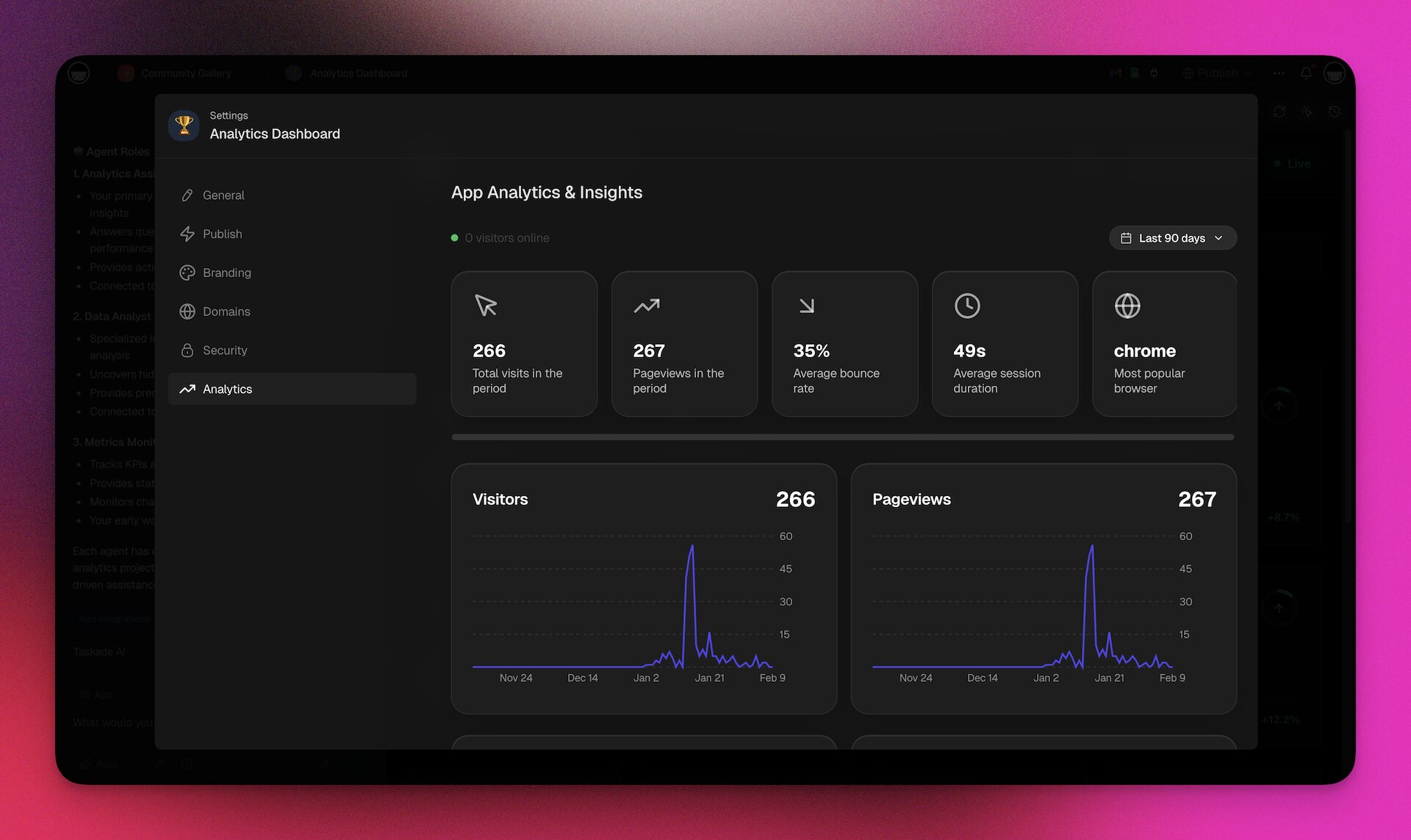
Every app also comes with built-in analytics powered by Tinybird: visits, pageviews, bounce rate, session duration, and geographic distribution — no Google Analytics setup required.
Custom fields in database views support Text, Number, Date, Select, Multi-Select, Checkbox, URL, and Person types, giving you structured data capabilities that would normally require a separate database service.
This is fundamentally different from tools that generate code you then need to understand, deploy, and maintain. Learn more about the approach at Vibe Coding.
What you can build.
| App Type | Example | Time to Build | What You Get | Learn More |
|---|---|---|---|---|
| CRM | Lead tracking with AI scoring | 5 minutes | Pipeline view, auto follow-ups, lead scoring agent | AI CRM Builder |
| Client Portal | Status dashboard for clients | 5 minutes | Login, project views, file sharing, comments | Living Portals |
| Booking System | Meeting scheduler | 7 minutes | Calendar, intake form, confirmations, reminders | AI Booking System |
| Dashboard | Business metrics display | 8 minutes | Charts, alerts, drill-downs, AI insights | Living Dashboards |
| Knowledge Base | Team documentation hub | 6 minutes | Categories, search, AI chatbot, version history | Database Projects |
| Lead Capture | Inbound marketing system | 5 minutes | Forms, scoring, automated email sequences, pipeline | AI Form Builder |
| Project Tracker | Team task management | 3 minutes | Kanban, assignments, deadlines, status automations | Projects |
| Internal Tool | Custom operational workflow | 10 minutes | Forms, tables, automations, agent-powered processing | AI Internal Tools |
Collaboration is built in.
Every app you build in Taskade Genesis lives in your Taskade workspace. That means your team can access it immediately. Real-time multiplayer editing, comments, video calls, and chat are native features, not add-ons. When a team member opens the app, they see live data. When they make changes, everyone sees the update instantly. This is a fundamental advantage over tools that produce code in isolation.
Taskade Genesis feature breakdown:
| Feature | Taskade Genesis | Traditional AI Coding Tools |
|---|---|---|
| Coding required | ❌ No | ✅ Yes |
| Time to working app | Minutes | Hours to days |
| Built-in database | ✅ Workspace data (multiple views) | ❌ Bring your own |
| AI models | ✅ 15+ frontier models (OpenAI, Anthropic, Google) | Varies (1-3 models) |
| AI agents | ✅ Autonomous, trainable, built-in tools, 7 deployment modes | ❌ Not included |
| Agent knowledge training | ✅ PDF, DOCX, CSV, URLs, YouTube, cloud storage | ❌ Not applicable |
| Automations | ✅ durable execution engine, 104 actions, 100+ integrations | ❌ External tools needed |
| MCP support | ✅ Hosted MCP v2 servers | ❌ Not applicable |
| Public API | ✅ V2 API + Agent API | Varies |
| UI components | ✅ 50+ shadcn/ui production components | ❌ Code your own |
| Real-time collaboration | ✅ Native multiplayer + video calls | ❌ Limited or none |
| Deployment | ✅ Instant publish + custom domains | ❌ Manual setup |
| Hosting + analytics | ✅ Included (Tinybird-powered) | ❌ Bring your own |
| Maintenance | ✅ Managed | ❌ Your responsibility |
| Search | ✅ Full-text + semantic + OCR | ❌ Build your own |
| i18n / Localization | ✅ Built-in | ❌ Build your own |
| Role-based access | ✅ Owner to Viewer | ❌ Build your own |
| Learning curve | Low — natural language | High — coding knowledge |
Pricing:
- Free: AI credits, apps, AI agent, multiple project views, community gallery access
- Pro ($10/month, billed annually): More AI credits, unlimited apps, agents, and automations, file uploads, custom fields, 10 members included, built-in analytics, password-protected apps
- Business ($25/month): Unlimited members, custom domains, multi-agent workflows, white-label branding, SSO, and granular role-based access from Owner to Viewer
- Enterprise: Custom pricing, dedicated support, SLA, custom integrations
See Taskade Genesis in action:
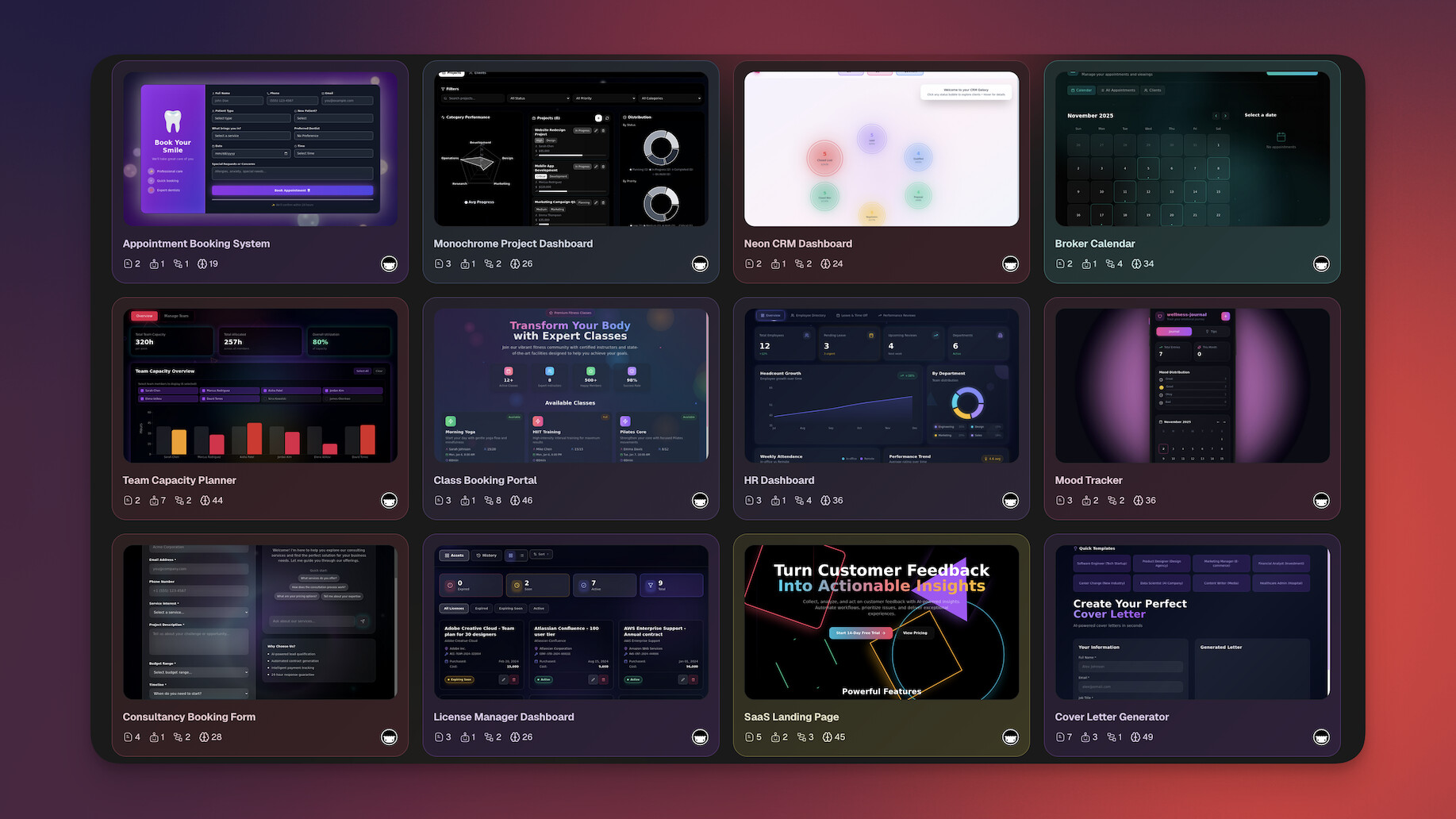
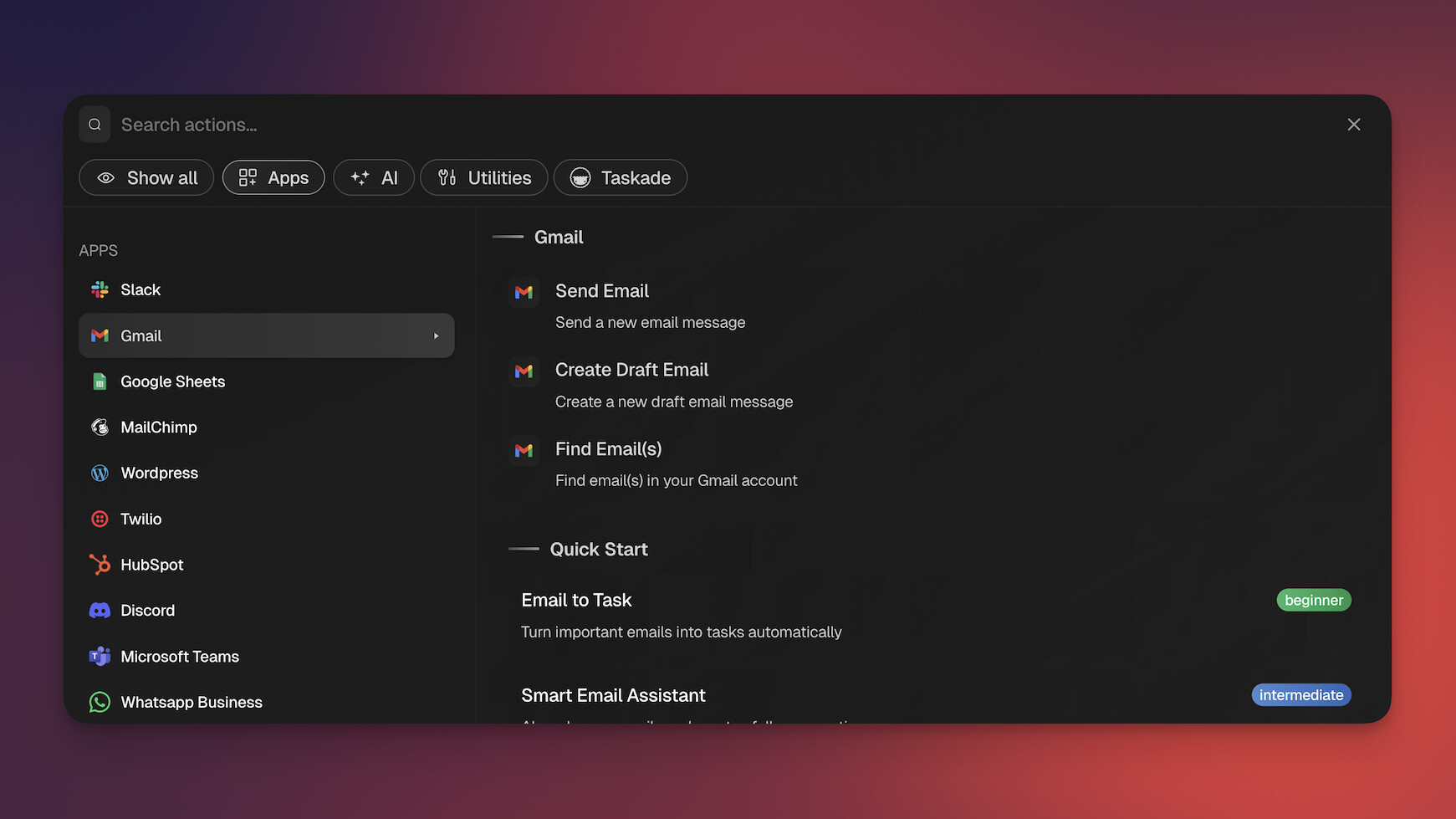
Explore Taskade Genesis: Taskade | Build Apps | AI Agents | Vibe Coding | Automate | Community
2. Cursor — The AI-Powered Code Editor ($29.3B Valuation)

Cursor is a fork of Visual Studio Code rebuilt around AI. It is the tool that defined the "AI code editor" category and remains the strongest option for professional developers who want AI deeply integrated into their editing workflow. With $2B ARR (doubled in 3 months), 1 million+ daily active users, and a $29.3B valuation, Cursor is the fastest-scaling SaaS company in history. Anthropic CEO Dario Amodei provided context for why tools like Cursor succeed in his interview with Nikhil Kamath (2026): the API model is "constantly in motion, constantly in churn — a new model comes out every 2-3 months, and that creates a new opportunity to build something that wasn't possible before." Cursor's rapid iteration cycle is a direct beneficiary of this churn.
What makes Cursor stand out:
Cursor's Tab completion predicts your next edit across entire files, not just the current line. Its Cmd+K inline editing lets you select code and describe what you want changed. The Composer feature handles multi-file edits from a single prompt, understanding your full codebase. And codebase chat lets you ask questions about your project and get answers grounded in your actual code.
New in 2026: Background Agents (GA since late 2025) are cloud-based Ubuntu VMs that clone your repo, check out a branch, do the work, and open a pull request — triggered from the IDE, Slack, or mobile. BugBot graduated from beta in February 2026 — it scans PRs for logic bugs and security vulnerabilities, with over 35% of fixes merged without modification. And Cursor Automations (March 2026) lets you auto-launch agents triggered by codebase changes, Slack messages, or timers.
Where Cursor fits:
Cursor is built for people who already know how to code. If you are a professional developer working on a complex codebase, Cursor makes you faster. It understands your project structure, your coding patterns, and your intent. The difference between Cursor and a generic AI chatbot is context: Cursor knows your code.
Where Cursor falls short:
Cursor is an editor. It does not build apps, deploy them, or host them. It does not include a database, authentication, or collaboration features beyond what VS Code offers. You write code faster, but you still need the full engineering stack around it. BugBot adds another $40/user/month on top of the Pro subscription.
Who should use Cursor:
Professional developers working on existing codebases who want the best AI-assisted editing experience available. If you spend your day writing code, Cursor is excellent at making that time more productive.
| Feature | Details |
|---|---|
| Type | AI code editor (VS Code fork) |
| AI model | Claude, GPT-4, custom |
| Key features | Tab completion, Cmd+K editing, Composer, Background Agents, BugBot, Automations |
| Best for | Professional developers |
| Collaboration | Limited (editor-level) |
| Deployment | Not included |
| Pricing | Free (limited) / $20/mo Pro / BugBot $40/user/mo extra |
| Traction | $2B ARR, $29.3B valuation, 1M+ DAU, 360K paying customers |
See full comparison: Taskade vs Cursor
3. Windsurf — The Budget AI IDE with Cascade (Acquired by Cognition AI)
Windsurf, formerly known as Codeium, rebranded to offer a complete AI code editor rather than just an autocomplete extension. Its standout feature is Cascade, a multi-step AI flow system that can plan and execute complex coding tasks across multiple files. In December 2025, Cognition AI (makers of Devin) acquired Windsurf for approximately $250 million — after OpenAI's $3 billion bid fell apart when Microsoft baulked at losing IP rights.
What makes Windsurf stand out:
Cascade goes beyond single-prompt editing. You describe a feature, and Cascade breaks it into steps, plans the file changes, and executes them sequentially. This makes Windsurf particularly good at tasks that touch multiple parts of a codebase, like adding a new API endpoint with its corresponding frontend component and tests.
Windsurf also offers aggressive pricing. At $15 per month for the Pro tier, it undercuts Cursor by 25 percent while delivering competitive features. The free tier is more generous than most competitors, making it an accessible entry point for developers exploring AI-assisted coding.
Where Windsurf fits:
Windsurf is the value pick for developers who want Cursor-like capabilities without the premium price. Its autocomplete is fast and accurate, its chat is codebase-aware, and Cascade provides genuine multi-step reasoning. For developers who are cost-conscious or who want to experiment with AI coding before committing to a higher-priced tool, Windsurf is a strong choice.
Where Windsurf falls short:
Like Cursor, Windsurf is a code editor. It has no app building, no deployment, no collaboration beyond the editor, and no backend services. Cascade is powerful but can be unpredictable on very large tasks. The Cognition acquisition adds uncertainty about the product's future direction — will it remain an independent IDE or merge into Devin's ecosystem? The ecosystem is smaller than Cursor's, with fewer extensions and community resources.
Who should use Windsurf:
Developers who want strong AI editing at a lower price point. Teams that want to standardize on an AI editor without a large per-seat cost. Individuals who want to explore AI coding with a generous free tier before upgrading.
| Feature | Details |
|---|---|
| Type | AI code editor |
| AI model | Proprietary + partner models |
| Key features | Cascade multi-step flows, fast autocomplete, codebase chat |
| Best for | Cost-conscious developers |
| Collaboration | Limited (editor-level) |
| Deployment | Not included |
| Pricing | Free (generous) / $15/mo Pro |
| Status | Acquired by Cognition AI (~$250M, Dec 2025); OpenAI bid $3B but deal collapsed |
See full comparison: Taskade vs Windsurf
4. Devin — The Autonomous AI Software Engineer ($20/mo)
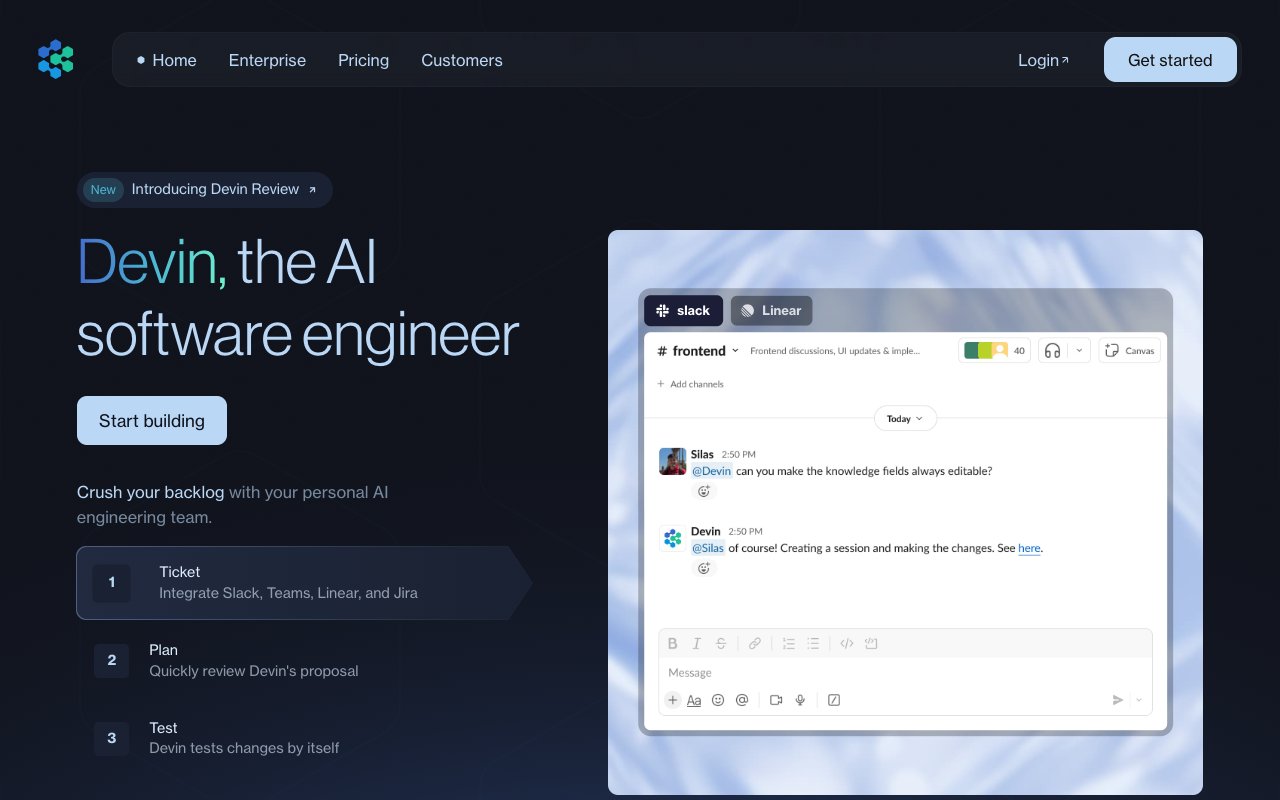
Devin by Cognition AI made headlines as "the first AI software engineer" in 2024 — and initially launched at $500/month. Devin 2.0 (late 2025) slashed pricing to $20/month and delivered dramatic performance improvements: 83% more junior-level tasks completed per compute unit compared to v1.
What makes Devin stand out:
Devin operates as a fully autonomous agent. It reads your codebase, plans multi-step implementations, writes code, runs tests, and submits pull requests — all without human intervention. Interactive Planning lets you start with incomplete ideas and collaborate with Devin to scope a detailed plan. Devin Search is an agentic AI tool that indexes your repos every few hours, creating wikis with architecture diagrams and documentation.
Cognition's acquisition of Windsurf (~$250M) signals ambition to own the full developer workflow — from IDE editing (Windsurf) to autonomous engineering (Devin).
Where Devin falls short:
Devin builds code, not deployed systems. You still need infrastructure, hosting, and maintenance. Agent Compute Units (ACUs) can add up for complex tasks beyond the base plan. No built-in collaboration, no workflow automations, no database, no app deployment. And unlike Taskade Genesis, Devin requires developer oversight — it cannot build complete business systems for non-technical users.
Who should use Devin:
Development teams that want to delegate routine coding tasks to an autonomous agent. Companies looking to scale engineering output without proportional headcount growth. Best for well-defined tasks like bug fixes, test writing, and feature implementations.
| Feature | Details |
|---|---|
| Type | Autonomous AI software engineer |
| AI model | Proprietary (Cognition) |
| Key features | Interactive Planning, Devin Search, autonomous PR generation, repo indexing |
| Best for | Engineering teams delegating routine tasks |
| Collaboration | Team plan available |
| Deployment | Not included |
| Pricing | $20/mo Core (pay-per-ACU) / Team / Enterprise |
| Traction | Cognition AI ($10.2B valuation) acquired Windsurf; 83% task completion improvement with v2 |
5. Trae — ByteDance's Free AI Code Editor
Trae (The Real AI Engineer) is ByteDance's entry into the AI coding tool market — and it is completely free. Built on the VS Code foundation, Trae includes Builder Mode, multimodal chat, and code generation powered by Claude 3.7 Sonnet and GPT-4o at no cost.
What makes Trae stand out:
The price: free. While Cursor charges $20/month and Windsurf $15/month, Trae provides comparable AI coding features at zero cost during early access. Builder Mode reads your entire project, breaks changes into steps, and shows live previews before applying. The multimodal chat accepts screenshots and terminal output for context. Available on macOS and Windows (Linux planned).
Where Trae falls short:
ByteDance ownership raises data privacy concerns — security researchers have flagged extensive data collection. The ecosystem is young with limited extensions compared to Cursor. No app building, no deployment, no backend services. And "free" likely has an expiration date — ByteDance has not announced post-early-access pricing.
Who should use Trae:
Developers who want to experiment with AI coding without subscription costs. Budget-conscious teams exploring AI-assisted development. Developers comfortable with ByteDance's data practices. Not for enterprise use where data sovereignty matters.
| Feature | Details |
|---|---|
| Type | Free AI code editor (VS Code fork) |
| AI model | Claude 3.7 Sonnet, GPT-4o (free) |
| Key features | Builder Mode, multimodal chat, screenshot context, project-wide changes |
| Best for | Budget-conscious developers |
| Collaboration | Single-player |
| Deployment | Not included |
| Pricing | Free (early access) |
| Caveat | ByteDance data collection flagged by researchers |
6. Bolt.new — The Browser-Based App Generator
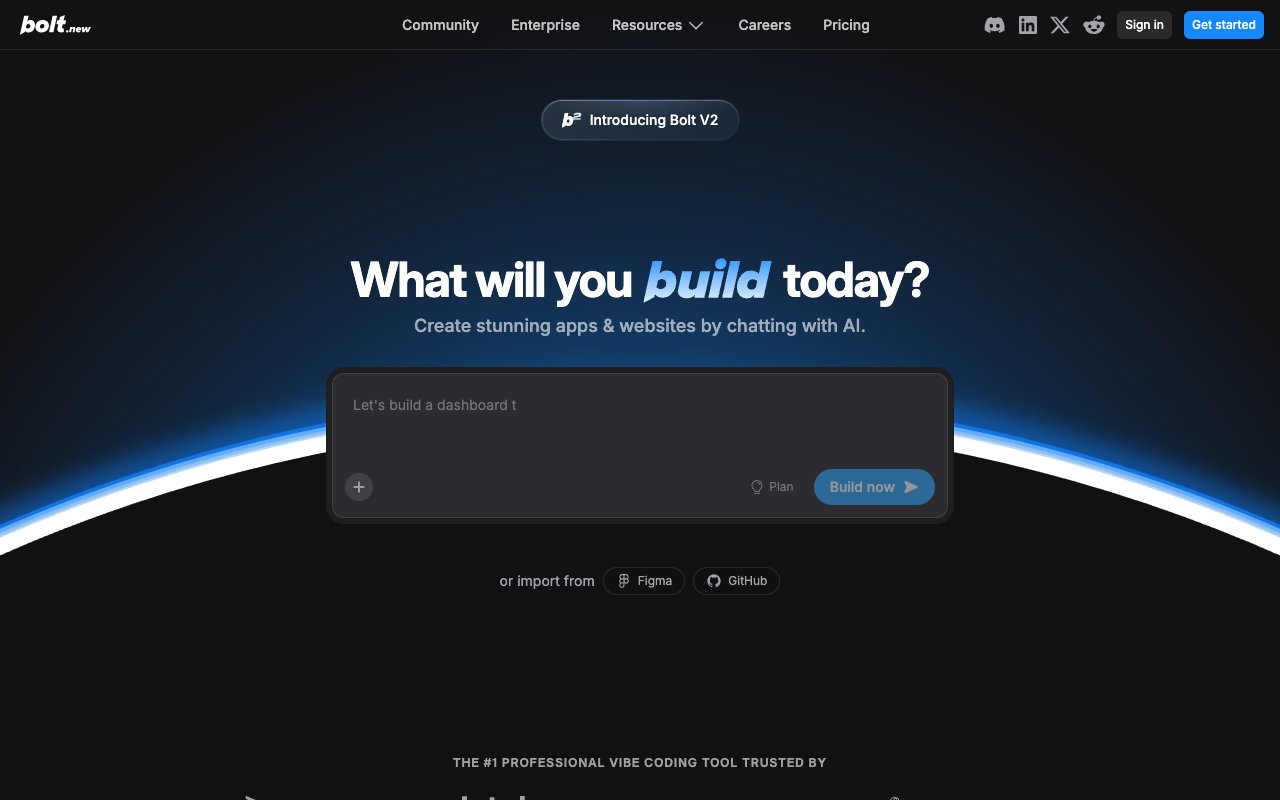
Bolt.new by StackBlitz brings full-stack app generation into the browser. Powered by WebContainers, it runs a complete development environment — file system, package manager, terminal, and live preview — entirely in your browser tab. No installations, no local setup, no environment headaches.
What makes Bolt stand out:
The speed is remarkable. Describe an app, and Bolt generates a React/Vite project in seconds. You see the code being written and the preview updating in real time. The WebContainer technology is genuinely impressive — you are running Node.js in the browser, which means the feedback loop is instantaneous.
Bolt also produces portable code. The output is standard React and Vite. You can download the project, host it anywhere, and modify it with any editor. There is no vendor lock-in at the code level.
Where Bolt fits:
Bolt is the best tool for rapid prototyping in a browser. If you have an idea and want to see it working in sixty seconds, Bolt delivers. It excels at frontend-heavy applications, landing pages, dashboards, and interactive prototypes. The lack of local setup makes it ideal for trying ideas on any computer.
Where Bolt falls short:
Bolt generates frontend code. For backend logic, databases, authentication, and server-side processing, you need external services. The token system can be punishing for complex applications — users frequently report running out of tokens mid-project (every message syncs your entire codebase, consuming tokens fast). Bolt v2 added team templates, Figma import, and editable Netlify URLs, but collaboration is still basic and deployment requires manual export to a hosting service.
The generated code also requires ongoing maintenance. Dependencies update, security patches arrive, and hosting needs monitoring. Bolt builds the first version; everything after that is on you.
Who should use Bolt:
People who want to prototype quickly and are comfortable deploying code themselves. Developers who want a fast way to scaffold frontend projects. Non-developers who want to see ideas come to life, with the understanding that making them production-ready requires additional work.
| Feature | Details |
|---|---|
| Type | Browser-based app generator |
| AI model | Claude, GPT-4 |
| Key features | WebContainers, real-time preview, portable code output |
| Best for | Rapid prototyping |
| Collaboration | ❌ Single-player |
| Deployment | Manual export required |
| Pricing | Free (1M tokens) / $25/mo Pro (10M tokens) / $30/member Teams |
See full comparison: Taskade vs Bolt
7. Replit — The Cloud Development Platform

Replit is the most complete cloud development platform on this list. It combines a browser-based IDE, built-in hosting, database services, and an AI Agent mode that can build entire applications from natural language prompts. Replit has been in the coding education space for years and has expanded into a serious development platform.
What makes Replit stand out:
Replit Agent 3 (September 2025) is genuinely capable — it tests itself, works for 200 minutes autonomously, and can even build other agents. Agent v2 (February) through Agent 3 delivered 2-3x speed improvements through the year. Describe an application, and Agent plans the architecture, writes the code, sets up the database, and deploys the result — all within Replit's cloud environment. Unlike Bolt, which focuses on frontend, Replit Agent builds full-stack applications with real backends, databases, and authentication.
The deployment story is also strong. Every Replit project gets a URL automatically. You can link custom domains, and scaling is handled by the platform. This removes one of the biggest friction points in the build-to-deploy pipeline.
Where Replit fits:
Replit is the best option for builders who want everything in one place: editor, runtime, database, hosting, and AI generation. If you do not want to think about infrastructure and want your projects accessible from any browser, Replit provides the most complete package.
Where Replit falls short:
Cost is the main concern. Core dropped to $20/month (from $25), but the new Pro plan at $100/month for 15 builders targets serious teams. Effort-based pricing means simple changes cost under $0.25, but complex tasks add up. Compute credits consumed during development and hosting can escalate quickly for active projects. Performance on the cloud IDE can lag compared to local editors like Cursor. And while Agent mode is impressive, it can struggle with complex, multi-service architectures.
Collaboration exists but is basic compared to tools designed for team workflows. You can share projects and edit together, but there are no project management features, no task tracking, and no built-in communication tools.
Who should use Replit:
Individual builders and small teams who want a complete cloud development environment with minimal setup. Educators and students who need accessible coding environments. Builders who want AI generation and deployment in the same platform.
| Feature | Details |
|---|---|
| Type | Cloud development platform |
| AI model | Proprietary + partner models |
| Key features | Agent 3 (200-min autonomous), built-in hosting, database, cloud IDE, effort-based pricing |
| Best for | Full-stack cloud development |
| Collaboration | ⚠️ Basic sharing (up to 5 on Core, 15 on Pro) |
| Deployment | ✅ Built-in |
| Pricing | Free (limited) / $20/mo Core / $100/mo Pro (15 builders) |
| Traction | $100M ARR, agent builds other agents |
See full comparison: Taskade vs Replit
8. Lovable — The Design-First Prototyper ($6.6B Valuation)

Lovable, formerly GPT Engineer, positions itself as the AI app builder that produces beautiful output. It generates full-stack web applications from natural language descriptions, with a strong emphasis on visual polish and modern UI design. Lovable closed a $330M Series B at a $6.6B valuation in December 2025, reaching $300M+ ARR. Enterprise customers include Klarna, Uber, and Zendesk.
What makes Lovable stand out:
The quality of the generated UI is consistently high. Lovable outputs React and TypeScript applications using modern design patterns, and the default styling looks professional without manual tweaking. It also scaffolds Supabase integration for backend needs, giving generated apps a path to real data persistence.
Lovable 2.0 (February 2026) was a major upgrade: real-time multi-user collaboration for up to 20 users, Chat Mode Agent for reasoning without editing code, Dev Mode for direct code editing, Visual Edits for CSS-level changes without prompts, built-in domain purchasing, and vulnerability scanning on publish.
The iteration experience is smooth. You describe changes conversationally — "add a login page," "make the sidebar collapsible," "change the color scheme to dark mode" — and Lovable updates the application accordingly. This chat-based refinement loop feels natural and productive.
March 2026 pivot: Lovable goes agentic.
On March 19, 2026 — days after Meta's Manis launch and Anthropic's Dispatch — Lovable announced it was expanding beyond building websites into complex execution. The most copied product of 2025 is now the copier: Lovable is entering the OpenClaw universe as a general-purpose agent executor and builder. This is a case study in how fast the agentic wave reshapes product strategy — even for a $300M+ ARR company with undeniable product-market fit. Lovable's entire interface was built around the assumption that a human types a prompt. Now agents need to kick off agentic workflows at a higher level of abstraction, and Lovable has to walk the tightrope between its devoted fanbase and the agentic future.
Where Lovable falls short:
Lovable still generates code. You need to deploy it, host it, and maintain it. The Supabase integration gives you a backend, but you are managing that infrastructure yourself. There are no built-in AI agents, no workflow automations, and pricing jumped to $25/month Pro with a credit system based on generation complexity. Despite Lovable 2.0 adding collaboration, it is still primarily a generation tool — not a runtime platform like Taskade Genesis. The agentic pivot announced in March 2026 is still early and unproven.
Who should use Lovable:
Founders and designers who want visually polished prototypes quickly. People who are comfortable deploying code or who have a developer on their team to handle post-generation work. Projects where the UI quality of the first version matters.
| Feature | Details |
|---|---|
| Type | AI app generator |
| AI model | GPT-4, Claude |
| Key features | Beautiful UI output, Visual Edits, React/TypeScript, Supabase, Dev Mode, multi-user collab |
| Best for | Design-focused prototyping |
| Collaboration | ✅ Up to 20 users (Lovable 2.0) |
| Deployment | Manual (built-in domain purchasing) |
| Pricing | Free (5 daily credits) / $25/mo Pro (100 credits) / $50/mo Business |
| Traction | $300M+ ARR, $6.6B valuation, Klarna/Uber/Zendesk customers |
See full comparison: Taskade vs Lovable
9. V0 by Vercel — The React Component Generator

V0 is Vercel's AI tool for generating React components using the shadcn/ui design system. It is narrower in scope than the other tools on this list but excels within its focus area. If you need React components that follow modern design conventions, V0 is remarkably effective.
What makes V0 stand out:
V0 generates production-quality React components using shadcn/ui, Tailwind CSS, and Radix primitives. The output is clean, accessible, and follows the conventions that modern React teams expect. You describe a component — "a data table with sorting, filtering, and pagination" — and V0 produces ready-to-use code.
For React developers, this is a significant time-saver. Instead of building common UI patterns from scratch, you generate a solid starting point and customize from there. The shadcn/ui foundation means the components integrate cleanly with existing projects that use the same design system.
Where V0 falls short:
V0 generates components, not applications. There is no backend, no database, no deployment, and no app-level logic. You copy the generated code into your own project and integrate it yourself. This makes V0 a tool for developers, specifically React developers who work with shadcn/ui.
The scope is intentionally narrow. If you need a full application, V0 gives you building blocks, not a finished product.
Who should use V0:
React developers who use shadcn/ui and want to accelerate component development. Frontend engineers who build design systems and want quick, high-quality starting points. Teams that need consistent UI components across multiple projects.
| Feature | Details |
|---|---|
| Type | React component generator |
| AI model | Vercel's models |
| Key features | shadcn/ui components, Tailwind CSS, accessible output |
| Best for | React developers |
| Collaboration | ❌ Single-player |
| Deployment | Copy-paste into your project |
| Pricing | Free (limited) / $20/mo Premium |
See full comparison: Taskade vs V0
10. Claude Code — The Terminal-First AI Agent
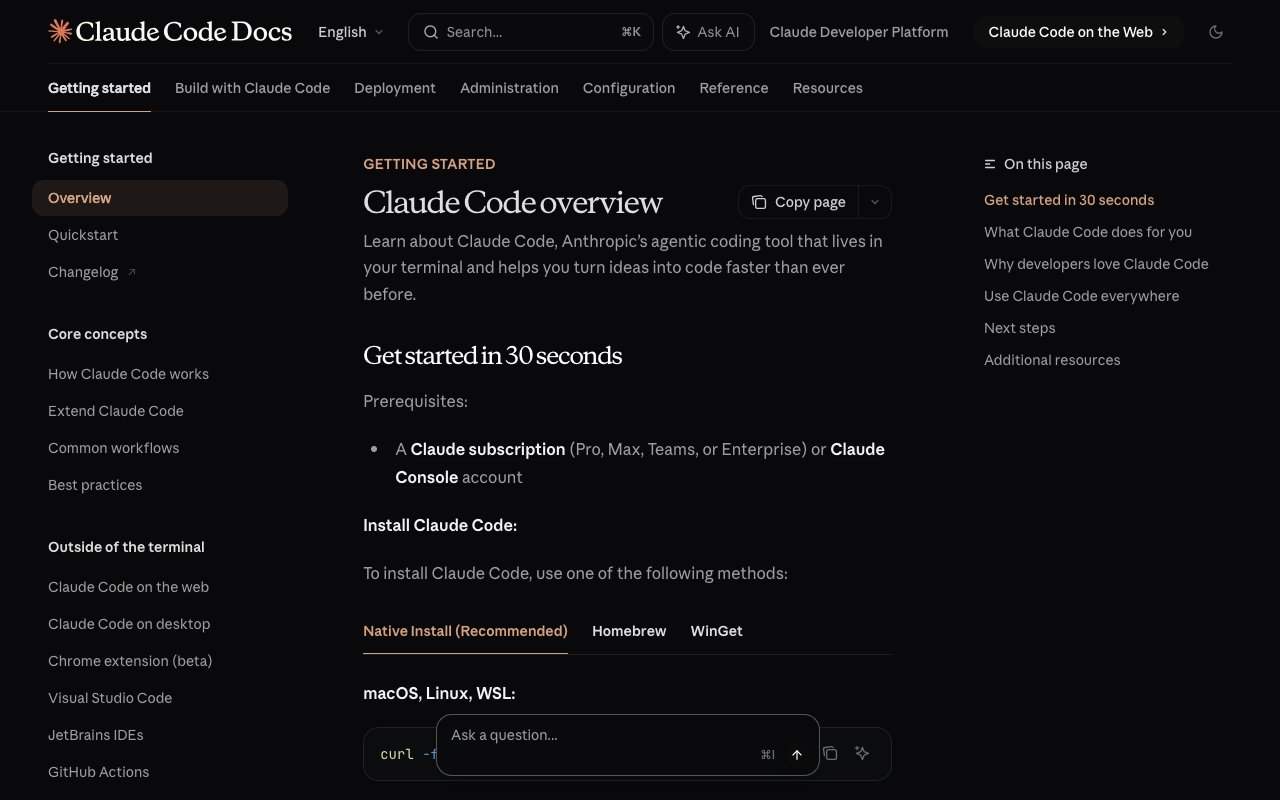
Claude Code is Anthropic's agentic coding tool that runs entirely in the terminal. It does not replace your editor — it augments your workflow by understanding your entire codebase, planning multi-step changes, and executing them across files. Boris Cherny, its creator, stated that "coding is practically solved" for him. Claude Code already authors 4% of all public GitHub commits.
What makes Claude Code stand out: Deep codebase understanding. Claude Code indexes your entire project and reasons about architecture, not just syntax. It handles complex refactoring, debugging, and feature implementation through conversation. The agentic approach means it plans before executing, reducing errors on multi-file changes.
March 2026 updates push Claude Code beyond coding into agentic workflow territory: Channels let you interact with sessions via Discord, Telegram, or webhooks (text commands from your phone). Computer Use (macOS, research preview) gives Claude Code native mouse, keyboard, and screenshot control. Dispatch enables remote agent commands from any device. The WAT framework (Workflows, Agent, Tools) provides a methodology for building production agentic workflows — Claude Code reads markdown workflow files, runs tools, handles errors, and self-improves during the build process. For the full breakdown, see Claude Code vs Cursor vs Taskade Genesis.
Where Claude Code falls short: Terminal-first interface (Channels mitigates this partially) is intimidating for non-developers. No built-in deployment, hosting, or app building — workflows require external infrastructure like trigger.dev. You need an existing codebase and development environment. It is a power tool for experienced developers, not a vibe coding platform for non-technical users. For more options in this category, see Best Claude Code Alternatives 2026.
The harness performance gap: A critical finding from 2025 benchmark analysis: the same AI model performs dramatically differently across different harnesses. Claude Opus scores 77% on coding benchmarks when run through Claude Code's harness versus 93% through Cursor's harness — a 16-percentage-point gap from the same underlying model. Claude Code uses a minimal harness philosophy (just four core tools: read, write, edit, bash) with extensibility via MCP, while Cursor invests heavily in context engineering and retrieval. The lesson for teams: the harness matters as much as the model. Claude Code compensates with sub-agent architecture where all sub-agents share the parent's prompt cache, dramatically reducing input token costs versus spinning up independent contexts. Y Combinator CEO Garry Tan's gstack pushes Claude Code further with 28 slash-command skills organized as a full sprint process.
| Feature | Details |
|---|---|
| Type | Terminal AI coding agent + agentic workflow engine |
| AI model | Claude Opus 4.6, Sonnet 4.6 |
| Key features | Codebase-wide reasoning, multi-file editing, agentic planning, Channels (Discord/Telegram), Computer Use (macOS), Dispatch, Agent Teams (2-5 parallel agents with QA review loops) |
| Best for | Senior developers, complex refactoring, agentic workflows, multi-agent projects |
| Collaboration | Agent Teams (inter-agent messaging, Tmux split panes) + Channels (external messaging) |
| Deployment | Not included (deploy via trigger.dev/Modal) |
| Pricing | Included in Claude Pro ($20/mo) or Max ($100-200/mo) |
11. GitHub Copilot — The AI Pair Programmer
GitHub Copilot is the most widely adopted AI coding tool, integrated directly into VS Code, JetBrains, and GitHub's web editor. Copilot Workspace extends it with natural language issue-to-PR workflows. At $19/month (Individual) or $39/month (Business), it offers strong autocomplete and inline suggestions.
What makes Copilot stand out: Seamless GitHub integration. Copilot Workspace lets you describe an issue in natural language, and it generates a full pull request with code changes, tests, and documentation. The ecosystem advantage of being GitHub-native means automatic context from issues, PRs, and repository history.
Where Copilot falls short: Autocomplete quality lags behind Cursor's Tab feature. No app building, deployment, or hosting. Limited to code suggestions — it cannot build complete applications or orchestrate multi-step workflows the way Cursor Composer or Claude Code can.
| Feature | Details |
|---|---|
| Type | AI pair programmer (editor plugin) |
| AI model | GPT-4o, Claude (via Copilot Chat) |
| Key features | Inline suggestions, Copilot Chat, Copilot Workspace |
| Best for | GitHub-native teams |
| Collaboration | Via GitHub |
| Deployment | Not included |
| Pricing | $19/mo Individual / $39/mo Business |
12. Firebase Studio — Google's AI Development Environment
Firebase Studio (formerly Project IDX) is Google's cloud-based AI development environment with deep Firebase and Google Cloud integration. It runs in the browser, powered by Gemini models, and provides a full-stack development experience with built-in database, authentication, and hosting through Firebase services.
What makes Firebase Studio stand out: First-party Google Cloud integration. If your stack is Firebase, this is the most natural AI development experience. Gemini models power code generation, debugging, and documentation. Preview environments are instant, and deployment to Firebase Hosting is one click.
Where Firebase Studio falls short: Google ecosystem lock-in. Less flexible than Cursor or Windsurf for non-Google stacks. Still in preview with limited AI capabilities compared to dedicated vibe coding tools. Not designed for non-developers.
| Feature | Details |
|---|---|
| Type | Cloud AI IDE (Google) |
| AI model | Gemini (Google frontier models) |
| Key features | Firebase integration, Gemini AI, cloud workspaces |
| Best for | Firebase/Google Cloud teams |
| Collaboration | Google Cloud IAM |
| Deployment | Firebase Hosting (built-in) |
| Pricing | Free (preview) / Firebase pay-as-you-go |
13. Emergent — The Multi-Agent App Builder
Emergent, backed by Y Combinator, uses specialized AI agents working together — one for design, one for code, one for deployment — to build full-stack applications. This multi-agent approach produces more coherent results than single-model tools on complex projects. Emergent reached a $300M valuation after its Series B.
What makes Emergent stand out: Agent coordination. Instead of one AI doing everything, specialized agents handle their domain. The result is more reliable full-stack output, especially for applications that need both polished UI and working backend logic. Y Combinator endorsement adds credibility.
Where Emergent falls short: Newer platform with a smaller community than established players. No built-in workspace collaboration, AI agents for business logic, or automation engine. Produces code you deploy, not live systems.
| Feature | Details |
|---|---|
| Type | Multi-agent app builder |
| AI model | Multiple specialized agents |
| Key features | Agent coordination, full-stack generation, YC-backed |
| Best for | Founders, full-stack prototypes |
| Collaboration | Basic |
| Deployment | Built-in |
| Pricing | Free tier / $20/mo Pro |
14. Base44 — The Simple No-Code App Builder
Base44 is a rising no-code platform that lets non-technical users build database-backed web apps through natural language. It is simpler than Retool or Bubble, targeting the same audience as Taskade Genesis but without AI agents or workspace integration.
What makes Base44 stand out: Simplicity. The interface is clean and the learning curve is minimal. It handles database creation, form generation, and basic CRUD operations well. Good for internal tools and simple business applications.
Where Base44 falls short: No AI agents (Taskade Genesis has built-in tools + custom tool schemas), no workflow automations (Taskade Genesis has reliable automation workflows with 100+ integrations), no real-time team collaboration (Taskade Genesis has native multiplayer + video + RBAC), no MCP support, no custom domains. The apps Base44 produces are functional but static — they do not learn, adapt, or automate. At $29/month, Base44 costs almost 3x more than Taskade Genesis Pro ($10/month, billed annually) while delivering a fraction of the capabilities.
| Feature | Details |
|---|---|
| Type | No-code app builder |
| AI model | GPT-4 |
| Key features | Simple CRUD apps, database generation, forms |
| Best for | Simple internal tools |
| Collaboration | Basic sharing |
| Deployment | Built-in hosting |
| Pricing | Free tier / $29/mo Pro |
15. Dify — The Open-Source AI Platform
Dify is an open-source LLMOps platform for building AI-powered applications. It provides a visual workflow builder for chaining AI models, tools, and data sources. Self-hosted or cloud, Dify targets developers building AI agents and RAG applications rather than traditional web apps.
What makes Dify stand out: Open-source with full control. The visual workflow builder makes complex AI pipelines accessible. Strong RAG (Retrieval-Augmented Generation) support for building knowledge-base chatbots. Active GitHub community with 60K+ stars.
Where Dify falls short: Not a vibe coding tool in the traditional sense — it builds AI workflows, not web applications. Requires technical knowledge to self-host and configure. No built-in app deployment for end users, no real-time collaboration, no project management features.
| Feature | Details |
|---|---|
| Type | Open-source LLMOps platform |
| AI model | Any (bring your own) |
| Key features | Visual AI workflows, RAG pipelines, agent building |
| Best for | AI application developers |
| Collaboration | Developer tool |
| Deployment | Self-hosted or Dify Cloud |
| Pricing | Free (open-source) / Cloud from $59/mo |
16. OpenClaw — The Open-Source Agent Framework
OpenClaw is the fastest-growing open-source project in history — 250,000+ GitHub stars in under 4 months, surpassing React. Created by Peter Steinberger (now at OpenAI), it is a CLI-based agent framework that runs locally and executes tasks autonomously. The "KiloClaw" variant and an ecosystem of community skills make it highly extensible.
What makes OpenClaw stand out: Fully open-source with massive community momentum. The agent architecture is powerful and flexible. Skills marketplace (ClawHub) extends functionality. Zero vendor lock-in. Steinberger himself runs 5–10 parallel agents and merged 600 commits in a single day — his "I ship code I don't read" philosophy shows where AI development is heading. A growing business ecosystem (MyClaw.ai managed hosting, $4,700/week service agencies) has emerged around the project.
Where OpenClaw falls short: CLI-only — no visual interface, no web app building, no collaboration features. Security concerns: 386 malicious skills discovered on ClawHub, and a Meta researcher's inbox was deleted by a malicious agent. Requires technical expertise to use safely. For a managed alternative with verified tools, see Taskade AI Agents (built-in tools, persistent memory, 100+ integrations).
| Feature | Details |
|---|---|
| Type | Open-source agent framework |
| AI model | Any (configurable) |
| Key features | 250K+ stars, autonomous agents, skills marketplace |
| Best for | Developers building custom agents |
| Collaboration | Single-player (CLI) |
| Deployment | Self-hosted |
| Pricing | Free (open-source, compute costs apply) |
17. Google AI Studio — AI Prototyping with Gemini
Google AI Studio is a free browser-based tool for prototyping AI applications using Gemini models. It provides a chat interface, structured prompts, and API key generation. While not a full vibe coding tool, it is valuable for testing AI capabilities before integrating them into applications.
What makes AI Studio stand out: Free access to Gemini frontier models with generous rate limits. Instant API key generation. Quick prototyping of AI-powered features without infrastructure setup. Integrated with Vertex AI for production scaling.
Where AI Studio falls short: Not an app builder — it tests AI prompts and generates API keys. No deployment, no UI generation, no database. Useful as a complement to other vibe coding tools, not a replacement.
| Feature | Details |
|---|---|
| Type | AI prototyping platform |
| AI model | Gemini (Google frontier models) |
| Key features | Free Gemini access, prompt testing, API keys |
| Best for | AI feature prototyping |
| Collaboration | Google account sharing |
| Deployment | Not included (use with other tools) |
| Pricing | Free (generous limits) |
⚔️ Head-to-Head Comparisons
Cursor vs Windsurf — For Professional Developers
This is the most common comparison in the AI coding space. Both are AI-enhanced code editors based on VS Code. Both offer intelligent autocomplete, codebase-aware chat, and multi-file editing. The differences come down to execution and price.
Cursor has a more mature ecosystem. Its Tab completion is widely regarded as the best in the industry, predicting not just the next token but the next meaningful edit. Composer, Cursor's multi-file editing feature, handles complex refactoring tasks reliably. The codebase indexing is deep, and the chat understands project architecture in a way that feels almost uncanny.
Windsurf counters with Cascade, its multi-step flow engine. Where Cursor excels at individual edits, Cascade plans sequences of changes and executes them in order. This makes Windsurf particularly good at feature-level tasks rather than line-level edits. The autocomplete is competitive, and the overall editing experience is polished.
The price difference is real: Cursor at $20 per month versus Windsurf at $15 per month. For individual developers, this is not dramatic. For a team of twenty, the savings add up.
| Dimension | Cursor | Windsurf |
|---|---|---|
| Autocomplete quality | ✅ Industry-leading | Good, competitive |
| Multi-file editing | ✅ Composer | ✅ Cascade |
| Codebase awareness | ✅ Deep | ✅ Strong |
| Price | $20/mo | $15/mo |
| Free tier | Limited | ✅ Generous |
| Ecosystem | ✅ Large, mature | Growing |
| Best for | Maximum AI quality | Value-oriented teams |
Bottom line: Cursor is the premium choice. Windsurf is the value choice. Trae is free but comes with ByteDance data concerns. All three are excellent editors — but none builds or deploys apps.
Devin vs Cursor vs Taskade Genesis — Autonomy Spectrum
This three-way comparison maps the spectrum from AI-assisted editing to fully autonomous living software:
| Dimension | Cursor | Devin | Taskade Genesis |
|---|---|---|---|
| Approach | AI-assisted editing | Autonomous coding agent | Living software orchestrator |
| User | Developer in IDE | Developer reviews PRs | Anyone (no code) |
| Autonomy level | Co-pilot (human drives) | Autopilot (agent drives, human reviews) | Orchestrator (workspace is the system) |
| Output | Edited code files | Code + PRs + tests | Deployed app + agents + automations |
| Backend included | ❌ | ❌ | ✅ Workspace DNA |
| AI agents | Background Agents (code only) | Devin Search, Interactive Planning | ✅ built-in tools, MCP v2, persistent memory |
| Automations | Cursor Automations (Mar 2026, code triggers) | ❌ | ✅ durable execution engine, 100+ integrations |
| Collaboration | Single-player | Team plan | ✅ Real-time multiplayer |
| Deployment | ❌ | ❌ | ✅ Instant publish |
| Price | $20/mo (+$40 BugBot) | $20/mo (+ACU costs) | Free / $10/mo |
| Best for | Professional developers | Engineering teams scaling output | Non-technical builders + teams |
Bottom line: Cursor makes developers faster. Devin replaces routine coding. Taskade Genesis eliminates the need for coding entirely. They solve different problems — choose based on whether you want better code, autonomous code, or no code at all.
Bolt vs Lovable — For Non-Coders and Rapid Prototypers
Both Bolt and Lovable let you describe an app and get working code. The difference is in what they prioritize and how they handle the gap between prototype and production.
Bolt emphasizes speed and transparency. You watch the code being written in real time, and the WebContainer preview updates instantly. The output is standard React/Vite, portable and editable. Bolt is at its best when you want to see something working as fast as possible. The downside is that Bolt is primarily a frontend tool — backend logic requires external services.
Lovable emphasizes visual quality. The generated UIs are polished and modern out of the box. Lovable also handles full-stack generation better than Bolt, with Supabase scaffolding for backend needs. The iteration loop is smooth, with conversational refinement that feels natural.
Both tools produce code that you need to deploy and maintain. Neither includes AI agents, workflow automations, or team collaboration. They are generation tools, not runtime platforms.
| Dimension | Bolt.new | Lovable |
|---|---|---|
| Speed of generation | ✅ Fastest | Fast |
| UI quality | Good | ✅ Beautiful |
| Backend support | ❌ Frontend only | ⚠️ Supabase scaffold |
| Code portability | ✅ Standard React/Vite | ✅ Standard React/TS |
| Iteration | Prompt-based | ✅ Conversational chat + Visual Edits |
| Collaboration | ⚠️ Teams plan ($30/member) | ✅ Up to 20 users (Lovable 2.0) |
| Token/credit system | ⚠️ 10M tokens/mo (limits hit fast) | ⚠️ 100 credits/mo |
| Price | $25/mo | $25/mo |
| Valuation | — | $6.6B |
Bottom line: Bolt for speed. Lovable for polish and collaboration. Both leave you responsible for everything after generation. Neither includes AI agents, automations, or a workspace backend.
Replit vs Cursor — Cloud vs Local
This comparison represents two fundamentally different philosophies. Cursor is a local-first editor that runs on your machine with AI enhancement. Replit is a cloud-first platform where everything — editing, running, hosting — happens in the browser.
Cursor wins on raw editing performance. A local editor with AI is always going to feel faster than a browser-based IDE. The AI features are more refined, the autocomplete is smoother, and the codebase indexing is deeper. For pure coding productivity, Cursor is the superior experience.
Replit wins on completeness. Agent mode builds full applications from prompts. Built-in hosting means your project is live immediately. The database is provisioned automatically. You never think about infrastructure. And you can code from any device with a browser, whether it is your desktop at work, a laptop at a coffee shop, or a tablet on the couch.
The trade-off is clear: Cursor maximizes the quality of the coding experience. Replit minimizes the operational overhead of building and deploying software.
| Dimension | Cursor | Replit |
|---|---|---|
| Editing performance | ✅ Fast, local | ⚠️ Cloud latency |
| AI code quality | ✅ Best-in-class | Good |
| Built-in hosting | ❌ | ✅ |
| Database included | ❌ | ✅ |
| Agent/app generation | ❌ | ✅ Agent mode |
| Access from any device | ❌ Desktop only | ✅ Any browser |
| Price | $20/mo | $20/mo |
Bottom line: Cursor for the best coding experience. Replit for the most complete platform.
All vs Taskade Genesis — For Teams That Want Complete Systems
Every tool above solves part of the problem. Code editors make developers faster. App generators produce starting points. Cloud IDEs reduce setup friction. But none of them deliver a complete, working system that a team can use immediately.
Taskade Genesis closes that gap. It does not generate code for you to deploy. It builds live applications on top of your workspace, with AI agents handling business logic, automations handling workflows, and real-time collaboration built into every layer. The result is not a project you need to ship — it is a system that is already running.
For teams, this distinction matters enormously. A developer using Cursor builds code that needs review, testing, deployment, and maintenance. A team using Bolt gets a prototype that needs backend work, hosting, and ongoing upkeep. A team using Taskade Genesis gets a working system in minutes, and every team member can use it, modify it, and collaborate inside it immediately.
The trade-off is control. If you need pixel-perfect custom UI or highly specialized backend logic, traditional coding tools give you more granular control. But for the vast majority of business applications — CRMs, dashboards, portals, trackers, knowledge bases, lead systems — Taskade Genesis delivers a complete solution faster than any combination of traditional tools.
| Dimension | Code Editors (Cursor, Windsurf, Trae) | Autonomous (Devin) | App Generators (Bolt, Lovable, V0) | Cloud IDE (Replit) | Taskade Genesis |
|---|---|---|---|---|---|
| Coding required | ✅ Yes | ⚠️ Review PRs | ⚠️ To customize | ⚠️ Helpful | ❌ No |
| Time to working app | Days | Hours | Hours | Hours | Minutes |
| AI agents included | ⚠️ Cursor only | ✅ Autonomous | ❌ | ❌ | ✅ built-in tools |
| Automations included | ⚠️ Cursor Automations (Mar 2026) | ❌ | ❌ | ❌ | ✅ 100+ integrations |
| Real-time collaboration | ❌ | ⚠️ Team plan | ⚠️ Lovable 2.0 | ⚠️ Basic | ✅ Full multiplayer |
| Hosting included | ❌ | ❌ | ❌ | ✅ | ✅ |
| Maintenance required | ✅ Ongoing | ✅ Ongoing | ✅ Ongoing | ✅ Some | ❌ Managed |
| Team workspace | ❌ | ❌ | ❌ | ⚠️ Basic | ✅ Native |
| MCP/API access | ❌ | ❌ | ❌ | ❌ | ✅ MCP v2 + Public API |
Bottom line: If your goal is a working system that your team uses, not code that your team deploys, Taskade Genesis is the most direct path.
🧭 Which Tool Should You Choose?
The right tool depends on who you are and what you need. Here is the decision matrix:
"I want to build apps without writing code."
Use Taskade Genesis. It is the only tool on this list that delivers complete, working applications from natural language descriptions without generating code you need to deploy. AI agents, automations, collaboration, and hosting are all included. Start at Taskade Genesis.
"I am a developer who wants AI-assisted coding."
Use Cursor or Windsurf. Both are excellent AI code editors. Cursor is the premium choice with the best autocomplete and multi-file editing. Windsurf is the value choice with competitive features at a lower price. Choose based on your budget and how much you value the marginal quality difference.
"I want to prototype quickly in a browser."
Use Bolt.new. Its WebContainer technology makes it the fastest path from idea to visible prototype. You will need to handle deployment and backend separately, but for seeing an idea come to life, nothing is faster.
"I want cloud development with deployment included."
Use Replit. It is the most complete cloud platform with editing, hosting, databases, and AI generation in one place. The trade-off is cost and performance compared to local editors, but the convenience is unmatched for solo developers.
"I want beautiful UI prototypes."
Use Lovable. The generated UIs are consistently polished and modern. If the visual quality of your first version matters — for investor demos, user testing, or design validation — Lovable produces the best-looking output.
"I want to delegate routine coding tasks to AI."
Use Devin. At $20/month, Devin 2.0 autonomously handles bug fixes, test writing, and feature implementations. It plans, codes, tests, and submits PRs. Best for engineering teams that want to scale output without proportional headcount.
"I want a free AI code editor."
Use Trae. ByteDance's free VS Code fork includes Builder Mode, multimodal chat, and access to Claude 3.7 Sonnet + GPT-4o at zero cost. The trade-off is data privacy concerns and an uncertain pricing future.
"I need React components fast."
Use V0 by Vercel. It is narrowly focused but excellent within that scope. If you are a React developer working with shadcn/ui, V0 generates production-quality components that drop straight into your project.
💰 Total Cost of Ownership: Building a CRM in 2026
What does it actually cost to build and run a business-grade CRM with each tool? This table accounts for subscription, infrastructure, additional services, and ongoing maintenance over 12 months:
| Cost Factor | Taskade Genesis | Cursor + Stack | Bolt.new + Stack | Lovable + Stack | Replit | Devin + Stack |
|---|---|---|---|---|---|---|
| Subscription | $120/yr ($10/mo Pro) | $240/yr ($20/mo) | $300/yr ($25/mo) | $300/yr ($25/mo) | $240/yr ($20/mo) | $240/yr ($20/mo) |
| Hosting | ✅ Included | $240/yr (Vercel Pro) | $240/yr (Vercel Pro) | $240/yr (Vercel Pro) | ✅ Included | $240/yr (Vercel Pro) |
| Database | ✅ Included | $300/yr (Supabase Pro) | $300/yr (Supabase Pro) | $300/yr (Supabase Pro) | ✅ Included | $300/yr (Supabase Pro) |
| AI/Agents | ✅ Included | $0 (not available) | $0 (not available) | $0 (not available) | $0 (not available) | $0 (not available) |
| Automations | ✅ Included | $240/yr (Zapier) | $240/yr (Zapier) | $240/yr (Zapier) | $240/yr (Zapier) | $240/yr (Zapier) |
| Auth/Email | ✅ Included | $120/yr (Auth0 + SendGrid) | $120/yr | $120/yr | ⚠️ Basic | $120/yr |
| Maintenance | ✅ Managed | ~40 hrs/yr ($4,000+) | ~30 hrs/yr ($3,000+) | ~30 hrs/yr ($3,000+) | ~20 hrs/yr ($2,000+) | ~20 hrs/yr ($2,000+) |
| Total Year 1 | $120 | $5,140+ | $4,200+ | $4,200+ | $2,480+ | $3,140+ |
The cost gap is not accidental. Code generators create files that require an entire ecosystem to run. Taskade Genesis creates living software where the workspace IS the infrastructure. This is the Workspace DNA advantage: Memory (Projects) feeds Intelligence (AI Agents), Intelligence triggers Execution (Automations), Execution creates Memory — a self-reinforcing loop.
🔮 The Post-Vibe-Coding Future: What Comes After These Tools
Andrej Karpathy argues that vibe coding itself is transitional — not the end state, but a bridge to something more radical. "This should be free in a year or two or three," he predicts. "This is trivial. This is table stakes."
The progression he describes runs through four stages:
Stage 1 is where most tools are today — you type a prompt, the AI generates code or an app, you iterate. Stage 2 introduces parallelization: running multiple agents across multiple repositories simultaneously. Stage 3 is the persistent autonomous agent — what Karpathy calls a "claw" — that keeps looping and executing on your behalf even when you are not looking. Stage 4 is the endpoint: "ephemeral software on your behalf," generated and discarded by agents, where "the customer is not the human anymore — it's agents acting on behalf of humans."
Karpathy demonstrated Stage 3 with his Dobby the Elf Claw — a single autonomous agent that replaced six separate smart home apps (Sonos, HVAC, lights, shades, pool, security cameras) by discovering devices, reverse-engineering their APIs, and building a unified dashboard accessible via WhatsApp. "These apps that are in the app store," Karpathy said. "These shouldn't even exist."
This has direct implications for choosing a tool today. The tools that will matter in 12-24 months are those already building toward Stage 3 and 4 — persistent memory, autonomous workflows, agent-to-API orchestration. Taskade Genesis is already operating at the boundary of Stage 2 and 3: multi-agent workflows running in parallel, automation loops that execute without human intervention, and a workspace architecture that retains context across every interaction. The workspace IS the proto-claw.
The Relentless Simplification Wave
Agents are compressing the interface layer. Every vertical tool on this list — app builders, code editors, document generators — is under pressure to collapse into a single conversational agent that handles everything. Lovable announced in March 2026 that it is expanding beyond vibe coding into general-purpose agent execution. Even the most-copied product of 2025 is not immune.
The products that survive this compression will either go deep enough to own a capability that doesn't exist anywhere else, or go general enough to become a default delegation layer. The middle is where products go to die in 2026: good but not best-in-class, not general enough to be general purpose.
Taskade Genesis occupies the general execution layer — AI agents, automations, Genesis Apps, and 100+ integrations in one workspace. That architectural decision, made long before the OpenClaw wave, positions it for the post-vibe-coding world where the question is not "can AI write code?" but "can your agent build, deploy, and maintain a living system?"
🚀 Start Building with Taskade Genesis
How to Start Building Apps with AI — 5 methods compared. See how Taskade Genesis stacks up against IDE-based tools, code generators, and no-code platforms.
The tools on this list represent different points on a spectrum from "help me code faster" to "build it for me." Taskade Genesis sits at the far end of that spectrum: describe what you need, and the system builds it. No code, no deployment, no maintenance.
Latest Taskade Genesis capabilities (March 2026):
- 🧠 4 AI thinking modes — Standard, Thinking, Reasoning, and Auto — so agents adapt their approach to task complexity
- 🔗 MCP server support — Connect Claude, Cursor, Windsurf, and other MCP clients into the workspace your Taskade agents run in
- 📦 App kit export (.tsk files) — Package and share complete app configurations across workspaces
- 🌐 Community profiles — Publish apps to the community gallery and build your creator portfolio at
taskade.com/@{handle} - 🔒 Custom domains + password protection + white-label on Business plans
If you are ready to build:
- Build Apps with Taskade Genesis — Describe your app and watch it come to life
- Deploy AI Agents — Create autonomous workers trained on your data
- Explore Vibe Coding — See what natural-language app building looks like
- Browse Community Apps — Clone and customize apps built by other users
- Get Started Free — Create your workspace and start building today
🎯 Getting Started with Vibe Coding: 30-Minute Quickstart
Ready to build your first vibe-coded app? Here's how to get started based on your chosen tool:
Path 1: Taskade Genesis (No-Code, Fastest Results)
Minute 0-5: Create free account, explore the workspace interface
Minute 5-10: Click "Generate App" and describe what you want:
"Build a client CRM with:
- Contact database (name, company, email, phone, status)
- Pipeline Kanban board (Lead → Qualified → Proposal → Closed)
- Form to add new contacts
- Automated follow-up reminders 3 days after initial contact"
Minute 10-15: Watch Taskade Genesis build your app with:
- Database (Projects) auto-created
- Views (Kanban, List, Table) generated
- AI Agent configured to read your data
- Automation workflow set up
Minute 15-20: Test the app, add sample data, try the AI agent
Minute 20-25: Refine with prompts: "Add a revenue field", "Send Slack notification when deal closes"
Minute 25-30: Share with team, get the live URL, start using it
Result: Working CRM with AI coach and automations, deployed and ready to use
→ Start building in Taskade Genesis
Path 2: Bolt.new (Browser-Based, Frontend Focus)
Minute 0-5: Open bolt.new, no signup required for testing
Minute 5-10: Describe your app (works best for UI-focused projects):
"Create a landing page for a SaaS product with:
- Hero section with CTA button
- Feature cards (3 columns)
- Pricing table (3 tiers)
- Contact form
- Responsive mobile design"
Minute 10-20: Watch code generation in real-time, see live preview update
Minute 20-25: Test on mobile preview, request changes: "Make the pricing cards stand out more"
Minute 25-30: Download code or deploy to Netlify
Result: Working frontend you can deploy (backend setup not included)
→ Try Bolt.new
Path 3: Cursor (For Developers, AI-Assisted Coding)
Minute 0-10: Download Cursor, install, open existing project or create new one
Minute 10-15: Try Tab autocomplete (just start typing, let AI predict your next edit)
Minute 15-20: Use Cmd+K for inline editing (select code, describe change):
Select a function → Cmd+K → "Add error handling and logging"
Minute 20-25: Try Composer for multi-file tasks:
"Add authentication to this app using JWT tokens,
update all API routes to check auth, create login/register pages"
Minute 25-30: Use chat to understand your codebase: "Where is user data being validated?"
Result: Faster coding workflow, AI handles boilerplate and repetitive tasks
→ Download Cursor
Path 4: Replit Agent (Cloud, Full-Stack)
Minute 0-5: Sign up for Replit, explore the interface
Minute 5-10: Click "Create" → "Agent" → Describe your full-stack app:
"Build a task management app with:
- User authentication
- Task CRUD operations
- SQLite database
- REST API
- Simple frontend to manage tasks"
Minute 10-25: Watch Agent plan architecture, write code, set up database, deploy
Minute 25-30: Test the live app URL, check the code, try editing
Result: Full-stack app with backend, database, and hosting—all in browser
→ Try Replit Agent
Common Beginner Mistakes (And How to Avoid Them)
❌ Mistake: Vague prompts like "Build a website"
✅ Fix: Be specific: "Build a portfolio website with hero section, project grid (6 projects), about page, and contact form"
❌ Mistake: Expecting perfection on first try
✅ Fix: Iterate with follow-up prompts. First version: structure. Second: features. Third: polish.
❌ Mistake: Not testing with real data
✅ Fix: Add sample records immediately, test all workflows end-to-end
❌ Mistake: Trying to build everything in one prompt
✅ Fix: Start simple (core feature), then add complexity in steps
❌ Mistake: Ignoring the tool's strengths
✅ Fix: Use Taskade for business apps, Bolt for UI prototypes, Cursor for complex code
Best First Projects
For learning:
- Personal task tracker (simple CRUD)
- Landing page for a fictional product (UI practice)
- Contact form with email notification (workflow testing)
For business value:
- Lead tracker for sales team (replaces spreadsheet)
- Client portal with status updates (improves communication)
- Team dashboard showing KPIs (centralizes data)
Time investment: 30-60 minutes for your first project, 10-15 minutes for subsequent projects
What to Expect in Your First Week
Day 1: Build first app, feels magical but output may need refinement
Day 2-3: Learn effective prompting through iteration, results improve significantly
Day 4-5: Start building real tools you'll actually use, productivity gains become obvious
Day 6-7: Experiment with AI agents (Taskade) or advanced features, replace manual workflows
By end of week: 5-10 working apps/tools built, 10-20 hours saved from manual work
Resources for Going Deeper
Taskade Genesis:
General Vibe Coding:
- Awesome Vibe Coding (curated resources)
- What is Vibe Coding? (deep dive guide)
- Vibe Coding Best Practices
Join Communities:
- Taskade Community (ask questions, share apps)
- r/vibe_coding (Reddit community)
- AI coding tool Discord servers (Cursor, Replit, Bolt each have active communities)
Your Next Steps
- Choose your tool (use decision framework above)
- Block 30 minutes (seriously, protect this time)
- Build something specific (not "explore the tool")
- Share with one person (get real feedback)
- Iterate based on feedback (make it actually useful)
- Build the next one faster (you'll be surprised how quick it gets)
The shift happens fast: Most people report feeling "productive" with vibe coding by day 3, and "faster than traditional methods" by week 2.
→ Start your vibe coding journey
❓ Frequently Asked Questions
What is vibe coding?
Vibe coding is a development approach where you describe what you want in natural language and AI builds it. Instead of writing syntax, you communicate intent. The term was coined to describe the shift from manual coding to conversational app creation. Tools like Taskade Genesis, Bolt.new, and Cursor each implement vibe coding differently -- from full no-code app generation to AI-assisted code editing.
Which vibe coding tool is best for beginners?
Taskade Genesis has the lowest barrier to entry. You describe what you want in plain English and get a working app with no code, no deployment, and no technical setup. Bolt.new and Lovable are also accessible but still output code you may need to manage. Cursor and Windsurf require existing programming knowledge.
Can vibe coding tools replace developers?
Not in 2026. Vibe coding tools handle well-defined tasks effectively -- building CRUD apps, generating UI components, scaffolding features. They struggle with ambiguous requirements, novel architectures, and complex debugging. The most productive approach is using these tools to accelerate development, not replace developers entirely. Importantly, the emerging discipline of harness engineering shows that the same model behaves completely differently depending on the tool wrapping it — Vercel found that removing 80% of specialized tools from an agent and giving it basic bash access improved accuracy from 80% to 100%. The tool (harness) matters more than the model.
Is Cursor or Windsurf better for vibe coding?
Cursor offers deeper AI integration with multi-file editing (Composer) and codebase-aware chat. Windsurf provides agentic capabilities through Cascade at a lower price ($15/month vs $20/month). Both require coding knowledge. Choose Cursor for maximum AI assistance, Windsurf for budget-friendly agentic features.
What is the difference between vibe coding and no-code?
Traditional no-code tools use drag-and-drop interfaces to assemble pre-built components. Vibe coding uses natural language to generate entirely new applications. Taskade Genesis combines both approaches -- you describe what you want in words, and the system creates a complete application with AI agents, data, and automations built in.
Which vibe coding tool is cheapest?
Trae by ByteDance is completely free during early access with Claude 3.7 Sonnet and GPT-4o included. Taskade Genesis offers the most generous free tier, with 3 apps included. Cline is free and open-source but requires your own API key. Cursor and Windsurf have free tiers with limited AI features. Bolt.new ($25/mo) and Lovable ($25/mo) have restrictive free tiers and jumped in price during 2026. Taskade Genesis Pro at $10/mo, billed annually, provides unlimited everything — the best value in paid tiers.
How fast is the vibe coding market growing in 2026?
According to industry data from early 2026:
- 92% of US developers use AI coding tools daily; 82% globally use them weekly
- 41% of all code written globally is now AI-generated
- Gartner forecasts 60% of new code will be AI-generated by end of 2026
- 87% of Fortune 500 companies use at least one vibe coding tool
- Cursor hit $2B ARR in 24 months — the fastest-scaling SaaS in history ($29.3B valuation)
- Lovable hit $300M+ ARR and closed a $330M Series B at $6.6B valuation
- Replit grew from $10M to $100M ARR in 9 months after launching Agent mode
- Devin (Cognition AI) acquired Windsurf for ~$250M after OpenAI's $3B bid fell through
- Walmart saved 4 million developer hours; Booking.com saved 150,000 hours in year one
This represents explosive growth, with mainstream adoption happening much faster than previous development tool categories. The long-term market is projected to reach $325 billion by 2040 (36.79% CAGR).
What are the biggest limitations of vibe coding in 2026?
Current limitations:
- Context degradation: Most tools struggle after 15-20 components, losing coherence in complex apps
- "Day 2 problem": Great at initial scaffolding, weaker at ongoing maintenance and iteration
- API accuracy: Testing shows no tool can build a correctly functioning API from Swagger docs in a single prompt
- Complex business logic: Novel algorithms and intricate workflows still require traditional coding
Best results: Use vibe coding for initial structure (Day 1), traditional development for refinement (Day 2+). However, these limitations are shrinking fast. Both OpenAI's Sherwin Wu and the Claude Code team at Anthropic independently noted that "the models will eat your scaffolding for breakfast" — features that required elaborate workarounds six months ago now work natively. The Claude Code team routinely deletes thousands of tokens from their system prompt with each new model release because the model no longer needs the instructions. As Kevin Weil (OpenAI VP of Science) puts it: "This is the worst the models will ever be."
What new features are coming to vibe coding tools?
Shipped in early 2026:
- Cursor Automations (March 2026): Auto-launch agents from code changes, Slack messages, or timers
- Cursor BugBot GA (February 2026): Scans PRs for bugs/security issues, 35%+ fixes merged without modification
- Lovable 2.0 (February 2026): Visual Edits, multi-user collaboration (20 users), Dev Mode, domain purchasing
- Devin 2.0: Interactive Planning, Devin Search with auto-indexed repos, 83% more task completion per ACU
- Replit Agent 3: 200-minute autonomous sessions, agent builds other agents, effort-based pricing
- Trae by ByteDance: Free AI IDE with Builder Mode, multimodal chat, Claude 3.7 + GPT-4o
- Taskade Genesis: MCP v2 hosted servers, Telegram Bot + Shopify automations, editable app files, public API v2
Trend: Moving from single-prompt generation → multi-agent orchestration → fully autonomous systems. Cursor's Automations and Devin's Interactive Planning signal the shift toward agentic AI workflows.
How do vibe coding tools compare on code quality?
Based on independent testing in 2026:
API Development Test (build from Swagger docs):
- Windsurf: 10/15 endpoints working (67%)
- Others (Cursor, Cline, Claude Code, Replit): Unable to complete from single prompt
App Building Speed (complete functional app):
- Replit Agent: ~5 minutes
- Windsurf: ~20 minutes
- Cursor/Others: 30+ minutes (multiple prompts needed)
Code Scaffolding (initial structure):
- All tools perform well
- Output is modern (React, Next.js, TypeScript)
- Following best practices for frameworks
Bottom line: All generate good scaffolding. As complexity increases, quality varies significantly. Taskade Genesis avoids this by not generating code—it orchestrates proven systems (projects + agents + automations).
Can I use multiple vibe coding tools together?
Yes, and many developers do:
Common combinations:
- Taskade Genesis (business logic, workflows, data) + Cursor (custom code refinement)
- Devin (autonomous boilerplate) + Cursor (review and refine)
- Bolt.new (quick prototypes) → Cursor (production development)
- V0 (React components) + Cursor (integrate into codebase)
- Replit Agent (MVP in cloud) → Cursor (migrate to local, optimize)
Workflow example:
- Day 1: Vibe code MVP in Taskade Genesis (2 hours) → Validate with users
- Week 1: If validated, export as requirements → Build custom version in Cursor
- Month 1: Optimize performance, add complex features traditional development
- Result: 10x faster validation, only invest heavy engineering if idea proves worthy
Don't combine: Code generators with each other (pick one, commit to its ecosystem)
📚 Related Reading
Vibe Coding Deep Dives
- Vibe Coding for Non-Developers — Build apps without writing code (the 63% non-dev segment guide)
- Vibe Coding for Teams — How teams ship 10x faster with collaborative vibe coding
- Vibe Coding vs No-Code vs Low-Code — Three approaches compared
- What Is Vibe Coding? — Definition, examples & the latent demand thesis
- What Is OpenAI Codex? History & Codex Sites — the agentic coding tool, explained
- OpenAI Codex Sites Explained — prompt-to-app and the open alternative
- State of Vibe Coding 2026 — Market size, adoption trends, and first-party data
- What Are AI Claws? — Persistent autonomous agents explained
SaaS Disruption & Market Analysis
- Will Vibe Coding Kill SaaS? — Garry Tan vs Zoho debate with Wall Street angle
- The SaaSpocalypse Explained — $285B wiped from SaaS valuations in 48 hours
- AI-Native vs AI-Bolted-On — Why architecture matters for your team
- Garry Tan Prediction Scorecard — 3 months later — 2 confirmed, 2 in progress, 1 refuted
- The Great SaaS Unbundling — How AI agents break per-seat pricing
- Build Your Own AI CRM vs Salesforce — $300/seat vs $10/month, billed annually
Tool Comparisons
- Best Genspark Alternatives — AI workspace tools compared ($20/mo vs $250/mo)
- Claude Code vs Cursor vs Taskade Genesis — Terminal vs editor vs workspace
- Best Bolt.new Alternatives
- Best Cursor Alternatives
- Best Lovable Alternatives
- Best Devin AI Alternatives
- Best Windsurf Alternatives
- Best GitHub Copilot Alternatives
- Best OpenClaw Alternatives — AI agent platform comparison
- 17 Best AI App Builders in 2026 — Comprehensive platform comparison
- Best AI Website Generators — Landing pages, portfolios & e-commerce
- Build Without Permission
- Best V0 Alternatives
Head-to-Head Matchups
- Taskade vs Bolt — Side-by-side comparison
- Taskade vs Lovable — App builders compared
- Taskade vs Cursor — Code editors compared
- Taskade vs Replit — Cloud platforms compared
- Taskade vs Windsurf — AI IDE comparison
- Taskade vs Notion — Workspace comparison
- Best Notion Alternatives 2026 — Productivity tools ranked
Wiki Glossary (Technical Terms)
- Vibe Coding — Definition and methodology
- Living Software — Apps that think, learn, and act
- Workspace DNA — Memory + Intelligence + Execution architecture
- Agentic AI — AI systems that act autonomously
- Model Context Protocol (MCP) — Standard for AI tool connectivity
- Multi-Agent Systems — Coordinated AI agent teams
- Autonomous Agents — Self-directed AI workers
- Agentic Workflows — AI-powered automation pipelines
- Prompt Engineering — Crafting effective AI instructions
- Context Window — How much an AI can "remember" in one session