







Claude Code skills went from a niche announcement to the main way people customize their coding agent in under a year. Anthropic launched Agent Skills as an open standard in October 2025, and by mid-2026 the ecosystem around Claude Code includes official skill repositories with 179,000+ GitHub stars, community frameworks with 293,000+, and plugin marketplaces on every corner. The problem: the top guides are either pure reference docs, vendor listicles, or paywalled posts. This guide unifies all three intents in one free page - what skills are, which 12 are actually worth installing (star counts checked live on September 29, 2026), and how to build your own. If you want the conceptual, beginner-first explainer instead, read the sibling guide, what Claude Skills are - this page is the ranked list. Updated September 29, 2026: star counts re-checked, the Claude taste skill added, and the skill-loading rules re-read against Anthropic's current Claude Code docs.
TL;DR: The best Claude Code skills in 2026 are Superpowers (293,000+ GitHub stars), Anthropic's official skills repo (Skill Creator + document skills), gstack, and GSD. A skill is a folder with a SKILL.md that loads on demand, and non-developers get the same repeatable-workflow power with Taskade custom agents. Build a no-code agent free →
What Are Claude Code Skills? (Quick Answer)
A Claude Code skill is a folder containing a SKILL.md file (instructions, plus optional scripts and reference files) that the agent loads on demand when a task matches the skill's description. At startup, Claude Code sees only each skill's name and description (roughly 100 tokens per skill, per Anthropic's docs). The full instructions load only when relevant. That mechanism, called progressive disclosure, is why you can install dozens of skills without bloating your context window.
Quick answers to the questions people actually search:
| Question | Quick answer |
|---|---|
| What is a skill? | A folder with a SKILL.md the agent loads when a task matches |
| Where do skills live? | ~/.claude/skills (personal) or .claude/skills (project, git-shared) |
| What do they cost in context? | Name + description only (roughly 100 tokens each) until triggered |
| Best ones to install first? | Superpowers, official anthropics/skills, gstack, GSD |
| Can I build my own? | Yes — one markdown file; the Skill Creator skill writes it for you |
Skills matter because they solve the memory problem every AI agent has: you explain a procedure perfectly once, and the next session starts from zero. A skill makes the explanation permanent, versionable, and shareable. Anthropic reports that around 80% of its own staff use Claude Code daily (September 2025), and the internal pattern that emerged — encode every repeated procedure as a file the agent can find — is exactly what the skills system productized. Skills are one layer of a larger stack; the agent harness and the full AI agent stack explain where they sit.
How a Claude Code Skill Loads: Discovery to Execution
A Claude Code skill loads in four stages: discovery, matching, instruction load, and execution, and only the first stage costs context at startup. Claude Code scans the skill folders, lists each skill's name and description, loads the full SKILL.md when a task matches (or when you type /skill-name), and pulls in bundled files or scripts only while the skill runs. Per Anthropic's Claude Code docs, the combined description and when_to_use text is truncated at 1,536 characters in the skill listing, so put the key trigger first.
Where a skill lives decides who gets it, and the docs set a clear winner when names collide:
| Location | Path | Who gets it |
|---|---|---|
| Enterprise | .claude/skills/<name>/SKILL.md in the managed settings directory |
Everyone on machines where the organization deploys it |
| Personal | ~/.claude/skills/<name>/SKILL.md |
All your projects on this machine |
| Project | .claude/skills/<name>/SKILL.md |
Everyone who works in the repository, via git |
| Nested | <subdir>/.claude/skills/<name>/SKILL.md |
Sessions working in that subdirectory (monorepos) |
The frontmatter is richer than two fields. These are the ones that change behavior in Claude Code, per Anthropic's skills reference:
| Field | What it does | Use it for |
|---|---|---|
description |
Tells Claude when to apply the skill | Trigger wording, key use case first |
disable-model-invocation: true |
Only you can run it with /name |
Deploys, commits, anything with side effects |
user-invocable: false |
Only Claude can load it | Background knowledge, not a command |
allowed-tools |
Pre-approves tools for the invoking turn | Scripts you trust, such as a bundled render step |
context: fork |
Runs the skill in its own subagent | Research or review that should not crowd your session |
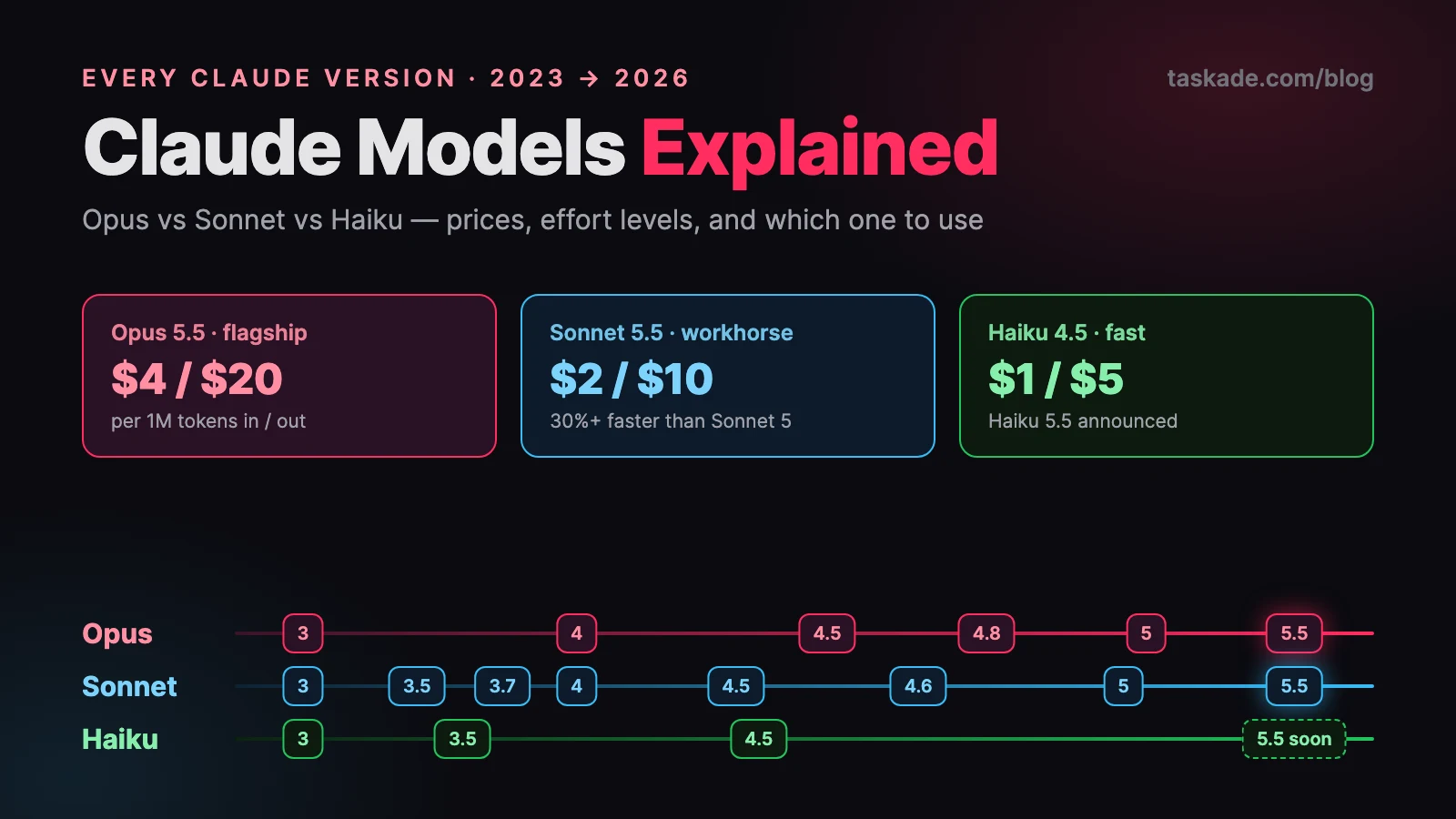
If the same skill name exists at two levels, enterprise beats personal, and personal beats project. Two frontmatter switches matter most in practice: disable-model-invocation: true keeps a skill manual-only (you run it with /name), and allowed-tools pre-approves tools for the turn the skill runs. Claude Code also watches skill folders, so edits apply inside the current session with no restart. Skills run on whichever Claude model powers your session, and the September 2026 Opus 5.5 and Sonnet 5.5 releases are covered in our Claude models explained guide.
How Do I Build a Claude Code-Style Skill as a Taskade Agent?
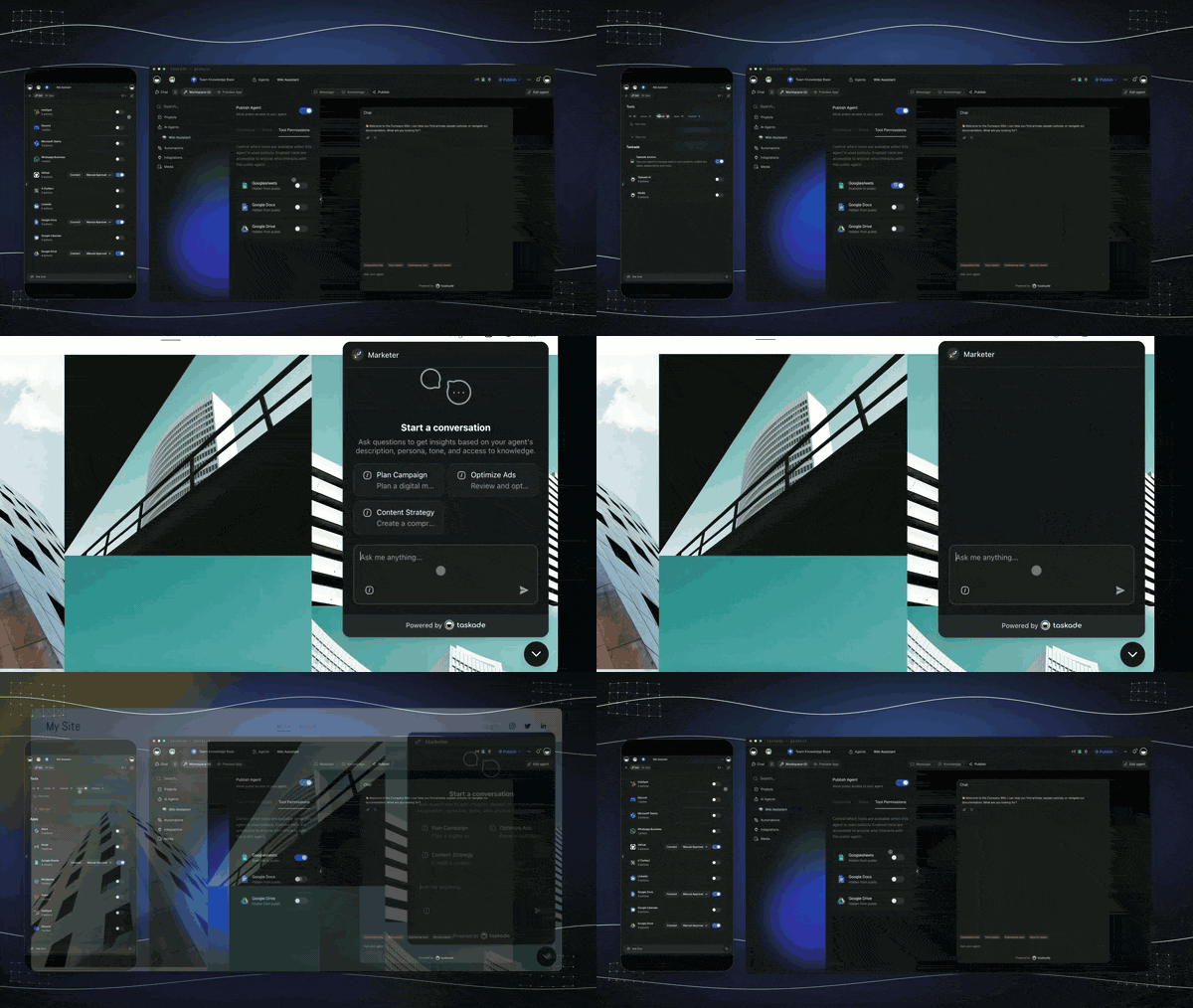
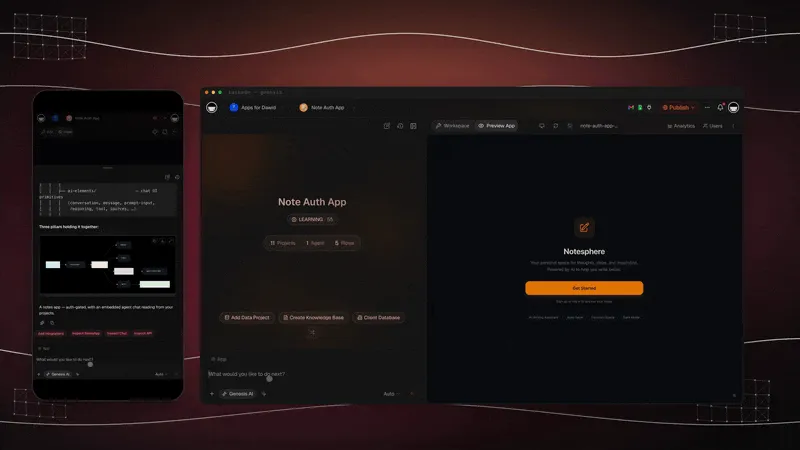
Taskade custom agents give non-developers the same reusable-procedure outcome as a SKILL.md file, without a terminal: save a procedure once as a custom slash command backed by built-in tools and persistent memory, then trigger it on a schedule or event with an automation. See the full comparison: free Claude Code alternative.
- Save the procedure once as a custom slash command on an agent — the Taskade equivalent of a SKILL.md file.
- Persistent memory carries context between runs, so the agent does not start from zero each session.
- Automations trigger the saved procedure on a schedule or event across 100+ integrations — no terminal required.
- Free plan: 1 AI agent with 1 knowledge item; Pro and up: unlimited agents, 50 knowledge items each.
- Publishing an agent publicly works on every plan (role-gated, not plan-gated).
| Skill concept | Taskade equivalent | Where to learn more |
|---|---|---|
| SKILL.md procedure | Custom slash command on an agent | Custom agents |
| Bundled scripts | Custom tools and built-in tools (web search, code, file analysis) | Agent tools |
| Reusable commands in chat | Taskade EVE commands and mentions | EVE commands |
| Learning from corrections | Persistent memory and the workspace memory graph | Memory graph |
| Running it on a schedule | Automations with triggers across 100+ integrations | Triggers |
| Claude Code reaching your data | Hosted MCP server, every paid plan | MCP server, Taskade MCP server |
The two tools also work together: a Claude Code skill can call your Taskade workspace over MCP, and a Taskade agent can hand work to other agents in a multi-agent team. Claude itself runs in Taskade only through your own Anthropic key (the Anthropic Claude connector in automations, or Enterprise BYOK for agents), and never on Taskade credits. For the concept behind all of this, see the wiki entry on agent skills.
Want the result as a finished product instead of a procedure? Describe it to Taskade Genesis and it turns a prompt into a live app with agents, automations, and a database behind it. Create an app free or explore AI agents.
Inside a Skill: The Annotated SKILL.md
Every skill reduces to one required file with two required frontmatter fields — name and description — followed by plain-markdown instructions. Here is a complete, working example with the parts annotated. Notice it is a business workflow, not code — skills are procedure files, and any procedure qualifies:
Markdown
---
name: weekly-report
description: >
Compile the weekly status report. Use when the user asks for a
"weekly report", "status update", or "what shipped this week".
Reads completed tasks from the tracker export, groups them by
project, and writes the summary in report-format.md style.
---Weekly Report
Steps
- Locate this week's task export (
exports/tasks-*.csv); ask if missing.
- Group completed items by project. Flag anything overdue in its own list.
- Draft the report following the exact structure in
report-format.md.
- Keep it under 400 words. Bullets, no filler adjectives.
Rules
- Never invent numbers. If a metric is missing, write "not tracked".
- Dates in ISO format (2026-07-01).
Bundled files (load only if the skill runs)
- report-format.md <- the output template
- scripts/rollup.py <- deterministic math, run this instead of estimating
The highest-leverage line is the description, and the best practice almost no roundup teaches: write the description as a routing rule, not a summary. It is the only part of the skill the model sees at startup, so it must answer one question — when should this fire? Include trigger phrases users actually say ("weekly report", "status update"), name the inputs it expects, and state what it produces. A vague description ("Helps with reports") means the skill never fires at the right moment; a routing-rule description makes progressive disclosure work. Anthropic's guidance adds two more rules: keep the body under roughly 500 lines, and push anything deterministic (math, file renaming, API calls) into scripts so the model follows procedure instead of improvising.
Where the folders actually go:
WHERE CLAUDE CODE SKILLS LIVE
─────────────────────────────────────────────────────────────
~/.claude/skills/                <- PERSONAL: follows you into
├── weekly-report/                  every project on this machine
│   └── SKILL.md
└── reflect/
    └── SKILL.mdyour-project/
├── .claude/skills/              <- PROJECT: committed to git,
│   ├── deploy-checklist/           the whole team gets it on pull
│   │   ├── SKILL.md
│   │   └── reference.md
│   └── release-notes/
│       └── SKILL.md
└── CLAUDE.md                    <- NOT a skill: always-loaded rules
/plugin marketplace add <repo>   <- PLUGINS: skills can also arrive
bundled from a marketplace
Which Claude Code Skill Should You Install First?
Install one skill that matches your biggest repeated pain, not a pile of them. The flowchart below routes the decision in four questions, and the table after it maps the most common goals to a pick from this list.
| If you want to... | Install | Why |
|---|---|---|
| Stop the agent from coding before it plans | Superpowers | Enforces plan, test, review loops |
| Stress-test an idea before any code | Grill Me | Interviews you until the design tree is resolved |
| Produce Word, Excel, PowerPoint, PDF files | Official document skills | Maintained by Anthropic |
| Make generated UI look designed | frontend-design | Official design-taste skill |
| Turn your own routine into a skill | Skill Creator | Writes the SKILL.md with you |
Where Are the Best Claude Skills on GitHub?
The best Claude skills on GitHub live in a handful of repositories, and the official one is the safest place to start. Anthropic's anthropics/skills repository had about 179,000 stars on September 29, 2026, holds the spec and a skill template, and registers as a Claude Code marketplace with /plugin marketplace add anthropics/skills. The document skills in that repo are source-available rather than open source, and Anthropic labels the repo as demonstration and educational material.
| Repository | What you find there | Install path |
|---|---|---|
| anthropics/skills | Official skills, spec, template | /plugin marketplace add anthropics/skills |
| obra/superpowers | Engineering-discipline skill library | Plugin marketplace |
| travisvn/awesome-claude-skills | Curated directory of skills and resources | Browse, then install individually |
| mattpocock/skills | Grill Me and other everyday engineering skills | npx skills installer, per the repo |
| agentskills.io | The open Agent Skills specification | Reference |
The 12 Best Claude Code Skills in 2026
The strongest skill to install first in 2026 is Superpowers, followed by Anthropic's official skills repository - those two cover engineering discipline and document work, the two highest-frequency use cases. Every star count below was checked live against the GitHub API on September 29, 2026, because skill roundups are notorious for repeating stale or inflated numbers.
| # | Skill | Best for | Source (stars, Sep 2026) |
|---|---|---|---|
| 1 | Superpowers | Engineering discipline end to end | obra/superpowers (293K+) |
| 2 | Skill Creator | Building your own skills | anthropics/skills (179K+) |
| 3 | gstack | A full team-in-a-box process | garrytan/gstack (134K+) |
| 4 | GSD | Spec-driven context engineering | gsd-build/get-shit-done (64K+) |
| 5 | Document skills | PDF, Word, Excel, PowerPoint | anthropics/skills (179K+) |
| 6 | frontend-design | Non-generic UI direction | Official plugin marketplace |
| 7 | mcp-builder | Scaffolding MCP servers | anthropics/skills |
| 8 | webapp-testing | Browser-driven app QA | anthropics/skills |
| 9 | brand-guidelines | On-brand output for teams | anthropics/skills |
| 10 | A reflect skill | Continual learning from corrections | Build your own |
| 11 | /review | Built-in code review | Bundled with Claude Code |
| 12 | /deep-research | Cited research (a workflow, not a skill) | Bundled, v2.1.154+ |
1. Superpowers - best overall skill framework
Superpowers is a full software-development methodology packaged as composable skills: plan-first design, test-driven development (the RED-GREEN-REFACTOR loop), systematic debugging with root-cause analysis, git worktree management, subagent-driven development, and verification before completion. At 293,000+ GitHub stars (checked September 29, 2026), it is the most-adopted community skill framework by a wide margin. When to use it: you want Claude Code to stop jumping straight into code and start behaving like a disciplined senior engineer on every task. It also publishes install paths for Cursor, Codex, and other agents, which makes it a safe investment if you switch harnesses.
Bash
/plugin install superpowers@claude-plugins-official
# or: /plugin marketplace add obra/superpowers-marketplace
Honest note: it is opinionated. If you disagree with test-first development, you will be fighting your own skills.
2. Skill Creator - the official meta-skill
Skill Creator, part of Anthropic's official skills repository (179,000+ stars), is a skill that writes skills. Describe a procedure in plain language, or paste an existing SOP, and it generates the folder, the routing-rule description, and the structured body following Anthropic's own authoring best practices. When to use it: every time you catch yourself explaining the same procedure twice. It is the fastest way to internalize what good skill structure looks like, because it shows you rather than telling you. The same repo ships the Agent Skills specification and a bare template if you prefer writing by hand.
Bash
/plugin marketplace add anthropics/skills
/plugin install example-skills@anthropic-agent-skills
Honest note: generated skills still need a human editing pass — tighten the description and delete boilerplate.
3. gstack - the YC CEO's software factory
gstack (134,000+ stars) is Garry Tan's open-source Claude Code setup - the repo describes it as "23 opinionated tools that serve as CEO, Designer, Eng Manager, Release Manager, Doc Engineer, and QA." It organizes work into a Think → Plan → Build → Review → Test → Ship → Reflect loop, with role-playing skills like /office-hours (YC-style forcing questions), /plan-ceo-review (built on Brian Chesky's 10-star framework), and a security review that runs OWASP-style analysis. Tan claims part-time output of 10,000–20,000 lines of production code per day with it - his own numbers, no independent audit. When to use it: solo builders who want an entire org chart's worth of process pressure-testing their work.
Bash
git clone https://github.com/garrytan/gstack
# then follow the README to link its commands into your setup
Honest note: it encodes one founder's taste. Adopt the loop, prune the roles you do not need.
4. GSD (Get Shit Done) - spec-driven context engineering
GSD (64,000+ stars) is a lightweight meta-prompting and spec-driven development system by TÂCHES. The core idea, per its documentation and fans: break work into specs, then give each task a fresh subagent with a clean context so quality never degrades as a session ages — with checks that catch scope quietly getting dropped between plan and implementation. When to use it: long multi-task sessions where you have noticed the 15th task getting sloppier treatment than the 1st. It pairs the "uncorrelated context windows" insight from the Claude Code team itself with an enforceable process, and it is much lighter to adopt than Superpowers or gstack.
Bash
# install per the README at github.com/gsd-build/get-shit-done
Honest note: the spec-first ceremony is overkill for quick one-file fixes — keep it for real features.
5. The official document skills (pdf, docx, xlsx, pptx)
The document skills in anthropics/skills are the source-available versions of what Claude uses in production for document work: filling and extracting PDFs, generating Word documents, building Excel spreadsheets with real formulas, and assembling PowerPoint decks. When to use them: any workflow that ends in a file a colleague opens in Office. This is the entry point for non-developer work in Claude Code — a recruiter generating offer letters or an analyst turning CSVs into formatted workbooks gets more from these four skills than from any coding framework on this list. They are also the best reference reading for skill authors: production-grade SKILL.md files you can study.
Bash
/plugin marketplace add anthropics/skills
/plugin install document-skills@anthropic-agent-skills
Honest note: complex layouts (pixel-perfect slide design) still need human polish afterward.
6. frontend-design - Anthropic's design-taste skill
frontend-design is Anthropic's official skill for building distinctive interfaces instead of the same rounded-corner, purple-gradient page every AI produces. It pushes deliberate aesthetic direction — typography choices, layout intent, avoiding templated defaults — before any component gets written. When to use it: every greenfield UI task, especially if you have caught your agent producing what the community calls "AI slop design." Install it from Claude Code's official plugin marketplace (run /plugin and search the official listing). It is a good demonstration that skills can encode taste, not just procedure — the file is mostly design principles, and output quality visibly shifts with it enabled. Builders comparing agents on design quality consistently put Claude ahead on front-end work; this skill is part of why.
Honest note: taste skills constrain. For strict design-system work, your own brand skill should override it.
What Is the Claude Taste Skill?
The "Claude taste skill" is almost always Taste-Skill, an MIT-licensed open-source collection of agent skills by Leonxlnx (91,000+ GitHub stars as of September 2026) that stops coding agents from producing generic, "AI slop" interfaces. Its main skill, design-taste-frontend, gives the agent design rules for layout, typography, motion, and spacing, with adjustable dials such as design variance, motion intensity, and visual density. The repo also ships redesign-existing-projects, image-to-code, and style variants (minimalist, industrial-brutalist, high-end visual). It works across Claude Code, Cursor, and Codex, so it is a portable install.
Bash
npx skills add https://github.com/Leonxlnx/taste-skill
# one skill only:
npx skills add https://github.com/Leonxlnx/taste-skill --skill "design-taste-frontend"
Two name collisions to know: a separate repo, senlindesign/taste-skill, is a /taste <url> skill that reverse-engineers a website's design tokens, and Anthropic's own frontend-design skill covers similar ground. Try Taste-Skill and frontend-design side by side on one UI task, then keep the one whose output you prefer.
7. mcp-builder - scaffold MCP servers correctly
mcp-builder, also from the official anthropics/skills repo, scaffolds Model Context Protocol servers — the standard way to connect agents to external systems. It encodes the spec details people get wrong by hand: tool schema definitions, error shapes, transport setup. When to use it: you want Claude Code (or any agent) to reach an internal API, database, or SaaS tool that has no existing connector, and you would rather generate a correct server in minutes than study the protocol for a day. It pairs naturally with the skills-vs-MCP framework below: build the connection with mcp-builder, then write a small skill that teaches the agent when and how to use it. Our guide to connecting Claude and Cursor via MCP covers the client side.
Honest note: generated servers need a security pass before touching production credentials.
8. webapp-testing - browser QA without a test suite
webapp-testing (official repo) drives a real browser against your running web app: click flows, form fills, screenshot checks, console-error sweeps. When to use it: verifying that a change actually works in the app, not just in the diff — the step most agent sessions skip. It converts "looks right to me" into observed behavior, which matters because agents are systematically overconfident about their own output; Anthropic notes its newest models were trained specifically to stop letting flaws in their own code "pass unremarked." For teams without a Playwright suite, this skill is the fastest path to any automated verification at all, and for teams with one, it is a cheap pre-commit smoke check.
Honest note: browser runs are slow and token-hungry compared to unit tests — use it at milestones, not on every edit.
9. brand-guidelines - the non-developer sleeper pick
brand-guidelines (official repo, enterprise/communications category) keeps generated output — docs, decks, emails, web copy — consistent with a defined brand voice and visual identity. You customize it once with your brand's rules, and every document skill downstream inherits them. When to use it: any team where more than one person generates customer-facing artifacts with AI. This is the category almost every "best skills" roundup ignores: marketing, ops, and docs teams are heavier repeat-procedure users than most engineers, and a brand skill plus the document skills is a complete non-developer workflow. It is also the clearest illustration that a skill is just an SOP in a folder — most companies already have this document; it is called a style guide.
Honest note: it enforces consistency, not quality — a weak style guide becomes a consistently weak output.
10. A reflect skill — continual learning from your corrections
The reflect pattern — endorsed in Anthropic's own large-codebase guidance and spread widely through the community — is a skill you build (Skill Creator can write it): after a session, it scans the transcript for the corrections you made, proposes updates to the relevant skill files with confidence levels, and commits approved changes to git. The result is the closest thing agents have to memory that compounds: correct once, and then never again. Anyscale CEO Robert Nishihara frames skills as exactly this — continual learning without touching model weights, in plain text humans can read and edit. When to use it: from week two onward, once you have real skills accumulating corrections. Our deep dive on self-improving agents covers the pattern in full.
Honest note: review every proposed update — an unsupervised reflect loop can happily encode your bad day into policy.
11. /review — the built-in you already have
/review is Claude Code's bundled code-review skill: point it at a diff, branch, or PR and it produces a structured review. When to use it: before every merge — it is free, local, and catches the mechanical mistakes (unused imports, missed null checks, inconsistent naming) that waste human reviewer attention. Community reports describe a heavyweight cloud sibling, /ultra review, that uploads a branch to a sandbox and runs a fleet of parallel reviewers that must reproduce a bug before reporting it, with a few free runs on paid plans and per-run pricing after — worth testing if your PRs are large, though details there are creator-reported rather than official. Start with plain /review; it is the highest-value zero-setup item on this list, and a good complement to the verification habits Superpowers builds in.
Honest note: agent review augments human review, it does not replace judgment about design and intent.
12. /deep-research — great, but it is not a skill
/deep-research earns its slot in every roundup with an asterisk: it is officially a dynamic workflow, not a skill. Dynamic workflows shipped in Claude Code v2.1.154 on May 28, 2026 — Claude writes a real orchestration script, and a background runtime executes it across many agents (up to 16 concurrent, 1,000 per run). /deep-research runs five stages: scope, parallel searches, source fetching with claim extraction, adversarial verification where independent agents try to refute each claim, and cited synthesis. One documented run used 105 agents, about 3.1 million tokens, and roughly 15 minutes. When to use it: questions where being wrong is expensive. The distinction matters for your wallet: a skill costs tens of tokens until triggered; a workflow can orchestrate a small army. More on the pattern family in our guide to agentic workflows.
Honest note: for casual questions, a single search is 100x cheaper — reserve workflows for claims you need verified.
Honorable mentions, flagged honestly: Context Mode (compresses noisy tool output; its 56 KB-snapshot-to-299-bytes numbers are self-published), ClaudeMem (cross-session memory claiming ~10x retrieval savings, also vendor-reported), and the awesome-claude-skills directory (~15,000 stars) for discovery. Two more names come up in every 2026 roundup: Matt Pocock's Grill Me, a user-invoked skill that interviews you about a plan before you build, and the Karpathy guidelines, which distill four coding-pitfall rules into a single CLAUDE.md file. The second is an always-on instruction file rather than a task-triggered skill, so the two are complementary. All three come from sources with something to sell - try them, but trust your own measurements.
Are Claude Code Skills Safe? How to Vet One Before You Install
A skill runs with the same permissions as your agent, so install it like software, not like a note. Anthropic's own docs warn that a malicious skill can direct Claude to invoke tools or run code in ways that do not match its stated purpose, and recommend skills only from sources you trust. The biggest public audit backs the caution: Snyk's ToxicSkills study scanned 3,984 skills from ClawHub and skills.sh in February 2026.
The malicious bar is 76 confirmed payloads out of 3,984 skills, about 1.9%, which we computed from Snyk's counts. Most of the risk sits in the long tail of unreviewed marketplace uploads, not in the official repos. Use this checklist before you install anything:
| Check | What to look for |
|---|---|
| Read every file | SKILL.md, scripts, and assets, not just the description |
Scan allowed-tools |
Broad Bash grants; project skills can grant themselves tools |
| Hunt network calls | Unexpected curl, fetches from URLs, or external dependencies |
| Pin the source | Install from a commit or tag you reviewed, not a moving branch |
| Prefer fewer, official, or self-written | A skill you wrote cannot surprise you |
Skill content scanning also exists for Claude Enterprise organizations, which Anthropic covers in its skills for enterprise guide.
Skills vs. MCP vs. Subagents vs. CLAUDE.md vs. Slash Commands
These five primitives answer five different questions, and picking the wrong one is the most common Claude Code setup mistake. Skills teach procedures. CLAUDE.md holds always-on conventions. MCP connects external systems. Subagents isolate big jobs in separate context windows. And slash commands, per Claude Code's own docs, merged into skills — a command is now just a skill you invoke explicitly instead of letting Claude discover it.
| Primitive | What it is | When it loads | Best for |
|---|---|---|---|
| Skill | On-demand procedure folder | When a task matches its description | Repeatable workflows |
| Slash command | A skill invoked by name | When you type it | Procedures you want on demand, not auto |
| CLAUDE.md | Always-on rules file | Every turn | Conventions Claude must never forget |
| MCP server | Connection to external systems | When its tools are called | Reaching databases, browsers, SaaS |
| Subagent | Separate context window | When delegated | Big tasks that would pollute your context |
Two rules of thumb from Anthropic's large-codebase guidance make the split easy in practice. First: rules are conventions, skills are workflows — "always use yarn" is CLAUDE.md, "how we cut a release" is a skill. Second: keep CLAUDE.md short and human-written. The nearest research agrees — an ETH Zurich study of agent context files (arXiv 2602.11988, February 2026) found developer-written files improved agent performance about +4% while auto-generated, README-duplicating ones slightly hurt (−3%). Bloat in the always-loaded layer is the expensive kind. For the deeper architecture of how these layers stack, see what agentic engineering is and our AI agent stack flagship.
How to Build Your Own Skill in 5 Steps
Your first custom skill should take under ten minutes, and the procedure you already repeat most often is the right candidate:
- Create the folder.
~/.claude/skills/my-skill/SKILL.mdfor personal use,.claude/skills/in the repo if the team should get it. (Or ask Skill Creator to do all of this from a description.) - Write the description as a routing rule. Trigger phrases, expected inputs, produced outputs — this is the only line Claude sees before deciding to load the skill.
- Write the body as steps and rules, not prose. Numbered steps, explicit constraints, exact file paths. Stay under ~500 lines; split long reference material into separate files the skill mentions.
- Push deterministic work into scripts. Anything with one correct answer — math, renames, API calls — belongs in a bundled script the skill runs, not in instructions the model interprets.
- Test, then let it learn. Ask for a matching task and watch whether the skill fires. If not, sharpen the description. Then commit the folder to git and add a reflect step so corrections keep improving it.
The git commit in step five is not bureaucracy — it is the point. A skills directory under version control is a readable, diffable history of everything your agent has learned, which is a form of agent knowledge management that outlives any single tool.
Skills as SOPs: The Business Angle Nobody Covers
The most underrated framing of skills comes from the business side: a skill is a standard operating procedure the AI can execute — "SOPs as code." Nate, an AI-automation entrepreneur who says he sold a $100K/month agency, teaches exactly this move in his AI-operating-system framework: take an existing SOP document and tell Claude, "turn this into a skill." His AIOS is built on four C's, in strict order — Context (what the AI knows about you), Connections (what data it reaches), Capabilities (what it produces), and Cadence (when it acts on its own) — and he emphasizes the durable layer is the files, not the harness: he reports porting his whole skills directory from Claude Code to Codex in about two minutes. That is the deeper lesson of this entire list: the value you build is a folder of procedures, not a subscription.
But notice what his course assumes: a terminal, VS Code, git, and API keys for every tool. That is a real barrier — an entire audience is effectively being told to become sysadmins to get repeatable AI workflows. If that is you (or your ops, marketing, or docs team), the honest answer is that you do not need the terminal to get the outcome. Taskade custom agents cover the same four C's without any of that stack: persistent workspace memory is the Context, 100+ bidirectional integrations are the Connections, agents with built-in tools and custom slash commands are the Capabilities (a saved command is functionally a skill — a procedure defined once, reused forever), and scheduled automations are the Cadence. Taskade Genesis goes a step further and turns procedures into full working apps your team or clients can use, and the community gallery has ready-made examples to clone. The fair split: for heavy code work in a real repository, Claude Code is the right tool and this list is your setup guide. For business workflows that need to run reliably without anyone opening a terminal, a hosted AI workspace is the same idea with the ops removed — the conceptual walkthrough in our Claude Skills explainer maps the two side by side, and the execution layer thesis explains why this convergence is happening everywhere.
Do Skills Actually Save Tokens? An Honest Look at the Numbers
Here is the uncomfortable truth this SERP avoids: almost no published skill-efficiency number is a measured, independent benchmark. The design is genuinely economical — only name and description load until a skill fires, which is documented by Anthropic. But the headline percentages floating around skill roundups mostly belong to other features or to vendors. Sort the claims:
| Claim | Source | Status |
|---|---|---|
| Skill metadata costs roughly 100 tokens per skill until triggered; the SKILL.md body stays under 5,000 tokens | Anthropic Agent Skills docs | Design fact - small and real |
| 77,000 → 8,700 tokens (−85%) context cut | Anthropic's Tool Search Tool data | Real — but about tool search, not skills |
| 56 KB browser snapshot → 299 bytes | Context Mode (self-published) | Vendor benchmark, unaudited |
| ~10x retrieval token savings | ClaudeMem (self-published) | Vendor benchmark, unaudited |
| Agents ≈ 4x chat tokens; multi-agent ≈ 15x | Anthropic engineering blog | Anthropic's own engineering estimate |
| Developer-written context files ≈ +4% success | ETH Zurich, arXiv 2602.11988 | Peer research — on context files, not skills |
The 85% figure deserves special mention because it is the most misquoted stat in this niche: it comes from Anthropic's Tool Search Tool (loading tool definitions on demand), and it routinely gets attributed to Agent Skills because both use the same load-on-demand philosophy. Same idea, different feature, different measurement. The practical takeaway: skills will not blow up your context, badly-written always-on files will, and the only numbers you should fully trust are your own — run /context before and after installing a skill set, and check /cost on a real week of work. If a skill's value does not show up in your output quality or your token bill, uninstall it. Curation beats collection.
FAQ: Best Claude Code Skills
What are Claude Code skills?
Folders containing a SKILL.md — instructions plus optional scripts and reference files — that Claude Code loads on demand when a task matches the description. Launched by Anthropic as an open standard in October 2025. Only the name and description occupy context until the skill fires.
Where do Claude Code skills live?
~/.claude/skills/ for personal skills that follow you everywhere; .claude/skills/ inside a repo for project skills the whole team shares via git; and plugins can bundle skills installed from marketplaces.
Which Claude Code skills should I install first?
Superpowers (293,000+ stars, checked September 2026) for engineering discipline, then the official anthropics/skills repo for Skill Creator and the document skills. Add gstack or GSD if you want more process, and build a reflect skill in week two.
Are skills the same as slash commands?
Effectively yes, now: custom slash commands were merged into the skills system. A slash command is a skill you invoke explicitly by name; a regular skill is one Claude triggers itself when the description matches the task.
What is the difference between skills and MCP?
Skills are procedural knowledge (how to do a task); MCP is the connection layer (access to external systems like databases and browsers). They compose: a skill can describe a procedure whose steps call MCP tools.
How is a skill different from CLAUDE.md?
CLAUDE.md loads on every turn and should hold only always-true conventions. A skill loads on demand and holds a workflow. Rules go in CLAUDE.md; procedures become skills.
Do skills use extra tokens or slow Claude Code down?
Barely, by design — tens of tokens per skill until one triggers. Most dramatic savings claims are either about other features (the famous −85% belongs to Anthropic's Tool Search Tool) or vendor self-reported. Measure with /context and /cost.
Do Claude Code skills work with Codex, Cursor, and other agents?
Mostly, yes — Agent Skills is an open standard, and major frameworks like Superpowers ship installs for multiple agents. One practitioner reports porting his full skills directory from Claude Code to Codex in about two minutes; Cursor supports the format too. See our Claude Code alternatives guide for the landscape.
Is /deep-research a skill?
No — it is a dynamic workflow (shipped May 28, 2026, in v2.1.154): Claude writes an orchestration script that coordinates up to hundreds of agents. It behaves like a command but costs like a fleet; one documented run used 105 agents and ~3.1M tokens.
How do I share skills with my team?
Commit .claude/skills/ to the repository, or package skills as a plugin on a marketplace. Since October 2025, organizations can also manage and distribute skills company-wide.
What is the Claude taste skill?
Usually Taste-Skill by Leonxlnx, an MIT-licensed set of agent skills (91,000+ stars, September 2026) whose main skill, design-taste-frontend, steers Claude Code away from generic AI-looking UI with dials for design variance, motion, and density. Install with npx skills add https://github.com/Leonxlnx/taste-skill.
Where do Claude Code skills load from, and which wins?
Enterprise (managed settings), personal (~/.claude/skills), project (.claude/skills), and nested subdirectory folders. On a name clash, enterprise beats personal and personal beats project. Edits apply in the current session without a restart.
What if I want this power without a terminal?
Use a hosted agent platform. Taskade custom agents store repeatable procedures as slash commands with built-in tools and persistent memory, automations run them on triggers across 100+ integrations, and plans start free (Pro $10, Business $25, Max $100, Enterprise $250 per month, billed annually — see pricing). Try Taskade free →
Are Claude Code skills safe to install?
Only install skills you wrote or trust. Anthropic's docs say a malicious skill can direct Claude to run tools or code in ways that do not match its stated purpose, so treat a skill like installed software. Snyk's ToxicSkills audit of 3,984 skills from ClawHub and skills.sh in February 2026 found 13.4% with at least one critical-level issue and 76 confirmed malicious payloads. Read every bundled file, check allowed-tools, and pin to a commit before you install.
What is the best Claude skills GitHub repo?
Start with Anthropic's official anthropics/skills repository, which had about 179,000 stars on September 29, 2026 and holds Skill Creator, the document skills, mcp-builder, webapp-testing, and brand-guidelines. Add obra/superpowers for engineering discipline and the travisvn/awesome-claude-skills list for discovery. Register the official marketplace in Claude Code with /plugin marketplace add anthropics/skills.
How do I stop Claude from running a skill automatically?
Set disable-model-invocation to true in the skill's frontmatter. Claude Code then keeps the skill out of its automatic matching and you run it yourself with /skill-name. Use this for actions with side effects, such as deploy or commit skills. The opposite switch, user-invocable set to false, hides a skill from the slash menu so only Claude can load it.
Can a Claude Code skill work with Taskade?
Yes. Taskade's hosted MCP server lets Claude Code read and write your Taskade workspace on every paid plan, so a skill can tell Claude to pull tasks or save results there. Taskade also packages repeatable work without a terminal: a Taskade AI agent stores a procedure as a custom slash command, uses built-in tools and persistent memory, and runs on automations. Taskade does not run Claude skills itself.
Related Reading
- What Are Claude Skills? Plain-English Guide - the conceptual sibling of this list
- The History of Claude Code — from weekend project to $2.5B run rate
- Claude Code vs OpenClaw and Claude Code vs n8n
- Best AI Agents in 2026 and Best Claude Cowork Alternatives
- Anthropic's History and the open-source LLM landscape
- Comparisons: Codex vs Claude Code - Free Claude Code alternative
Skills are the clearest signal yet of where all agent tooling is heading: knowledge that lives in readable files, procedures that compound instead of evaporating, and execution that runs without you babysitting it. Install the two or three from this list that match your work, build one skill of your own this week, and put it in version control — that folder will outlast every tool on this page. And when you want the same compounding loop for the non-code half of your work — memory that persists, agents that act, automations that run — create your first custom agent free in Taskade. ▲ ■ ●