







The best Lovable alternative depends on why you are leaving Lovable. People leave for four reasons: the credits run out, the code export is gated, the backend is thin, or the app needs AI agents and automations that Lovable does not run for you. This guide groups 11 lovable.dev alternatives, the sites and apps most similar to Lovable, by those four reasons and prints the exact free limit of each one.
TL;DR: Leaving over credits? Bolt.new has the biggest free allowance, 1M tokens a month. Leaving over code export? Cursor and Claude Code work in your own repository. Leaving over the backend? Replit runs a full cloud IDE. Need agents and automations inside the app? Taskade Genesis builds a live app with both. Free holds 3 apps. Pro is $10 a month billed yearly. See plans and prices
Facts checked on 2026-11-07. Every price and free limit below comes from the vendor's own pricing page or plan documentation, read on November 7, 2026. Sources are listed at the end.
Quick Answer: The 11 Best Lovable Alternatives in 2026
Taskade Genesis is the best Lovable alternative for a running business app with AI agents, automations and data in one workspace. Bolt.new is the best for a bigger free build allowance. Cursor and Claude Code are the best for owning the code. Replit is the best for backend depth. The table maps each tool to the reason people switch.
| # | Tool | Why people switch to it | Free plan (checked 2026-11-07) | Paid from |
|---|---|---|---|---|
| 1 | Taskade Genesis | Agents and automations inside the app | 3 apps, 1 agent, 10 automation runs, 0 AI credits to start | $10/mo billed yearly ($20 monthly) |
| 2 | Emergent | Multi-agent full-stack and mobile builds | 10 credits a month | $20/mo ($17 billed yearly) |
| 3 | Bolt.new | Biggest free build allowance | 1M tokens a month, 300K a day, hosting with Bolt branding | $25/mo |
| 4 | v0 by Vercel | React and Next.js UI on Vercel | 7 messages a day | $30/user/mo |
| 5 | Dyad | No platform credits, runs on your keys | Free desktop app, bring your own API key | $20/mo (Pro) |
| 6 | Cursor | Your own repository in an AI editor | Limited agent and chat requests | $8/mo (Plus, Grok models only) |
| 7 | Claude Code | A terminal agent on your repository | Not on Claude Free | $20/mo ($17 billed yearly) |
| 8 | Google AI Studio | Free Build mode with GitHub sync and ZIP export | No subscription fee. Paid models and Cloud Run bill by usage | Usage-based |
| 9 | Replit | Full backend in a cloud IDE | 1 published app, link goes down after 30 days | Core $204/yr |
| 10 | Base44 | Built-in database and auth, no code | Up to 5 apps, 25 message credits a month | $16/mo billed yearly |
| 11 | Bubble | Visual logic for complex apps | Development version only, cannot go live | $32/mo billed yearly |
For reference, Lovable Free gives 5 build credits a day, up to 30 a month. Lovable Pro is $25 a month, or $250 a year, for 100 monthly credits.

What Does Lovable Include in 2026?
Lovable, formerly GPT Engineer, generates full-stack React and TypeScript apps from a chat and hosts them on Lovable Cloud. It is the fastest-growing tool in vibe coding: Lovable raised $400 million at a $13.3 billion valuation on August 12, 2026, reported by TechCrunch. Any alternative has to beat a strong product, so start with what Lovable gives you.
| What you get | Lovable Free | Lovable Pro | Lovable Business |
|---|---|---|---|
| Price | $0 | $25/mo, or $250/yr ($21/mo) | $50/mo, or $500/yr ($42/mo) |
| Monthly credits | None. 5 build credits a day, up to 30 a month | From 100 a month, plus 5 a day with no monthly cap | From 100 a month, plus 5 a day |
| Monthly grants | 20 Cloud, 4 AI, 1 connector credit | Same grants | Same grants |
| Git sync (GitHub, GitLab, Bitbucket) | Yes | Yes | Yes |
| Edit and download code | No | Yes | Yes |
| Custom domains and badge removal | No | Yes | Yes |
| Workspace-private projects, unlimited members | Yes | Yes | Yes |
| Single sign-on | No | No | Yes |
Source: Lovable "Subscription plans" and "Plans and credits" documentation, checked 2026-11-07. Lovable notes that the Cloud, AI and connector grants are temporary and can change.
Three Lovable strengths are worth naming before you switch. The default design output is the most polished in the prompt-to-code group. Git sync works on the free plan, which many rivals gate. And every plan allows unlimited workspace members, so a team can share one workspace without a per-seat fee for viewers.
The Lovable story from GPT Engineer to a $13.3 billion company is in our Lovable history, and the hands-on view is in our Lovable review.
Why Do People Look for Lovable Alternatives?
People look for Lovable alternatives for four reasons: credits, code export, backend depth and in-app agents. Each reason has a different best answer, which is why one ranked list misleads. The table names the trigger, the Lovable rule behind it, and the group of this guide that answers it.
| Reason to leave | The Lovable rule behind it (2026-11-07) | Where this guide answers it |
|---|---|---|
| The credits run out | Free stops after 30 build credits in a calendar month. On paid plans, building, Cloud and in-app AI draw on one balance | Alternatives when credits run out |
| The code is gated | Code download and in-app code edits start on Pro at $25/mo | Alternatives with a clean code exit |
| The backend is thin | The database is Lovable Cloud's. Free stays on the default database instance | Alternatives with a deeper backend |
| No agents or automations at run time | Scheduled jobs and AI agents are code you prompt for and maintain | Alternatives for agents and automations |
The credit point is the most common one, so it gets its own math in the next section.
Lovable Credit Math: What 30 Free Credits Actually Buy
Lovable prices each Build mode message by the work it does. Lovable's own documentation gives four sample costs, and those samples turn the free plan's 30 monthly credits into a concrete count of edits. The counts below divide the allowance by Lovable's published sample cost, so treat them as a ceiling, not a promise.
| Action (Lovable's own example) | Credits | On Free (30 a month) | On Pro 100 (100 monthly credits) |
|---|---|---|---|
| Plan mode message | 1.00 | 30 messages | 100 messages |
| Change a button color | 0.50 | 60 edits | 200 edits |
| Remove a footer | 0.90 | 33 edits | 111 edits |
| Add authentication | 1.20 | 25 builds | 83 builds |
| Build a landing page with generated images | 2.00 | 15 pages | 50 pages |
Source: Lovable "Plans and credits" documentation, checked 2026-11-07. Pro also keeps the 5 daily credits with no monthly cap, so a Pro month can add up to about 150 more credits for someone who builds every day.
Two rules matter more than the sample costs. On Free, the daily grant stops at 30 in a calendar month and restarts on the 1st at 00:00 UTC, and top-ups are not available. On Pro, unused monthly credits roll over and expire two months after they are issued, and top-ups last 12 months.
Lovable's paid price scales almost one to one with credits. Pro costs about $0.25 a monthly credit at every tier up to 800 credits, and the per-credit price falls only slightly at the high tiers.
The takeaway for budgeting: on Lovable, more building costs more money in a straight line. A tool with a different cost rule changes that line. Bolt.new meters tokens, which scale with project size. Dyad runs on your own model key, so you pay the model provider. Taskade Genesis covers the app, its data, agents and automations on one workspace plan, and AI work draws from the plan's monthly AI credits. Our AI app builder pricing guide compares the cost rules across the category.
How We Compared These Lovable Alternatives
We compared 11 tools against Lovable on five checks. This is a comparison from each vendor's own pricing page and documentation, read on November 7, 2026. We did not run a new hands-on build for this update, so no ranking below rests on a speed or quality score we did not measure.
The five checks:
- Free plan: what the free plan includes and what runs out first.
- Cost rule: credits, tokens, usage or a plan, and what one unit buys.
- Code exit: whether you can get the code, and on which plan.
- Backend: whether a database and sign-in come built in.
- Run time: whether agents and automations run inside the shipped app.
| Tool | Publishes free | Code exit on Free | Built-in database | Agents and automations at run time |
|---|---|---|---|---|
| Lovable (baseline) | ✅ lovable.app with badge | 🟡 Git sync yes, download no | ✅ Lovable Cloud | ❌ You write them |
| Taskade Genesis | ✅ Live app with badge | ❌ Export is Pro and up | ✅ Workspace projects | ✅ Built in |
| Emergent | 🟡 Not stated for Free | 🟡 GitHub on paid plans | ✅ | ❌ Agents build the app |
| Bolt.new | ✅ With Bolt branding | ✅ GitHub sync | ✅ Unlimited databases | ❌ |
| v0 | ✅ Deploy to Vercel | ✅ GitHub sync | ❌ Bring your own | ❌ |
| Dyad | 🟡 You host it | ✅ Files on your disk | ❌ Bring your own | ❌ |
| Cursor | ❌ No hosting | ✅ Your repository | ❌ Bring your own | ❌ |
| Claude Code | ❌ Not on Claude Free | ✅ Your repository | ❌ Bring your own | ❌ |
| Google AI Studio | 🟡 Cloud Run, usage billed | ✅ GitHub sync and ZIP | ✅ Firebase on request | ❌ |
| Replit | 🟡 1 app, down after 30 days | ✅ | ✅ Paid from credits | ❌ |
| Base44 | ✅ Up to 5 apps | ❌ GitHub on Builder and up | ✅ Built in | ❌ |
| Bubble | ❌ Development version only | ❌ No code export | ✅ Built in | ❌ |
Legend: ✅ yes, 🟡 partly or with a condition, ❌ no. Checked 2026-11-07.
Lovable Alternatives for Agents and Automations
This group answers the fourth reason to leave Lovable. A Lovable app does what its code says. If the app needs an AI agent that answers clients from your data, or an automation that emails a lead every morning, you prompt for that code and maintain it. The two tools below take a different path.
1. Taskade Genesis: Best for a Live App With Agents and Automations
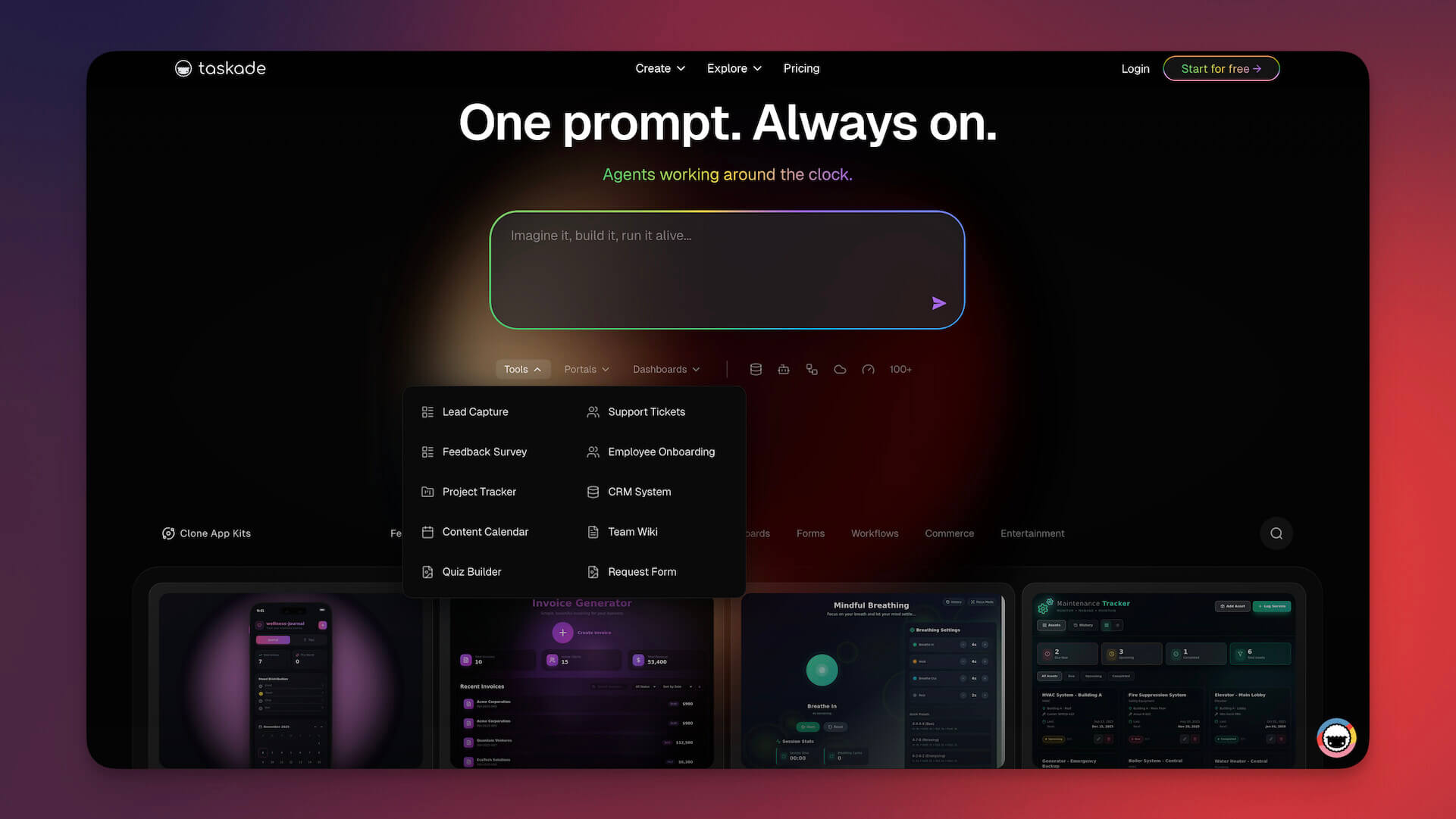
Taskade Genesis builds a live app from a plain-English prompt, with no code to host. The app runs on a Taskade workspace: projects hold the data, AI agents answer and act on that data, and automations run the work on schedules, forms and triggers.
Free plan (checked 2026-11-07): 3 apps, 1 AI agent, 2 workspace members and 10 automation runs per billing period, on a shareable URL with a small Taskade badge. Client logins work on every plan. Free starts with 0 AI credits. On Free, you earn free AI credits with referrals and invites, and you can upgrade any time. Free runs the built-in automation steps plus HTTP Request, RSS, Pushover and MCP Client. Premium connectors such as Gmail and Slack need a paid plan.
Where it beats Lovable:
- AI agents and automations run inside the shipped app, with no code to write.
- The app's data lives in projects your team can open in multiple project views.
- One workspace plan covers the app, its data, agents and automations.
Where Lovable still wins: a polished React code base you can host anywhere, and Git sync on the free plan.
Pricing: Pro is $10 a month billed yearly ($120 a year) or $20 billed monthly, with 50,000 AI credits a month, unlimited apps, up to 10 members and up to 10 custom domains. Business is $25 a month billed yearly with unlimited custom domains. Code export to GitHub and the .tsk file start on Pro.
✅ Choose it if: you want a client portal, CRM or dashboard that runs with agents and automations this week.
❌ Skip it if: you need a React repository that you host yourself from day one.
2. Emergent: Best for Multi-Agent Full-Stack and Mobile Builds
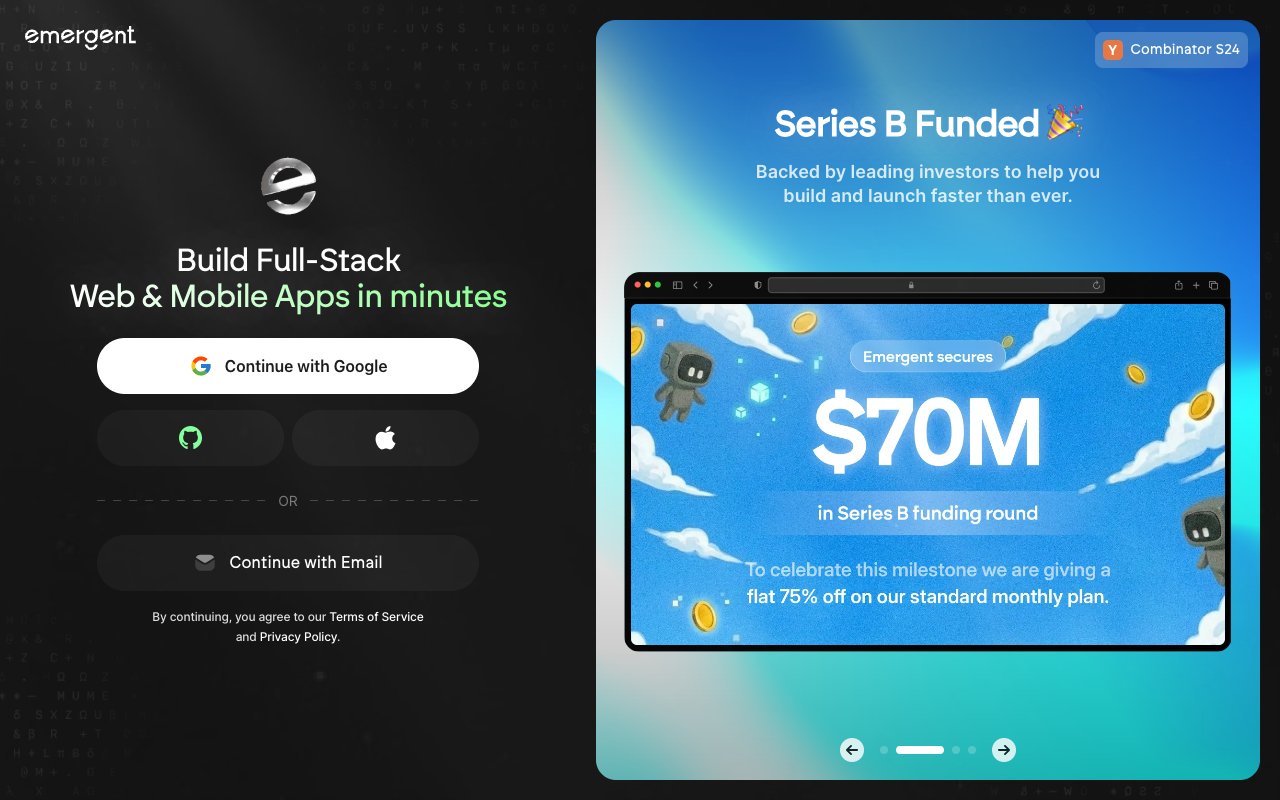
Emergent describes itself as an AI-powered development platform with "AI agents that design, code, and deploy your application from start to finish." It builds web and mobile apps, and its homepage says secure databases, APIs and built-in hosting come set up. The agents here describe how the app gets built, not agents that run inside your app later.
Free plan (checked 2026-11-07): 10 credits a month. The pricing page lists no other Free limits.
Where it beats Lovable:
- Mobile apps are part of the pitch, next to web apps.
- The higher plans scale to large credit pools: Pro has 750 credits a month.
Where Lovable still wins: a larger free allowance, 30 build credits a month against 10, and Git sync on the free plan.
Pricing: Standard is $20 a month, or $17 a month billed yearly, for 100 credits with private project hosting and GitHub integration. Pro is $200 a month, or $167 billed yearly, for 750 credits. Enterprise adds deployment in your own cloud.
✅ Choose it if: you want a full-stack or mobile app and a build process that runs several agents for you.
❌ Skip it if: the free plan has to carry a real project. Ten credits is a trial.
Lovable Alternatives When Credits Run Out
This group answers the most common reason to leave Lovable. Each tool here has a different cost rule: Bolt.new meters tokens, v0 meters messages and dollars of credit, and Dyad charges nothing for the app and lets you pay the model provider directly.
3. Bolt.new: Best Free Build Allowance
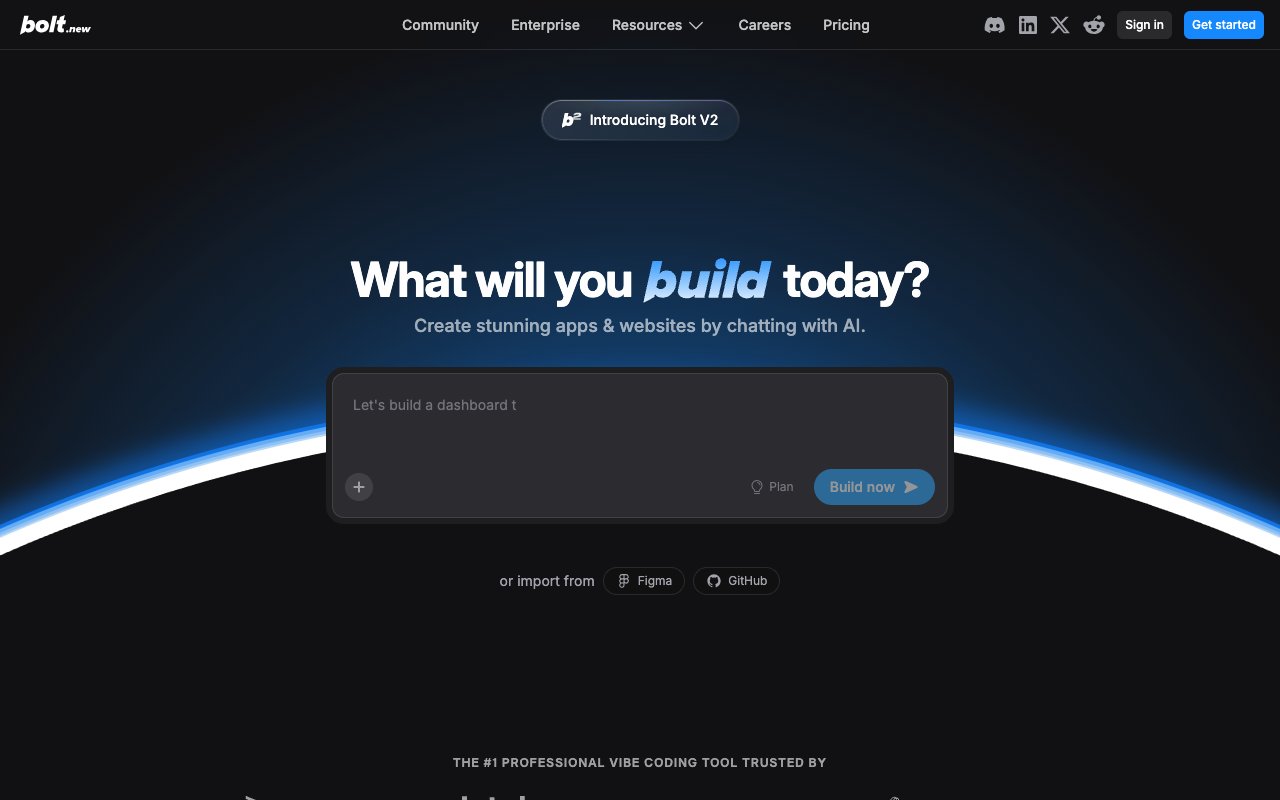
Bolt.new from StackBlitz generates full-stack apps in a browser tab and runs them live as you prompt. Bolt Cloud hosts the site, and Bolt Database gives each project a database with sign-in, file storage and server functions.
Free plan (checked 2026-11-07): 1M tokens a month with a 300K daily cap, website hosting with Bolt branding, unlimited databases, up to 333K web requests and a 10 MB file upload limit. Free tokens do not roll over. After the daily cap, direct edits in Code view cost no tokens.
Where it beats Lovable:
- The biggest free allowance in this guide, and hosting plus databases on Free.
- GitHub sync commits each working change, and you can edit code directly.
Where Lovable still wins: more polished default design, and a cost per message that does not grow with project size. Bolt says larger projects use more tokens per message.
Pricing: Pro is $25 a month for 10M tokens with no daily cap, custom domains and no Bolt branding. Pro 10M billed yearly is $216 a year. Teams is $30 per member a month. Paid tokens roll over for two months. Our Bolt.new alternatives guide does the full token math.
✅ Choose it if: you want the most free building and you like to read the code.
❌ Skip it if: your project is large. Token use per message grows with it.
4. v0 by Vercel: Best for React and Next.js UI

v0 is Vercel's AI builder for React and Next.js. It generates interfaces with shadcn/ui and Tailwind CSS, syncs to GitHub and deploys to Vercel. It fits teams that already run a Next.js app on Vercel.
Free plan (checked 2026-11-07): 7 messages a day, deploy apps to Vercel and sync with GitHub. New users also get a one-time $5 in credits.
Where it beats Lovable:
- GitHub sync and Vercel deploys on the free plan, with code that drops into an existing Next.js project.
- Clean, component-based UI that a front-end team can maintain.
Where Lovable still wins: a built-in database and sign-in. With v0 you connect your own backend.
Pricing: Plus is $30 per user a month with $30 of included credits and $2 of free daily credits on login. Business is $100 per user a month. Our v0 alternatives guide covers the UI-builder field.
✅ Choose it if: you build on Next.js and Vercel and want UI that fits your repo.
❌ Skip it if: you need a database and sign-in without writing backend code.
5. Dyad: Best for No Platform Credits
Dyad is a free desktop app that builds apps on your own machine. It says it "keeps your project files on disk, works offline with local models, and never limits project counts." You bring an API key from a model provider, or run a local model through Ollama or LM Studio. The Dyad repository had about 22,200 GitHub stars on November 7, 2026.
Free plan (checked 2026-11-07): the full desktop app, with your own API key and no project limit.
Where it beats Lovable:
- No platform credits. You pay your model provider, or nothing with a local model.
- The code is a folder on your disk from the first prompt, so lock-in is close to zero.
Where Lovable still wins: hosting, a managed database and a browser workflow. With Dyad you deploy the app yourself.
Pricing: Dyad Pro is $20 a month with 200 AI credits, Pro modes for large codebases and credit reloads at the same price.
✅ Choose it if: you want to stop paying per message and you are happy to host.
❌ Skip it if: you want a link you can send to a client today without a deploy step.
Lovable Alternatives With a Clean Code Exit
This group answers the export reason. Lovable syncs to Git on Free but gates code download and in-app edits to Pro. The three tools below start from your repository, or sync to one on the free tier, so the code never has to leave a platform.
6. Cursor: Best AI Editor for Your Own Repository

Cursor is an AI code editor built on VS Code. It reads your whole code base, edits across files and runs agent tasks. It is an editor, not an app builder, so you bring the hosting and the database.
Free plan (checked 2026-11-07): limited agent requests and limited chat requests. Cloud agents, code hosting, third-party models and AI code reviews are not on Free.
Where it beats Lovable:
- Full control of the repository, the framework and the hosting.
- It works on an existing code base, including a project you synced out of Lovable.
Where Lovable still wins: no setup. Cursor expects you to read code, run a dev server and deploy.
Pricing: Cursor's pricing page lists Plus at $8 a month (only Grok models), Premium at $30 with 4x the Plus usage, Super at $100 and Ultra at $200. Allowances refresh weekly, and third-party models bill separately by usage. Our Cursor alternatives guide compares AI editors.
✅ Choose it if: you are a developer taking a Lovable project to production.
❌ Skip it if: you do not want to maintain code.
7. Claude Code: Best Terminal Agent for Large Code Bases
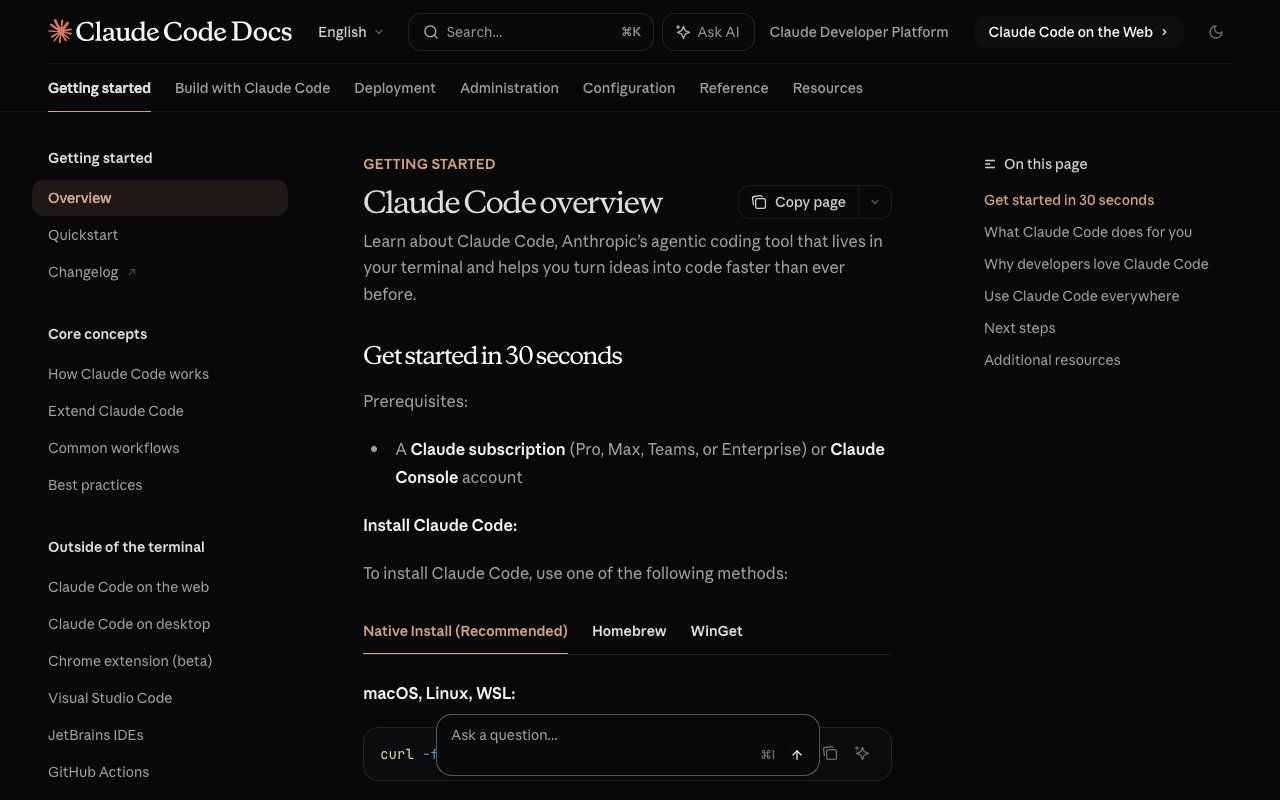
Claude Code is Anthropic's coding agent. It runs in your terminal or editor, reads the repository, plans a change and edits files across it. Claude's chat app also builds small interactive Artifacts, which suit quick prototypes. Our Claude Code history explains how the product grew.
Free plan (checked 2026-11-07): Claude Free includes Artifacts. Claude Code is not on Free.
Where it beats Lovable:
- Multi-file changes on a large code base, with your own tests and tools.
- The code is yours from the first command. There is nothing to export.
Where Lovable still wins: a visual preview, hosting and a database with no terminal.
Pricing: Claude Pro is $20 a month, or $17 a month billed yearly ($200 up front), with Claude Code included. Max starts at $100 a month. See our Claude Code alternatives for the rest of the coding-agent field.
✅ Choose it if: you work in a terminal and want an agent on your own repository.
❌ Skip it if: you need a hosted app link without a deploy step.
8. Google AI Studio: Best Free Prompt-to-App With an Export
Google AI Studio's Build mode turns a prompt into a web app with a live preview. Google's documentation says web apps include "a Node.js runtime that allows for secure API calls, database connections, and npm package usage," and the agent can set up Firebase with a Firestore database and Google sign-in.
Free plan (checked 2026-11-07): AI Studio has no subscription fee. Google's Build mode page says costs can apply if you use paid models, and that Cloud Run pricing can apply when you deploy. Shared apps count their API calls against your usage limits.
Where it beats Lovable:
- Two-way GitHub sync and a ZIP export, both documented for Build mode.
- A real server runtime and Firebase on request.
Where Lovable still wins: a predictable plan price. AI Studio costs follow Google Cloud usage, which you set up and watch yourself.
Pricing: usage-based through Google Cloud. Check your Cloud Run and model costs before you share an app widely.
✅ Choose it if: you want a free start and a clean path into GitHub.
❌ Skip it if: you do not want to manage a Google Cloud billing account.
Lovable Alternatives With a Deeper Backend
This group answers the backend reason. Lovable Cloud gives each app a managed database. The three tools below give you more control: a full IDE, a no-code backend with built-in auth, or visual workflows for complex logic.
9. Replit: Best Full Backend in a Cloud IDE

Replit is a cloud IDE with an AI Agent that builds and deploys apps. You can write backend code in the language you choose, run databases and publish from the same tab. Our Replit history traces the move from Ghostwriter to Agent.
Free plan (checked 2026-11-07): Starter gives a daily Agent allowance up to a monthly cap, limited monthly cloud credits and one published app. That app's link "will automatically go down after 30 days," and deployments keep the "Made with Replit" badge. Starter uses Lite build only.
Where it beats Lovable:
- A full development environment: any language, any package, your own server code.
- Unlimited published apps on Core, with database restore windows.
Where Lovable still wins: a free app that stays online. Replit's free published app goes down after 30 days.
Pricing: Core is $204 a year with $20 in monthly credits, up to 5 collaborators and unlimited published apps. Pro is $100 a month with up to 15 builders and credits that roll over for two months. Our Replit alternatives guide goes deeper.
✅ Choose it if: you can code and you need real backend logic.
❌ Skip it if: you want a no-code build.
10. Base44: Best No-Code Backend With Built-In Auth
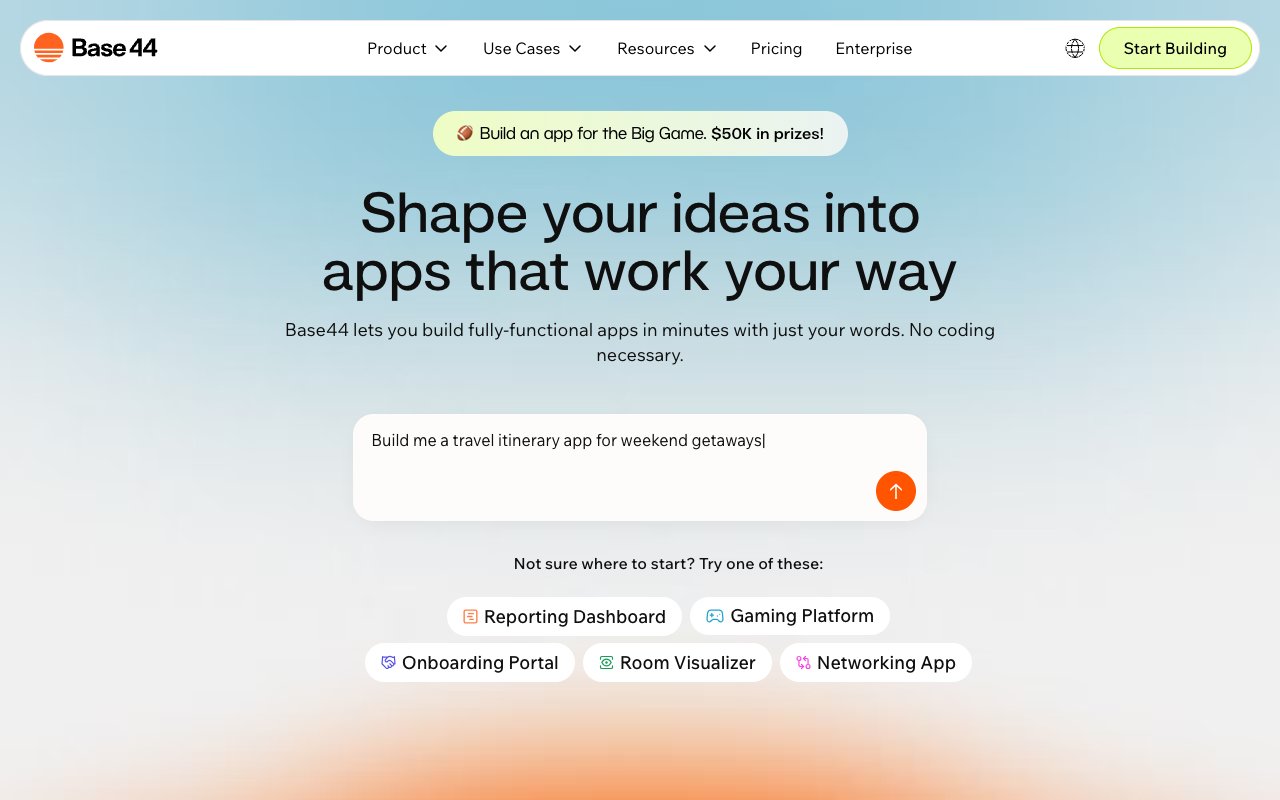
Base44 builds a working app from a prompt with an integrated backend, database, user authentication and analytics on every plan. It aims at non-technical builders who want a business app without wiring services together. Base44 is owned by Wix.
Free plan (checked 2026-11-07): up to 5 apps, 25 message credits a month and 100 integration credits a month, with authentication, database functions and analytics.
Where it beats Lovable:
- Built-in auth and database with no code to touch.
- Unlimited apps on every paid plan, from Starter up.
Where Lovable still wins: a larger free build allowance and Git sync on Free. Base44 lists GitHub on Builder and up.
Pricing: billed yearly, Starter is $16 a month for 100 message credits and a custom domain, Builder is $40 for 250 credits and GitHub, Pro is $80 for 500 and Elite is $160 for 1,200. Base44 says yearly billing saves 20%.
✅ Choose it if: you want a no-code business app with sign-in and data.
❌ Skip it if: you need the source code on the entry plan.
11. Bubble: Best Visual Logic for Complex Apps

Bubble is the veteran visual app builder, now with an AI app generator. You design pages, workflows and a database in a visual editor. It handles marketplaces and multi-step logic that prompt-to-code tools struggle to keep stable.
Free plan (checked 2026-11-07): 50K workload units and 500 AI credits a month on a "Development version." A live website first appears on Starter. Free apps cannot enable overages.
Where it beats Lovable:
- Mature visual workflows, a plugin ecosystem and a large community.
- Complex logic stays editable without reading code.
Where Lovable still wins: code ownership. Bubble apps run only on Bubble, and Bubble does not export source code. You can export data and rebuild elsewhere.
Pricing: billed yearly, Starter is $32 a month, Growth is $119 and Team is $349. Workload units meter what the app does at run time. Our Bubble alternatives guide covers the visual field.
✅ Choose it if: you have complex logic and you accept platform lock-in.
❌ Skip it if: you want to take the code with you.
Lock-In Checked: How Do You Move Your App Off Each Tool?
Lock-in is about three things: the code, the database and the parts that stay behind. Lovable lets you sync code to Git on every plan, which is a better exit than most rivals offer. The table lists the exit for every tool in this guide, as each vendor documents it on 2026-11-07.
| Tool | Code exit | Database exit | What stays behind |
|---|---|---|---|
| Lovable | Git sync on Free. Download on Pro | Plan the Lovable Cloud data move separately | Lovable Cloud runtime and the badge on Free |
| Taskade Genesis | GitHub export and .tsk file on Pro and up. Import on every plan, with per-item limits on Free |
Projects travel with the export | Custom domains and secrets stay in Taskade. The export moves between Taskade workspaces |
| Emergent | GitHub integration on paid plans. Emergent says you own and can download the code | Not documented on the pricing page | Hosting |
| Bolt.new | GitHub sync | Bolt Database rows can be exported. No supported move of an existing Bolt database to Supabase | Bolt Cloud hosting |
| v0 | GitHub sync on Free | You bring your own | Vercel project settings |
| Dyad | Files are on your disk | You bring your own | Nothing |
| Cursor | Your repository | You bring your own | Nothing |
| Claude Code | Your repository | You bring your own | Nothing |
| Google AI Studio | Two-way GitHub sync and ZIP | Firebase stays in your Google project | Cloud Run service |
| Replit | Git and download | Replit databases | Replit deployment |
| Base44 | GitHub on Builder and up | Built-in database | Base44 backend |
| Bubble | No source code export | Export data by table | The whole app logic |
The honest read on Taskade Genesis: the export carries the app's projects, agents and automations to another Taskade workspace, and it does not produce a server you host somewhere else. If a standalone code base is the requirement, pick a tool from the code-exit group.
How to Move a Project Off Lovable
Moving off Lovable takes five steps, and the database step is the one that breaks most moves. Connect Git sync first, because it works on every Lovable plan. The sequence below shows the order that keeps the old app live until the new one passes a test.
- Connect Git sync in Lovable so the code lives in a GitHub, GitLab or Bitbucket repository.
- Export the data. Plan the database move on its own, because the code does not carry rows.
- Pick the destination by the reason you left. A code tool opens the repository. Taskade Genesis and Base44 rebuild the app from a description.
- Recreate secrets and sign-in. API keys, OAuth settings and email senders do not travel in the repository.
- Run both apps side by side, test the full user flow, then move the domain.
To move to Taskade Genesis, describe the app in Taskade Genesis or start from a similar app in the Taskade App Factory. Taskade imports apps that were exported from Taskade, not an ordinary code repository, so plan a rebuild from the description. The first app guide walks through the build.
Free Limits Side by Side: What Runs Out First?
Every tool on this list has a free entry point, and each one limits a different thing. The column that matters is "runs out first": that is the wall you hit on day one. The figures come from each vendor's page on 2026-11-07.
| Tool | Free limit | What runs out first |
|---|---|---|
| Lovable | 5 build credits a day, 30 a month | Credits, after about 15 to 60 edits |
| Taskade Genesis | 3 apps, 1 agent, 10 automation runs, 0 AI credits to start | AI credits for a prompt build. Cloning an app needs none |
| Emergent | 10 credits a month | Credits |
| Bolt.new | 1M tokens a month, 300K a day | The daily cap on a large project |
| v0 | 7 messages a day | Messages |
| Dyad | No app limit | Your model provider's bill |
| Cursor | Limited agent and chat requests | Agent requests |
| Claude Code | Not on Free | Needs Claude Pro |
| Google AI Studio | No subscription fee | Usage limits and Cloud costs |
| Replit | 1 published app | The 30-day link |
| Base44 | 5 apps, 25 message credits | Message credits |
| Bubble | Development version | Going live needs Starter |
On Taskade Genesis Free, the free start is a cloned app. Cloning copies a working app into your workspace, and the copy counts toward the 3-app limit. A kit that holds automations needs a paid plan to import, and a kit with agents counts against Free's 1-agent limit, so check the kit's contents first. Our free AI app builders guide scores 15 free plans in more depth.
Also Considered: Lovable Competitors That Did Not Make the 11
Six more Lovable competitors came up in the current search results. Each one is strong for a narrower job, so they sit in a short table instead of the main list.
| Tool | Why it is not in the 11 | Best for |
|---|---|---|
| Framer | A website builder, not an app builder. Free has a Framer domain, 1 GB bandwidth and 500 AI credits. Basic is $10/mo a site | Marketing sites with visual design |
| bolt.diy | The open-source Bolt. MIT license, about 20,000 GitHub stars. You self-host and bring a model | Self-hosted prompt-to-code |
| Devin Desktop | Formerly Windsurf. windsurf.com now redirects to devin.ai. An IDE, like Cursor. Free has a light agent quota, Pro is $20/mo | Developers who want Cognition's agents |
| Softr | Builds on Airtable or Sheets data rather than from a prompt | Client portals over existing data |
| Glide | Spreadsheet-first internal tools | Teams that live in Google Sheets |
| Superblocks | No free plan. Built for governed internal tools | IT-approved internal apps |
Website-first builders like Framer get their own guide: best AI website generators.
When Is Lovable Still the Right Choice?
Lovable is still the right choice for a polished React front end with a managed database, built by someone who can read code. The tools above win on a specific reason. If none of the four reasons applies to you, staying is the cheaper move.
Stay on Lovable if:
- Design quality from one prompt matters most. Lovable's default output needs the least visual cleanup in the prompt-to-code group.
- Your team wants one shared workspace. Unlimited workspace members are on every plan.
- You already sync to Git. Your exit is open, so lock-in is not a reason to move.
- Your credit spend is steady. If 100 to 200 credits cover your month, Pro at $25 or $50 is predictable.
⚠️ Limitations: When Taskade Genesis Is Not the Right Lovable Alternative
Taskade Genesis is the no-code pick on this list, and a code tool is the better fit in five cases:
- You want a React code base that you own and host from day one. Lovable, Bolt.new, v0, Dyad and Google AI Studio give you that.
- Design fidelity from one prompt matters most. Lovable and v0 produce polished interfaces with few rounds of edits.
- You need backend code in a language you choose. Replit gives you a full cloud IDE.
- You need a native iOS or Android build. Taskade Genesis apps run on the web and on mobile browsers. Our AI mobile app builders guide covers native options.
- You want the source code on the Free plan. Code export (Code tab,
.tskfile, GitHub export) is on Pro and up.
🤔 How to Choose the Right Lovable Alternative
Match the reason you are leaving with the tool built for it. The two tables below sort the 11 alternatives by use case and by technical skill.
By Use Case
| If you need... | Best choice |
|---|---|
| Apps with AI agents and automations built in | Taskade Genesis |
| A client portal or CRM that runs this week | Taskade Genesis or Base44 |
| The most free building | Bolt.new |
| Code export for self-hosting | Dyad, Bolt.new or Google AI Studio |
| React and Next.js UI on Vercel | v0 |
| A full coding environment | Replit or Cursor |
| A terminal agent on a big code base | Claude Code |
| Complex visual logic | Bubble |
| Mobile apps from a prompt | Emergent |
By Technical Skill
| Your background | Recommended |
|---|---|
| Non-technical | Taskade Genesis, Base44 |
| Some technical | Bolt.new, v0, Emergent, Google AI Studio |
| Developer | Cursor, Claude Code, Replit, Dyad |
| Visual builder | Bubble |
📊 Feature Comparison Matrix
The matrix compares the six tools that people most often weigh against Lovable, on the features that decide a switch. Checked 2026-11-07.
| Feature | Taskade Genesis | Lovable | Bolt.new | v0 | Replit | Base44 |
|---|---|---|---|---|---|---|
| Prompt to app | ✅ | ✅ | ✅ | ✅ | ✅ | ✅ |
| Hosting on Free | ✅ | ✅ | ✅ | ✅ Vercel | 🟡 30 days | ✅ |
| Built-in database | ✅ Projects | ✅ Cloud | ✅ | ❌ | ✅ | ✅ |
| AI agents in the app | ✅ | ❌ | ❌ | ❌ | ❌ | ❌ |
| Automations in the app | ✅ | ❌ | ❌ | ❌ | ❌ | ❌ |
| 100+ integrations | ✅ | ❌ | ❌ | ❌ | ❌ | ❌ |
| Git or GitHub on Free | ❌ Pro and up | ✅ | ✅ | ✅ | ✅ | ❌ |
| No code required | ✅ | ✅ | ✅ | ✅ | ❌ | ✅ |
🚀 The Bottom Line
Lovable is a strong product with a clear cost rule: more building costs more credits. Pick an alternative by the reason you are leaving. Pick Bolt.new for free building, Cursor or Claude Code for the code, and Replit or Base44 for the backend. Pick Taskade Genesis when the app must run agents and automations on its own data.
| Priority | Best choice |
|---|---|
| Speed to a working app | Taskade Genesis |
| AI agents and automations in apps | Taskade Genesis |
| Most free building | Bolt.new |
| Code ownership | Dyad, Cursor or Claude Code |
| Backend depth | Replit |
🧬 Why We Built Taskade Genesis Differently
Most app builders give you one layer, the interface. Taskade Genesis gives you four, on one workspace:
- 🧠 Projects (Memory): a built-in database your team can also open as lists, boards, tables and more. No separate database to set up.
- 🤖 Agents (Intelligence): AI agents trained on your data, with built-in tools (web search, code, file analysis and more), persistent memory and custom commands.
- ⚡ Automations (Execution): 100+ integrations with schedule, webhook, form and manual triggers, and reliable workflows that branch, loop and wait. Premium connectors need a paid plan, and webhooks start on Pro.
- 🎨 App UI (Interface): a published app with sign-in on every plan, plus password protection and custom domains with SSL on Pro and up.
Sign-in confirms who a visitor is. To show each client only their own rows, you turn on row scoping, match records to the login, and test it with a second account. The app users guide shows the setup.
Example prompt (browse more in the prompt gallery):
Build a client onboarding portal with document uploads,
progress tracking, and automated welcome emails.
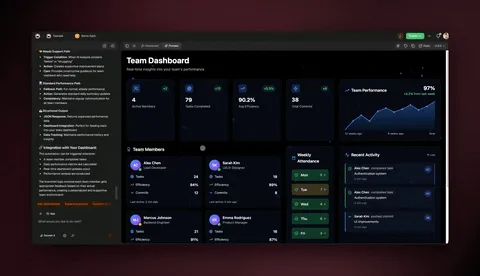
Clone a Taskade Genesis app instead of starting from a blank prompt:
| App type | Example | Clone |
|---|---|---|
| Agency CRM | Client list with retainer hours and a health score | Open the kit → |
| CRM dashboard | Neon CRM with deal tracking | Clone → |
| Booking system | Room booking portal | Clone → |
| Client portal | Client Portal Nexus | Clone → |
| AI chatbot | Interactive assistant | Clone → |
Browse more by job in client portals, CRMs and dashboards. A kit that includes automations needs a paid plan to import.
👉 Create your first Taskade Genesis app →
💬 Frequently Asked Questions
What is the best Lovable alternative in 2026?
It depends on why you are leaving Lovable. For a live business app with AI agents, automations and a database in one workspace, Taskade Genesis is the best Lovable alternative: Free holds 3 apps, and Pro is 10 dollars a month billed yearly with 50,000 AI credits a month. For the biggest free build allowance, Bolt.new gives 1 million tokens a month. For a code base you own from day one, Cursor or Claude Code work on your own repository. For a deeper backend, Replit runs a full cloud IDE.
What is the best free Lovable alternative?
Bolt.new has the largest free build allowance on this list, 1 million tokens a month with a 300,000-token daily cap, plus website hosting with Bolt branding. Google AI Studio has no subscription fee for its Build mode, and Dyad is a free desktop app that runs on your own API keys. Taskade Genesis Free holds 3 live apps with hosting, client logins, 1 agent and 10 automation runs per billing period, and starts with no AI credits. On Free, you earn free AI credits with referrals and invites, and you can upgrade any time.
Why do people look for Lovable alternatives?
Four reasons come up most. Credits run out: Lovable Free gives 5 build credits a day, up to 30 a month. Code download, code editing and custom domains start on Pro at 25 dollars a month. Backend control is limited to what Lovable Cloud provides. And agents or automations inside the app are code you prompt for and maintain. Each reason points to a different alternative.
How do Lovable credits work in 2026?
Lovable Free gives 5 build credits a day, up to 30 a month, plus monthly grants of 20 Cloud credits and 4 AI credits. Plan mode costs 1 credit per message. Build mode is usage-based: Lovable's own examples are 0.50 credits to change a button color, 0.90 to remove a footer, 1.20 to add authentication and 2.00 to build a landing page with generated images. Pro starts at 25 dollars a month, or 250 dollars a year, for 100 monthly credits, and the daily 5 credits continue with no monthly cap.
Can I export my code from Lovable on the free plan?
Partly. Git sync with GitHub, GitLab and Bitbucket is available on Lovable Free, so your code can live in a repository you control. Editing code inside Lovable and downloading the code start on Pro. Custom domains and removing the Edit with Lovable badge also start on Pro.
Can I migrate from Lovable to another platform?
Yes. Connect GitHub sync in Lovable first, then open the repository in a code tool such as Cursor, Claude Code, Bolt.new or Replit and move the database separately. To move to Taskade Genesis, describe the app in a prompt or clone a similar app from the Taskade App Factory. Taskade imports apps that were exported from Taskade, not an ordinary code repository, so a move to Taskade is a rebuild from the description.
Which Lovable alternative has the best backend and database?
Replit has the deepest backend: a full cloud IDE where you write server code, with production databases paid from monthly credits. Base44 includes a built-in database and user authentication on every plan, Free included, with up to 5 apps and 25 message credits a month. Google AI Studio can set up Firebase with a Firestore database and Google sign-in for you. Taskade Genesis stores app data in workspace projects that your team can also open and edit.
Which Lovable alternative builds apps with AI agents and automations?
Taskade Genesis puts AI agents and automations inside the app it builds. The agents answer and act on the app's own data, and automations run on schedules, forms and triggers, with 100+ integrations. Free includes 1 agent and 10 automation runs per billing period, and premium connectors such as Gmail and Slack need a paid plan. Emergent uses several AI agents to plan, build and deploy an app, which is about how the app gets built rather than agents that run inside it.
Which platform is best for non-technical users?
Taskade Genesis and Base44 are the most accessible for non-technical users, because both build and host a working app from a plain-English prompt with no code to maintain. Lovable, Bolt.new and v0 also start from a prompt, but they hand you a code base that someone has to maintain over time. Cursor and Claude Code expect you to read and edit code.
What is Lovable (GPT Engineer)?
Lovable, formerly GPT Engineer, is a Swedish AI app builder that generates full-stack React and TypeScript apps from a chat. Lovable Cloud hosts the app and its database, or you can sync the code to GitHub and deploy it yourself. Lovable raised 400 million dollars at a 13.3 billion dollar valuation on August 12, 2026, as reported by TechCrunch.
Does Taskade Genesis support MCP Connectors?
Yes, in both directions. Taskade runs a hosted MCP server, so MCP clients like Claude and Cursor can connect into your workspace to list spaces, inspect them, read tasks and write files. This is available on every paid plan. Going the other way, the MCP Client step inside an automation calls tools on a third-party MCP server, on every plan including Free. The outbound call belongs to the automation rather than to an agent acting alone, so an agent hands that step the work and reads the result. For services with no MCP server, Taskade's 100+ native integrations cover the same ground.
Which Lovable alternative supports team collaboration?
Taskade Genesis is the strongest for teams. It includes real-time collaboration, shared AI agents, role-based access from Owner to Viewer, built-in video calls, and multiple project views. Free has 2 workspace members, and Pro covers up to 10. Lovable also allows unlimited workspace members on every plan, and Replit Core adds up to 5 collaborators.
🔗 Related Resources
More AI app builder comparisons:
- Best AI App Builders in 2026
- Best Free AI App Builders
- Best Vibe Coding Tools in 2026
- Lovable vs Bolt vs Replit vs Base44
- Best Bolt.new Alternatives
- Best Devin AI Alternatives
- What Is Vibe Coding?
Related reading (head to head):
Start building:
- AI App Builder: build a complete app from one prompt
- Taskade App Factory: clone a real Taskade Genesis app
- Templates: start from a ready-made workspace
Sources (prices and free limits checked 2026-11-07):
- Lovable: https://docs.lovable.dev/introduction/subscription-plans and https://docs.lovable.dev/introduction/plans-and-credits
- Lovable funding: https://techcrunch.com/2026/08/12/lovable-confirms-new-13-3b-valuation-raises-another-400m/
- Emergent: https://emergent.sh/pricing
- Bolt.new: https://bolt.new/pricing and https://support.bolt.new/cloud/database
- v0: https://v0.app/pricing
- Dyad: https://www.dyad.sh
- Cursor: https://cursor.com/pricing
- Claude and Claude Code: https://claude.com/pricing
- Google AI Studio Build mode: https://aistudio.google.com/docs/aistudio-build-mode
- Replit: https://docs.replit.com/help/pricing-and-plans
- Base44: https://base44.com/pricing
- Bubble: https://bubble.io/pricing
- Framer: https://www.framer.com/pricing
- Devin Desktop: https://devin.ai/pricing
- Taskade: pricing
Learn about Taskade Genesis:

▲ ■ ● Workspace DNA: Memory feeds Intelligence, Intelligence triggers Execution, and Execution writes back to Memory. That loop is why a Taskade Genesis app keeps working on its own data after you ship it.