






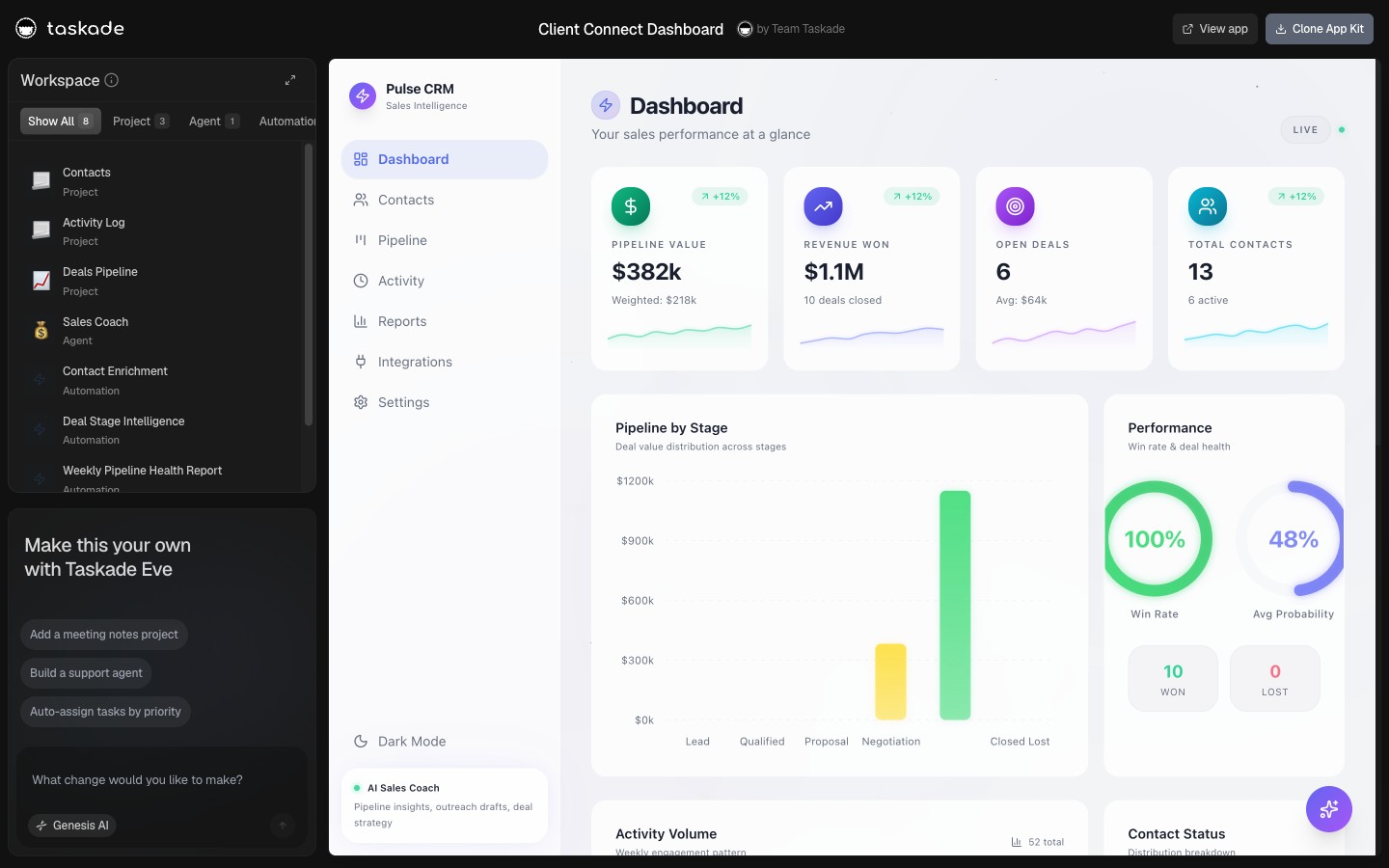
If you run a business and you are not a developer, the AI app builder question is not "which tool draws the nicest screen?" It is "which tool gives me an app that keeps doing the work after I close the laptop?" That single distinction sorts the entire 2026 field, and most buyer's guides miss it. This guide is written for the operator, the founder, the agency owner, the ops lead, who wants a working business app today and does not want to hire an engineer to keep it alive.
TL;DR: The best AI app builder for a non-technical business depends on one thing: does the finished app act on its own, or is it a screen you still operate by hand? Taskade Genesis leads for operators because one prompt ships a live app with a database, AI agents, automations, and 100+ integrations, free to start, on a flat plan from $10/month billed annually, no per-update or per-end-user metering. Glide, Softr, and Base44 win for spreadsheet front-ends and quick full-stack apps; Retool and Bubble are powerful but developer-first. Build one free →
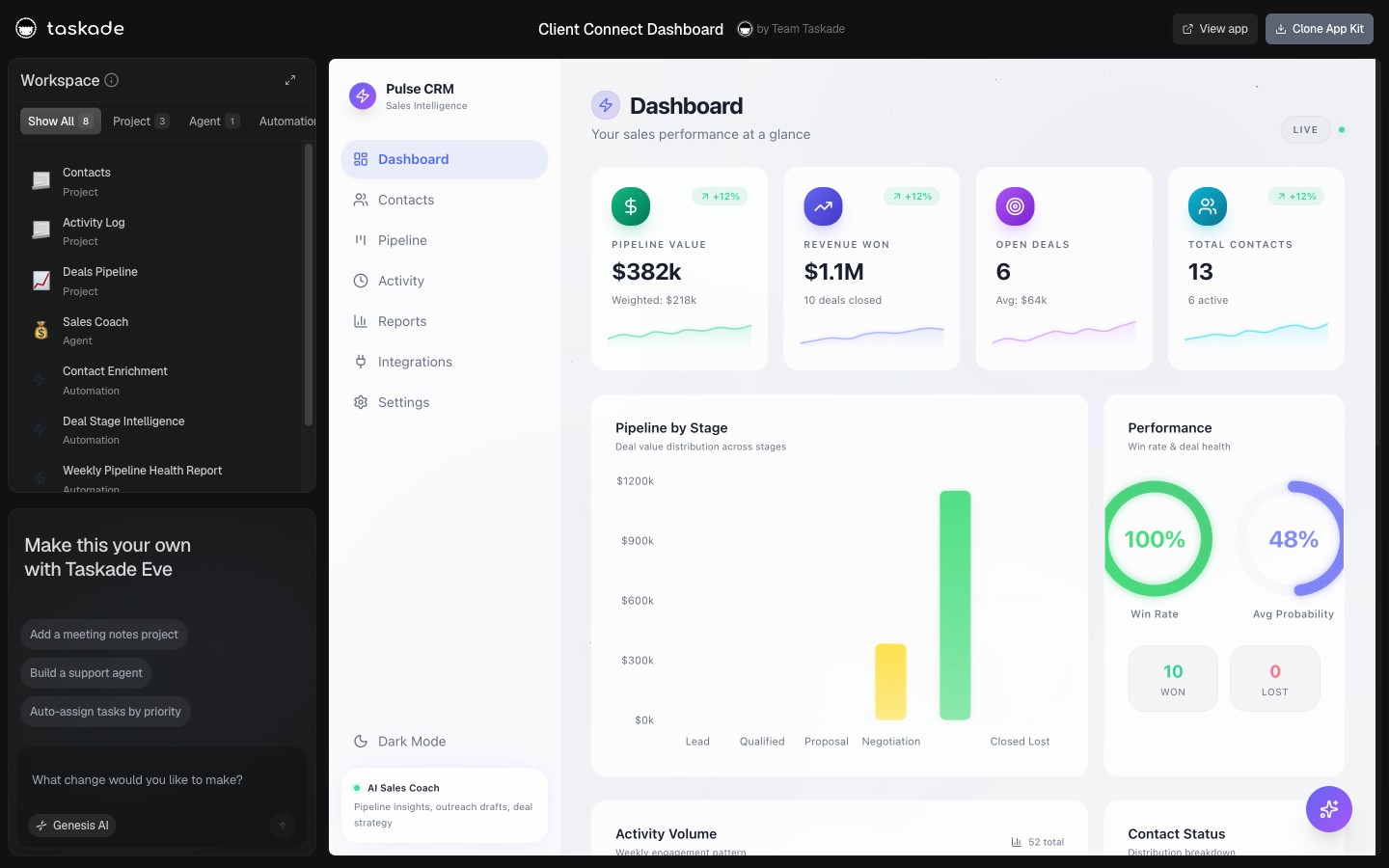
Scope: this is the operator's buying guide. For the broadest ranked list see Best AI App Builders 2026; for the free-tier-only breakdown see Best Free AI App Builder; for CRMs specifically see Best AI CRM Builders; for client and customer portals see Best Client Portal Builders.
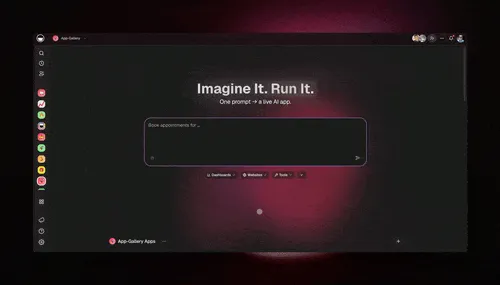
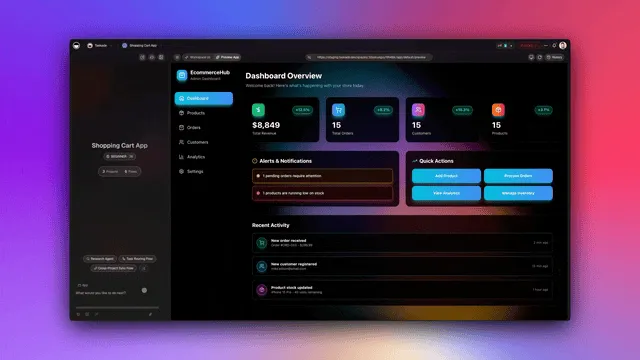
This is the operator test in one image. You type what your business does, and a working app comes back with a database, screens, and the agents that run it. The rest of this guide is about telling the apps that act apart from the apps you have to babysit, and picking the one that fits how you actually run.
What Is an AI App Builder for Business Operations?
An AI app builder for business operations turns a plain-language description of how your business works into a running app, the database, the screens, and ideally the logic that operates it, without code. For an operator, the important half of that definition is the logic. A spreadsheet front-end shows your jobs. An operations app moves the job to the next stage, reminds the client, and updates the dashboard on its own.
That is the line that splits the 2026 market. One camp generates a polished interface on top of data you still work by hand. The other camp generates an app that has a team inside it: AI agents that read your data and act, plus automations that fire on a schedule or an event. The diagram below shows the difference an operator feels on day two, not day one.
Taskade Genesis sits firmly in the second camp: the AI agents and automations ship inside the app, wired to connected projects that hold the data. That is the operator's whole point, an app that runs the business instead of one more screen to babysit.
The difference is easiest to see side by side. A UI tool stops at the screen. An app that acts keeps a team working behind it.
   A UI ON YOUR DATA              AN APP THAT ACTS
 ┌────────────────────┐        ┌────────────────────┐
 │  pretty screens     │        │  pretty screens     │
 │  filters + search   │        │  filters + search   │
 │  forms to type in   │        │  forms to type in   │
 ├────────────────────┤        ├────────────────────┤
 │                     │        │  + AI agents (read, │
 │   (you are the      │        │    enrich, draft,   │
 │    engine: you      │        │    summarize)       │
 │    click every      │        │  + automations on   │
 │    step by hand)    │        │    triggers/clock   │
 │                     │        │  + 100+ integrations│
 └────────────────────┘        └────────────────────┘
   work happens when             work happens on its own,
   YOU operate it                you review the results
Both look identical on launch day. The gap shows up on day two, when the second column has already followed up on three leads and the first is still waiting for you to open it.
Builders vs Operators: Why "No-Code" Splits Into Two Camps
No-code is not one category. For a non-technical operator, the field divides cleanly into tools built for you and tools built for developers who happen to be using a visual layer. Picking the wrong camp is the most expensive mistake in this market, because developer-first power you cannot use is just a maintenance bill.
| Camp | Tools | Who it is really for | The catch for an operator |
|---|---|---|---|
| Operator-first AI builders | Taskade Genesis, Glide, Softr, Base44 | Non-technical business owners and ops teams | Depth varies; check whether the app acts or just displays |
| Developer-first platforms | Retool, Bubble, Power Apps | Builders comfortable with logic, data modeling, APIs | Powerful, but you (or a hire) maintain it forever |
| Code generators | Lovable, Bolt, v0, Replit | Technical founders shipping a codebase | You own and host code; great for prototypes, heavy to run a business on |
The honest read in 2026: the operator-first builders are converging on AI, and the developer-first tools are adding plain-language entry points. But the maintenance reality has not changed. If a tool hands you a codebase or expects you to model data and wire logic, a non-technical team will eventually need help. The question to ask a demo is blunt: after I build this, what keeps it running, me or the app? For the code-generator camp specifically, an honest look at Lovable and Bolt against a running ops system shows what each side actually hands you on day one.
If you want a faster way to sort yourself, follow the decision tree. It routes on the two things that actually decide fit for a non-technical team: whether you write code, and whether you want the app to do work after launch.
The Operator's Selection Checklist
Score every tool against the nine things that actually matter when a non-technical team runs a real business on the app. The first three decide whether it works at all; the rest decide whether it stays affordable and yours.
| # | Criterion | Why it matters to an operator |
|---|---|---|
| 1 | Plain-language build | You describe the app; you do not assemble it screen by screen |
| 2 | Real relational database | Customers, jobs, and invoices link to each other, not four separate lists |
| 3 | The app acts (agents + automations) | Work happens on triggers and schedules, not only when you click |
| 4 | Role-based access | Owner through Viewer, so staff and clients see only what they should |
| 5 | External users (clients and vendors) | Branded logins for people outside your team |
| 6 | 100+ integrations | Pull events in and push data out to the tools you already use |
| 7 | Managed hosting | The app is live with no servers to run or deploys to babysit |
| 8 | Flat, predictable pricing | No surprise bill when the app gets busy (see cost-to-run below) |
| 9 | You own the app and data | Clean export, no lock-in, your domain |
Taskade Genesis is built to pass all nine on a single flat plan: natural-language build, a workspace-native database with multiple views, embedded AI agents with built-in tools, automations, role-based access from Owner to Viewer, App Users for clients, 100+ integrations, managed hosting, and clean export. Use the same nine to grade any demo you sit through.
Print this scorecard and run it against every tool on your shortlist. Mark a clean Yes only when you saw it work in the demo, not when the salesperson said it was "on the roadmap."
 OPERATOR SCORECARD                         demo A   demo B   demo C
 ─────────────────────────────────────────────────────────────────
 1  Plain-language build (describe it)      [   ]    [   ]    [   ]
 2  Real relational database (tables link)  [   ]    [   ]    [   ]
 3  App acts: agents + automations          [   ]    [   ]    [   ]
 4  Role-based access (Owner..Viewer)        [   ]    [   ]    [   ]
 5  External users (clients/vendors)         [   ]    [   ]    [   ]
 6  100+ integrations (in and out)           [   ]    [   ]    [   ]
 7  Managed hosting (no servers)             [   ]    [   ]    [   ]
 8  Flat, predictable pricing                [   ]    [   ]    [   ]
 9  You own the app + data (clean export)    [   ]    [   ]    [   ]
 ─────────────────────────────────────────────────────────────────
 SCORE  /9 ............................      [   ]    [   ]    [   ]
        7+ = run a real pilot   <5 = it is a UI, keep looking
The first three lines are pass/fail. A tool that misses any of them is a screen, not an operations app, no matter how good the rest of the row looks.
The 2026 Field at a Glance
Here is the operator's view of the field, scored honestly. Every tool here is good at something; the table is about fit for a non-technical team running operations, not a global ranking.
| Tool | Build style | App acts after launch? | External users | Pricing model | Best for |
|---|---|---|---|---|---|
| Taskade Genesis | Plain-language | Yes, agents + automations built in | App Users (every plan) | Flat $0-$25/mo | Operators who want one app that runs the business |
| Glide | Spreadsheet-to-app | Partial (AI columns + workflows) | Yes (capped/tiered) | Seats + metered updates | Polished internal apps over a table |
| Softr | Block builder on Airtable | Limited (metered AI credits) | Yes (app-user caps) | Seats + metered credits/actions | Front-ends on Airtable or Sheets |
| Base44 | Plain-language full-stack | Limited (no resident agents) | Yes | Dual credits (end-users burn yours) | Quick all-in-one full-stack apps |
| Bubble | Visual canvas | Workflows (you build them) | Yes | Tiered + workload units | Complex custom web apps |
| Retool | Developer low-code | Workflows (you build them) | Yes | Per-builder + usage | Internal tools with a developer |
| Lovable | Prompt-to-code | No (ships a codebase) | You build it | Per-message credits | Prototypes and MVPs |
| Microsoft Power Apps | Low-code + AI | Workflows (Power Automate) | Enterprise | Per-app/per-user | Microsoft-governed enterprises |
| Google AppSheet | Spreadsheet-to-app | Automations | Yes | Per-user | Google Workspace teams |
| Stacker / Adalo | Data app / native | Limited | Yes | Tiered | Portals (Stacker), native mobile (Adalo) |
The pattern is the operator's signal. The tools that say a confident "yes" to does the app act after launch are rare, and they are the ones a non-technical team can actually run a business on without standing over it.
The One Thing That Separates Them: Does the App Act After Launch?
This is the wedge, and it is worth being precise about because the competition is genuinely good. Glide has AI columns and scheduled workflows. Softr has AI credits. Base44 ships a real full-stack app a non-coder can deploy. None of those are weaknesses to mock; they are real products serving real teams.
The operator difference is resident intelligence and execution. In Taskade Genesis, the app is not just a database with screens. It is a workspace where AI agents live, hold memory across runs, and use built-in tools to work your data, and where automations fire on triggers and schedules across 100+ integrations. The app enriches the lead, drafts the reply, compiles the daily report, and nudges the stale deal, on its own. The sequence below is the loop an operator sets up once and then stops touching.
Code generators sit at the opposite end. Lovable, Bolt, and v0 are excellent at turning a prompt into a working frontend, fast. But they hand you a codebase. For a business app you intend to run, that means you own the hosting, the database wiring, and the upkeep, which is exactly the maintenance a non-technical operator is trying to avoid. Great for a prototype; heavy as a place to run operations.
Inside an App That Acts: The Full Taskade Genesis Capability Set
What makes a Taskade Genesis app act is a loop the kit calls Workspace DNA: Memory plus Intelligence plus Execution. Your connected projects are the memory, your AI agents are the intelligence, and your automations are the execution. Each layer feeds the next, and the result feeds back into memory, so the app gets more useful the more it runs rather than going stale the way a spreadsheet does.
Here is what each layer gives a non-technical operator, in plain terms:
- Memory: connected projects as the database. Your customers, jobs, and invoices live in connected projects that link to each other, viewable in multiple project views: List, Board, Calendar, Table, Mind Map, Gantt, and Org Chart. The same record shows up as a Kanban card, a calendar event, and a table row without you copying anything.
- Intelligence: AI agents with built-in tools. The agents inside your app can run web search, write and run code, analyze uploaded files, hold persistent memory across runs, and orchestrate other agents in a multi-agent team. They read your connected projects and act on them, so an agent in your CRM enriches a lead, drafts the reply, and flags the stale deal on its own.
- Intelligence: 15+ models, switchable per agent. Taskade Genesis runs on 15+ frontier models from OpenAI, Anthropic, Google, and open-weight providers. The Auto setting picks a sensible default per task, or you can pin a specific model to a specific agent.
- Execution: automations on triggers and schedules. Automations fire when something happens (a new lead, an uploaded file) or on a schedule (every morning, every Friday), then take actions across 100+ bidirectional integrations: triggers pull events in, actions push data out.
- Ownership: App Users and your own domain. Give clients and vendors a branded login through App Users on your own custom domain with automatic SSL, gated by role-based access from Owner to Viewer so each person sees only their own data. App Users work on every plan, including Free; custom domains unlock on Business.
- Speed: clone instead of starting blank. You do not have to build from zero. Open a live app in the Community Gallery, clone it, point it at your own data, and you have a head start, with the agents and automations already wired in.
| Capability | Taskade Genesis | Spreadsheet front-ends | Code generators |
|---|---|---|---|
| Resident AI agents (built-in tools) | Yes, inside the app | Limited AI columns/credits | You build them |
| Scheduled automations | Built in, flat | Capped/metered actions | You wire them |
| Project views | 7 (List to Org Chart) | 1-2 (table/board) | Whatever you code |
| 100+ integrations | Bidirectional, included | Add-on/metered | You integrate |
| App + data ownership | Workspace export, your domain | Data in connected source | Codebase you host |
The point of the matrix is not that competitors are weak. It is that Taskade Genesis bundles all five rows into one flat plan, where the others ask you to assemble, meter, or maintain them.
To make it concrete, here is a single real operator task, a new lead arriving in your CRM, handled end to end by a resident agent with no human in the loop until the review step.
Every step above runs on the built-in tools and automations that ship inside the app. You set it up once and then you are reviewing results, not doing data entry.
What Operators Actually Build
The David pattern, named for the kind of non-technical operator who runs a whole business on one app, repeats in a handful of shapes. Each is a live, cloneable Taskade Genesis app you can open right now.

| The shape | What it does | Try it live |
|---|---|---|
| CRM | Contacts, deals, and follow-ups in one pipeline | Neon CRM → |
| Ops dashboard | Every job, asset, and status on one screen | Maintenance Tracker → |
| Client portal | A branded login, with each client's data matched to it | Project Portal → |
| Inventory | Stock levels with low-stock and reorder alerts | Inventory Manager → |
The deeper playbook for these lives in Run Your Whole Business in One App and CRM, Invoice Generator, Client Portal. For the build-it-yourself path, see how to build a CRM with AI and how to build an operations dashboard. Browse hundreds more in the Community Gallery.
What It Really Costs to Run
The sticker price is the smallest part of the bill. The thing that surprises operators is metering, the per-something charges that scale with how much the app is used. A flat plan costs the same whether your app is quiet or busy; a metered plan can multiply. Here is the honest 2026 picture.
| Tool | Headline price | The metering to watch |
|---|---|---|
| Taskade Genesis | Flat: Free, Pro $10, Business $25/mo | None on automations or AI runs; flat per plan |
| Glide | Free (drafts), Explorer $19, Maker $49, Business $199/mo | ~$0.02 per "update" over the cap; every data change counts |
| Softr | Free, Basic $49, Professional $139/mo | AI credits (5/mo free) and workflow actions are capped |
| Base44 | Free, Starter $16/mo and up | Dual credits, your end-users consume your integration credits |
| Lovable | Free (5/day), Pro $25/mo and up | Per-message build credits, complex edits cost more |
The operator takeaway is not "the others are expensive." It is "know what you are metered on." For a busy ops app with lots of data changes, external users, or AI calls, Taskade Genesis flat pricing is the predictable choice, client logins work on every plan while custom domains unlock at Business ($25/month annual), and automations and agent runs are included rather than billed per action.
A 12-month cost example, flat vs metered
Numbers make the metering point concrete. Picture a small ops team whose app handles roughly 10,000 data changes a month (new records, status updates, synced rows) plus a few thousand AI actions. On a flat plan the bill never moves. On a metered plan, the same activity is the thing being billed. The figures below are illustrative, using each tool's published metering model, to show the shape of the bill, not a quote.
| Plan shape | Month 1 (quiet) | Month 12 (busy) | What drives the change |
|---|---|---|---|
| Taskade Genesis (flat Pro $10/mo) | $10 | $10 | Nothing; automations and AI runs included |
| Taskade Genesis (flat Business $25/mo) | $25 | $25 | Nothing; adds a custom domain (App Users are on every plan) |
| Metered "per update" model | base + small overage | base + large overage | Every data change over the cap counts |
| Metered "end-user credits" model | base, few users | base + credit top-ups | Your clients' usage burns your credits |
The pattern is the operator's real risk. A flat plan lets you forecast the year on day one. A metered plan can be cheap in month one and a surprise in month twelve, exactly when the app is finally doing enough work to matter. That is why the pricing line on the scorecard is pass/fail for a team that plans to grow into the app.
How to Build a Business App From a Plain-English Prompt
You do not need a spec or a wireframe. You need a clear description of how the work flows. Here is the operator path from idea to a live app in an afternoon.
- Describe the work in plain language. Tell Taskade Genesis what your business does and what the app should track. No jargon, no schema.
- Let it build the app. You get a database, multiple views, and a working app, not a blank canvas.
- Add your real data. Import or type in your customers, jobs, and invoices so the app runs the actual operation.
- Hand the agents their jobs. Point AI agents at your connected projects to enrich, draft, and summarize.
- Set the automations. Use triggers and schedules so the repetitive steps run on their own.
- Publish. Share a link, or put it on your custom domain on Business and above. Client logins work on every plan.
The full walkthroughs live in Taskade as a CRM and Build a Customer Portal.
Limitations and When You Still Need a Developer
An honest guide names the edges. An AI app builder is the right call for internal tools, CRMs, portals, dashboards, intake and approval flows, and operations apps, the long tail of software a business needs but never had budget to commission. It is the wrong call for a few things, and knowing them saves you a painful migration.
- App Store and Google Play distribution. If you need a native app in the stores with device push, choose a native builder; most operator tools, including Taskade Genesis, ship responsive web apps.
- Deep, regulated, certified workflows. For data with strict certification requirements, confirm each vendor's specific compliance posture before storing sensitive records. Do not assume any builder covers it.
- Highly custom, large-scale product engineering. If you are building a venture-scale software product with bespoke logic, you will eventually want engineers and a code generator or framework, not an operator tool.
For everything else, the operator math is simple: an app that runs the work, built in an afternoon, on a flat plan you can predict, beats a screen you babysit or a codebase you maintain.
When to Switch (and How to Avoid Lock-In)
The right time to switch tools is when the bill stops matching the value or your data stops being portable, and the way to avoid a painful migration is to check ownership before you build, not after. The most-ranked buyer's guides in 2026 all land on the same warning: the cost of an app builder is not the sticker, it is how hard it is to leave.
Three signals say it is time to move:
- The metered bill outran the work. If a busy month costs several times a quiet one, you are paying for usage, not for the app. A flat plan removes that variable entirely.
- Your data is trapped. If export is partial, locked behind a higher tier, or only available as a screenshot, your records are hostage. Confirm a clean export of every table before you commit real data.
- You cannot change the app without a developer. If small edits need a hire, the tool was built for builders, not operators, and the maintenance bill will compound.
Switching to Taskade Genesis is deliberately low-friction: your projects and data live in your workspace and export cleanly, the app runs on its own URL or custom domain, and you change the app by describing the change in plain language rather than filing a ticket. You can also start without rebuilding anything, clone a live app, repoint it at your data, and migrate in pieces. The honest checklist is the same one you would apply to any vendor: own the data, own the domain, and make sure leaving is as easy as arriving. See how to build a CRM with AI and how to build an operations dashboard with no code for the step-by-step migration paths.
Start With the App, Not the Tool
The right AI app builder for your business is the one whose app does the work after you build it. For a non-technical operator, that points to a tool where AI agents and automations live inside the app, the data is connected, the pricing is flat, and the whole thing is yours. Build one free in Taskade Genesis, or clone a live business app and have it running today.
Related Reading
- Best AI App Builders 2026: 15 Tools Compared →, the broad ranked field with live demos.
- Best Free AI App Builder →, the free-tier-only breakdown of what each tool actually gives you at zero cost.
- Best AI CRM Builders →, the CRM-specific comparison.
- Best Client Portal Builders →, the portal-specific field for client and vendor logins.
- Run Your Whole Business in One App →, the operator playbook behind the apps in this guide.
▲ ■ ● Memory · Intelligence · Execution
The three-layer architecture behind every Taskade Genesis app, connected projects remember, agents think, automations run. That loop is what makes an app act after launch. Build yours free →.
Frequently Asked Questions
What is the best AI app builder for a small business in 2026?
For a non-technical operator, the best AI app builder is the one whose app keeps doing work after launch, not just the one that draws the nicest screen. Taskade Genesis leads here because one prompt produces a live app with a database, AI agents that act on the data, scheduled automations, and 100+ integrations, free to start, on a flat plan from $10/month billed annually with no per-update or per-end-user metering. Glide, Softr, and Base44 are strong for spreadsheet front-ends and quick full-stack apps; Retool and Bubble are powerful but developer-first.
Can a non-technical person build a business app with AI?
Yes. Tools like Taskade Genesis, Glide, Softr, and Base44 let you describe the app in plain language and get a working result with no code. Taskade Genesis goes further by shipping AI agents and automations inside the app, so the app runs tasks on its own rather than waiting for you to operate it. Developer-first tools like Retool and Bubble can build more custom logic but expect technical skills to build and maintain.
What is the difference between an AI app builder and a no-code tool?
A traditional no-code tool gives you a visual canvas to assemble screens by hand. An AI app builder turns a plain-language description into the app for you. The strongest AI app builders also embed AI agents and automations, so the finished app reasons over your data and executes work, not just displays it. Many tools now blend both, so the real question is what the app does after it is built.
How long does it take to build a working business app with AI?
Minutes to a first working app, then an afternoon to refine it. In practice a non-technical operator can describe a CRM, ops dashboard, or client portal to Taskade Genesis, get a live shareable app, and start adding real data the same day. Building the same thing on a developer-first platform usually takes days because you wire the database, logic, and hosting yourself.
Can AI app builders handle external users like clients or vendors?
Yes. Taskade Genesis gives each client or vendor a branded login through App Users on a custom domain, and you match their projects, files, and status to that login. App Users work on every plan, including Free; custom domains unlock on the Business plan. Softr, Glide, and Base44 also support external app users, though several meter the number of app users or charge per business user above a cap.
Do I own the app and the data I build with an AI app builder?
It depends on the platform. With Taskade Genesis your projects and data live in your workspace and export cleanly, and your published app runs on its own URL or custom domain. Spreadsheet-front-end tools keep your data in the connected source you own (Airtable, Sheets). Code generators hand you a codebase you must host and maintain yourself. Always confirm export and portability before you commit.
How much does an AI app builder cost to run for a small business?
Watch the metering model, not just the sticker price. Taskade Genesis is flat per plan, Free to $25/month billed annually for Business, with automations and AI runs included, not metered per data change. Glide bills metered updates at about $0.02 each over a cap, Softr meters AI credits and workflow actions, Base44 charges credits that your end-users consume, and Lovable bills per build message. A busy app can cost far more than the sticker on a metered plan.
Should I choose a web or mobile AI app builder for my business?
Most operators want a web app that works in any browser on phone and desktop, which is what Taskade Genesis, Glide, Softr, and Base44 produce. Choose a native mobile builder only if you specifically need App Store or Google Play distribution and device push notifications. For internal tools, client portals, CRMs, and dashboards, a responsive web app is almost always the right call.
What can I actually build with an AI business app builder?
The common shapes are internal ops dashboards, CRMs, client and vendor portals, intake and approval flows, schedulers, inventory trackers, and onboarding or SOP runners. With Taskade Genesis each of these is one connected app where projects hold the data, AI agents read and act on it, and automations run the repetitive steps across 100+ integrations.
Do I need a developer to maintain an AI-built business app?
With operator-focused tools like Taskade Genesis, no. You describe a change in plain language and the app updates, and the agents and automations keep running without a maintainer. Developer-first platforms like Retool and Bubble, and code generators like Lovable, often need ongoing technical upkeep, which is the hidden cost non-technical teams discover after launch.
Which AI models power Taskade Genesis business apps?
Taskade Genesis runs on 15+ frontier models from OpenAI, Anthropic, Google, and open-weight providers, switchable per agent. The Auto setting routes each task to a sensible default, so an agent inside your CRM or dashboard reads your connected projects and acts on them without you picking a model by hand.
Is an AI-built business app secure enough for real customer data?
For internal tools, portals, CRMs, and dashboards, yes. Taskade Genesis offers role-based access with 7 permission levels (Owner through Viewer), branded sign-in via App Users, automatic SSL on custom domains, and clean data export. For regulated data with specific certification requirements, confirm each vendor's compliance posture directly before you store sensitive records.