



Taskadetaskade
PricingLoginSign up for free →Sign up for free →
Loved by 1M+ users·Hosting 100K+ apps·Deploying 500K+ AI agents·Running 1M+ automations·Backed by Y Combinator
TaskadeAboutPressPricingFeaturesIntegrationsChangelogContact us
GalleryReviewsHelp CenterDocsFAQ
VibeVibe AppsVibe AgentsVibe CodingVibe Workflows
Vibe MarketingVibe DashboardsVibe CRMVibe AutomationVibe PaymentsVibe DesignVibe SEOVibe Tracking
Community
FeaturedQuick AppsTools
DashboardsWebsitesWorkflowsProjectsFormsCreators
DownloadsAndroidiOSMac
WindowsChromeFirefoxEdge
Compare
vs Cursorvs Boltvs Lovable
vs V0vs Windsurfvs Replitvs Emergentvs Devinvs Claude Codevs ChatGPTvs Claudevs Perplexityvs GitHub Copilotvs Figma AIvs Notionvs ClickUpvs Asanavs Mondayvs Trellovs Jiravs Linearvs Todoistvs Evernotevs Obsidianvs Airtablevs Basecampvs Mirovs Slackvs Bubblevs Retoolvs Webflowvs Framervs Softrvs Glidevs FlutterFlowvs Base44vs Adalovs Durablevs Gammavs Squarespacevs WordPressvs UI Bakeryvs Zapiervs Makevs n8nvs Jaspervs Copy.aivs Writervs Rytrvs Manusvs Crewvs Lindyvs Relevance AIvs Wrikevs Smartsheetvs Monday Magicvs Codavs TickTickvs Any.dovs Thingsvs OmniFocusvs MeisterTaskvs Teamworkvs Workfrontvs Bitrix24vs Process Streetvs Toggl Planvs Motionvs Momentumvs Habiticavs Zenkitvs Google Docsvs Google Keepvs Google Tasksvs Microsoft Teamsvs Dropbox Papervs Quipvs Roam Researchvs Logseqvs Memvs WorkFlowyvs Dynalistvs XMindvs Whimsicalvs Zoomvs Remember The Milkvs Wunderlist
Genesis AIApp BuilderVibe CodingAgent Builder
Dashboard BuilderCRM BuilderWebsite BuilderForm BuilderWorkflow AutomationWorkflow BuilderBusiness-in-a-BoxAI for MarketingAI for Developers
AI Agents
FeaturedProject ManagementProductivity
MarketingTranslatorContentWorkflowResearchPersonalSalesSocial MediaTo-Do ListCRMTask AutomationCoachingCreativityTask ManagementBrandingFinanceLearning and DevelopmentBusinessCommunity ManagementMeetingsAnalyticsDigital AdvertisingContent CurationKnowledge ManagementProduct DevelopmentPublic RelationsProgrammingHuman ResourcesE-CommerceEducationLegalEmailSEODeveloperVideo ProductionDesignFlowchartDataPromptNonprofitAssistantsTeamsCustomer ServiceTrainingTravel PlanningAll Categories
Automations
FeaturedBusiness-in-a-BoxInvestor Operations
Education & LearningHealthcare & ClinicsStripeSalesContentMarketingEmailCustomer SupportHubSpotProject ManagementAgentic WorkflowsBooking & SchedulingCalendarReportsSlackWebsiteFormTaskWeb ScrapingWeb SearchChatGPTText to ActionYoutubeLinkedInTwitterGitHubDiscordMicrosoft TeamsWebflowRSS & Content FeedsGoogle WorkspaceManufacturing & OperationsAI Agent TeamsAll Categories
Wiki
GenesisAI AgentsAutomation
ProjectsLiving DNAPlatformIntegrationsProductivityMethodsProject ManagementAgileScrumAI ConceptsCommunityTerminologyFeatures
Templates
FeaturedChatGPTTable
PersonalProject ManagementSalesFlowchartTask ManagementEngineeringEducationDesignTo-Do ListMarketingMind MapGantt ChartOrganizationalPlanningMeetingsTeam ManagementStrategyGamingProductionProduct ManagementStartupRemote WorkY CombinatorRoadmapCustomer ServiceLegalEmailBudgetsContentConsultingE-CommerceStandard Operating Procedure (SOP)Human ResourcesProgrammingMaintenanceCoachingSocial MediaHow-TosResearchMusicTrip PlanningAll Categories
Generators
AI AppAI WebsiteAI Dashboard
AI FormAI AgentClient PortalAI WorkspaceAI ProductivityAI To-Do ListAI WorkflowsAI EducationAI Mind MapsAI FlowchartAI Scrum Project ManagementAI Agile Project ManagementAI MarketingAI Project ManagementAI Social Media ManagementAI BloggingAI Agency WorkflowsAI ContentAI Software DevelopmentAI MeetingAI PersonasAI OutlineAI SalesAI ProgrammingAI DesignAI FreelancingAI ResumeAI Human ResourceAI SOPAI E-CommerceAI EmailAI Public RelationsAI InfluencersAI Content CreatorsAI Customer ServiceAI BusinessAI PromptsAI Tool BuilderAI SEOAI Gantt ChartAI CalendarsAI BoardAI TableAI ResearchAI LegalAI ProposalAI Video ProductionAI Health and WellnessAI WritingAI PublishingAI NonprofitAI DataAI Event PlanningAI Game DevelopmentAI Project Management AgentAI Productivity AgentAI Marketing AgentAI Personal AgentAI Business and Work AgentAI Education and Learning AgentAI Task Management AgentAI Customer Relations AgentAI Programming AgentAI SchemaAll Categories
Converters
AI Featured ConvertersAI PDF ConvertersAI CSV Converters
AI Markdown ConvertersAI Prompt to App ConvertersAI Data to Dashboard ConvertersAI Workflow to App ConvertersAI Idea to App ConvertersAI Flowcharts ConvertersAI Mind Map ConvertersAI Text ConvertersAI Youtube ConvertersAI Knowledge ConvertersAI Spreadsheet ConvertersAI Email ConvertersAI Web Page ConvertersAI Video ConvertersAI Coding ConvertersAI Task ConvertersAI Kanban Board ConvertersAI Notes ConvertersAI Education ConvertersAI Language TranslatorsAI Business → Backend App ConvertersAI File → App ConvertersAI SOP → Workflow App ConvertersAI Portal → App ConvertersAI Form → App ConvertersAI Schedule → Booking App ConvertersAI Metrics → Dashboard ConvertersAI Game → Playable App ConvertersAI Catalog → Directory App ConvertersAI Creative → Studio App ConvertersAI Agent → Agent App ConvertersAI Image ConvertersAI Resume & Career ConvertersAI Presentation ConvertersAll Categories
Prompts
Blog WritingBrandingPersonal Finance
Human ResourcesPublic RelationsTeam CollaborationProduct ManagementSupportAgencyReal EstateMarketingCodingResearchSalesAdvertisingSocial MediaCopywritingContentProject ManagementWebsite CreationDesignStrategyE-commerceEngineeringSEOEducationEmail MarketingUX/UIProductivityInfluencer MarketingAnalyticsEntrepreneurshipLegalAll Categories
Blog
They Generate Code. We Generate Runtime — The Taskade Genesis Manifesto (2026)What Is Intelligence? From Neurons to AI Agents — A Complete Guide (2026)What Is Grokking in AI? When Models Suddenly Learn to Generalize (2026)Taskade vs Zoho: Can AI Workspaces Replace Enterprise SaaS? (2026)
What Is Mechanistic Interpretability? How We're Learning to Understand AI (2026)How Do Large Language Models Actually Work? Transformers Explained (2026)What Is an Agentic Workspace? The Complete Guide (2026)Vibe Apps Directory: The Complete Guide to No-Code AI App CategoriesWhat is FFmpeg? Complete History of the Open-Source Multimedia Framework (2026)What Is AI Safety? Complete Guide to AI Risks, Alignment & The Future (2026)What Are Micro Apps? The Trend Reshaping How Software Gets Built (2026)What Is Agentic Engineering? Complete History: From Turing to Karpathy, AutoGPT to Autoresearch & Beyond (2026)Will Vibe Coding Kill SaaS? The Garry Tan vs Zoho Debate Explained (2026)Build an AI Event Landing Page in MinutesVibe Learning Apps: Best AI LMS & Course Platforms Compared (2026)Vibe Utility Apps: 10 AI Converters & Dev Tools You Can CloneVibe Finance Apps: 10 AI Invoice Generators, Expense Trackers & Dashboards
AIAutomationProductivityProject ManagementRemote WorkStartupsKnowledge ManagementCollaborative WorkUpdates
Changelog
Mobile Agent Panel, Dark Mode Theming & White-Label 404 Pages (Mar 13, 2026)Linear & Monday Integrations, Agent Memory for All Models (Mar 12, 2026)App Kit Export & Import, Agent Memory & Custom Domain SSL (Mar 11, 2026)
Developer SDK, App Kit Sharing & Live Theming (Mar 10, 2026)Airtable Integration, Smarter Agent Models & Workspace File Management (Mar 9, 2026)Bulk Project Import & Real-Time Integration Triggers (Mar 7, 2026)Faster Project Files & Performance (Mar 5, 2026)
Wiki
GenesisAI AgentsAutomation
ProjectsLiving DNAPlatformIntegrationsProductivityMethodsProject ManagementAgileScrumAI ConceptsCommunityTerminologyFeatures
© 2026 Taskade.
PrivacyTermsSecurity
Made withTaskade AIforBuilders
Blog›Productivity›How Minimalist To-Do List…

How Minimalist To-Do List Apps Help Distributed Teams Thrive

Being part of a distributed team is cool—you can work how you want, when you want and (almost) without distractions. But organizing work in a 100% remote setup ...

April 9, 2020·Updated July 6, 2025·7 min read·John Xie·Productivity·#remote-work#task-management
On this page (8)
❤️ Minimalist To-Do Lists + Distributed Teams1. No Added Complexity to Existing Processes2. Ease of Use = Better Tool Adoption3. Better Prioritization Through Clear Messaging4. Increased Visibility for the Entire Team5. Accountability Through Visibility🧘🏻‍♂️ Minimalism Helps Your Team Get Things DoneFrequently Asked Questions

Being part of a distributed team is cool—you can work how you want, when you want and (almost) without distractions. But organizing work in a 100% remote setup can be tricky, especially when your team doesn't share a minimalist to-do list that'd keep everybody on the same page.

So, how do you make sure your to-do lists, Kanban boards or product pipelines don’t become convoluted over time? How do you keep every member of your remote team in sync and working toward the same set of goals? 🤔

The answer is simple: With a team-wise, minimalist to-do list app. 🐑

❤️ Minimalist To-Do Lists + Distributed Teams

Teams that work remotely need well-defined processes to be successful. They need workflows that support frictionless collaboration and don't get in the way. Without that, productivity is bound to suffer.

But it doesn’t have to— tools that preach a minimalist approach to getting things done are more accessible and require minimal startup effort to get everybody on board. This, in turn, leads to higher adoption rates and better engagement across the board.

A minimalist to-do list app will help your team organize tasks in a way that makes them easy to understand and straightforward to execute on. By simplifying the process of capturing information and breaking down big projects into bite-sized chunks, you let your team focus on what’s really important—getting things done.

But that's not all.

1. No Added Complexity to Existing Processes

Introducing a new tool always stirs things up a bit. And overly sophisticated tools equal even more potential for confusion. This is especially true when you deal with complex, long-term projects that have several dependencies across multiple teams.

Minimalist to-do apps, on the other hand, help avoid adding extra layers of complexity. Without a steep learning curve or extensive onboarding, teams can jump right in and start using them from day one. 😎

Tools like that have a simple design, which makes it possible to present key information without clutter. For instance, a simple, yet powerful feature like subtask "nesting" help see the connections between individual tasks and batch them into groups more effectively.
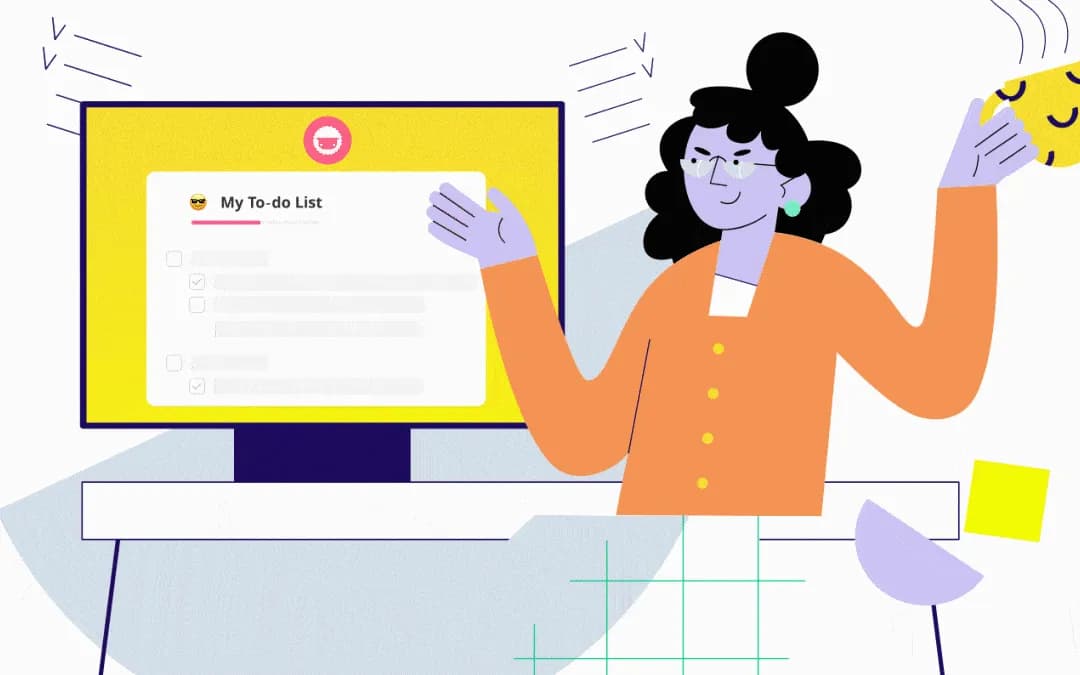
minimalist to-do list created in taskade

A simple to-do list created in Taskade

2. Ease of Use = Better Tool Adoption

There's no point investing in an expensive, fully customizable PM or productivity platform that takes months to implement if nobody's going to use it. Instead, you should give your team essential functionality served in the most intuitive form.

When you opt for a minimalist to-do list app, your team doesn’t have to spend a lot of time getting up to speed with it. They also don't have to read lengthy, complicated manuals to learn how to perform basic activities. After all, everybody knows how to "operate" to-dos, right?

Simplicity is key here. To onboard your team quickly and without investing too much time and effort into it, you need to make sure that the to-do list app is as intuitive as its paper counterpart.
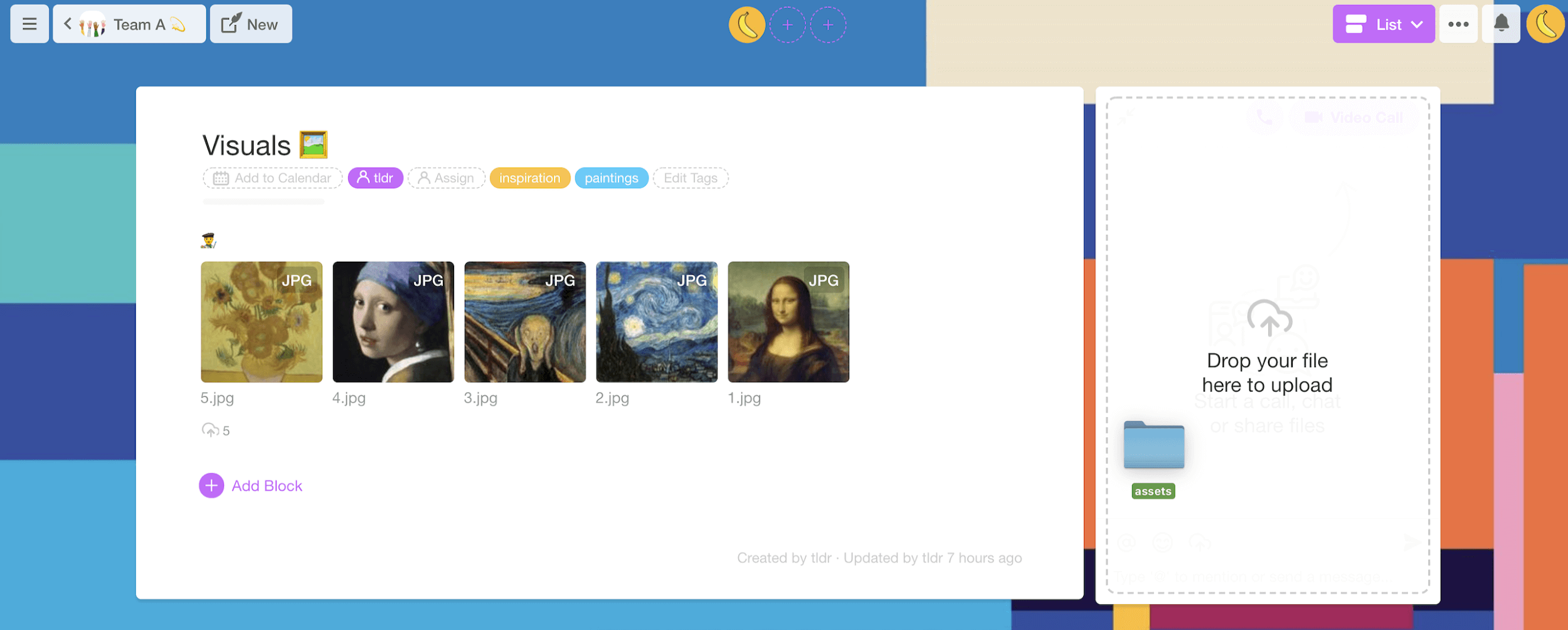
Screen Shot 2020-03-30 at 9.19.09 AM.png

Example of a workspace in Taskade

In Taskade, all the "good stuff" (what everybody's working on, who owns specific projects, overall progress) is exactly where you need it. When you combine that with @mention and #tag functionality, you’re able to access and provide a significant amount of information upfront. 💁🏻‍♂️

Remember, your team will be more likely to use an uncomplicated, essential tool than one that takes weeks to learn and ages to master. Their positive experience will act as social proof of the tool’s value, effectively making it easier to roll it out across your organization.

3. Better Prioritization Through Clear Messaging

Building minimalist to-do lists makes organizing information a piece of cake. Without the clutter, you're able to clearly see the connections between individual tasks and prioritize accordingly.

Cluttered to-do lists don't encourage immediate action. Without the incentive, people are more likely to procrastinate and delay work as much as possible. 💤

Better prioritization cuts down on the potential for confusion by highlighting important information upfront. With Taskade, you can organize your lists by priority at two different levels—a priority for overall tasks and how subtasks fit into them:
prioritizing a minimalist to-do list in taskade

Prioritizing of a minimalist to-do list in Taskade

Using a tree structure and nesting tasks helps you immediately see which steps are more important than others and determine in what order they should be dealt with. Each subtask has to be checked before you’re able to mark its "parent" task as completed.

Relying on a neat and tidy content structure helps your team to see exactly what steps they need to take to complete a task. Thanks to improved visibility, everybody knows what they're supposed to do and when it's time to submit their share of work.

4. Increased Visibility for the Entire Team

Using a minimalist to-do app lets everybody can see how their work impacts others. Increased visibility helps avoid bottlenecks and makes it much easier to assign workload according to each team member's unique skill set and track record.

A cleaner, aesthetic design also reduced the number of steps needed to track progress and set new goals. As your team moves on with the work, all they have to do is check off completed tasks and advance. It's like following breadcrumbs, one bite at a time. 🍞

minimalist to-do list checked off

Example of a to-do list with tasks checked off

For instance, in our sample project, the first thing the team needs to figure out is how much actual development time is required to complete a section of the project. Only once they've established that can they focus on all the subtasks that follow.

5. Accountability Through Visibility

When every member of your team can see the amount of work required to complete specific tasks, they're able to execute on them more effectively.

Team-wise visibility of project specs and progress makes everybody more engaged and accountable for their share of the workload. Collaborating on to-do lists in real-time helps your team understand and respect each other's individual workflows.

With all hands on deck, team members can also contribute to open and honest conversations on the work being done. And how better to encourage accountability than through comments? 🗣

Screen Shot 2020-03-30 at 4.37.30 PM.png

Comments on a task in Taskade

Including inline comments for tasks not only makes it possible to correct course on the fly but also lets everybody share their food for thought on the specific portion of a project.

And let's not forget that active participation is the best way to enforce the digital IKEA effect which, in turn, helps build stickier team habits. 🍰

🧘🏻‍♂️ Minimalism Helps Your Team Get Things Done

At Taskade, we believe that doing more with less is the ultimate sophistication. That’s why we built our tool to embrace the benefits of minimalist productivity.

There’s no point in using a tool that offers over-the-top features instead of driving true value for your team. 🎯

So, next time you introduce a new tool into your team's workflow, ask yourself the following questions first:

  • ❓ is the new solution focused on process or outcome?

  • ❓ does it impact the current workflow in a meaningful way?

  • ❓ can it be integrated with other tools your team is using?

  • ❓ does it require extensive training and user support?

Tired of bloated, unintuitive productivity software?

Want to start creating simple to-do lists in a flash?


Sign up and work smarter with Taskade AI! 🤖

🤖 Custom AI Agents: Automate task organization and prioritization with AI agents that adapt to your productivity patterns.

🪄 AI Generator: Generate smart to-do lists and task breakdowns, using AI to suggest the most effective order of tasks based on impact.

✏️ AI Assistant: Get real-time assistance in managing tasks, creating content, and editing documents with powerful /AI commands.

🗂️ AI Prompt Templates Library: Browse hundreds of AI prompt templates to make the most of Taskade AI features.

💬 AI Chat: Chat with Taskade AI to learn the most effective productivity methods, prioritize your work, and solve complex problems.

📄 Media Q&A: Turn documents and spreadsheets into actionable steps. Extract key insights and summarize resources the easy way.

And much more...

Taskade AI banner.

Frequently Asked Questions

Why do minimalist to-do list apps work better for distributed teams?

Minimalist to-do list apps reduce cognitive overhead — distributed teams already deal with enough complexity from time zones, async communication, and tool fragmentation. A simple, clean task management interface helps everyone focus on what needs to get done rather than wrestling with complicated software.

What features should a to-do list app have for remote teams?

Essential features include real-time collaboration, task assignments with due dates, multiple view options (list, board, calendar), shared workspaces, and cross-platform sync. The best apps like Taskade also offer AI-powered task generation, templates, and the ability to convert simple to-do lists into full project workflows.

How do shared to-do lists improve team productivity?

Shared to-do lists create transparency — everyone sees what needs to be done, who's responsible, and what's been completed. This eliminates the need for status update meetings, reduces duplication of effort, and creates natural accountability without micromanagement.

What is the best minimalist to-do list app for teams?

Taskade is an excellent choice because it starts simple — like a clean to-do list — but scales to support complex project management with 8 views, AI agents, and workflow automation. Teams can begin with basic task lists and gradually adopt more powerful features as their needs grow.

0%

On this page

❤️ Minimalist To-Do Lists + Distributed Teams1. No Added Complexity to Existing Processes2. Ease of Use = Better Tool Adoption3. Better Prioritization Through Clear Messaging4. Increased Visibility for the Entire Team5. Accountability Through Visibility🧘🏻‍♂️ Minimalism Helps Your Team Get Things DoneFrequently Asked Questions

Related Articles

/static_images/AI event landing page built with Taskade Genesis
March 7, 2026Productivity

Build an AI Event Landing Page in Minutes

Step-by-step tutorial: build an event landing page with registration, scheduling, and attendee management — from a singl...

/static_images/AI utility app — color palette extractor built with Taskade Genesis
March 3, 2026Productivity

Vibe Utility Apps: 10 AI Converters & Dev Tools You Can Clone

10 AI-powered utility apps — QR generators, color extractors, translators, code tools, and more — ready to clone or buil...

/static_images/AI expense tracking and finance dashboard built with Taskade Genesis
February 28, 2026Productivity

Vibe Finance Apps: 10 AI Invoice Generators, Expense Trackers & Dashboards

10 AI-powered finance tools — invoice generators, expense trackers, budget dashboards, and ROI calculators — ready to cl...

/static_images/Invoice Generator app with payment tracking dashboard showing paid, pending, and overdue invoices
February 28, 2026Productivity

3 Finance Apps You Can Clone Today — Invoice, Meeting Costs & Licenses

Track payments, calculate meeting costs, manage licenses — three complete finance apps you can clone in minutes. AI-powe...

/static_images/AI appointment booking system built with Taskade Genesis
February 24, 2026Productivity

Vibe Booking Apps: Build an AI Appointment System in Minutes

Build AI-powered booking and scheduling systems without code. 5 working examples — appointment scheduling, class booking...

/static_images/AI pricing calculator dashboard built with Taskade Genesis
February 21, 2026Productivity

How to Build a Pricing Calculator (No Code, 5 Minutes)

Step-by-step tutorial: build a working pricing calculator with tiered plans, annual discounts, and feature comparisons —...

View All Articles
How Minimalist To-Do List Apps Help Distributed Teams Thrive | Taskade Blog