







So what to do when your remote team struggles with getting things done?
With the rise of remote companies and a distributed workforce, the way teams collaborate is changing. Visibility and accountability have become significantly more important, while seamless communication is harder to achieve.
If you’re not careful about how your team collaborates, valuable information can easily be lost in an abyss of chat and email threads.
As a result, team productivity suffers... But it doesn’t have to.
Using the right productivity tools and methodologies helps your team remain productive and battle the inherent difficulties of remote communication. When you understand the unique characteristics of remote team productivity, it all boils down to disciplined and intentional team communication.
Building out well-defined processes for your team, like the ones below, boosts team productivity and makes it easier to move your company forward and get things done.
Remote Teams Need Disciplined Communication
Remote teams have a more difficult time communicating and staying in sync due to the nature of being distributed.
Multiple time zones make finding the best time for meetings critical. It’s important to determine the optimal hours of overlap for realtime collaboration.
To be productive, distributed workers need a set of processes that define how conversations happen within the team. So that everyone can stay on the same page.
Remote teams need to communicate differently from in-office teams to remain productive. Ensuring that every member of your team is connected and moving toward a unified goal requires a systematic approach to how your team interacts with one another. If you’re not nailing this peer-to-peer collaboration, team productivity will suffer.
Why do so many remote workers consider communication to be the most difficult challenge?
It really comes down to time and distance. In a traditional office setting, teams can huddle up in a meeting room to brainstorm a problem or chat through difficult problems ad hoc at one another’s desks. That ease of communication is lost for remote teams where every conversation needs to be more deliberate.

The conversations that happen on remote teams are mostly asynchronous, which makes it more difficult to keep every member of the team on the same page. If two people are talking through the design of a new product page via chat, no one will know unless one of the participants diligently documents their conversation.
Meetings becomes increasingly difficult when you have to consider how working schedules and time zones come into play. Everyone involved needs to work together to make sure that their valuable time isn’t being eaten away by rehashing previous conversations on a call.
Poor remote communication can lead to a lack of visibility for individual team member contributions. Remote managers won’t be able to track productivity or follow up on specific tasks—leading to an overall lack of confidence in team accountability and potential micro-managing.
Accountability takes trust, which is only attainable when everyone on your team understands how their responsibilities fit into larger company goals. Building that kind of trust is impossible if you’re not disciplined in how your team communicates.
Asynchronous Communication Only Works When You’re Open
Conversations are naturally more asynchronous when teams are distributed across multiple time zones and flexible work schedules.
To bypass the potential for confusion or mixed messaging, remote workers, teams need to practice honest and open feedback.
Remote team productivity increases when you practice honest and open communication. When people work in a vacuum, it creates knowledge silos that break down trust and increase the potential for confusion.
Asynchronous communication can make this even worse.
You have to be intentional with how you communicate to ensure that every team member is kept in the loop.
These direct and honest conversations will only happen when your team understands the rules of how to communicate in different settings. A real-time brainstorming meeting won’t be successful unless it runs differently than an asynchronous one.
Training your team to carry out an open and honest conversation with one another helps you build a culture of open feedback that fosters trust and accountability.
So, how do you have these conversations?
Tools like Slack aren’t optimal for asynchronous communications—notifications and ongoing chat threads make conversations feel like they’re more immediate.
Shared projects, documents, and workspaces in Taskade make commenting and leaving open feedback much simpler. Take our public-facing Roadmap, for example:
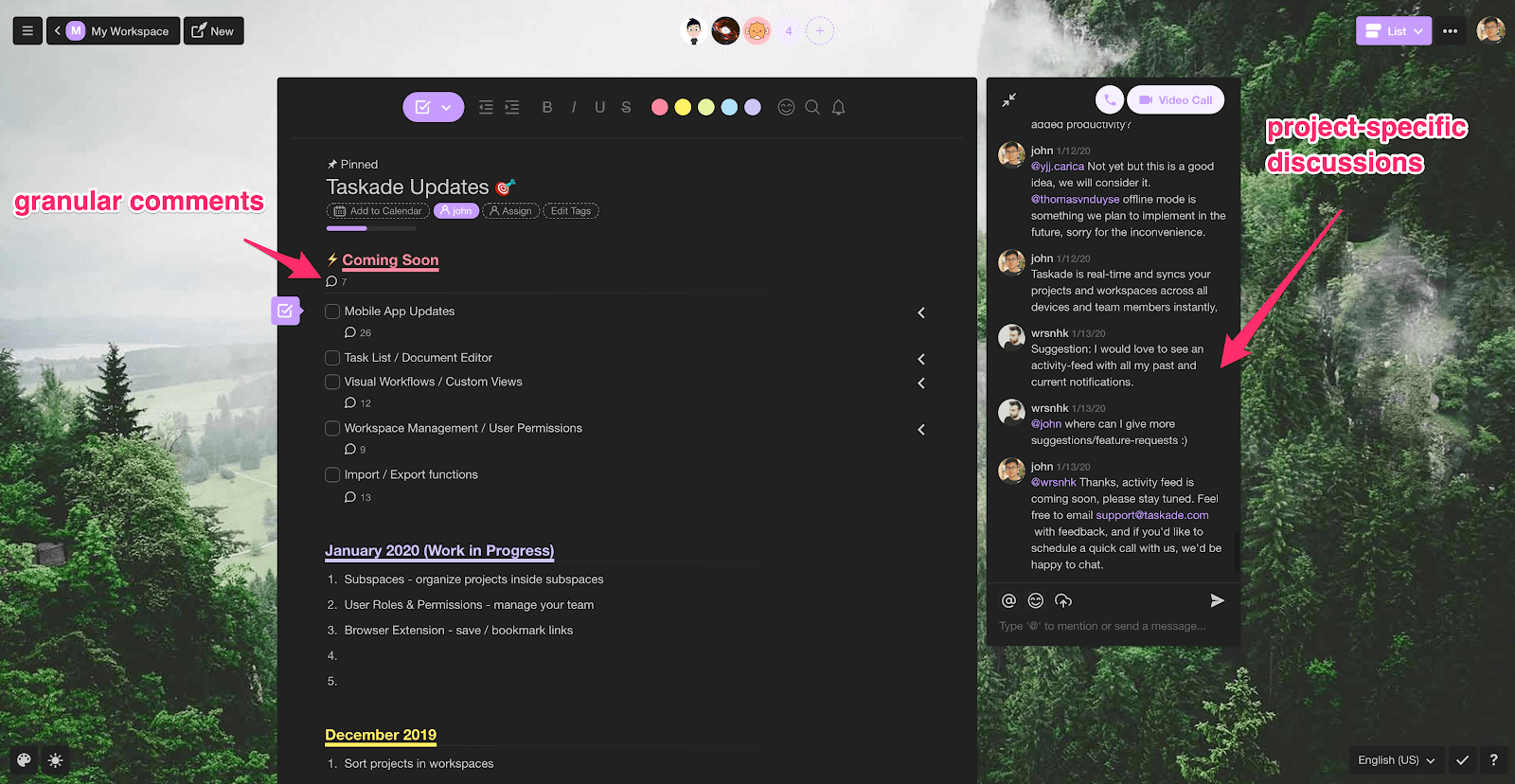
Users can easily leave comments in a specific section to ask for more clarity or use the live chat option to open up a conversation. This allows teams to mix asynchronous and real-time conversations depending on which is most effective for their question, within the context of the project.
Another great tactic for making your team conversations more open is to have your team publish important information in a shared Taskade project or workspace.
This shared project should include each team member's:
Availability.
Time zone.
Preferred contact method.
And more!
Doing so ensures that everyone on your team understands when it’s best to reach out to their colleagues. This cuts down on needless disruptions to individual deep work time while also fostering more honest conversations about bandwidth within the team. Put that together and it’s a great recipe for increased team productivity.
When you have a unified workspace to document all of your project priorities and important conversations, it builds a more open and honest culture throughout the team. Everyone involved can see how other members of the team go about their day and gain an understanding of how their own work contributes to the forward momentum of any project.
Rigorous Documentation Increases Visibility for the Team
Fostering a company team culture that values and engages with documentation makes work-related conversations more available for the entire team.
Writing things down in a shared workspace forces each team member to think through their comments and makes it easier for everyone to contribute, and make decisions collaboratively.
It’s easy for valuable information to be missed when working in a distributed team. Being intentional with how you document each conversation ensures that everyone has access to the most up-to-date and relevant information at all times. When 97% of employees and executives agree that lack of alignment within the team impacts the outcome of projects, lackluster documentation can seriously damage team productivity.
Putting ideas down in a document also forces each member of your team to think through their ideas holistically. This kind of deliberate writing is a process that’s championed by successful business leaders like Jeff Bezos of Amazon and Andy Grove of Intel.
But ideas aren’t the only thing that benefits from this kind of documentation. Writing out specific workflows and processes gives your team an efficient and repeatable way to accomplish their daily tasks—cutting down on the need for micro-managing and leveling up team productivity across the board.
Think about documentation as building a single source of truth for all your company information. There’s a place for workflow documentation and process overviews, a place for real-time brainstorming chats, and a place for individual task management. Everything is organized so your team can easily access and use it.
Taskade’s Workspace organization provides the tools you need to create and manage this single source of truth at both the project and company levels.
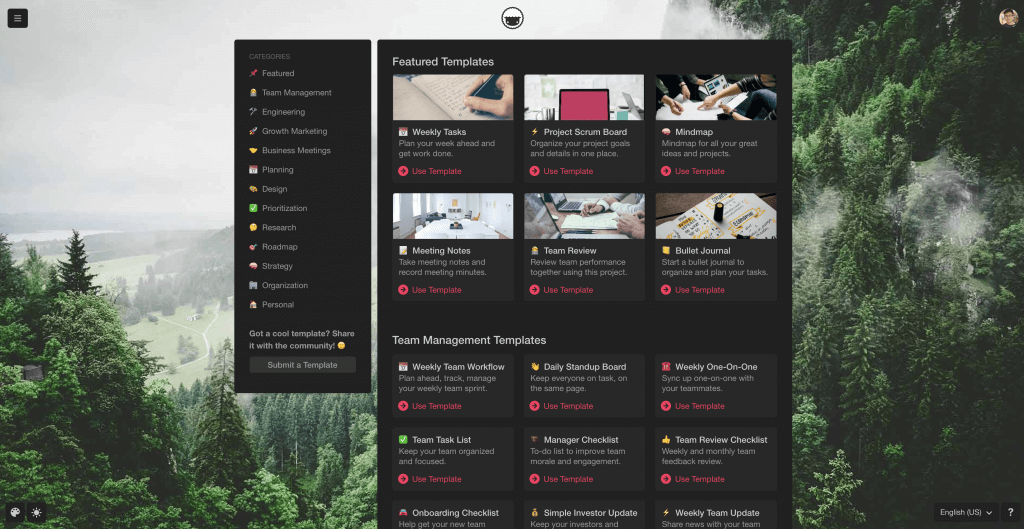
taskade templates
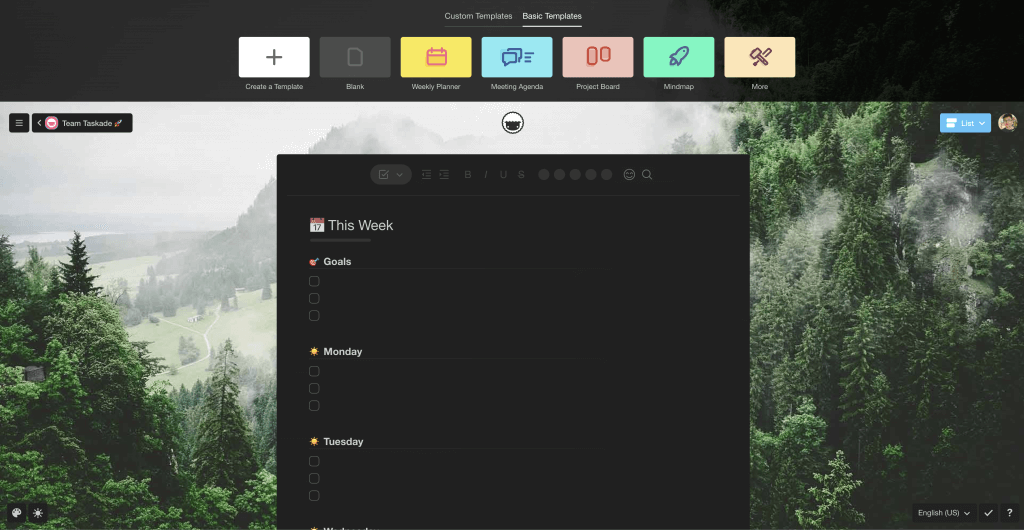
taskade new project template
Taskade’s productivity templates and workflows library.
Users can apply one of our pre-made templates to their workspace or create their own to build out more custom workflows. Not only do these templates make it easier for users to accomplish specific tasks, they also provide the structure for repeatable and open documentation. Your team can iterate on these templates as well, refining them to further boost productivity even as processes change and evolve.
Providing these tools in a unified workspace also helps you scale your company more effectively. Any institutional knowledge you have is publicly shared with the current team as well as new employees. In doing so, you cut down on the potential knowledge silos that can slow down on-boarding, confuse project priorities, and decrease overall productivity across your team.
Accountability is Only Possible Through Trust
Keeping your team accountable is much more difficult when people don’t share an office space.
Practicing honest communication and rigorous documentation helps build the kind of trust your team needs to hold each other personally accountable for their contributions.
When you’re not sharing a physical office space with other people, having open and honest conversations is the best way to build trust within your team. When everyone trusts their colleagues to take ownership of their own responsibilities, it builds a culture of accountability. That accountability is what makes it possible for distributed teams to stay productive without seeing one another every day.
Personal accountability also helps managers move projects forward more efficiently, as it’s easy for them to see where bottlenecks occur and pivot accordingly.
Sharing a comprehensive overview of every team member’s contribution to a project provides a high-level overview and boosts buy-in for individual projects as well. If your product team is working on a cool new release, your marketing and sales team can track how things are progressing and get excited. We see this on our public-facing roadmap as well.
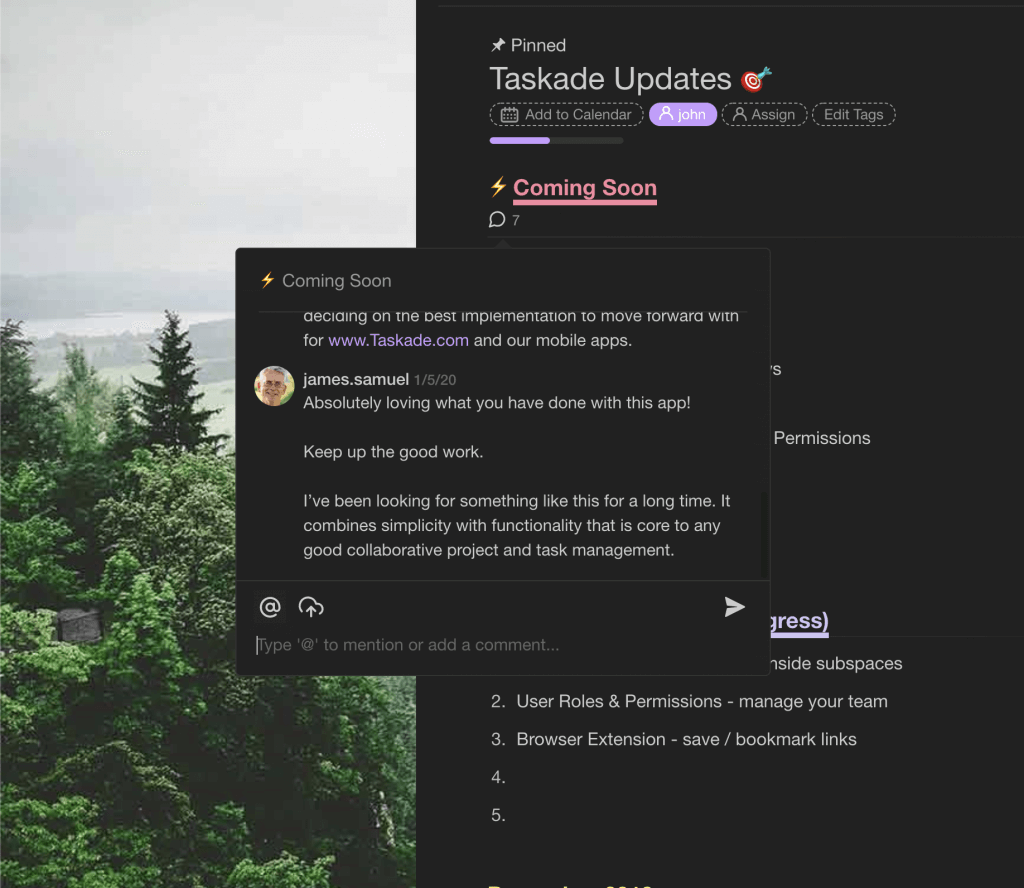
Comment on an upcoming feature from a Taskade user.
This kind of shared excitement is why dedicated workspaces in Taskade are so useful. Your team can easily break out projects into different workspaces for better organization while at the same time giving access to your entire team.
Switching views helps you track projects as they move through a Kanban board as well.
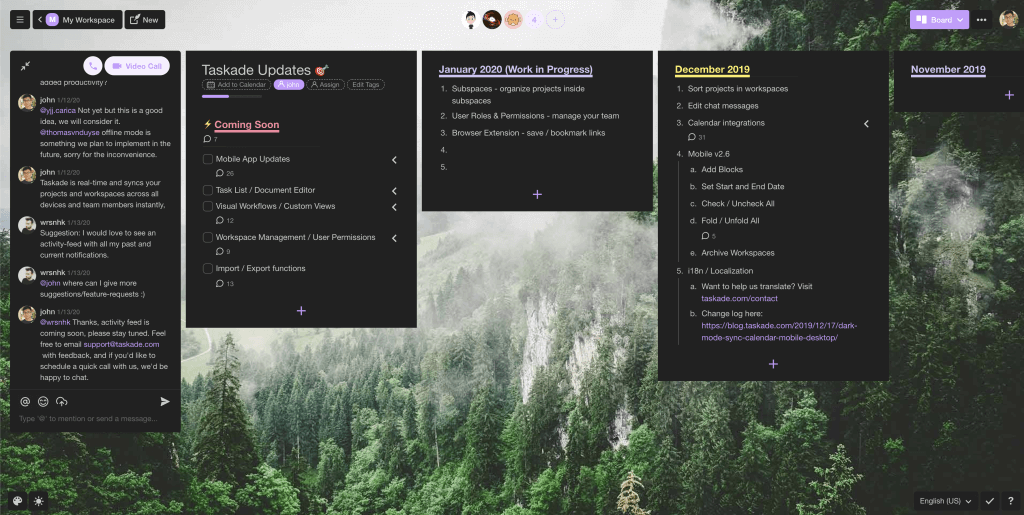
taskade kanban board view
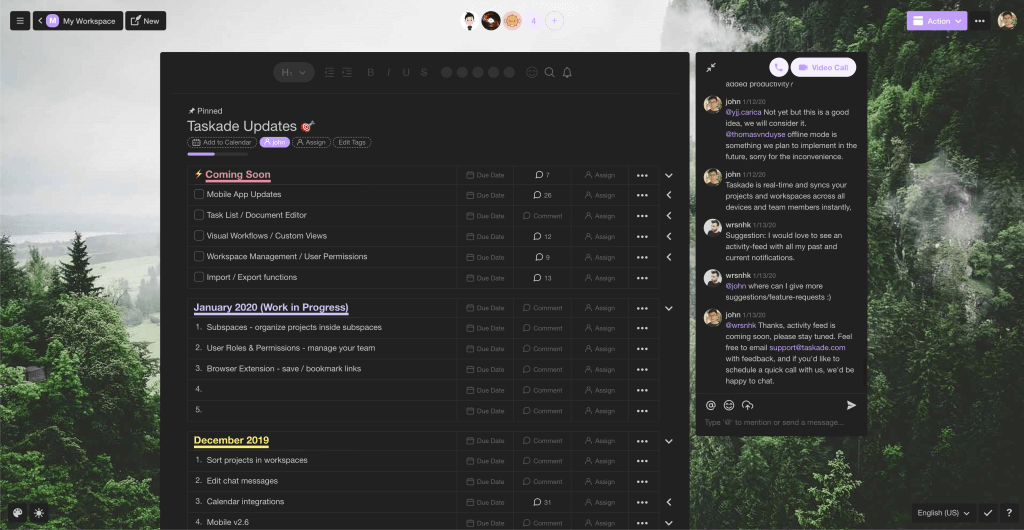
taskade table view
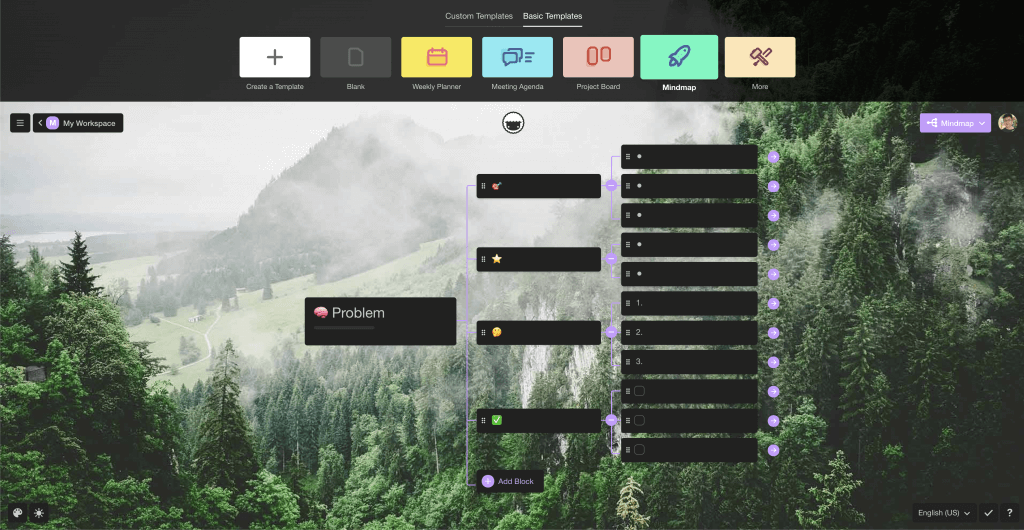
taskade mind map view
The same excited comment on an upcoming feature in a different view.
When you’re openly sharing this progress through public documentation, everyone on your team can access the information at any time. That acts as evidence of forward momentum as well as a way to identify potential blockers—both of which can impact team productivity.
People need to trust that everyone they work with is moving towards the same goal. When face-to-face conversations are rare, seeing that each member of the team holds themselves accountable builds a stronger, more cohesive team that fosters trust across the organization. Where remote companies run into problems is when they don’t put a focus on building the tools and methods to facilitate direct and honest communication within their team.
Team Productivity Doesn’t Have to Suffer on Remote Teams
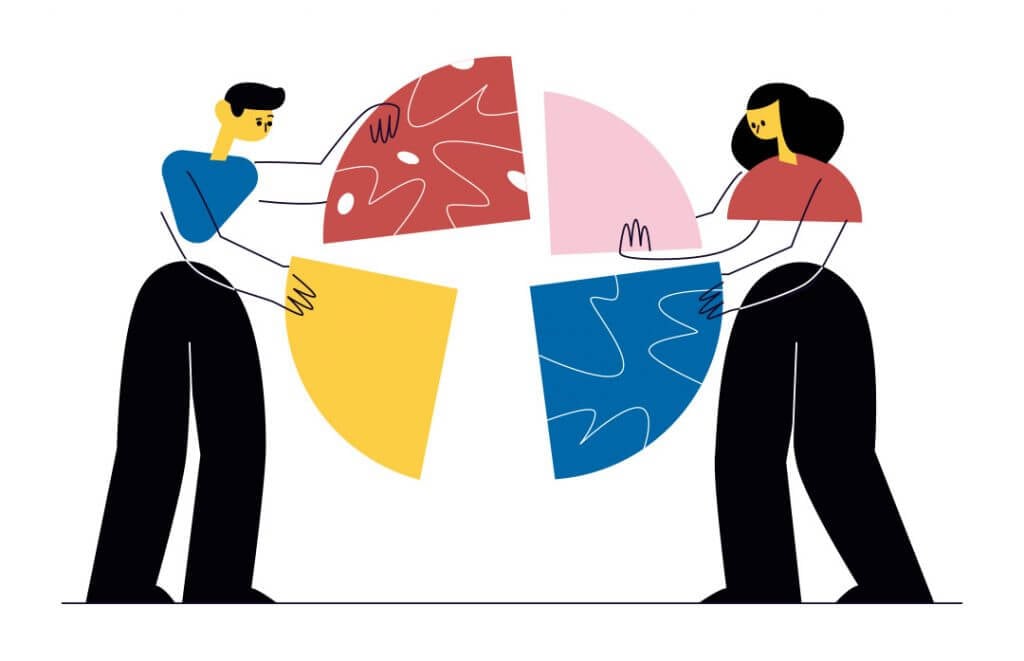
Remote companies need to understand the unique characteristics of their business model and think differently to build a productive and engaged team.
Being distributed requires certain forcing functions for team collaboration that don’t exist for traditional in-office teams. With the right tools and methodologies, you’re able to build a team that strives not only for productivity, but accountability and trust as well.
Sign up and supercharge team productivity with Taskade AI! 🤖
🤖 Custom AI Agents: Create a team of AI agents to address the common challenges of remote work and automate your tasks.
🪄 AI Generator: Describe your team's unique challenges to generate tailored strategies that maintain and enhance productivity.
✏️ AI Assistant: Use the OpenAI GPT (frontier models) language model to speed up writing, editing, and task prioritization in the project editor.
🗂️ AI Prompt Templates Library: Choose from hundreds of AI prompts to overcome the common challenges of remote collaboration.
💬 AI Chat: Turn to AI for innovative solutions and support in maintaining high productivity levels, regardless of physical location.
📄 Media Q&A: Instead of spending hours analyzing documents, simply upload them to your projects and Taskade AI will handle the rest.
And much more...

Frequently Asked Questions
How can remote teams maintain high productivity?
Remote teams maintain productivity by establishing clear communication channels, using shared project management tools for visibility and accountability, setting structured routines, and leveraging asynchronous workflows. Platforms like Taskade combine task management, real-time collaboration, and AI agents in one workspace so nothing gets lost across chat and email threads.
What are the biggest challenges to remote team productivity?
The top challenges include information silos, lack of visibility into who's working on what, miscommunication across time zones, and context-switching between too many apps. Solving these starts with consolidating workflows into a single collaborative platform and establishing clear norms for updates and check-ins.
Does going remote automatically reduce team output?
No. Research consistently shows remote workers can be equally or more productive than office-based teams when given the right tools and processes. The key is intentional collaboration — using structured workspaces, defined goals, and regular async check-ins rather than relying on proximity.
What tools help remote teams stay productive?
Look for an all-in-one workspace that combines project management, real-time document collaboration, video communication, and AI-powered automation. Taskade, for example, offers multiple project views, AI agents, and built-in chat so distributed teams can plan, execute, and communicate without switching between apps.