






Hey there! 👋
A fresh batch of updates just landed. New look for the community and app kits, plus a few quality-of-life upgrades you've been asking for.
Here's what's new.
TL;DR: Taskade ships five updates in April 2026: a redesigned Creators Page with leaderboards and follow, compact App Kit side panel, Media Browser with nested folders, Auto Top-Up Credits for uninterrupted AI workflows, and custom Open Graph images for published apps — now enjoyed by 150,000+ Genesis builders. Build with Taskade →
Creators Page, Redesigned
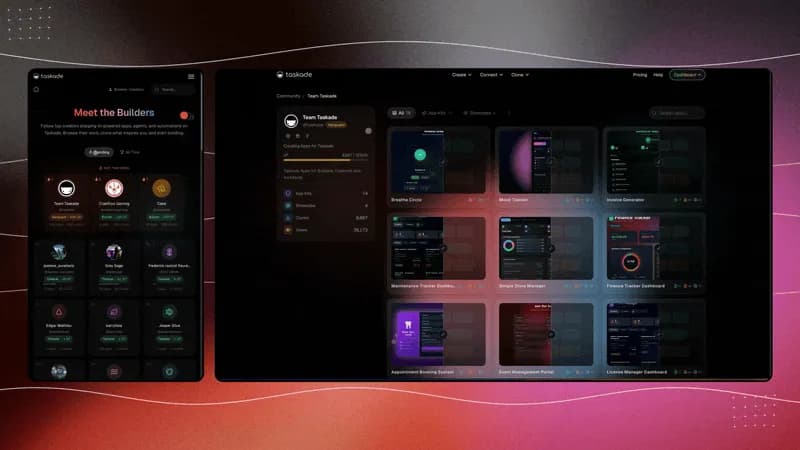
The Creators directory got a visual refresh. Browse top builders, see their published apps, and follow your favorite creators. Learn more.
- Updated Profiles — richer builder cards with stats, bio, and published apps
- Leaderboard Rankings — top creators ranked by XP, published apps, and activity
- Follow & Discover — follow creators and get notified when they publish new apps
Cleaner App Kit Experience
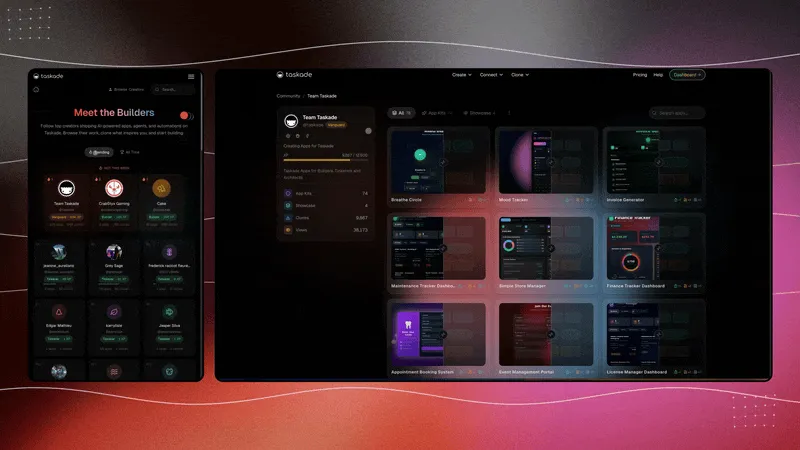
App kits just got a major refresh. EVE and workspace contents now open in a compact side panel. Less clutter, faster navigation. Learn more.
- Side Panel Layout — EVE and Workspace now sit in a compact side panel
- Modal Popups — Projects and Agents open in focused modal views
- Cleaner Navigation — less clutter, faster browsing, more room for your content
Media Browser with Folders
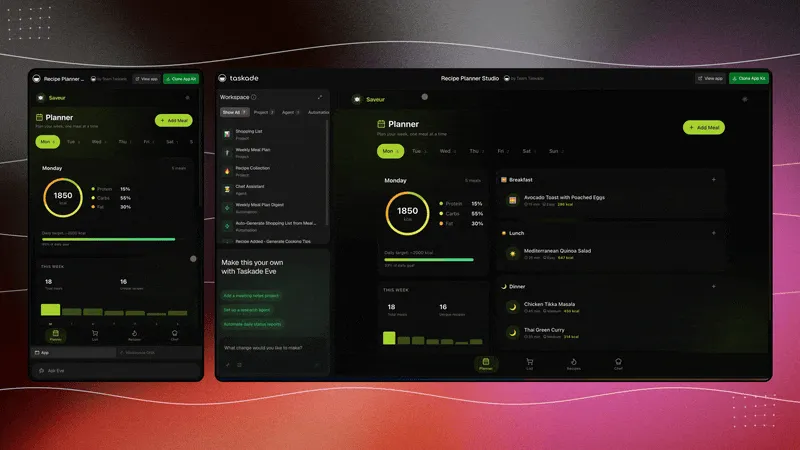
Your workspace media files now have a proper home. Browse images, documents, and assets in a visual folder tree. Learn more.
- Folder Tree — create nested folders to organize your workspace media
- Drag & Drop — move files between folders at any depth
- Visual Browser — thumbnail previews for images, documents, and assets
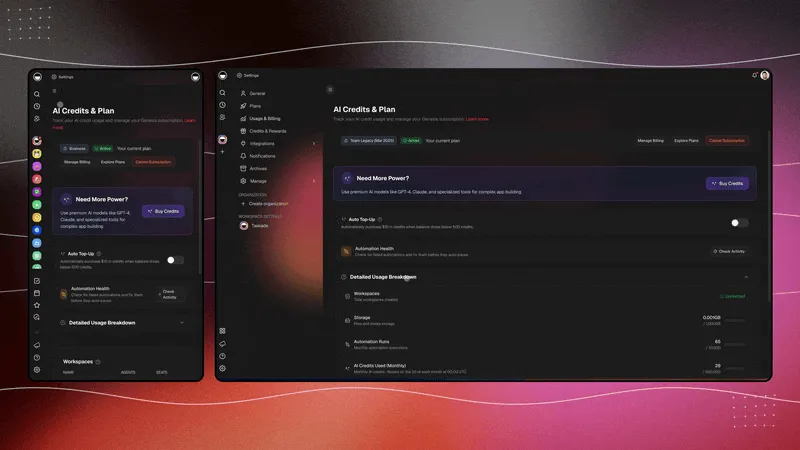
Auto Top-Up Credits
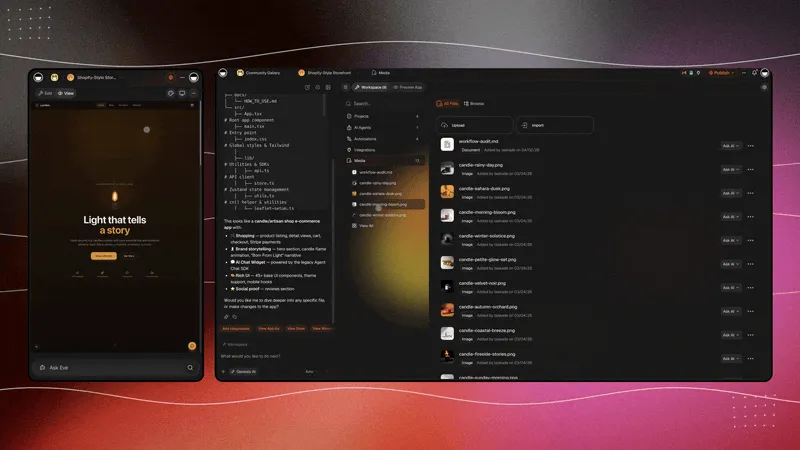
Never run out of AI credits mid-workflow. Enable Auto Top-Up in Settings > Usage to automatically replenish your balance. Learn more.
- Auto Refill — credits refill automatically when your balance drops low
- Custom Threshold — set your own minimum balance and top-up amount
- Zero Downtime — agents and automations keep running without interruption
Custom Link Previews
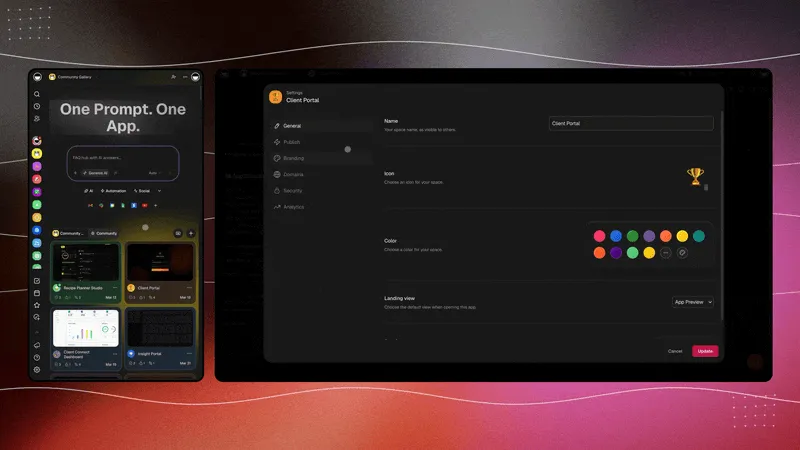
Set custom Open Graph images for your shared app links. Others will see branded preview images instead of generic thumbnails. Learn more.
- Custom Preview Image — upload your own OG image in app branding settings
- Social Ready — polished previews on X, LinkedIn, Slack, Discord, and more
- Brand Control — your app, your image, your first impression
Your Workspace, Alive
Every app in the community was built with the same pillars:
- 🧠 AI Agents think and get smarter with every interaction
- 📋 Projects remember from your apps, agents, and workflows
- ⚡ Automations execute continuously, connecting your system
- 🚀 Genesis deploys live apps, powered by your Workspace DNA
The deeper layer: Memory + Intelligence + Execution is the same triple cognitive scientists have been mapping for 50 years — Flavell's metacognitive knowledge, Nelson-Narens' monitoring/control loop, Adrian Wells' clinical translation. The agents don't just think; they think about their own thinking. The full arc — from 1979 to today's Reflexion-style verbal reflection — is in Metacognitive AI: How Agents Learn to Think About Thinking.
Try the new features and let us know what you think on X, LinkedIn, or Reddit.
Build with AI → | Browse Community
John Xie
Co-founder & CEO, Taskade
Building living software, one app at a time.
Frequently Asked Questions
What changed in the Taskade Creators Page redesign?
The Creators Page received a visual refresh with richer builder profile cards featuring stats, bio, and published apps. Top creators are now ranked by XP, published apps, and activity. A new follow feature lets users track favorite creators and get notified when they publish new apps.
What is the Taskade App Kit side panel layout?
The App Kit UI now opens EVE and workspace contents in a compact side panel instead of full-page views. Projects and Agents open in focused modal popups, reducing clutter and making navigation faster with more visual space for your content.
How does the Media Browser with Folders work in Taskade?
The Media Browser organizes workspace images, documents, and assets in a visual folder tree. You can create nested folders, drag and drop files between folders at any depth, and browse files with thumbnail previews for images and documents.
What is Taskade Auto Top-Up Credits?
Auto Top-Up Credits automatically replenishes your AI credit balance when it drops below a custom threshold. Enable it in Settings > Usage, set your minimum balance and top-up amount, and agents and automations keep running without interruption.
How do I set a custom link preview for my Taskade Genesis app?
Open your app branding settings to upload a custom Open Graph image. When you share the app link on X, LinkedIn, Slack, or Discord, others will see your branded preview image instead of a generic thumbnail.