







As a consultant, managing multiple client projects can seem like a herculean task. But fear not! With the right AI tools in your arsenal, you’ll be well-equipped to transform these daunting tasks into a breeze—making both your life and your client’s business smoother than ever.
Today, we’ll be going over some of the best AI tools that can help your workflow and productivity as a consultant.
What Are AI Tools for Consulting?
AI-powered tools are transforming the consulting industry by streamlining the analysis of extensive datasets, allowing for faster and more precise data-driven decisions. These tools efficiently identify patterns and predict trends, providing consultants with actionable insights quicker than traditional methods.
This increased efficiency in data processing not only speeds up the consulting process but also enhances the accuracy of the outcomes provided to clients.
Additionally, these tools integrate predictive analytics and natural language processing (NLP), equipping consultants with the ability to use AI to analyze text. Such capabilities enable consultants to offer more strategic and tailored advice, improving client satisfaction and outcomes.
Ultimately, choosing the right AI-powered tool can significantly enhance a consultant's workflow, boosting both efficiency and competitiveness in a rapidly evolving market.
Choosing the Right AI Tools for Consulting
When it comes to choosing the best AI consulting tools for your firm, it's crucial to consider a variety of factors to ensure you select solutions that align with your specific needs and objectives. Here's a comprehensive guide to help you navigate the process:
● Assess your firm's requirements: Start by identifying the areas where AI can provide the most significant value to your consulting practice. Do you need tools for data analysis, automation, or decision support? Clearly defining your goals will help you narrow down your options.
● Collaboration features: As consultants often work in teams, look for AI tools that facilitate seamless collaboration. Features like real-time co-editing, version control, and comment tracking can streamline teamwork and enhance productivity.
● Evaluate the tool's capabilities: Thoroughly research and compare the features and functionalities of various AI tools. Look for solutions that offer advanced algorithms, customization options, and seamless integration with your existing systems and workflows. Consider the availability of pre-built templates and AI agents that can automate routine tasks.
● Consider data security and privacy: As a consultant, you handle sensitive client data, so it's essential to prioritize tools that adhere to strict data security and privacy standards. Look for robust encryption, access controls, and compliance with relevant regulations.
● Scalability and flexibility: Choose AI tools that can grow with your firm's evolving needs. Opt for solutions that offer scalable resources, regular updates, and the flexibility to adapt to changing business requirements.
● User-friendliness and support: Ensure the AI tools you select have intuitive interfaces and comprehensive documentation or training resources. Evaluate the level of customer support provided by the vendors, as well as their track record and reputation in the industry.
● Cost-effectiveness: While AI tools can be transformative, they should also align with your firm's budget. Evaluate the pricing models, subscription plans, and long-term costs associated with the tools you're considering, and choose solutions that offer the best value for your investment.
By carefully evaluating these factors, you can make an informed decision and select AI consulting tools that empower your firm to deliver exceptional services, drive efficiency, and stay ahead in the competitive consulting landscape.
Top AI Tools for Consultants
Taskade
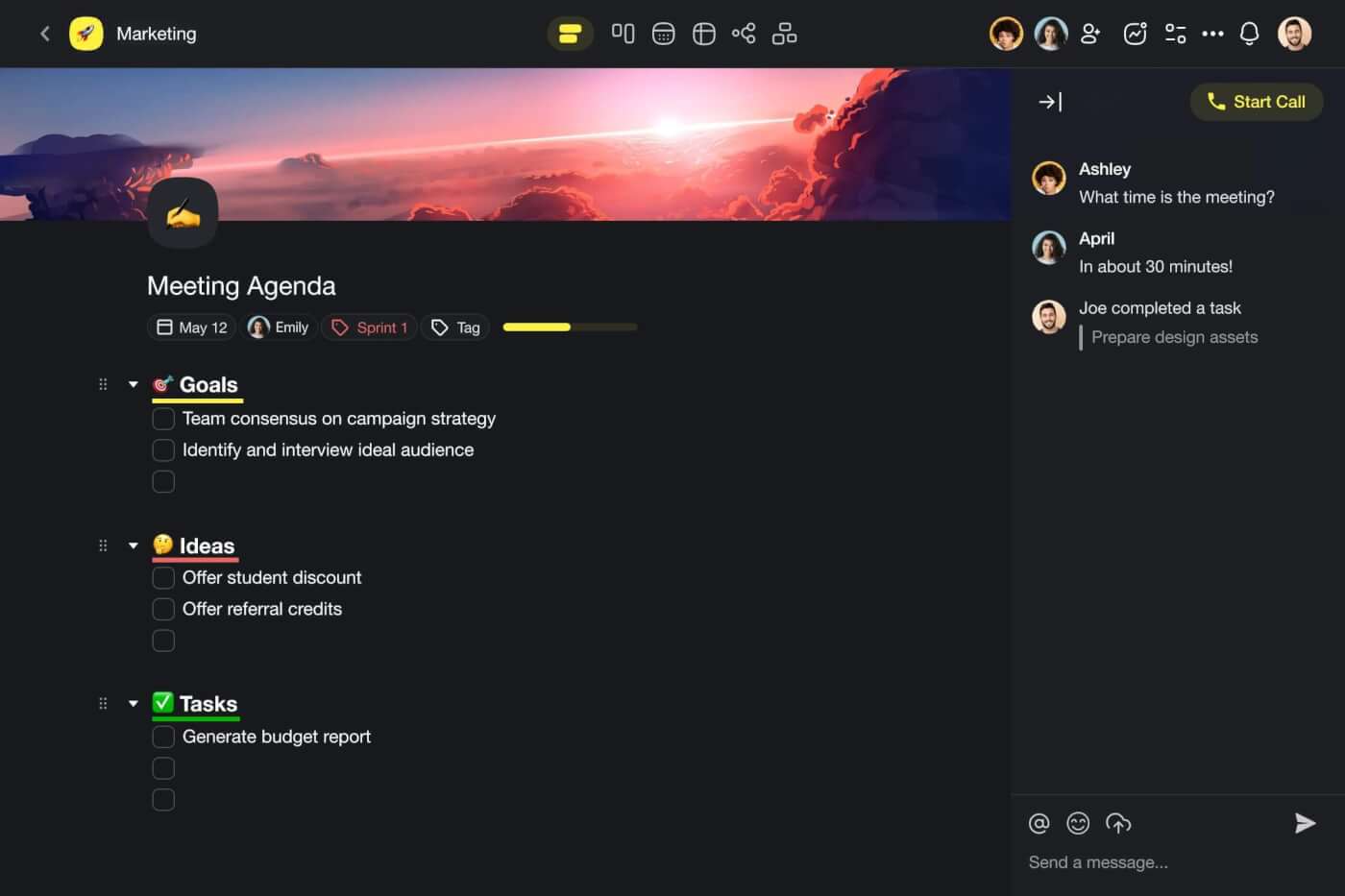
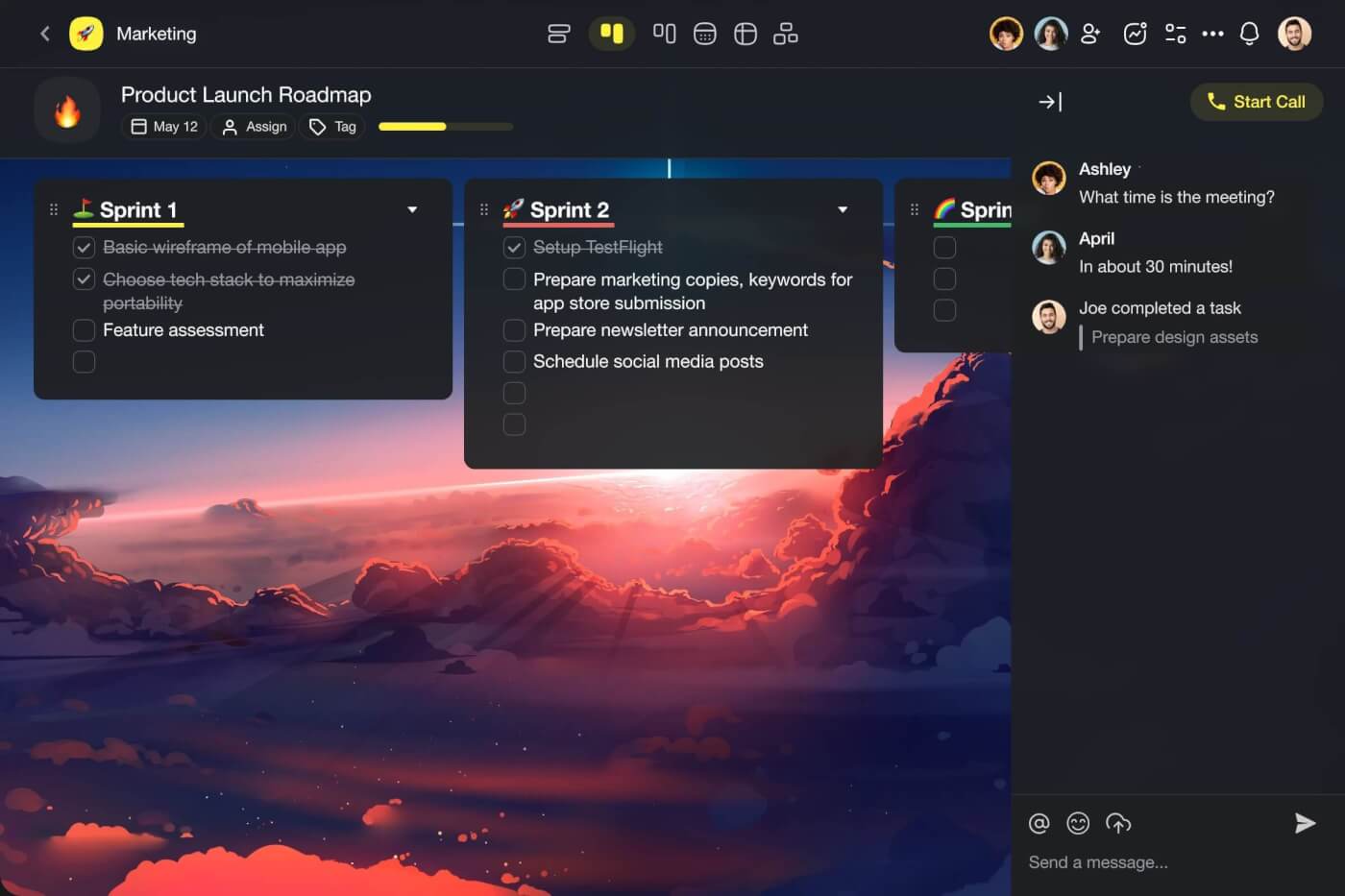
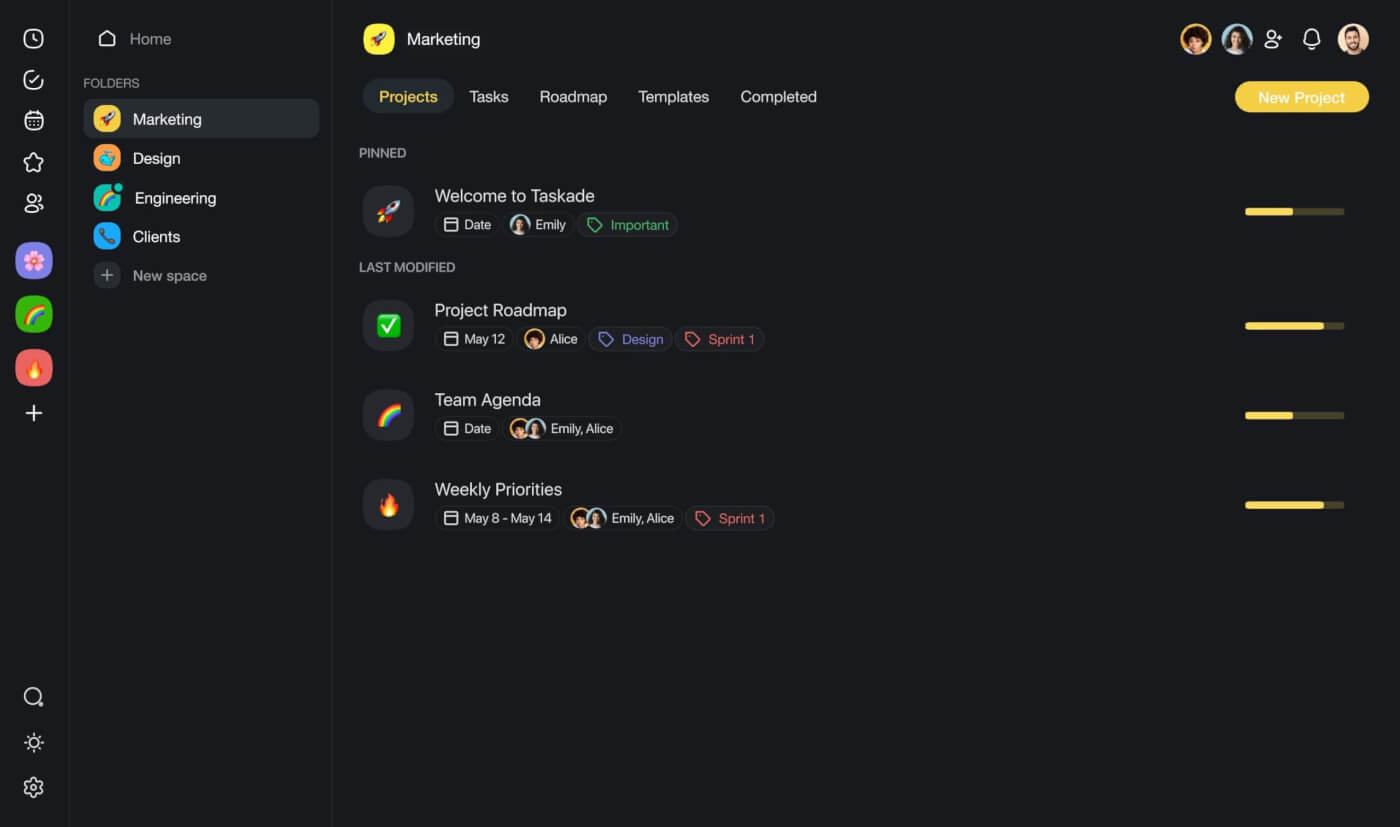
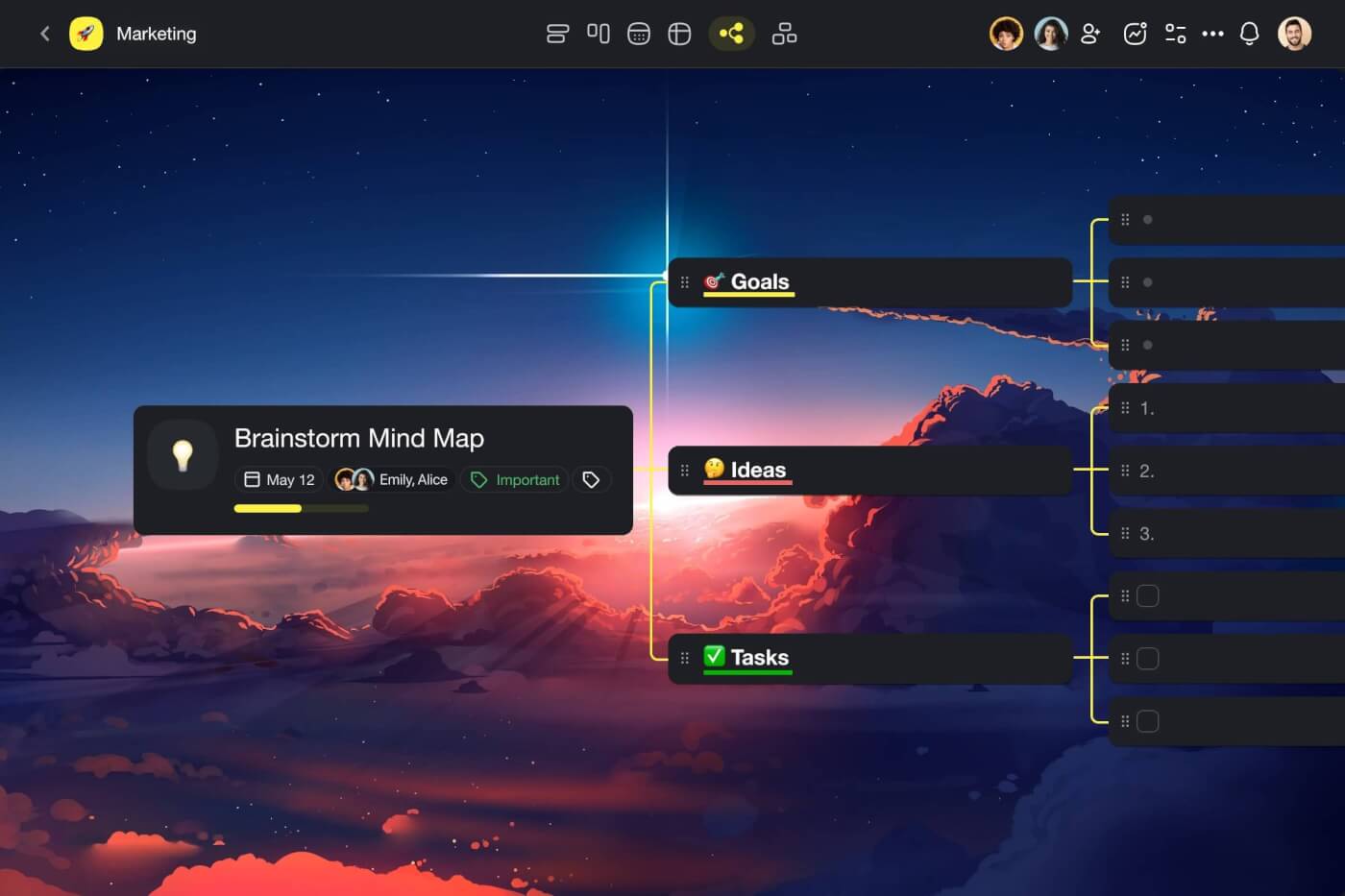
If you're a consultant juggling multiple projects and clients, imagine having a single tool that brings everything together. That's where Taskade comes in. It's not just another tool—it's your all-in-one workspace that simplifies your life by blending project management, real-time communication, and client interaction seamlessly.
Taskade is a powerful collaboration platform that integrates project management, team communication, and client interactions into a single, seamless environment. It is designed to cater to the dynamic needs of modern consultants who require flexibility, efficiency, and effectiveness in managing their projects and client relationships.
Why Taskade is the Best Tool for Consultants
All-in-One Workspace: Taskade combines various functionalities like task management, video conferencing, real-time chat, and document sharing all in one platform. This eliminates the need for toggling between different tools, thus saving time and reducing the potential for errors.
Customizable AI-driven Features: Taskade’s strength lies in its customizable AI agents and automation capabilities. Consultants can tailor these features to suit specific project needs or client requirements, automating routine tasks such as data collection, analysis, and reporting. This allows consultants to focus more on strategic aspects and less on administrative tasks.
Enhanced Client Interaction: With features like real-time note-taking and AI-powered meeting summaries, Taskade ensures that all client interactions are productive and that no critical information is missed. Consultants can easily share meeting outcomes and automate tasks with clients, ensuring transparency and consistent follow-up.
Scalable for Any Project Size: Whether managing a small project for a local client or coordinating a large-scale operation across different geographies, Taskade’s scalable environment adapts to the project's scope. It supports unlimited users, which means consultants can bring all stakeholders onto a single platform regardless of the team size or client number.
Real-Time Collaboration and Communication: Taskade’s real-time capabilities are crucial for consultants who need to make quick decisions based on the latest information. The platform’s chat and video call functions allow for immediate clarification and discussion, ensuring that all team members and clients stay aligned on project goals and updates.
Mobility and Accessibility: With mobile apps available on iOS and Android, Taskade allows consultants to stay connected and productive no matter where they are. Updates and notifications ensure that they stay on top of tasks and deadlines, providing a truly flexible working environment.
Overall, Taskade is an indispensable tool for consultants looking to enhance their productivity and creativity while managing complex projects and maintaining strong client relationships efficiently. The integration of advanced AI features into a user-friendly interface makes Taskade not just a tool but a comprehensive solution for modern consulting needs.
Key Features of Taskade
Custom AI Agents: Create tailored AI agents to automate routine tasks and enhance productivity, allowing users to focus on more strategic activities.
Real-Time Collaboration: Engage in seamless real-time collaboration with team members through integrated video calls, chat, and synchronized task management across devices.
Versatile Project Views: Switch effortlessly between various project views such as task lists, mind maps, and kanban boards to accommodate different workflow preferences.
AI-Powered Automation: Utilize advanced AI commands to generate content, organize tasks, and streamline workflows, significantly reducing manual effort.
Cross-Platform Accessibility: Access and sync your projects across web, mobile, and desktop platforms, ensuring workflow continuity no matter where you are.
Templates and Automation: Take advantage of over 1000 customizable templates that simplify project setups and automate repetitive tasks for enhanced efficiency.
Check out Taskade's comprehensive list of features to see how it can help you improve your productivity.
Taskade Pricing
Taskade's free version is generously loaded with essential features. Check out Taskade's updated pricing page for a full breakdown of the plans available.
Asana
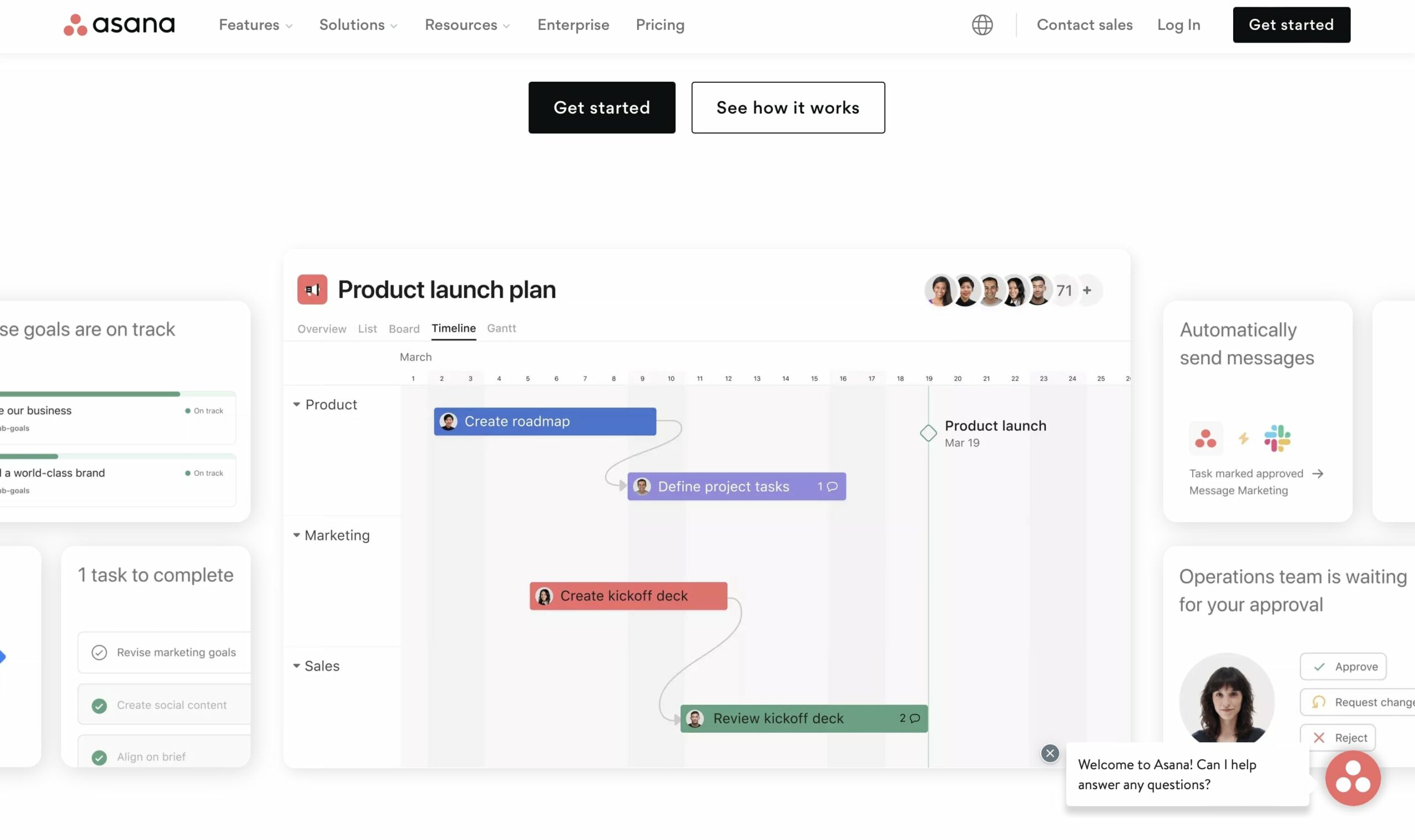
Asana is a widely recognized project management tool designed to streamline workflow and enhance team collaboration. Its user-friendly interface and robust feature set make it ideal for consultants looking to manage projects efficiently and keep track of tasks across multiple teams and initiatives.
Key Features of Asana
Project Tracking: Offers comprehensive tools for tracking the progress of various tasks and projects.
Team Collaboration: Facilitates communication and collaboration within teams, allowing for file sharing, discussions, and updates all in one place.
Customizable Workflows: Users can customize workflows to fit their specific project needs and team structures.
Integration Capabilities: Supports integration with various other tools and apps, enhancing functionality and connectivity.
Limitations of Asana
- Complexity in Large Teams: Can become overwhelming to manage when scaling up to large teams or multiple projects.
Asana Pricing
Asana offers a free basic version with more advanced features available in paid plans which vary in cost depending on the number of users and feature sets required.
Common Reviews of Asana
Generally praised for its ease of use and efficiency in managing team projects, although some users call for improvements in its reporting capabilities.
Notion
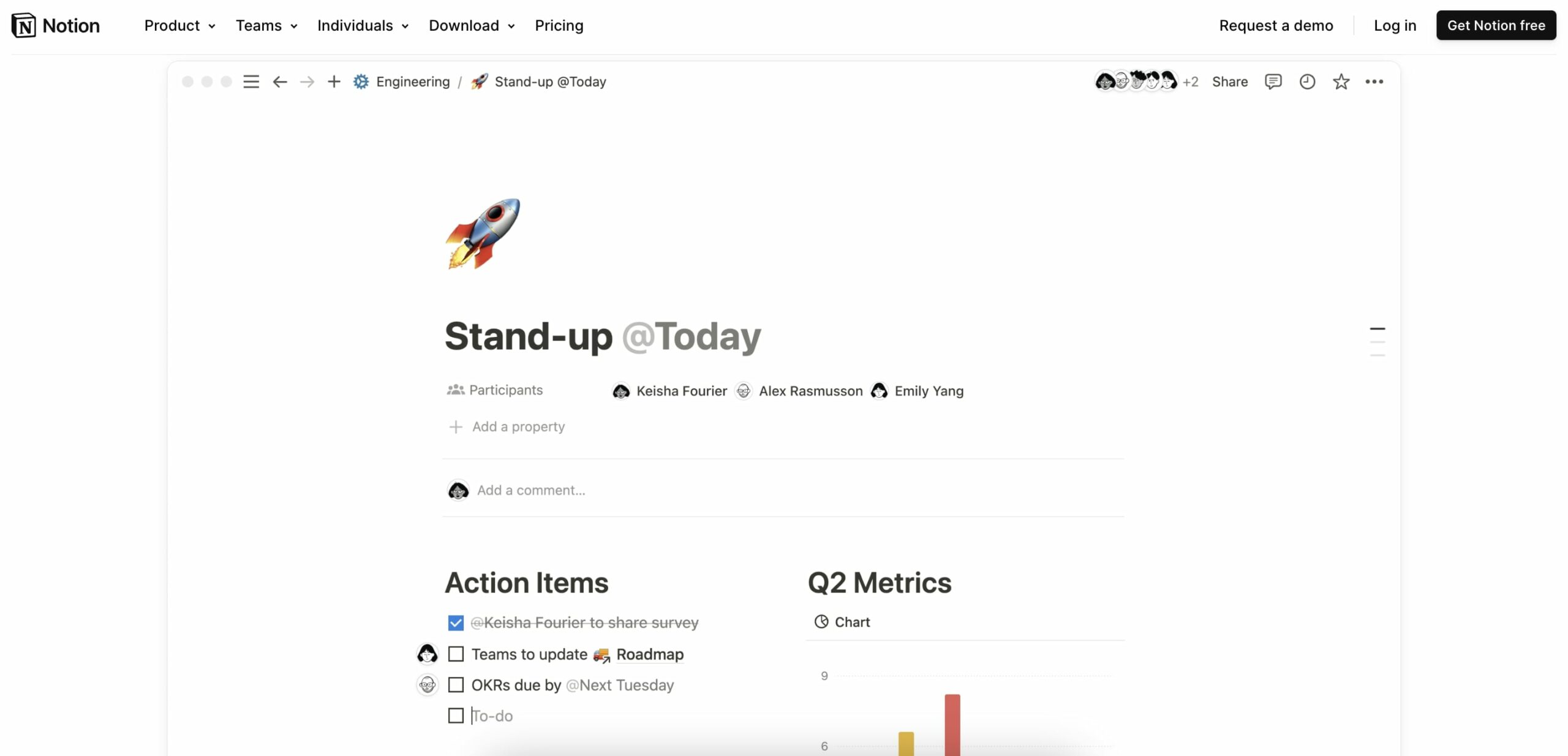
Notion is an all-in-one workspace designed to enhance productivity by integrating notes, tasks, databases, and calendar functions. Its flexibility makes it particularly popular among consultants who require a versatile platform for documentation, planning, and project management.
Key Features of Notion
Integrated Work Environment: Combines notes, tasks, databases, and a calendar in a single platform.
Extensive Customization: Offers deep customization options to tailor workspaces according to specific project or client needs.
Template Variety: Provides a wide range of templates for various uses, enhancing user efficiency.
Collaborative Features: Supports real-time collaboration across teams, making it ideal for distributed workforces.
Limitations of Notion
Initial Learning Curve: New users may find the interface and plethora of features daunting at first.
Offline Access: Limited offline functionality, which can be a constraint in low-connectivity environments.
Notion Pricing
Notion offers a free version with basic features, with more advanced capabilities available in its paid plans.
Common Reviews of Notion
Users love its versatility and customization options, though some mention challenges with initial setup and navigation.
Plus AI

Plus AI simplifies creating presentations by integrating with Google Slides through generative AI. This tool is tailored for consultants who need to quickly transform rough ideas into polished presentations. With Plus AI, users can leverage AI to assist in every step of the presentation process, from initial concept to final adjustments, making it an invaluable tool for delivering impactful client presentations.
Key Features of Plus AI
Generative AI Integration: Works seamlessly with Google Slides to generate and refine presentation content.
Smooth Transitions: Ensures flawless interoperability between Google Slides and PowerPoint, simplifying workflow across platforms.
Content Rewriting: Offers advanced content transformation capabilities, enhancing clarity and impact of the presentation material.
Customizable Outlines: Generates a structured outline that can be customized to suit specific presentation needs.
Limitations of Plus AI
Requires familiarity with Google Slides for optimal use.
Advanced features may require onboarding for users new to AI-powered presentation tools.
Plus AI Pricing
Plus AI offers various subscription models, detailed on their website, which cater to different user needs from individual consultants to large firms.
Common Reviews of Plus AI
Users are generally impressed with the tool's ability to streamline the presentation creation process, though some report a need for occasional manual tweaks to meet specific stylistic preferences.
Monday.com
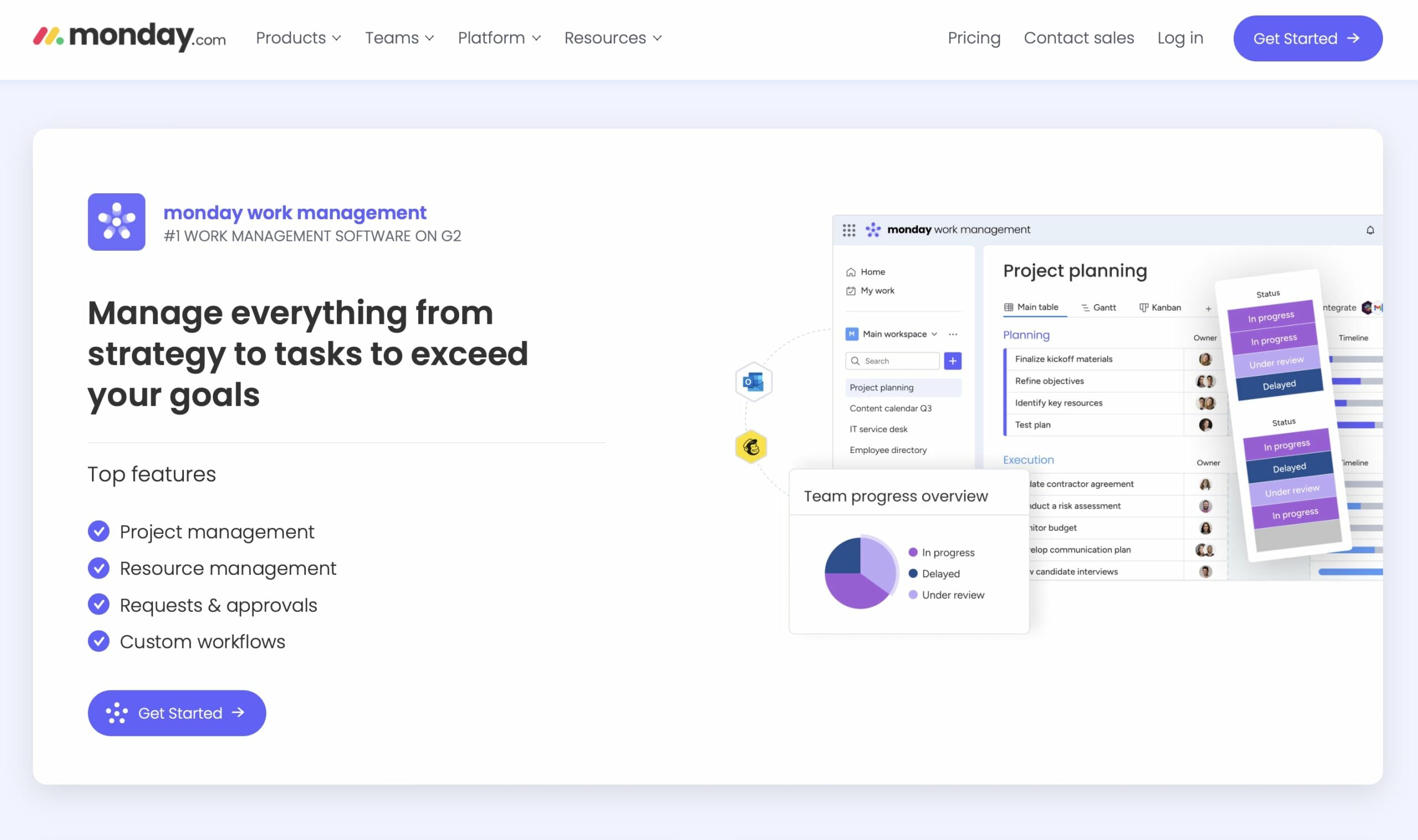
Monday.com is a highly customizable project management tool that facilitates team collaboration and project tracking. Known for its colorful and intuitive interface, it is popular among consultants who need robust project visualization and management capabilities.
Key Features of Monday.com
High Customizability: Allows users to customize workflows, dashboards, and integrations extensively.
Visual Project Tracking: Provides a visual timeline that helps teams understand project progress at a glance.
Automation: Offers automation of routine tasks, reducing the need for manual input and increasing efficiency.
Scalability: Scales well from small teams to large enterprises, supporting a wide range of project sizes and types.
Limitations of Monday.com
Pricing Structure: Can be expensive for small teams or startups due to its pricing model based on users and features.
Complexity: Some users find the array of features and options overwhelming, especially those new to project management software.
Monday Pricing
Monday's pricing is based on the number of users and the level of features required, with several tiers available to suit different needs.
Common Reviews of Monday
Widely appreciated for its flexibility and visual approach to project management, though some critique its cost, especially for smaller teams.
Echobase AI
Echobase AI is designed to transform the consulting landscape by enabling direct access, query, and analysis of data. This platform is particularly suitable for consultants who require customizable AI solutions tailored to diverse consulting needs. With its no upfront financial commitment model, Echobase AI has positioned itself as an accessible and flexible tool for both small and large consulting firms.
Key Features of Echobase AI
Customizable AI Models: Tailor AI agents to specific consulting requirements, from basic Q&A to complex analytics.
Collaborative Tools: Real-time collaboration features allow consultants to work together seamlessly, enhancing team productivity.
Flexible Bot Systems: Supports a variety of consulting focuses, whether public outreach or internal analytics.
Precision AI: Utilizes advanced AI technologies to ensure accuracy and efficiency in client interactions.
Limitations of Echobase AI
May require a learning curve for users new to AI technologies.
Customization options can be overwhelming without proper IT support.
Echobase AI Pricing
Freemium model with advanced features available on paid plans. Specific pricing details can be requested from Echobase’s official website.
Common Reviews of Echobase AI
Users appreciate the platform's versatility and customization options, though some note the need for technical knowledge to fully leverage the tool.
Jasper
Jasper stands out in the AI landscape as a leading writing assistant, renowned for its efficiency and high-quality output. The platform is designed to support consultants with diverse writing needs, from crafting ad scripts to composing detailed analytical reports. Jasper's extensive template library and multilingual support make it a versatile tool for global consulting practices.
Key Features of Jasper
Wide Selection of Fonts and Styles: Over 11,000 fonts and 2,500 writing styles to enhance content presentation.
Multilingual Support: Capable of generating content in more than 25 languages, broadening its applicability.
User-Friendly Interface: Designed for ease of use, allowing consultants to generate content quickly.
Long-Form Content Mastery: Excels in creating detailed articles and reports, supporting in-depth consulting analysis.
Limitations of Jasper
May not fully capture the nuanced tone required for specific client interactions without manual adjustments.
Reliance on input quality; the output is only as good as the seed words provided.
Jasper Pricing
Jasper offers various pricing tiers based on usage and features needed. Details are available on their official website.
Common Reviews of Jasper
Generally praised for its efficiency and quality, though some users suggest enhancements in AI understanding of complex briefs.
Claude by Anthropic
Claude by Anthropic is a conversational AI tool designed with an emphasis on safety and alignment with human intentions. As a product of Anthropic, a company known for its focus on developing AI that is understandable and steerable, Claude presents itself as an ethical alternative in the AI landscape. It is tailored for businesses and individuals looking for a reliable AI that can engage in detailed discussions, provide explanations, and offer insights with a reduced risk of producing harmful outputs.
Key Features of Claude
Safety and Alignment: Engineered to prioritize safe responses and align closely with user instructions, reducing the likelihood of generating inappropriate content.
Contextual Understanding: Exhibits a strong grasp of context in conversations, allowing for more coherent and relevant interactions.
Explainability: Capable of breaking down complex topics into understandable explanations, which is particularly useful in educational and customer support scenarios.
Customization: Offers options for users to fine-tune its behavior and responses to better fit specific use cases and organizational needs.
Limitations of Claude
- Access and Availability: As a newer entrant in the AI market, access might be limited, and deployment could require integration efforts.
Claude Pricing
Claude Pro is available for a monthly price of $20.
Common Reviews of Claude
Early feedback highlights Claude’s ability to handle nuanced and detailed discussions with better safety features, though comprehensive user reviews are still emerging as more people gain access to the tool.
Fireflies
Fireflies is designed to transform the way meetings are conducted and documented in the consulting industry. Utilizing advanced Natural Language Processing (NLP), Fireflies can automatically join meetings, record discussions, and generate actionable minutes that are easily searchable. This tool is perfect for consultants who manage numerous meetings and need to maintain detailed records without investing significant time in manual note-taking.
Key Features of Fireflies
Instant Transcription: Automatically records and transcribes meetings in real-time, across multiple platforms.
Browser Integrations: Enhances the ease of capturing and accessing meeting data directly from web browsers.
Intelligent Search: Allows users to quickly find key moments and discussion points within extensive meeting transcripts.
Automated Assistance: Joins meetings automatically to ensure no important discussion is missed.
Limitations of Fireflies
Dependence on audio quality for accurate transcriptions.
Some users may experience a lag in transcription in real-time due to network issues.
Fireflies Pricing
Fireflies offers a tiered pricing structure that includes a free version and premium options providing more features and greater storage.
Common Reviews of Fireflies
Highly praised for its efficiency in handling meeting documentation, though some users suggest improvements in the accuracy of real-time transcriptions.
Tome
Tome is a specialized AI tool that leverages large language models to streamline the contract review process. Ideal for consultants involved in legal, financial, or contractual disciplines, Tome helps identify potential issues in business agreements quickly and efficiently, ensuring compliance and mitigating risk.
Key Features of Tome
Redline Features: Automatically highlights potential issues in contracts, saving time and reducing human error.
Issue Lists Generation: Quickly generates lists of issues for further review or legal consultation.
Market Comparison: Enables users to compare contracts against market standards to ensure competitiveness and fairness.
Limitations of Tome
Customer Support: Access to human customer support requires an upgrade to the professional version.
Limited Reviews: Not widely reviewed, which may make it harder for potential users to gauge effectiveness from a community perspective.
Tome Pricing
Contact support for pricing details.
Common Reviews of Tome
While reviews are limited, users appreciate the tool’s efficiency in contract analysis but wish for more robust customer support options.
👋 Parting Words
As consultants, managing multiple projects efficiently is crucial, and AI tools greatly aid this process by enhancing data analysis, improving predictive accuracy, and facilitating client interactions. We've discussed the importance of selecting AI tools that align with specific needs like scalability, collaboration, and user experience.
Taskade exemplifies an effective AI tool in consulting, integrating project management and real-time communication into one adaptable platform. Its customizable AI features streamline routine tasks, allowing consultants to focus on strategic work and deliver better client outcomes.
🧬 Build Custom Consulting Systems with Taskade Genesis
Why use generic tools when you can build systems designed for YOUR consulting practice?
Taskade Genesis creates complete consulting systems from a single prompt:
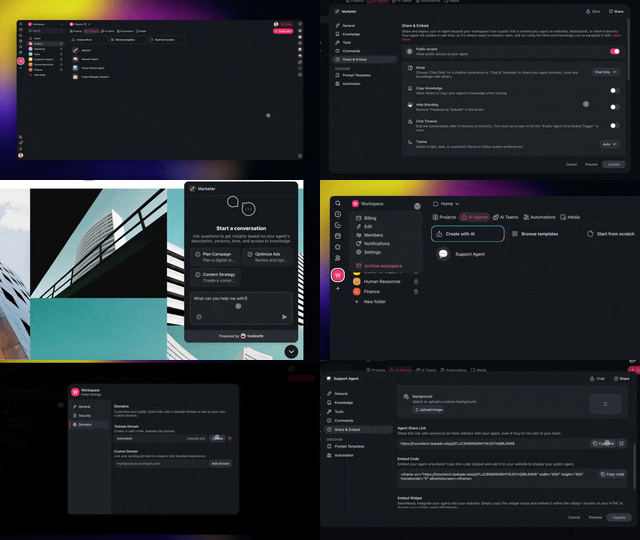
| What You Describe | What Genesis Creates |
|---|---|
| "Build a client onboarding portal" | Intake forms + AI assistant + project setup |
| "Create a proposal generator" | Template library + AI customization + tracking |
| "Design a consulting dashboard" | Client overview + KPIs + status reports |
AI Consulting Tools vs Taskade Genesis
| Feature | Traditional AI | Taskade Genesis |
|---|---|---|
| Research assistance | ✅ | ✅ |
| Client communication | Manual | ✅ AI agents |
| Proposal writing | Templates | ✅ AI-generated |
| Project tracking | External tools | ✅ Built-in |
| Custom client portals | ❌ | ✅ With custom domains |
| Knowledge management | Basic | ✅ RAG-powered agents |
| White-label delivery | ❌ | ✅ Your branding |
Clone these consulting apps:
- Client Portal Dashboard — Client collaboration hub
- Research Assistant — AI research agent
- Project Status Dashboard — Track deliverables
Your living consulting system includes:
- 🤖 Custom AI Agents — Domain experts trained on your methodology
- 🧠 Projects & Memory — Client knowledge base
- ⚡️ 100+ Integrations — Connect existing tools
Explore more:
- AI Business Prompts — Consulting templates
- AI Workflow Agents — Process automation
- Browse Community Apps — Clone and customize
Frequently Asked Questions
What are the best AI tools for consultants in 2026?
Leading AI tools for consultants include Taskade (all-in-one workspace with AI agents for client management, project planning, and automation), ChatGPT (research and analysis), Beautiful.ai (AI-powered presentations), and Notion AI (knowledge management). Taskade stands out for building custom client portals and automating consulting workflows with AI agents.
How can consultants use AI to improve client deliverables?
Consultants can use AI to accelerate data analysis, generate presentation drafts, automate report creation, build interactive client portals, and create custom AI agents trained on industry knowledge. AI tools help consultants deliver more data-driven insights while spending less time on manual tasks like formatting reports and organizing research.
Is AI secure enough for consulting firms handling sensitive client data?
Enterprise-grade AI tools offer robust security including end-to-end encryption, role-based access controls, SOC 2 compliance, and data residency options. When evaluating AI tools, consultants should verify the vendor's security certifications, data handling policies, and whether client data is used for model training. Always review contracts for confidentiality provisions.
What should consultants look for when choosing AI tools?
Key criteria include collaboration features (real-time co-editing, client sharing), data security and compliance certifications, integration with existing systems, customization options (AI agents trained on your methodology), scalability across multiple client projects, and cost-effectiveness. Prioritize tools that support your specific consulting domain — strategy, IT, HR, or management.