






Hi Taskaders 👋
Tired of repeating tasks manually? Then this update is for you! ⚡️
TL;DR: The 2020 recurring-tasks release planted the seed for Taskade Automations — now reliable workflows with branching, looping, and 100+ integrations. Combined with 15+ frontier AI models and multiple project views, Taskade Genesis turns any prompt into a living app that schedules and executes work for you.
Then → Now: Daily/weekly recurring tasks evolved into Automations with reliable workflow execution and native desktop apps — see Learn Taskade: Automation for current triggers.
| Dimension | 2020 (this release) | Today (2026) |
|---|---|---|
| Repetition | Daily / weekly / monthly recurring tasks | Automations with branching, looping, filters |
| Duplication | Cmd/Ctrl+D node duplicate | Project templates + agent-generated clones |
| Desktop access | System tray / menu bar widget | Full native desktop app + agent inbox |
| Triggers | Time-based recurrence only | 12+ triggers: schedule, email, comment, task added, due date, RSS, forms |
| Intelligence | None (no AI yet) | 15+ frontier models drive AI actions inside automations |
⚡️ Recurring Tasks
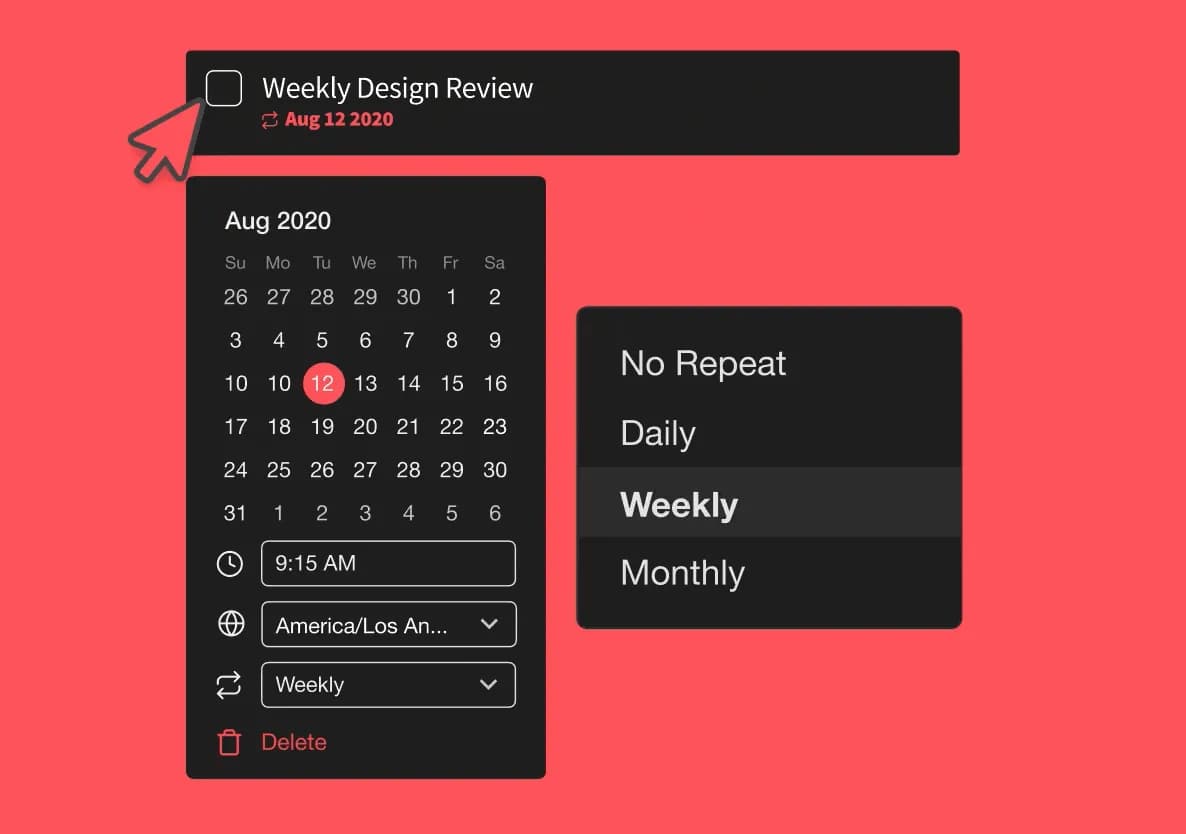
You can now set tasks to repeat daily, weekly, or monthly to automate your workflow.
Psst, use this simple weekly tasks template to help you get started on organizing weekly tasks!
⚡️ Duplicate Nodes
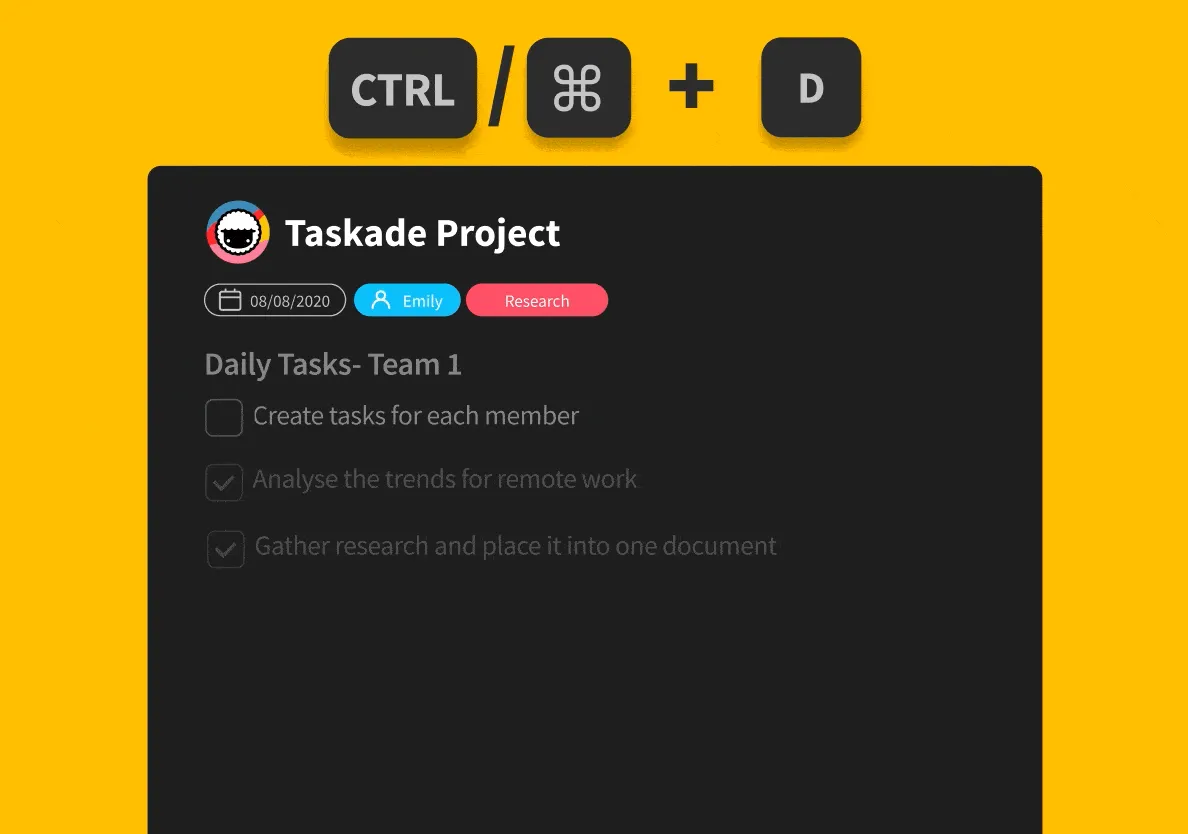
Simply ⌘ + D (Mac) or CTRL + D (Win) to duplicate a task or note.
⚡️ Desktop Widget
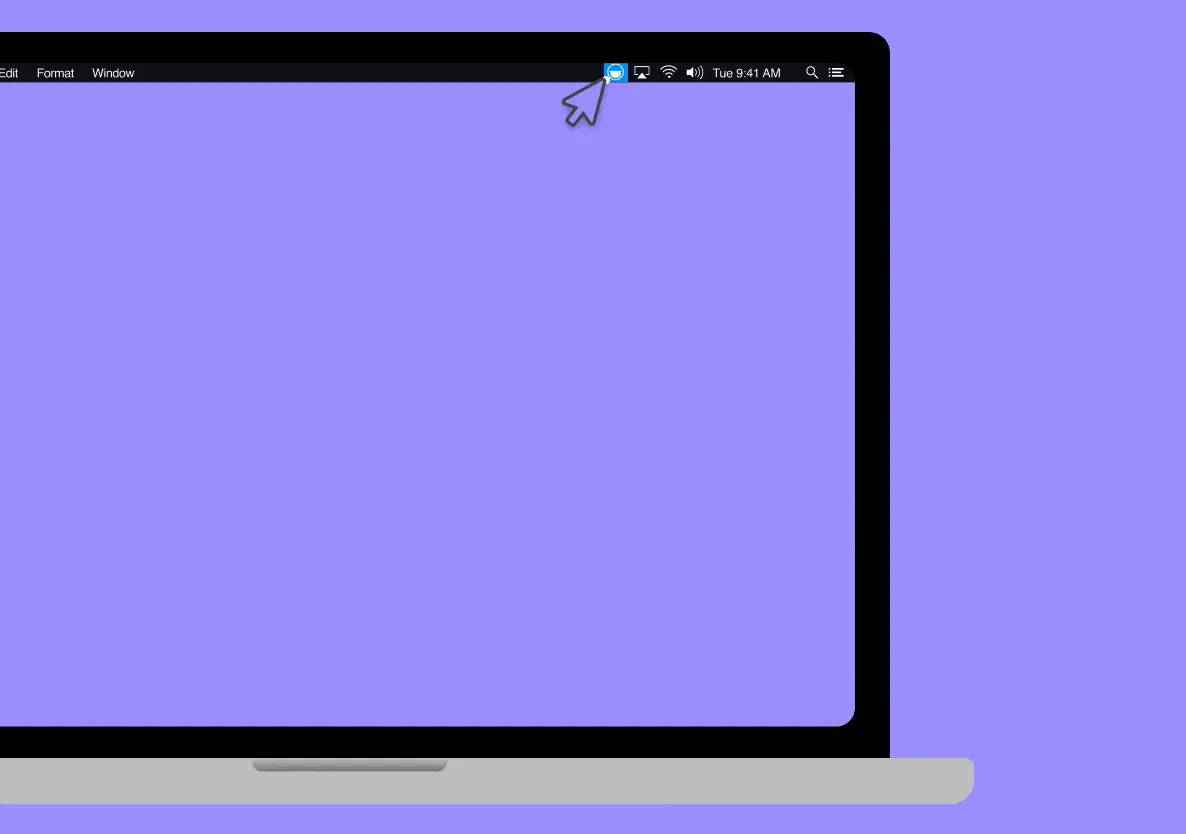
Here is a new way to quickly access your projects and workspaces. Click on the Taskade icon in the desktop app system tray (Win) or menu bar (Mac).
🔁 Anatomy of a Recurring Task
Daily, weekly, monthly. Three options in 2020 became the seed of Taskade Automations — branching, looping, conditional, and AI-driven in 2026.
   ┌──────────────────────────┐
   │  Standup checklist       │
   │  ↻ Daily · Mon–Fri · 9AM │
   ├──────────────────────────┤
   │  ☐ Yesterday's wins      │
   │  ☐ Today's focus         │
   │  ☐ Blockers              │
   └──────────┬───────────────┘
              │ task completed ✓
              ▼
       spawn next instance
              │
              ▼
        2026: 🤖 EVE summarizes
        previous week + drafts
        next standup automatically
Related Reading:
- Best Task Management Software and Tools
- Getting Things Done: GTD Beyond the To-Do List
- Undo, Redo, Project Changelog — safety net for recurring chains
- Learn Taskade: Triggers · Move Task action · Project Templates
- Combine recurring work with agents, 100+ integrations, and Taskade Genesis for prompt-built apps.
Thanks again for supporting Taskade, and as always, don’t hesitate to reach out if you need help. We’re here for you! 😊
— Team Taskade 🐑
Frequently Asked Questions
Does Taskade support recurring tasks?
Yes. Set any task to repeat daily, weekly, or monthly to automate repetitive workflows. When a recurring task is completed, Taskade automatically creates the next occurrence on schedule. Recurring tasks work across web, mobile, and desktop apps.
How do I duplicate a task in Taskade?
Press Cmd+D (Mac) or Ctrl+D (Windows) to instantly duplicate any task or note. The duplicated item appears directly below the original with all content, formatting, and sub-tasks preserved — useful for creating similar tasks quickly without retyping.
Does the Taskade desktop app have a system tray widget?
Yes. The Taskade desktop app includes a system tray (Windows) or menu bar (Mac) widget for quick access. Click the Taskade icon to browse your projects and workspaces in a compact popup without opening the full application window.
Can I automate my workflow with recurring tasks in Taskade?
Yes. Recurring tasks let you automate repetitive workflows by setting tasks to repeat on a schedule. Use them for daily standups, weekly reports, monthly reviews, or any routine work. Pair with templates to create fully pre-configured recurring project workflows.