






Hi Taskaders 🎉
New features and improvements are here. Let us know what you think!
TL;DR: The "Checker" role shipped in 2021 was the seed of today's full permissions model. Now Taskade ships multiple project views, 15+ frontier AI models, and 100+ integrations. Taskade Genesis builds living apps from a prompt, with AI Agents executing across the whole stack.
Then → Now: The 2021 "Checker" role was a single permission tier. Today Taskade has a RBAC — Owner to Viewer — wired into AI Agents and Automations so the right people see the right things automatically.
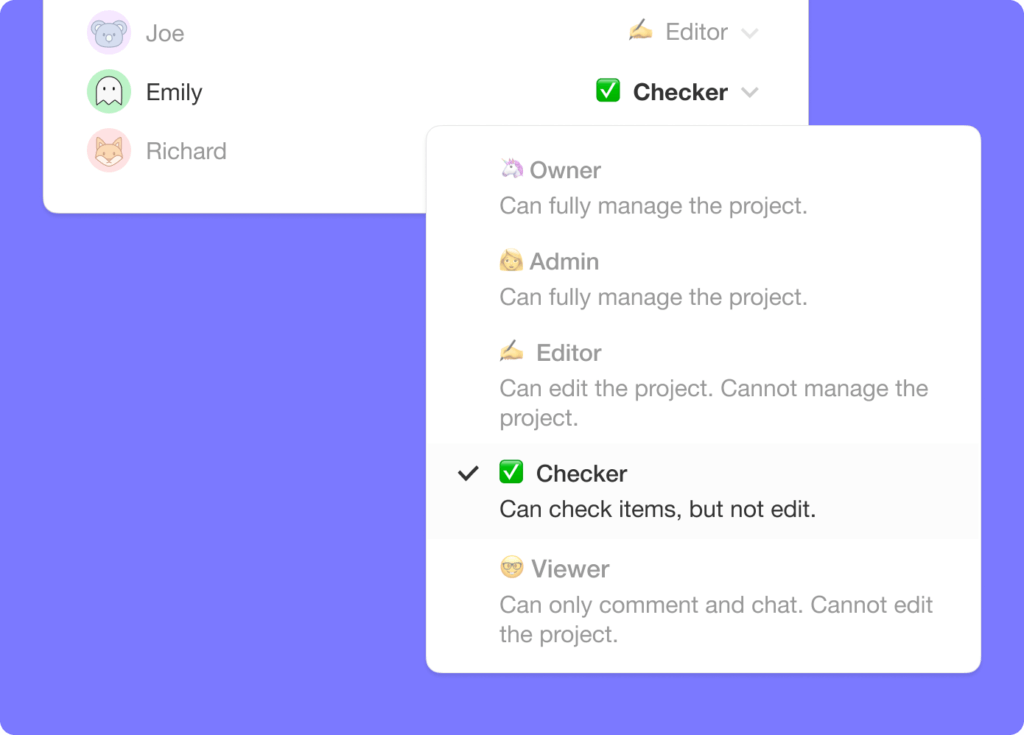
✅ Checker Role Permission
We added a new checker role permission to both workspaces and projects. The new role limits team members to checking and unchecking items only.
📦 Copy Tasks Across Projects
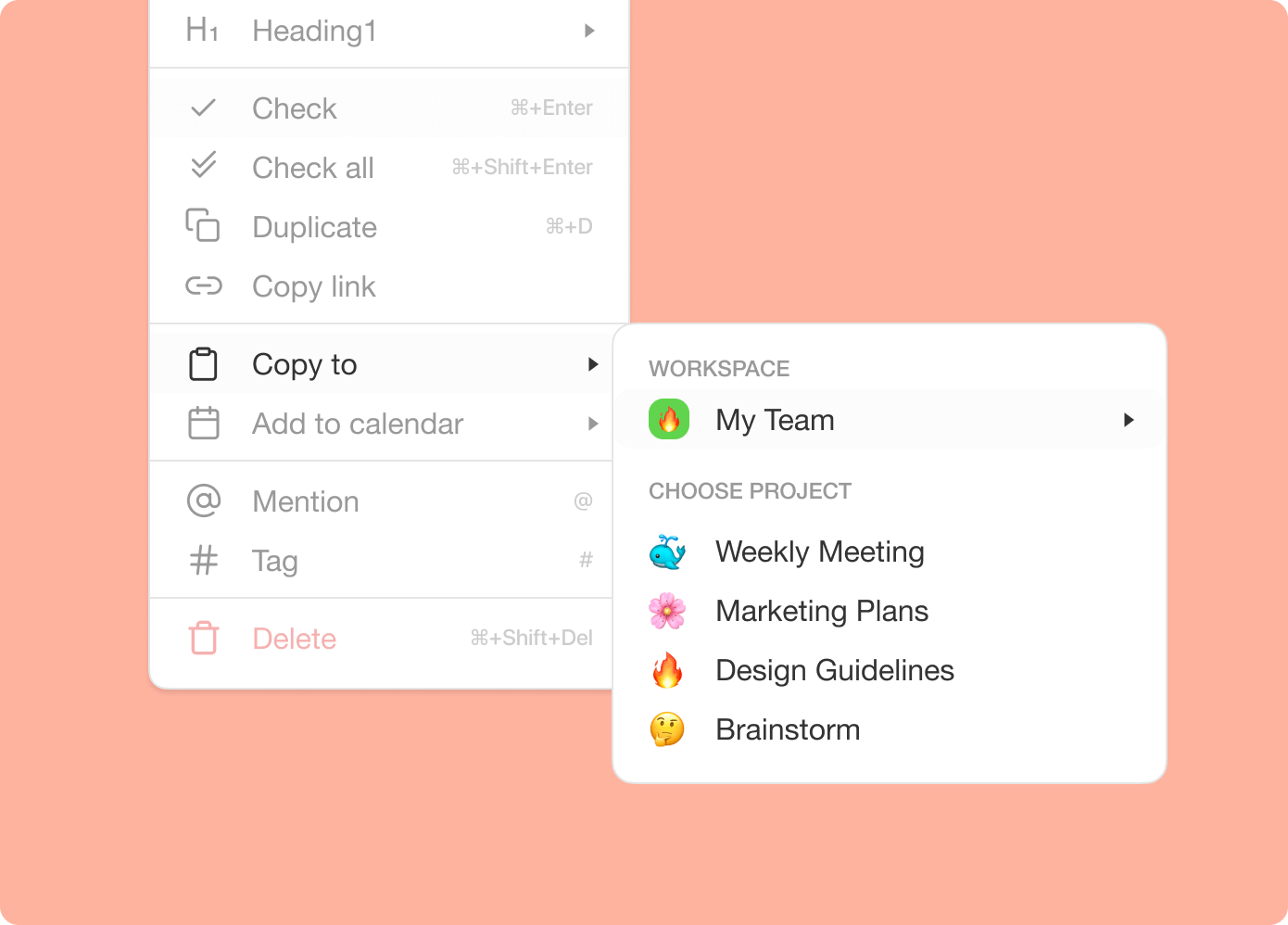
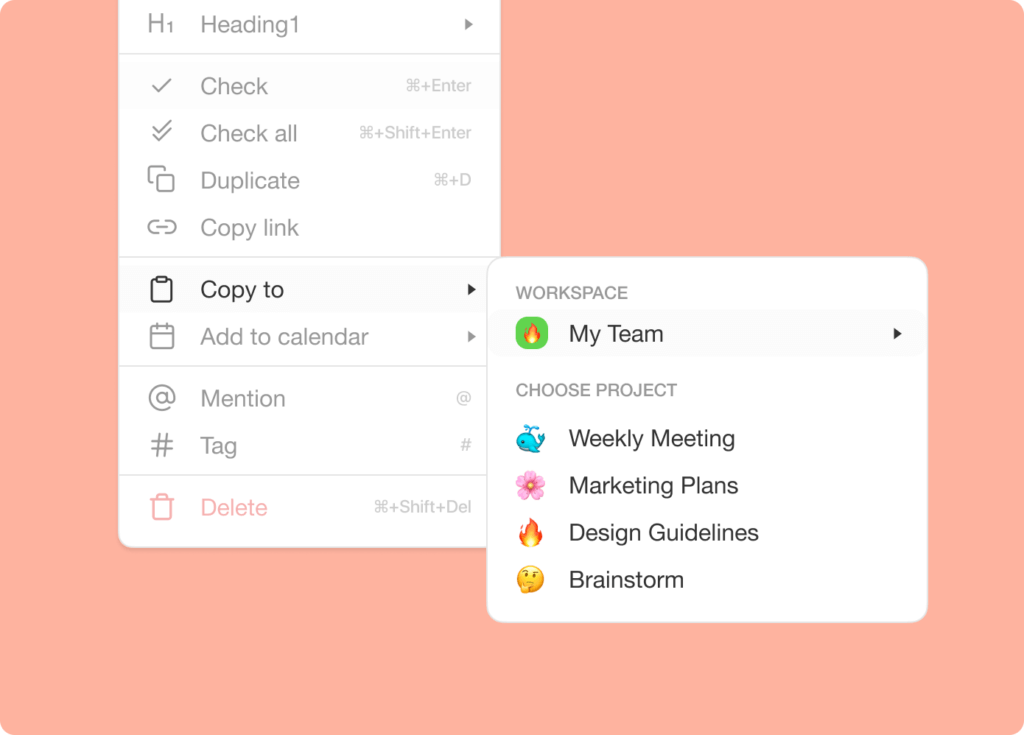
You can now copy tasks and blocks to other projects! Simply open the more menu to copy items to projects in any workspace or subspace.
📦 Keyboard Shortcuts for Add-ons
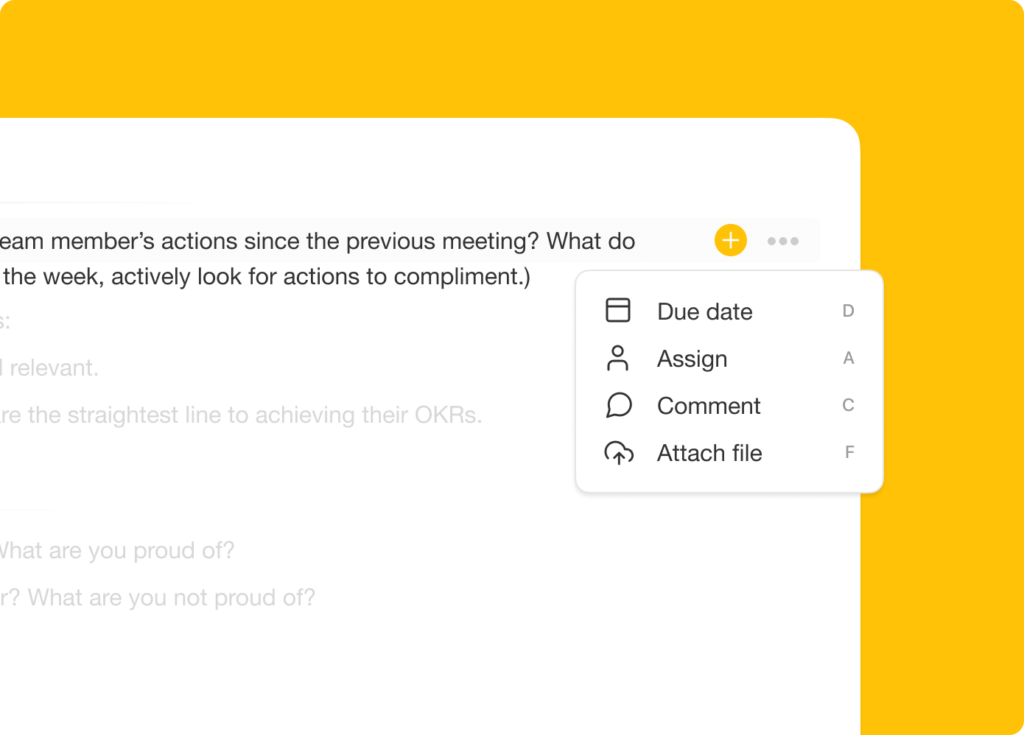
As you're creating a new task, press ⌘ + / (Mac) or CTRL + / (Windows) to open the add-on menu then press D to add a due date, A to assign, C to comment, or F to attach a file. You can also use arrow keys to navigate between different options and ESC to continue typing.
🎉 Other Improvements
- New: Option to invite all workspace members to a subspace.
- New: Screen sharing in video chat increased to 30 FPS.
- Added various keyboard shortcut enhancements.
- Added tooltip for URL hyperlinks in editor.
- Updated custom templates workflow.
- Updated add-ons and more menu.
- Improved performance and bug fixes.
2021 H1 vs Today (2026)
| Dimension | 2021 H1 | Today (2026) |
|---|---|---|
| Permissions | Checker role added (basic tier) | RBAC — Owner to Viewer |
| Copy / move | Copy tasks & blocks across projects | Same + bulk assign + Move Task automation |
| Shortcuts | Cmd+/ add-on menu (D/A/C/F) | Same + full keyboard shortcuts + slash commands |
| Video | Screen sharing 30 FPS | Same + Zoom + video calls |
| Intelligence | None | 15+ frontier AI models + agents respect RBAC automatically |
🔑 The Add-on shortcut, mapped
The Cmd+/ add-on menu was the seed of today's slash commands. Same finger memory; a much bigger menu.
Keyboard map
 ┌────────────────── ADD-ON MENU (Jun 2021) ──────────────────┐
 │   ⌘ /  or  Ctrl /     →   open add-on menu                 │
 │ ────────────────────────────────────────────────────────── │
 │     D   →  📅 Due date                                     │
 │     A   →  👤 Assign                                       │
 │     C   →  💬 Comment                                      │
 │     F   →  📎 File                                         │
 │     ↑↓  →  navigate                                        │
 │     ⏎   →  apply        Esc → keep typing                  │
 │ ────────────────────────────────────────────────────────── │
 │  2026 adds: AI commands, slash menu, agent triggers,       │
 │  custom fields, automation hotkeys                         │
 └────────────────────────────────────────────────────────────┘
RBAC, ranked
   Owner     ─── full control + billing
   Editor    ─── edit projects + tasks
   Checker   ─── comment and check off, no edit
   Viewer    ─── read-only
📚 Related reading — hub & spoke
- Taskade Genesis · AI Agents v2 · Automations · Community Gallery
- All project views · 100+ integrations · Pricing
- Learn — Permissions (RBAC)
- Learn — Slash commands
- Learn — Keyboard shortcuts
- Learn — Bulk assign
- Learn — Multi-Agent Teams
| Thanks again for supporting Taskade, and as always, don’t hesitate to reach out or visit our help center if you need help. We’re here for you! 😊 — Team Taskade 🐑 |
|---|
Frequently Asked Questions
What is the Checker role in Taskade?
The Checker role is a permission level that limits team members to checking and unchecking task checkboxes only. They cannot edit content, add tasks, or modify project structure. This is useful for stakeholders who need to approve or mark tasks as complete without altering the project.
Can I copy tasks between projects in Taskade?
Yes. Open the more menu on any task or block and select Copy to duplicate it to another project in any workspace or folder. The copied item retains its formatting, content, and sub-tasks, making it easy to reuse task structures across different projects.
Are there keyboard shortcuts for task add-ons in Taskade?
Yes. While creating or editing a task, press Cmd+/ (Mac) or Ctrl+/ (Windows) to open the add-on menu. Then press D for due date, A to assign, C to comment, or F to attach a file. Use arrow keys to navigate and Esc to close the menu and continue typing.
Does Taskade support screen sharing in video calls?
Yes. Taskade's built-in video conferencing includes screen sharing at up to 30 FPS. Share your entire screen or a specific window during team calls without switching to a separate video conferencing tool — everything stays within your Taskade project workspace.