






What if we told you that your biggest competitor is your messy workflow?
Chances are, your customer experience workflow is living in digital chaos right now, and it is costing you clients, revenue, and your sanity. Most customers abandon a brand after just one bad experience, and your team wastes hours searching for basic information.
TL;DR: Taskade AI kits automate CRM workflows end-to-end with pre-built projects, AI agents, and 100+ integrations at $10/month flat. Five free kits cover intake, feedback analysis, feature requests, and partner onboarding. Compare that to Salesforce ($25-165/user/month) or HubSpot ($20+/month with contact limits). Install your first CRM kit free

There is a better way, and it starts with organizing your systems properly. Today we are sharing 5 AI-powered kits designed to automate your client management processes, plus a head-to-head comparison of Taskade CRM automation against Salesforce, HubSpot, and Pipedrive.
Why Customer Experience Drives Revenue in 2026
Customer experience (CX) directly impacts your company's bottom line. According to PwC, 32% of all customers stop doing business with a brand they loved after one bad experience. McKinsey reports that companies excelling at CX grow revenue 2x faster than peers.
Today's market is brutal. If your CX falls short, customers move to someone who offers smoother, more responsive interaction. Streamlining your customer experience workflow means happier clients, increased loyalty, higher lifetime value, and accelerated business growth.
The solution is not another spreadsheet or another Salesforce license. It is an AI-powered system that handles intake, triage, follow-up, and analysis automatically while you focus on relationships.
| CX Metric | Impact | Source |
|---|---|---|
| 32% churn after one bad experience | Direct revenue loss | PwC 2024 |
| 2x revenue growth for CX leaders | Competitive advantage | McKinsey 2025 |
| 67% higher CLV with automated follow-ups | Lifetime value increase | Gartner 2025 |
| 4.5x faster response with AI triage | Customer satisfaction | Zendesk 2025 |
How AI CRM Automation Works in Taskade
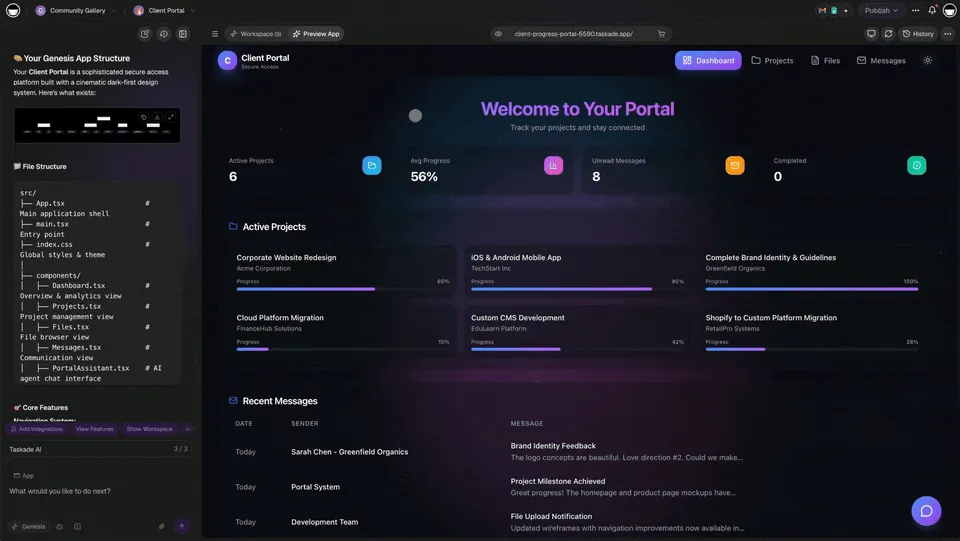
Before diving into specific kits, here is how Taskade's Workspace DNA powers CRM automation through three integrated layers:
- Projects (Memory) store client data, tickets, and feedback in structured databases with custom fields visible across multiple project views (List, Board, Calendar, Table, Mind Map, Gantt, Org Chart)
- AI Agents (Intelligence) powered by frontier models from top AI labs triage requests, analyze sentiment, and draft personalized responses using built-in tools
- Automations (Execution) connect your tools via 100+ integrations including Gmail, Slack, Salesforce, HubSpot, and Shopify to trigger cross-platform workflows automatically
Each AI kit bundles all three layers into a one-click install. No coding, no configuration, no vendor lock-in.
Taskade CRM vs Salesforce vs HubSpot vs Pipedrive
Before exploring each kit, here is how Taskade CRM automation compares to the three most popular CRM platforms for small-to-mid teams.
Pricing Comparison (5-Person Team, Annual Billing)
| Platform | Plan | Monthly Cost (5 Users) | AI Included | Automation Limit |
|---|---|---|---|---|
| Taskade | Pro $10/mo flat | $10/mo | Generous AI credit allowance (frontier models) | Unlimited |
| Salesforce | Essentials $25/user | $125/mo | Einstein AI add-on ($50/user) | 500 rules/org |
| HubSpot | Starter $20/mo | $20/mo (1,000 contacts) | Limited credits | 10 workflows |
| Pipedrive | Advanced $28/user | $140/mo | AI add-on ($32/user) | 30 active automations |
Feature Comparison
| Capability | Taskade | Salesforce | HubSpot | Pipedrive |
|---|---|---|---|---|
| AI-powered triage | Built-in agents | Einstein (add-on) | Breeze AI (limited) | AI Sales Assistant |
| Sentiment analysis | Agent + automation | Einstein Sentiment | Not native | Not native |
| Email automation | 100+ integrations | Pardot ($1,250/mo) | Marketing Hub | Campaigns add-on |
| Custom views | Multiple project views | Reports + dashboards | Lists + reports | Pipeline view |
| Video calls | Built-in | Not included | Meetings (limited) | Not included |
| Setup time | 5 minutes (kits) | 2-6 weeks | 1-2 weeks | 1-3 days |
| Integrations | 100+ native | 2,500+ AppExchange | 1,400+ marketplace | 350+ marketplace |
| Best for | Teams < 50, AI-first | Enterprise, compliance | Inbound marketing | Sales pipeline |
When to Choose Each Platform
- Taskade: Teams under 50 needing AI-powered automation, fast setup, and flat pricing without per-user scaling
- Salesforce: Enterprises requiring deep customization, compliance reporting, and a mature ecosystem of third-party apps
- HubSpot: Marketing-heavy teams focused on inbound lead generation with free CRM as entry point
- Pipedrive: Sales-focused teams who want visual pipeline management with minimal complexity
AI Client Request Management Kit: Tame Inbox Chaos
Time Saved: 1-2 hours per request by automating intake, triage, and tracking.
The Problem
Client requests bombard you from every direction: email, social media, support forms, direct messages. Without a centralized request system, tracking, prioritizing, and assigning queries becomes nearly impossible. Slower response times, duplicated efforts, and missed requests make clients feel ignored.
The Solution
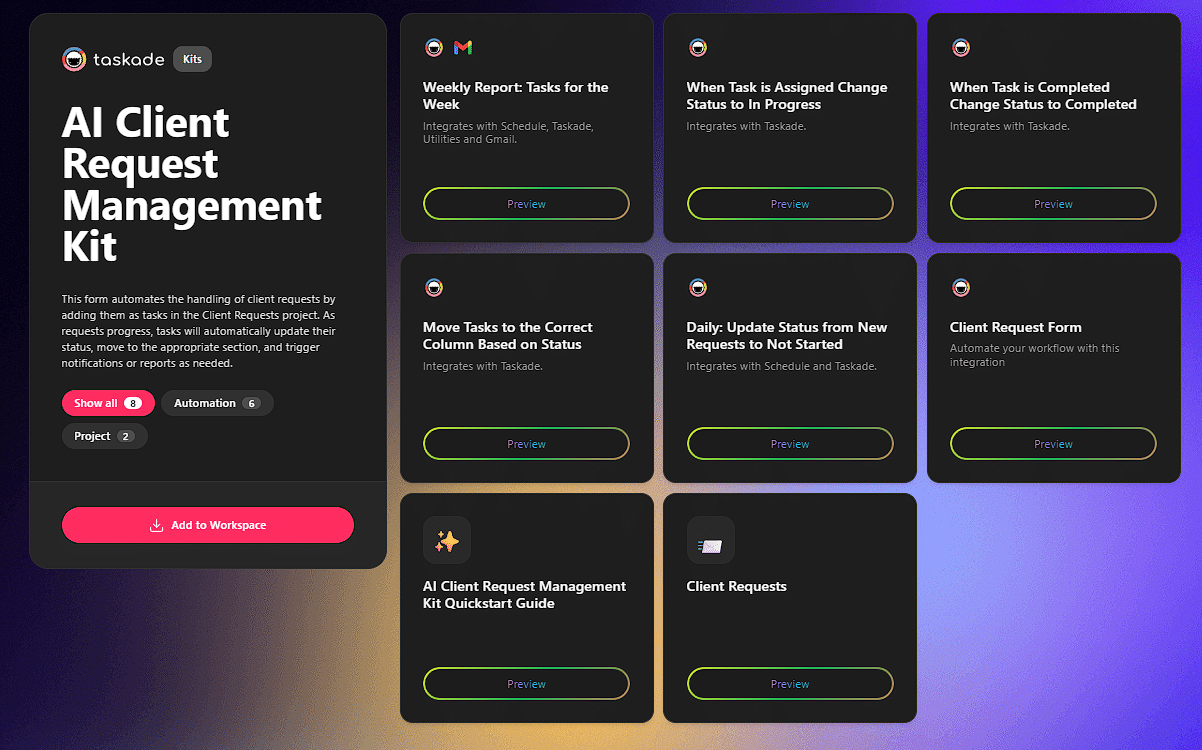
The AI Client Request Management Kit acts as your central command center for every client interaction. It provides a standardized automation workflow to capture, log, and organize all incoming queries in one shared space.
With this kit, you can instantly assign requests to the right team members using role-based access (Owner to Viewer), set priorities, and monitor every ticket from submission to resolution.
How It Compares to Salesforce Service Cloud
Salesforce Service Cloud starts at $25/user/month for case management. The Taskade Client Request Kit is included in Pro ($10/month flat) with AI triage on the plan's credit allowance and no per-case pricing. Salesforce offers deeper reporting; Taskade offers faster setup and AI-powered routing.
The Benefit
By implementing this client ticket management system, you slash response times and give your team clarity. The outcome is a seamless, professional experience that builds client trust from the first touchpoint.
Add the Client Request Management Kit to your workspace
AI Customer Email Feedback Kit: Capture Every Insight
Time Saved: 30-45 minutes per feedback email by auto-capturing, tagging, and routing insights.
The Problem
Your customers give valuable feedback directly through email, yet these insights get lost in inbox clutter. When feedback is scattered across different team accounts, there is no central place to track or analyze it. Great ideas slip through the cracks.
The Solution
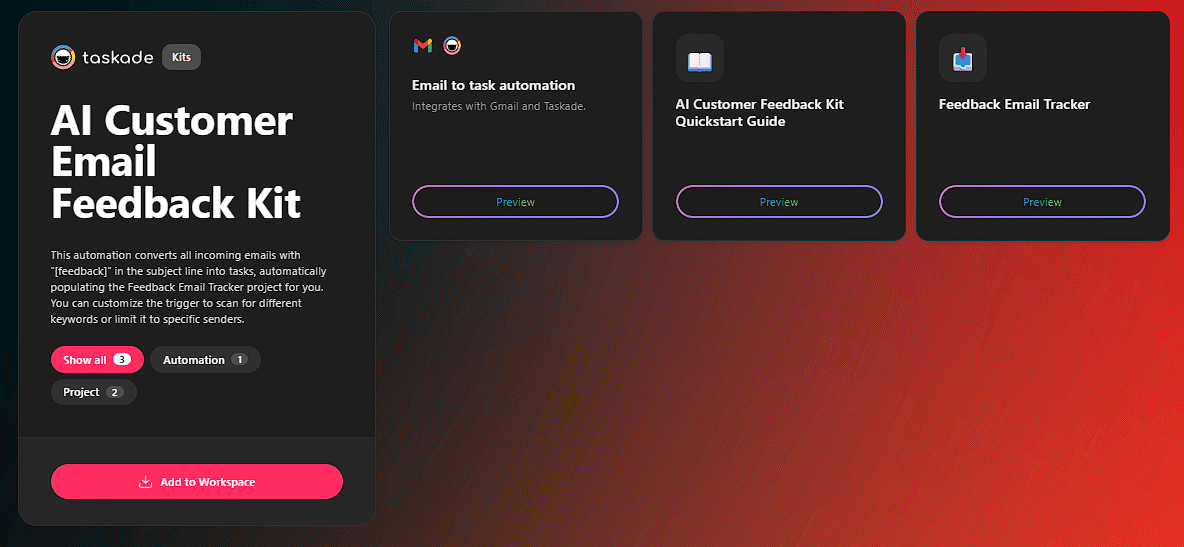
The AI Customer Email Feedback Kit connects your Gmail inbox directly to a Taskade project via automation workflows. It automatically converts any incoming email with a specific keyword (like "[feedback]") in the subject line into a new task inside a dedicated "Feedback Email Tracker" project.
You can customize the automation to scan for different keywords or trigger only for emails from specific senders. Explore more document conversion tools for transforming other content types.
How It Compares to HubSpot Feedback
HubSpot's customer feedback tools require Service Hub Professional ($100/month) for surveys and NPS tracking. Taskade's Email Feedback Kit is included in Pro ($10/month) with unlimited feedback capture, AI-powered categorization, and no contact limits.
The Benefit
You create a single source of truth for all email-based customer feedback without manual work. Every piece of feedback is captured and organized in one central, shareable location. This structured approach transforms your inbox from a chaotic archive into an organized engine for customer-led improvement.
Add the Customer Email Feedback Kit to your workspace
AI Customer Feedback Handling Kit: Automate Analysis
Time Saved: 2-4 hours per analysis cycle by automating sentiment clustering and reporting.
The Problem
Collecting feedback is only half the battle. The real challenge is analyzing the mountain of unstructured comments, reviews, and survey responses. Manually sifting through data is time-consuming, prone to bias, and often gets pushed aside. The most valuable insights buried within customer comments are never surfaced.
The Solution
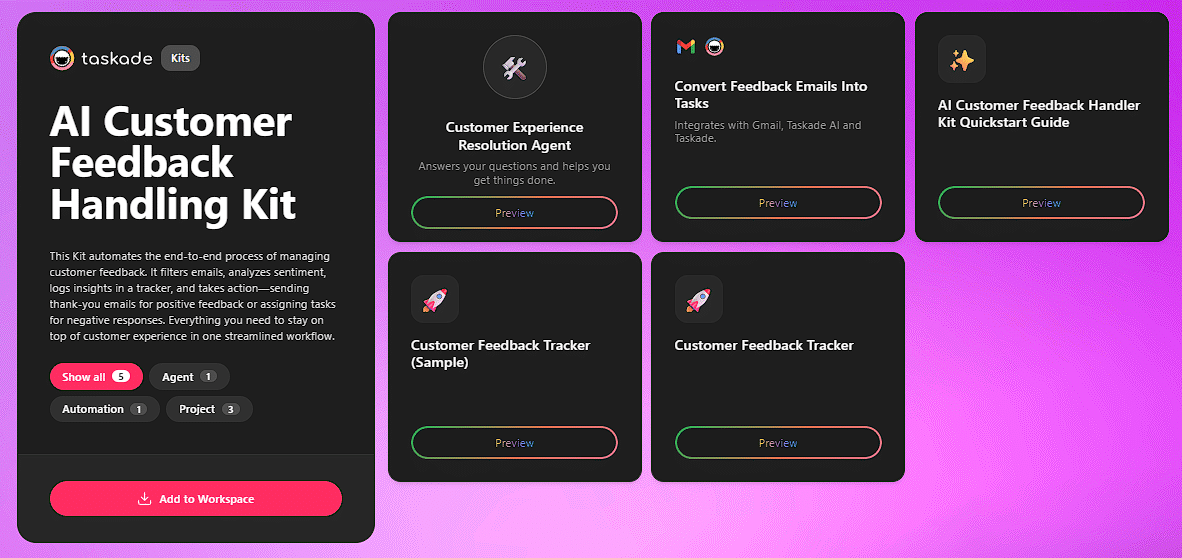
The AI Customer Feedback Handling Kit functions as an AI-powered analysis engine. Using advanced AI sentiment analysis, this kit automatically categorizes feedback, detects sentiment (positive, negative, neutral), and identifies urgency and intent behind each comment.
How It Compares to Salesforce Einstein Analytics
Salesforce Einstein Analytics costs $75/user/month on top of base CRM pricing. Taskade's Feedback Handling Kit includes AI-powered sentiment analysis in the Pro plan ($10/month flat) with unlimited analysis runs. Einstein offers deeper predictive models for enterprise; Taskade provides faster, more accessible analysis for growing teams.
The Benefit
This kit saves hours of manual labor and provides deeper, more accurate insights from customer data. It empowers your team to instantly spot critical issues, understand the "why" behind the scores, and prioritize responses.
Add the Customer Feedback Handling Kit to your workspace
AI Customer Feedback/Feature Request Kit: Build a Roadmap Customers Love
Time Saved: 2-3 hours per feature idea by centralizing intake, scoring, and roadmap alignment.
The Problem
Brilliant feature ideas from your most engaged users fall into a "feature request black hole." They are lost in email threads, support tickets, or sales call notes. Without a central system for feature request tracking, product roadmaps are built on assumptions rather than on what customers actually need.
The Solution
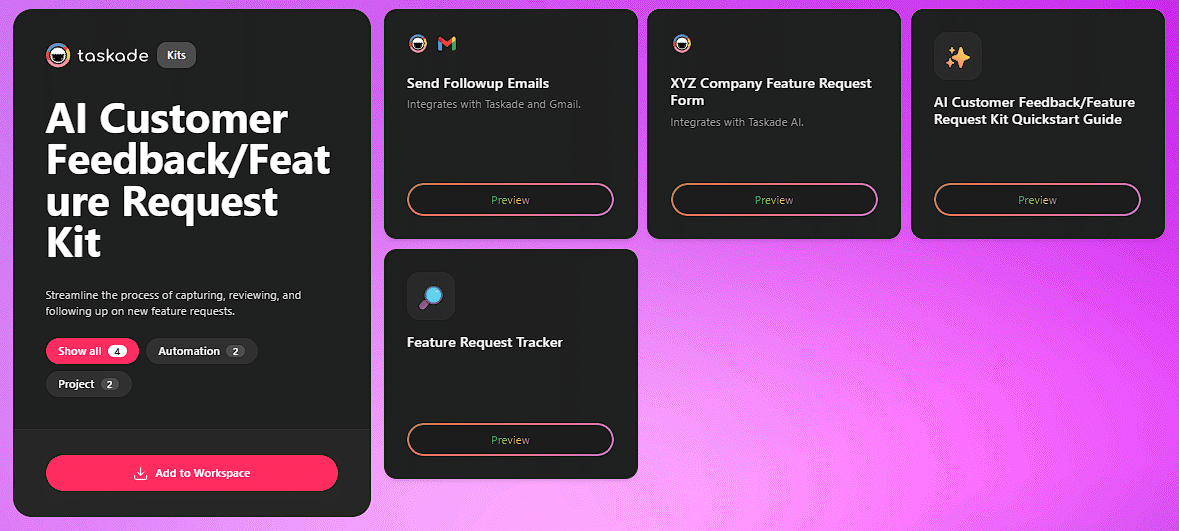
The AI Customer Feedback/Feature Request Kit establishes a single source of truth for customer-led product development. It provides a dedicated feature request board where all user feedback and ideas can be captured, organized, and prioritized.
This product roadmap template allows your team to quantify requests, link them to specific customer accounts, and visualize the most in-demand features using Board view or Table view.
How It Compares to Pipedrive Smart Docs
Pipedrive focuses on sales pipeline automation, not feature request management. Dedicated tools like Productboard cost $20/maker/month. Taskade's Feature Request Kit combines AI-powered categorization with project management views and automation workflows at $10/month flat.
The Benefit
Your development resources focus on building features that solve real problems and drive customer value. The transparent process makes customers feel heard and invested in your product's evolution. You build a stronger product, reduce churn, and foster a loyal customer base.
Add the Customer Feedback/Feature Request Kit to your workspace
Reseller Assessment Kit: Onboard the Right Partners
Time Saved: 1-4 hours per partner by automating data gathering, qualification, and outreach.
The Problem
Expanding through a channel partner program is a powerful growth lever, but a disorganized reseller onboarding process creates risk and delays. Manually vetting each potential partner is time-consuming and leads to missed opportunities or poor-fit partnerships.
The Solution
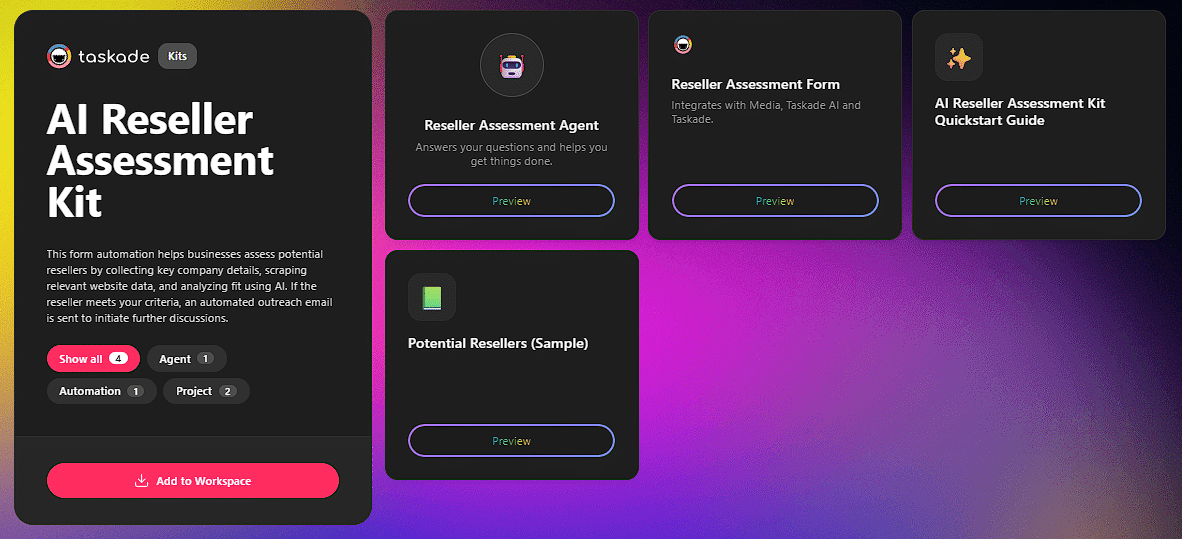
The AI Reseller Assessment Kit offers a standardized framework for vetting, assessing, and onboarding new channel partners. This kit uses form automation to collect key company details from potential resellers and automatically scrapes relevant website data. An AI Reseller Assessment Agent analyzes the collected information to determine fit against your criteria.
If the reseller meets your standards, an automated outreach email is sent via email automation to initiate further discussions.
The Benefit
You mitigate risks and build stronger partnerships from day one. By automating initial data collection and using AI for precise fit analysis, you only reach out to partners who truly align with your criteria. This streamlines the process, saves valuable time, and helps you identify and accelerate the right partners' ability to sell effectively.
Add the AI Reseller Assessment Kit to your workspace
CRM Automation Workflow: End-to-End Architecture
Here is how all five kits connect into a unified CRM automation pipeline:
Each kit operates independently but compounds when connected. Feedback from the Email Kit flows into the Handling Kit for sentiment analysis, which feeds the Feature Request Kit for roadmap prioritization. The result is a closed-loop CRM system where every customer interaction improves the next one.
Building a Complete CRM System With Taskade
Step 1: Structure Your Client Data
Create a client database using Projects as Databases with custom fields for company name, deal stage, contact info, and last interaction date. Switch between multiple views to see the same data as a pipeline board, calendar timeline, or relationship mind map.
Step 2: Deploy AI Agents for Intelligence
Train custom AI agents on your client data, brand guidelines, and communication history. Agents can draft personalized follow-ups, summarize interaction history before calls, and flag at-risk accounts based on engagement patterns. Each agent has persistent memory that improves with every interaction.
Step 3: Connect Automations Across Tools
Set up automation workflows that trigger cross-platform actions. When a deal stage changes, automations notify the team on Slack, update the CRM record, and schedule a follow-up task. Connect 100+ integrations including Gmail, Salesforce, HubSpot, Slack, and Shopify.
Step 4: Monitor With Live Dashboards
Build a Genesis CRM dashboard that displays pipeline health, response times, sentiment trends, and revenue forecasts in real time. The dashboard pulls data from your projects, uses AI agents for analysis, and updates automatically as new information arrives.
CRM Automation ROI Calculator
| Metric | Manual Process | With Taskade AI Kits | Savings |
|---|---|---|---|
| Request triage | 15 min/ticket | 30 sec/ticket | 96% time reduction |
| Feedback analysis | 4 hours/cycle | 15 minutes/cycle | 94% time reduction |
| Follow-up drafting | 20 min/email | 2 min/email (AI draft) | 90% time reduction |
| Partner vetting | 3 hours/partner | 20 min/partner | 89% time reduction |
| Monthly cost (5 users) | $175+ (Salesforce) | $10 (Taskade Pro) | 94% cost reduction |
Migration Guide: Moving From Legacy CRM to Taskade
From Salesforce: Export contacts and deals as CSV. Import to Taskade projects with custom fields mapped to Salesforce columns. Install the Client Request Kit for case management. Connect Salesforce as an integration source for ongoing sync.
From HubSpot: Export contacts, deals, and email history. Import to Taskade with the table view. Install the Email Feedback Kit for capturing inbound communication. Train an AI agent on your email templates and brand voice.
From Pipedrive: Export pipeline data as CSV. Import to Taskade Board view for visual pipeline management. Install the Feature Request Kit for customer-led product development. Connect Pipedrive as a secondary data source during transition.
FAQs
How can AI automate customer relationship management?
AI automates CRM by handling client request intake, triaging support tickets, sending follow-ups, tracking satisfaction scores, and generating client reports. Taskade AI kits bundle these into pre-built workflows with AI agents, automations, and 100+ integrations that save 1-2 hours per client interaction.
What is a customer experience workflow?
A customer experience workflow is the end-to-end process of managing client interactions from first contact through ongoing support. It includes intake forms, triage systems, communication templates, feedback collection, and renewal tracking. AI automates the repetitive steps so teams focus on building strong client relationships.
Can AI workflow kits replace a traditional CRM like Salesforce?
For small-to-mid teams, AI workflow kits handle the same functions as traditional CRM at a fraction of the cost. Taskade Pro at $10/month includes a generous monthly AI credit allowance, 100+ integrations, and automation workflows. Salesforce starts at $25/user/month for basic features and $165/user/month for full automation.
How does Taskade CRM automation compare to Salesforce?
Taskade Pro includes 1,000 automation runs a month, shared by the workspace, at $10/month billed annually. Salesforce charges $25-165/user/month with limited automation runs (500-20,000/month depending on tier). Taskade is ideal for teams under 50 needing fast setup with AI agents. Salesforce suits enterprises requiring deep customization and compliance reporting.
How does Taskade compare to HubSpot for CRM workflows?
HubSpot offers a generous free CRM but limits automation to Marketing Hub Starter at $20/month (1,000 contacts). Taskade provides unlimited contacts, a generous monthly AI credit allowance, and 100+ integrations at $10/month. HubSpot excels at inbound marketing; Taskade excels at AI-powered task execution and multi-view project management.
Can I connect Taskade CRM automations to external tools?
Yes. Taskade supports 100+ native integrations across 10 categories including email (Gmail, Outlook), CRM (Salesforce, HubSpot), communication (Slack, Microsoft Teams), and payment platforms (Stripe, Shopify). Automations trigger cross-platform workflows automatically.
What is the best CRM automation tool for small teams in 2026?
Taskade is the best CRM automation tool for small teams with AI-powered workflows at $10/month for up to 10 users. It includes unlimited AI agents, 100+ integrations, multiple project views, and automation workflows. Alternatives include HubSpot Free CRM for inbound marketing and Pipedrive at $14/user/month for sales pipeline management.
How do AI agents improve CRM compared to traditional automation?
Traditional CRM automation follows rigid if-then rules. AI agents in Taskade understand context, learn from past interactions, and make intelligent decisions. They draft personalized follow-ups based on conversation history, prioritize leads by engagement patterns, and generate reports with natural language insights using built-in tools.
How long does it take to set up AI CRM automation in Taskade?
Each Taskade AI kit installs in one click and runs immediately. Basic setup takes under 5 minutes. Connecting external tools via integrations adds 10-15 minutes per service. A full CRM automation system with intake, triage, feedback, and reporting can be operational within one hour.
Can Taskade handle multi-client CRM with role-based access?
Yes. Taskade supports role-based access (Owner to Viewer) that lets you create dedicated workspaces per client with granular permission controls. Internal team members see everything; clients see only shared views.
Get Started With CRM Automation
A superior customer experience never happens by chance. It emerges from a well-designed, unified system that connects every touchpoint.
Our team has built 5 free AI-powered kits that tackle CRM challenges head-on. Each kit gives you a plug-and-play solution to automate intake, analysis, and follow-up workflows. These tools handle the repetitive work automatically and ensure nothing important falls through the cracks.
That is the power of Taskade. AI-powered solutions give you everything you need to elevate your customer experience, streamline your workflows, and build stronger, longer-lasting relationships.
Start building your CRM system free
Related Reading
CRM and Automation:
- AI Tools for Automation - Complete automation toolkit guide
- AI Automation Agents - How AI agents automate routine work
- What Is Agentic Engineering - The architecture behind intelligent agents
Comparisons:
- Taskade vs Monday.com - Project management comparison
- Taskade vs Asana - Task management comparison
- Best Monday Alternatives 2026 - Project management tools ranked
Platform Resources:
- Taskade AI Agents - Build custom AI agents for CRM
- Automation Workflows - Set up cross-platform automations
- 100+ Integrations - Connect your existing tools
- Learn: Automation Triggers - Step-by-step automation guide
- Community Gallery - Browse CRM app templates
Sources: