






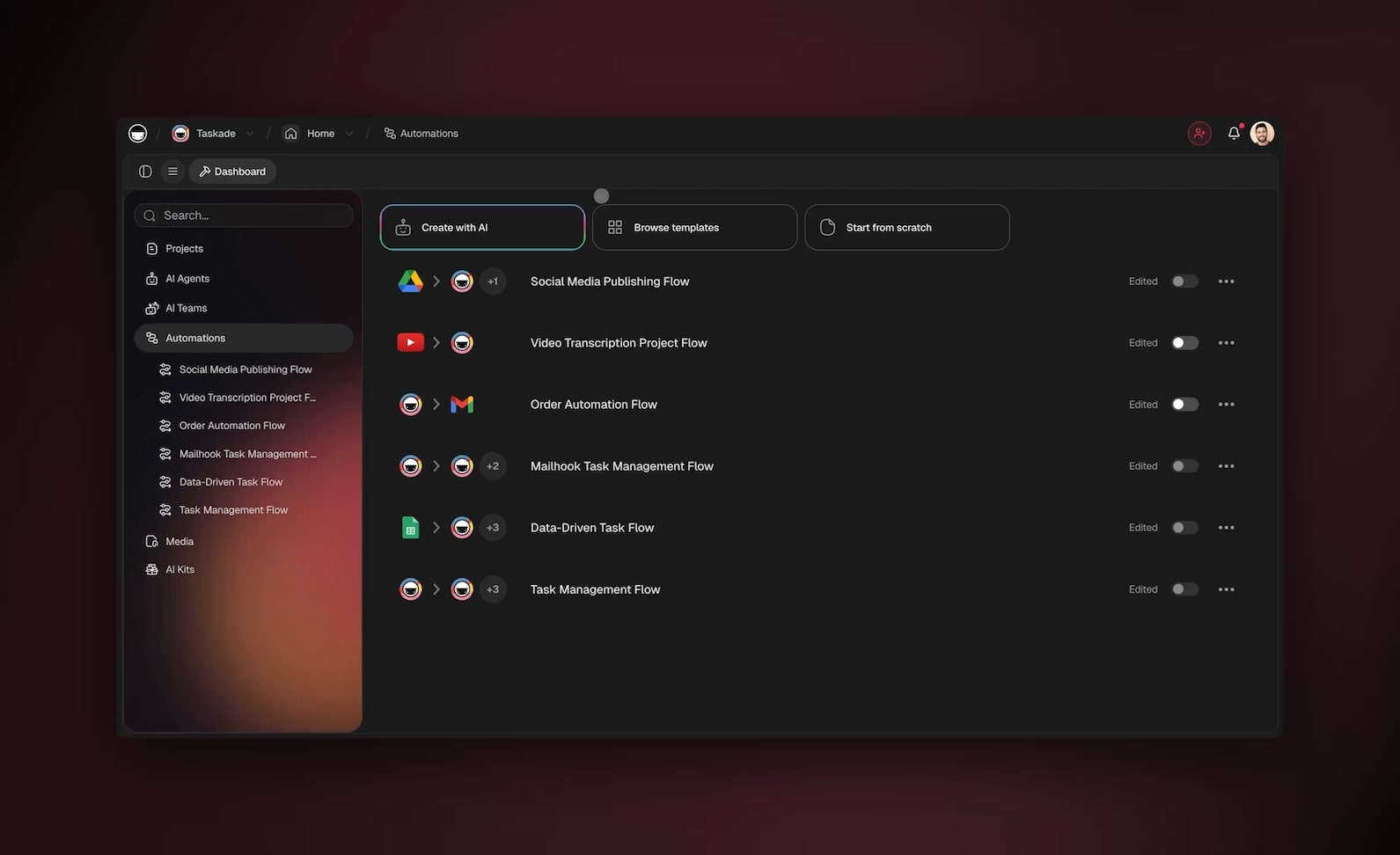
Agentic process automation (APA) is the practice of running business processes with AI agents that reason at every step: the agent reads each case, decides the next action, calls the tools it needs, and recovers from exceptions on its own instead of escalating every surprise to a human queue. Where robotic process automation (RPA) replays a recorded script and halts at the first input it does not recognize, APA treats the unexpected as part of the job. That single difference is why the term is replacing RPA in enterprise automation conversations.
TL;DR: APA puts a reasoning agent inside the process instead of a recorded script in front of it. RPA breaks on exceptions; APA resolves them. Start with one high-frequency, exception-heavy process (invoice exceptions, lead qualification, ticket triage), run the agent in shadow mode, keep humans on the consequential approvals. Taskade Genesis builds the whole thing from a plain-English description, with agents that carry built-in tools and reach 100+ bidirectional integrations.
This guide is the business-process sibling of our definitional piece, Agentic Workflows Explained. That article is the full explainer on what agentic workflows are and how the reasoning loop works. This one answers the question an operations lead actually brings to the table: which of my processes should an agent run, how is that different from the RPA we already tried, and how do I roll it out without breaking anything? For the quick reference definition, the agentic workflows wiki entry covers the terms in two minutes.
What is agentic process automation, exactly?
Agentic process automation is what you get when you apply agentic workflows to named, repeatable business processes: the invoice exception queue, the inbound lead pipeline, the vendor onboarding checklist. A process has an owner, a service-level expectation, and consequences when it fails, which is exactly why the reasoning layer matters more here than anywhere else.
The term is best understood as the fourth step in a lineage that operations teams have lived through:
| Era | Approach | What it automates | Where it stops |
|---|---|---|---|
| Scripts and macros | Hardcoded steps | Keystrokes and file moves | Any change to the input |
| RPA | Software robots replay recorded clicks | Structured, repetitive screen work | UI changes, malformed inputs, exceptions |
| Intelligent automation (IPA) | ML models inside fixed flows | Document reading, classification | The flow itself is still fixed |
| APA | Reasoning agents own the process | The judgment calls and the exceptions | Consequential actions you gate behind approval |
Each generation automated the layer beneath it and exposed the layer above. RPA proved that structured repetition could be handed to machines, and in doing so revealed that most real process pain lives in the exceptions RPA cannot touch. If you want the deeper history of that generation, What Is Robotic Process Automation tells the whole story. APA is the generation that finally goes after the exceptions.
One definitional paragraph is all this guide needs, because the mechanism underneath (the observe-reason-act loop, the design patterns, the autonomy ladder) is covered end to end in the full agentic workflows explainer. Here we stay on the process side: where RPA breaks, what an agentic process run looks like, which processes to pick, and how to roll one out.
APA vs RPA: where the script breaks and the agent holds
The clearest way to see the difference is to follow one messy case through both systems.
The RPA path on the left is genuinely fast when the invoice matches the template. The moment a supplier sends a PDF with the PO number in the wrong field, the bot stops and a human inherits the case with zero context. Multiply that by every supplier's formatting quirks and you get the quiet reality of most RPA programs: the bots handle the clean majority while an exception queue grows next to them, staffed by the same people the bots were meant to free.
The APA loop on the right treats the malformed invoice as just another state to reason about. The agent notices what is missing, decides how to get it, and only escalates when its confidence is genuinely low, at which point the human receives the case with the agent's findings attached rather than a raw failure ticket.
Three capabilities separate the two, and they map directly onto what a business process demands:
| Capability | RPA bot | Agentic process |
|---|---|---|
| Read unstructured input | No, needs exact field positions | Yes, reads intent from messy documents |
| Choose the next step | No, the path was recorded | Yes, decided per case at runtime |
| Recover from exceptions | No, halts or misfires | Yes, reasons a recovery, escalates with context |
None of this makes deterministic automation obsolete. The pattern that works in production is a split: durable, fixed automation carries the reliable plumbing (move the file, post the record, send the notification), and the agent sits at the decision points where judgment is required. You can see that split in every mature example in our AI agents that automate work playbook.
The exception rate test: which processes actually need APA
Not every process deserves an agent, and putting one where a fixed flow would do adds cost and review burden for nothing. The test is simple to run on any process you own: what share of cases deviate from the happy path, and how many input shapes arrive?
- Low exception rate, one input shape. A webhook always delivers the same fields; the approval chain never varies. Use plain automation. It is cheaper, faster to audit, and easier to debug. The Taskade automation hub covers this tier with triggers, branches, loops, and waits.
- High exception rate, or inputs you cannot enumerate. Emails, scanned documents, half-filled forms, tickets written in frustration. No amount of branching keeps up, because every branch you add reveals two more you missed. This is APA territory.
- The middle. Most real processes. The happy path is scriptable, the edges are not. Split it: automation runs the spine, an agent owns the exceptions.
There is a second, quieter signal worth checking: where does your team's time actually go? In most operations teams the clean cases already move fast; the hours disappear into the 15 percent of cases that need a lookup, a clarifying email, or a judgment call. That 15 percent is the APA payload. Automating the 85 percent again, with a shinier tool, changes nothing anyone feels.
Anatomy of an agentic process run
Here is what one APA case actually looks like at runtime, using the invoice exception example. The shape is the observe-reason-act loop from the full explainer, pointed at a process with money attached.
+--------------------------------------------------------------+
|            AGENTIC PROCESS AUTOMATION: ONE CASE              |
+--------------------------------------------------------------+
|                                                              |
|  CASE IN -->  "Invoice #4471, PO number missing"             |
|                                                              |
|  +------------------ REASONING LOOP -------------------+     |
|  |                                                     |     |
|  |  1. OBSERVE   read invoice + supplier history       |     |
|  |       |                                             |     |
|  |       v                                             |     |
|  |  2. REASON    "supplier usually references the      |     |
|  |       |        PO in the email subject, check it"   |     |
|  |       v                                             |     |
|  |  3. ACT       call tools:  > email thread lookup    |     |
|  |       |                    > PO database match      |     |
|  |       |                    > three-way validation   |     |
|  |       v                                             |     |
|  |  4. CHECK     confident?  -- no --> back to step 1  |     |
|  |       |                                             |     |
|  |       +-- yes --> POST invoice, write the log       |     |
|  |                                                     |     |
|  +-----------------------------------------------------+     |
|                                                              |
|  GUARDRAILS:  tool allow-list  |  step budget  |             |
|               approval gate before payment release           |
+--------------------------------------------------------------+
Step 2 is the part no recorded script has. A bot cannot notice that this supplier habitually puts the PO number in the email subject line. The agent can, because it is reasoning over the case and its context rather than replaying keystrokes.
Three design choices turn this loop from a demo into something a controller will sign off on:
- A concrete definition of done. "Invoice posted with a matched PO, or escalated with findings" is a stopping condition. "Handle invoices" is not. Sharp goals produce decisive agents; vague goals produce wandering ones.
- A step budget. Cap the tool calls per case. If the agent hits the ceiling, it escalates instead of spinning. This is the seatbelt that converts "could loop forever" into "stops and asks."
- A tool allow-list. An invoice agent needs lookup and matching tools. It does not need the ability to change payment details or email suppliers unsupervised. Narrow the surface and entire failure classes become impossible by construction.
The same three choices, applied consistently, are what the agentic engineering discipline formalizes.
The building blocks, in process terms
Every agentic process is assembled from the same four design patterns the wider field has converged on. The deep treatment lives in the agentic workflows explainer and the 21 agentic design patterns field guide; here is the process-owner's translation:
| Pattern | In workflow terms | In process terms |
|---|---|---|
| Reflection | Agent critiques its own draft | A quality gate: the agent re-checks its match before posting |
| Tool use | Agent picks tools at runtime | Dynamic routing: lookup, enrich, validate, per case |
| Planning | Agent decomposes the goal | Process decomposition: intake, resolve, verify, close |
| Multi-agent | Specialist agents hand off | A digital workforce: intake agent, resolver, reviewer |
The one that changes how a process scales is the last. When one agent's job grows too broad, you split the process across specialists that hand off to each other the way a real team does: one agent classifies and routes incoming cases, one resolves them, one reviews anything above a risk threshold. Each carries its own tools and its own slice of memory, so they do not step on each other. The field notes on keeping those teams reliable are collected in multi-agent collaboration in production, and the primer on the agents themselves is What Are AI Agents.
How much autonomy should each process get?
The wrong question is "how autonomous can the agent be?" The right question is "how reversible is a mistake in this process?" Map your processes onto three risk tiers and grant autonomy accordingly:
| Risk tier | Nature of a mistake | Autonomy to grant | Example |
|---|---|---|---|
| Read-only | None: the agent only summarizes | Full autonomy | Daily ops digest, compliance report draft |
| Reversible | Annoying but undoable | Autonomy with logging | Ticket triage, lead scoring, internal routing |
| Consequential | Money moves, external messages send | Agent proposes, human approves | Payment release, contract terms, customer emails |
This is the process-side application of the autonomy ladder described in the full explainer: most of the leverage lives in the middle tier, where the agent genuinely chooses its path through a known set of tools while staying observable and bounded. The consequential tier is not a limitation to engineer away. Keeping a human on the approval gate for irreversible actions is what makes the other two tiers politically and legally possible inside a real company.
A useful rollout rhythm: every process starts one tier more conservative than you think it deserves, and earns its way up after a few weeks of clean logs. Autonomy that is granted gradually survives its first incident review. Autonomy that was granted all at once usually does not.
Seven business processes ready for APA today
These are the processes where agentic automation pays back fastest, because each one is high-frequency, exception-heavy, and fed by inputs nobody can fully enumerate. Every row is buildable by a non-developer in Taskade Genesis, and the agentic workflow automation templates give you cloneable starting points.
| Process | The agent's job | Tools it reaches for | The guardrail |
|---|---|---|---|
| Invoice exception handling | Match, validate, post or escalate with findings | Document reading, PO lookup, validation | Approval before payment release |
| Inbound lead qualification | Read, enrich, score, route to the right owner | Web search, enrichment, CRM write | Approval before outbound contact |
| Support ticket triage | Classify, draft a reply, escalate edge cases | Knowledge base, ticketing, drafting | Human reviews all escalations |
| Order exception recovery | Diagnose stuck orders, fix or flag | Order lookup, inventory, carrier status | Read-write limited to order status |
| Vendor onboarding | Collect documents, verify, chase gaps | Forms, document checks, reminders | Compliance sign-off gate |
| Collections follow-up | Sequence reminders, adjust tone by history | Invoice data, email drafting | Human approves final-notice sends |
| Recurring compliance digest | Gather evidence, assemble the report | Integrations, summarization | Read-only data access |
Notice that every row has a guardrail, and that most guardrails sit exactly at the consequential tier from the previous section. That is not decoration. It is what lets a process owner hand routine judgment to the agent while keeping their own name confidently on the outcome. For a startup-flavored version of this list, 10 agentic workflows that replace busywork walks through the scrappier end, and if the process you care about is customer-shaped, the agentic CRM guide builds one end to end.
Start with exactly one row. The pattern that works: pick the process whose exception queue annoys your team most, run the agent in shadow mode for a week (it processes real cases but a human confirms every action), compare its decisions with the human ones, then flip the routine cases live while humans keep the edges. Teams that ship one process this way tend to be running five by the end of the quarter, because the second rollout inherits the trust the first one earned.
How Taskade Genesis runs APA: a kernel, not a script library
Most platforms that touch this space grew up as wiring tools, and several are genuinely good. UiPath and Automation Anywhere brought agentic capabilities to enterprise RPA estates, and if you have a thousand legacy bots to modernize, that heritage matters. n8n gives self-hosters granular control over node graphs at the lowest cost per run. Lindy ships polished agent templates fast, and Gumloop makes beautiful visual AI pipelines. If your job is to connect apps and move data along known paths, any of these can be the right pick.
Taskade comes at the problem from the other end. Instead of asking you to wire the process, Taskade Genesis asks you to describe the outcome, then assembles the whole system: the agents, the durable automations, the data they share, and a live app your team signs into. The result is not a flow you maintain; it is a running product.
Underneath every one of those apps sits TSK-1, the Taskade System Kernel: the intelligence layer that coordinates 15+ frontier models from OpenAI, Anthropic, Google, and open-weight providers, together with memory, agents, and workflows, into one system that keeps running. TSK-1 is a kernel, not another model, and that distinction is the whole point for process automation. A business process does not fail for lack of a clever model; it fails when memory, tools, scheduling, and recovery are stitched together by hand and the stitches tear. The kernel owns the stitching. The launch post, Introducing Taskade TSK-1, explains the architecture in full.
What the process owner experiences is the Workspace DNA loop:
- Memory is the case data itself, held in projects you can view 7 ways: List, Board, Calendar, Table, Mind Map, Gantt, and Org Chart, with Timeline living inside the Gantt view. The agent reasons over real records, not a detached transcript.
- Intelligence is the agents, each carrying built-in tools including web search, code execution, file analysis, custom slash commands, and persistent memory. They can work as a team: an intake agent, a resolver, a reviewer, handing cases down the line.
- Execution is durable automation plus 100+ bidirectional integrations: triggers pull events in from Slack, Gmail, Shopify, Stripe and hundreds more, actions push results back out, and a failed run resumes from the exact step that broke.
Each pass through the loop writes new case history into Memory, which sharpens the next decision, which improves the next execution. A recorded script does the same thing on run ten thousand as on run one. An agentic process on this loop is measurably better at month three than at week one, because the system has been accumulating exactly the context that exceptions require.
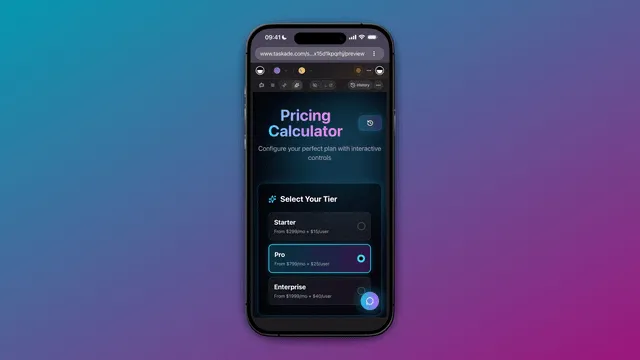
And because the output is an app rather than a graph, the process gets a real front end: publish it on a custom domain with built-in sign-in, give the finance team a form and a queue view, and control who can change what with role-based access from Owner through Viewer. Browse working examples in the Taskade Community Gallery, or start from the AI apps hub to see what shipped processes look like.
The honest tradeoff: if your requirement is hand-tuning every branch of a node graph, or self-hosting for compliance, a dedicated wiring tool gives you more low-level control of the plumbing. Taskade Genesis trades that for altitude: you describe the outcome and operate a living app instead of maintaining the graph. Our AI workflow automation tools roundup compares the landscape category by category if you want the full map.
Rolling out APA without breaking the process
Most first APA rollouts fail the same five ways, and every one is avoidable:
| Mistake | Why it hurts | The fix |
|---|---|---|
| Automating the happy path again | No felt improvement; the exception queue remains | Point the agent at the exceptions first |
| Skipping shadow mode | First visible error torches trust | Run alongside humans for a week, compare decisions |
| Vague definition of done | Agent wanders, reviewers cannot judge it | One concrete output per case, or escalate |
| No approval gate on consequential acts | One bad send becomes a program-ending incident | Gate money and external messages behind a human |
| Black-box runs | Nobody can answer "why did it do that?" | Require a readable log of observe, reason, act |
The thread through all five: agentic does not mean unsupervised; it means self-directed within boundaries you chose. Start with boundaries tighter than you need. An agent that asks for help too often is a cheap problem. An agent that acted wrongly without asking is an expensive one, and in a business process it is also an audit finding.
Measure the rollout with three numbers, reviewed weekly:
- Exception auto-resolution rate. The share of cases the agent closes without human help. This should climb steadily as Memory accumulates.
- Cycle time. Case arrival to resolution, against the manual baseline. APA wins here early, because the agent works the queue at 2 a.m.
- Escalation quality. When the agent hands a case up, does it arrive with findings attached, so the human acts in one touch? Rising auto-resolution with worsening escalations means the agent is dumping its hard cases; tighten the reasoning requirements.
When those three trend the right way for a month, promote the process one autonomy tier and start the next one.
What APA costs, and the pricing trap to avoid
The RPA era normalized pricing that punishes success: per-bot licenses, per-execution metering, consumption credits. Under those models a process that grows from one hundred to ten thousand runs a month multiplies its own bill, which is why so many automation programs ration themselves into irrelevance.
Building on Taskade pricing avoids the trap structurally. Taskade Genesis is free to start, and paid annual plans are flat: Pro at $10 per month (the most popular tier), Business at $25 per month, Max at $100 per month, and Enterprise at $250 per month. Agents, durable automations, and the 100+ integrations are included in every paid tier, so the marginal cost of your process running one more time is zero. That predictability is what makes it rational to keep adding agentic processes instead of guarding a credit budget.
Where agentic process automation is heading
The enterprise numbers say this shift is early but fast. Gartner projects that 40% of enterprise applications will include task-specific AI agents by the end of 2026, up from under 5% in 2025, while McKinsey's 2026 State of AI research finds only about 23% of organizations scaling an agentic system in even one function. The distance between those two figures is the APA opportunity: agents are arriving everywhere, and the teams that learn to run them inside real processes, with guardrails and measurement, will compound while everyone else demos.
The longer arc matters too. As agents reason over more context, wield more tools, and coordinate as teams, they absorb a steadily wider band of open-ended work; that trajectory and where it leads is the subject of Agentic Workflows: Paving the Path Toward AGI. And the workspace those agents operate in is itself changing shape, a shift we mapped in the agentic workspace piece.
For the process owner, none of that horizon is required reading. The move available today is concrete: pick the exception queue that hurts, describe the outcome, set the guardrails, and let an agent run it. The AI agents hub shows what the workers look like, and the automation hub shows the execution layer they stand on.
Frequently asked questions
What is agentic process automation in plain English?
It is a business process run by an AI agent that thinks between steps. The agent reads each case, decides what to do, uses tools to do it, and only involves a human when the stakes or the ambiguity genuinely require one. Taskade Genesis builds one from a plain-English description of the outcome.
Is APA just rebranded RPA?
No. RPA replays recorded clicks along a fixed path and halts on anything unexpected, which is why RPA programs accumulate human-staffed exception queues. APA replaces the recorded path with a reasoning loop that resolves exceptions. The two coexist well: deterministic automation for the plumbing, agents for the judgment. The history side is covered in our RPA explainer.
How is APA different from an agentic workflow?
An agentic workflow is the general mechanism, explained fully in Agentic Workflows Explained. APA is that mechanism applied to a named business process with an owner, an SLA, and compliance requirements. Every APA deployment is built from agentic workflows; not every agentic workflow runs a business process.
Which process should I start with?
The one whose exception queue consumes the most human hours: invoice exceptions, lead qualification, and ticket triage are the classic first three. Run the agent in shadow mode for a week, then go live on routine cases while humans keep the consequential approvals.
Do I need an RPA center of excellence for APA?
No, and this is the operational unlock. The RPA era needed bot developers and script maintenance; APA on a no-code platform belongs to the person who owns the process. Describe the outcome, and Taskade Genesis assembles the agents, the built-in tools, and the 100+ bidirectional integrations around it.
How do agents handle exceptions inside a process?
By reasoning instead of following fallback branches. Missing data gets looked up, ambiguous cases get a clarifying question, low-confidence cases get escalated with findings attached. Underneath, durable automation resumes from the exact step that failed rather than restarting the case.
Is APA safe for regulated processes?
Yes, if autonomy is earned rather than assumed. Scope tools to an allow-list, cap steps per run, gate consequential actions behind approval, keep readable run logs, and control change access with role-based access from Owner through Viewer. Regulators do not object to automation; they object to automation nobody can explain.
What does it cost to start?
Taskade Genesis is free to start. Paid annual plans are Pro $10/mo (the most popular tier), Business $25/mo, Max $100/mo, and Enterprise $250/mo, with agents, automations, and integrations included in every paid tier.
What role does TSK-1 play?
TSK-1 is the Taskade System Kernel, the coordination layer beneath every Taskade Genesis app. It orchestrates 15+ frontier models, memory, agents, and automations as one system, which is precisely what a business process needs and what hand-stitched agent stacks lack. The full story is in Introducing Taskade TSK-1.
How do I prove the rollout is working?
Watch exception auto-resolution rate, cycle time against the manual baseline, and escalation quality. All three should improve together; if auto-resolution rises while escalation quality falls, the agent is offloading its hard cases and the reasoning requirements need tightening.
Ready to retire an exception queue? Start free with Taskade Genesis: describe the process outcome, set the guardrails, and let an agent read, reason, and resolve the cases your scripts always dropped. Explore the automation hub, meet the AI agents that do the work, and clone a working process from the Community Gallery.
▲ ■ ● Memory, Intelligence, Execution: your process data feeds agents that reason over it, and every resolved case makes the next one faster. That is the difference between a script you babysit and a process that runs itself.