







When Elon Musk says trees matter—and makes a $1 million #teamtrees donation to back that up—you listen. That’s why in today’s article, we’re taking another look at tree structures and all the cool benefits of collaborative mind mapping software.
TL;DR: Collaborative mind mapping lets distributed teams brainstorm, plan, and organize ideas visually in real time. Taskade offers mind mapping as one of multiple project views, with AI agents that generate and expand mind maps from a single prompt. Try Taskade free →
💡 Before you start… Smart remote teams are always one step ahead of the competition. Don’t forget to check our other guides when you’re done here!
🌲 A Case For Hierarchical Thinking: Solve Complex Problems The Easy Way
📤 Knowledge Sharing 101: How to Build a Smarter Remote Team Today
📝 Stay Organized with Collaborative Note-Taking in Remote Teams
🧠 The Importance of Visualizing Information
Scientia potentia est or, in a more contemporary phrasing, knowledge is power. That is as long as you know how to collect, organize, and put it to good use.
💭 “What books/resources should I dig into first?”
💭 “Are there any experts around I can ask for help?"
💭 “Is this piece of information really important?”
💭 “How does it connect to what I already know?”
💭 “How can I explain this concept to others?”
Trying to piece bits of information together on the go—without a clear starting point, heading, and destination—can prove a daunting undertaking.
But it doesn’t have to.
In a 2015 AmA (Ask Me Anything) thread on Reddit, Elon Musk gave the ultimate piece of learning advice for all the knowledge seekers out there.
“One bit of advice: it is important to view knowledge as sort of a semantic tree—make sure you understand the fundamental principles, i.e. the trunk and big branches, before you get into the leaves/details or there is nothing for them to hang on to.”(1)
In case you’re wondering, this is a semantic tree. 👇
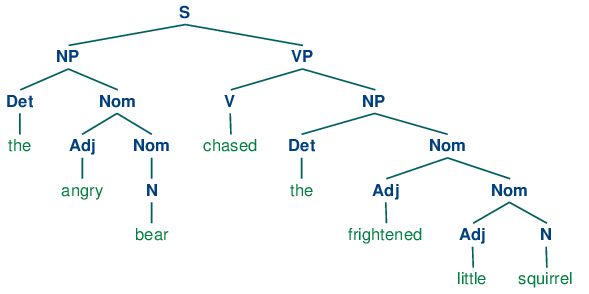
A simple semantic tree example from Natural Language Processing with Python.
Notice how the simple sentence is broken down into smaller units(2)
In a nutshell, Musk believes the path to competence in any field starts with the basics, like learning how to add and subtract before you can tame calculus. But there’s more.
Knowledge needs grounding.
To learn a new skill, you need to:
✍️ Take inventory of what you already know.
🤔 Know what you’re going to learn.
📍 Connect all the dots to see the bigger picture.
And how better to map out knowledge than with… a mind map?
⚙️ The Principles of Mind Mapping Software
What’s Mind Map Anyway?
The mind map is a note-taking, brainstorming, and planning tool that lets you visualize information as a diagram composed of a central theme and peripheral elements.
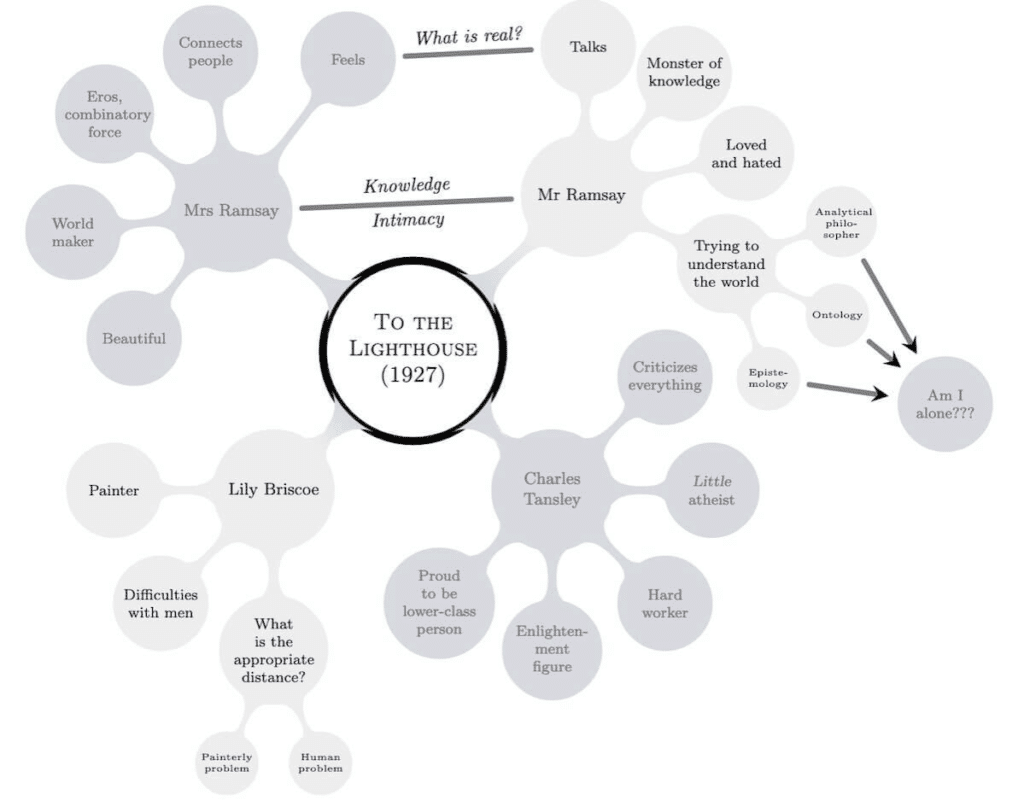
A mind map decomposing Virginia Woolf’s To the Lighthouse (1927) by Vitaly Repin(3)
According to Tony Buzan who popularized mind mapping in the 70s, mind maps are the most effective way to capture, organize, memorize, and recall information.
“A Mind Map is a powerful graphic technique, which provides a universal key to unlock the potential of the brain. It harnesses the full range of cortical skills – word, image, number, logic, rhythm, color and spatial awareness – in a single, uniquely powerful manner.”
Tony Buzan Learning Centre(4)
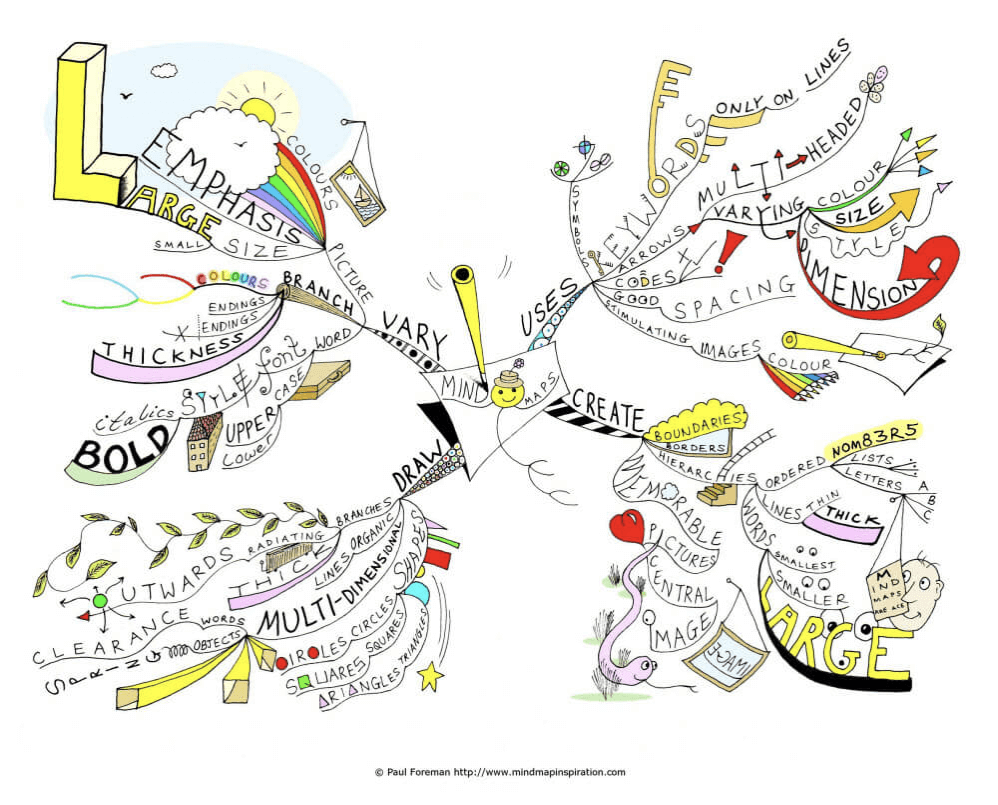
How to Mind Map by an avid mind mapper Paul Foreman(5)
To use a visual metaphor, you can think of a mind map as a map of a city, complete with points of interest, main arteries, and side roads.
“The main roads leading from the centre represent the main thoughts in your thinking process; the secondary roads represent your secondary thoughts, and so on. Special images or shapes can represent sites of interest or particularly interesting ideas.”
The Ultimate Book of Mind Maps, Tony Buzan(6)
With a mind map, you can:
🗓 Supercharge planning
💡 Become more creative
🤔 Solve complex problems
🧘♂️ Work deeply on tasks
💭 Clarify thoughts
📚 Learn more effectively
While Buzan turned mind mapping into a commercial success, the concept of data visualization using hierarchical tree structures is much older.
The History of Mind Mapping
“The affinities of all the beings of the same class have sometimes been represented by a great tree. I believe this simile largely speaks the truth.”
Charles Darwin
We can trace the roots of mind mapping as far back as the 3rd century AD to a Phoenician philosopher, logician, and polymath Porphyry of Tyre. 👇
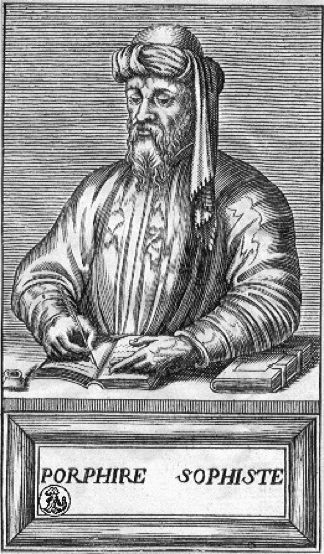
Porphyry of Tyre via Wikipedia(7)
His Introduction to Categories, one of Porphyry’s most famous works, included a notion of a Prophyrian tree that represented Aristotle's classification of substance. While the scripture didn’t contain actual diagrams, it was later adapted into a visual format.
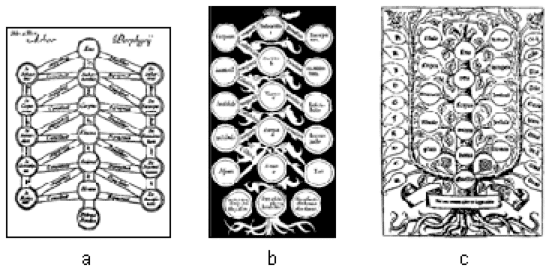
image 159
Three variations of the Porphyrian tree(8)
While on the subject of classification, we should also give some credit to a 13th-century mystic Ramon Llull. Llull’s Arbor Scientiae or Tree of Science was a set of sixteen tree diagrams representing branches of knowledge.
“The symbolic structure of this homology has seven parts: roots, trunk, boughs, branches, leaves, flowers, and fruit. Here Llull’s creative development is based upon a scholastic precept from the Aristotelian tradition.”
Centre de Documentació Ramon Llull, Universitat de Barcelona(9)
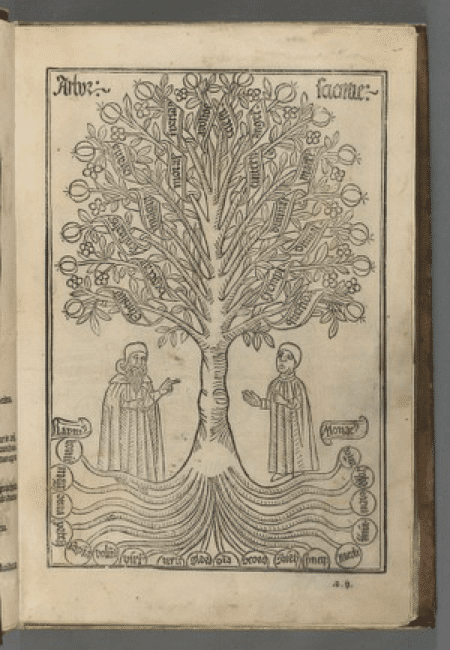
Ramon Llull’s Tree of Science via Houghton Library, Harvard University(10)
One of the most famous mind mappers was none other but the father of evolution Charles Darwin. As Buzan points out, Darwin’s evolutionary tree model is one of the prime examples of mind maps/tree structures in the wild (pun not intended).
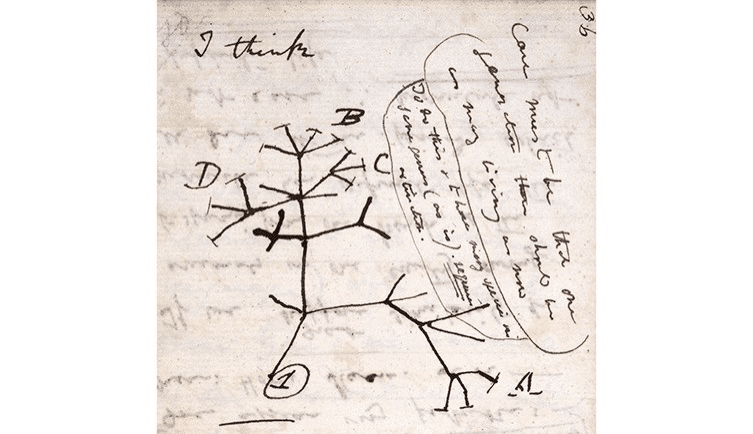
image 161
Darwin's first sketch of the tree of life (1837) via The Natural History Museum(11)
According to Buzan, many of the world’s greatest thinkers used some form of mind mapping in their intellectual pursuits. Some notable examples include heavy-hitters like Leonardo da Vinci, Albert Einstein, Sir Isaac Newton, and Thomas Edison.(6)
How Why Does Mind Mapping Work?
“Without connection in your Mind Map, everything (especially your memory and learning!) falls apart. Connect!
Anthony Buzan
The scientific theory supporting mind mapping is based on 19th-century research by physicians Carl Wernicke and Paul Broca as well as Buzan’s own observations. The theory goes that the cerebral cortex, the large, outermost bit of the brain, can be divided into “left brain” and “right brain,” each with a distinct role to play.
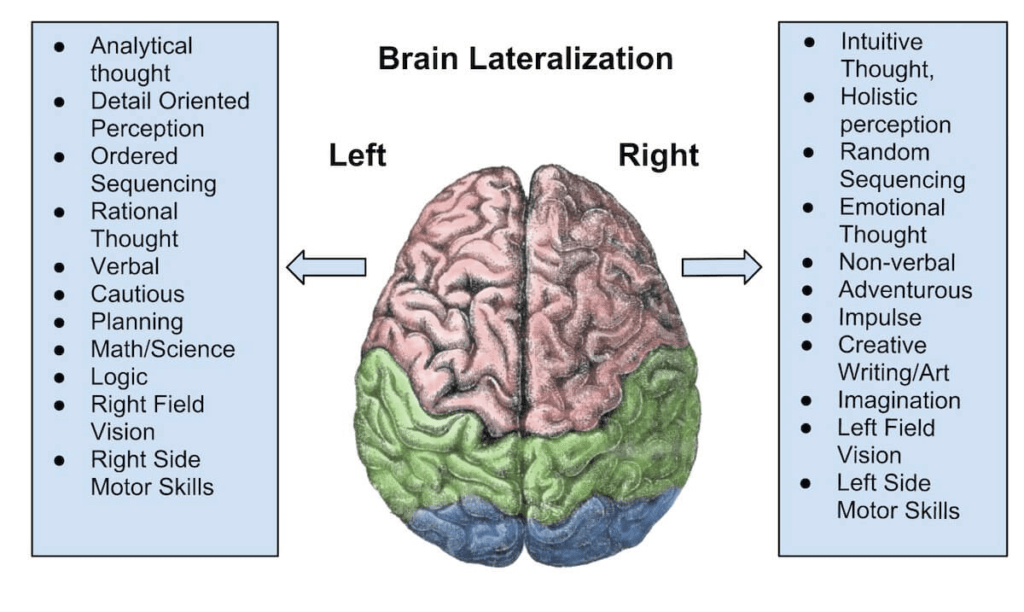
Brain Lateralization by Chickensaresocute(12)
The right brain, which deals with logic, is responsible for handling numbers, sequences, lists, and analytical tasks. The left brain, on the other hand, is the center of creativity and processes rhythm, spatial awareness, imagination, and visuals.
According to Buzan, mind mapping creates a synergy between both parts of the brain—what he calls synergetic thinking—and unlocks full intellectual potential.
While there’s no hard evidence to back that theory—modern scientific research debunks it as a myth—mind mapping is still a powerful and useful tool that lets you:
👉 Engage in non-linear, out-of-the-box thinking.
👉 Perform analysis on a micro and macro level.
👉 Spot intricate connections between concepts/ideas.
👉 Perform a brain dump and declutter the mind.
👉 Boost learning potential and improve knowledge retention.
👉 Deal with information overload.
So, what do you say we create our first mind map?
How to Make a Mind Map?
Just like outlines, flowcharts, and decision trees, mind maps belong to a larger family of hierarchical tree structures. Every tree structure shares several core elements:
🌱 Nodes. A node is the basic organizational unit of a tree structure. Every element of a diagram, including the trunk, is a node.
🌱 Branches. These are the lines that connect individual nodes. They can be straight or curved depending on the type of the diagram.
🌱 Root node/trunk. The superior element in a tree structure. This is the starting point/central theme of a tree diagram.
You can now use those building blocks to create a mind map. 👇
🌱 Start in the center. Place your central theme/idea in the middle of the page. Use a single keyword or image. Work horizontally whenever possible.
🌲 Branch out. Create subsequent levels of the mind map. Branch out from the central theme and create secondary nodes. Rinse and repeat.
🌈 Go visual. Use visual cues like colors, icons, arrows, and symbols. Personalizing your mind map will help organize and retain information.
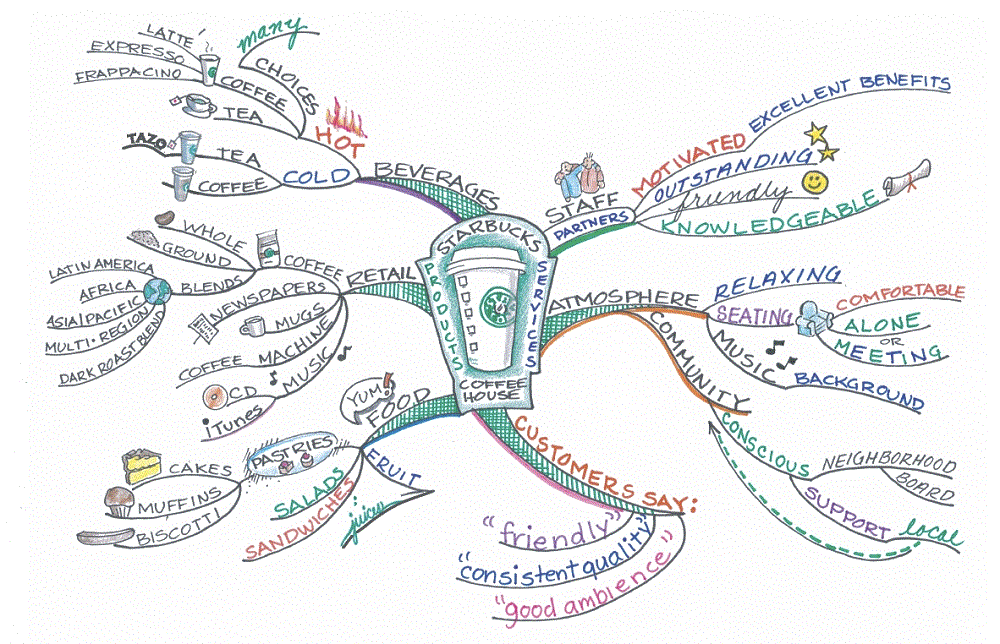
Starbucks Success Strategy Mind Map by Dru Fuller via Mind Map Art(13)
Of course, mind mapping using a pen and paper has its limitations, number one being space restrictions. You also have little control over the mind map once it’s completed.
You know where this is going, right?
The Benefits of Mind Mapping Software?
Digital mind maps remove the pesky space limitations and let you unleash the creative potential. And that’s nothing to sneeze during intense brainstorming sessions.
Mind Mapping software also makes it much easier to control the flow of information. You can reorganize elements using drag-and-drop mechanics in a jiffy.
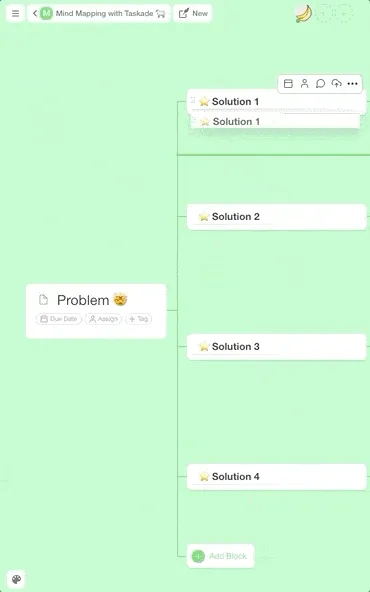
Taskade drag-and-drop lets you easily rearrange mind map elements.
But there’s more.
Unlike pen and paper, a digital mind map lets you quickly add, modify, or remove blocks. All you need is a click of a button or a few handy keyboard shortcuts.
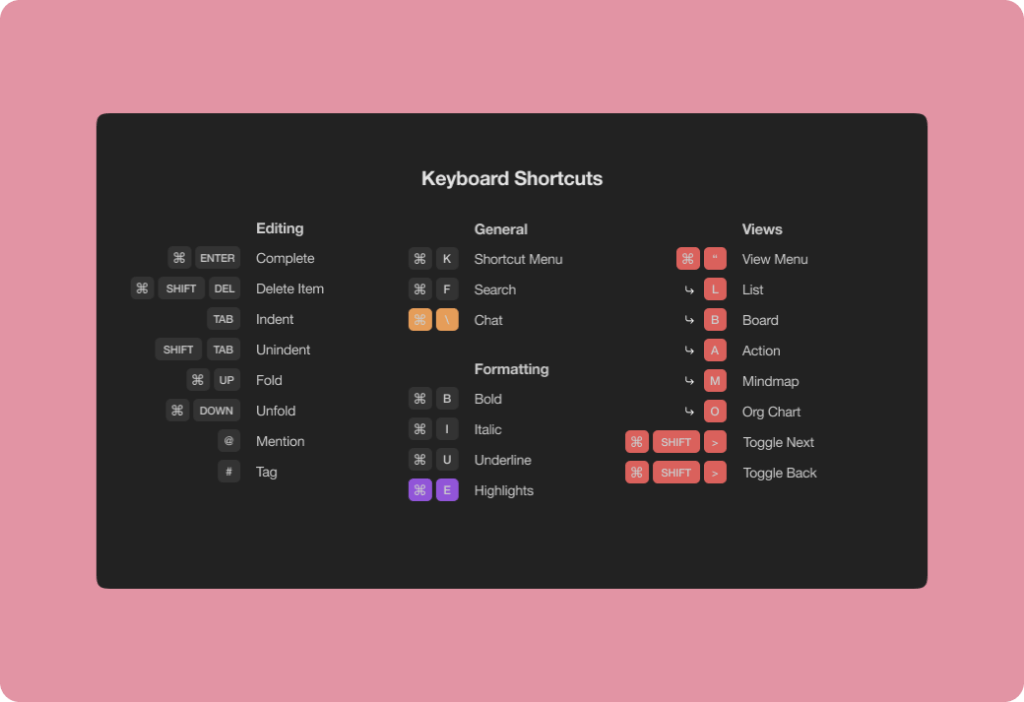
image 164
Some of the keyboard shortcuts you can use in Taskade
Most importantly, mind mapping software adds a collaborative element and lets your team tap into the collective creative power.
🧠 3 Ways to Use Collaborative Mind Mapping Software
Collaborative mind mapping software takes mind maps to a completely new level. It’s a flexible, low-cost, and effective tool for all kinds of organizations.
“Mind Mapping saves time, eliminates the need for duplication of efforts, accesses the creative genius of individuals and teams, makes assigning priorities and timelines fluid and easy [...]”
Mind Mapping, Cathy Byrnes at The Project Management Institute(14)
And the best part?
You can use it regardless of the time zone your team members are in. You can run brainstorming sessions, map out a marketing strategy, manage and overview projects, and plan your next move, all in a decentralized, frictionless manner.
To make your first collaborative mind map in Taskade, simply create a new project in your Taskade workspace and choose the Mindmap view from the drop-down menu.
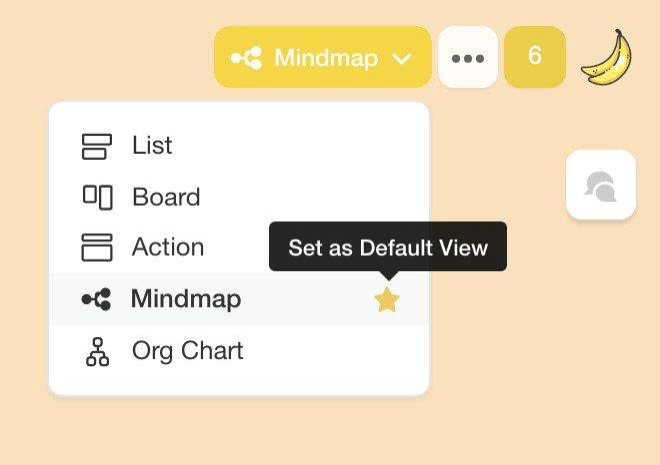
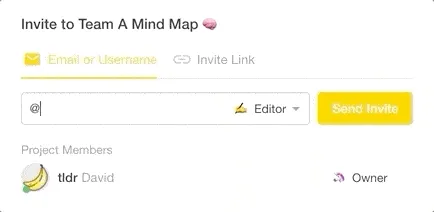
You can now invite some participants to work on the mind map together. Click the ➕ Invite People button at the top of the page and send a few invitations for starters.
Ready? Good. Now, let’s see what you can do with your new mind map.
1. See the Bigger Picture
Think of mind mapping software as the Swiss Army Knife of team management. It lets you brainstorm, plan, manage, and overview every aspect of your team’s life.
“Because we are able to draw links between categories and ideas as we brainstorm, organize, and progress with the project, associations are clear along the way, and responsibilities and timelines are also plain and evident to all.”
Mind Mapping, Cathy Byrnes at The Project Management Institute(14)
For instance, you can use a mind map to navigate the next project, see who’s responsible for specific tasks, and manage everything visually.
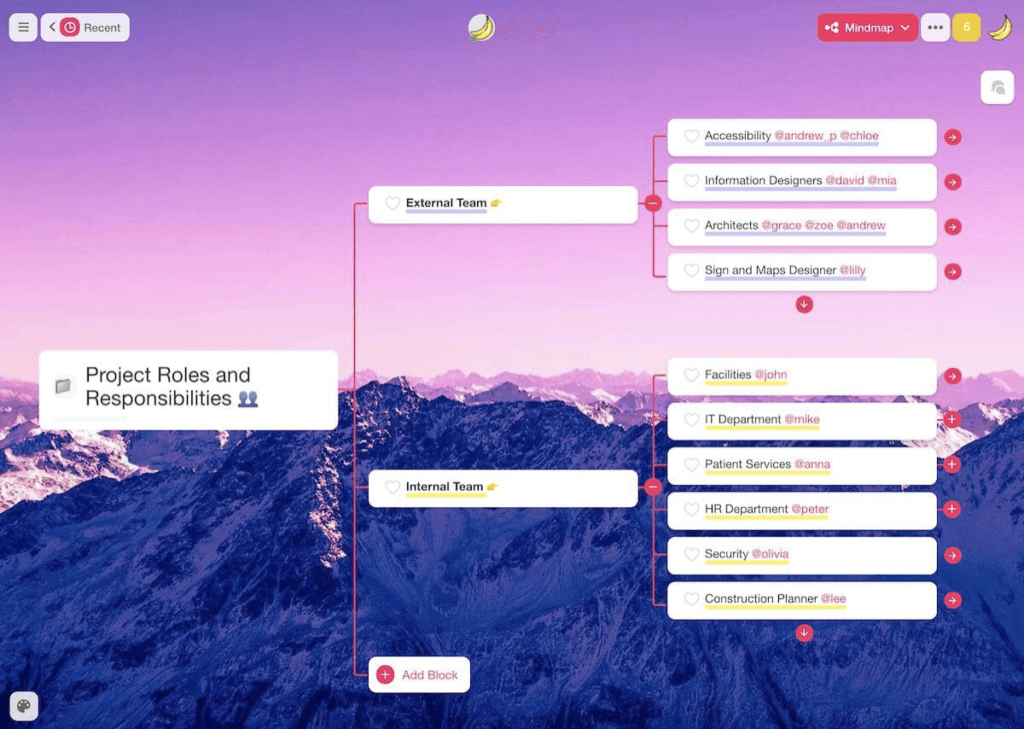
A digital mind map lets your team see all the moving parts—finance, supply chain, resources, employees, budget—and understand how they affect project success.
Taskade Mind Mapping Tip
But what if you want to modify the structure of your mind map or… display the information in a completely different format?
Taskade lets you transform your projects so you can display the same set of data in several ways—a mind map, org chart, list/outline, and an action view.
2. Collaborate & Innovate with Smart People
Elon Musk’s diverse skill set and multidisciplinary proficiency are as much a product of his intellectual pursuits as they are a result of his interactions with other smart people.
As noted in Ashley Vance’s biography of Musk:
“Musk initially relied on textbooks to form the bulk of his rocketry knowledge. But as SpaceX hired one brilliant person after another, Musk realized he could tap into their stores of knowledge. He would trap an engineer in the SpaceX factory and set to work grilling him about a type of valve or specialized material.”(15)
Collaborative mind mapping, especially when used for brainstorming, is a great way to build up your team’s smarts by getting people to learn from each other.
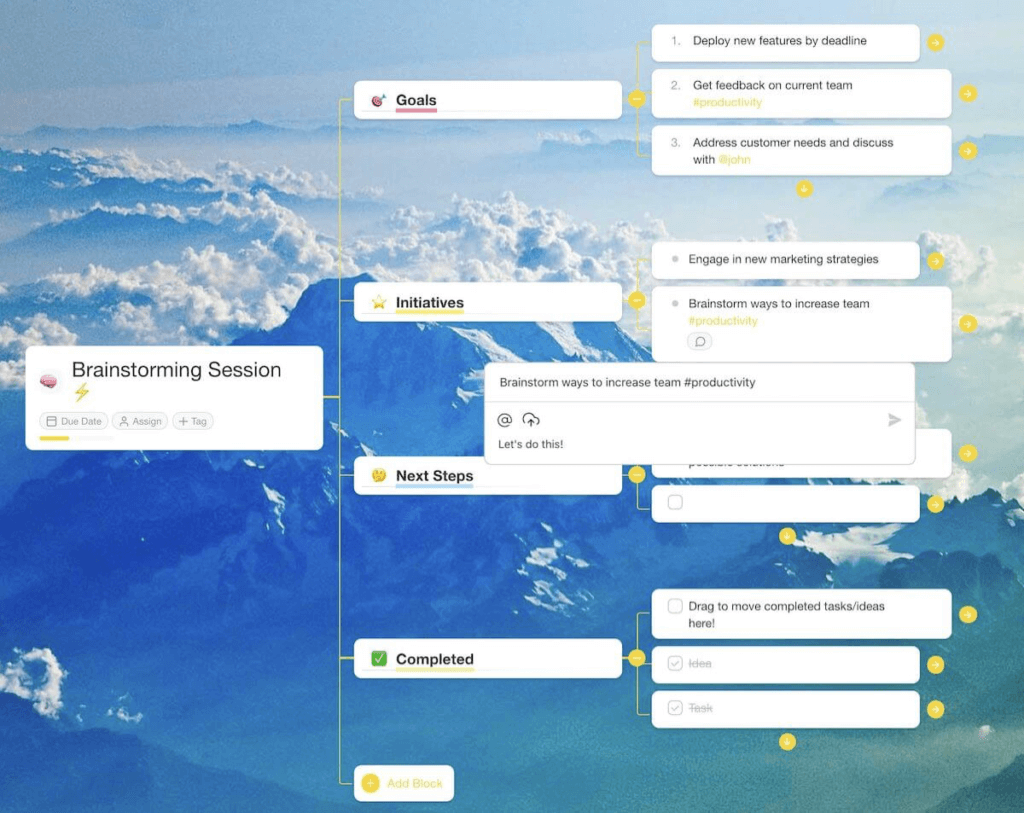
Instead of running another boring meeting with blocks of text and ugly PowerPoint presentations, let your team rack their brains in an engaging mind-mapping session.
Need some inspiration? Check our free mind map templates next. 👈
Taskade Mind Mapping Tips
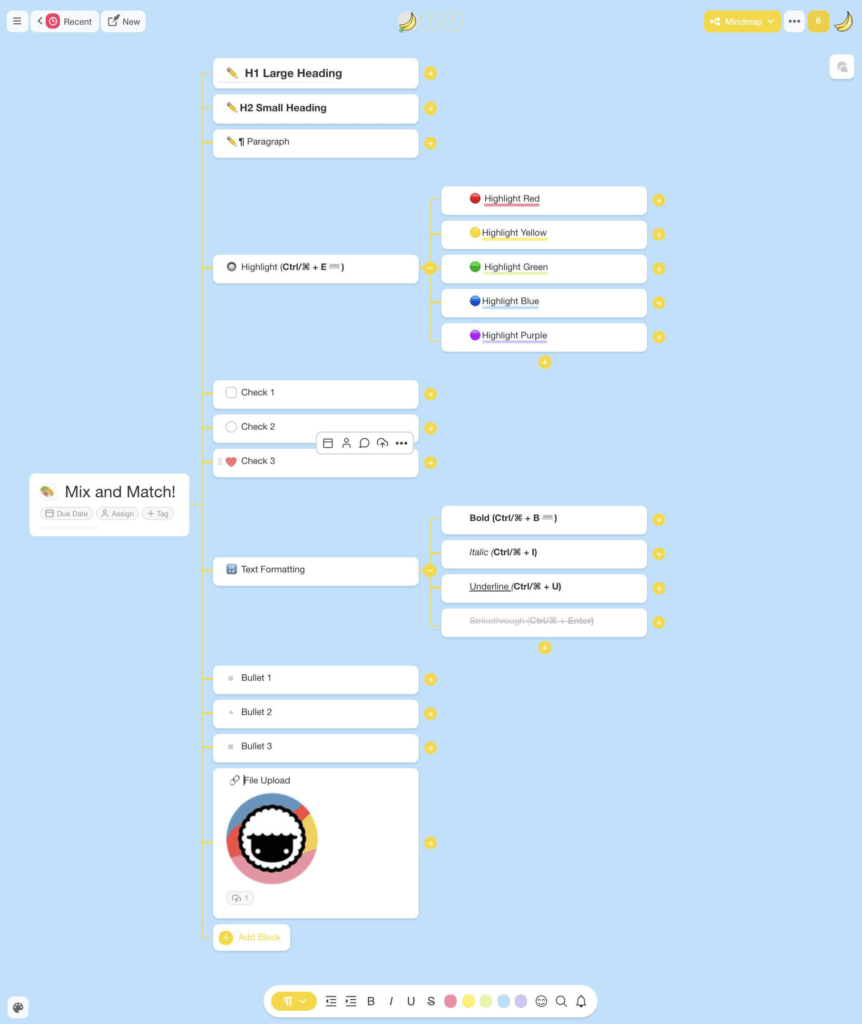
Taskade lets your team make the most of mind mapping with personalization (colors, headings, text formatting) and visuals you can upload directly to content blocks.
Your team can also talk over the details—via chat, video conferencing, and calls—without switching apps or shuffling multiple windows.
3. Build a Body of Knowledge
Mind mapping software is a superb learning and memorization tool. It can help your team organize, assimilate, and recall information much more effectively than text alone.
“The mind mapping technique is one such innovative technique, which was found to be useful in remembering things better than the routine way of reading texts and this strategy was found attractive by the learners too.”
Effectiveness of Mind Mapping Technique in Information Retrieval Among Medical College Students via NCBI(16)
But why not take it a step further and make mind maps part of a collaborative single source of truth (SSOT), knowledge base, team Zettelkasten, or digital Second Brain?
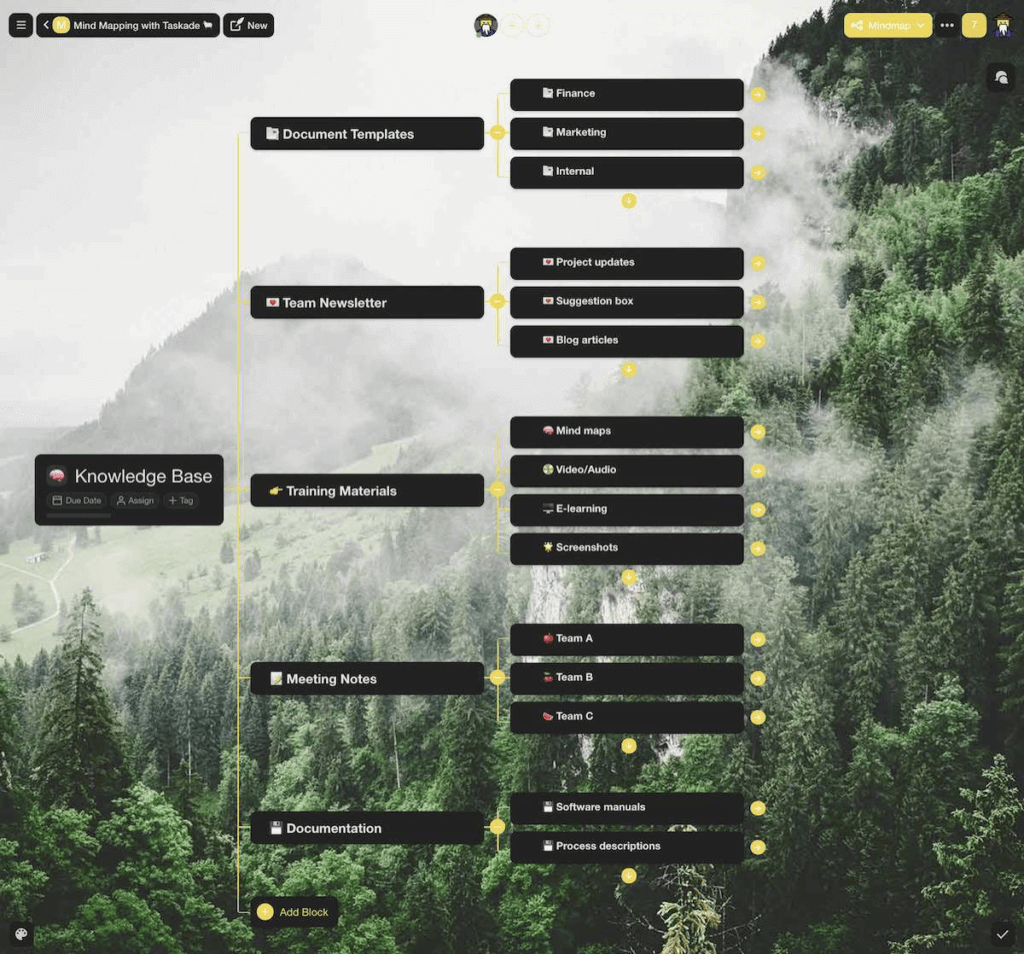
image 169
Team knowledge-base structure visualized as a mind map
Putting a knowledge management system in place will ensure team knowledge is organized, curated, and always available for everybody to use.
Taskade Mind Mapping Tips
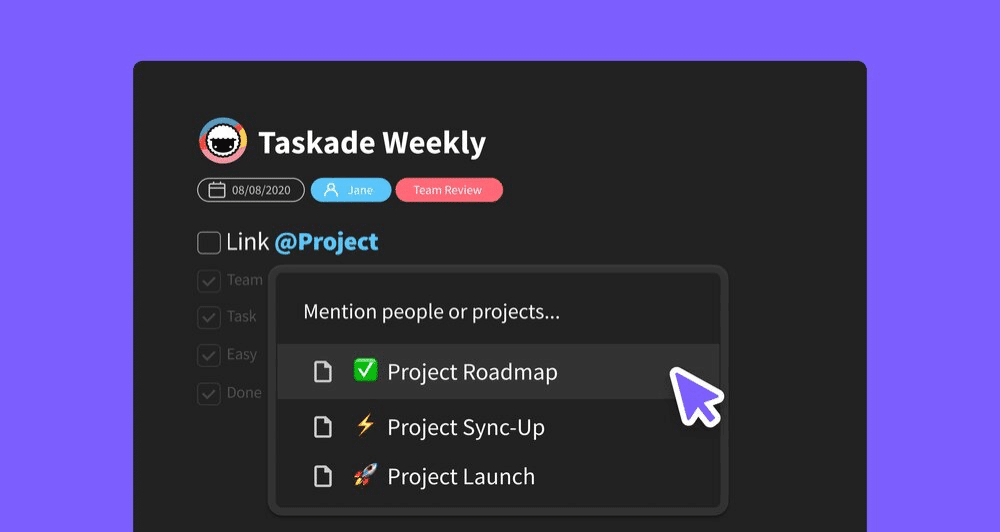
Taskade lets you easily cross-link and mesh mind maps with existing team knowledge. You can even map the structure of documents, tutorials, and guides for easy navigation.
And that’s it!
Collaborative Mind Mapping Software Compared
| Feature | Taskade | Miro | MindMeister | XMind |
|---|---|---|---|---|
| Real-Time Collaboration | Yes | Yes | Yes | Limited |
| Mind Map as Project View | Yes (1 of multiple views) | Infinite canvas | Mind maps only | Mind maps only |
| Switch to Board/List/Gantt | Yes (instant toggle) | Separate boards | No | No |
| AI-Generated Mind Maps | Yes (AI agents expand maps) | Basic AI | No | No |
| Built-In Video Chat | Yes | Yes (paid) | No | No |
| Task Assignment | Yes (@mention) | Limited | Limited | No |
| Automations | Yes (100+ integrations) | Limited | Zapier only | No |
| Templates | 500+ free mind map templates | Templates | Templates | Templates |
| Free Plan | Generous | Limited | 3 maps | Limited |
| Starting Price | Free | $8/user/month | $6/user/month | $5/month |

Workspace DNA: Memory, Intelligence, and Execution for Visual Thinking
Taskade's Workspace DNA architecture turns mind maps from brainstorming artifacts into living project systems:
- Memory — Every mind map node, branch, and connection persists as searchable project data in Taskade. Teams can revisit brainstorming sessions weeks later without losing context. Mind maps link directly to tasks, docs, and other projects.
- Intelligence — AI agents with built-in tools analyze your mind map structure, suggest missing branches, identify logical gaps, and recommend priority ordering. Powered by 15+ frontier models from OpenAI, Anthropic, and Google.
- Execution — Automations convert mind map nodes into assigned tasks with deadlines, trigger notifications when branches are completed, and sync data across 100+ integrations. Over 3M+ automations executed on the platform.
The loop: brainstorming creates Memory (mind map data), agents transform Memory into Intelligence (suggested actions and priorities), and automations convert Intelligence into Execution (tasks and workflows).
Agentic AI and Vibe Coding: Mind Maps That Build Themselves
Traditional mind mapping requires manual node creation, branch expansion, and reorganization. Agentic AI and vibe coding automate the entire process.
With Taskade Genesis, try: "Build a marketing campaign mind map with branches for audience research, content strategy, social media, and metrics tracking." Genesis generates the complete structure in seconds. 150,000+ apps have been built this way.
AI agents with custom tool schemas and a hosted MCP server for external AI clients take mind mapping further:
- Auto-generate mind maps from meeting notes or brainstorming transcripts
- Expand any branch with research-backed subtopics and suggestions
- Convert mind map structures into Board, List, Gantt, or Timeline views
- Track completion of mind-map-derived tasks across multiple project views
Explore community-built mind map templates in the Taskade Community or start building.
Mind Mapping Use Cases by Team Function
| Team Function | Mind Map Use Case | Output View | Taskade Feature |
|---|---|---|---|
| Product | Feature brainstorming and roadmap planning | Gantt + Timeline | AI agents expand feature branches |
| Marketing | Campaign ideation and content mapping | Board + List | Templates for campaign planning |
| Engineering | Architecture design and dependency mapping | Org Chart + Mind Map | Real-time collaboration |
| Design | UI/UX research and information architecture | Mind Map + Board | Drag-and-drop reorganization |
| Leadership | Strategic planning and OKR breakdown | Mind Map + Table | Automations track progress |
| Education | Knowledge mapping and study guides | Mind Map + List | AI-generated topic expansion |
👋 Parting Words
Knowledge management is a game-changing but often overlooked aspect of business life. As the global information train picks up the speed, your team/organization must be capable of collecting and processing information effectively.
Taskade's mind-mapping component is the perfect aid for the cognitively demanding reality we live in. It lets your team engage in non-linear, deal with information overload, and unlock collective creativity and innovation.
⭐️ Start with a central theme/idea/problem.
⏰ Spend 5-10 minutes on individual idea generation.
➕ Combine ideas in the collaborative mind map.
📍 Connect all the dots and discuss the results.
🔗 Add the mind map to your team’s knowledge base.
🔄 Rinse and repeat!
Supercharge Your Mind Maps With Taskade
Taskade is the all-in-one workspace where mind mapping meets AI-powered execution. With Taskade Genesis, generate entire mind map structures from a single prompt, then switch to Board, List, or Gantt view to turn ideas into action.
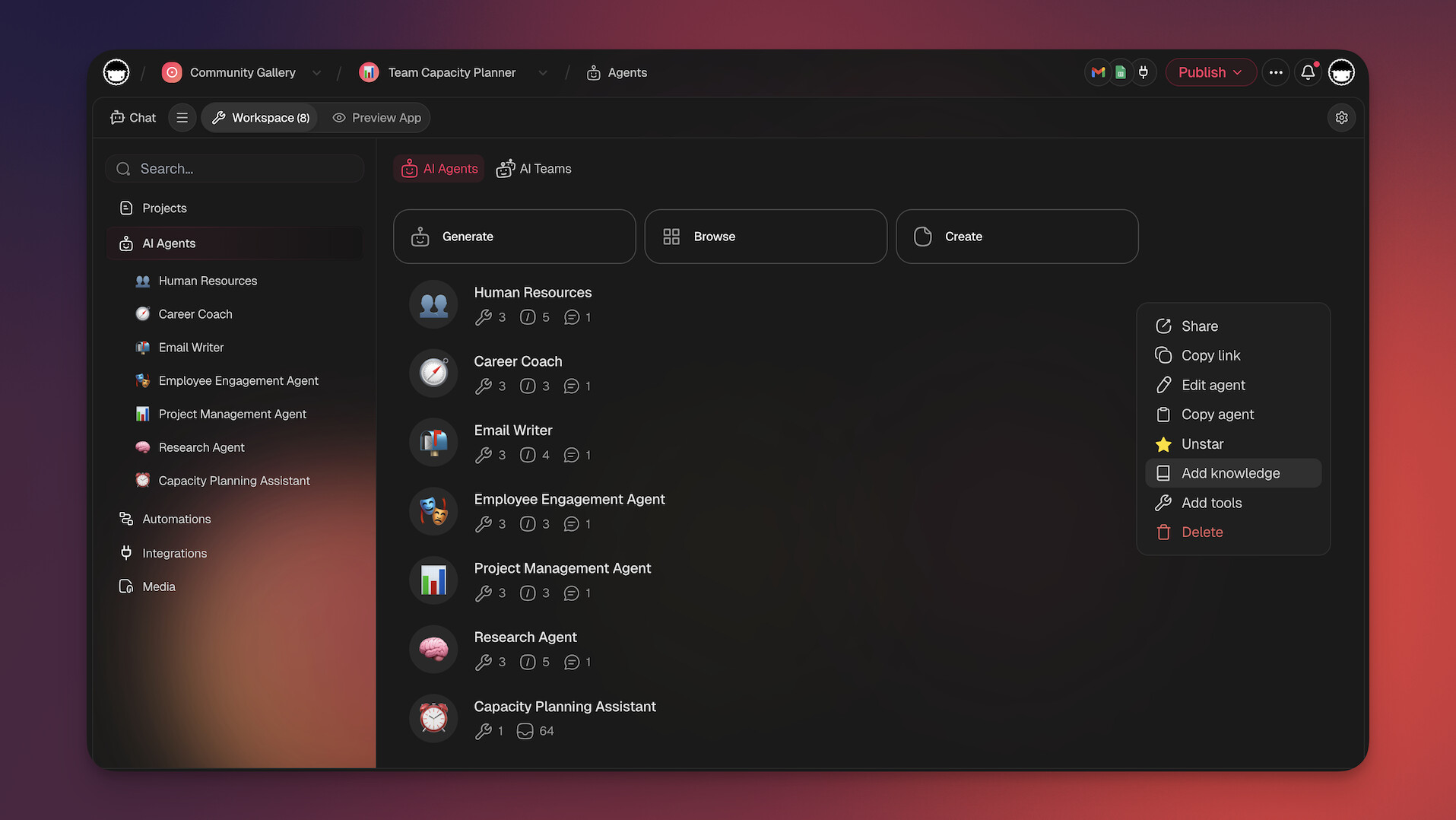
Deploy AI agents powered by frontier models from OpenAI, Anthropic, and Google to brainstorm ideas, expand branches, and organize your knowledge base. Set up automations to convert mind map nodes into tasks with assignees and deadlines automatically.
What you get with Taskade:
- Multiple project views including Mind Map, and Org Chart
- AI agents with built-in tools for automated brainstorming
- Real-time collaboration with built-in video chat
- 500+ free templates including mind map layouts
- Free to start, with Pro from $10/month billed annually
Start mind mapping with Taskade →
Explore community-built mind maps and workflows in the Taskade Community.

🔗 Resources
https://www.reddit.com/r/IAmA/comments/2rgsan/i_am_elon_musk_ceocto_of_a_rocket_company_ama/
https://www.mindmapart.com/wp-content/gallery/paul-foreman/how-to-mind-map-by-paul-foreman.jpg
https://www.amazon.com/Ultimate-Book-Mind-Maps-ebook/dp/B008QS75CY
https://upload.wikimedia.org/wikipedia/commons/5/5b/Porphyrian_Trees_Gallery_small.png
https://www.nhm.ac.uk/discover/charles-darwin-most-famous-biologist.html
https://commons.wikimedia.org/wiki/File:Brain_Lateralization.svg
https://www.pmi.org/learning/library/mind-mapping-advantage-think-creatively-6554
https://www.amazon.com/Elon-Musk-SpaceX-Fantastic-Future/dp/006230125X
Frequently Asked Questions
What is collaborative mind mapping software?
Collaborative mind mapping software lets multiple people build and edit visual mind maps together in real time. It combines the brainstorming power of traditional mind maps with multiplayer collaboration, allowing distributed teams to organize ideas, plan projects, and explore concepts visually — regardless of location.
How do mind maps improve team collaboration?
Mind maps make abstract ideas visual and structured, which helps teams align quickly during brainstorming, planning, and problem-solving. When everyone contributes to the same visual canvas in real time, ideas build on each other organically and the group reaches consensus faster than in linear text discussions.
What should I look for in collaborative mind mapping software?
Look for real-time multiplayer editing, the ability to convert mind map nodes into actionable tasks, integration with other project views, unlimited branching, and team sharing. Taskade offers collaborative mind mapping as one of its project views, so mind maps connect directly to your tasks, boards, and timelines.
Can mind maps be used for project management?
Absolutely. Mind maps are excellent for breaking down complex projects into subtasks, visualizing dependencies, and planning workflows. In Taskade, you can create a mind map and then switch to Board, List, or Gantt view to manage the same project structure — getting the best of both visual brainstorming and structured execution.
How does Taskade Genesis help with collaborative mind mapping?
Taskade Genesis lets you generate entire mind map structures from a single prompt. Describe your topic or project and Genesis creates a deployable mind map app with AI agents that expand branches, suggest connections, and organize ideas. Over 150,000 apps have been built with Genesis since launch.
What is agentic AI and how does it improve mind mapping?
Agentic AI refers to AI systems that work autonomously rather than waiting for manual input. In Taskade, AI agents with built-in tools can auto-expand mind map branches, suggest related concepts, reorganize nodes based on priority, and convert mind map ideas into actionable tasks — transforming brainstorming into structured execution.
How does Workspace DNA apply to collaborative mind mapping?
Workspace DNA combines Memory (mind maps persist as searchable project data), Intelligence (AI agents analyze your mind map and suggest expansions, connections, and priorities), and Execution (automations convert mind map nodes into assigned tasks with deadlines). This loop turns brainstorming sessions into executed projects.
Can AI agents automate mind map creation and expansion?
Yes. Taskade AI agents can generate mind maps from text input, expand individual branches with related subtopics, reorganize nodes by priority or category, and convert completed mind maps into task lists, board views, or Gantt charts. Agents support 15+ frontier models from OpenAI, Anthropic, and Google.