






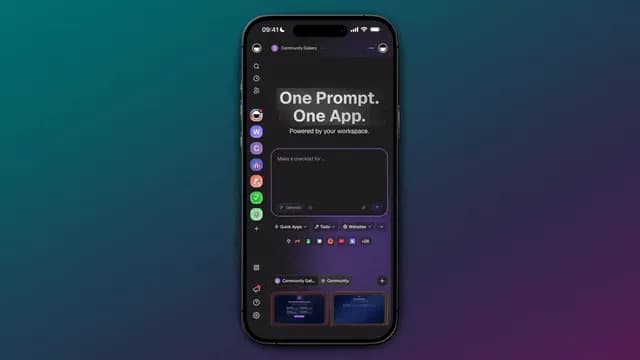
Your workspace used to wait. You opened it, typed something, closed it, and nothing moved until you came back. That is no longer how it works. A Taskade workspace now remembers what you make, reasons through every step with agents, and runs while you sleep, which is the whole distance between a task list and a system. Build yours with AI or clone a living one in a click.
TL;DR: A living workspace is Workspace DNA running as one loop: connected projects hold the memory, AI agents supply the intelligence, and automations across 100+ integrations handle the execution. TSK-1 coordinates all three, so one prompt becomes an app that keeps working after you close the laptop. Clone a live one free.
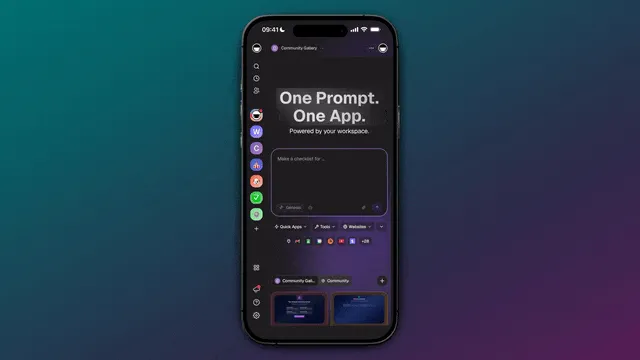
What Is a Living Workspace?
A living workspace is a workspace that keeps working when you are not in it. Instead of holding your notes and waiting for you, it stores your data as connected projects, reasons over that data with AI agents, and runs automations against it on a schedule. In Taskade Genesis that architecture has a name, and it is the same three layers in every app on this page.
| Layer | What it is | What it does for you |
|---|---|---|
| ▲ Memory | Connected projects, files, and agent history | Everything you make becomes context your agents can read |
| ■ Intelligence | AI agents running on TSK-1 | Reads that context and decides the next step |
| ● Execution | Automations across 100+ integrations | Carries the step out, then writes the result back |
That is Workspace DNA, and the important word is loop. Memory feeds intelligence, intelligence triggers execution, and execution creates new memory. Each pass leaves the workspace knowing slightly more than it did before, which is why the app you built in March is more useful in July without you touching it.
Most tools stop at the first arrow. They generate something and hand it to you frozen, which is the whole argument behind the living software era and how SaaS quietly evolved into living software. The shift is easiest to see side by side.
Yesterday                              Today
─────────                              ─────
A list you update by hand    ─▶        Projects that remember
A chat you re-explain daily  ─▶        Agents that already know
A reminder you set yourself  ─▶        Automations that fire on their own
A file you export to a tool  ─▶        An app that is already live
Memory. Your Projects Remember.
Memory is not a feature you switch on in Taskade. Every project, document, file, and agent conversation you create becomes context the rest of the workspace can read. A job references the customer it belongs to. An invoice references the deal that closed. Nothing has to be re-pasted into a prompt, because the prompt and the database are the same place.

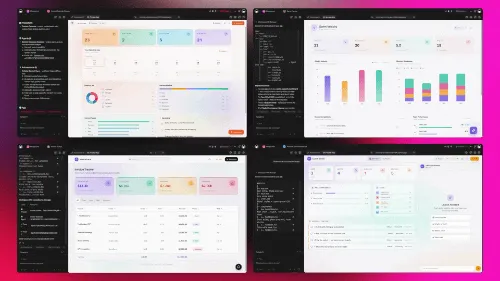
The Neon CRM Dashboard above is a live app you can clone in one click. Its pipeline is not a spreadsheet with a nicer skin, it is the memory layer with a view attached. The same records render in multiple views (List, Board, Table, and Mind Map in the toolbar, plus Docs, Gantt Chart, Calendar, Actionsheet, and Org Chart under More Views), so the thing your agent reads and the thing you look at are never out of sync.
| In the memory layer | What it means in practice |
|---|---|
| Connected projects | A job knows its customer, an invoice knows its deal |
| Files and documents | A dropped file becomes searchable context, not a dead attachment |
| Agent history | What you told an agent last week is still there this week |
This is why projects behave like databases rather than lists, and it is the practical version of what people mean by types of memory in AI agents. For the deeper reference, see agent memory and the memory, workflows, and payments drop that first wired it together.
Intelligence. Your Agents Reason.
Intelligence is the layer that reads your memory and decides what to do with it. A Taskade AI agent ships with a built-in toolkit, so it can search the web, read a file, run a custom slash command, and update a project without you wiring any of it. Underneath every one of those agents sits TSK-1, the Taskade System Kernel.
TSK-1 is not another AI model. It is the kernel above the models, and it routes each task across 15+ frontier models from OpenAI, Anthropic, and open-weight providers without asking you to pick one. Auto is the default. Fast edits get an instant answer, a hard question gets deeper reasoning, and a long build gets the most capable path, so the setting quietly disappears and you stay on the outcome. The full explainer is in Introducing Taskade TSK-1, with the reference pages at AI models in Taskade Genesis and TSK-1.
What makes an agent useful is not the model, it is that the agent already stands inside your data. Point one at your pipeline and it answers from the deals you actually have, which is what separates AI app builders with memory from generators that forget you between prompts. Browse ready-made ones in task automation agents, or read the anatomy of a Taskade Genesis app.
Execution. Your Workflows Run.
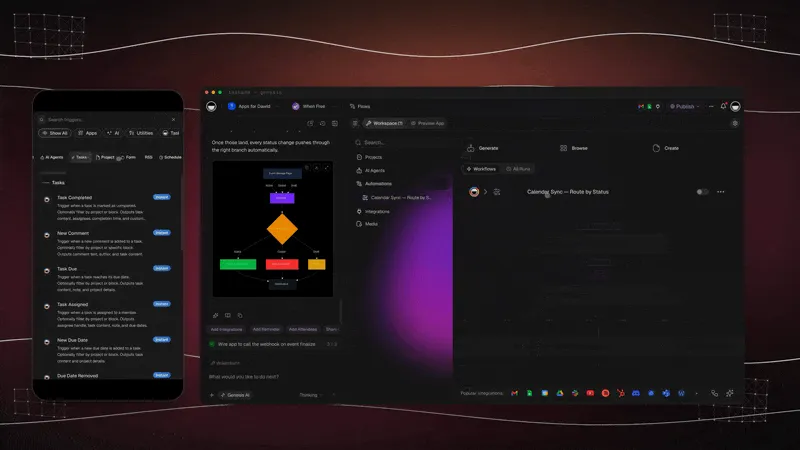
Execution is what happens after you close the laptop. An automation waits for a trigger, a new lead, a dropped file, or a scheduled time, an agent reads the connected projects, and an action pushes the result back out across 100+ bidirectional integrations. Triggers pull events in, actions push data out, and the updated record lands in the same project your team is already looking at.
| The trigger | What runs on its own |
|---|---|
| A schedule fires | The nightly report is built and waiting before you wake up |
| A file lands in a project | It is sorted, logged, and routed to the right person |
| A deal is marked won | The invoice goes out and the record updates itself |
You describe the rule in plain language and it runs. The step-by-step lives in automation triggers, automation actions, and the Schedule trigger, which fires as often as every few minutes or on the exact days you choose. For a longer walkthrough of handing the repetitive work over, read set it once, it runs while you work, and browse ready-made flows in agentic workflows.
Connect Claude and ChatGPT to Your Workspace
The Taskade MCP Server lets the AI tools you already use reach into your workspace. Claude, ChatGPT, Cursor, VS Code, and other MCP-compatible clients connect in to Taskade, read your live projects, and act on them from wherever you happen to be working. The hosted Taskade MCP Server is available on every paid plan.
The direction matters, so it is worth stating plainly: the client comes to your workspace. That is what turns Taskade from one more tab into the memory the rest of your AI tools share. Background is in Taskade speaks MCP and the MCP server reference.
Real Apps. Zero Code.
The three layers add up to something you can hand to a customer. Describe a CRM, a storefront, a finance hub, or a field-ops command center, and Taskade Genesis builds it as a live app on your workspace. There is no export step and no separate hosting, because the workspace is both the app and the thing running it.
| What you can do now | What it looks like |
|---|---|
| Build from your phone | Describe an app on mobile and ship it live from the same screen |
| Connect your tools | Stripe, Shopify, Slack, and more, built in |
| Embed anywhere | Drop an app or an agent into any site you own |
| Manage your users | App Users give each customer their own secure sign-in |
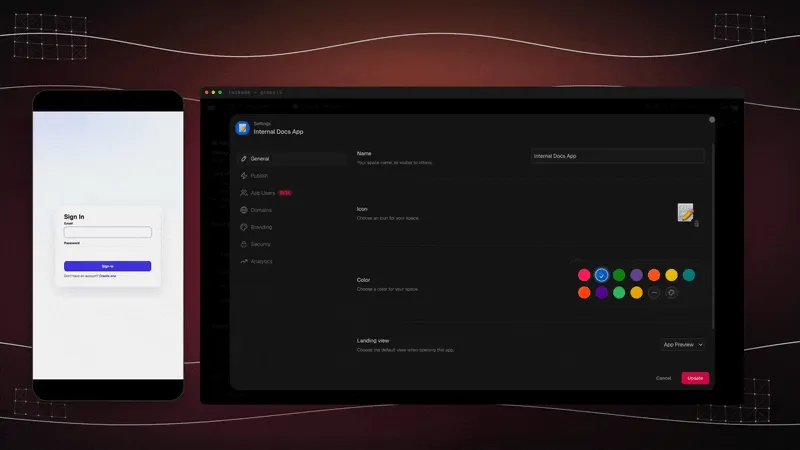
Mobile building is covered in build apps from your phone and the Taskade apps for every device. The connector side is in the 100+ integrations ecosystem. Customer sign-in runs on App Users, which works on every plan, and custom domains unlock on Business and above. The published-app walkthrough is in clone, login, automate. Three of the live apps built this way:
| Live app | What it runs | Clone it |
|---|---|---|
| Neon CRM Dashboard | Leads, deals, and live analytics | Clone → |
| Simple Store Manager | Catalogue, orders, and the back office | Clone → |
| Appointment Booking System | Services, times, and customer sign-in | Clone → |
Hundreds more are cloneable in the Community Gallery, or start from a blank prompt in app generation. Everything that shipped along the way is listed in the changelog.
What It Costs to Run a Living Workspace
All three layers run on every plan, including free. You pay when you want to put an app in front of customers on your own domain, with their own logins.
| Plan (annual billing) | Price | Best for |
|---|---|---|
| Free | $0 | Building and cloning your first living app |
| Pro ★ | $10/mo | Up to 10 users, the popular choice |
| Business | $25/mo | Custom domains for the portal your customers sign in to |
New accounts get 1,000 credits when you verify your signup and 5,000 more the moment you start your first build, sized to take one complete app from prompt to live. After that the math is simple: one Pro seat at $10/month billed annually costs less than an hour of the help you would hire to keep four disconnected lists in sync, and the Business plan is what turns an internal dashboard into a client-facing portal on a domain that carries your name.
Imagine It. Run It Live.
From tasks, to systems. One prompt, one app, one living workspace. The workspace remembers what you make, reasons through every step, and runs while you sleep, and none of that requires you to think about the machinery underneath. You describe the work. The system keeps it moving.
Start in Taskade Genesis and the architecture you ship is the same one on this page, connected projects for memory, AI agents for intelligence, and automations for execution. Or clone a live one and have it running before your coffee is cold.
- Introducing Taskade TSK-1 →, the kernel that coordinates all three layers, explained in full.
- Run Your Whole Business in One App →, what the loop looks like when a real operator runs a company on it.
- Set It Once, It Runs While You Work →, the execution layer in practice, from follow-ups to invoices.
- Clone, Login, Automate →, taking a cloned app to a live one with customer sign-in.
Frequently Asked Questions
What is a living workspace in Taskade?
A living workspace is one that keeps working when you are not in it. Instead of holding your notes and waiting, it stores your data as connected projects, reasons over that data with AI agents, and runs automations against it on a schedule. One prompt becomes an app that is already live, with no export step and no separate hosting to manage.
What is Workspace DNA?
Workspace DNA is the three-layer architecture behind every Taskade Genesis app: Memory, Intelligence, and Execution. Connected projects hold the memory, AI agents supply the intelligence, and automations handle the execution. The three form a loop, memory feeds intelligence, intelligence triggers execution, and execution writes new memory back. The long version is in the Workspace DNA architecture.
How does Taskade remember my work?
Every project, document, file, and agent conversation becomes context the rest of your workspace can read. A job references the customer it belongs to and an invoice references the deal that closed, so nothing has to be re-pasted into a prompt. The same records render in multiple views: List, Board, Table, and Mind Map in the toolbar, plus Docs, Gantt Chart, Calendar, Actionsheet, and Org Chart under More Views. See projects as databases for how that backbone works.
What is TSK-1 and do I have to choose an AI model?
TSK-1 is the Taskade System Kernel, the intelligence layer that coordinates models, memory, agents, and workflows into one running workspace. It is not a model itself. It routes each task across 15+ frontier models from OpenAI, Anthropic, and open-weight providers, and Auto is the default, so most people never open the model menu. Full detail in Introducing Taskade TSK-1 and AI models.
Can I connect Claude or ChatGPT to my Taskade workspace?
Yes. The Taskade MCP Server lets MCP-compatible clients such as Claude, ChatGPT, Cursor, and VS Code connect in to your workspace, read your live projects, and act on them from wherever you are already working. The hosted Taskade MCP Server is available on every paid plan. Setup is in Taskade MCP Server.
What can a Taskade automation actually run?
The repetitive parts of running a business. A trigger pulls an event in, a new lead, a dropped file, or a scheduled time, an agent reads your connected projects, and an action pushes the result back out across 100+ bidirectional integrations. The updated record lands in the same project your team is already looking at. Start with automation triggers and automation actions.
Can I build a Taskade app from my phone?
Yes. You can describe an app on mobile and publish it live from the same screen, then keep editing from a laptop later. The workspace is the app and its runtime, so there is nothing to deploy and no build step waiting on a desktop machine. See build apps from your phone and grab the apps from downloads.
How much does a living workspace cost?
Taskade has a free plan, with paid tiers at $10/month (Pro, the popular choice for 10 users) and $25/month (Business) on annual billing. All three layers run on every plan, including free. Custom domains unlock on Business and above, and customer sign-in via App Users works on every plan. Full breakdown on pricing.
▲ ■ ● Memory · Intelligence · Execution
The three-layer architecture behind every Taskade Genesis app, connected projects remember, agents think, automations run. Clone any live app above to feel the loop close itself, or build your own on the same primitives.