






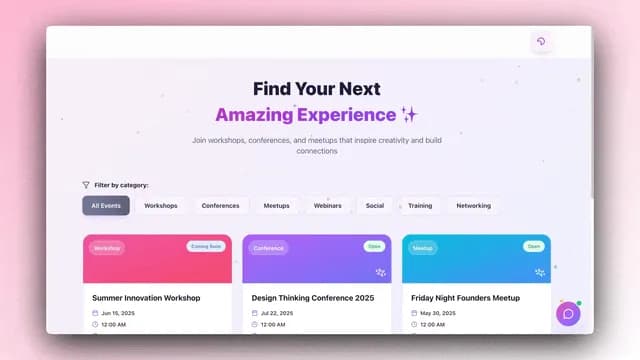
One agent answers a question. A team finishes the job. Describe what you want and Taskade Genesis generates the workflow, assembles the agent team, and runs it on autopilot across 100+ tools, no code, no deployment, no babysitting. This June 2026 update ships the full loop: generate from a prompt, hand the work to a team of agents, and let automations execute it around the clock.
TL;DR: Describe a job and Taskade Genesis builds the workflow, assembles a team of AI agents with built-in tools, and runs it across 100+ two-way integrations 24/7. Six ready-made apps to clone free in 60 seconds, starting at $0. Generate a workflow →
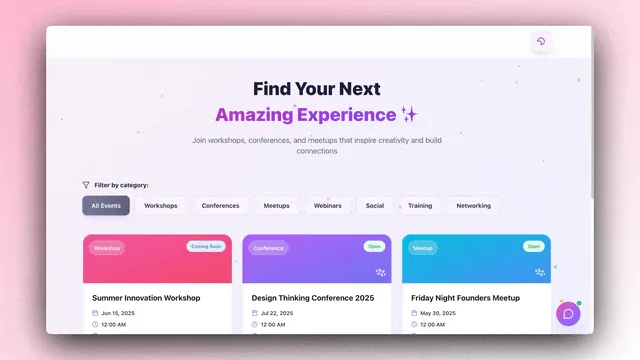
The three sections below map to the three layers of Workspace DNA: the Workflow Generator is Memory, Agent Teams are Intelligence, and connected 24/7 automations are Execution. The loop closes itself.
Describe It, Generate the Flow
The Workflow Generator turns one prompt into a full workflow. Describe the job and Taskade Genesis builds the whole flow, the steps, the agents, and the data it runs on. There's no setup wizard and no blank canvas to stare at. You say what you want done, and the workspace assembles the workflow that does it, then reads and writes your data as it runs.
The data is your workspace. Taskade Projects, docs, tables, and wiki become the memory the flow runs on, so every step works from the same context instead of copy-pasting between tools. That shared source of truth is what makes a generated workflow more than a one-shot script. It stays in context and picks up where it left off.
| Memory layer | What it does | Why it matters |
|---|---|---|
| Reads + writes your workspace | Projects, docs, tables, and wiki become the flow's data | The flow runs on your real content, not a blank slate |
| One shared source of truth | Every step works from the same context | No copy-paste between tools, no drift between steps |
| Persistent memory | The flow stays in context across runs | It resumes where it left off instead of starting over |
Memory in Taskade is stored as real Taskade Projects, not a hidden vector dump, inspectable, editable, and exportable. The DNA Knowledge Graph visualizes how every project, agent, and automation connects, so you can trace any thread in one click. Read the Workspace DNA blueprint for the deeper architecture, or the memory, workflows, payments update for how the memory layer shipped. Want to start with a working example? Clone the Customer Health dashboard. It ships with a Project that already holds account health as structured memory.
Generate a workflow from one prompt →
Deploy a Team, Hand Off Work
Agent Teams split a job across multiple AI agents that each take a role and hand off to one another like teammates. You set the goal; they coordinate the steps. This is the difference between a single assistant and a team: one agent answers a question, but a team of AI agents qualifies the lead, drafts the reply, updates the record, and posts the result, each step owned by the agent best suited to it.
Every agent ships with built-in tools out of the box, web search, code, file analysis, and custom slash commands, and shares the same Workspace Memory, so the next agent in the chain sees the latest state without anyone re-pasting context. Behind the scenes, Taskade auto-picks from frontier models from top AI labs, matching each task to the right model so you don't have to choose.
Three modes of collaboration come for free: handoff (one agent passes to the next), parallel (agents work different slices at once), and review (one agent checks another's output). Configure tools per agent in the Agent Tools guide, set up a team in the AI Teams guide, or learn the model picker in Custom Agents. For the full breakdown of the collaboration modes, read AI Agent Teams Collaboration. To see a team running inside a real workflow, clone the Sales Pipeline app, sourcing, qualification, and follow-up agents are already wired.
Connect Tools, Run It 24/7
Workflows plus tools means something happens and your workflow runs itself start to finish, even while you sleep. An event fires or a schedule hits, the agent team executes, and the flow pulls updates in from your tools and pushes results back out. This is the Execution layer: the same generated workflow, now connected to the world and running on autopilot.
Connections are 100+ bidirectional integrations, Slack, Stripe, GitHub, Notion, Google Sheets, and more, in both directions. Triggers pull events in; actions push data out. If a step fails, the workflow retries and picks up where it left off, so nothing slips. And it runs around the clock on scheduled and event-driven triggers, with no manual restarts.
| Execution layer | What it does | Example |
|---|---|---|
| 100+ two-way integrations | Triggers pull events in, actions push data out | Stripe payment in, Slack post out |
| Recovers on its own | Retries a failed step and resumes | A flaky API call no longer breaks the run |
| Runs around the clock | Scheduled + event-driven, no babysitting | A Monday 9am digest fires every week |
Here's a canonical Stripe to Slack to Notion flow that runs across the Sales and Customer Health apps. Notice that Memory updates as a side effect of every action, so the next agent run already has the new state in context.
Set up triggers in the Automation Triggers guide, schedule recurring runs with the Schedule guide, and see the execution model end to end in Automations Execution. For the patterns these flows are built on, read Automation Templates Quick Start and the agent memory and connected tools update. Compared with stitching tools together by hand, this is the difference a Zapier alternative and a Make alternative walk through on competitor surfaces, the agents, the memory, and the automations are one workspace, not three subscriptions.
Clone One, Make It Run
Six ready-made apps ship with this update, each with agents and automations built in. Clone one, point it at your data, and it runs. Every link below opens a live Taskade Genesis app on the Community, no signup wall, no "request a demo" step. Press Use this app and the whole workflow copies into your workspace in about 60 seconds.
| App | What it runs | Clone |
|---|---|---|
| Analytics Dashboard | Live revenue, traffic, and conversion on one screen | Clone → |
| Sales Pipeline | Forecast deals and move them from lead to close | Clone → |
| Customer Health | Spot churn risk early and keep accounts healthy | Clone → |
| Client Portal | A branded, self-serve portal your clients log into | Clone → |
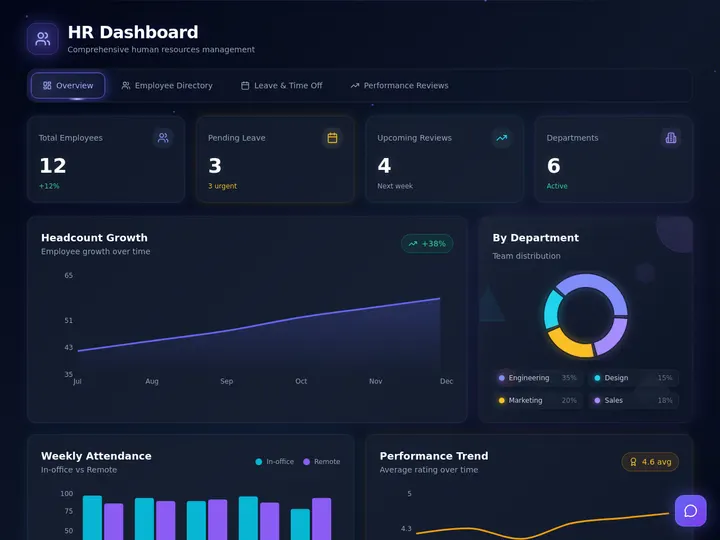
| HR Dashboard | Headcount, reviews, and time off in one view | Clone → |
| Capacity Planner | See who is free and who is overloaded | Clone → |
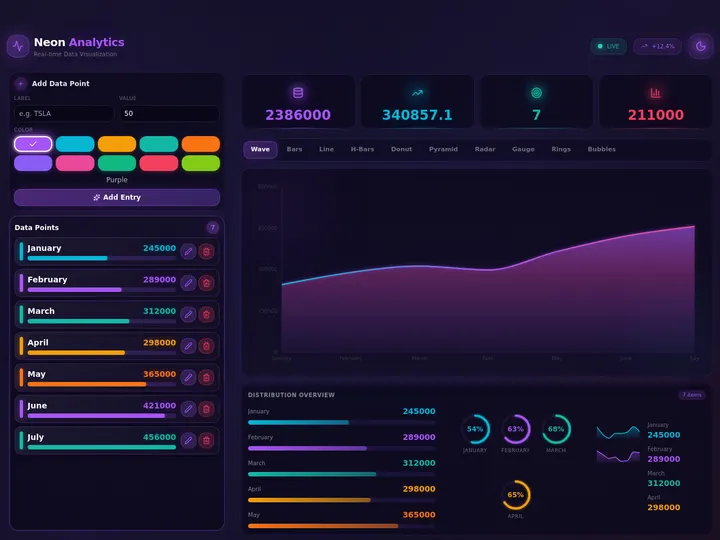


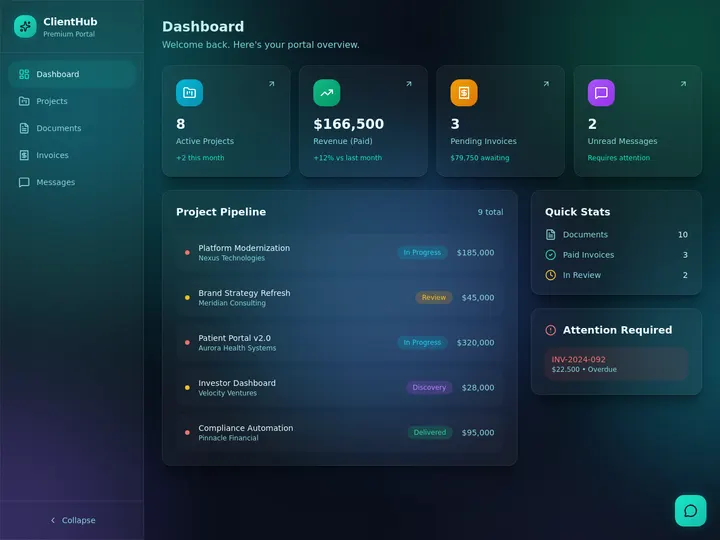
The sixth app, the Capacity Planner, shows who is free and who is overloaded across the team, pink KPIs and workload bars over a connected Project. Clone the Capacity Planner app →
A cloned app isn't a static template. It's a hydrated workspace, the agents arrive trained on the workflow, the automations arrive wired to the tools they need, and the Projects arrive structured as memory. That's the difference an app kit versus a template makes, and it's why deploy is the start of the lifecycle here, not the end. Want the conceptual tour first? Read Agent Builders Explained and Agentic Workflows Explained.
How a Generated Workflow Becomes a Living App
The single highest-leverage moment in the AI app category is the gap between "described the job" and "first run fires." Code generators leave that gap at hours of hosting, database, and auth setup. A Taskade Genesis workflow closes it in under 60 seconds, because the workflow isn't generated code. It's a generated workspace with all three layers wired.
Three things do real work in that diagram. The Projects layer is structured memory, typed rows the agents read deterministically, not a chat transcript. The agent team layer routes per task and hands work along the chain. The automations layer writes back into Memory on every action, so the next agent run sees fresh state. Clone any of the six apps above and that loop is already turning before you finish editing the prompt.
When you're ready to publish, an app can go live with sign-in via GenesisAuth on every plan, and on a custom domain on Pro and up. Until then, generating, deploying, and cloning are all free. Compare the approach to building from scratch in a Notion alternative or a code generator like a Lovable alternative, and the wedge is the same: a public, cloneable, working workflow you can run in 60 seconds.
What It Replaces: One Workspace vs. Many Subscriptions
The clearest way to read a generated workflow is to ask what you'd otherwise stitch together by hand. The table below maps each of the six apps to the manual stack it absorbs. The point isn't that the workflow replaces the judgment. You still own the calls. But that it ships the execution surface before day one.
| App | What you'd otherwise stitch | What the workflow ships day one |
|---|---|---|
| Analytics Dashboard | BI tool + data warehouse + manual exports | Live metrics Project, scheduled refresh, one-screen view |
| Sales Pipeline | CRM + spreadsheet + email sequencer | Sourcing/qualification/follow-up agents, stage tracking |
| Customer Health | CS platform + ticket export + alert rules | Health scorer, sentiment ingest, at-risk escalation |
| Client Portal | Portal builder + auth + hosting | Branded self-serve portal, login, shared comms |
| HR Dashboard | HRIS + spreadsheet + calendar | Headcount, reviews, and time-off in one connected view |
| Capacity Planner | PM tool + manual workload tracking | Over-allocation detector, calendar sync, workload bars |
The pricing math doesn't need a spreadsheet. Taskade is free to start, and one Pro seat at $10/month is less than a single hour of any role these workflows support. For more on the one-person, full-stack version of this, read The Solo Operator's Stack.
Read Next: More From the Update Series
Each post below zooms into a different facet of what generated workflows and agent teams do under the hood.
- New App Kits, Agents, and Workflows →, 24 ready-made app kits across five business stacks, every one a live cloneable workflow.
- Multi-Agent Workspace: Memory, Agents, Workflows →, how the shared-memory layer lets agents hand off work without re-pasting context.
- Workspace Memory, Agent Workflows, App Payments →, the DNA Knowledge Graph, agents wired to built-in tools, and Stripe checkout inside apps.
- Clone, Login, Automate →, the published-app version of the workflow lifecycle, from clone to live custom domain.
Generate Your First Workflow
If you run sales, clone the Sales Pipeline. If you own customer success, clone Customer Health. If you're a founder doing six jobs, clone the Analytics Dashboard and the Capacity Planner together. Pick the workflow that matches the work you'll do tomorrow morning, clone it, and the agent team and automations are running before your coffee is cold. Every app is free to clone, free to customize, and free to run.
Ready to build your own from scratch? Describe the job in Taskade Genesis and the same architecture is what you'll ship, Projects, agents, automations, all stitched into one running workflow. Or browse the full Community Gallery for hundreds more live apps to remix. Step-by-step? Start with the first app guide and the vibe workflows guide.
▲ ■ ● Memory · Intelligence · Execution
Memory feeds the flow, the team runs it, and execution keeps it live around the clock, one prompt, one team, one workflow that never sleeps. Clone any app above to feel the loop close itself, or build your own on the same primitives.
Frequently Asked Questions
What is the Taskade Genesis Workflow Generator?
The Workflow Generator turns one prompt into a full workflow. Describe the job and Taskade Genesis builds the steps, assembles the agents, and wires the data it runs on. It reads and writes your workspace — Projects, docs, tables, and wiki, so every step works from one shared source of truth with persistent memory.
How do Agent Teams work in Taskade Genesis?
Agent Teams split a job across multiple AI agents that each take a role and hand work to the next one automatically. You set the goal and they coordinate the steps. Every agent ships with built-in tools and shared memory, and Taskade auto-picks from frontier models to match each task. One agent answers a question; a team finishes the job.
How many integrations do Taskade automations support?
100+ bidirectional integrations including Slack, Stripe, GitHub, Notion, and Google Sheets. Triggers pull events in and actions push data back out across the same set of tools. Workflows run on scheduled or event-driven triggers, recover and retry on their own if a step fails, and keep running around the clock with no babysitting.
Do I need to write code to build an agentic workflow?
No. Taskade Genesis builds the entire workflow from a plain-language prompt, no code, no deployment, no hosting setup. The agents, the automations, and the underlying Projects all arrive wired together. You describe the outcome you want and the workspace assembles the steps, then you refine the system prompt or swap models in one click.
How much does Taskade cost?
Taskade is free to start. Paid plans are Pro at $10/month (the most popular tier, with 10 users) and Business at $25/month, on annual billing. Generating workflows, deploying agent teams, and cloning ready-made apps are all free. Sign-in is free on every plan. You only reach pricing to publish an app to a custom domain, which lives on Pro and up.
Can I clone a ready-made agentic workflow?
Yes. This update ships six ready-made apps, Analytics Dashboard, Sales Pipeline, Customer Health, Client Portal, HR Dashboard, and Capacity Planner, each with agents and automations already built in. Open a share link, press Use this app, and the entire workflow copies into your free Taskade workspace in about 60 seconds.
Which frontier models do Taskade agents use?
Taskade routes across frontier models from top AI labs, and open-weight providers, with Auto picking the right model per task. Reasoning-heavy steps get long-context models, structured-output steps get a fast structured model, and short replies get a fast model. You can pin any model per agent in the picker, or let Auto handle routing.
What is Workspace DNA?
Workspace DNA is the Taskade architecture where Memory (Projects), Intelligence (Agents), and Execution (Automations) form a self-reinforcing loop. Memory feeds Intelligence, Intelligence triggers Execution, and Execution writes back to Memory. Every generated workflow inherits this loop, which is why a Taskade app keeps remembering, thinking, and acting after it ships instead of staying frozen.