






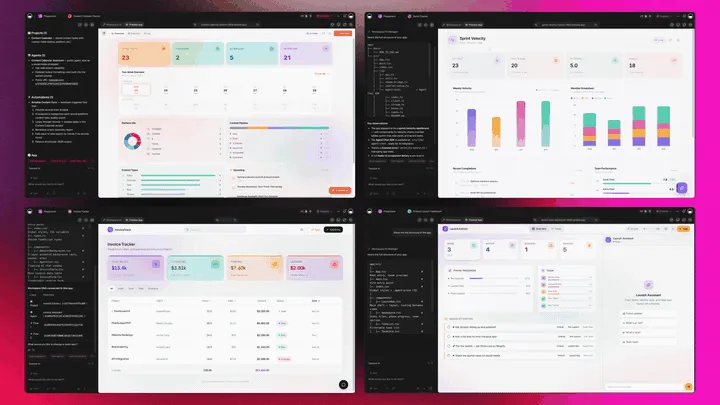
Your workspace now clones working systems, gates them behind sign-in, runs anything from one chat, and automates the routine.
Clone, login, agents, flows. That's Workspace DNA shipping in May. Here's what's new.
TL;DR: May 2026 ships App Users (beta) for sign-in and end-user management inside every published Taskade Genesis app, slash commands and
@mentions in Taskade EVE chat, new email + task + GitHub triggers in Automations, Google CalendarList EventsandGet Free/Busyactions, and 8 production apps you can clone in 60 seconds. Build with AI →
Clone Apps. Instantly.
Pick a working system. Click. Customize. Sixty seconds to a live app with workflows, agents, and data wired in.
| App | What it does |
|---|---|
| Client Connect Dashboard | Track relationships, deals, and follow-ups in one view |
| Neon Task Board | Plan, prioritize, ship — neon UI, agent-powered |
| Client Portal Dashboard | Branded portal with login, projects, comms in one place |
| Invoice Generator | Polished invoices from one prompt |
| Recipe Planner Studio | Plan the week, get a grocery list, cook from chat |
| Streak Tracker Board | Build the streak, watch it grow |
| Meeting Cost Calculator | See what every meeting costs, live |
| Simple Store Manager | Orders, inventory, fulfillment in one dashboard |
Every clone arrives with its agents trained, automations wired, and Project databases pre-seeded. Add Sign-In and your customers can use it the same day.
▶ Browse 150,000+ apps in the Community Gallery →
Add Sign-In. Manage Users.
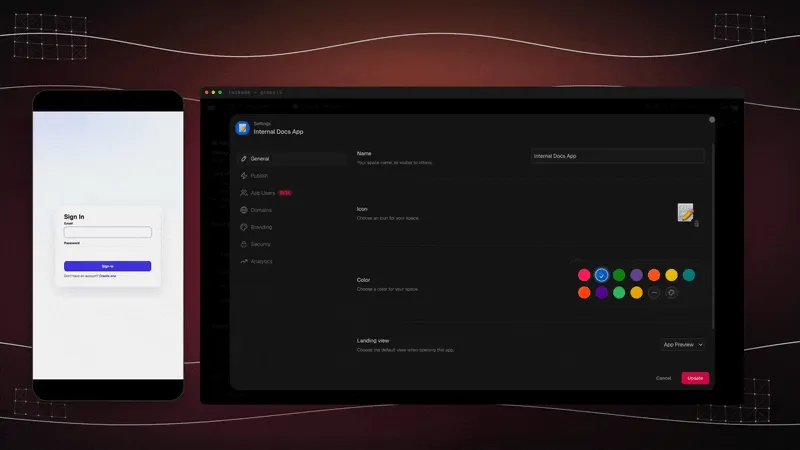
Your published Taskade Genesis app has its own users, separate from your workspace teammates. The App Users surface is the admin dashboard where you invite, tag, and revoke them. Built into every app you publish, no auth code to write, no third-party identity provider to configure.
Two layers, one workspace:
| Workspace members | App Users | |
|---|---|---|
| Who | You + your team | The customers of your published app |
| Where they sign in | app.taskade.com |
Your app's URL or custom domain |
| What they touch | Everything | Only the screens you published |
| Counts toward plan seats? | Yes | No, separate count |
Think of it like a website. The workspace is your admin panel. The published app is the public site. App Users are the people who visit and sign in.
What's wired:
- Invite by email, paste a list, one per line, hit send
- Sign-in, built-in email sign-in for the people who use your app
- Tag at invite time,
client,vip,beta, anything you invent - Gate content with plain English, "Only show Billing to users tagged
client." - Revoke in one click, next request denied, history kept clean
Pair with Custom Domains to brand the sign-in URL your users see, or App Analytics to track which roles actually use the app. Full details in the App Users guide →
Run Commands. Mention Anything.
Type / to run anything. Type @ to pull anything in. Your whole workspace, from one chat.
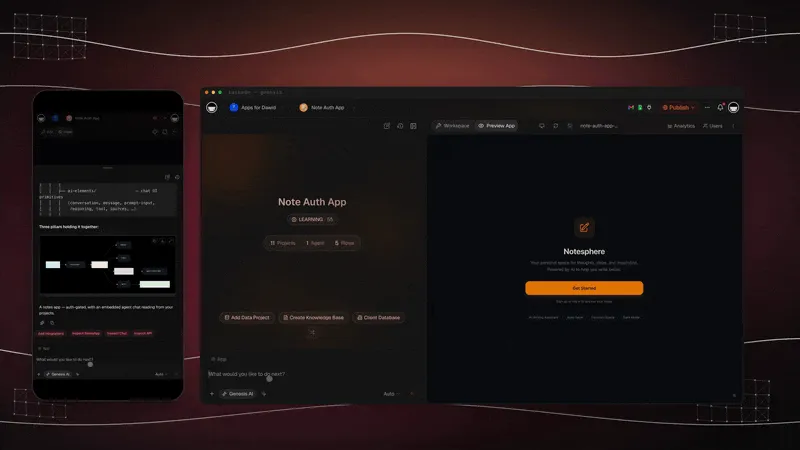
The mental model: @ is the noun, / is the verb. Pick what you mean, then say what to do.
| Surface | What you can do |
|---|---|
| Slash commands | /build, /fix, /automate, /publish, /preview, /style, /share, /auth, /users |
| @ Mentions | Pull any Project, Agent, or Automation into the prompt |
| Stacked | @Sales pipeline /automate notify Slack on every new lead |
The chat bar replaces five tabs of navigation. Full command reference in the Taskade EVE Slash Commands guide →
Schedule Flows. Automate Tasks.
Triggers in. Actions out. 100+ integrations on call.
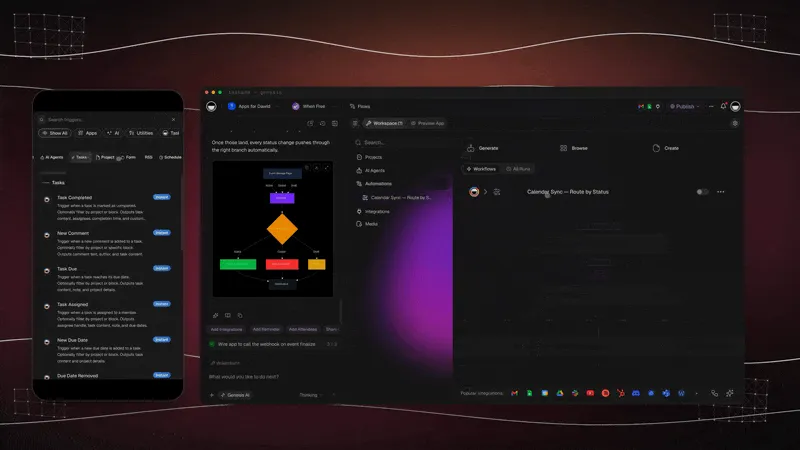
This month's headline additions:
| New piece | What it does |
|---|---|
| 📬 Email + Task triggers | Inbound email or new task kicks off a flow — no webhook plumbing |
| 📂 GitHub Export | Push a Taskade Genesis project to an existing repo with branches and a pull request |
| 📄 Project Export | Export a Genesis project to Markdown or plain text for backup and migration |
| 🧩 Private repo import | Pull from a private GitHub repo into a Genesis project |
| 📊 Runs tab | Every automation run, every workspace, in one view |
Everything runs on durable execution, automatic retry, guaranteed delivery, no silent failures.
Pair with AI agent steps so your flow can ask a frontier model for judgment, then execute on the answer. Browse the full integration catalog →
Connect Calendars. Run Agents.
Read your calendar inside automations. Write new events from a workflow. Check availability before a tool tries to schedule. Pair with an AI agent and the calendar starts running itself.
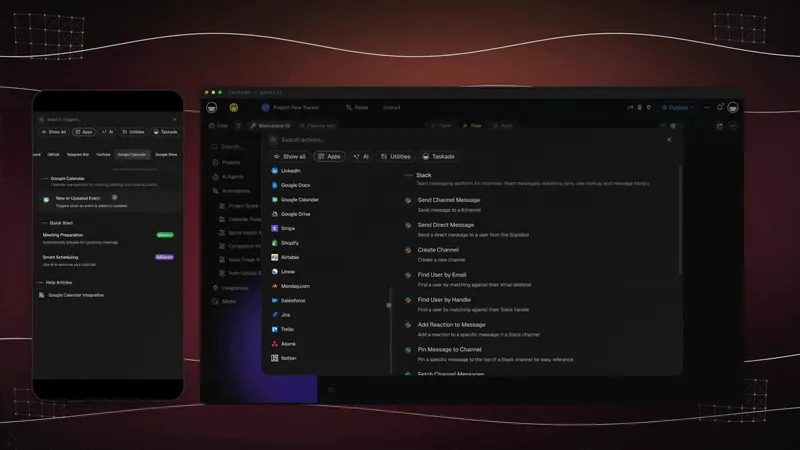
| Action | What it does |
|---|---|
| List Events | Pull a time-windowed slice of the calendar into your flow |
| Get Free/Busy | Check availability across one or many calendars before booking |
| Create Event | Add a full event with date, time, attendees, and reminder |
| Create Quick Event | One-shot natural-language create (1-hour, 10-min reminder) |
| Delete Event | Remove an event by ID — perfect for clean-up flows |
Full details in the Google Calendar Integration guide →
🧬 Your Workspace. Alive.
Each update this month feeds the same loop. Memory feeds Intelligence. Intelligence triggers Execution. Execution creates new Memory.
- 📋 Projects remember, a single map, every node connected, open it at
/memory - 🧠 AI Agents think + learn, 100+ tools at their disposal, agents that ship work
- ⚡ Automations execute, triggers in, actions out, 100+ integrations on call
- 🚀 Taskade Genesis deploys, from prompt to live app on a custom domain, day one
One prompt. One app. One living workspace.
Projects remember. Agents learn. Work flows. Apps earn. That's Workspace DNA. Memory, intelligence, execution. All connected.
🎯 Start Building
- Build with AI →, one prompt to a deployed app
- Open
/memory→, see your Workspace DNA Knowledge Graph - Add Sign-In to your app →, App Users beta
- Browse 100+ Integrations →, Slack, Stripe, GitHub, Google Calendar
- Browse the Community Gallery →, 150,000+ apps already live
- See pricing →, Free, Pro $10/mo, Business $25/mo, billed annually
- Read: Workspace Memory, Agent Workflows, App Payments
- Read: Taskade Genesis Apps Are Live: 150K Built (April 2026)
John Xie
Co-founder & CEO, Taskade
▲ ■ ● Clone apps. Add login. Run agents. Automate flows.
Frequently Asked Questions
What is App Users (beta) in Taskade Genesis?
App Users is a built-in admin surface inside every published Taskade Genesis app for managing end users separately from your workspace teammates. Customers sign in with their email. You invite, tag, view sign-in history, and revoke seats from the App Users dashboard. Workspace members run the workspace. App Users use the published app.
What is the difference between Workspace Members and App Users?
Workspace members are you and your team. They sign in at app.taskade.com, touch projects, agents, automations, and settings, and count against your plan's seat limit. App Users are the customers of your published Taskade Genesis app. They sign in at your app's URL, see only the screens you published, and do not consume workspace seats. Two layers, one workspace.
How do slash commands and @ mentions work in Taskade EVE chat?
Inside any Taskade EVE prompt, type / to open the command palette and @ to open a workspace picker. Run /build, /fix, /automate, /publish to act on the current app. Use @project-name, @agent-name, or @automation-name to bring a specific Taskade Project, Agent, or Automation into context. The mental model is simple, @ is the noun, / is the verb. Pick what you mean, then say what to do.
What new automation features shipped in May 2026?
May 2026 ships Email and Task Added triggers, a GitHub export action that pushes a Genesis project to an existing repo with branches and a pull request, a private repo import action, and a Genesis project export to Markdown or text. Combined with the existing 100+ bidirectional integrations and durable execution, automations now wire end-to-end developer workflows from chat.
What does the Google Calendar integration do in Taskade?
The Google Calendar integration includes one trigger (New or Updated Event) and five actions (Create Event, Create Quick Event, Delete Event, List Events, Get Free/Busy). List Events pulls a time-windowed slice of the calendar into your flow. Get Free/Busy checks availability before booking. Pair both with an AI agent to let agents pick their own meeting times without humans in the loop.
What is Workspace DNA?
Workspace DNA is the four-layer architecture that lets Taskade Genesis ship running systems instead of code files. Projects remember (Memory). AI Agents think and learn (Intelligence). Automations execute (Execution). Taskade Genesis deploys (App UI). Memory feeds Intelligence, Intelligence triggers Execution, Execution writes back to Memory, a self-reinforcing loop that makes a Taskade workspace feel alive instead of static.
What apps can I clone in 60 seconds?
The May 2026 lineup features 8 ready-to-clone app kits, Client Connect Dashboard, Neon Task Board, Client Portal Dashboard, Invoice Generator, Recipe Planner Studio, Streak Tracker Board, Meeting Cost Calculator, and Simple Store Manager, each clonable into your workspace in roughly 60 seconds. Every clone arrives with workflows, agents, and data wired in. Add Sign-In and your customers can sign in the same day.