






You can now organize and manage your team tasks like never before! 😎
TL;DR: The 2020 My Tasks and Team Agenda views were the early seed of today's AI Agent Inbox and agent teams — now combined with multiple project views, frontier models, and 100+ integrations. Taskade Genesis turns prompts into living apps that auto-route work to the right person or agent.
Then → Now: A "My Tasks" inbox became today's AI Agent Inbox + Agent teams — see Learn Taskade: Agents for how delegation works now.
| Personal view | 2020 (this release) | Today (2026) |
|---|---|---|
| Inbox | My Tasks across workspaces | My Tasks + Agent Inbox + team DMs |
| Agenda | Filter by assignee + dates | Calendar + Gantt + Table views |
| Linking | @mention project links |
Linking + agent knowledge sources + workspace graph |
| Delegation | Manual assign to teammate | Manual assign or hand off to custom agents |
| Intelligence | None (no AI yet) | Multi-agent teams auto-route work |
✅ My Tasks
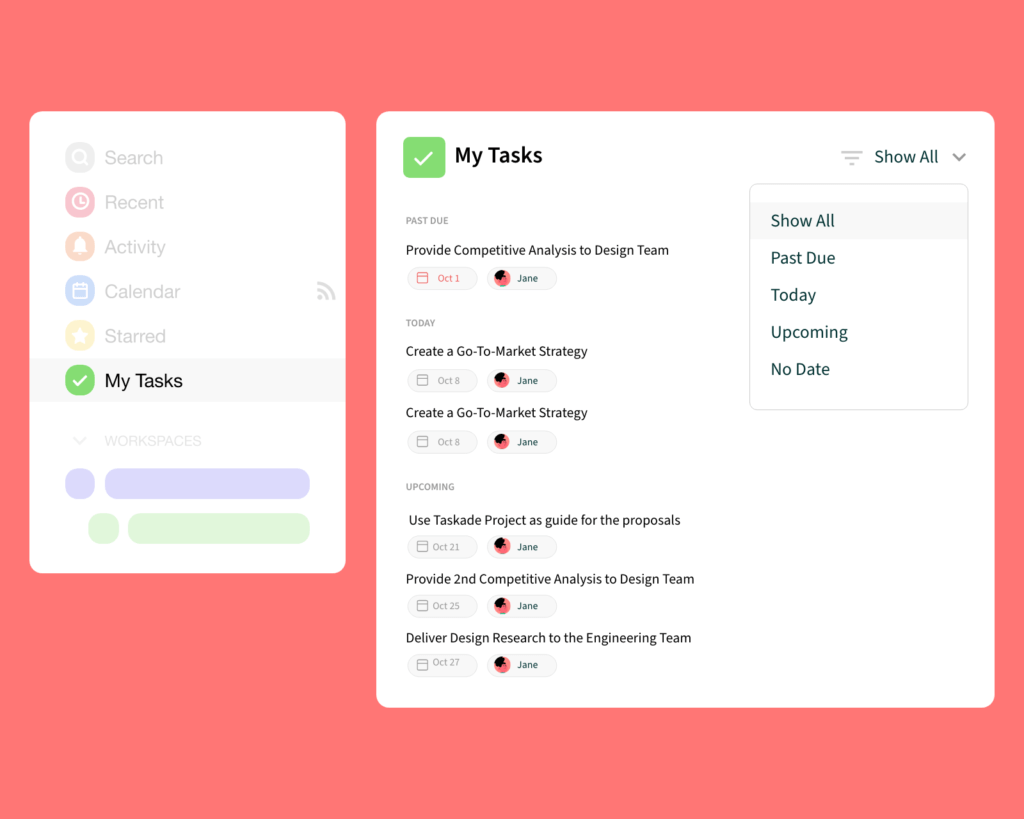
See tasks assigned to you across all projects and workspaces in My Tasks.
⚡️ Agenda = Tasks
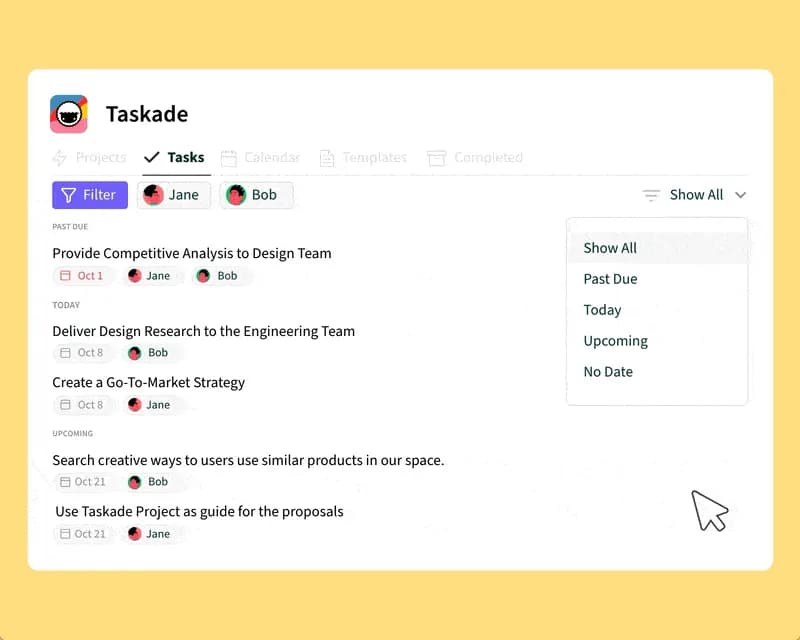
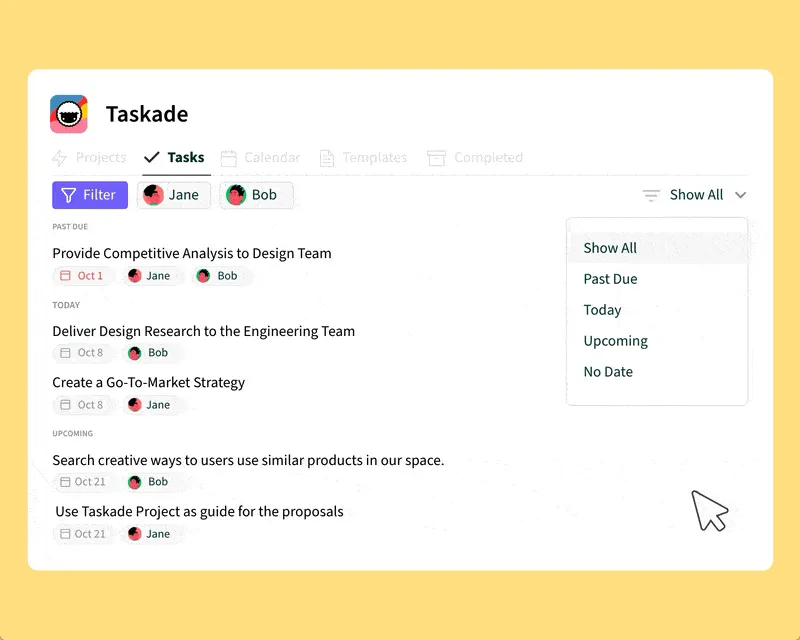
The new Tasks tab in your workspace lets you filter by assignee or dates.
🔗 Project Links
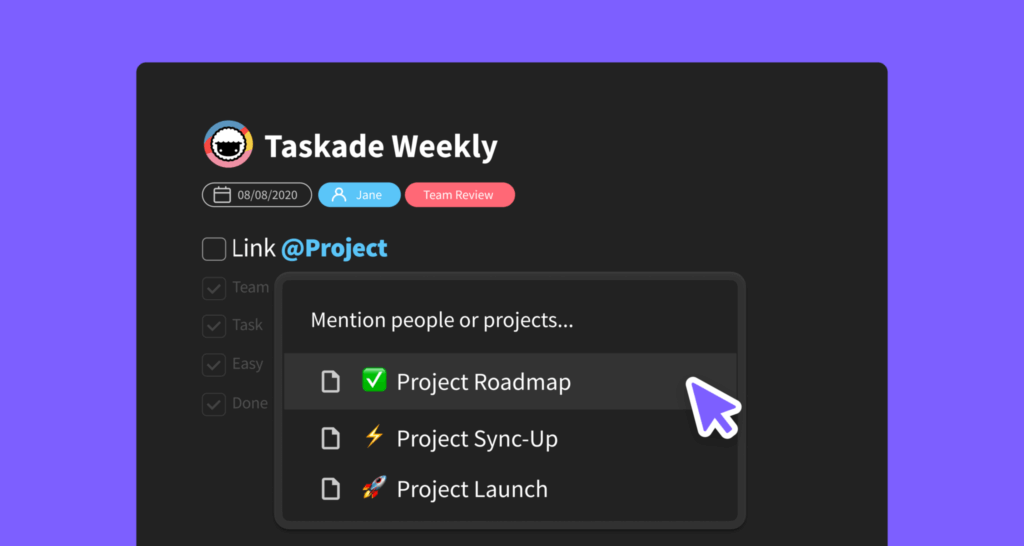
Add links to other projects using @mention and create an interconnected web of projects within your workspace — the foundation that today feeds backlinks into Automations and the Community Gallery. Search results have also been improved.
📥 The Inbox Stack
My Tasks in 2020 was a single list. In 2026 the inbox stack has three layers — and one of them is for AI teammates.
   ┌──────────────────────────────────────────────┐
   │  My Tasks            (assigned to you)       │
   │  ────────────────────────────────────────    │
   │  ☐ Review release notes        @alex   ⏰ Mon │
   │  ☐ Approve design draft        @alex   ⏰ Tue │
   │  ☑ Ship Q2 plan                @alex   ✓     │
   ├──────────────────────────────────────────────┤
   │  Agent Inbox         (delegated to AI)       │
   │  ────────────────────────────────────────    │
   │  🤖 EVE summarized 12 PR comments            │
   │  🤖 ResearchBot drafted competitor matrix    │
   ├──────────────────────────────────────────────┤
   │  Team DMs            (mentions + replies)    │
   └──────────────────────────────────────────────┘
🔗 Related Reading
- Crosslink, Hyperlink, Mobile Share Widget — the @mention foundation
- Quick Search — find any task across workspaces
- Learn Taskade: My Tasks · Agent Inbox · Custom Agents
- Delegate to agents, connect to 100+ integrations, or build a personal dashboard with Taskade Genesis.
Thanks again for supporting Taskade, and as always, don’t hesitate to reach out if you need help. We’re here for you! 😊
— Team Taskade 🐑
Frequently Asked Questions
What is My Tasks in Taskade?
My Tasks is a centralized view that shows all tasks assigned to you across every project and workspace. Access it from the navigation sidebar to see your complete task list in one place, making it easy to prioritize and track your personal workload without opening individual projects.
Can I filter tasks by assignee in Taskade?
Yes. The Tasks tab in your workspace lets you filter tasks by assignee or due dates. This helps team leads see who is working on what, identify overloaded team members, and ensure tasks are distributed evenly across the team.
Can I link projects together in Taskade?
Yes. Use @mention to create cross-links between projects within your workspace. Type @ followed by a project name to create a clickable reference, building an interconnected web of related projects for easy navigation between documentation, tasks, and reference materials.
Does Taskade show task assignments across all workspaces?
Yes. My Tasks aggregates every task assigned to you from all workspaces and projects into a single view. This gives you a complete picture of your responsibilities regardless of how many workspaces or teams you belong to.