






No cubicle can match the comfy vibes of getting work done at home. But is your home office your temple? Is it free from distractions and pesky diversions? If not, it’s time to brush up on your routine and embrace the power of deep work. ⚡️
TL;DR: Deep work — distraction-free focus on cognitively demanding tasks — can boost remote team output by 40%+. Taskade consolidates tasks, docs, chat, and AI agents in one workspace to eliminate context-switching, the biggest productivity killer for distributed teams. Try Taskade free →
In today’s article, we take a look at Cal Newport’s deep work philosophy. We also adopt some of its principles to capitalize on focus in a remote workplace.
Here are a handful of questions we answer in this guide:
💡 The ability to work without distractions is something we’re very passionate about at Taskade. Be sure to read other similar articles we published in the past.
🧘♂ Unearthing The Definition of Deep Work
According to Cal Newport, the author of Deep Work, the ability to tune out distractions and fully focus on work is one of the most valuable but neglected skills.
Newport argues that we should all learn how to engage in deep, focused work he calls “a super power in our increasingly competitive twenty-first century economy.”
“Deep work is made up of professional activities performed in a state of distraction-free concentration that push your cognitive abilities to their limit. These efforts create new value, improve your skill and are hard to replicate “
Cal Newport, Deep Work(1)
But there’s a problem.
Maintaining focus is extremely difficult. It takes a tremendous amount of discipline and self-control to resist glancing at your phone or browsing the web at work.
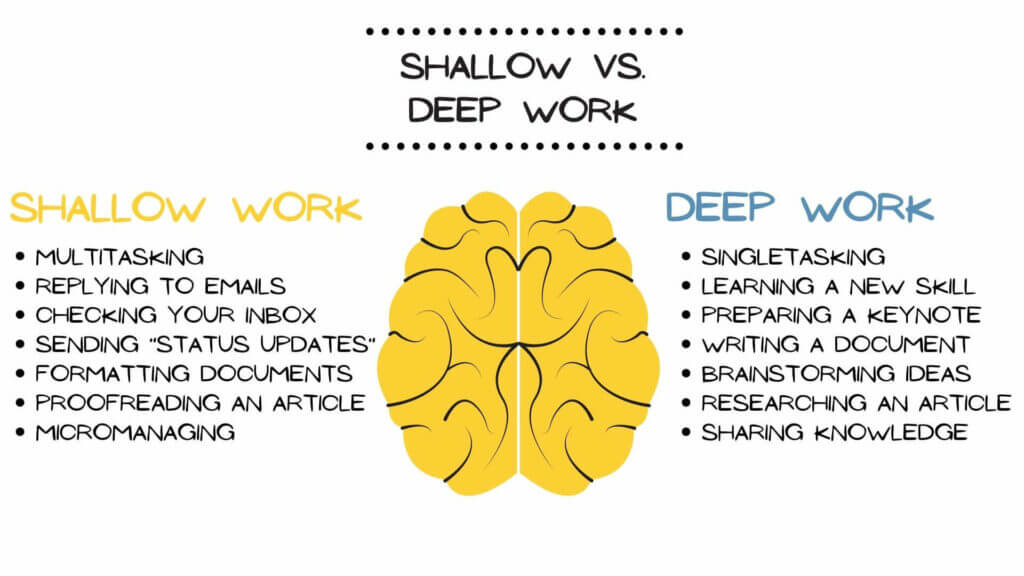
A diagram with examples of shallow and deep work
On top of that, it’s much more satisfying to engage in what he calls “busyness as a proxy”—checking email, chatting with colleagues, attending meetings—that creates a feeling of superficial productivity. He brands these activities as shallow work. 👇
“Noncognitively demanding, logistical-style tasks, often performed while distracted. These efforts tend not to create much new value in the world and are easy to replicate.”(1)
Cal Newport, Deep Work(1)
Of course, the modern work environment doesn’t help. We’re surrounded by beeps, tweets, and pings that constantly break our flow.
Things got even more complicated when we embarked on a year-long remote work experiment. The overnight switch took many by surprise. It also made the definition of true productivity harder to pin down.
And this is where deep work comes into play.
⚡️ Essential Benefits of Deep Work
“If you can’t learn, you can’t thrive.”
Cal Newport, Deep Work(1)
While deep work offers numerous benefits for individual practitioners its effects compound when adopted in a fully distributed team.
Increased Learning Potential
Knowledge sharing is key in a remote workplace. It improves team autonomy, promotes innovation, and removes decision-making bottlenecks.
But there’s a catch. The quality of aggregated team knowledge depends on the input from individual team members.
Uninterrupted focus boosts your team’s potential for processing data and connecting the dots. It helps assimilate information and significantly improves the output in aggregate.
Sustainable Communication Habits
Many remote teams struggle with communication intensity. With no clear expectations for the frequency and method of communication, team interactions are left to chance.
All that stacks up to a highly distracting work environment.
Making deep, focused work part of team culture can positively impact remote communication habits. That means shorter and more productive meetings, fewer unsolicited emails, and better adherence to local business hours.
Prioritizing deep work sends a clear signal across the team.
Respect your team members' time, choose appropriate communication methods, and think twice before reaching out.
Better Remote Work Habits
Deep work goes far beyond merely working on something in utmost focus for a set amount of time. It leverages recurring, habitual practices.
Building a deep work routine involves adjusting the environment, expectations, tools, techniques, and methods to create a complete, distraction-free ecosystem.
If your team struggles with figuring out an optimal wfh workflow, you can use the principles of deep work as a foundation for good remote habits.
Want to learn more about the power of small, incremental changes? Be sure to read our article Building Effective Remote Teams With Atomic Habits.
🧘♂️ 3 Steps to Deep Work in Distributed Teams
“The best moments usually occur when a person’s body or mind is stretched to its limits in a voluntary effort to accomplish something difficult and worthwhile.”
Cal Newport, Deep Work(1)
Your remote team’s deep work strategy will be made up of three components—coworking sessions, workflow tweaks, and pivot from shallow to meaningful tasks.
1. “Make” Time for Deep Work
Before your team can engage in deep work, you need to discuss a few details. Throw a short video conference (20-30 minutes) and ask the following questions:
🏡 “Where you will work and for how long?” Given the pandemic situation, your team members will probably work from their home offices. You should discuss how often you’ll run deep work coworking sessions, how long they should last, and what communication channels you’ll use. Video conferencing is recommended.
🧰 “How you will work once you start to work?” Decide on the rules of engagement. Will you tackle a bigger project together or work on individual tasks? What communication/collaboration platform will your team use?
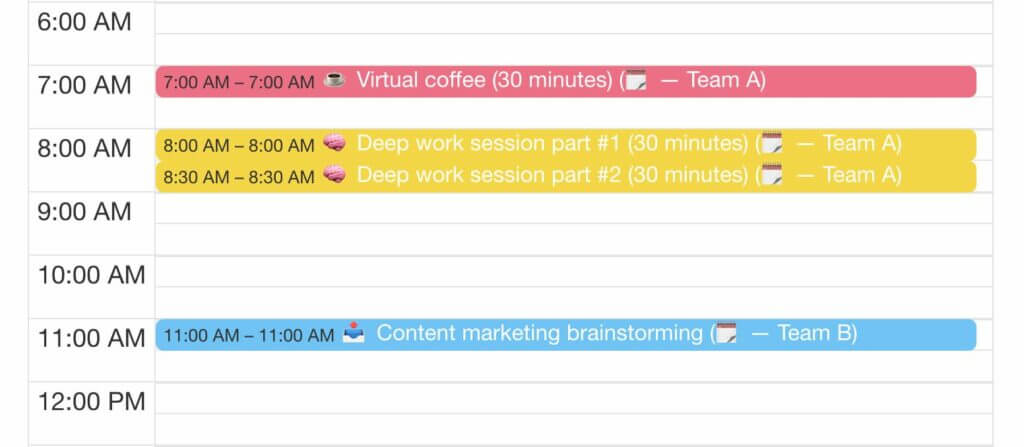
☕️ “How you will support your work?” What activities prime your focus? Is it lo-fi music or taking a walk in the park to clear your mind? You can start with 15-minute virtual coffee to get everybody in a productive mood.
Of course, the timing will vary depending on whether you want to engage in deep work yourself or with your team. Newport suggests four types of scheduling. 👇
🧘♀️ Monastic scheduling. It involves full dedication to focused activities and essentially building your schedule around them. Very little to no shallow work is allowed so it may be unrealistic in a team setting.
🗓 Bimodal Scheduling. This approach requires long-term planning and high dedication. You schedule deep work stretches lasting days, weeks, or months. It works best for individuals who can adjust their schedules accordingly.
⏱ Rhythmic Scheduling (recommended). Run deep work sessions according to your and your team’s daily schedule. For instance, you can start a workday with 2 hours of deep work or schedule a 1-hour biweekly session.
⏰ Journalistic Scheduling. The journalistic approach is more of an opportunistic one. Instead of planning deep work sessions, be flexible and plug them whenever and wherever possible.
Taskade Deep Work Tricks 🐑
Use the Taskade calendar to map out deep work sessions so your team can prepare in advance. Be sure to include duration and notify attendees with @mention.
2. Optimize the Workflow
“People who multitask all the time can’t filter out irrelevancy. They can’t manage a working memory. They’re chronically distracted. They initiate much larger parts of their brain that are irrelevant to the task at hand [...]”
Cal Newport, Deep Work(1)
Distractions and multitasking are the most common deep work offenders. The good news is you can address both with incremental workflow tweaks.
🧰 Rock a minimalist toolbox. Excess of scheduling, project management, and productivity tools is overwhelming. Choose digital tools that A) offer a distraction-free environment, B) support focus, e.g. with customizable notification settings, and C) discourage multitasking by unifying functionality.
👉 Schedule “offline” pastimes. Our brains get used to seeking constant distractions. Rewire your brain by scheduling some time away from common diversions—internet, smartphone use, video games, streaming services—and towards stimulating pastimes like reading or learning a foreign language.
🔀 Expand and experiment. Apply deep work to every activity that requires prolonged concentration. Use it in research, planning, writing, analyzing data, and programming. Get creative and look for areas where rewiring your workflow to deep work could be beneficial.
🤹♀️ Curb multitasking. Multitasking creates a feeling of false productivity and accomplishment. To tap into true productivity, you should stop multitasking completely. That could mean signing out from team chat, turning off phone notifications, or blocking social media pages at work.
You should encourage your team to apply those changes gradually. Field-test each of the tweaks and see how they change your team’s productivity in the long run.
Taskade Deep Work Tricks 🐑
Looking for a handy AI-powered tool to get stuff done? Taskade has got you covered.
Taskade is your go-to AI tool for combating distractions and immersing yourself in deep work. It's the digital workspace where you can brainstorm, plan, and execute tasks without interruptions — your ultimate productivity partner.
🪄 Custom AI Agents: Imagine a team AI assistants automating all your repetitive tasks so you can focus on the work that really matters. With Custom AI Agents, you can create and personalize your very own AI helpers. Train them with files, give them unique personalities, and assign skills to lighten your workload.
✏️ Workflow Generator: Say goodbye to planning from scratch every time you start a project. The Workflow Generator crafts project outlines and task lists based on natural-language prompts. Whether it's a major project or smaller tasks, let the Generator handle the planning, so you can focus on deep work.
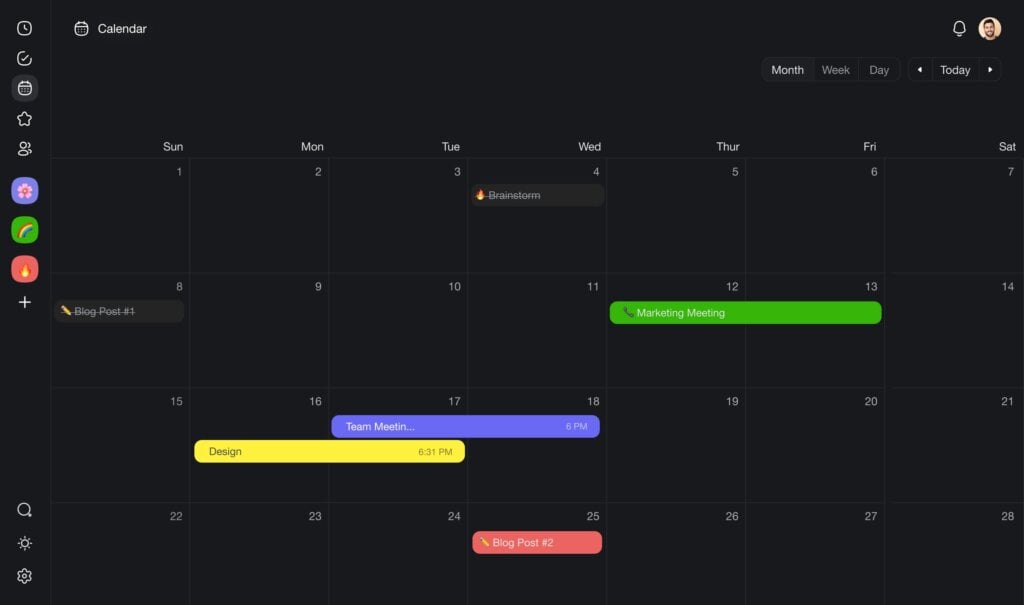
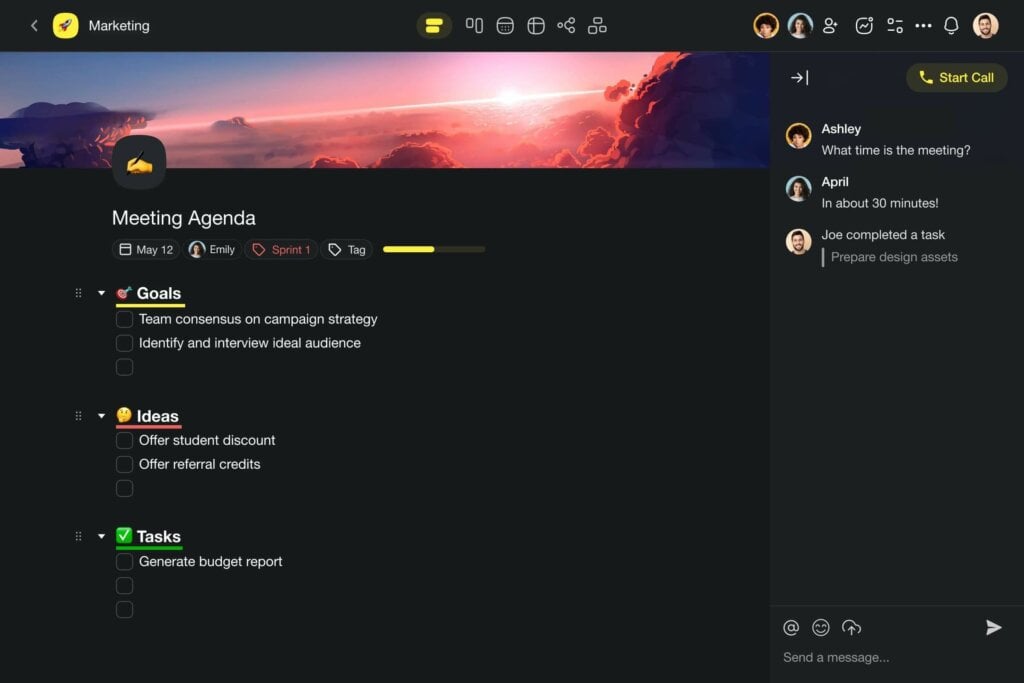
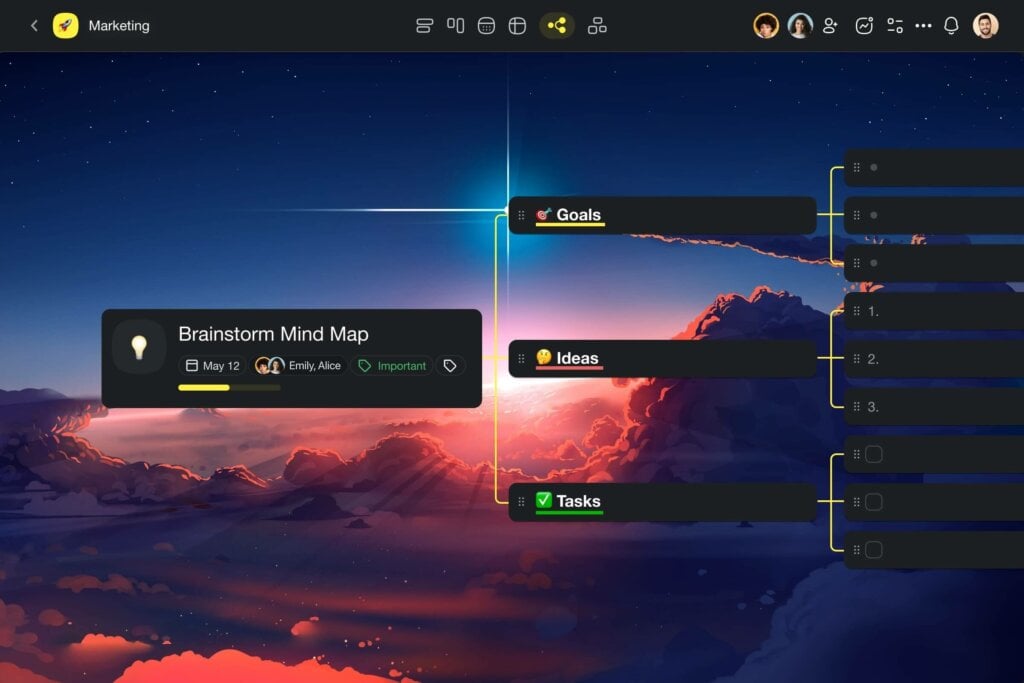
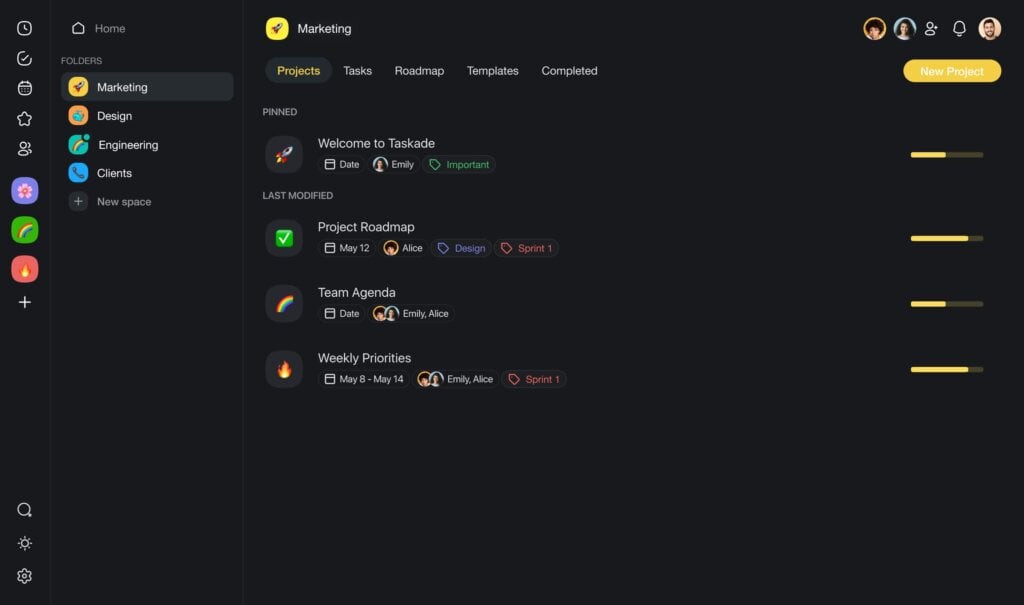
💬 AI Assistant: The AI Assistant is your sidekick within Taskade's project editor. All you need to do is use the built-in AI commands inside projects to supercharge brainstorming, organize tasks, and enhance your writing. It can tackle tasks one by one or in groups, and it's adaptable for fine-tuning the output as you go.
📣 AI Chat: No more hunting for answers. Turn to AI Chat for topic-related questions and guidance. Taskade's AI chat will help you grasp complex concepts, connect ideas, and provides context-based assistance based on your project or uploaded documents — making deep work easier than ever.
Streamline your workflow with Taskade AI! 🐑
3. Reduce the Amount of Shallow Work
The final step is to become more mindful of the type and depth of the activities your team performs daily. Newport recommends the following regimen:
🗓 Track your tasks. Use a notebook or a digital calendar to schedule your typical workday. Make a 30-minute block your smallest “unit” and time-box each activity by pre-defining the amount of time/number of blocks needed to complete it. For instance, “blog article research” scheduled from 7 am to 10 am will consist of six 30-minute blocks. Do the same for all activities and color-code each entry. This will give you a better idea of how you’re spending your typical workday. Encourage your team to do the same and repeat the process for one week to gather enough data (see below for extra tips).
🔎 Quantify the depth. The clear advantage of meticulously scheduling your day is that you can determine how much time you’re actually spending on shallow activities vs. meaningful work. Identify shallow activities, like replying to emails or chatting with your team (without an actual reason), and write them down on one side of the page. List all focused activities on the opposite side. Add up the hours and write down your results.
🗑 Minimize shallow work. Decide which shallow tasks can be delegated and automated. Consistently reduce the amount of shallow work and batch the remaining tasks together to save time. The fewer shallow tasks remain on your schedule, the more time you’ll have to tackle meaningful work
Taskade Deep Work Tricks 🐑
Not all shallows tasks can be avoided, but you can use 100+ free Taskade templates to automate and simplify the process. Here are a handful of candidates.
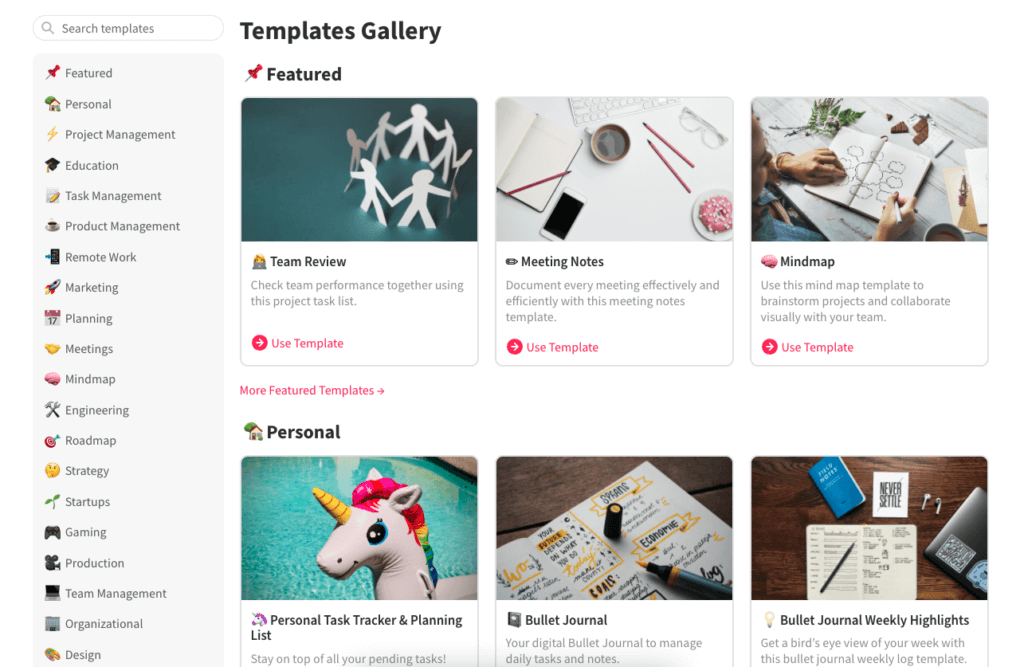
⚡️ Project Scrum Board (planning)
👩💻 Team Agenda (meetings)
📅 Weekly Team Workflow (team management)
🧠 Minimalist Mind map (ideation)
🕹 Marketing Plan (marketing)
🎒 Product Feedback (research)
🙇♂️ Programmer's Productivity (programming)
📈 SWOT Analysis (process)
🏠 Work From Home Checklist (remote work)
Deep Work Tools Compared
| Feature | Taskade | Notion | Todoist | Focus@Will |
|---|---|---|---|---|
| Distraction-Free Editor | Yes | Yes | No | No |
| All-in-One Workspace | Yes (tasks + docs + chat + video) | Docs + tasks | Tasks only | Music only |
| AI Agents | Yes (built-in tools, automate shallow work) | Basic AI | No | No |
| Project Views | Multiple (List, Board, Mind Map, Gantt, etc.) | 4 | 2 | N/A |
| Built-In Pomodoro Timer | Yes | No | No | Timer |
| Automations | Yes (100+ integrations) | Limited | Limited | No |
| Real-Time Collaboration | Yes | Yes | Limited | No |
| Templates | 500+ free | Community | Paid | N/A |
| Starting Price | Free | $8/user/month | $4/month | $9.99/month |
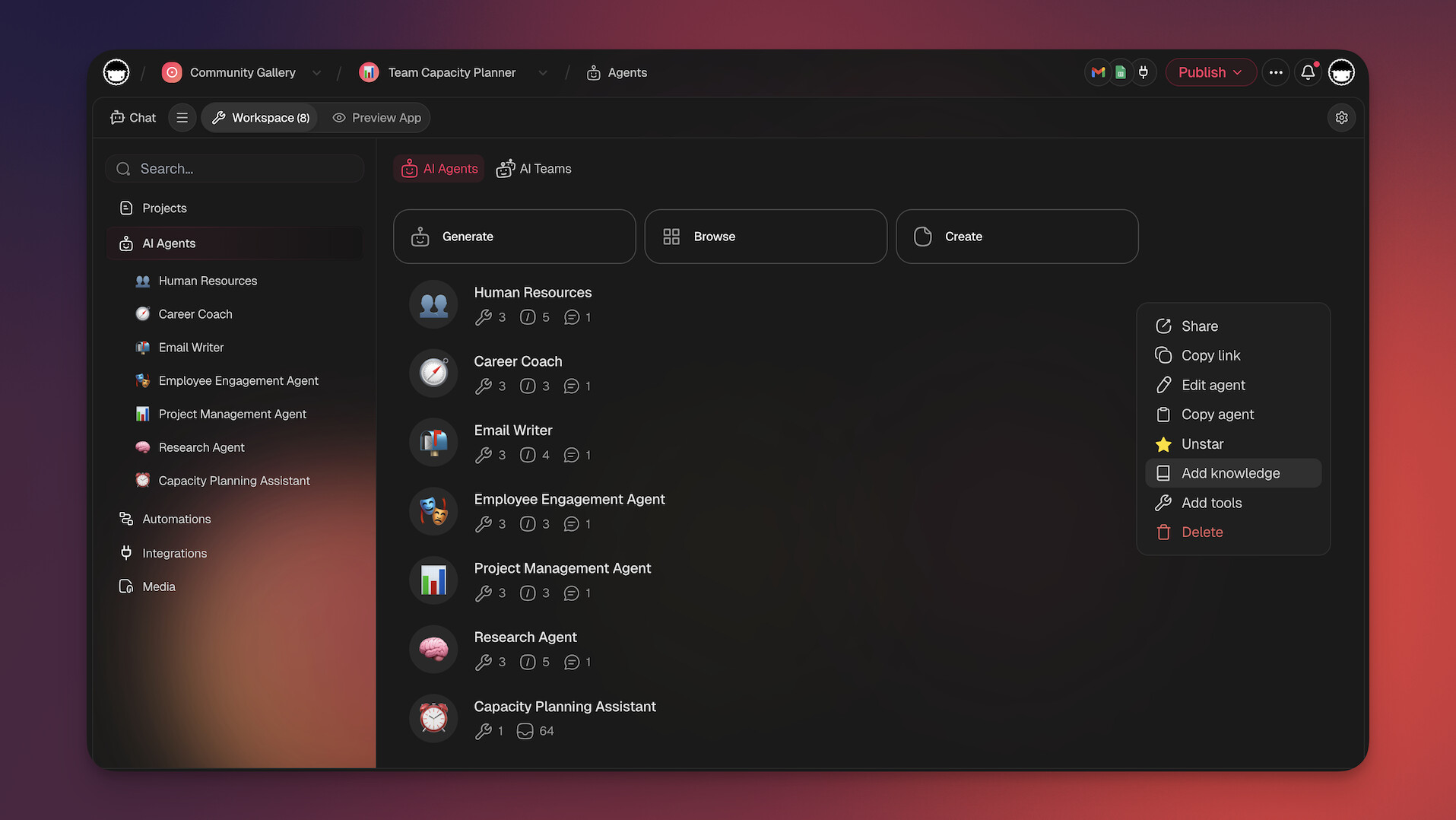
Workspace DNA: The Architecture Behind Distraction-Free Productivity
Taskade's Workspace DNA model aligns directly with Cal Newport's deep work principles:
- Memory — Your projects, notes, and knowledge live in a single persistent workspace. No more hunting for documents across five apps — everything your team needs is in Taskade projects, reducing the context-switching that kills focus.
- Intelligence — AI agents powered by frontier models from top AI labs act as your shallow work shield. They handle email drafts, meeting prep, status reports, and task triage so your team can focus on cognitively demanding work.
- Execution — Automations with 100+ integrations enforce focus-friendly workflows: batch notifications during breaks, route new tasks to queues instead of interrupting deep work sessions, and trigger end-of-day summaries. Over 3M+ automations executed on the platform.
The result: Memory removes the need to context-switch, Intelligence handles shallow work, and Execution protects focus time — a system that makes deep work the default rather than the exception.
Agentic AI and Vibe Coding: Build Your Deep Work System
Instead of manually configuring focus tools and notification rules, use agentic AI and vibe coding to build your ideal deep work environment in seconds.
With Taskade Genesis, try: "Build a deep work scheduling system with 2-hour focus blocks, automated shallow task batching, and weekly focus time reports." Genesis deploys a complete app with embedded agents — over 150,000+ apps built this way.
AI agents with built-in tools and a hosted MCP server for external AI clients can:
- Triage and batch incoming requests during focus hours
- Auto-draft routine responses to common questions
- Generate daily shallow work summaries for batch processing
- Track deep work hours per team member and surface trends
Explore deep work systems in the Taskade Community or create your own.
Deep Work vs. Shallow Work: Task Classification Guide
| Task Type | Examples | Depth Level | Who Should Handle It | Taskade Solution |
|---|---|---|---|---|
| Deep Work | Architecture design, strategic planning, writing | High | Human (focused) | Distraction-free editor + multiple project views |
| Medium Work | Code review, research synthesis, analysis | Medium | Human (with AI assist) | AI agents provide context |
| Shallow (Automatable) | Status updates, meeting scheduling, reminders | Low | AI agents | Automations with 100+ integrations |
| Shallow (Delegatable) | Email drafts, note formatting, data entry | Low | AI agents | built-in agent tools |
| Administrative | Calendar management, file organization | Low | Automations | Templates + workflow triggers |
Frequently Asked Questions
What is deep work and why does it matter for remote teams?
Deep work, a concept coined by Cal Newport, is the ability to focus without distraction on cognitively demanding tasks. For remote teams, it's critical because home environments are full of distractions, and the constant pings from chat and email fragment attention. Teams that protect deep work time produce higher-quality output in less time.
How can remote teams create time for deep work?
Block dedicated focus hours on the team calendar where no meetings are scheduled, turn off notifications during deep work sessions, use async communication as the default, batch meetings into specific windows, and set clear expectations that deep work time is protected and interruption-free.
What are the biggest distractions for remote workers?
The biggest distractions include chat notifications, social media, household interruptions, email, unnecessary meetings, and the temptation to multitask. Digital distractions are often worse than office distractions because they're constant and there's no social pressure to stay focused.
How does reducing context-switching improve team productivity?
Every context switch costs 15-25 minutes of refocusing time. By consolidating work into a single platform like Taskade — where tasks, docs, chat, and AI agents live together — teams eliminate the constant switching between apps that destroys deep work and fragments attention throughout the day.
How does Taskade Genesis help teams practice deep work?
Taskade Genesis lets you build custom focus dashboards, distraction-free environments, and deep work scheduling systems from a single prompt. Over 150,000 apps have been built with Genesis. Describe your ideal deep work setup and get a deployable system with AI agents that protect focus time and handle shallow tasks automatically.
What is agentic AI and how does it protect deep work time?
Agentic AI refers to autonomous AI systems that handle tasks without interrupting human focus. Taskade AI agents with built-in tools can triage incoming messages, draft routine responses, summarize meeting notes, and route tasks — all while your team stays in deep work mode. This eliminates the shallow interruptions that destroy concentration.
How does Workspace DNA support deep work in distributed teams?
Workspace DNA combines Memory (all project context persists so you never lose your place), Intelligence (AI agents handle shallow tasks during focus hours), and Execution (automations enforce no-meeting blocks and batch notifications). This architecture creates a system where deep work is the default, not the exception.
Can AI agents automate shallow work so teams focus on deep work?
Yes. Taskade AI agents can draft emails, compile status reports, schedule meetings, assign follow-ups, and generate summaries — all the shallow tasks Cal Newport identifies as deep work killers. With 100+ integrations and durable execution, agents handle these reliably without human intervention.
🐑 Conclusion
Substracting from the current workflow will help you and your team regain focus. By rooting out common wfh distractions and embracing the power of deep work, you’ll get more done with less.
Ready to kick distractions to the curb and supercharge your productivity?
Taskade is your all-in-one workspace for deep work. With Taskade Genesis, build custom focus dashboards and distraction-free environments from a single prompt. Deploy AI agents powered by frontier models from top AI labs to handle shallow work — email drafts, meeting notes, status updates — so your team can stay in flow. Set up automations to route tasks automatically and explore the Taskade Community for ready-made deep work systems.
Start your deep work practice with Taskade →
🧬 Deep Work Tools Built with Genesis
Clone these AI-powered apps to practice deep work with your team:
| App | What It Does | Clone |
|---|---|---|
| Study/Work Timer + Music | Pomodoro sessions with ambient sounds | Clone → |
| Team Capacity Planner | Balance workload for focused time | Clone → |
| Neon Task Dashboard | Visual task tracking for teams | Clone → |
| Breathe Circle | Guided breathing for focus breaks | Clone → |
🔍 Explore All Community Apps →
Build your own deep work system with Taskade Genesis — describe what you need, and watch it come to life.
Your living workspace includes:
- 🤖 Custom AI Agents — The intelligence layer
- 🧠 Projects & Memory — The database layer
- ⚡️ 100+ Integrations — The automation layer
Get started:
- Create Your First App → — Step-by-step tutorial
- Learn Workspace DNA → — Understand the architecture
Read more:
