






This guide covers AI tools for visual and brand work — image generation, asset creation, and creative production. If you are looking for tools that turn a written brief into a user interface, a wireframe, or a working prototype, that is a different category with different winners: see AI design tools in 2026, which compares Claude Design, Figma Make, Google Stitch, v0, Paper, and pen.dev on price, output format, and DESIGN.md support.
TL;DR: Ten AI tools that speed up visual and brand design work, from image generation to asset production. For interface design — wireframes, mockups, prototypes, and production UI — start with AI design tools in 2026 instead. Build your own design tools free →
Every minute, AI generates thousands of design elements worldwide, transforming the creative landscape at an unprecedented pace. Whether we like it or not, AI has become a prevalent force in our daily lives and professions.
So, if you're pondering which tools can sharpen your design arsenal, look no further. This article explores ten groundbreaking AI tools that significantly impact the design industry.
Benefits of Using AI Tools for Designers
Before we dive into our list of top AI tools for designers, it's important to understand the key benefits that AI can bring to your design process.
Enhanced Efficiency and Speed
AI tools significantly reduce the time needed for various design tasks. Automating repetitive tasks allows designers to focus more on the creative aspects of their projects. Tools such as Adobe Firefly and Canva help streamline workflows with features like automatic background removal and template-based design solutions, accelerating the process without sacrificing on quality.
Boosted Creativity and Innovation
AI opens new avenues for creativity. Tools like Dall-E and Midjourney enable designers to generate unique visuals and concepts by simply inputting text descriptions. This capability allows creatives to experiment with ideas that would be difficult or impossible to realize manually, pushing conventional design boundaries.
Improved Precision and Accuracy
Design accuracy can be enhanced with AI’s ability to analyze and execute precisely. AI tools adjust layouts, suggest color schemes, and even recommend design changes based on trends and historical data. Such detail helps designers produce work that is not only visually appealing but also perfectly aligned with project requirements.
Real-time Collaboration and Feedback
AI-driven platforms such as Taskade provide environments where teams can collaborate in real time. These tools help synchronize work across different devices and locations, ensuring all team members have up-to-date access to project developments. Furthermore, AI can offer instant feedback on designs, invaluable in an industry where timely revisions can make or break project success.
Cost-Effective Solutions
Investing in AI tools can prove highly cost-effective for designers. Reducing the need for multiple software solutions and minimizing time spent on each project helps lower overall project costs. For freelancers and small studios, this can mean staying within budget rather than overspending.
Scalability for Projects of Any Size
Whether working on a small project for a local business or a large-scale campaign for a major brand, AI tools can scale to meet a designer’s needs. They handle everything from simple logo designs to complex interactive web experiences, ensuring designers can take on projects of any scale without needing drastic adjustments to their toolset or workflow.
By incorporating AI tools into their practice, designers not only enhance their ability to create but also position themselves at the forefront of technological innovation in creative industries.
Now, let’s dive into our list of top AI tools to help you with your design work.
Taskade
Taskade is an all-in-one AI-powered productivity suite designed to streamline workflows and boost creativity for designers. This platform combines task management, team collaboration, and custom AI agents and automation into one comprehensive solution.
At the heart of Taskade are its custom AI agents and AI automation workflows that transform the way you manage tasks and projects.
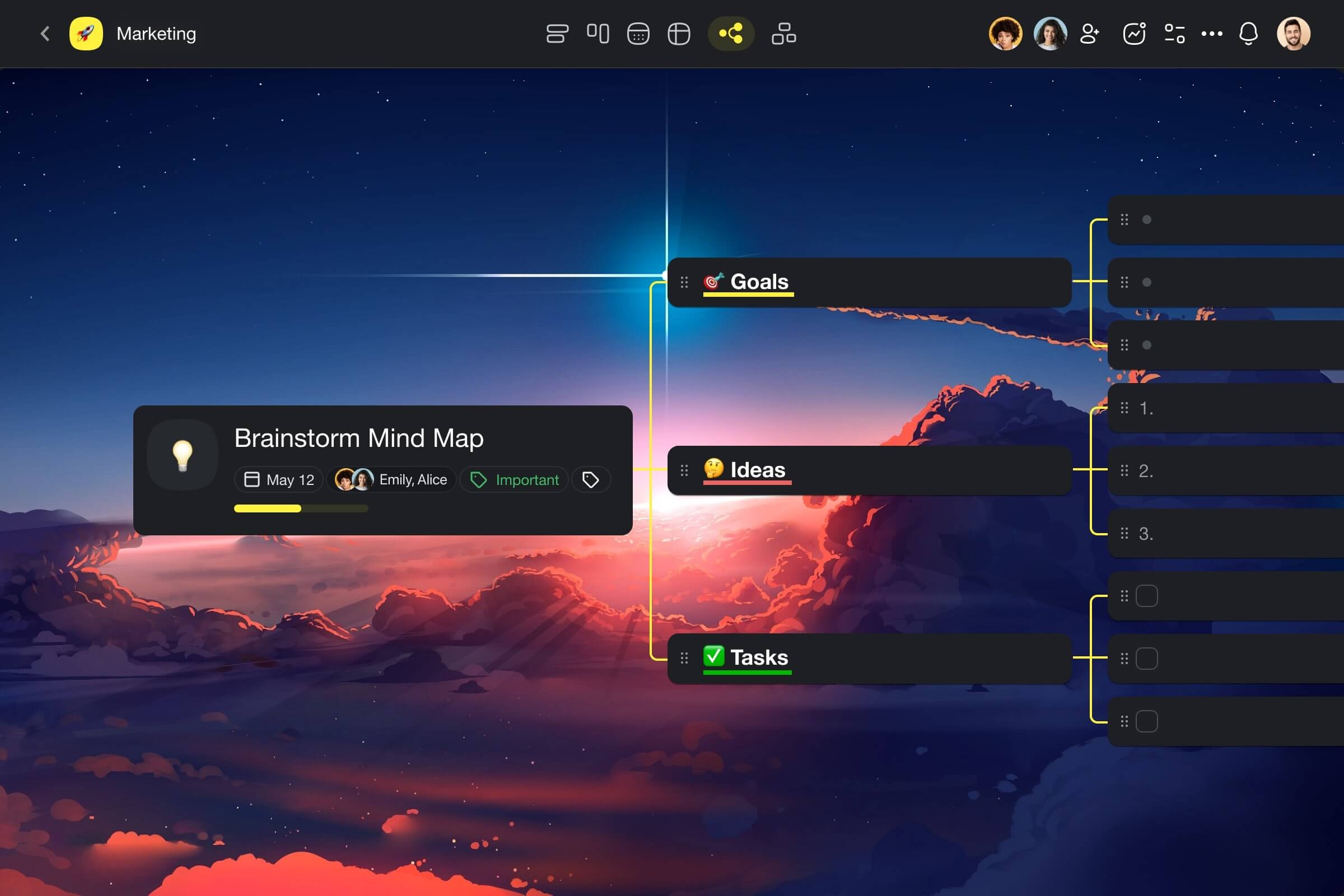
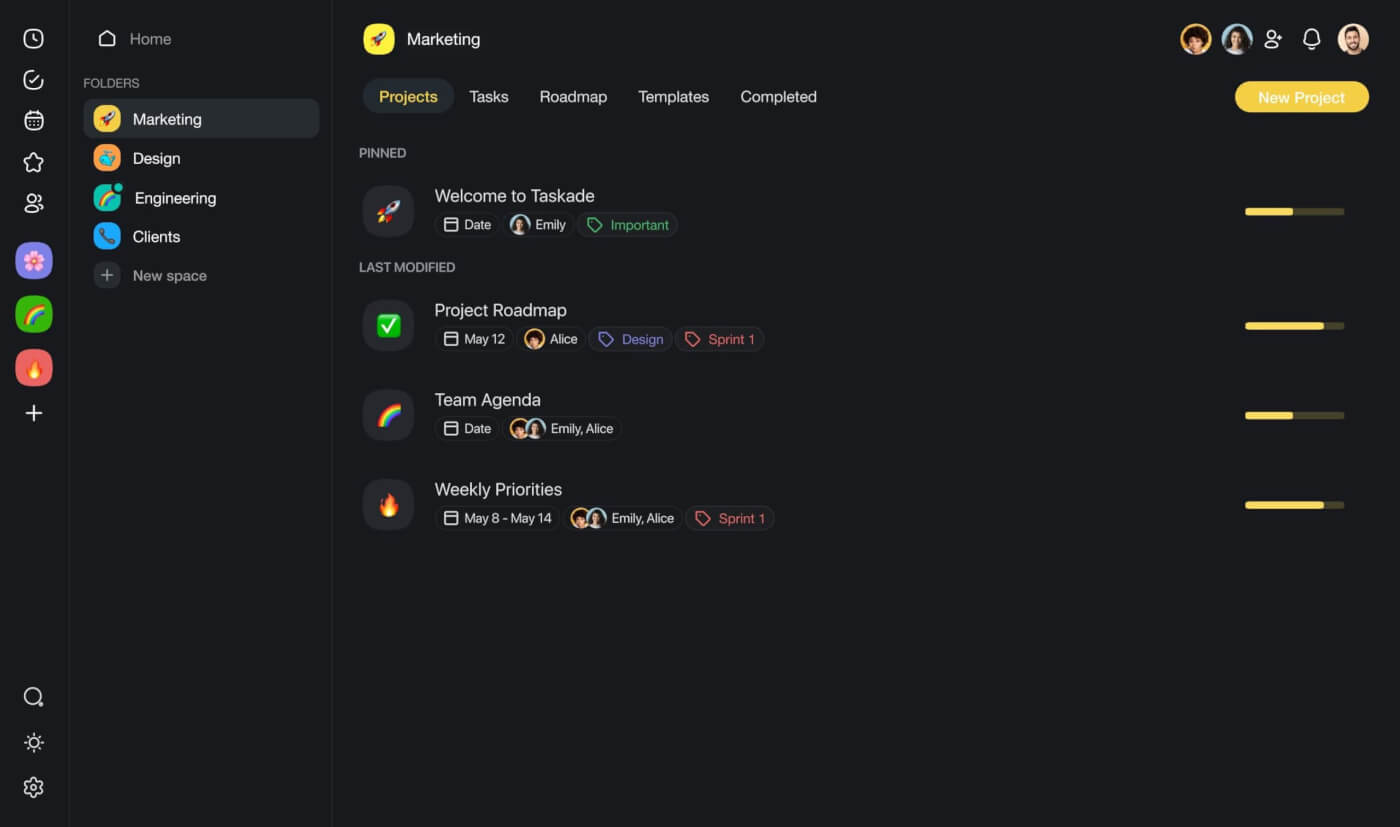
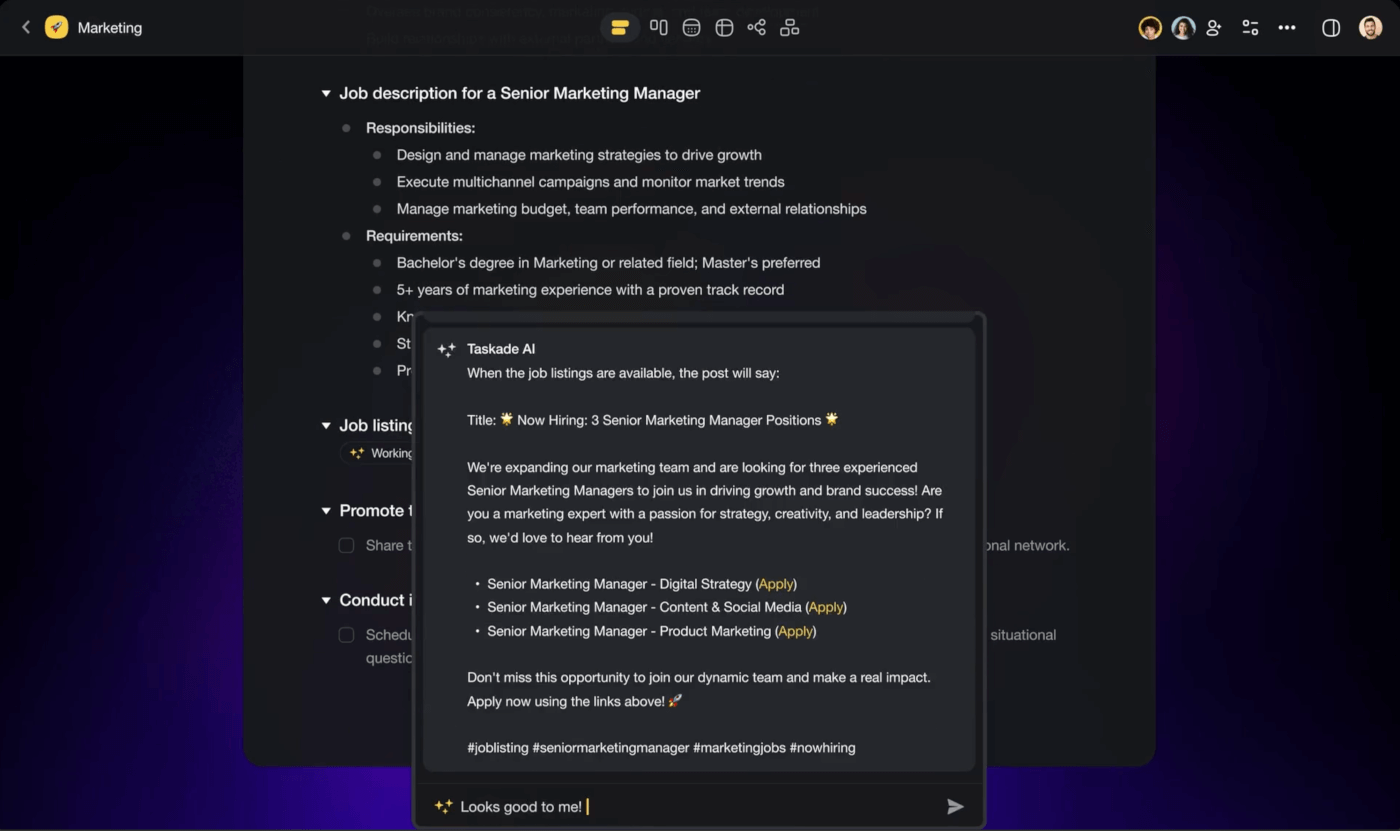
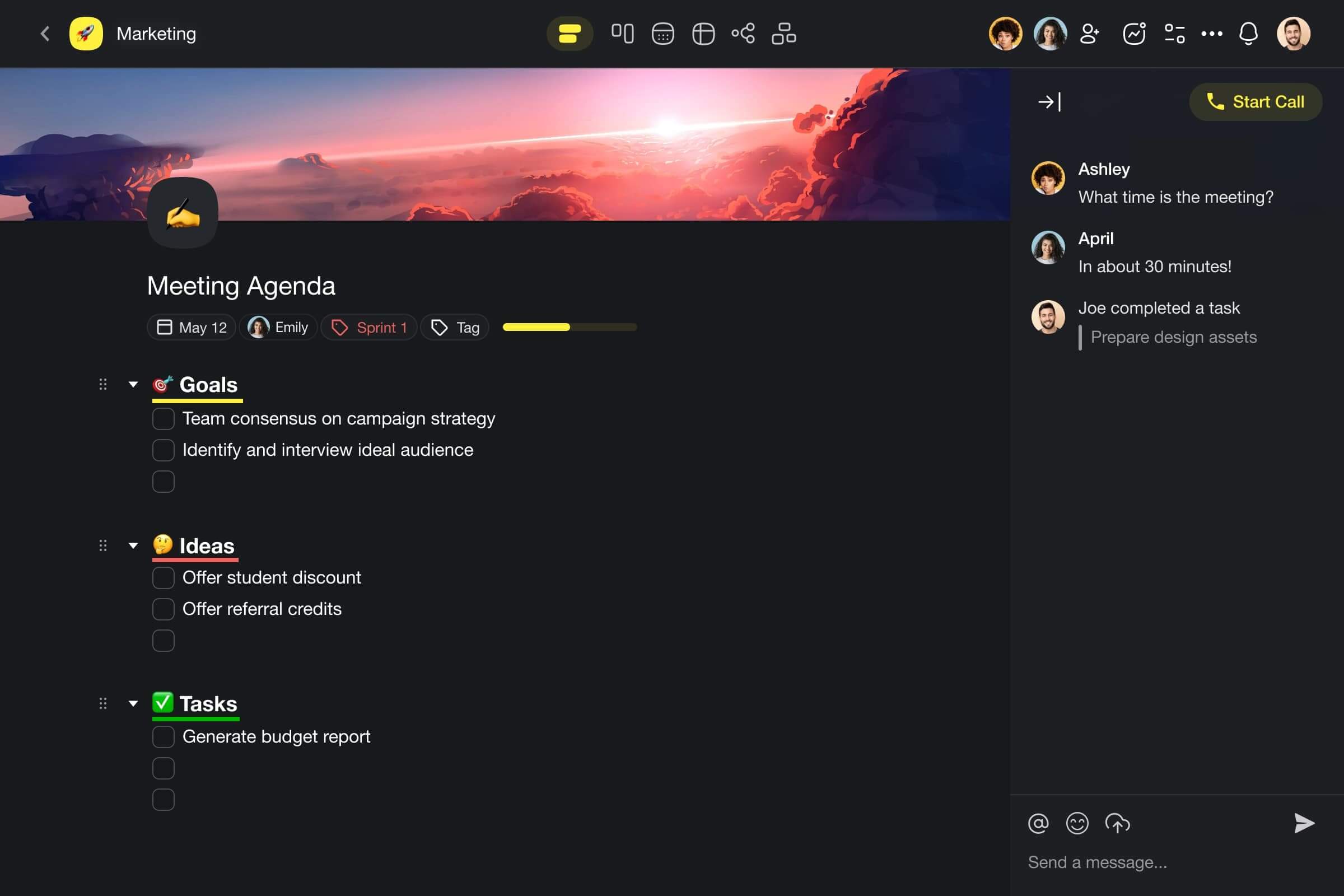
Create custom AI agents tailored to your needs, automating tedious tasks so you can focus on innovating. Taskade's AI assistants act as virtual team extensions, seamlessly integrating into your daily operations. Streamline project workflows by delegating routine work to your AI workforce (without increasing your hours!).
Taskade also provides a centralized workspace for organizing projects, prioritizing tasks, and collaborating effortlessly with your team. Its intuitive interface and flexible views adapt to your design process.
Best features of Taskade:
Custom AI Agents: Create and train AI assistants tailored to your specific needs. These virtual team members can handle everything from research to task management, acting as an extension of your workforce.
Automation: Streamline your workflows by automating routine tasks and delegating them to your AI agents. Free up your human talent to focus on innovation and creativity.
Project Management Suite: Organize and prioritize your design projects with ease. Taskade's intuitive project management tools provide a centralized workspace for seamless collaboration.
Real-Time Team Collaboration: Say goodbye to scattered communication. Taskade enables real-time collaboration, allowing your team to work together effortlessly, no matter their location.
Upload Documents and Chat with AI: Upload your design documents, images, and files directly to Taskade. Then, leverage the power of AI by chatting with your virtual assistants, getting insights, and streamlining your creative process.
But, that's not all. Check out Taskade's complete range of features to see how you can improve your design workflow.
Best suited for:
- Taskade is ideal for remote and distributed teams looking to consolidate their organizational tools into a single, easy-to-navigate platform.
Dall-E
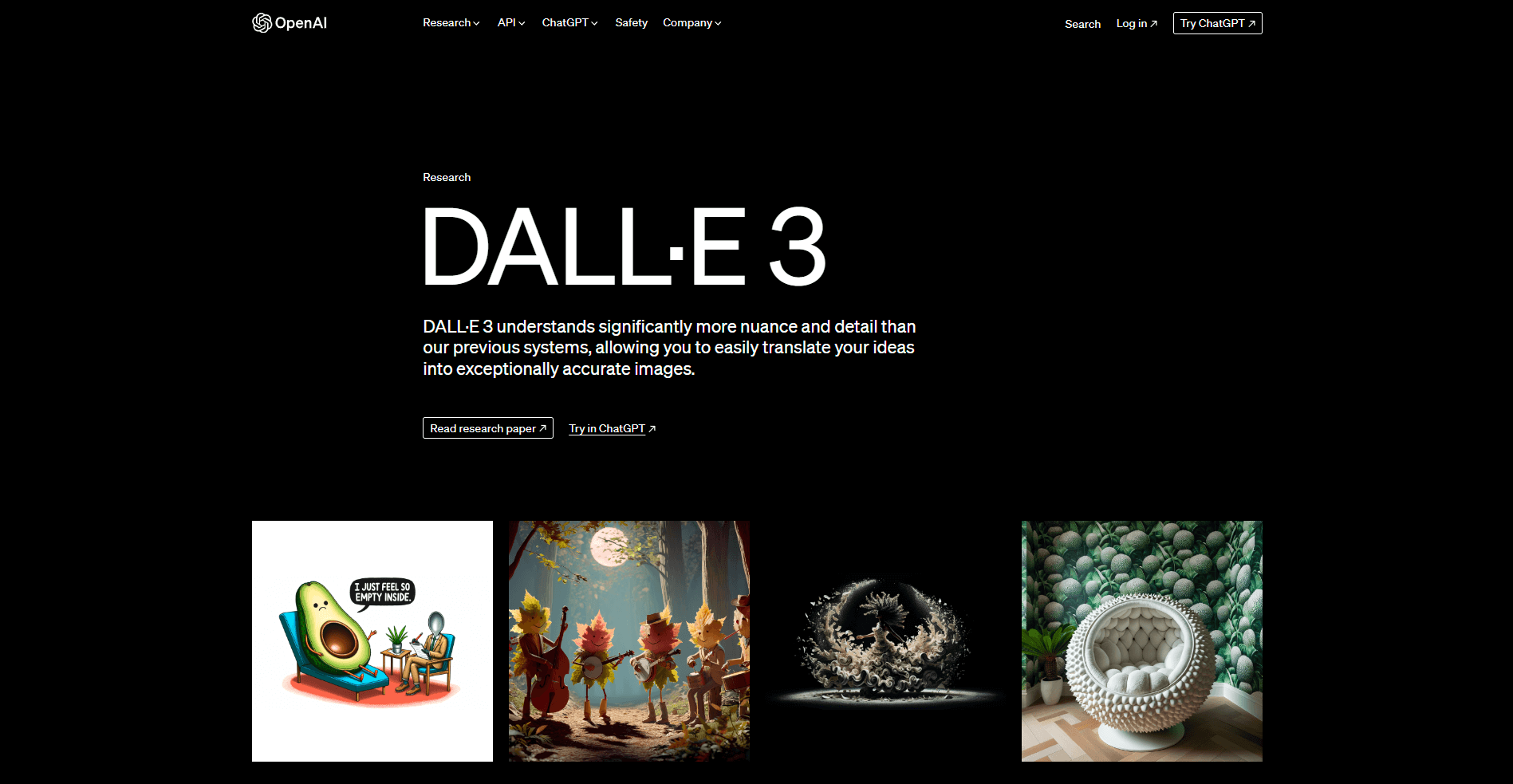
DALL-E is an AI system by OpenAI that generates realistic images from text descriptions. Using advanced machine learning, it understands natural language and translates it into visual representations. With DALL-E, users can create unique imagery by providing detailed text prompts, enabling AI-generated art from fantastical scenes to photorealistic portraits.
Best features of Dall-E:
Dall-E excels at creating complex, imaginative visuals that blend concepts in interesting ways.
Users can input natural language descriptions to generate detailed images, sparking creativity.
Each outputted image is a unique creation that can serve as inspiration or a standalone piece.
Limitations of Dall-E:
As with any AI, the generated images might not always align perfectly with the user's intent.
The novelty might wear off without practical application for everyday design tasks.
Best suited for:
- Dall-E is perfect for artists and designers seeking inspiration or those who wish to explore the intersection of AI and creative design.
Midjourney
MidJourney is an AI image generator that harnesses artificial intelligence to convert text prompts into visually captivating artworks. It provides an alternative way for users to create images, expanding the possibilities for artistic expression.
Best features of Midjourney:
Midjourney provides smart recommendations that help streamline the design process.
Its context-aware system suggests design options that align with current trends and user needs.
Midjourney introduces efficiency, allowing designers to explore new ideas quickly.
Limitations of Midjourney:
MidJourney can sometimes struggle with consistency in output, particularly when prompts are complex or vague, leading to varied interpretations and unexpected results.
Users may find it challenging to achieve precise control over fine details in the generated images, as the AI interprets instructions broadly rather than executing specific design elements exactly.
Best suited for:
- Midjourney suits designers who value speed and guidance, as well as those who manage multiple projects and require rapid ideation.
Adobe Firefly
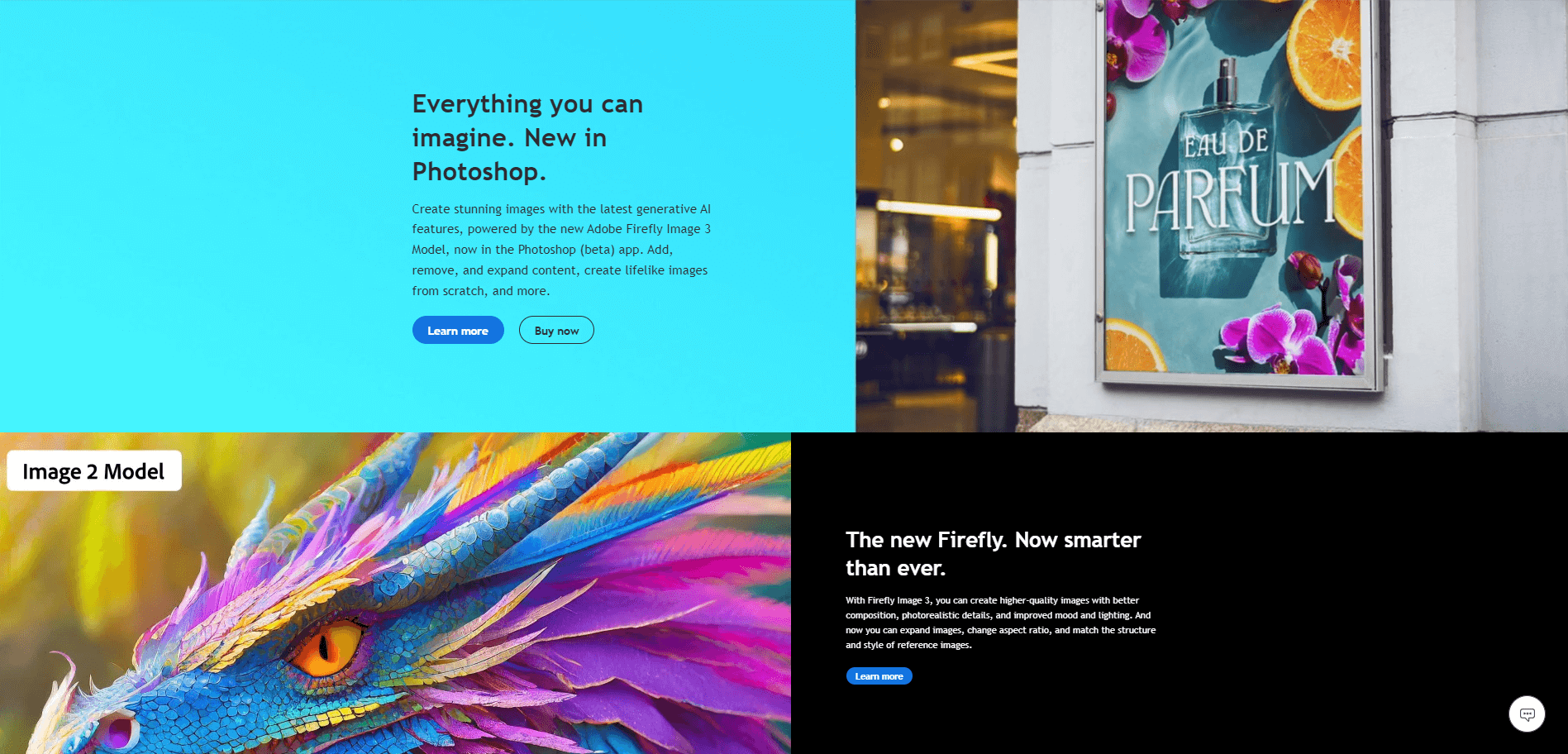
Adobe Firefly is a tool that brings the power of AI to the fingertips of designers and creatives. Known for its robust features, Firefly can automate tedious tasks and inspire innovative designs.
Best features of Adobe Firefly:
Adobe Firefly harnesses AI to perform complex editing tasks with ease and precision.
Firefly's AI learns from the user's style, providing personalized suggestions and enhancements.
It integrates seamlessly with Adobe's ecosystem, enhancing the workflow of existing Creative Cloud users.
Provides AI-driven content-aware fill options that intelligently remove objects and automatically fill the space with relevant background details.
Limitations of Adobe Firefly:
Users not subscribed to Adobe Creative Cloud might find it less accessible.
Some creatives may prefer manual control over certain design tasks for a more hands-on approach.
Reliance on AI can sometimes produce unpredictable outcomes, particularly with complex editing tasks.
Best suited for:
- Adobe Firefly is most suited to creatives who are already part of the Adobe ecosystem and are looking to enhance their workflow with AI-driven tools.
Canva
Canva is a user-friendly graphic design tool that democratizes design with its drag-and-drop interface and a vast array of templates. Canva is celebrated for making design accessible to non-designers and professionals alike.
Best features of Canva:
Canva's simplicity and ease of use allow for quick creation of professional-looking designs.
A vast library of templates, images, and icons supports a wide range of design needs.
Canva's collaboration features enable teams to work on designs together in real-time.
Limitations of Canva:
Professional designers might find Canva's features too basic for complex projects.
The reliance on templates may stifle creativity for those looking to create completely original designs.
Best suited for:
- Canva is best suited for entrepreneurs, educators, and marketers who need to create visually appealing content quickly and without a steep learning curve.
Tome
Tome is an AI-driven presentation tool that transforms how professionals create and share ideas. It's known for its ability to generate interactive, web-based presentations with ease, marking a shift from traditional slide-based formats.
Best features of Tome:
Incorporates AI to streamline the creation of presentations and documents, enhancing productivity with intelligent suggestions.
Features an AI-driven summarization tool that condenses long texts into concise points, making information processing quicker.
Offers AI-powered design suggestions, optimizing layouts and visuals to improve the aesthetic appeal and impact of presentations.
Interactive elements and animations can be easily added to presentations to engage the audience.
Limitations of Tome:
Those accustomed to conventional presentation software may need time to adapt to Tome's web-centric approach.
As AI depends on the input data quality, inaccuracies in source materials can lead to less reliable or relevant output.
Limited customization options might not satisfy users who need highly specific or unique document formats.
Best suited for:
- Tome is tailored for professionals and educators who want to create interactive, engaging presentations that stand out in today's digital landscape.
Remove.bg
Remove.bg is a simple yet useful AI tool that specializes in removing backgrounds from images with precision. Its ease of use and high-quality results have made it a favorite among designers, photographers, and marketers.
Best features of Remove.bg:
Remove.bg provides accurate background removal with just a few clicks, saving valuable time.
Offers high precision in detecting edges and fine details like hair, ensuring clean and professional-looking results.
Supports batch processing, allowing users to process multiple images simultaneously, significantly saving time and effort.
Provides an intuitive user interface that is easy to use for both beginners and professionals, requiring minimal input to achieve desired outcomes.
Limitations of Remove.bg:
The AI might occasionally struggle with very complex backgrounds or intricate details.
For large-scale professional projects, manual touch-ups might still be required.
Best suited for:
- Remove.bg is ideal for e-commerce professionals, graphic designers, and anyone needing to isolate subjects from backgrounds for their projects quickly.
Framer
Framer is a prototyping tool that offers designers the ability to create complex interactions and animations for their designs. Its focus on responsive design and user experience makes it a staple for modern UI/UX development.
Best features of Framer:
Framer's intuitive interface allows designers to prototype designs that closely mimic final products.
The tool provides advanced features for creating detailed animations and interactions.
Offers a comprehensive library of pre-built components and templates, significantly speeding up the prototype creation.
Limitations of Framer:
The tool's advanced features come with a learning curve, which might intimidate beginners.
Its focus on interactivity may be more than required for simple prototyping tasks.
Best suited for:
- Framer is especially suited for UI/UX designers who need a robust platform for prototyping interactive and responsive designs.
Galileo AI
Galileo AI stands at the intersection of design and artificial intelligence, providing tools to analyze and optimize user experiences. It helps designers make informed decisions by interpreting user interactions and identifying design opportunities.
Best features of Galileo AI:
Uses AI to automatically generate marketing content, reducing the time and effort needed to produce high-quality materials.
Features AI-driven analytics to optimize content for target audiences, enhancing engagement and conversion rates.
Offers a wide range of content creation tools, including copywriting, video production, and graphic design, all powered by AI.
Limitations of Galileo AI:
The quality of generated content can vary, especially when dealing with niche or highly technical subjects, requiring human oversight for accuracy.
May not fully capture the brand's voice or maintain consistency without significant customization, which can limit its effectiveness for brand-specific campaigns.
Best suited for:
- Galileo AI is perfect for UX designers and product managers focused on data-driven design decisions and ongoing optimization of user experiences.
Colormind
Colormind is an AI-powered tool that generates color schemes for various design projects. By learning from popular art, photography, and existing design work, it provides fresh and trendy color combinations.
Best features of Colormind:
Generates color palettes based on current trends and user-provided images, offering fresh and appealing combinations.
Provides a unique feature that suggests color schemes for specific design elements like UIs, websites, and graphics, ensuring aesthetic coherence.
Allows users to customize and fine-tune generated color schemes, giving flexibility to match specific branding or personal preferences.
The tool offers real-time palette adjustments, offering immediate results for design iterations.
Limitations of Colormind:
Designers looking for more granular control over their color choices may find the AI suggestions restrictive.
It might not replace a human designer's nuanced understanding of brand identity and color psychology.
Best suited for:
- Colormind is best suited for web designers, illustrators, and marketers who need quick inspiration for color palettes that resonate with contemporary aesthetics.
👋 Parting Words
This concludes our exploration of ten transformative AI tools in the design sector, each offering unique functionalities and serving diverse design demands. As AI technology advances, these tools provide designers with invaluable resources to execute their creative projects more efficiently and innovatively.
While you may choose to use one or a combination of these tools, consider integrating Taskade as a central hub to manage and streamline your workflow. Try Taskade for free today and optimize how you harness these powerful AI capabilities in your design processes.
🧬 Build Custom Design Tools with AI
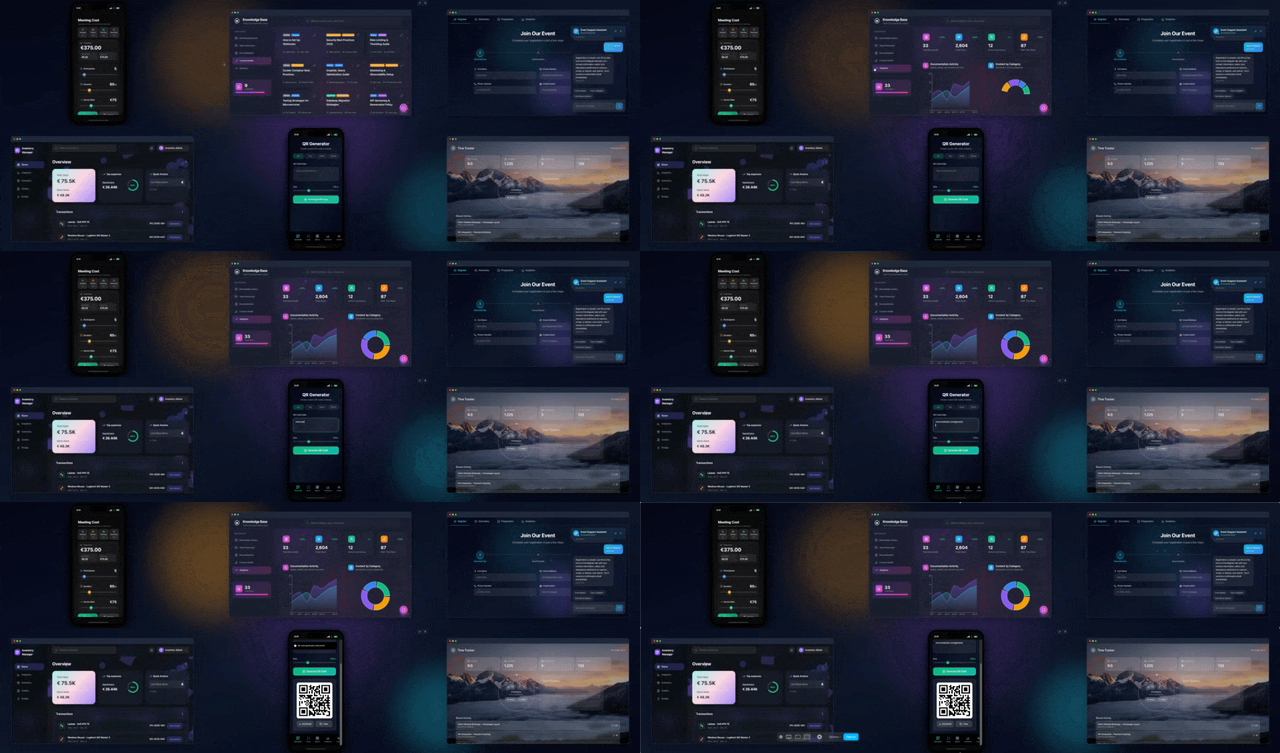
Want design tools tailored to your workflow? Taskade Genesis creates custom design systems from a single prompt:
| What You Describe | What Genesis Creates |
|---|---|
| "Build a brand asset library" | Asset database + AI tagging + team sharing |
| "Create a design feedback portal" | Review system + commenting + approval workflows |
| "Make a color palette generator" | Color tool + export options + brand presets |
AI Design Tools vs Taskade Genesis
| Feature | Traditional AI Design | Taskade Genesis |
|---|---|---|
| Generate images | ✅ | ✅ (via integrations) |
| Design feedback | Manual | ✅ Built-in comments |
| Brand asset storage | External | ✅ Projects database |
| Team collaboration | Some | ✅ Real-time |
| Custom design tools | ❌ | ✅ Build your own |
| Workflow automation | Limited | ✅ 100+ integrations |
| Client portals | ❌ | ✅ Custom domains |
Clone these design apps:
- Palette Extractor — Extract colors from images
- Gradient Studio — Generate beautiful gradients
- Synth Wave Studio — Retro design generator
Your living design system includes:
- 🤖 Custom AI Agents — Design assistants that learn your style
- 🧠 Projects & Memory — Centralized asset storage
- ⚡️ 100+ Integrations — Design workflow automation
Read more:
- 10 AI Design & Branding Tools — Full Genesis showcase
- What is Vibe Coding? — Build beautiful UIs with AI
Explore Taskade Hubs:
- AI Branding Prompts — Brand identity prompts
- AI Flowchart Generators — Visual design tools
- AI Mind Map Generators — Brainstorming tools
- AI Workflow Agents — Design process assistants
- AI Flowchart Converters — Import visual assets
- Browse Community Apps — Clone and customize

Frequently Asked Questions
What are the best AI tools for graphic designers in 2026?
Leading AI tools for designers include Midjourney and DALL-E for image generation, Adobe Firefly for creative workflows, Canva for template-based design, and Taskade for project planning and real-time collaboration. The best tool depends on your design discipline — illustration, UI/UX, branding, or product design.
Will AI replace graphic designers?
AI will not replace designers but will change how they work. AI handles repetitive tasks like background removal, layout suggestions, and asset generation, freeing designers to focus on creative direction, brand strategy, and user experience. Designers who learn to leverage AI tools effectively will have a significant competitive advantage.
How can designers use AI to speed up their workflow?
Designers can use AI to automate background removal, generate design variations, create mockups from text descriptions, suggest color palettes, and produce initial concepts for client review. AI tools also enable real-time collaboration across teams and devices, reducing revision cycles and accelerating project delivery.
What should designers look for when choosing AI design tools?
Key factors include output quality and style control, integration with existing design software (Figma, Adobe CC), collaboration features for team workflows, customization options for brand consistency, and pricing. Also consider whether the tool supports your specific design needs — illustration, UI/UX, print, or motion graphics.