






Struggling with project management? Looming deadlines, team pressure, and constant firefighting add up to burnout. Project management templates cut the setup time and guide you through proven frameworks. In 2026, the templates that matter are the AI-powered ones that generate, adapt, and manage themselves.
TL;DR: AI project management templates generate tasks, subtasks, and timelines from simple prompts. Taskade offers 500+ templates across Agile, Scrum, Kanban, and Waterfall, plus AI agents that populate and manage them autonomously. Pro starts at $10/month for 10 users with a generous monthly AI credit allowance. Try Taskade free →
Before you begin, browse our list of the best project management tools.
What Is an AI Project Management Template?
An AI project management template is a pre-built framework that uses artificial intelligence to generate, adapt, and manage project content automatically. Unlike static templates that you fill in manually, AI templates in Taskade read your project description and produce a complete plan with tasks, subtasks, timelines, dependencies, and resource suggestions. They learn from edits, adapt to your team size, and can be fully managed by AI agents. 150,000+ Genesis apps built since launch prove the approach scales.
The 9 Best AI Project Management Templates in 2026
1. Agile Project Management Board Template
Agile Project Management Board Template →
Agile is the dominant methodology in software teams. Sprints appear as cards on a board, each carrying the tasks for that cycle. Our template streamlines the entire agile flow so teams can start without missing a step.
2. Agile Sprint Planning Template
Agile Sprint Planning Template →
Sprints run 1-4 weeks and break projects into smaller deliverables. This template contains dedicated sections for to-dos, in-progress tasks, review queue, and completed work.
3. Daily Standup Meeting Board Template
Daily Standup Board Template →
Daily standups align the team in 15 minutes or less. This template tracks what each person did yesterday, plans for today, and any blockers.
4. Sprint Retrospective Meeting Template
Sprint Retrospective Template →
After every sprint, hold a retrospective to review performance, share feedback, and improve. This template uses a mind map view to break down what went well, what can improve, and action items.
5. Daily Stand-Up Scrum Meeting Template
Scrum standups demand crisp, concise updates. This template contains three sections: in-progress tasks, blocked tasks, and notes.
6. Project Roadmap Template
A roadmap visualizes upcoming milestones and the path to launch. This Kanban-style template shows upcoming, ongoing, and completed work with a notes section.
7. Project Roles and Responsibilities Chart
Clear roles prevent the most common source of project failure. This mind-map template separates external stakeholders from internal team members and clarifies responsibilities.
8. Project Kickoff Checklist Template
The kickoff sets the tone for everything after. This checklist covers stakeholder alignment, scope definition, budget approval, timeline, and risk assessment.
9. Genesis PM Dashboard (Built From a Prompt)
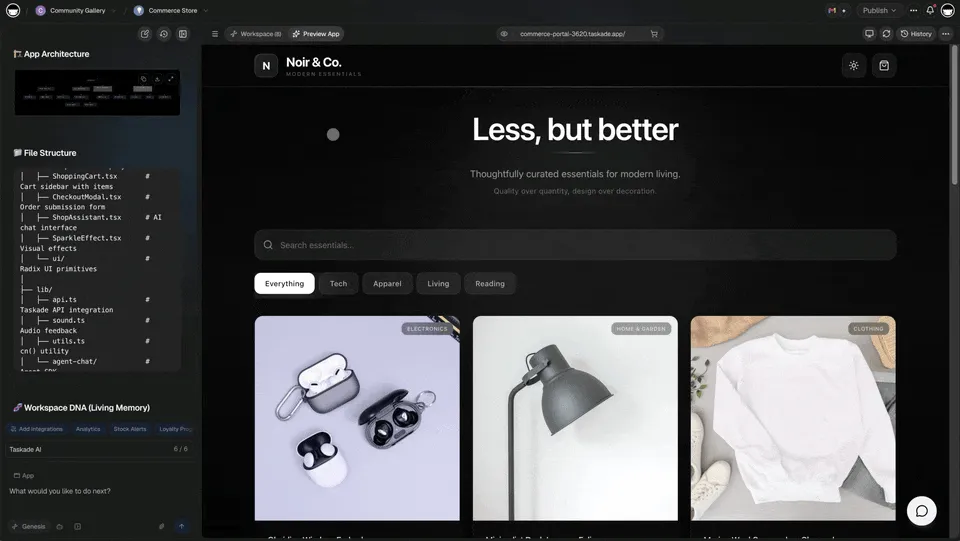
The ninth template is one you generate with a single prompt in Taskade Genesis: "Build me a project management dashboard with active sprints, blocked tasks, burndown chart, and a standup summary agent." In under a minute Genesis ships a live app backed by Workspace DNA. Browse more in the community gallery.
AI Templates vs Static Templates
| Feature | Static Templates | AI-Powered Templates (Taskade) |
|---|---|---|
| Setup time | Manual, fill every field | Seconds, describe and AI generates |
| Customization | Copy and edit | AI adapts to team, methodology, scope |
| Task generation | You write every task | AI creates tasks, subtasks, dependencies |
| Updates | Stale after creation | Agents update and manage over time |
| Views | Usually one format | Multiple project views (List, Board, Calendar, Table, Mind Map, Gantt, Org Chart) |
| Collaboration | Shared doc | Real-time editing + video + AI agents |
| Price | Varies | Free to $10/month Pro |
Template Maturity Model
| Level | Description | Taskade Feature |
|---|---|---|
| 1. Static | Pre-built structure, manual fill | 500+ templates |
| 2. Smart | AI generates initial content | AI Workflow Generator |
| 3. Dynamic | AI adapts structure per project | AI agents + multiple views |
| 4. Autonomous | AI manages the entire project | Taskade Genesis |
| 5. Living System | AI learns across projects | Workspace DNA |
Matching Templates to PM Methodologies
| Methodology | Best Templates | Taskade Views |
|---|---|---|
| Agile | Agile Board, Sprint Planning, Standup | Board, Gantt |
| Scrum | Scrum Standup, Retrospective, Sprint Board | Board, Mind Map |
| Kanban | Roadmap, Kickoff | Board, List |
| Waterfall | Roadmap, Roles Chart, Kickoff | Gantt, Org Chart |
| Hybrid | All 9 templates | All views |
Workspace DNA: Templates That Learn
Static templates are a starting point but do not capture the institutional knowledge your team builds. Workspace DNA transforms templates into living systems. Memory (Projects) stores every template instance and tracks outcomes. Intelligence (AI agents) analyzes patterns and recommends optimized templates. Execution (Automations) pre-populates templates with project data and triggers onboarding workflows across 100+ integrations.
Agentic AI: From Templates to Autonomous PM
Agentic AI makes the leap from templates to self-managing project systems. Instead of filling in fields, autonomous agents with built-in tools generate project structures, assign tasks, and manage workflows. Agents update statuses, generate progress reports, flag blockers, and adjust timelines, turning a static template into an AI-managed project. Build custom PM systems beyond templates with Taskade Genesis. It is vibe coding for project management. Explore the agents hub and custom agents guide.
Pricing for PM Teams
| Plan | Price | Best For |
|---|---|---|
| Free | $0 | Solo PMs trying templates |
| Pro | $10/mo | Growing teams up to 10 |
| Business | $25/mo | Larger orgs, unlimited seats |
See full details on the pricing page.
How to Improve Your PM Process With Taskade
Beyond templates, Taskade ships everything a modern PM team needs:
- Unified collaboration — built-in video, chat, and comments in one workspace
- Task management — hierarchical breakdown across multiple views
- 500+ templates — agile, scrum, kanban, waterfall, creative
- AI agents — built-in tools, persistent memory, custom commands
- 100+ integrations — see the integration catalog
- Automations — trigger workflows from form submissions, task changes, schedules
- Custom agents — train on your data via custom agents guide
- Automation triggers — see triggers reference
Beyond Templates: Build Custom PM Systems
Why use templates when you can build your own? With Taskade Genesis, create custom AI-powered PM systems, including dashboards, workflows, and agents trained on your knowledge, from a single prompt. It is vibe coding: describe your ideal workflow, Genesis builds it as living software. Explore AI apps and the community gallery. Compare to competitors in free Bolt alternative or check the ultimate Genesis guide.
Parting Words
Project management templates save hours of setup and encode proven frameworks. In 2026, the best templates are not documents. They are living systems powered by AI agents and automations. Start with one of the 9 templates above, or skip straight to Genesis and build a custom PM system from a prompt.
Related Reading
- How Workspace DNA works
- What is vibe coding
- Ultimate guide to Taskade Genesis
- AI apps catalog
- Agent templates
- Automation templates
- Community gallery
- Template library
- Integration catalog
- Pricing page
- Custom agents guide
- Automation triggers guide
- Free Bolt alternative
Frequently Asked Questions
What are AI project management templates?
AI project management templates are pre-built project frameworks enhanced with AI agents. Unlike static templates, Taskade AI templates generate customized content from a project description, auto-populate tasks, adapt to your team size and methodology, and continue learning from your edits. 150,000+ Genesis apps built since launch prove the approach at scale.
What are the best AI project management templates in 2026?
The top AI PM templates are the Agile Sprint Board, Project Roadmap, Daily Standup Board, Sprint Retrospective, Risk Assessment Matrix, RACI Chart, Project Kickoff Checklist, Resource Allocation Plan, and Stakeholder Communication Plan. Taskade offers 500+ templates and Genesis can generate custom PM systems from a single prompt.
How do AI templates differ from static project management templates?
Static templates provide structures you fill in manually. AI templates generate content dynamically. Describe your project in plain English and AI creates a complete plan with tasks, subtasks, timelines, and resource suggestions. Taskade AI templates also adapt over time, suggesting improvements based on your team's patterns, powered by frontier models from top AI labs.
How do you use project management templates effectively?
Pick a template that matches your methodology (Agile, Scrum, Kanban, Waterfall), customize with project-specific details, use AI to generate initial content, review with your team, and update regularly as the project evolves. In Taskade you can save any project as a template and share it across your workspace.
How does Taskade Genesis go beyond templates?
Taskade Genesis lets teams build complete custom PM systems, not just templates, from a single prompt. 150,000+ apps have been built since launch. Teams generate interactive dashboards, automated workflow engines, and AI-managed project trackers that deploy instantly with custom domains.
What is vibe coding and how does it change PM?
Vibe coding means building software by describing what you want in natural language. Instead of browsing template libraries and manually customizing, teams describe their ideal PM workflow and Taskade Genesis builds it as a live app with AI agents, automations, and multiple project views. This makes static templates obsolete for teams that want dynamic systems.
How do AI agents enhance project management templates?
Taskade AI agents with built-in tools transform static templates into living systems. Agents populate templates with project-specific content, auto-assign tasks based on team skills, update templates as projects evolve, generate status reports, and manage workflows autonomously with persistent memory.
What is Workspace DNA?
Workspace DNA is Taskade's self-reinforcing loop of Memory, Intelligence, and Execution. Memory (Projects) stores template usage patterns. Intelligence (AI agents) recommends the best template for each project. Execution (Automations) pre-populates templates and triggers onboarding workflows. The loop ensures templates evolve from static documents into intelligent starting points.
How many project views does Taskade support?
Taskade ships multiple project views: List, Board, Calendar, Table, Mind Map, Gantt, and Org Chart. Every template works across all views so you can switch perspectives instantly. Timeline is a scrolling component inside the Gantt view, not a separate view.
How much do Taskade PM templates cost?
All Taskade templates are free. The Free plan starts with no AI credits (earn credits or buy a credit pack), Pro is $10/month billed annually for 10 users with a generous monthly AI credit allowance and up to 10 custom domains, and Business is $25/month billed annually for unlimited users with API access.