







Some projects have a mind of their own. One minute, everything is on track; the next, you're over budget and behind schedule. Scope creep is behind all of it.
Take the Sydney Opera House, for example. What was supposed to be a straightforward, affordable project ended up taking 14 years and costing a small fortune. Then there's the Boston Big Dig, a.k.a. the Central Artery Project, which grew from a substantial investment to a failed financial saga. 💸
Understanding project scope creep is the first step in avoiding it. And with a bit of strategy and vigilance, you may even be able to prevent it.
👹 Understanding Scope Creep
Lyman Spitzer Jr. dreamed up a space telescope in the 1940s — a giant eye in the sky, free from Earth's blurry gaze. He had no clue of the rollercoaster ahead.

Come the 1970s, NASA sets out to make Spitzer's dream a reality with the Hubble Space Telescope. Launch date? Early 1980s. Budget? $400 million.
Or so they thought.
The path to launch was anything but smooth. Technical hiccups and the Challenger disaster threw wrenches in the works. Fast forward to 1990, and Hubble finally makes its grand debut — with a price tag of $4.7 billion.
It's a textbook case of project scope creep.
Scope creep in project management is the gradual expansion of a project's objectives, often going beyond the original plans and agreements. It's like adding just one more product feature, one more tweak, until suddenly, you're orbiting a planet of expectations. 🪐
(sorry, we couldn't resist)
Okay, now that we know what scope creep is, let's find out what causes it.
🤔 Causes of Scope Creep
The bad news?
When scope creep hits, you won't see any warning lights. Neither you nor your team will be aware that something is wrong, at least not in the beginning.
The good news is there are a few things that may cause scope creep to rear its ugly head. And if you know how to spot them, you're already on solid ground.
Lack of Clear Project Objectives
"What's our goal again?"
"Are we all seeing the same target?"
"Did anyone write this down?"
"Scope statement? I thought that was an optional quest."
Clear objectives are the anchor of any project. When questions like these start popping up, you know your project is in deep trouble.
If everyone's not locked on the same target, or worse, if no one bothered to jot things down, you're practically inviting scope creep to the party.
Inadequate Stakeholder Engagement
Clients are the reason projects exist. Project managers are in charge of keeping them on track. Team members are the people creating great products.
Simple, right?
It is, as long as all the stakeholders are engaged and aligned with each other.
When there's a disconnect, scope creep sneaks in. Misunderstandings, shifting goals, or just another "small change" can steer projects into uncharted territory.
Poor Communication
Let's talk about communication.
If you're in the project management business, you will, at some point, need to crack open this can of words at some point during a project.
Communication silos, undercommunication, meeting mania…
A lot of things can go wrong.
Each misstep in communication can lead to misunderstandings, misplaced expectations, and, ultimately, changes that weren't part of the original scope.
Absence of Change Control Processes
Call it a cliché, but change is the only constant in any project.
Managing it? Now, that's where things get tricky. Without a sturdy change control process, you're essentially trying to build on quicksand.
Every unmanaged change directly contributes to scope creep, causing the project's original scope to blur and expand beyond recognition.
Underestimating Project Complexity
You've assembled a team, secured funding, and outlined a clear timeline.
On paper, the project looks foolproof.
You think you've got all angles covered. But as the project unfolds, what appeared as simple tasks begin to reveal unexpected layers of complexity.
Funds run out, timelines are stretched into oblivion, tasks multiply uncontrollably, and dependencies intertwine.
As the project unfolds, the things you failed to consider or missed altogether become a complex web of challenges, a perfect recipe for more scope creep.
🪓 Managing and Preventing Scope Creep
You can't escape some degree of scope creep. But, with the right strategies in place, you can minimize its impact and keep your project on track.

Here are a few things you should start with.
(you won't need an ax for any of them)
Establish Clear Project Scope and Objectives
Defining project scope and objectives is crucial groundwork. Without it, it's easy to lose direction and drift into areas you'd rather stay away from.
So, let's nail down the specifics right from the start.
🟢 Define scope: Clearly outline the project's boundaries by listing its deliverables, tasks, and constraints. Specify what falls within the project's scope and what doesn't. For example, if you're building a website, specify whether designing, coding, and testing are included.
🟢 Identify stakeholders: Compile a list of individuals or groups directly or indirectly impacted by the project. This includes project sponsors, end-users, team members, and external vendors. Understand their roles, expectations, and influence on the project.
🟢 Gather requirements: Collect the details through stakeholder interviews, surveys, or workshops. Document functional and non-functional requirements, including product features, performance criteria, and user preferences. For instance, if you're developing a mobile app, requirements may include supported platforms and security features.
🟢 Set objectives: Establish clear and measurable project goals that align with stakeholder expectations. Define key performance indicators (KPIs) to track project progress and success. For example, if you're launching a marketing campaign, objectives may include increasing website traffic by 20% or generating 100 leads per month.
Engage Stakeholders Regularly
Maintaining dialogue with every project stakeholder ensures that everyone's expectations are aligned. It also keeps people in sync as the project evolves.
Here's your go-to checklist to make that happen:
🟡 Start with clarity: Begin every project by setting clear, concise goals together. Ensure everyone understands the project's objectives and their role in achieving them. The more detailed the discussions, the better.
🟡 Schedule regular check-ins: Make updates as routine as morning coffee. Use them to review progress, address concerns, and adjust plans.
🟡 Feedback loop: Create a two-way street for feedback. Encourage honest input and be ready to act on it. This keeps everyone on their toes.
🟡 Document everything: From project changes to stakeholder suggestions, write it all down. This is how you will track what's agreed upon and avoid misunderstandings if the project starts going off course.
Implement a Formal Change Control Process
A formal change management process helps prevent extra work that wasn't planned. It stops small changes from adding up and causing problems later.
Here's a simple workflow you can follow:
🟠 Start with a template: Create a clear template for change requests. It should capture the what, why, and the expected impact of the change. The template will ensure every request is evaluated consistently and thoroughly.
🟠 Assemble an evaluation team: Designate a team responsible for evaluating change requests. It should have a deep understanding of the project's objectives and the authority to make decisions.
🟠 Conduct an impact analysis: Before any approval, conduct a thorough impact analysis. How does this change affect the schedule, costs, and resources? Does it align with the project's goals?
🟠 Make decisions and move one: Make a decision to approve, reject, or defer the change. Then, communicate this decision back to the requester and update the project documentation accordingly.
Communicate Effectively
Everyone says communication is vital. But rolling out on-the-ground improvements in how teams talk and listen? That's a whole different thing.
So, where do you start?
Let's break it down by communication channel:
🔴 Make meetings count: Make project scope a key discussion point, including what's included and what's not. Clarify boundaries and encourage discussions on potential scope creep triggers.
🔴 Keep documentation around: Maintain detailed documentation of project scope, objectives, and deliverables. Regularly update documents and ensure all team members have access.
🔴 Leverage visuals: Use visual tools like Gantt charts or Kanban boards to represent project scope. This helps team members understand its extent and reduces the likelihood of expanding it.
🔴 Think beyond email: Use project management tools (win, wink Taskade) to ensure that communications regarding scope changes are documented and accessible (see the next section for details).
Use Project Management Tools
We all have a love-hate relationship with email.
On the one hand, email is relatively fast, accessible, and universally accepted in the business world. On the other, well… it has some flaws we can't ignore.
Before you call us biased (guilty as charged), ask yourself — how many times have you rummaged through chaotic email threads for project updates? How often have "urgent" emails diverted your attention from project goals?
Don't get us wrong. Email has its place in the PM world. But when it comes to keeping projects on track and within scope, it might be time to level up.
🔵 Scope it out: Before jumping into project management tools, make sure you've got a solid handle on your project scope. Knowing exactly what you're aiming for will help you pick a tool that's right on target. Plus, a more tailored tool is less extracurricular learning for your team.
🔵 Foster team talk: Project management apps provide much more options to stay connected than email. Choose a tool that makes it easy for your team to stay in the loop and collaborate effectively. The more everyone talks, the less likely things will spiral out of control.
🔵 Make the most of PM features: Keep a close eye on your project's progress with tracking and reporting features. A good tool will help you spot scope creep before it becomes a problem. Regular check-ins and updates will keep you and your team on the right path.
Educate the Team on Scope Creep
You know what scope creep is and how to prevent it. You could write a practical guide on the topic by this point. And that wouldn't be a bad idea.
Your team needs to be on the same page.
They need to know how to spot scope creep and how to prevent it. After all, they're the ones on the front lines. So, take a moment to share your wisdom, maybe even host a quick training session or share some helpful tips.
And speaking of tips, here are a handful of ideas:
🟣 Educate your team: Share real project stories to highlight how scope creep can sneak up on a project. Encourage your team to keep an eye out for any signs of scope creep in your current project. The more they know, the better they can spot and prevent scope creep.
🟣 Encourage open communication: Keep communication flowing freely, like chatting with friends. Let your team know it's okay to speak up if they notice something off. Make sure all voices are heard. Regular check-ins are a great chance for everyone to share their thoughts.
🟣 Clarify roles and responsibilities: Define each team member's roles and responsibilities to eliminate confusion and avoid scope creep. By understanding their specific roles, your team will be able to better align their priorities and ensure that the project remains on course.
Conduct Regular Project Reviews
Regular project reviews are like pit stops in a race — they keep your project running smoothly and help you course-correct before it veers off track.
So, what does a project review involve? How often should it happen?
| Project Type | Review Frequency | Purpose | Action |
|---|---|---|---|
| Small | Monthly | To ensure alignment with initial goals and track progress. | Make sure everything's still on track with your original goals, check how far you've come, keep product features and tasks clear and within bounds, and adjust based on any new feedback. |
| Medium | Bi-weekly | To assess detailed progress and manage risks. | Dive into how things are coming along, spot and tackle new risks, decide on any changes needed, and keep everyone on the same page about what's next. |
| Large | Weekly | To provide comprehensive status updates and ensure budget and timeline adherence. | Weekly check-ins help you catch all the updates, make sure money and time are on your side, fine-tune any scope changes, and keep stakeholders in the loop with the latest on what's happening. |
| Complex or High-Risk | Twice a week | To perform in-depth analyses and adapt planning based on latest developments. | Twice a week, take a closer look at any tricky parts, adjust your plans as things come up, make decisions together with your team and stakeholders, and shift resources quickly to finish the project on time. |
🤖 Leveraging AI Technology and Automation to Combat Scope Creep

Introduction to AI in Project Management
In 2023, the Project Management Institute (PMI) ran a survey on the impact of AI on project management. An unsurprising 91% of the professionals who shared their opinions said AI would shake things up in the field, at least a bit.
And that makes a lot of sense.
With AI's help, you can now predict potential delays, allocate resources more effectively, and, well… anticipate scope creep before it becomes an issue.
Let's see how you can make generative AI part of your workflow.
Predictive Analytics and Scope Management
Given AI's love for crunching numbers, predictive analytics and scope management are two no-brainer areas where you should start innovating.
There are a number of cool ways to bring AI into play here.
Taskade lets you set up teams of custom AI agents, each with unique knowledge, skills, and commands to streamline workflows.
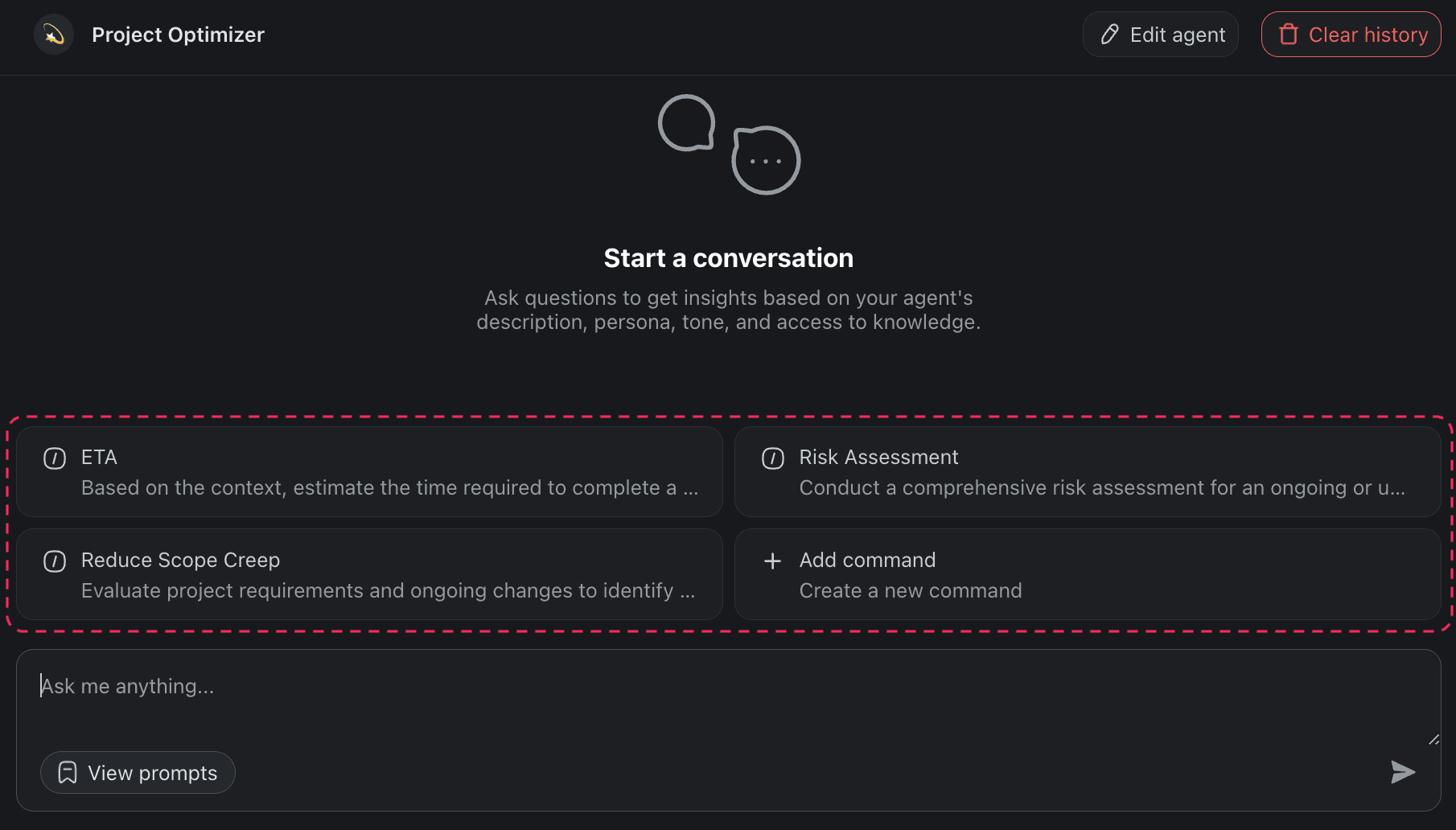
Let's create an agent that will help us reduce scope creep. Our agent will have three commands accessible via chat or directly inside projects.
⏰ ETA: Estimates the time required to complete a project task.
⚠️ Risk Assessment: Conducts a comprehensive risk assessment.
🪶 Reduce Scope Creep: Identifies the risk of scope creep in the project.
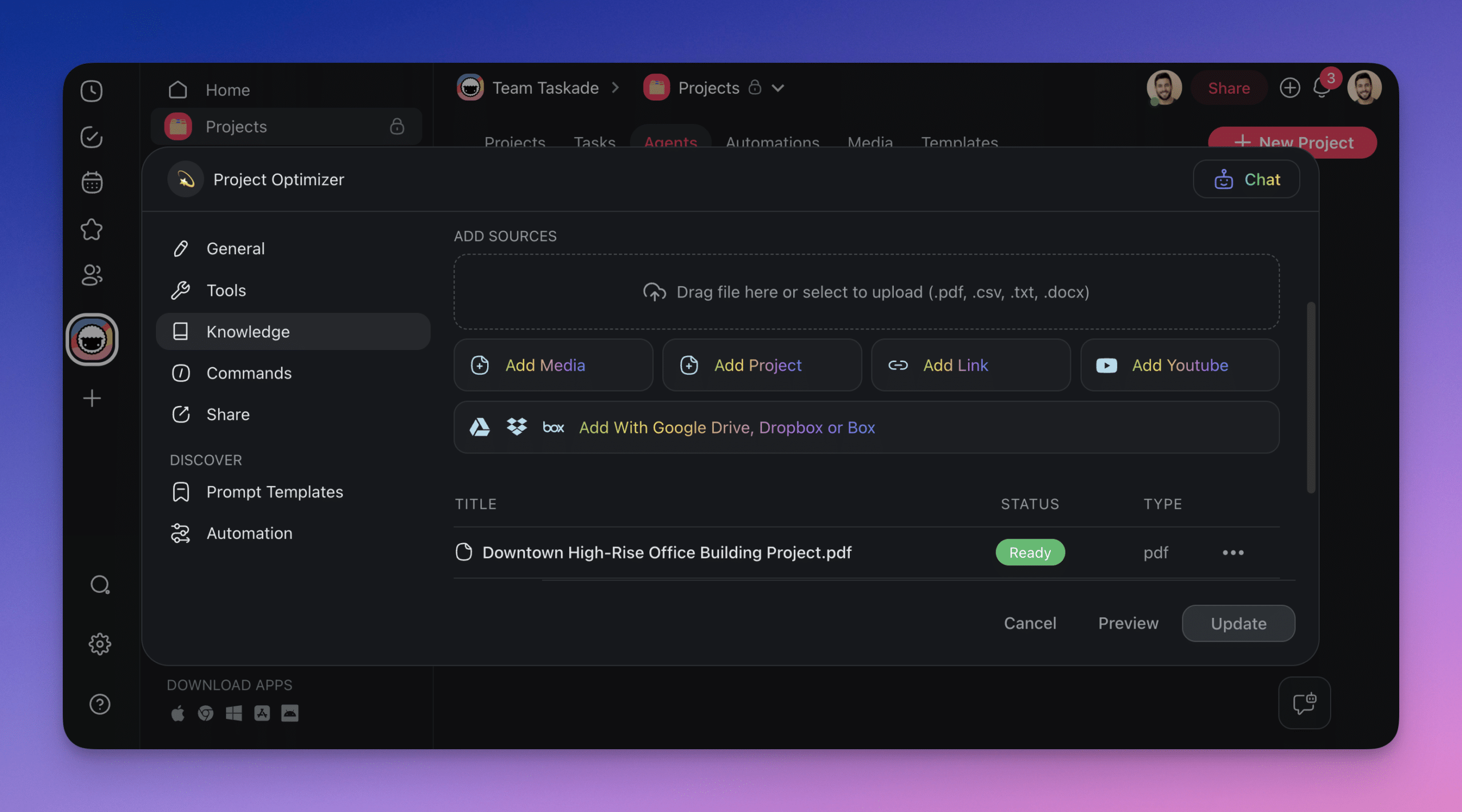
With an agent in place, you can now train the agent with historical project data.
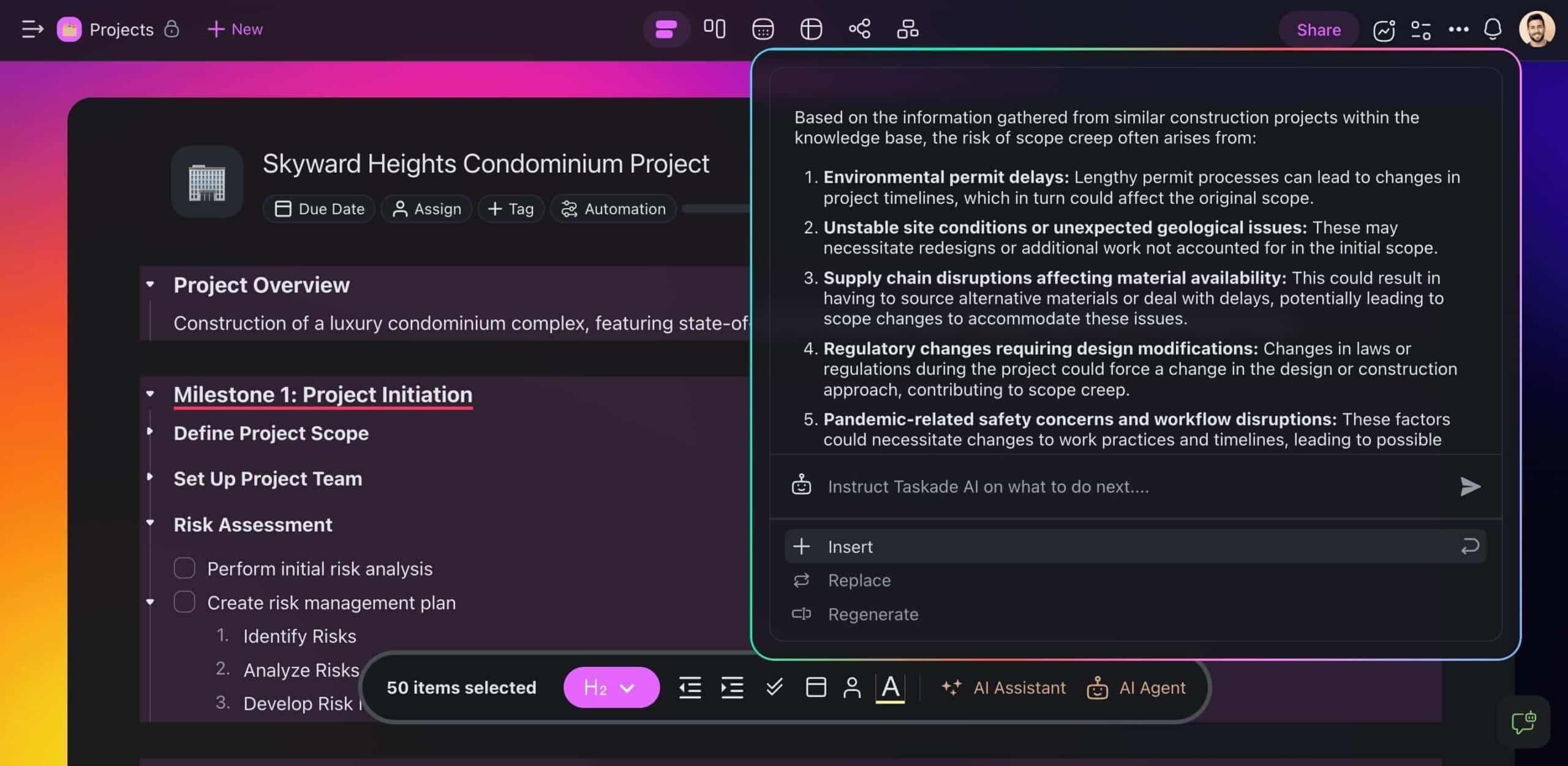
We're almost there. All that's left is to let the agent loose in a new project. It will use its knowledge and skills to predict and curb scope creep.
AI-Driven Risk Assessment
Next, let's talk about reducing risk.
Hindsight is 20/20, but what if you could reduce the risk of projects going belly-up before they even start? AI-powered risk assessment lets you do just that.
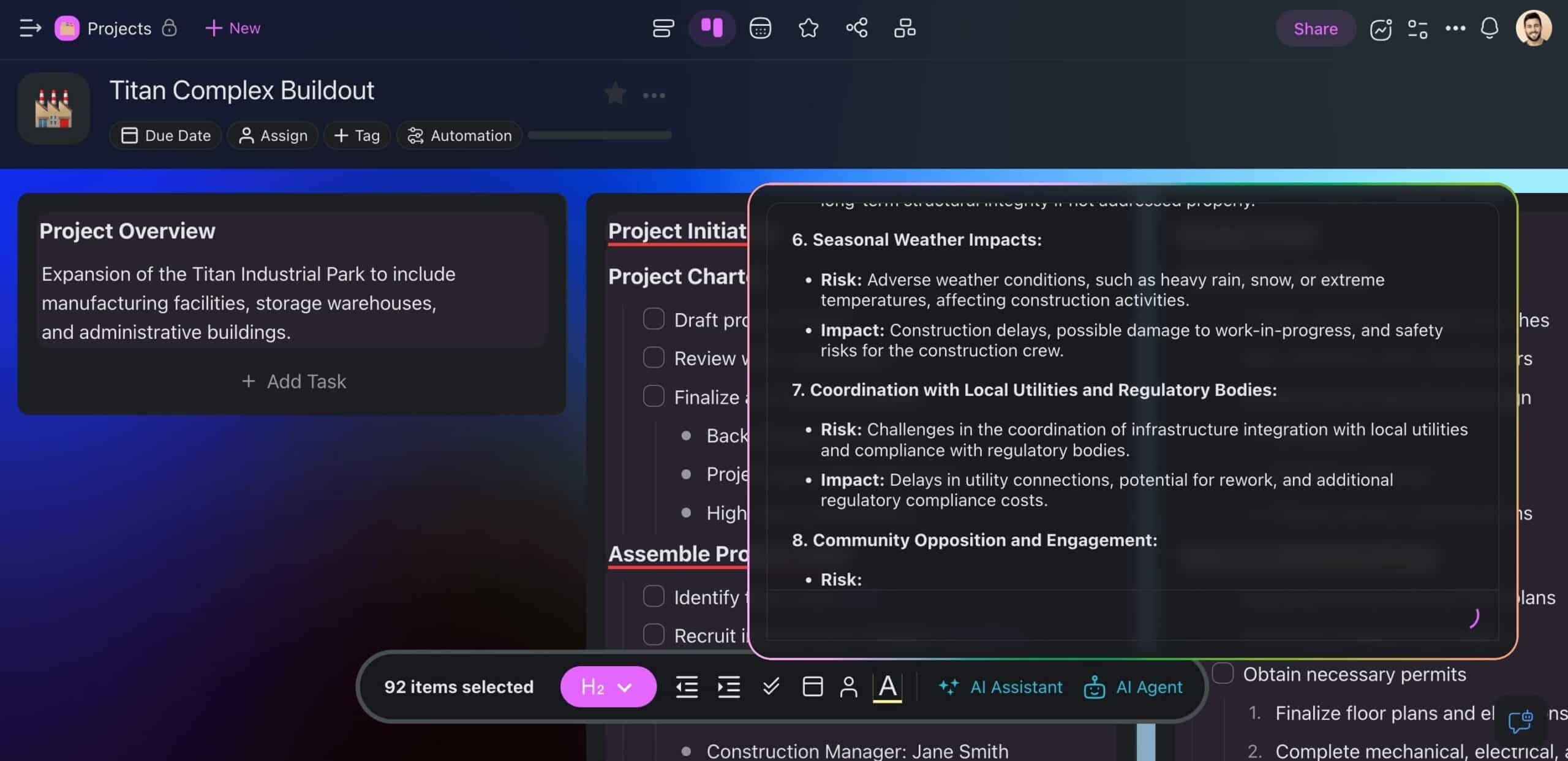
This time, we're going to use the ⚠️ Risk Assessment command to predict the kind of issues your team may face while working on the project.
Automated Change Requests and Approvals
Traditionally, managing change requests has been a manual and time-consuming process. Requests come in, teams scramble to gather information, decisions are made based on gut instincts or incomplete data.
That's a logistical nightmare if we ever saw one. But there is a better way.
First, we're going to need a place to track change requests. You can create one from scratch or use our free change request template (see an example below).
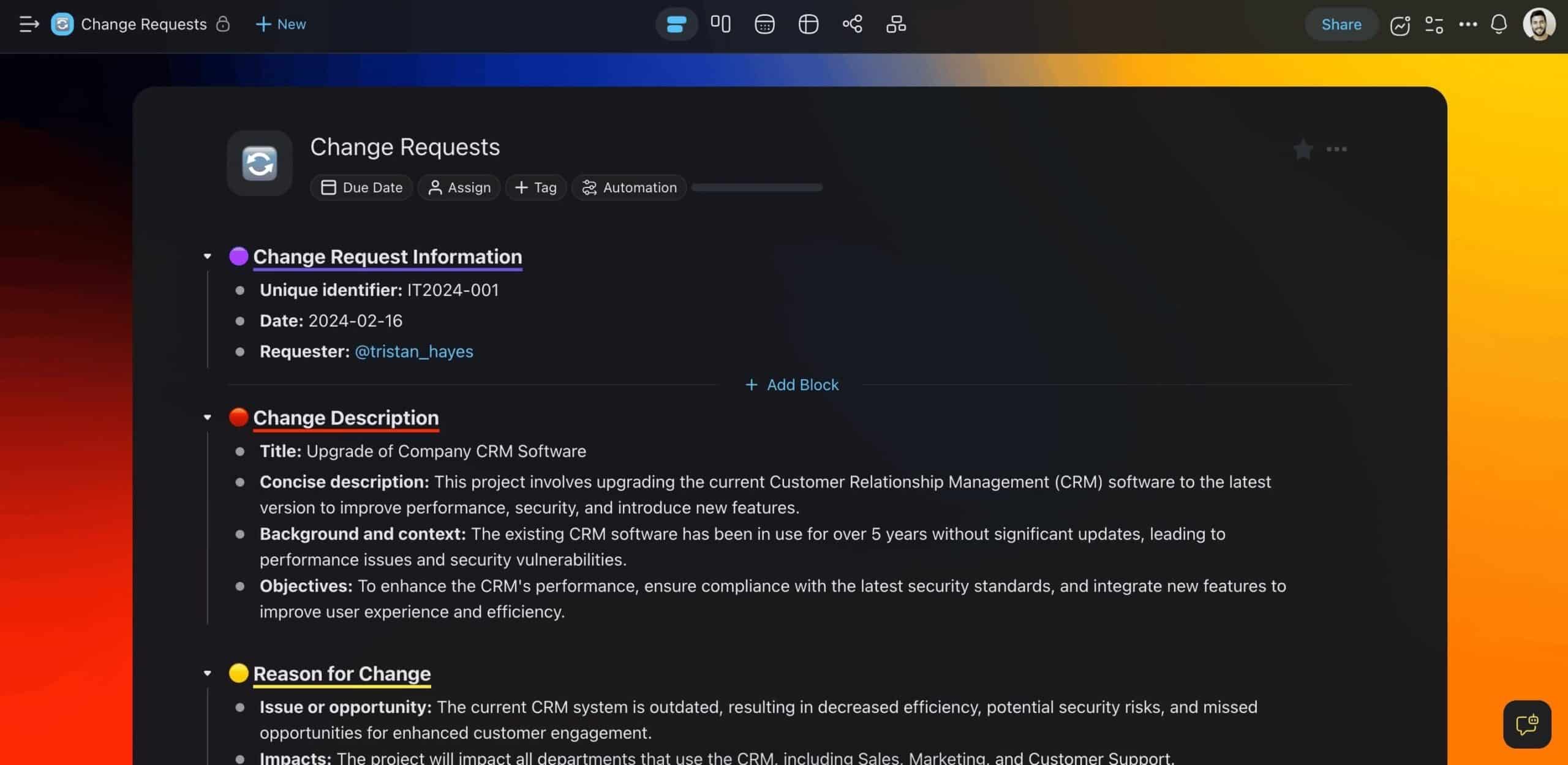
Here's where it gets fun.
Taskade comes with a powerful Automation feature that allows you to streamline workflows by automating repetitive tasks and even entire projects.
Our automation will do four things:
🤖 Enable AI to process incoming change requests.
🔎 Analyze them based on the agent's knowledge and set criteria.
🚦 Send requests to stakeholders for review and approval.
✉️ (optional) Send confirmation emails on completion.
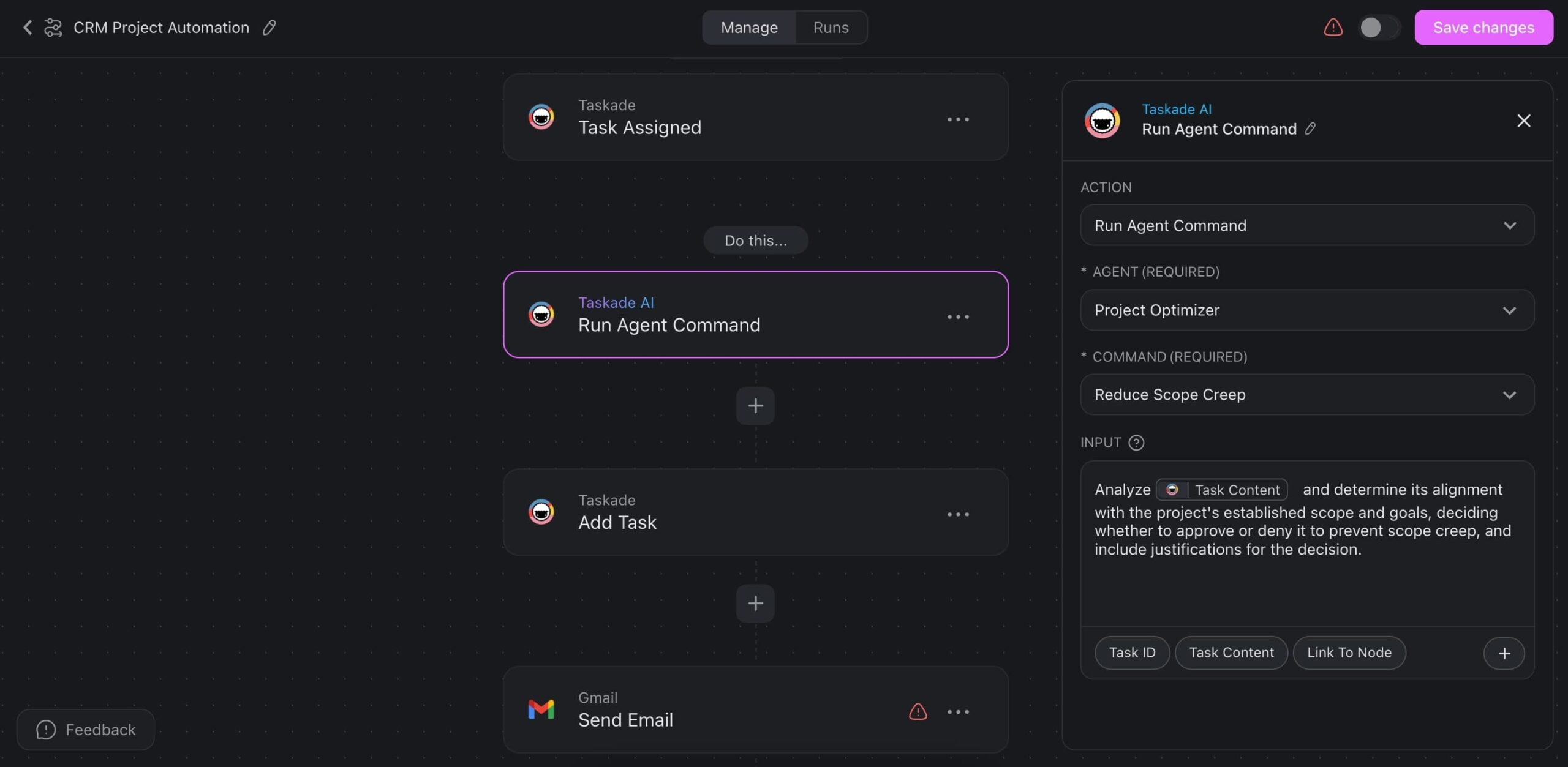
Whenever a team member submits a request, Taskade will pass it on to AI for processing, and send it on its way to key stakeholders for the final decision.
Want to create an automation like this?
Create a free Taskade account to get started! 🤖
Enhanced Communication and Stakeholder Engagement
Generative AI is an excellent communication companion. It can help your team write project documents, streamline email correspondence, and develop ideas.
All that brings a new level of efficiency to team and stakeholder interactions. No more time-consuming document preparation and winding email threads.
Finally, AI can help you adjust the tone of your communication, flesh out ideas, and even flag potential pitfalls or misunderstandings before you hit send.
Taskade's AI Assistant lets you do all that and much more in the project editor.
Watch this short video to learn more:
🚀 Secure Project Success & Overcome Scope Creep
Time to wrap things up.
You now have all the tools to tackle scope creep head-on. Implementing these strategies will help ensure that your project stays on track, even when unexpected changes pop up. But there is one more thing…
If you still haven't found the right project management app, try Taskade.
Taskade is a holistic, AI-powered project management platform that streamlines collaboration and helps teams maintain a clear overview of projects.
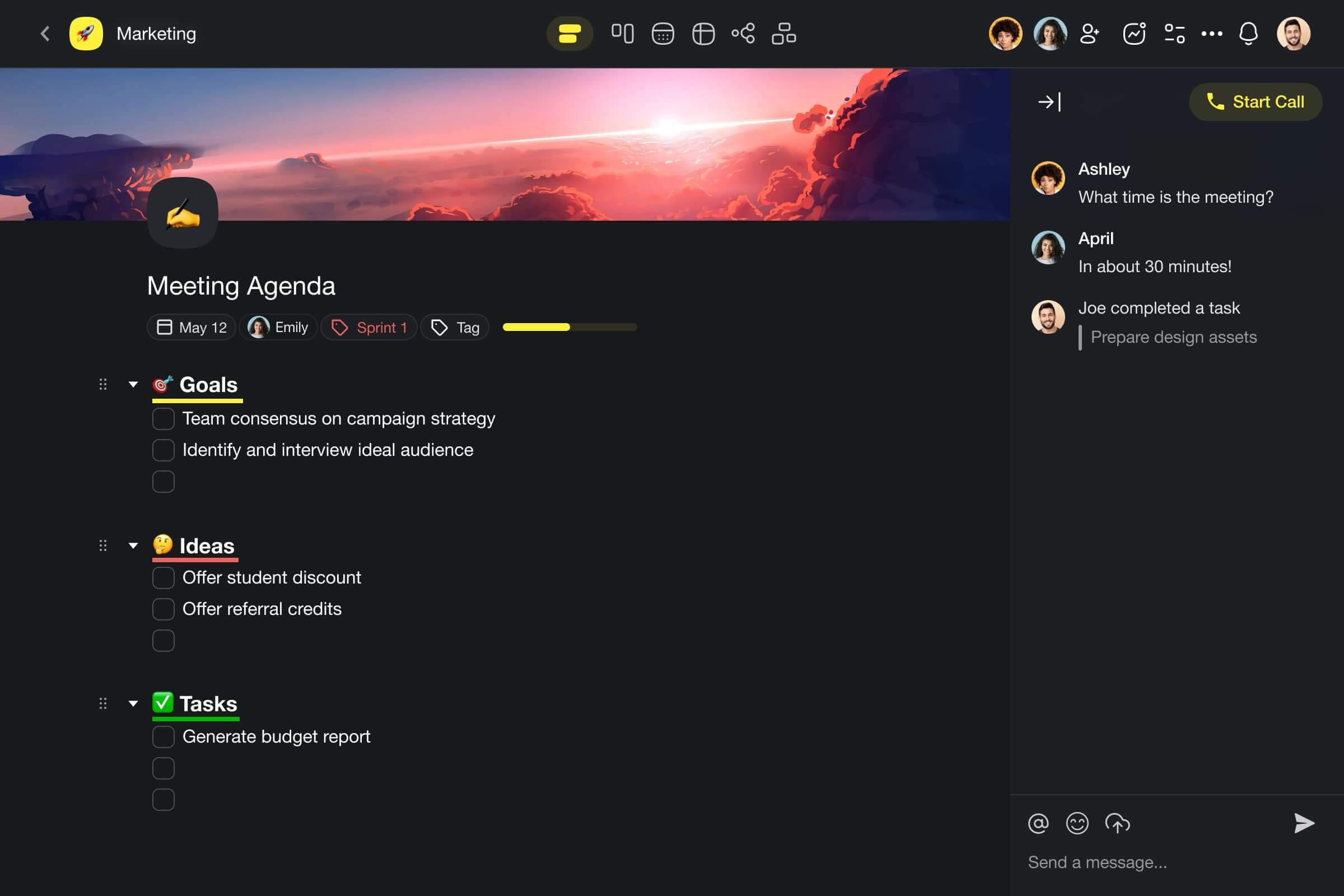
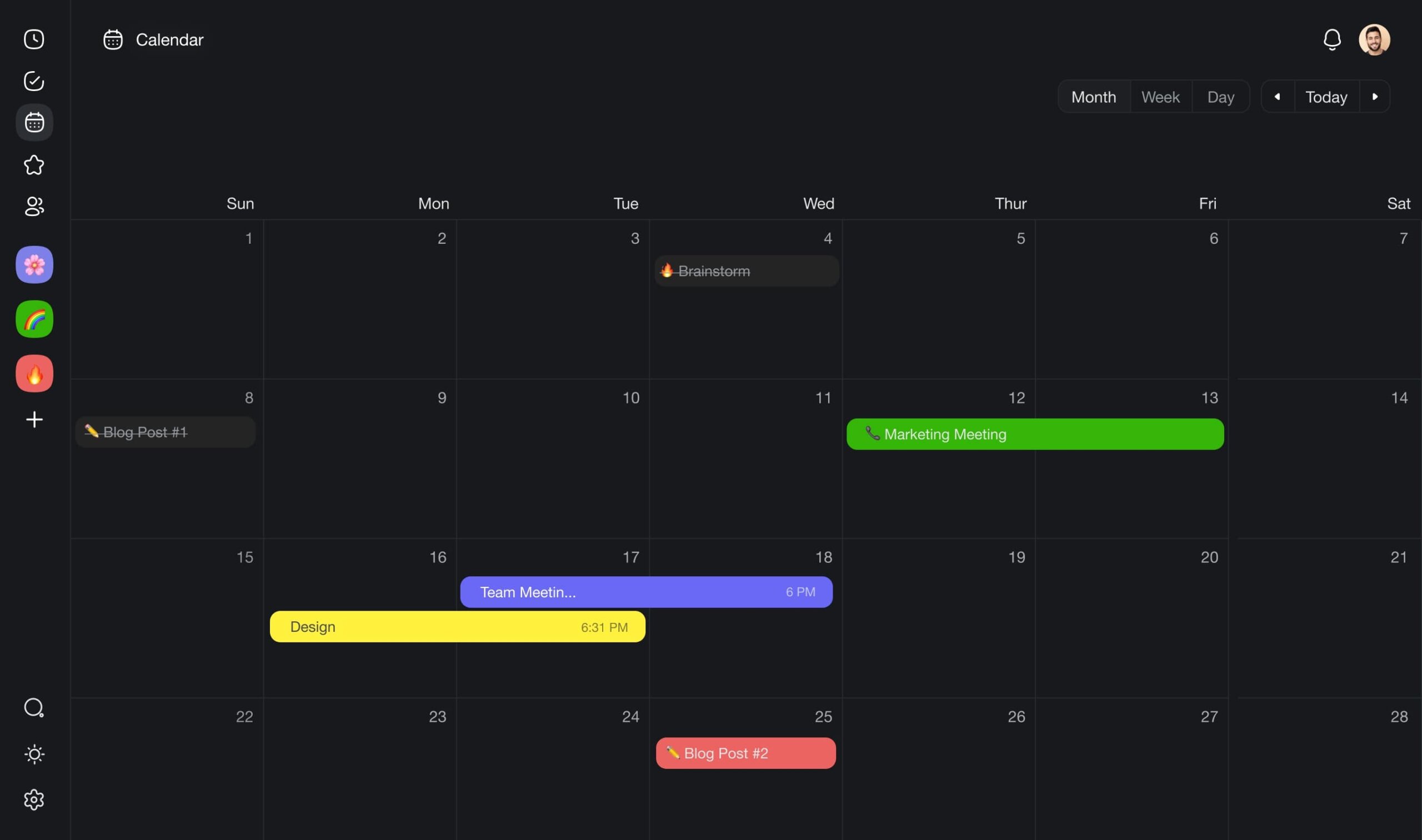
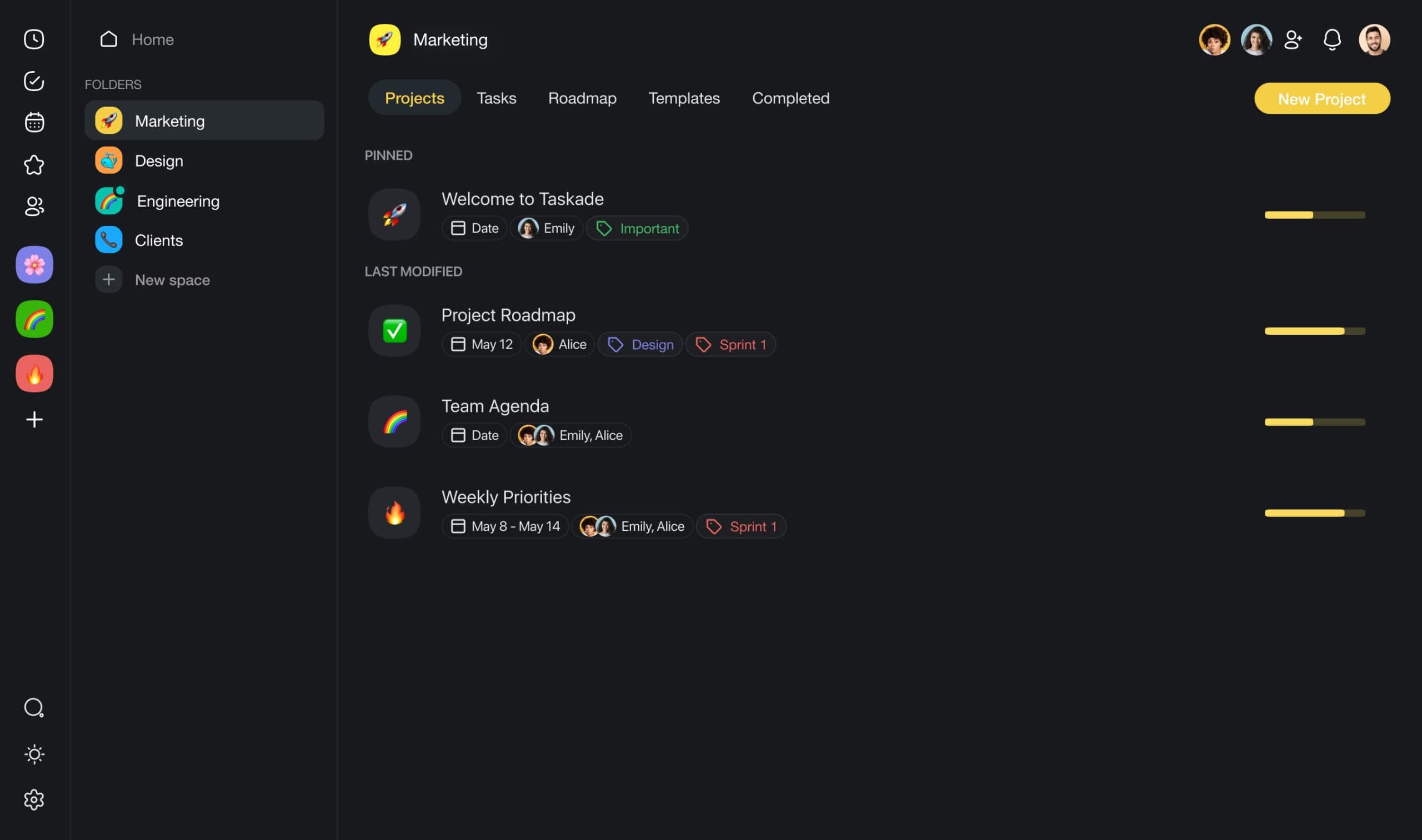
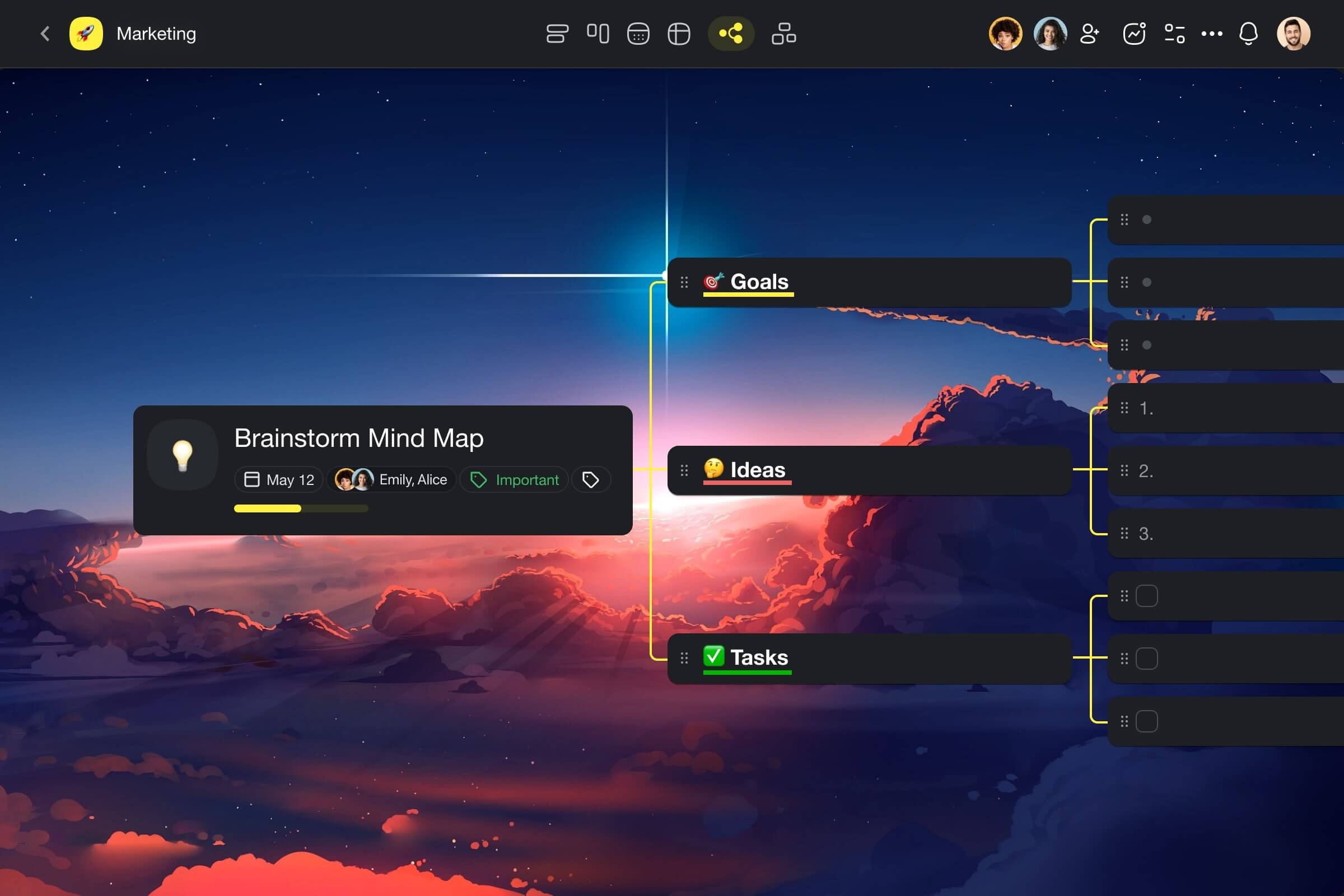
Sign up and supercharge your projects with Taskade AI! 🐑
🪄 AI Project Studio: Generate tasks, projects, and entire workflows based on natural-language descriptions or from seed documents.
📚 Built-In AI Prompts: Tap into an expansive catalog of AI prompt templates that will help you kick off all kinds of projects.
✏️ AI Assistant: Write, edit, and organize faster with the power of AI. Use pre-defined AI commands in the project editor or create your own.
🤖 Custom AI Agents: Create custom AI agents to streamline projects and automate tasks. Run them inside projects or start a personalized chat.
Visit Taskade’s pricing page for a breakdown of AI features and plans.

Frequently Asked Questions
What is scope creep in project management?
Scope creep is the uncontrolled expansion of a project's scope — when new features, requirements, or deliverables are added without corresponding adjustments to timeline, budget, or resources. It's one of the top causes of project failure. Classic examples include the Sydney Opera House (4 years planned, 14 years actual; $7M budget, $102M actual cost) and the Boston Big Dig. Scope creep happens gradually through 'just one more thing' requests that individually seem small but compound into massive overruns.
What causes scope creep?
Common causes include: vague or incomplete initial requirements, stakeholders adding requests without formal change control, poor communication between teams and clients, gold-plating (teams adding unrequested features), lack of a defined project scope document, weak project governance (no one empowered to say 'no'), and external pressure (competitor launches, market shifts). The root cause is almost always insufficient scope definition and change management processes at the project's start.
How can you prevent scope creep?
Prevent scope creep by: 1) Defining clear scope with a detailed Statement of Work before starting, 2) Implementing a formal change request process (every new request gets documented, estimated, and approved), 3) Using a project management tool to track scope baseline vs. actuals, 4) Educating stakeholders that every addition has a cost (time, money, or quality), 5) Conducting regular scope reviews against the original plan, and 6) Building buffer time for inevitable minor changes.
How can AI help manage scope creep?
AI helps manage scope creep by: automatically flagging when new tasks don't align with the original project scope, tracking scope expansion metrics over time, predicting the timeline and budget impact of proposed changes before they're approved, generating change request documentation from natural language descriptions, and alerting project managers when velocity drops or timelines extend beyond thresholds. Taskade's AI agents can monitor project scope and proactively flag drift.