
Definition: Community Apps are Taskade Genesis applications shared in the Community Gallery. Each app carries its complete Workspace DNA, which is its projects, agents, and automations, so anyone can clone a proven solution in one click and customize it as their own.
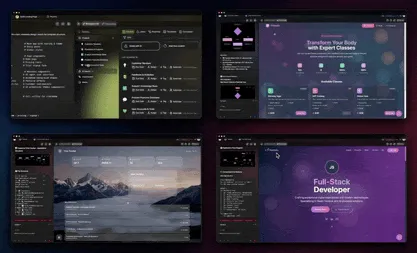
TL;DR: The Community Gallery is a public library of working Taskade Genesis apps you can clone in one click. Cloning is free on every plan and copies the full app, with its data structure, agents, and automations, into your workspace. With 150,000+ apps built, you start from a running system instead of a blank prompt. Clone an app free →
You already start most projects by copying something that works. A teammate's spreadsheet, an old proposal, a layout you liked. The Community Gallery turns that instinct into a button. Find an app shaped like the one you need, clone it, and make it yours.
What Is the Community Gallery?
The Community Gallery is a public showcase of Taskade Genesis apps that builders have published for anyone to clone. You browse working examples, dashboards, client portals, CRMs, trackers, and forms, then copy one into your own workspace with a single click. Every app arrives as a complete, running system, not a screenshot or a demo.
Because each app carries its full Workspace DNA, the clone behaves exactly like the original from the first second. See Workspace DNA for how Memory, Intelligence, and Execution travel together inside every app.
How Cloning Works
Cloning copies an entire app into your workspace, then hands you the keys. You get the interface, the connected projects that hold the data, the configured agents, and the automations, all wired together and ready to run. From there you change names, colors, fields, and logic until the app fits your business.
The cloned copy is fully independent. Changes you make never touch the original, and the original's owner cannot see or reach into your version. For the mechanics of duplicating any app, including your own, see Clone App.
Clone-to-Own vs. Build From Scratch
Cloning a Community App means you start from a working system and edit it. Building from scratch means you describe your app to Taskade EVE, the meta-agent behind Taskade Genesis, and it builds the foundation for you. Both paths land in the same place: a live app you own. The table below shows when each one fits.
| Question | Clone from the Gallery | Build from a prompt |
|---|---|---|
| Best when | A proven app already matches your shape | Your idea is specific or unusual |
| Starting point | A complete, running app | A blank prompt to Taskade EVE |
| Time to first version | Fastest, you skip setup | Fast, the scaffold is built for you |
| What you change | Branding, fields, agent behavior | Everything, from the ground up |
| You learn from | Another builder's structure | Your own description |
| Cost | Free on every plan | Free on every plan |
Many builders do both. They clone an app close to their need, then prompt Taskade EVE inside it to add the parts that are unique to their business. Start either way from the builder.
What You Get When You Clone
Cloning copies the whole app, not just the look. Everything that made the original work comes with it, ready to adjust.
| What transfers | What it means for you |
|---|---|
| Connected projects + data structure | The tables and fields are already designed; just add your records |
| Configured AI agents | Custom instructions and tools come pre-set, drawn from built-in tools |
| Automation workflows | Reliable automation workflows, with their triggers and actions, run on day one |
| Interface and dashboards | The forms, views, and visualizations are built and styled |
| Access setup | Roles and sharing controls carry over, ready for you to reset |
What does not transfer is the original owner's live records. You inherit the structure, then fill it with your own data. The agents reason over your data using frontier models from top AI labs, chosen automatically for each task.
Browsing the Gallery
The Gallery is organized so you can find an app by the job it does, not by jargon. Apps cluster around the shapes most operators need: dashboards that watch the numbers, portals where clients log in, CRMs that track relationships, and trackers that log work over time.
┌─────────────────────────────────────────────────────────────┐
│  Community Gallery                                  [ Search ]│
├──────────────────┬──────────────────┬──────────────────────┤
│  Ops Dashboard    │  Client Portal    │  CRM                 │
│  bookings, KPIs   │  logins, files    │  leads, deals, notes │
│  [ Clone ]        │  [ Clone ]        │  [ Clone ]           │
├──────────────────┼──────────────────┼──────────────────────┤
│  Tracker          │  Intake Form      │  Booking System      │
│  hours, projects  │  capture + route  │  scheduling, reminders│
│  [ Clone ]        │  [ Clone ]        │  [ Clone ]           │
└──────────────────┴──────────────────┴──────────────────────┘
   One click on Clone copies the full app into your workspace.
Browse the live library at taskade.com/apps.
Featured Community Apps
These are the kinds of apps builders publish and clone most. Each one is a starting point you reshape for your own business.
Hospitality Dashboard: Monitor bookings, reviews, and revenue in one view. Clone and point it at any hospitality business. Built on a living dashboard pattern.
Booking Portal: Appointment scheduling with reminders and a client login. A working example of a living portal.
Expense Splitter: Split costs, calculate balances, and send summaries. Good for teams and groups.
Time Tracker: Log hours, track projects, and generate timesheets. Built for consultants and agencies.
Lead Capture Site: Showcase a product, capture leads, and automate the follow-up. Ready for any small business.
Publishing Your Own App
When you build something that works, you can publish it back to the Gallery so other builders can clone it. Add a description and a category so people find it, and your app joins the public library. For the full walkthrough, see App Publishing.
Two ways to share what you build:
- Publish to the Community Gallery: free for anyone to clone, the path that grows the shared library.
- Package as an App Kit: bundle your app so it can be cloned, or sold once through Stripe. See AI Kits for how kits work.
Before you publish, Taskade runs a pre-publish check so saved API keys and secrets never travel inside the shared copy. Apps with built-in logins (email sign-in via GenesisAuth) and a custom domain on Pro and above can be shared while keeping their own access controls intact.
Customizing a Cloned App
After cloning, the app is fully yours to reshape. Most builders change three things first.
Branding: Update colors, add a logo, and rewrite the messaging so it sounds like your business.
Data and fields: Adjust the connected projects so the fields match what you actually track. Add a field, remove one you do not need, change a label.
Logic: Tune what the agents do and adjust the automations. You can prompt Taskade EVE inside the app to add features, or change the workflows by hand.
Why Cloning Beats Starting Cold
For builders, the Gallery is a head start. You skip the blank-page problem, learn from how someone else structured a working app, and get to customization in minutes instead of hours. For the ecosystem, every shared app raises the floor: best practices spread, and the next person solving your problem starts further ahead.
Getting Started
Explore: Visit taskade.com/apps to browse available apps.
Clone: Find an app that fits your need and clone it to your workspace.
Customize: Adapt the branding, data, and logic for your business.
Share: When you build something great, publish it back or package it as an App Kit.
What You Would Build in Taskade
Say you run a small bookkeeping practice and you found a Hospitality Dashboard in the Gallery that tracks the right numbers. You clone it, then prompt Taskade EVE to swap the metrics for invoices outstanding, hours billed, and clients overdue. The result is a client portal: each client logs in with email, sees their own invoices and documents in a clean view, and uploads receipts that route straight to their record. A weekly automation emails you anyone who has not paid, and a custom domain on Pro makes the whole thing feel like your firm, not a template. You started by copying a stranger's app, and a few edits later it runs your business.
That is the shortest path from idea to live software: find the closest shape, clone it, and reshape it. Start in the builder →
Frequently Asked Questions About Community Apps
What are Community Apps in Taskade?
Community Apps are Taskade Genesis applications shared publicly in the Community Gallery. Each app carries its complete Workspace DNA, which is its projects, agents, and automations, so anyone can clone and customize a proven solution with one click.
Is it free to clone Community Apps?
Yes. Browsing and cloning Community Apps is free on every Taskade plan, including Free. When you clone an app, you receive the full application with its data structure, AI agent configuration, and automation workflows, ready to customize.
What happens when I clone a Community App?
Cloning copies the complete application into your workspace: the interface, the connected projects that hold the data, the AI agent configuration, the automation workflows, and the access setup. You then customize everything, including branding, fields, and agent behavior, to fit your needs.
Can I publish my own apps to the Community?
Yes. After building a Taskade Genesis app, publish it to the Community Gallery so others can clone it. Add a description and category so people can discover it. See App Publishing for the full walkthrough.
Can I sell an app instead of giving it away?
Yes. Package your app as an App Kit, which others can clone, or you can sell it once through Stripe. Kits are how builders distribute a finished app to a paying audience rather than sharing it freely in the Gallery.
Do cloned apps stay connected to the original?
No. A cloned app is fully independent. Changes you make never affect the original, and the original owner cannot see or edit your copy. You inherit the structure and logic, then fill it with your own data.
Related Wiki Pages: Clone App, App Publishing, AI Kits, App Builder, Workspace DNA, Taskade EVE