
Definition: Cloning in Taskade Genesis copies a working app into your own workspace in one click. You start from a finished dashboard, CRM, or portal instead of a blank prompt, then customize the copy and make it yours. The original and your clone stay fully independent.
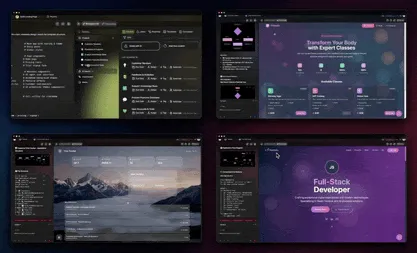
TL;DR: Cloning copies a live Taskade Genesis app, including its projects, AI agents, and automations, into your workspace as an independent copy you own and edit. Browse 150,000+ apps built on Taskade, clone one from the Community Gallery, then customize and ship. Start from a working app →
You already know the shortcut. When you find a spreadsheet, a doc, or a tool that already does most of what you need, you copy it and change a few things. Cloning is that instinct made instant. You see a working app, take your own copy, and skip the part where you start from nothing.
What Does Cloning an App Do?
Cloning gives you a complete, independent copy of a working Taskade Genesis app. The copy carries the same projects, AI agents, automations, and layout that made the original useful. From the moment it lands in your workspace, it is yours: edits to your clone never touch the source, and updates to the source never reach your clone.
This is the fastest path from idea to running app. Instead of describing every screen, field, and workflow from scratch, you start with a foundation that already works and shape it to your business.
Where Do You Find Apps to Clone?
Most clones start in the Community Gallery, where apps published by other builders are ready to copy in one click. You can also clone any Taskade Genesis app you own, or install an AI Kit that packages a finished app and clones a fresh copy into your workspace when you open it.
Why Clone an App Instead of Building from Scratch?
Cloning wins when a working app already exists that is close to what you need. You get a proven structure on day one, then spend your time customizing instead of specifying. Building from a prompt wins when your idea is genuinely new and no published app fits.
| Clone to own | Build from a prompt | |
|---|---|---|
| Best when | A working app is close to what you need | Your idea is new or highly specific |
| Starting point | A finished, proven app | A blank prompt |
| Time to first run | Minutes | A short build session |
| What you do | Customize an existing foundation | Describe the app you want |
| Result | Your independent copy, ready to ship | A fresh app shaped to your words |
Both paths end the same way: a live app you own. Cloning just starts you further down the road.
What Gets Copied When You Clone?
A clone carries the parts of the original that make it work, so the copy runs the moment it lands in your workspace. The list below covers what comes along.
┌─────────────────────────────────────────────┐
│  WHAT TRAVELS WITH A CLONE                    │
├─────────────────────────────────────────────┤
│  Projects + data structures   ████████  yes  │
│  AI agents + instructions     ████████  yes  │
│  Automation workflows         ████████  yes  │
│  App layout + branding        ████████  yes  │
├─────────────────────────────────────────────┤
│  Link to the original         ░░░░░░░░  no    │
│  (your copy is fully independent)            │
└─────────────────────────────────────────────┘
- Projects and data structures: the layout, fields, and connected projects that hold the app's information.
- AI agents: any agents from the original, including their instructions and settings, drawing on frontier models from top AI labs.
- Automations: the reliable automation workflows and their triggers, so the copy keeps running on its own.
- App settings: the visual layout, branding, and app-level configuration.
How Do You Clone a Taskade Genesis App?
Open the app you want, choose the clone option, and pick a destination workspace. The copy appears ready to customize in seconds.
- Open the Taskade Genesis app you want to duplicate, or find one in the Community Gallery.
- Select the clone or duplicate option.
- Choose the destination workspace for the new copy.
- The cloned app appears in your workspace, ready to customize.
What Happens After You Clone?
Your clone is independent, so you can reshape it freely. Rename it, rewrite agent instructions, adjust automations, change branding, and edit the project structure without touching the source. Then make it real: add your own data, invite teammates, set end-user logins with email sign-in, add a custom domain on Pro and up, and publish your app when it is ready.
You can also publish your customized version back to the Community Gallery or package it as an AI Kit for others to clone, closing the loop you started.
What You'd Build in Taskade
Say you find a polished client-onboarding app in the Community Gallery, but you run a dental practice and it was built for a marketing agency. Clone it, then build a client portal for your patients. Your front desk logs in to one dashboard that shows every new patient's intake form, signed consent, and next appointment. Patients sign in with their email to upload insurance details and book follow-ups. An automation sends the reminder and files the response on its own, without anyone touching a spreadsheet.
You started from someone else's working app and finished with your own. Start from a working app and make it yours →
Related concepts: Community Apps, AI Kits, Taskade Genesis Apps, App Publishing, Your First App