

TL;DR: Microsoft Copilot Studio builds enterprise agents inside Microsoft 365 and bills by Copilot Credits, at $200 a month per 25,000 credits or $0.01 each pay-as-you-go. Taskade Genesis is platform-neutral: one prompt ships a deployed app with AI agents, automations, and 100+ integrations. Free Forever, Pro $10/mo billed annually. Try Taskade Genesis free →
See the alternative working: clone in 60 seconds
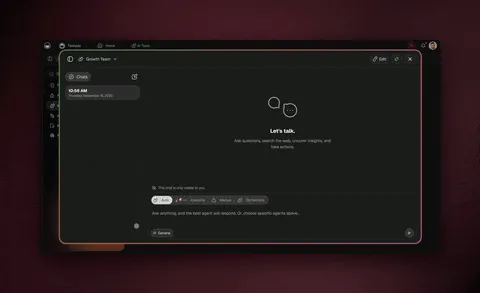
No signup, no credit card.
| Capability | Microsoft Copilot Studio | Taskade Genesis |
|---|---|---|
| Pricing (starting) | $200/mo per 25k credits; M365 Copilot $30/user/mo | $0 Free · $10/mo Pro billed annually (10 seats) |
| Cloneable live demo | ❌ | ✅ |
| Built-in AI agents | Q&A, workflow, and autonomous agents | ✅ built-in tools |
| Automation engine | Power Automate flows | ✅ Durable runtime, 100+ integrations |
| Workspace DNA loop | ❌ | ✅ ▲ Memory · ■ Intelligence · ● Execution |
Overall fit: ✅ Taskade Genesis for any team that wants a deployed app with agents and automations on flat, predictable pricing without a Microsoft 365 dependency. Microsoft Copilot Studio remains the natural choice when your organization already runs on Microsoft 365, Teams, and Power Platform and wants agents governed inside that tenant.
Table of Contents
- Quick Comparison Table
- What is Taskade Genesis?
- What is Microsoft Copilot Studio?
- Key differences
- Choose Microsoft Copilot Studio if
- Why teams choose Taskade
- Pricing and total cost of ownership
- Frequently asked questions
- The takeaway
What is Taskade Genesis?
Taskade Genesis is the AI app builder inside the Taskade workspace. You describe what you want, and Taskade Genesis returns a deployed, working application with AI agents, real-time data, automation workflows, and team collaboration already wired in. It is built on Workspace DNA: Memory (Projects), Intelligence (AI Agents), and Execution (Automations), a self-reinforcing loop where what your team does becomes the substrate the agents reason over. Founded by John Xie, Dionis Loire, and Stan Chang in 2017, Taskade is a Y Combinator-backed platform with over a million users and a public Community Gallery of apps anyone can clone.
A single prompt to Taskade Genesis can produce a customer support portal, an ops dashboard, a CRM, a knowledge base, a form-driven intake system, or an internal tool. Each ships with built-in AI Agents v2, workflow automations, email sign-in through GenesisAuth on every plan, including Free, password protection on Pro and above, and custom domains plus SAML SSO on Business and above. There is no DevOps, no per-seat AI surcharge, and no requirement to standardize on any single vendor's cloud first.
Taskade Genesis is for everyone: founders, marketers, ops, product managers, customer success, and engineers who want to skip plumbing and focus on the idea.
What is Microsoft Copilot Studio?
Microsoft Copilot Studio is Microsoft's low-code platform for building AI agents, and it is a strong product on its own terms. It provides a managed SaaS environment, a visual authoring interface, and access to models from Azure OpenAI Service to create three kinds of agents: Q&A agents that answer from your data, workflow agents that run multi-step processes, and autonomous agents that monitor events and take action without a human prompt. Agents publish with one click into Microsoft 365, Teams, Outlook, and other channels.
Copilot Studio at a glance (2026): Owner Microsoft (part of the Power Platform family). Grounds agents in 1,400+ Power Platform connectors and Dataverse. Governed by the Microsoft Agent 365 control plane (a dedicated plane for IT and security to observe, secure, and govern agents), plus Microsoft Purview and Microsoft Entra. Included at no extra cost for internal agents with a Microsoft 365 Copilot license ($30/user/month paid yearly); standalone usage is billed by Copilot Credits.
The pricing model is consumption-based. Per Microsoft's pricing pages, you can prepay a capacity pack of 25,000 Copilot Credits for $200 per month (with up to 20 percent savings at higher prepaid tiers), or use a pay-as-you-go Azure meter at about $0.01 per Copilot Credit that requires an Azure subscription. On September 1, 2025, Microsoft renamed the usage currency from "messages" to "Copilot Credits" without changing the pack size or rate. Credits are consumed per interaction, and the amount varies by type: Microsoft's guidance ranges from about one credit for a basic answer up to 25 or more for an autonomous agent action.
For an organization already living in Microsoft 365, Copilot Studio's native fit is genuinely excellent. The question when choosing between the two is not whether Copilot Studio is capable. It is whether you want agents governed inside the Microsoft tenant, or a standalone deployed app with agents and automations that runs on flat pricing regardless of which tools your team already uses.
Key differences
What you ship
- Taskade Genesis turns one prompt into a deployed application: interface, data model, AI agents, and automations connected and live at a shareable URL. Anyone you invite, including customers, can use it.
- Microsoft Copilot Studio builds agents rather than full applications. Those agents are powerful and publish across Microsoft surfaces, but the deliverable is an agent inside your channels, not a standalone app with its own UI and data views.
Pricing model and predictability
- Taskade is a flat subscription. Pro is $10 per month billed annually for 10 seats and includes 50,000 AI credits, with no separate charge when people use your published app.
- Copilot Studio bills by Copilot Credits. Because a basic answer and an autonomous agent action can differ by 25x or more in credit cost, total spend depends on how heavily your agents run, which makes forecasting harder than a fixed plan.
Platform neutrality
- Taskade is vendor-neutral. It works standalone, with no Microsoft 365 or Azure subscription required, and connects to a mixed toolset across 100+ bidirectional integrations.
- Copilot Studio is at its best inside the Microsoft ecosystem. Its deepest value, native Teams and Microsoft 365 publishing, Dataverse grounding, and tenant governance, assumes your organization has standardized on Microsoft.
Agents and automations
- Taskade ships AI Agents v2 as first-class workspace teammates with persistent memory, a large built-in toolset (web search, file analysis, project management, image generation, code execution, and more), custom tools you define, and the ability to be embedded publicly inside a Genesis App. Durable Automations add branching, looping, and filtering across your integrations.
- Copilot Studio offers Q&A, workflow, and autonomous agents wired into Power Automate flows and the Power Platform connector library, governed centrally. Strong for Microsoft-centric process automation.
Governance and models
- Taskade provides role-based access (Owner to Viewer), password protection on Pro and above, and SAML SSO on Business and above, and provides access to 15+ frontier models from OpenAI, Anthropic, and open-weight providers.
- Copilot Studio inherits Microsoft's enterprise controls (Agent 365, Purview, Entra) and runs on Azure OpenAI Service with a bring-your-own-model option through Azure AI Foundry. This is a real advantage for regulated, Microsoft-standardized enterprises.
Choose Microsoft Copilot Studio if
Honest comparison content beats hatchet jobs. There are clear cases where Copilot Studio is the better choice:
- Your organization runs on Microsoft 365. If your team already lives in Teams, Outlook, SharePoint, and Dataverse, Copilot Studio drops agents natively into those surfaces with one click, and licensed users get it bundled with Microsoft 365 Copilot at no extra cost.
- You need Microsoft's connector breadth and enterprise governance. More than 1,400 Power Platform connectors, Dataverse grounding, and the Microsoft Agent 365 control plane with Purview and Entra give large, regulated enterprises deep reach and centralized control.
- You want Azure-backed infrastructure and model choice. Copilot Studio runs on Azure OpenAI Service with a bring-your-own-model path through Azure AI Foundry, which suits teams already committed to Azure for compliance, data residency, and procurement reasons.
Why teams choose Taskade
Taskade Genesis ships a deployed app, not just an agent, from a single prompt, with AI agents and automations already connected. It is platform-neutral, so it works standalone without a Microsoft 365 license or an Azure subscription. And it prices flat, so a team of ten pays a predictable $10 per month on Pro billed annually instead of watching a per-credit meter. The table below carries the rest of the differentiation.
| After launch | Microsoft Copilot Studio | Taskade Genesis |
|---|---|---|
| Deliverable | Agents inside Microsoft channels | A standalone deployed app anyone can use |
| Cost as usage grows | Copilot Credits consumed per interaction | Flat subscription with a fixed monthly credit allowance |
| Vendor dependency | Best inside Microsoft 365 and Power Platform | Vendor-neutral, works standalone |
| End-user surface | Teams, Outlook, and Microsoft 365 apps | Any browser, at a shareable URL or custom domain |
| Team model | Studio authoring plus Microsoft licensing | Real-time multiplayer, multiple project views, role-based access |
Pricing and total cost of ownership
| Plan | Taskade Genesis | Microsoft Copilot Studio |
|---|---|---|
| Free | Free Forever, full app builder access, limited AI credits | Copilot Studio bundled with a Microsoft 365 Copilot license for internal agents |
| Entry | Pro $10 / month billed annually ($120/yr), 10 seats, unlimited apps | Pay-as-you-go about $0.01 per Copilot Credit via an Azure meter |
| Mid | Business $25 / month billed annually ($300/yr), custom domains (GenesisAuth is on every plan) | Prepaid pack $200 / month per 25,000 Copilot Credits |
| High end | Max $100 / month billed annually ($1,200/yr), maximum AI capacity | Higher prepaid tiers, up to 20 percent savings |
| Enterprise | Enterprise $250 / month billed annually ($3,000/yr), SCIM provisioning, custom SLA | Microsoft 365 Copilot $30 / user / month paid yearly, plus credits |
The headline math: on Taskade, a ten-person team building deployed apps pays $10 per month total on Pro billed annually, which includes 50,000 AI credits for the whole team and no separate cloud subscription. On Copilot Studio, the same team either buys Microsoft 365 Copilot at $30 per user per month (internal agents only) or runs on Copilot Credits, where a $200 pack covers 25,000 credits and a single autonomous agent action can consume 25 or more of them. Both are legitimate models. Taskade's is flat and easy to forecast; Copilot Studio's scales with usage and with your existing Microsoft investment. Always confirm current figures on Microsoft's pricing page, linked below.
Frequently asked questions
How does Taskade Genesis compare to Microsoft Copilot Studio in 2026?
Microsoft Copilot Studio is an enterprise agent builder inside the Microsoft ecosystem: Q&A, workflow, and autonomous agents that publish into Microsoft 365 and Teams, billed by Copilot Credits. Taskade Genesis is platform-neutral, shipping a deployed app with AI Agents v2, automations, and 100+ integrations on a flat subscription with its AI credit allowance included.
How much does Microsoft Copilot Studio cost in 2026?
Per Microsoft's pricing pages, a prepaid pack is $200 per month for 25,000 Copilot Credits, and pay-as-you-go is about $0.01 per Copilot Credit through an Azure meter. Copilot Studio is also included for internal agents with a Microsoft 365 Copilot license at $30 per user per month paid yearly.
What are Copilot Credits and how are they consumed?
Microsoft renamed the usage currency from "messages" to "Copilot Credits" on September 1, 2025, without changing the pack size or rate. Credits are consumed per interaction, and cost varies: Microsoft's guidance ranges from about one credit for a basic answer to 25 or more for an autonomous agent action.
Do I need a Microsoft 365 license to use Copilot Studio?
For internal agents, a Microsoft 365 Copilot license ($30 per user per month paid yearly) includes Copilot Studio. Publishing agents externally or letting unlicensed people use them needs the standalone license or the pay-as-you-go meter. Taskade Genesis has no such requirement.
Does Taskade Genesis integrate with Microsoft tools?
Yes. Taskade connects to Outlook, Teams, and OneDrive alongside Slack, Gmail, Stripe, Salesforce, Notion, and GitHub, across 100+ bidirectional integrations. Because it is vendor-neutral, a mixed-tool team gets the same experience as a Microsoft-first one.
Does Microsoft Copilot Studio build full apps or just agents?
Copilot Studio builds agents: Q&A, workflow, and autonomous agents that publish into Microsoft 365 and Teams. Taskade Genesis builds a full deployed application from one prompt, with a user interface, data, agents, and automations, running at a shareable URL anyone can use.
Which AI models does Taskade Genesis use?
Taskade includes access to 15+ frontier models from OpenAI, Anthropic, and open-weight providers. Copilot Studio runs on models from Azure OpenAI Service, with a bring-your-own-model option through Azure AI Foundry.
What does Microsoft Copilot Studio do better than Taskade Genesis?
Copilot Studio's genuine strengths are Microsoft-stack depth, connector breadth, and enterprise governance. Agents publish natively into Teams and Microsoft 365, it taps more than 1,400 Power Platform connectors with Dataverse grounding, and it inherits Microsoft's controls including Agent 365, Purview, and Entra.
Can I use Copilot Studio and Taskade Genesis together?
Yes. Many organizations use Copilot Studio for agents inside Teams and Microsoft 365 for licensed staff, and use Taskade Genesis for standalone apps, customer portals, dashboards, and workflows that run outside the Microsoft tenant on flat pricing.
How much does Taskade Genesis cost compared to Copilot Studio?
Taskade Genesis is Free Forever to start. Pro is $10 per month billed annually for 10 seats and includes 50,000 AI credits; Business is $25, Max is $100, and Enterprise is $250, each per month billed annually. Copilot Studio bills by Copilot Credits on top of any Microsoft 365 licensing, so total cost scales with usage.
The takeaway
Microsoft Copilot Studio is the right tool when your organization already runs on Microsoft 365 and wants agents governed inside that tenant. Taskade Genesis is the right tool when you want a deployed app with agents and automations that ships from one prompt, works on any stack, and prices flat. Build with Taskade Genesis →.
Explore Taskade Genesis
- Customer support agent. Clone a live support agent
- AI App Builder. Full apps from one prompt
- AI Agent Platform. Digital teammates that work around the clock
- Workflow Automation. Automations across 100+ integrations
- AI Website Builder. Sites in seconds
- Integrations. 100+ bidirectional connections
Learn the Taskade Genesis architecture
- Workspace DNA explainer. How Memory, Intelligence, and Execution work together
- Your first Taskade Genesis app. A 5-minute tutorial
- Custom AI Agents. The Intelligence pillar
- Projects and Databases. The Memory pillar
- Automations and Workflows. The Execution pillar
Related reading
- Best AI agent builders in 2026. Category overview
- AI agent builders explained. How the tools differ
- How Workspace DNA works. The architecture behind Taskade Genesis
- The build-without-permission manifesto. Why we built Taskade this way
- Origin of living software. The future of apps
- Introducing TSK-1. The Taskade System Kernel
- Taskade vs Simular. Sai operates desktop software, Taskade Genesis ships a cloud app
Verify the numbers on Microsoft's Copilot Studio pricing page before you decide.