







TL;DR
TL;DR: A small business can run most of itself. This guide hands you 15 AI automation workflows — sales, marketing, operations, support, HR — each with a diagram, a five-minute setup, and a live app you can clone today. Free to start with 11,000 one-time credits; Taskade Pro is $10/month billed annually for 10 people. Clone the Invoice Generator → or start automating →
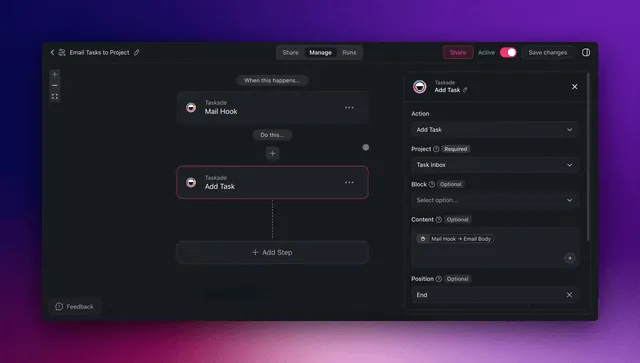
Clone the Systems These Workflows Run On
You do not have to start from an empty screen. Every workflow in this guide writes into something — an invoice ledger, a pipeline, a booking calendar, an equipment log. Four of those systems are already built and published. Open one, clone it into your workspace, and it arrives with its database, its interface, and its fields already in place.
| The job | Live app to clone | What it does the moment you open it |
|---|---|---|
| Get paid faster | Invoice Generator → | Builds, numbers, and tracks invoices |
| Stop losing leads | Neon CRM Dashboard → | Holds pipeline, owners, next actions |
| Fill the calendar | Appointment Booking System → | Takes bookings, confirms, reminds |
| Keep the gear running | Maintenance Tracker Dashboard → | Logs assets, schedules service |
Cloning is free on every plan. Once an app is in your workspace, the automations below have somewhere to write to on day one — which is the difference between reading a guide and finishing one. More live systems to take: Community Gallery →.
Why AI Automation Is Different from Regular Automation
Traditional automation follows rigid if-then rules. If an email contains the word "invoice," move it to a folder. If a form is submitted, send a confirmation. These rules break the moment reality deviates from the script — a misspelled subject line, an unusual request format, or a message that needs judgment instead of filing.
AI automation reads, interprets, and decides. It understands that "please find the attached Q1 numbers" is an invoice even without the word "invoice" in the subject. It can draft a reply, flag urgency, update your CRM, and schedule a follow-up — all from a single trigger.
The difference is not incremental. It is structural.
Rule-Based vs. AI-Powered Automation
Here is how the two approaches handle the same trigger — an inbound customer email:
Traditional automation handles the happy path. AI automation handles reality.
This matters for small businesses more than enterprises. Large companies can afford to hire people to handle the exceptions that rigid rules miss. A team of three cannot. When your automation can think, your team of three starts operating like a team of ten.
Side-by-Side: Automation Platform Comparison
| Capability | Zapier / Make | Taskade AI Automation |
|---|---|---|
| Trigger types | App events, webhooks, schedules | App events, webhooks, schedules, AI agent signals |
| Action logic | If-then rules, filters, paths | If-then rules + AI decision-making |
| Content generation | Requires OpenAI integration | Built-in (15+ frontier models) |
| Context awareness | Per-step data passing | Workspace-wide memory (Workspace DNA) |
| Agent capabilities | None | built-in tools, custom tools, persistent memory |
| Project management | None | Built-in (multiple views: List, Board, Mind Map, Gantt, and more) |
| Starting price | Zapier $20/mo, Make $9/mo | Free with 11,000 credits |
The core difference: tools like Zapier and Make connect apps. Taskade connects apps and thinks about what to do with the data. That is the gap between automation and AI automation.
For a deeper comparison, see our Zapier alternatives and n8n alternatives guides.
What an AI Automation Will Not Do
A Taskade automation runs as a bounded loop. Hand it a list — forty invoices, twelve leads, this morning's messages — and it makes exactly one pass per item, then stops. It does not run itself in circles until it decides the goal is met, and it cannot call itself without limit.
That bound is deliberate, and for a small business it is the whole point. It means a misconfigured workflow cannot quietly spend your afternoon and your credits while you are on a job site. It means the run history is a finite list you can read top to bottom. And it means you can hand an automation to the newest person on your team without teaching them to be afraid of it.
The honest framing: automations are for the work that repeats in a predictable shape. Judgment calls still route to a person — you just get them one at a time, with the context already assembled. See how a workflow actually executes for the mechanics.
AI Automation Adoption in 2026
AI is not an emerging technology for small business. It is the current operating standard.
According to the US Chamber of Commerce and Teneo (2024 survey), 68% of US small businesses now use at least one AI tool. The Small Business and Entrepreneurship Council reports that 75% of small businesses adopted AI tools in the past 18 months. By March 2026, these numbers have only grown.
The interesting number is not the 68%. It is the gap inside it. Most of those businesses use AI the way you use a calculator — open a chat window, ask a question, copy the answer somewhere. Almost none of them have AI that runs when nobody is watching. That gap is what the next 15 workflows close.
The ROI Numbers
The economics of AI automation for small business are straightforward:
- 10-20 hours saved per employee per week on routine tasks (data entry, email triage, report generation, scheduling)
- $25-50/hour average cost of knowledge worker time
- $13,000-52,000 annual savings per employee on automated tasks
- Taskade Pro: $120/year for 10 users — potential ROI of 100x or more for active teams
Small businesses using AI report saving 20+ hours per month and $500-$2,000 per month (Thryv 2026 survey). At $25-50/hour for knowledge workers, that translates to $13,000-52,000 in annual savings per employee — while Taskade Pro costs just $120/year for the entire team.
The businesses seeing the highest returns are not automating everything at once. They start with one high-impact workflow, measure the time savings, and expand from there.
Where Small Businesses Are Automating First
The most common entry points for AI automation, ranked by adoption:
- Customer communication — Email triage, support ticket routing, response drafts
- Content creation — Blog posts, social media, newsletters, marketing copy
- Data processing — Invoice handling, report generation, CRM updates
- Scheduling — Meeting coordination, calendar management, follow-up sequences
- HR operations — Onboarding checklists, time-off processing, review preparation
Every one of these maps to a ready-to-use workflow below. Let's build them.
15 Ready-to-Use AI Automation Workflows
These 15 workflows are organized by department. Each one includes the problem it solves, a diagram showing the automation flow, step-by-step setup instructions, and a direct link to get started.
All workflows use Taskade's automation engine with AI agents — no code required.
Sales Workflows — The Solo Realtor
Maria sells houses by herself. She is the listing agent, the showing coordinator, and the person who is supposed to remember that the Hendersons wanted a call back on Tuesday. Two of those three jobs are why she got her license. The third is why she loses deals.
That is the shape of small business sales: the founder is the top rep, the account manager, and the CRM administrator at once. These three workflows take the second and third jobs off the list.
Related: sales automations and sales agents.
1. Lead Scoring from Form Submissions
The problem: Every form submission gets the same treatment. High-value enterprise leads sit in the same queue as students doing research projects. You waste time qualifying leads manually and miss hot prospects because you responded 48 hours late.
How the automation works:
- Trigger: New form submission (via Taskade forms, Google Forms, Typeform, or any webhook)
- AI agent action: Read the submission, score the lead on budget, timeline, company size, and use case fit (1-100 scale)
- Routing: High scores (70+) get an immediate personalized response. Medium scores (40-69) enter a nurture sequence. Low scores get archived with a monthly summary digest.
- Output: Scored lead added to your Taskade project board in the appropriate column
Setup in Taskade:
- Create a new automation in your workspace → set trigger to "New form submission" or "Webhook received"
- Add an AI agent step with the prompt: "Score this lead 1-100 based on budget indicators, company size, timeline urgency, and product fit. Return score, reasoning, and recommended action."
- Add a conditional branch: score >= 70 → create task in "Hot Leads" column; score 40-69 → add to "Nurture" column; score < 40 → add to "Archive"
- Add a final step: send Slack notification for hot leads
Start from a sales pipeline template →
2. Automated Follow-Up Email Sequences
The problem: You had a great call with a prospect. You promised to follow up Tuesday. Tuesday came and went. The prospect went cold. This happens weekly because follow-ups live in your head, not in a system.
How the automation works:
- Trigger: New deal added to your sales board or a manual "start sequence" action
- AI agent action: Read the deal context (notes, call summary, prospect info) and draft a personalized follow-up email
- Scheduling: Send email at the optimal time. If no reply in 3 days, draft and send a second follow-up with a different angle. Third follow-up after 7 days with a value-add resource.
- Exit conditions: Prospect replies (detected via Gmail/Outlook integration) → stop sequence and notify you
Setup in Taskade:
- Create an automation triggered by "Task moved to Follow-Up column"
- Add AI agent step: "Draft a follow-up email for this prospect based on the deal notes. Be specific — reference something from our last conversation. Keep it under 100 words."
- Add a scheduled delay (3 days) → second AI-generated email with a different angle
- Connect Gmail or Outlook integration to detect replies and stop the sequence
3. CRM Update from Conversation Summaries
The problem: After every sales call, you should update your CRM with notes, next steps, deal stage changes, and contact details. In practice, CRM updates happen sporadically — if at all. Your pipeline data is always stale.
How the automation works:
- Trigger: Meeting ends (calendar event completed) or manual trigger after a call
- AI agent action: Read the meeting notes or transcript, extract key information (decision makers, budget discussed, objections raised, next steps agreed, timeline)
- CRM update: Push structured data to your CRM fields — deal stage, contact notes, next action date, estimated value
- Task creation: Create follow-up tasks in Taskade with deadlines based on agreed next steps
Setup in Taskade:
- Create an automation triggered by "New note added to Meetings project"
- AI agent step: "Extract from these meeting notes: (1) key decisions, (2) objections raised, (3) agreed next steps with dates, (4) estimated deal value, (5) deal stage recommendation. Format as structured fields."
- Add integration step to push data to HubSpot, Salesforce, or your CRM
- Create follow-up tasks in your Taskade workspace with the extracted deadlines
Marketing Workflows — The Neighborhood Café
Ana owns one café. Her marketing department is Ana, at 10 PM, after close. She wrote a post in March about where her beans come from; it still pulls walk-ins four months later, and she has not written another one since — not because she ran out of ideas, but because the ideas live in her phone's notes app and the publishing lives nowhere.
That is small business marketing: one person who is the strategist, the copywriter, the designer, the social manager, and the analytics team. These workflows take the execution and leave her the judgment.
Related: marketing automations, content agents, and the blog-writing prompt library.
4. Content Calendar from Blog Ideas
The problem: You have a Google Doc with 47 blog ideas. None of them have dates, target keywords, or assigned owners. Your publishing cadence is "whenever someone finds time." You know consistent publishing drives organic traffic, but planning content feels like a full-time job.
How the automation works:
- Trigger: New idea added to your "Blog Ideas" project (or a weekly scheduled trigger)
- AI agent action: Analyze each idea for keyword potential, audience fit, and topical relevance. Assign priority scores. Map ideas to a monthly calendar with suggested publish dates, target keywords, and estimated word counts.
- Output: A structured content calendar in Taskade's Board view or Calendar view with tasks for each article — draft deadline, review deadline, publish date.
Setup in Taskade:
- Create a "Content Calendar" project with Calendar view
- Add automation triggered weekly (every Monday at 9 AM)
- AI agent step: "Review the Blog Ideas project. Pick the top 4 ideas for this month based on keyword opportunity and audience value. For each, create a task with: target keyword, suggested title, word count target, draft deadline (7 days before publish), and publish date."
- Agent creates tasks directly in your calendar
Start from a marketing template →
5. Social Media Posts from Published Content
The problem: You publish a blog post and share it once on LinkedIn. Then you forget about it. That single share reaches 5% of your followers. The blog post — which took 8 hours to write — gets one day of social distribution.
How the automation works:
- Trigger: New blog post published (or new task created in "Published Content" project)
- AI agent action: Read the blog post, generate 5-8 social media posts for different platforms — a LinkedIn thought-leadership post, three Twitter/X threads, two Facebook posts, and an Instagram caption. Each post matches the platform's tone and character limits.
- Scheduling: Spread posts across 2 weeks with optimal posting times per platform
- Distribution: Push to scheduling tools via Slack, direct API, or manual review queue
Setup in Taskade:
- Automation trigger: "New task created in Published Content project"
- AI agent step: "Read this blog post URL/content. Generate: (1) one LinkedIn post (200-300 words, thought-leadership tone), (2) three Twitter/X posts (under 280 chars each, different angles), (3) two Facebook posts (casual, question-based). Include relevant hashtags."
- Create tasks in your "Social Queue" project with scheduled dates spread over 14 days
- Review and approve each post before publishing, or set up auto-publish via integrations
Ana's version of this runs on one live app — the Multi-Platform Publisher — which holds the queue, the per-platform copy, and the schedule in one place.
6. Newsletter Draft from Weekly Highlights
The problem: Friday comes and you need to send a newsletter. You scramble to remember what happened this week — new blog posts, product updates, customer wins, industry news. The newsletter goes out late (or not at all) because compiling it takes two hours you don't have.
How the automation works:
- Trigger: Scheduled — every Thursday at 2 PM
- AI agent action: Scan your workspace for the week's activity — published blog posts, completed milestones, new community apps, notable metrics. Pull from your Taskade projects, connected Slack channels, and content calendar.
- Draft: Generate a newsletter with a compelling subject line, introduction, 3-5 highlight sections with summaries and links, and a CTA. Match your brand voice.
- Review: Send draft to your email tool or create a review task for final approval before sending.
Setup in Taskade:
- Create a "Newsletter Drafts" project
- Weekly automation trigger: Thursday 2 PM
- AI agent step: "Compile this week's highlights from our workspace. Include: new blog posts, product updates, top community apps, and one industry insight. Write a 400-word newsletter draft with subject line. Tone: conversational, helpful, not salesy."
- Connect to your email platform via integrations or copy the draft to your sending tool
Operations Workflows — The Six-Person Concrete Crew
Dan pours concrete. His invoices arrive as PDFs, as photos of PDFs, and from one supplier who still mails paper. Every hour he spends reconciling them against purchase orders is an hour he is not on a job site, and the reconciling happens on Sunday night because that is when there is time.
Operations is where small businesses lose the most time to work that produces nothing: invoice chasing, inventory counts, vendor comparisons. It is tedious, it is error-prone, and it cannot be skipped. It can be moved into the background.
Related: Stripe automations and the Invoice Generator these workflows write into.
7. Invoice Processing and Payment Reminders
The problem: Invoices arrive by email, PDF attachment, Stripe notification, and sometimes paper mail. Each one needs to be verified against a purchase order, logged in your accounting system, scheduled for payment, and tracked until paid. Miss a payment deadline and you damage a vendor relationship. Miss an inbound invoice and you lose revenue.
How the automation works:
- Trigger: New email with attachment matching "invoice" pattern, or file uploaded to "Invoices" folder
- AI agent action: Extract invoice data — vendor name, amount, due date, line items, payment terms. Cross-reference against existing purchase orders or contracts in your workspace.
- Validation: Flag discrepancies (amount mismatch, missing PO number, duplicate invoice) for human review
- Scheduling: Create payment task with due date. Send automatic reminders at 7 days, 3 days, and 1 day before deadline.
- Logging: Update your financial tracking project with the invoice details
Setup in Taskade:
- Automation trigger: "New email matching pattern" via Gmail integration or "File uploaded to Invoices project"
- AI agent step: "Extract from this invoice: vendor name, invoice number, amount, due date, line items, payment terms. Check against our Purchase Orders project for matching PO. Flag any discrepancies."
- Create task in "Payments Due" project with the extracted due date
- Add scheduled reminder steps: 7 days before, 3 days before, day-of
Dan's Sunday night disappears into this one. Point it at the Invoice Generator and the extracted line items land in a ledger that already knows what a purchase order is.
8. Inventory Monitoring and Reorder Alerts
The problem: You sell physical products or manage supplies. Stockouts mean lost sales. Overstocking ties up cash. Someone needs to check inventory levels weekly — and that someone is you, at 11 PM on Sunday, remembering that you forgot to reorder shipping boxes.
How the automation works:
- Trigger: Daily scheduled check (or real-time via Shopify integration)
- AI agent action: Review current inventory levels against minimum thresholds. For items below threshold, check historical sales velocity to recommend reorder quantities. Factor in lead times from each supplier.
- Alert: Send Slack notification with reorder recommendations. For critical items (< 3 days of stock), send urgent alert.
- Action: Create purchase order draft tasks with recommended quantities and preferred suppliers.
Setup in Taskade:
- Create an "Inventory" project with a Table view showing items, current stock, minimum threshold, supplier, and lead time
- Daily automation trigger at 8 AM
- AI agent step: "Check each item in the Inventory project. For items below minimum threshold, calculate reorder quantity based on average weekly sales times lead time plus 20% buffer. Create reorder tasks sorted by urgency."
- Connect Slack notifications for urgent alerts
If what you track is equipment rather than stock — mixers, mowers, vans, anything with a service interval — the same pattern runs on the Maintenance Tracker Dashboard, which already models assets, intervals, and last-serviced dates.
9. Vendor Evaluation and Comparison
The problem: You need a new supplier for packaging materials. Or a better rate on shipping. Comparing vendors means collecting quotes, reading reviews, building comparison spreadsheets, and negotiating terms — a 10-hour project that gets delayed indefinitely because it is not urgent until it is.
How the automation works:
- Trigger: New task created in "Vendor Evaluation" project, or manual trigger
- AI agent action: Research the vendor category using available data. Compare pricing structures, minimum order quantities, lead times, payment terms, and review summaries. Generate a structured comparison table.
- Output: A Taskade project with a comparison table, pros/cons for each vendor, and a recommended shortlist with reasoning
- Follow-up: Create outreach tasks for the top 3 vendors with draft inquiry emails
Setup in Taskade:
- Create a "Vendor Evaluation" project
- Automation trigger: "New task created" (task name = vendor category to research)
- AI agent step: "Research vendors for [category]. Compare top 5 options on: pricing, minimum orders, lead times, payment terms, and customer reviews. Create a comparison table and recommend top 3 with reasoning."
- Create outreach tasks with AI-drafted inquiry emails for each recommended vendor
Customer Support Workflows — The Three-Room Wellness Clinic
Forty messages a day land in one inbox: reschedules, insurance questions, one person whose card was charged twice, one whose appointment vanished from the calendar. The front desk is one person, and she is also checking people in.
That is the small business support paradox. Customers expect an instant, personal answer; there is no 24/7 team to give one. Automation closes the gap by answering the routine instantly and handing a human the complicated ones with the history already assembled.
Related: the Appointment Booking System and calendar automations.
10. Ticket Routing by Category and Urgency
The problem: All support messages land in one inbox. Password resets sit next to billing disputes sit next to "my entire account is down" emergencies. Without triage, everything gets treated as equal priority — which means critical issues wait while someone answers a FAQ.
How the automation works:
- Trigger: New support message (email, form, chat widget, or Slack message)
- AI agent action: Read the message, classify by category (billing, technical, account, feature request, general inquiry) and urgency (critical, standard, low). Pull customer history from your workspace to add context — how long they have been a customer, their plan, recent interactions.
- Routing: Critical → immediate Slack alert to the founder/owner with full context. Standard → create ticket with AI-drafted response for review. Low → auto-respond with relevant help article link.
- Tracking: All tickets logged in a Taskade project with Board view (columns: New, In Progress, Waiting on Customer, Resolved)
Setup in Taskade:
- Automation trigger: "New email" via Gmail or "New message" via Slack integration
- AI agent step: "Classify this support message. Category: billing/technical/account/feature-request/general. Urgency: critical (service down, payment failed)/standard (needs human response)/low (answered by FAQ). Include reasoning and customer context."
- Conditional branch based on urgency level
- For standard tickets, add another AI step: "Draft a response to this support ticket using our knowledge base. Be helpful, concise, and include next steps."
11. FAQ Response Drafts from Knowledge Base
The problem: 60-80% of support tickets ask questions already answered in your help docs. But customers do not search your docs — they email you. Your team spends hours writing the same answers to the same questions, slightly personalized each time.
How the automation works:
- Trigger: New support ticket classified as "answerable from knowledge base" (by Workflow #10 above)
- AI agent action: Search your knowledge base, help articles, and previous ticket responses for relevant answers. Synthesize a personalized response that directly addresses the customer's specific phrasing and context.
- Draft delivery: Create the response as a draft in your email client (not auto-send). Include the source articles so the reviewer can verify accuracy.
- Learning: Track which FAQ responses get sent as-is vs. edited. Over time, this tells you where your knowledge base has gaps.
Setup in Taskade:
- This workflow chains from Workflow #10 (ticket classification triggers this)
- AI agent step: "Search our Help Center project and previous resolved tickets for answers relevant to this customer's question. Draft a personalized response that addresses their specific situation. Include source article links. Keep it under 200 words."
- Create draft email via Gmail/Outlook integration or add to review queue in your Support Board
12. Escalation Workflow for Complex Issues
The problem: A customer reports a problem that the AI cannot resolve — a billing error that requires manual adjustment, a technical issue that needs engineering input, or a complaint that needs a personal touch from the founder. Without a formal escalation path, these tickets get lost in the shuffle.
How the automation works:
- Trigger: Support ticket marked as "escalation needed" (by the AI triage agent or manually by a team member)
- AI agent action: Compile a full context package — the original message, all previous interactions, customer history, account details, and the AI's assessment of the issue. Generate a one-paragraph executive summary.
- Routing: Billing issues → finance contact. Technical issues → engineering lead. Complaints → founder/CEO. Each route includes the context package.
- SLA tracking: Create a task with a deadline (e.g., 4-hour response SLA for critical escalations). Send reminders if the deadline approaches without resolution.
Setup in Taskade:
- Automation trigger: "Task moved to Escalation column" in your Support Board
- AI agent step: "Compile escalation context for this ticket: customer history, all messages, account status, AI assessment, and a one-paragraph summary. Determine routing: billing/technical/complaint."
- Create task in the appropriate owner's project with the context package
- Add deadline and reminder steps based on urgency
HR Workflows — The Twelve-Person Landscaping Company
Every spring the owner hires four people. Every fall two leave. There is no HR department; there is the owner, a truck, and a folder. Last April a new hire spent his first morning unable to log into anything because the VPN request never got made — not out of carelessness, but because onboarding lived in one person's memory.
HR at a small business means the founder handles hiring, onboarding, time off, and reviews alongside everything else. These workflows automate the structured parts so the human parts — mentorship, feedback, culture — get the attention they actually deserve.
Related: client-onboarding templates and role-based access levels for the people you bring in.
13. Onboarding Checklist Automation
The problem: A new hire starts Monday. You need to set up their email, Slack access, tool licenses, project permissions, equipment, a training schedule, intro meetings with the team, and documentation access. Last time, you forgot the VPN setup and the new hire spent their first morning unable to access anything. Onboarding should not depend on someone's memory.
How the automation works:
- Trigger: New task created in "New Hires" project (with role, department, start date)
- AI agent action: Generate a role-specific onboarding checklist based on the department and position. Include IT setup tasks, tool access requirements, training modules, meeting schedules, and documentation links. Assign each task to the appropriate team member with a deadline relative to the start date.
- Scheduling: Equipment requests go out 5 days before start. Access provisioning tasks are due 2 days before. Day-1 orientation tasks are scheduled for the morning.
- Follow-up: Automated check-ins at 30, 60, and 90 days to collect feedback and track completion.
Setup in Taskade:
- Create a "New Hires" project with a template structure
- Automation trigger: "New task created in New Hires"
- AI agent step: "Generate an onboarding checklist for a new [role] in [department] starting [date]. Include: IT setup (email, Slack, tools), access permissions, required training, intro meetings with team members, documentation to review. Assign deadlines relative to start date. Add 30/60/90 day check-in tasks."
- Agent creates subtasks in the new hire's onboarding project, each assigned to the responsible person
This is the workflow that would have caught the missing VPN request. The checklist is generated from the role, not recalled from memory.
Start from a client-onboarding template →
14. Time-Off Request Processing
The problem: An employee emails you asking for two days off next week. You need to check the team calendar for conflicts, verify they have available PTO, check if any critical deadlines overlap, approve or discuss, update the team calendar, and notify relevant team members. This 15-minute process happens dozens of times per year per employee.
How the automation works:
- Trigger: Time-off request form submission (via Taskade form or connected HR tool)
- AI agent action: Check the team calendar for conflicts. Verify coverage — are there enough team members available to cover essential functions? Check for deadline conflicts with active projects.
- Decision: If no conflicts → auto-approve, update calendar, notify team. If conflicts detected → flag for manual review with a summary of the conflicts and suggested alternatives.
- Communication: Send approval/discussion notification to the requester and calendar updates to the team.
Setup in Taskade:
- Create a "Time-Off Requests" project with a form
- Automation trigger: "New form submission"
- AI agent step: "Check team calendar for conflicts during [requested dates]. Verify team coverage for essential functions. Check active project deadlines. If no conflicts: approve. If conflicts: summarize them and suggest alternative dates."
- Conditional branch: approved → update calendar + notify team. Conflicts → create review task for manager.
15. Performance Review Preparation
The problem: Quarterly reviews require collecting feedback, reviewing project contributions, tracking goal progress, and preparing discussion points. Managers spend 2-4 hours preparing for each review — and often fall back on recency bias because they cannot remember what happened three months ago.
How the automation works:
- Trigger: Scheduled — 1 week before review cycle (quarterly)
- AI agent action: For each team member, scan their completed tasks, project contributions, meeting notes, and peer feedback from the past quarter. Generate a structured review document with: achievements, areas of growth, goal progress, peer feedback summary, and suggested discussion topics.
- Self-review prompt: Send the team member a self-review template to complete before the meeting.
- Meeting prep: Combine manager review and self-review into a single document with talking points.
Setup in Taskade:
- Create a "Performance Reviews" project
- Quarterly automation trigger (1 week before review dates)
- AI agent step: "For [employee name], review their completed tasks and project contributions from the past quarter. Summarize: (1) top 5 achievements, (2) areas where they stretched, (3) goal progress vs. targets, (4) suggestions for next quarter's focus. Compile into a review document template."
- Send self-review form to the employee via automation
- One day before the review meeting, combine both inputs into a single prep document
AI Automation Tools Compared
Not every tool is built for the same use case. Here is an honest comparison of the leading AI automation platforms for small business in 2026.
Feature and Pricing Comparison
| Feature | Taskade | Zapier | Make | n8n | Monday.com |
|---|---|---|---|---|---|
| Starting price | Free (11,000 credits) | $20/mo (750 tasks) | $9/mo (10K ops) | Free (self-host) | $9/seat/mo |
| AI agents | Built-in (built-in tools) | No | No | Via integration | No |
| Automation builder | Visual + AI-powered | Visual | Visual | Visual + code | Visual (basic) |
| Content generation | Built-in (15+ models) | Via OpenAI step | Via OpenAI step | Via API | Via AI add-on |
| Project management | Built-in (multiple views) | No | No | No | Built-in |
| Integrations | 100+ | 7,000+ | 1,800+ | 400+ | 200+ |
| Custom AI tools | Yes | No | No | Yes (code) | No |
| Workspace context | Full workspace memory | Per-step data | Per-step data | Per-step data | Per-board data |
| Team collaboration | Real-time, RBAC | Shared folders | Teams feature | Shared instance | Built-in |
| Best for | AI-native teams | App connectivity | Complex workflows | Developers | PM-focused teams |
Which Tool Should You Choose?
Pricing Reality Check (2026 Verified)
Features matter, but so does what you actually pay. Here is the real pricing landscape for small business AI automation in 2026:
| Platform | Free Tier | Entry Price | Team Price | Tasks/Credits |
|---|---|---|---|---|
| Taskade | 11,000 credits | Free | $10/mo (10 users) | Unlimited |
| Zapier | 100 tasks/mo | $19.99/mo | $69/mo | 750-2,000 tasks |
| Make | 1,000 credits/mo | $10.59/mo | $34.12/mo | Credit-based |
| n8n | Self-hosted free | EUR 24/mo | EUR 60/mo | 2,500-10K exec |
| Lindy | 400 credits/mo | $19.99/mo | $49.99/mo | 2K-5K credits |
| Gumloop | 2,000 credits | $37/mo | $244/mo | Credit-based |
Gumloop raised $50 million in March 2026 for their "Zapier + ChatGPT" positioning. But at $37/month for solo and $244/month for teams (with credit limits), it is 24x more expensive than Taskade Pro for comparable functionality. The funding validates the market — AI automation for small business is a real category — but the pricing shows why workspace-native platforms like Taskade offer better value.
The short version: If you need app-to-app connections and already have 7,000+ tools in your stack, Zapier has the broadest integration library. If you want AI-native automation with agents, project management, and team collaboration in one platform, Taskade is the best value. If you are a developer who wants full control, n8n is open-source and self-hostable. If you primarily need project management with light automation, Monday.com works.
For most small businesses — teams of 1-10 who need AI automation alongside project management and team collaboration — Taskade offers the most capability per dollar. You get AI agents, automation workflows, multiple project views, and 100+ integrations starting free.
For detailed comparisons, see:
Connecting Your Existing Tools (100+ Integrations)
AI automation is only useful if it connects to the tools you already use. Taskade offers 100+ integrations across 10 categories, so your automations can read from and write to your entire stack.
Integration Ecosystem
Integration Categories
| Category | Example Tools | Common Automation Use Case |
|---|---|---|
| Communication | Slack, Microsoft Teams, Discord | Notify team of new leads, support escalations, deal updates |
| Email & CRM | Gmail, Outlook, HubSpot, Salesforce | Trigger workflows from emails, update CRM from meeting notes |
| Payments | Stripe, Shopify, PayPal | Invoice processing, payment alerts, subscription tracking |
| Development | GitHub, Jira, Linear, GitLab | Bug tracking, deployment notifications, sprint automation |
| Productivity | Google Sheets, Notion, Airtable | Data sync, report generation, cross-platform updates |
| Content | WordPress, Medium, Webflow | Auto-publish, content distribution, SEO monitoring |
| Data & Analytics | Google Analytics, Mixpanel | Performance dashboards, metric alerts, weekly reports |
| Storage | Google Drive, Dropbox, OneDrive | File processing, document indexing, backup automation |
| Calendar | Google Calendar, Outlook Calendar | Meeting scheduling, availability checks, event reminders |
| E-commerce | Shopify, WooCommerce, Stripe | Order processing, inventory alerts, customer follow-ups |
Spotlight: High-Impact Integrations
Shopify + Taskade: Automate order tracking, send personalized follow-ups after purchase, monitor inventory levels, and generate weekly sales reports. When a new order arrives, an AI agent can update your fulfillment board, check inventory, and send the customer a personalized confirmation with estimated delivery.
Stripe + Taskade: Track subscription renewals, flag failed payments for immediate follow-up, generate monthly revenue reports, and automate dunning sequences. The AI agent can draft personalized payment recovery emails based on the customer's history and plan.
Slack + Taskade: Turn Slack messages into tasks, route support requests from channels to your ticket board, send automated standup summaries, and push automation notifications. This is the glue that keeps your team aware of what your automations are doing.
Gmail + Taskade: The foundation for most small business automations. Trigger workflows from incoming emails, auto-draft responses, extract data from attachments, and manage follow-up sequences. Combined with AI classification, your inbox becomes a workflow engine.
Set up your first integration in under 2 minutes: Browse integrations →
Getting Started in 5 Minutes
You do not need to set up all 15 workflows at once. Start with one. Here is how.
Step 1: Pick Your Highest-Impact Workflow
Ask yourself: Which task do I repeat most often that requires the least judgment?
For most small businesses, the answer is one of these:
- Email triage and response drafts (Workflow #10-11)
- Follow-up email sequences (Workflow #2)
- Social media post generation (Workflow #5)
- Invoice processing (Workflow #7)
Step 2: Create Your Automation
In Taskade, automations are built in three pieces: a trigger, one or more AI agent actions, and an output.
Here is the structure of a typical automation:
Yaml
# Example: Email Triage Automation
automation:
  name: "Email Triage + Draft Response"
  trigger:
    type: email_received
    source: gmail
    filter: "is:unread category:primary"  steps:
- action: ai_agent
prompt: |
Classify this email:
- Category: support / sales / billing / newsletter / spam
- Urgency: critical / standard / low
- Suggested action: respond / forward / archive
Draft a response if category is support or sales.
context: workspace  # Agent has access to your full workspace
- action: conditional
  if: urgency == "critical"
  then:
    - notify: slack_channel
      message: "Critical email from {{sender}}: {{summary}}"
  else:
    - create_task:
        project: "Email Queue"
        title: "{{sender}}: {{subject}}"
        description: "{{ai_draft_response}}"
output:
- update: email_label
value: "{{category}}"
This is a simplified representation. In practice, you build this visually in Taskade's automation builder — no YAML required. The structure shows the logic: trigger, AI decision, conditional routing, and output.
Step 3: Test, Refine, Expand
- Test with real data. Send yourself a test email and watch the automation process it. Check the AI agent's classification accuracy and response quality.
- Refine the prompt. If the agent misclassifies emails, add examples to the prompt. If responses are too formal, adjust the tone instruction.
- Monitor for a week. Review every automated action for the first 5-7 days. Approve or edit AI-drafted responses before sending.
- Expand. Once the first workflow runs reliably, add a second one. Most teams have 3-5 core automations running within a month.
Gartner predicts 30% of generative AI projects will be abandoned by end of 2026 due to data quality issues, unclear business value, and escalating costs. The antidote: start with pre-built workflows (like the 15 in this guide) rather than building from scratch. Templates give you a working baseline, proven trigger-action patterns, and immediate time savings — then you customize from there.
The goal is not to automate everything. The goal is to automate the repetitive tasks that prevent you from doing the work that actually grows your business.
Start building your first automation →
How Taskade Genesis Fits In
The 15 workflows above use Taskade's automation engine and AI agents. But for small businesses that need something beyond workflows — custom dashboards, client portals, internal tools, or public-facing apps — Taskade Genesis builds complete applications from a text prompt.
Here is the difference:
- Automation workflows handle repeating processes (new lead → score → route → follow up)
- Taskade Genesis apps handle custom systems (a client portal, an inventory dashboard, a booking system)
You might use automation to process incoming orders and Genesis to build the custom order tracking dashboard your team views every morning. They work together — automations feed data into Genesis apps, and Genesis apps trigger automations.
Explore what others have built: Community Gallery →
Learn more about building apps without code: Best AI app builders in 2026
Further Reading
Automation and AI Agents
- How to automate ChatGPT with Taskade — Connect GPT to your workspace with triggers and actions
- What are AI agents? — The fundamentals of AI agents and how they differ from chatbots
- What is agentic engineering? — How agentic systems are reshaping software development
- The ultimate guide to task automation — Deep dive into Taskade's automation capabilities
- AI lead generation automations — Lead capture, scoring, enrichment, and follow-up
- AI marketing automations — Campaign automation workflows
- Automate social media with Taskade — Social posting automation across platforms
- Automate hiring and onboarding with AI — HR workflow kits
- Connect your apps, automate your business — the trigger-in, action-out round trip
- Automate license renewals — the software spend nobody is holding the list for
Tools and Comparisons
- Best AI app builders in 2026 — Build apps without code
- Best Zapier alternatives — AI automation platforms compared
- Best n8n alternatives — Workflow automation tools compared
- 10 best AI tools for freelancers — Solo automation toolkit
- 10 AI apps for students and educators — Education-focused workflows
- Best AI CRM software — AI-powered customer relationship management
Get Started
- Browse automation templates →
- Explore AI agent templates →
- Build a custom app with Genesis →
- Browse prompt library →
- Convert content with AI →
- See what others built →
- Connect your tools →
Clone and Run: The Short Version
Two ways in, and they are not the same effort.
Clone a live one. Someone already built the system and published it. You open it, take a copy, and spend your first hour changing field names instead of deciding what the fields should be.
| Start here | If your bottleneck is |
|---|---|
| Invoice Generator | Money that is owed to you and moving slowly |
| Neon CRM Dashboard | Leads that go cold between the call and the follow-up |
| Appointment Booking System | A calendar that fills by phone tag |
| Maintenance Tracker Dashboard | Equipment you find out about only when it breaks |
| Client Portal | Clients emailing you for status |
Or describe it and let AI build it. If nothing above matches the shape of your business, say what you need in a sentence and Taskade Genesis builds the app — database, interface, live URL — then the workflows in this guide plug into it. Start with your first app.
Either way the automations are the same. The Workspace DNA loop is what makes them compound: Memory (your projects) feeds Intelligence (your agents), Intelligence triggers Execution (your automations), and Execution writes back into Memory.
Further reading on running an operation this way: Run your whole business in one app, one workspace instead of a stack, and agentic workspaces. Or go straight to the automation library.
▲ ■ ● Memory + Intelligence + Execution.
FAQ
What is AI automation for small business?
AI automation uses artificial intelligence to handle repetitive business tasks without manual intervention. Unlike traditional automation that follows rigid if-then rules, AI automation understands context, makes decisions, and handles variations. A traditional automation moves emails containing "invoice" to a folder. An AI automation reads the email, extracts the invoice data, matches it to a purchase order, flags discrepancies, schedules payment, and sends a confirmation — all from one trigger.
As of 2026, 68% of US small businesses use some form of AI. The adoption curve has shifted from "should we use AI?" to "which workflows should we automate first?"
How much does AI automation cost for small businesses?
Taskade starts free with 11,000 credits — enough to test several automation workflows. The Pro plan is $10/month billed annually and includes automations for up to 10 users. This makes it the most affordable option for small teams that need AI agents alongside automation.
For comparison: Zapier starts at $20/month for 750 tasks per month. Make starts at $9/month for 10,000 operations. Both charge based on volume — the more you automate, the more you pay. Taskade's flat-rate approach is simpler for budgeting.
What are the best AI automation tools for small business?
The top platforms in 2026 serve different needs:
- Taskade — Best for teams that want AI agents + automation + project management in one tool. Free to start.
- Zapier — Best for connecting a large number of apps with simple rules. From $20/month.
- Make — Best for complex multi-step visual workflows. From $9/month.
- n8n — Best for developers who want open-source, self-hosted automation. Free to self-host.
- Monday.com — Best for teams that prioritize project management with basic automation. From $9/seat/month.
Taskade is the only tool that combines AI-native agents with automation workflows and team collaboration in a single workspace.
Can AI automation replace employees?
AI automation augments teams — it does not replace them. The workflows in this guide handle the repetitive, low-judgment tasks that consume 10-20 hours per week per employee: data entry, email drafting, scheduling, report generation, and ticket routing.
When those tasks are automated, your team focuses on the work that actually requires human judgment — strategy, creativity, relationship building, and complex problem solving. A team of 5 using AI automation operates like a team of 15. That is the real value: doing more with the team you have.
How do I get started with AI automation?
Start with one workflow. Pick the task you repeat most often that requires the least creativity. For most small businesses, that is email triage, follow-up sequences, or meeting note summaries.
In Taskade:
- Create a workspace and a project for the workflow
- Set up an automation trigger (new email, scheduled time, form submission, webhook)
- Add an AI agent action with a clear prompt
- Test with real data, refine the prompt, and monitor for a week
Most workflows take under 5 minutes to build. Start with one, measure the time savings, and add the next.
What types of tasks can AI automate for small business?
The 15 workflows in this guide cover the most common categories:
- Sales: Lead scoring, follow-up sequences, CRM updates from call notes
- Marketing: Content calendars, social media scheduling, newsletter compilation
- Operations: Invoice processing, inventory monitoring, vendor evaluation
- Customer Support: Ticket routing, FAQ response drafts, escalation handling
- HR: Onboarding checklists, time-off processing, performance review preparation
Beyond these, AI can automate competitive analysis, meeting transcription and action item extraction, financial reporting, contract review, and data cleanup. Taskade's template library includes ready-to-use workflows for all of these.
Is AI automation reliable enough for business use?
Yes — with the right setup. Taskade automation workflows are built to be reliable rather than merely optimistic. A step that fails on an API timeout or a rate limit retries on its own, and the workflow resumes from that step instead of restarting the whole run or dying quietly at 3 AM. That matters most for the runs nobody is watching.
For critical workflows (financial transactions, customer-facing emails), add a human approval step. The AI drafts, a human reviews and sends. This gives you 90% of the time savings with 100% of the quality control.
AI agents also improve over time. They learn from your workspace context — your documents, your previous decisions, your communication style. The longer they run, the better they get.
How does AI automation differ from regular automation?
Regular automation is deterministic: if X, then Y. It follows a fixed path and breaks on any input it was not programmed to handle.
AI automation is adaptive: given X, determine the best Y based on context. It reads natural language, classifies intent, generates content, and makes routing decisions that would normally require a human.
Taskade combines both approaches. You define the triggers and structure (rule-based), and AI agents handle the decision-making and content generation within that structure. This gives you the reliability of rule-based automation with the flexibility of AI.
Can I connect AI automation to my existing tools?
Taskade connects to 100+ tools across 10 categories:
- Communication: Slack, Microsoft Teams, Discord
- Email: Gmail, Outlook, SendGrid
- CRM: Salesforce, HubSpot, Pipedrive
- Payments: Stripe, Shopify, PayPal
- Development: GitHub, Jira, Linear, GitLab
- Productivity: Google Sheets, Notion, Airtable
- Storage: Google Drive, Dropbox, OneDrive
- Calendar: Google Calendar, Outlook Calendar
- Content: WordPress, Webflow, Medium
- E-commerce: Shopify, WooCommerce
Automations trigger from events in connected tools and AI agents can read and write data across them. If a tool is not directly supported, you can use webhooks for custom connections.
What is the ROI of AI automation for small business?
The math is straightforward. If AI automation saves an employee 15 hours per week (the midpoint of the 10-20 hour range), and that employee's loaded cost is $35/hour, that is $27,300 in annual time savings per person.
Taskade Pro costs $120/year for a team of 10. For a 5-person team where each person saves 15 hours per week, the annual value is $136,500 against a cost of $120 — a 1,137x return.
Even conservatively — 5 hours saved per person per week at $25/hour — the annual value is $32,500. The tool pays for itself in the first day of use.
The highest-ROI workflows to start with: email triage (Workflow #10-11), follow-up sequences (Workflow #2), and invoice processing (Workflow #7). These three alone typically save 8-12 hours per week for a small team.
Can I clone a working small business app instead of building one from scratch?
Yes, and it is the faster path. Four of the systems these workflows feed are already published: the Invoice Generator, the Neon CRM Dashboard, the Appointment Booking System, and the Maintenance Tracker Dashboard.
Cloning brings the database, the interface, and the fields with it, so the automations in this guide have somewhere to write on day one. Cloning is free on every plan, including the free tier and its 11,000 one-time credits. Browse the rest in the Community Gallery.
Do AI automations loop until the job is finished?
No — and that limit is deliberate. A Taskade automation runs as a bounded loop: hand it forty invoices or twelve leads and it makes exactly one pass per item, then stops. It does not run itself in circles until it judges the goal met, and it cannot call itself without limit.
For a small business that bound is a feature, not a shortfall. It is why a misconfigured workflow cannot quietly burn your afternoon and your credits while you are on a job site, and why the run history is a finite list you can read. The mechanics are documented in how automations execute, with branching and filters covering the decisions inside a run.