







Looking for alternatives to n8n? n8n popularized self-hosted workflow automation with a fair-code (source-available) license, execution-based billing, and a deep node library. It is a genuinely powerful tool. But not every team wants Docker, Node.js, JSON expressions, and DevOps on their plate. In 2026 the best n8n alternatives span three families: cloud no-code platforms with AI agents, code-first runtimes built for the AI coding era, and true open-source engines you can self-host without license asterisks. This guide compares all 12, with real free-tier limits and the billing math nobody else does.
TL;DR: Taskade Genesis is the best n8n alternative in 2026. It ships AI agents, 100+ integrations, and full app building in one cloud-hosted platform with zero infrastructure. Starts free, Pro at $10/month for 10 users, 150,000+ apps built since launch. Build AI automations free →
What Is the Best n8n Alternative in 2026?
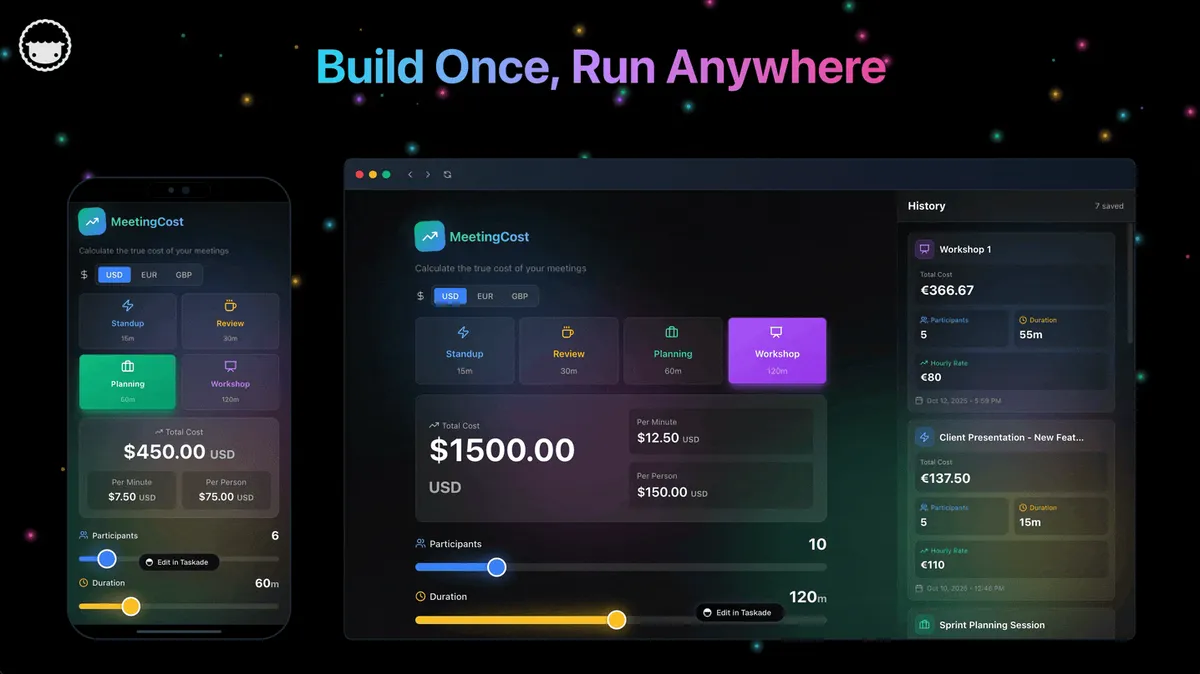
Taskade Genesis is the best n8n alternative for most teams in 2026 because it turns a single plain-English prompt into a working app with AI agents, 100+ integrations, and reliable automation workflows. No Docker, no JSON expressions, no server to babysit. Where n8n asks you to wire nodes one by one and debug failures by hand, Taskade Genesis ships as managed software with Taskade EVE and AI agents that reason about your data and run workflows for you. At $10/month for 10 users on annual billing, it is also dramatically cheaper than self-hosting once engineer time is counted.
Your best pick depends on who builds and who maintains. We compared 12 platforms across three families — no-code cloud (Taskade Genesis, Zapier, Make, Gumloop), code-first (Pipedream, Windmill, Trigger.dev, Latenode), and self-hosted open source (Activepieces, Node-RED, Automatisch, Huginn) — on free tiers, billing models, and migration effort from n8n.
Quick Comparison Table
| Platform | Hosting | AI Agents | Skill | Starts At |
|---|---|---|---|---|
| Taskade Genesis | Cloud | Built-in | Low | Free / $10/mo |
| n8n | Self-host or Cloud | Node | High | Free self-host / €20/mo |
| Zapier | Cloud | Add-on | Low | Free / $19.99/mo |
| Make | Cloud | Add-on | Medium | Free / $12/mo |
| Pipedream | Cloud | None | High | Free / $29/mo |
| Windmill | Self-host or Cloud | None | High | Free / $120/mo (ent.) |
| Activepieces | Cloud or Self-host | Built-in | Medium | Free / $5 per flow |
| Gumloop | Cloud | Built-in | Low | Free / $37/mo |
| Trigger.dev | Cloud or Self-host | None | High | Free / $10/mo |
| Latenode | Cloud | Copilot | Medium | Free / pay-as-you-go |
| Node-RED | Self-host | None | High | Free |
| Automatisch | Self-host | None | Medium | Free |
| Huginn | Self-host | None | High | Free |
Taskade Genesis pricing is annual billing. n8n Cloud Starter is €20/mo billed annually; the Community Edition self-host is free. See the billing-model decoder below for the math.
Free-Tier Limits, Side by Side
n8n Cloud has no permanent free tier — only a capped trial — so "free n8n alternative" really means one of two things: a cloud platform with a forever-free plan, or an open-source engine you self-host on your own server. Here is exactly what each free plan includes, verified against published pricing pages as of July 2026.
| Tool | Free plan? | Monthly allowance | Key limits |
|---|---|---|---|
| Taskade Genesis | Free forever | No starting credits; earn or buy credits | 3 automations, 1 AI agent |
| n8n Cloud | Trial only | Capped trial executions | No card for Starter/Pro trial; self-host is the free path |
| Zapier | Free forever | 100 tasks | Two-step Zaps only |
| Make | Free forever | 1,000 credits | 2 active scenarios, 15-min minimum interval |
| Pipedream | Free forever | Daily free-credit cap | 1 credit = 30 s of compute (per Pipedream docs) |
| Windmill | Free (self-host) | Unlimited executions | Up to 50 users; audit logs and SAML are Enterprise |
| Activepieces | Free forever (cloud) | Unlimited runs | 10 active flows |
| Gumloop | Free forever | 5,000 credits | 1 seat, 1 active trigger, 2 concurrent runs |
| Trigger.dev | Free forever | $5 usage credit | 20 concurrent runs, 10 schedules, 1-day logs |
| Latenode | Free forever | 10,000 CPU-seconds | 5 active workflows, 3-min execution cap |
| Node-RED | Free, open source | Unlimited (self-host) | You supply and secure the server |
| Automatisch | Free (self-host) | Unlimited (self-host) | Community support only |
| Huginn | Free, open source | Unlimited (self-host) | Ruby setup, DIY operations |
Two standouts for the budget-conscious: Activepieces gives you unlimited runs on 10 flows in the cloud, and Windmill gives an entire 50-person team unlimited executions if you can self-host. For a two-way deep dive, see the free n8n alternative comparison.
Why Look for an n8n Alternative in 2026?
The honest answer: n8n is powerful, but it is built for technical users, and most teams want to ship an app from a prompt, not wire and debug nodes. n8n's execution-based billing is genuinely cheaper than per-task tools, its node library is enormous, and self-hosting gives you full control. The catch is that all of that power sits behind Docker, JSON, expressions, webhooks, and node mapping. Popular n8n courses run 2 to 8 hours just on the fundamentals before you ship anything real.
That gap is the reason non-coders look elsewhere. Here is the mental ladder that automation creators teach, and where each platform sits on it:
  LLM (ChatGPT, Claude, Gemini)
    └─ replies to a prompt, no tools, no triggers
        │
        ▼
  WORKFLOW AUTOMATION (n8n, Zapier, Make)
    └─ rigid if-this-then-that, fires on a trigger
       needs: nodes, JSON, expressions, webhooks
        │
        ▼
  AI AGENT (a virtual teammate)
    └─ system prompt + brain (LLM) + memory + tools
       reasons, decides, retries, finishes the job
        │
        ▼
  PROMPT-TO-APP  (Taskade Genesis)
    └─ one prompt = agents + automations + live UI
       no Docker, no JSON, no server to maintain
n8n stops at the workflow rung and bolts agents on top. Taskade Genesis starts at the top rung: you describe the outcome and get agents, automations, and a real app UI together.
| What n8n asks of you | What it costs a non-coder |
|---|---|
| Self-hosting (Community Edition) | A server, Docker, and updates you own |
| JSON, expressions, mapping | Hours of learning before the first ship |
| Webhooks and HTTP request nodes | API literacy most builders do not have |
| Manual node-by-node debugging | Reading execution logs to find failures |
| Agents added as nodes | Agents feel bolted on, not native |
The 12 Best n8n Alternatives in 2026
1. Taskade Genesis — Best AI-Native Alternative
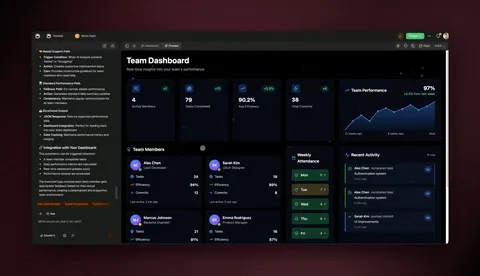
Taskade Genesis offers a fundamentally different approach. Instead of building complex workflows node-by-node, describe what you want in plain English and let AI agents handle execution. With 150,000+ Taskade Genesis apps already built, the approach scales from solo creators to enterprise teams.
- Projects (Memory) — Built-in database with multiple views. No separate DB setup.
- Agents (Intelligence) — AI chat trained on your data with persistent memory and custom slash commands. See the custom agents guide.
- Flows (Execution) — 100+ native integrations with 5 trigger types, including 11 native Shopify and 13 native Stripe actions. See automation triggers.
- App UI — Published with password protection, OIDC auth, and custom domains on Business+.
| Feature | n8n | Taskade Genesis |
|---|---|---|
| Self-hosting required | Yes (Community) | No |
| Setup time | Hours | Minutes |
| AI agents | Add as nodes | Native, built-in tools |
| Technical skill | High | Low |
| Database included | No | Yes (Projects, multiple views) |
| Hosted MCP server | Limited | Yes, on every paid plan |
| Build complete apps | No | Yes |
| Maintenance | You | Managed |
Best for: Teams that want AI agents, automations, and a deployable app from one prompt, with zero infrastructure.
Pros: Prompt-to-app building with native AI agents (built-in tools, frontier models from top AI labs); flat per-plan pricing with a monthly run allowance included and no per-task or per-execution meter; database, UI, and hosting included.
Cons: No self-hosting option for data-residency purists; heavy AI usage draws from monthly AI credit ceilings; fewer raw integration nodes than n8n's community catalog.
Pricing: Free (3 automations, 1 agent, earn or buy credits), then Pro $10/mo for 10 users (Popular), Business $25/mo, Max $100/mo, Enterprise $250/mo — all annual billing, as of July 2026.
Verdict vs n8n: Taskade Genesis replaces the whole n8n stack — canvas, agents, database, hosting — for teams that would rather describe outcomes than wire nodes. n8n keeps the edge for engineers who need self-hosted data residency and raw HTTP plumbing.
Migrating from n8n: n8n JSON exports do not import directly; you paste each workflow's intent as a prompt, and the trigger-action logic rebuilds itself while integrations reconnect through the catalog.
| Use Case | App | Clone |
|---|---|---|
| Approvals | Approval Flow Tracker | Clone → |
| Support | Support Workflow Manager | Clone → |
| Content | Content Workflow (dual agents) | Clone → |
| Onboarding | Onboarding Guide Portal | Clone → |
Unlike "we tested it" claims, these are live apps you can clone and run right now. Browse more in the community gallery or the automation hub.
2. Zapier — Biggest App Library
Zapier is the most popular no-code automation tool, with the largest app catalog of any platform (Zapier advertises 8,000+ integrated apps). Its real strength is breadth and approachability: if a SaaS tool exists, Zapier almost certainly connects to it, and the editor is genuinely beginner-friendly. Zapier practically invented per-task billing — see the history of Zapier for how that model shaped the industry.
| Feature | Zapier | n8n |
|---|---|---|
| Self-hosted | No | Yes |
| Ease of use | Easy | Complex |
| App library | 8,000+ (advertised) | 400+ native |
| Billing model | Per task | Per execution |
| AI agents | Add-on | Add as nodes |
Best for: Teams that want the largest ecosystem and the gentlest learning curve, and do not mind per-task billing.
Pros: Unmatched app coverage; easiest onboarding in the category; mature team and enterprise controls.
Cons: Per-task billing punishes multi-step workflows at volume (a 10-step Zap burns 10 tasks per run); no self-hosting; AI features are add-ons rather than the core model.
Pricing: Free (100 tasks/month, two-step Zaps), Professional from $19.99/month on annual billing for 750 tasks, Team from ~$69/month — as of July 2026.
Verdict vs n8n: the exact opposite trade. Zapier wins on breadth and ease; n8n wins on execution-based cost and self-hosted control.
Migrating from n8n: no importer exists — simple trigger-to-action flows map one-to-one in minutes, but JSON expressions and Code nodes rebuild as Formatter or Code by Zapier steps.
3. Make (formerly Integromat) — Best Visual Builder
Make offers a visual canvas with branching, routers, and aggregation that many builders find more expressive than Zapier, at a lower entry price. The drag-and-connect interface makes complex multi-path logic easy to see and reason about. It is a strong pick when you want visual control without running your own server.
Best for: Builders who want a powerful visual workflow canvas without self-hosting.
Pros: The most expressive visual canvas in the no-code tier (routers, iterators, aggregators); strong value at $12/month for 10,000 credits; scheduling down to the minute on paid plans.
Cons: Credit-based metering takes modeling (every module operation consumes credits); the free tier caps you at 2 active scenarios with a 15-minute minimum interval; AI agents are a newer add-on, not the product's core.
Pricing: Free (1,000 credits/month), Core $12/month for 10,000 credits, Pro $21/month — as of July 2026.
Verdict vs n8n: Make is the closest visual-canvas rival without self-hosting. Per-credit billing beats Zapier's per-task model but still loses to n8n's per-execution billing on long multi-step flows.
Migrating from n8n: routers, iterators, and aggregators map conceptually to n8n's Switch, Loop, and Merge nodes, but expressions rebuild in Make's own mapping language — no direct import. The full breakdown lives in our best Make alternatives guide.
4. Pipedream — Developer-First
Pipedream lets developers drop real code (Node.js, Python, Go, Bash) directly inside workflows alongside no-code steps, with access to thousands of integrated APIs. For engineers, that mix of code and connectors is its core strength — you are never boxed in by what a node can do.
Best for: Developers who want cloud hosting with the freedom to write code in any step.
Pros: Real code in any step beats n8n's sandboxed Code node; event sources and API triggers are excellent; generous developer experience for prototyping.
Cons: Free limits are opaque — a daily credit cap where one credit equals 30 seconds of compute at 256 MB (per Pipedream's docs); no expressive visual canvas for non-coders; cloud-only.
Pricing: Free (daily free-credit allowance), paid plans advertised from $29/month — as of July 2026.
Verdict vs n8n: for API-first developers, Pipedream's code-in-every-step model outclasses n8n's Code node. For visual builders it is a step backward.
Migrating from n8n: HTTP-heavy n8n flows port cleanly because each step becomes real code; anything you built visually gets rewritten, so budget an hour per complex workflow.
5. Windmill — Best Open Source for Engineers
Windmill turns scripts written in Python, TypeScript, Go, Bash, or SQL into workflows, scheduled jobs, and auto-generated internal apps. Where n8n treats the visual canvas as the source of truth, Windmill treats code as the source of truth, with versioning, permissions, and a fast execution engine layered on top.
Best for: Engineering and platform teams that want open-source automation built on real code instead of node graphs.
Pros: The most generous self-host free tier on this list — unlimited executions for up to 50 users; five scripting languages with auto-generated UIs; a genuine open-source core rather than fair-code.
Cons: Aimed squarely at developers — non-coders will bounce off it; audit logs, SAML group sync, and approval steps sit behind the Enterprise tier.
Pricing: Free self-hosted (unlimited executions, up to 50 users, 3 workspaces); Enterprise from ~$120/month with $20/developer seats — as of July 2026.
Verdict vs n8n: if your team already prefers writing Python or TypeScript to mapping JSON between nodes, Windmill removes n8n's visual layer instead of fighting it — with a cleaner license.
Migrating from n8n: nothing imports automatically. Webhooks, schedules, and secrets map one-to-one as concepts, but every workflow is rewritten as a script or flow definition.
6. Activepieces — Modern Open Source, No-Code
Activepieces is an MIT-licensed open-source automation tool with a cleaner UI and easier setup than n8n, plus built-in AI agents and MCP servers. The self-host story is friendlier, the license is truly open source (not fair-code), and the cloud pricing model is unusual in the best way: you pay per active flow, not per run.
Best for: Teams that want open-source self-hosting or unlimited-run cloud automation with a modern, approachable UI.
Pros: Unlimited runs on every cloud tier — no execution anxiety; MIT license permits real forks and commercial use; AI agents and MCP support ship in the core product.
Cons: Smaller connector catalog than n8n or Zapier; enterprise controls (SSO, RBAC, audit logs) require the custom-priced Ultimate plan; a younger platform overall.
Pricing: Cloud free tier includes 10 active flows with unlimited runs, then $5 per active flow per month; self-hosted Community Edition free — as of July 2026.
Verdict vs n8n: the friendliest open-source landing spot for n8n refugees who want a visual editor without the fair-code license or execution meters.
Migrating from n8n: the editor UX is the closest match on this list; flows rebuild piece-by-piece, and webhook or schedule triggers transfer as concepts in minutes.
7. Gumloop — Best for AI-Heavy Data Workflows
Gumloop is an AI-first, no-code workflow builder where scraping, summarizing, classifying, and LLM steps are first-class nodes rather than bolted-on extras. If your workflows are mostly "collect messy data, run AI over it, put the result somewhere," Gumloop gets you there faster than wiring an n8n AI Agent node.
Best for: Marketers, ops, and research teams building scrape-analyze-store pipelines without code.
Pros: AI steps are native, not add-ons; a genuinely usable free tier (5,000 credits/month); unlimited seats on the Pro plan.
Cons: Credit burn accelerates on AI-heavy flows — model calls cost multiples of basic steps; cloud-only for most teams; a smaller integration catalog than Zapier or n8n.
Pricing: Free (5,000 credits/month, 1 seat, 1 active trigger), Pro from $37/month with 20k+ credits and unlimited seats — as of July 2026.
Verdict vs n8n: Gumloop trades n8n's depth and self-hosting for speed on AI data workflows. It answers a different question — "how fast can AI process this?" rather than "how do I connect everything?"
Migrating from n8n: scrape-summarize-store pipelines rebuild quickly from Gumloop templates; complex branching, custom code paths, and webhook plumbing need rethinking.
8. Trigger.dev — Best Code-First Runtime for the AI Coding Era
Trigger.dev is an open-source TypeScript background-jobs platform: durable tasks with queuing, retries, idempotency, and observability, no serverless timeouts, and a visual view of every execution. It has become the runtime automation educators pair with AI coding agents — the agent writes the workflow code from a plain-English description, and Trigger.dev runs it in production. One widely-shared demo rebuilt a YouTube-monitoring digest (a classic multi-node n8n project) from a single prompt in about two minutes. See agentic workflows explained and Claude Code vs n8n for that whole build-method debate.
Best for: Developers (and AI coding agents) shipping production-grade background jobs in TypeScript.
Pros: Durable-execution primitives — retries, idempotency keys, queues — are built in, not hand-assembled; open source and self-hostable; the natural production home for agent-written workflows.
Cons: TypeScript only; you assemble your own alerting and ops dashboards where n8n's execution log comes free; compute-metered billing takes modeling.
Pricing: Free ($5/month usage credit, unlimited tasks, 20 concurrent runs), Hobby $10/month, Pro $50/month, with compute billed per second — as of July 2026.
Verdict vs n8n: if your workflows are going to be code anyway — increasingly true when AI writes them — Trigger.dev gives you a real runtime instead of a canvas that exports to JSON.
Migrating from n8n: node graphs become TypeScript tasks, often written for you by an AI coding agent from a description of the old workflow; webhooks and schedules map directly.
9. Latenode — Best Value on Compute-Based Billing
Latenode is a hybrid visual-plus-code automation platform with an AI copilot, JavaScript nodes with npm access, and a built-in headless browser for web automation. Its billing model is the differentiator: you pay for CPU-seconds of actual runtime, not per operation — so a 20-step workflow that executes in two seconds costs the same as a 2-step one.
Best for: High-volume automations where per-task and per-credit meters get expensive.
Pros: Runtime billing makes step count free — high-frequency simple flows cost cents; JavaScript nodes with npm packages; headless browser automation included.
Cons: Younger ecosystem with a smaller connector catalog; CPU-second budgeting is an unfamiliar mental model; the free tier caps executions at 3 minutes each.
Pricing: Free (10,000 CPU-seconds/month, 5 active workflows), then pay-as-you-go from ~$0.00012 per CPU-second with no per-operation charges — as of July 2026.
Verdict vs n8n: Latenode shares n8n's hybrid visual-code philosophy but swaps the execution meter for a runtime meter — cheaper for fast, frequent flows, and no self-hosting required.
Migrating from n8n: the visual editor feels familiar, so flows rebuild node-by-node quickly; JavaScript from n8n Code nodes usually pastes over with light edits.
10. Node-RED — Best for IoT and Hardware
Node-RED is the granddaddy of flow-based automation: an OpenJS Foundation project born at IBM in 2013, with thousands of community nodes and a footprint small enough to run on a Raspberry Pi. For wiring together MQTT feeds, sensors, smart-home gear, and industrial events, it remains the default answer.
Best for: IoT, home automation, and hardware-adjacent event processing.
Pros: Completely free with no license tiers at all (Apache 2.0); unmatched for MQTT, sensors, and hardware protocols; a huge, mature community.
Cons: Security, scaling, and high availability are entirely DIY; the UI shows its age next to modern SaaS builders; single-instance by default.
Pricing: Free and open source — you supply the hardware, even a $35 Raspberry Pi.
Verdict vs n8n: for physical-world event streams Node-RED is the standard; for SaaS-to-SaaS business automation, n8n's node catalog and cloud option are stronger.
Migrating from n8n: the flow paradigm transfers almost one-to-one conceptually, but every flow is rebuilt; JavaScript from Function nodes ports mostly as-is.
11. Automatisch — Simple Self-Hosted
Automatisch is an open-source Zapier alternative focused on simplicity and data privacy. Keeping everything on your own server is the point, which appeals to teams with strict compliance needs that find n8n heavier than the job requires.
Best for: Privacy-focused teams that want simple self-hosted automation without n8n's complexity.
Pros: Genuinely simple trigger-action model — far less to learn than n8n; open source with your data never leaving your server.
Cons: A much smaller connector catalog; built for straightforward trigger-action pairs, not complex branching logic.
Pricing: Self-hosted free; a paid cloud offering is available — as of July 2026.
Verdict vs n8n: simpler, more private, less powerful. The right trade when your automations are Zap-shaped and your data cannot leave the building.
Migrating from n8n: single trigger-action workflows move over easily; multi-branch n8n logic has to be flattened into separate flows.
12. Huginn — Monitoring-First
Huginn is a self-hosted, Ruby-based system of monitoring agents that watch sources and act on changes. For developers who want to track the web and trigger actions on events, its agent model is uniquely suited to the job.
Best for: Developers who need monitoring-focused automation and are comfortable with Ruby.
Pros: The agent-based watch-the-web model predates the AI agent wave and still excels at it; fully free with no usage meters of any kind.
Cons: Ruby-era setup and configuration; no modern visual editor; development pace has slowed compared with newer projects.
Pricing: Self-hosted free (MIT license).
Verdict vs n8n: a niche specialist. If the job is "watch these 40 pages and alert me on changes," Huginn shines; for everything else, n8n is broader.
Migrating from n8n: rethink workflows as chains of monitoring agents; scheduled scrape-and-notify jobs port well conceptually, but everything is configured in Ruby-flavored JSON.
The Billing-Model Decoder: Task vs Credit vs Execution vs Flat
The same automation can cost 10x more or less depending on the billing meter underneath it. Task-based tools charge for every step of every run; credit tools meter operations or AI calls; execution tools charge once per run regardless of steps; compute tools charge for runtime; and flat tools charge per plan. A 10-step workflow run 1,000 times is roughly 10,000 Zapier tasks but only 1,000 n8n executions — same work, different meter.
| Billing model | Example tools | You pay for | Cheapest when | Watch out when |
|---|---|---|---|---|
| Per task | Zapier | Every step of every run | Few steps, few runs | Multi-step flows at volume |
| Per credit | Make, Gumloop, Pipedream | Metered operations / AI calls | Predictable mid-volume | AI-heavy steps burn credits fast |
| Per execution | n8n | Each complete run | Long, complex workflows | High-frequency simple flows |
| Per compute-second | Latenode, Trigger.dev | Actual runtime | Fast runs at huge volume | Long-running or browser-heavy jobs |
| Flat per plan | Taskade Genesis | The plan, with a monthly run allowance included | Predictable budgeting up to the allowance | Heavy AI use still draws AI credits |
Worked Example 1: A 10-Step Lead-Intake Flow, 1,000 Runs a Month
A form submission triggers enrichment, scoring, a CRM write, a Slack ping, and an email — 10 steps, 1,000 leads a month.
| Platform | 1,000 runs meter as | Plan that covers it | Monthly cost (July 2026) |
|---|---|---|---|
| Zapier | ~10,000 tasks | High-volume Professional package | Several times the $19.99 entry tier |
| Make | ~10,000 credits | Core | $12 |
| n8n Cloud | 1,000 executions | Starter (2,500 included) | €20 (annual billing) |
| Latenode | ~3,000 CPU-seconds | Free tier (10,000 included) | $0 |
| Taskade Genesis | 1,000 runs a month included | Pro (10 users) | $10 flat |
n8n's execution billing earns its reputation here: 10 steps count as one execution. But notice Latenode's runtime meter beating everyone, and the flat-rate option covering 1,000 leads on Pro for $10 (AI scoring steps draw from the plan's monthly AI credits). At 10,000 leads a month, the flow uses 100,000 steps, so Business at 2x ($50 a month, billed annually) covers the runs and the steps.
Worked Example 2: A 2-Step Slack Alert, 30,000 Runs a Month
Now invert it: a trivial two-step flow (webhook in, Slack message out) firing 1,000 times a day.
| Platform | 30,000 runs meter as | What it takes | Monthly cost (July 2026) |
|---|---|---|---|
| Zapier | ~60,000 tasks | Enterprise-scale task package | Hundreds of dollars |
| Make | ~60,000 credits | High-volume Core tier | Tens of dollars |
| n8n Cloud | 30,000 executions | Past Pro's 10K cap, into Business | €667 (40K executions, annual) |
| Latenode | ~30,000 CPU-seconds | 10K free + 20K metered | ~$2.40 |
| Taskade Genesis | 50,000 runs included | Business at 5x (unlimited users) | $125 flat, billed annually |
This is the case nobody models: execution billing cuts both ways. High-frequency simple flows blow through n8n Cloud's execution caps just as fast as complex ones, because a 2-node run and a 200-node run each count once.
The self-hosting asterisk: a ~$5-20/month VPS runs n8n's free Community Edition with unlimited executions — but you own Docker updates, security patches, webhook auth, and the 2 a.m. failure. And "free" has a ceiling: one popular n8n course instructor reports that enterprise self-hosted licenses "can start at $10,000 a month." For why the execution layer is where costs and reliability actually live, see the execution layer thesis.
The 2026 Pricing Wedge
Taskade Genesis starts free and scales to $250/month for Enterprise, all on transparent annual billing, while n8n Cloud climbs to €667/month at the Business tier and Zapier bills per task. The table below puts the real 2026 numbers side by side.
| Plan tier | Taskade Genesis | n8n Cloud | Zapier |
|---|---|---|---|
| Free | $0 | Self-host only | 100 tasks/mo |
| Entry | Free | Starter €20/mo (2.5K exec.) | Professional $19.99/mo (750 tasks) |
| Growth | Pro $10/mo (10 users, Popular) | Pro €50/mo (10K exec.) | Professional, higher task tiers |
| Scale | Business $25/mo | Business €667/mo (40K exec.) | Team from ~$69/mo |
| Top | Max $100 / Enterprise $250/mo | Enterprise custom | Company custom |
Taskade Genesis prices are annual billing. n8n Cloud prices are EUR, billed annually; the Community Edition self-host is free with unlimited executions but you supply the server and maintenance.
With Taskade Genesis, the same $10/month covers 10 users, 1,000 automation runs a month, unlimited AI agents, and live app hosting — no per-task meter and no server bill underneath it.
How a Build Actually Flows
Compare that to an n8n build of the same flow: add a form trigger, configure fields, append to Google Sheets with field mapping, write Gmail nodes, handle JSON expressions, and debug each node by reading execution logs. Taskade Genesis collapses all of it into one prompt. See the custom agents guide and automation triggers for the building blocks.
Decision Framework
By Technical Skill
| Your Level | Best Choice |
|---|---|
| Non-technical | Taskade Genesis, Zapier, Gumloop |
| Some technical | Make, Latenode, Activepieces |
| Developer | Pipedream, Trigger.dev, Windmill |
| DevOps / self-host | n8n, Node-RED, Automatisch, Huginn |
By Priority
| If you need... | Best choice |
|---|---|
| AI automation | Taskade Genesis, Gumloop |
| Self-hosted, open license | Windmill, Activepieces, Node-RED |
| Most apps | Zapier |
| Best value at volume | Make, Latenode |
| Code-first / agent-written workflows | Trigger.dev, Pipedream |
| Web monitoring | Huginn |
| Complete apps + automation | Taskade Genesis |
Full Feature Matrix
No-code cloud platforms:
| Feature | Taskade Genesis | Zapier | Make | Gumloop |
|---|---|---|---|---|
| Native AI agents | Yes (built-in tools) | Add-on | Add-on | Yes |
| Prompt-to-app | Yes | No | No | No |
| Billing model | Flat per plan | Per task | Per credit | Per credit |
| Permanent free tier | Yes | 100 tasks/mo | 1,000 credits/mo | 5,000 credits/mo |
| Self-hosted option | No | No | No | No |
Code-first and self-hosted platforms:
| Feature | n8n | Windmill | Trigger.dev | Latenode |
|---|---|---|---|---|
| Build language | Visual + JS | Python/TS/Go/SQL | TypeScript | Visual + JS |
| Self-hosted | Yes (fair-code) | Yes (open source) | Yes (open source) | No |
| Billing model | Per execution | Per seat/worker | Per compute-second | Per CPU-second |
| Permanent free tier | Self-host only | Self-host (50 users) | $5 credit/mo | 10K CPU-sec/mo |
| Visual builder | Yes | Flow UI | Execution view | Yes |
Bottom line: Taskade Genesis is the only platform combining zero-infrastructure, native AI agents, reliable automation workflows, and prompt-to-app building.
Reliable Workflows: Why They Matter
Reliable automation workflows survive failures, restarts, and outages by picking up where they left off instead of dying at the broken step. This is the difference between an automation you trust to run unattended and one you babysit. Automation creators describe the contrast as an IKEA manual: a rigid workflow that hits an error at step 8 just shuts off, while an agent reasons backward, finds the real cause, and finishes the job.
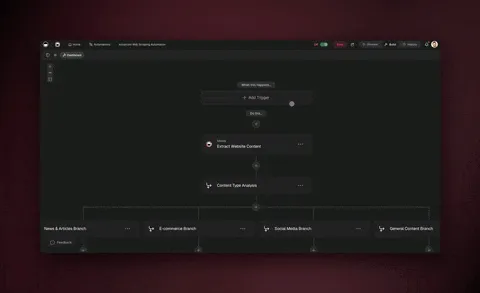
When a Stripe webhook fails mid-workflow, Taskade Genesis detects the failure and retries automatically. On self-hosted n8n you typically inspect execution logs, fix the node, and replay by hand. Trigger.dev and Windmill give developers the same durability primitives in code. At scale, reliable workflows save days of debugging per quarter — see the automation hub for how this works across 100+ integrations, and n8n use cases for the workflow patterns worth making durable.
Migration: From n8n to Taskade Genesis
- Export workflows — n8n allows JSON export of each workflow
- Describe intent — paste the workflow description to Taskade Genesis, skip node-by-node rebuilding
- Wire integrations — reconnect services through the integration catalog
- Add an agent — let an AI agent manage the workflow instead of rigid rules
- Publish — deploy the full app on custom domain (Business+)
Most teams migrate a 10-workflow stack in a single afternoon. Migrating to a different tool on this list? Each section above carries a one-line migration note covering what transfers from n8n and what rebuilds.
The Bottom Line
n8n is excellent for technical teams that love self-hosting and want full control, and its execution-based billing is a real cost advantage for complex multi-step workflows. Windmill and Activepieces now offer cleaner licenses for the self-host crowd, Trigger.dev is where agent-written workflows go to production, and Latenode's runtime billing undercuts everyone at high volume. For everyone else, Taskade Genesis delivers AI-powered automation without infrastructure headaches, for less than the cost of running an n8n server — with native AI agents, 100+ bidirectional integrations, reliable automation workflows, and prompt-to-app building on top. Curious how n8n got here? Read the history of n8n.
▲ ■ ● Memory, Intelligence, Execution. One prompt builds all three.
Build AI automations with Taskade Genesis →
Related Reading
- Best Zapier alternatives
- Best Make alternatives
- What is n8n: history and workflow automation
- n8n use cases worth automating
- Agentic workflows explained
- Claude Code vs n8n
- What are AI agents
- Best ClickUp AI alternatives
- Taskade vs n8n comparison
- Taskade vs Zapier comparison
- Taskade vs Make comparison
- How Workspace DNA works
- What is vibe coding
- Ultimate guide to Taskade Genesis
- AI apps catalog
- Agents hub
- Automations hub
- Community gallery
- Template library
- Pricing
- Custom agents guide
- Automation triggers guide
- Integration catalog
Frequently Asked Questions
What is n8n and why look for alternatives?
n8n is a fair-code (source-available) workflow automation platform that can be self-hosted. Teams look for alternatives when they need cloud-hosted solutions without DevOps overhead, AI-powered automations, or simpler interfaces for non-technical users. In 2026 the best alternatives also bundle AI agents and prompt-to-app building.
Is n8n free to use?
n8n Community Edition is free to self-host under a fair-code license with unlimited executions. n8n Cloud has no permanent free tier, only a capped trial. Paid cloud plans on annual billing: Starter 20 euros per month with 2,500 executions, Pro 50 euros per month with 10,000 executions, Business 667 euros per month with 40,000 executions. Self-hosting requires server infrastructure, Docker knowledge, and ongoing maintenance.
Is there a completely free n8n alternative?
Yes. Several alternatives have permanent free tiers as of July 2026: Taskade includes 3 automations and 1 AI agent free, with no starting AI credits (earn credits or buy a credit pack). Make includes 1,000 credits per month, Zapier includes 100 tasks per month, Activepieces Cloud includes 10 active flows with unlimited runs, and Latenode includes 10,000 CPU-seconds per month. Self-hosted options like Windmill, Node-RED, Automatisch, and Huginn are free with unlimited executions if you supply the server.
What is the best open-source n8n alternative?
Windmill is the strongest open-source n8n alternative for engineering teams. Self-hosting is free with unlimited executions for up to 50 users, and workflows are written in Python, TypeScript, Go, or SQL. Activepieces is MIT-licensed with a friendlier no-code editor and per-flow pricing. Node-RED is a mature OpenJS Foundation project that dominates IoT automation. All three use true open-source licenses rather than n8n's fair-code license.
What is the best cloud-hosted alternative to n8n?
For teams wanting cloud-hosted automation without self-hosting, Taskade Genesis combines AI agents with 100+ integrations at 10 dollars per month for 10 users on annual billing. Zapier offers the largest app library of any automation tool but bills per task. Make provides a strong visual builder from 12 dollars per month for 10,000 credits, though AI agents are a newer add-on rather than the core of the product.
Can I use AI in workflow automation?
Yes. Taskade Genesis includes AI agents that reason about data, make decisions, and run multi-step workflows for you. Traditional tools like Zapier and Make handle trigger-action flows but treat AI as add-on steps. Gumloop makes AI steps first-class in a no-code canvas. Taskade Genesis agents route across frontier models from top AI labs.
Which n8n alternative has the best Shopify and Stripe integrations?
Taskade Genesis offers 11 native Shopify actions and 13 native Stripe actions with AI agent orchestration. The full integration catalog covers 100+ services across 10 categories with bidirectional sync. n8n supports these through community nodes that require more configuration.
How does n8n billing compare to Zapier and Make?
n8n bills per workflow execution. A 2-node run and a 200-node run each count as one execution, no matter how much data flows through. Zapier and Make count every individual action or operation, so a 10-step workflow run 1,000 times is 1,000 executions in n8n but roughly 10,000 tasks in Zapier. This makes n8n far cheaper for complex multi-step automations, though high-frequency simple flows can flip the math the other way.
Can I build complete apps with workflow automation tools?
Most workflow tools only automate tasks between apps. Taskade Genesis goes further. It combines AI agents, reliable automation workflows, databases (Projects with multiple views), and a full app UI layer into living software you build from a single prompt. 150,000+ apps have been built on Taskade Genesis since launch.
Which n8n alternative requires no coding?
Taskade Genesis requires zero coding. Describe what you want in natural language and Taskade Genesis builds the automation workflow, connects integrations, and deploys a live app with a real UI. Zapier, Make, and Gumloop also offer no-code interfaces but stop at trigger-action flows, not full apps with agents.
How much does Taskade Genesis cost compared to n8n?
Taskade Genesis is free to start, then Pro at 10 dollars per month for 10 users, Business at 25 dollars per month, Max at 100 dollars per month, and Enterprise at 250 dollars per month on annual billing. n8n self-hosted is free but requires server costs and engineer time for maintenance. n8n Cloud starts at 20 euros per month on annual billing.
What happens when an automation fails on Taskade vs n8n?
Taskade Genesis runs reliable automation workflows that detect failures, suggest fixes, and retry automatically. You see a clear error with suggested remediation in the UI. On self-hosted n8n you typically need to inspect logs, debug node-by-node, and manually replay the workflow.
Is n8n hard to learn for non-coders?
n8n is approachable for tutorials but production builds expect comfort with JSON, expressions, webhooks, HTTP requests, and node mapping. Popular courses run 2 to 8 hours just on fundamentals. Taskade Genesis removes that learning curve. You describe the outcome in plain English and Taskade Genesis assembles the agents, automations, and app for you.