






What does it take to become a remote project manager? How to manage a distributed product team? The new remote reality calls for an overhaul of existing PM practices in both worlds. Here's everything you need to know.
💡 Before you start… This guide is part of our series on remote team management, be sure to read other articles for more tips.
🤔 It's a PM's World… Meaning What?
It's a bird... it's a plane… Nope, it’s a PM. Even this musty 1960s reference doesn’t do justice to how often the roles of a project and product manager get mixed up.
As one r/ProductManagement Reddit user complains:
“[...] I don't think a lot of people know what Product Managers do... and most assume it's mostly project management maybe with a dash of talking with customers. I feel like the first job of a Product Manager is to explain what Product Management actually is.”(1)
So, before we place product/project managers in a remote workplace, let’s break down each role and see what they’re dealing with on a daily basis.
What Is a Product Manager?
Product managers love to collect hats, but not the kind of hats you’d wear to a “funny hat” party. We’re talking roles and a whole lot of those.
Martin Eriksson, the brain behind Mind the Product Product blog argues that product managers thrive on the intersection of user experience, technology, and business.(2)
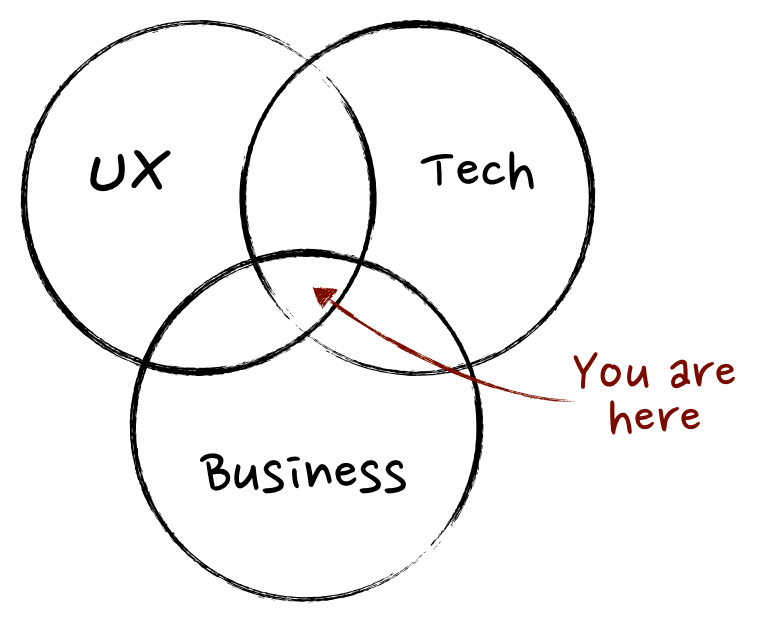
What is a Product Manager by Martin Eriksson(3)
That translates to A) delivering products that make money, B) grasping the technology behind those products, and C) communicating user needs to the product team.
Each of those areas requires a different attire (hence the hats) and a very particular skillset. And thus, some of the product manager duties include:
💬 Communicating with clients
👂 Gathering user feedback
🔍 Conducting market research
🔮 Creating a product vision
🗺 Maintaining a product roadmap
👉 Coordinating work across departments
Since product managers work with cross-functional teams—engineering, marketing, finance, sales, and others—they’re a focal point of every product development cycle.
What is a Project Manager?
Most projects have a set duration, start, and end point. Managing everything that goes in-between is up to the project manager.
As defined by the Association for Project Management:
“The project manager is responsible for day-to-day management of the project and must be competent in managing the six aspects of a project, i.e. scope, schedule, finance, risk, quality and resources.”(4)
Project managers are there for all five stages of a project—initiation, planning, execution, oversight, and conclusion—and reduce friction along the way.
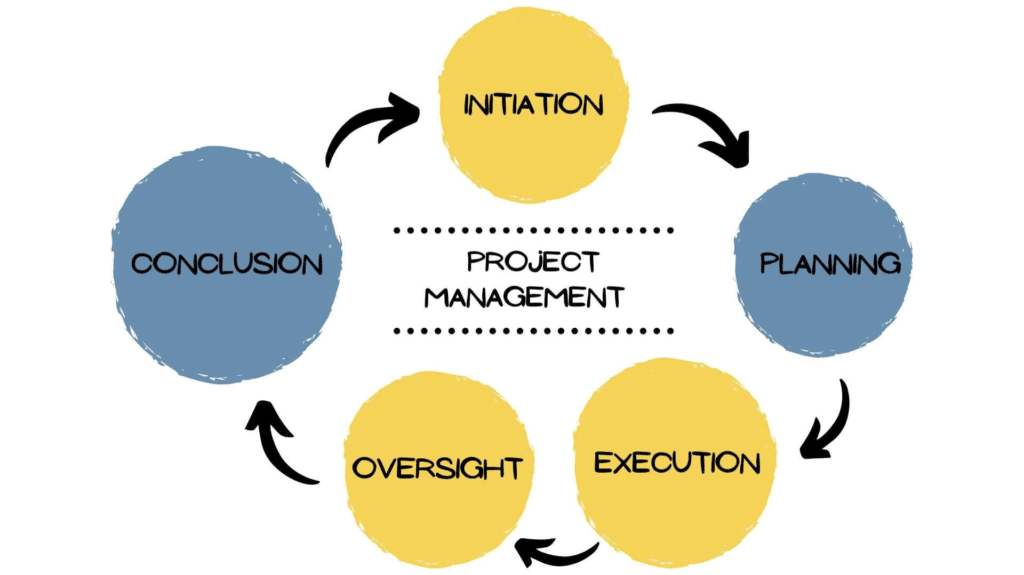
Some of the product manager duties include:
🎯 Setting project goals and objectives
🗓 Establishing project scope and deadlines
💰 Estimating budget and allocating resources
✅ Assigning tasks to project team members
📈 Monitoring progress and milestones
📑 Managing project documentation
👨💻 The Overlap: Launch Product and Projects Remotely
Project and product managers deal with different slices of the business pie, but they share three powerful characteristics that make them who they are.
🧩 The ability to strategize and solve problems
📣 Excellent leadership and communication skills
🧘♂️ A holistic approach to team management
Both need to oversee and govern multiple business aspects—schedules, priorities, deadlines, milestones, communication—and keep the finger on the pulse at all times.
Their job is to create a frictionless environment for projects and products. Whether we like it or not, that also means dealing with problems like:
🤷♀️ Unclear expectations
🙊 Siloed communication
💸 Budget constraints
💨 Project scope creep
🛠️ Skills shortage
👉 Diffused ownership
⏰ Unrealistic deadlines
Keeping all those elements in hand is challenging enough when you live inside a cubicle. But it becomes even more difficult when project and product teams go remote.
The good news is that both PM worlds can flourish in a remote workplace. All you need is a handful of workflow tweaks that’ll put your teams on the path to success.
1. Employ a Cross-Functional Mindset
While the cross-functional heart beats much stronger in product teams, both PM worlds require coordinating people with different backgrounds, skillsets, and talents.
Although progress will often happen on multiple planes and across semi-autonomous units, you want to maximize transparency so all team members are in the know.
Increasing visibility will reduce friction, encourage cross-pollination of ideas, and remove communication siloes that have no place in a remote workplace.
In order to do that, you need to bring all aspects of your product/project operation, including resources, data, and communication, under one roof.
Check the following tips to see how you can do that in Taskade. 👇
Taskade Tip #1 🐑
Taskade brings remote teams closer by combining communication, collaboration, and coordination in one elegant tool, without the need to shuffle multiple apps.
Start by creating a new Workspace for your distributed team. Workspaces are communication and collaboration hubs where all the magic happens.
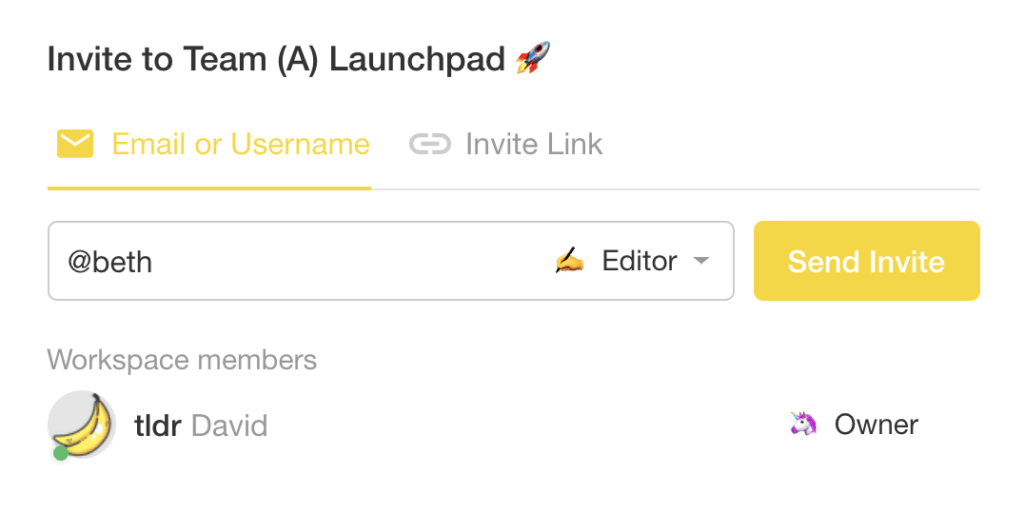
You can now invite team members inside. Open the workspace and click on the Invite button at the top. Send invitations via email, username, or by sharing the workspace link via text or chat.
The choice is yours!
All teams are different so you should customize the shared workspace accordingly. Cycle through project views and choose the one that matches your team’s preference.
Oh, and don’t forget to customize the workspace color, icon, and background!
As a remote project manager, you steer a big ship. If you want to get, well… wherever you’re heading, your crew needs to stay in the know.
To add an image, attachment, or a zip file, drag them into the chat box or click Attach File in the pop-up menu.

2. Rewire the Communication Mindset
As a remote project manager, you’re are always on the mission to subtract the distance between geographically dispersed team members. That means:
💬 Facilitating frictionless communication
👋 Encouraging organic conversations
🎉 Replicating traditional office interactions
For that reason, you need to learn the arcane of remote communication and find the balance between channels like video, chat, and email.
Your best bet? Default to asynchronous, written communication for the majority of team interactions and leave video conferencing for team meetings.
Written communication is how work gets done in a distributed environment.
— Hiten Shah (@hnshah) April 27, 2020
That’s the secret.
Chat and email are more than enough to keep your entire team in the know—especially across multiple time zones—without interfering with the workload.
But that’s not all.
Asynchronous communication leaves a trace. That means it is much easier to document and repurpose into valuable insights for the entire team. When in doubt, go async.
Taskade Tip #2 🐑
You don’t need fancy addons or multiple apps to get work done. Taskade lets your remote team work, chat, and run video conferences for free in one window.
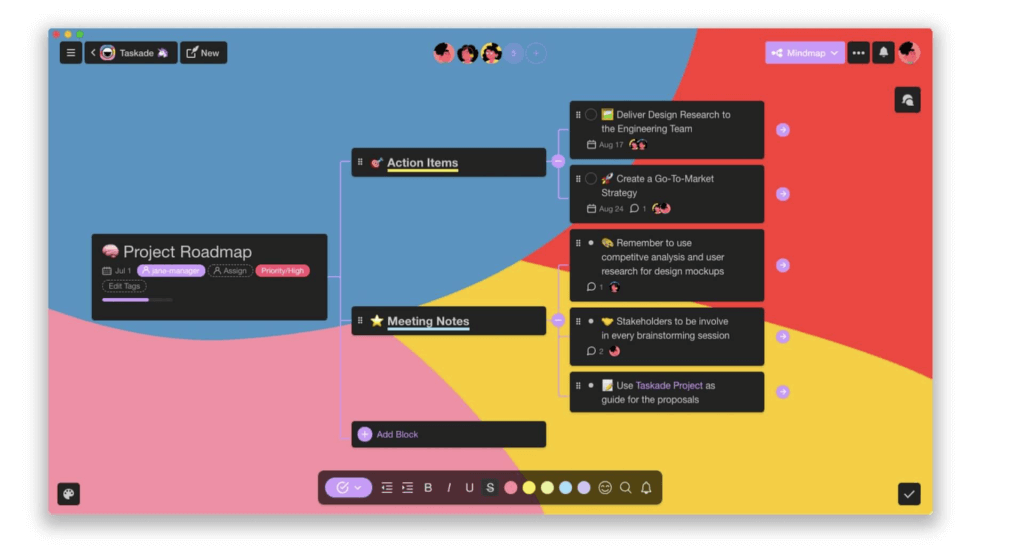
Make sure that all team members know their place and role in the team. Use @mention to assign tasks/action items. Just so others know there’s work to be done.
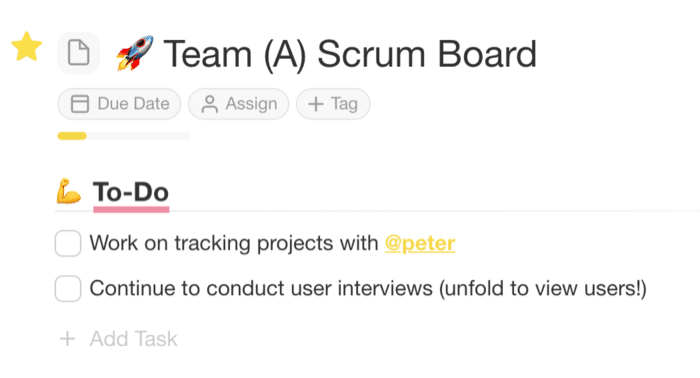
Of course, you don’t want your team hanging around meetings and digital watercoolers all day long. Let them adjust notification settings to unplug.
3. Predict and Remove Obstacles
One of the common PM themes is the overarching need for preventing and dealing with obstacles as projects unfold.
Subpar communication, budget constraint, diffused ownership, and scope creep are some of the most common hiccups in a PM’s job.
As noted by the Project Management Institute:
“These problems are common to almost all types of projects. They occur in the 100-hour programming job as well as the $800 million nuclear plant.”(5)
Product managers, on the other hand, have to deal with fluctuating client requirements, slipping production schedules, bugs, and technical issues, just to name a few.
All those problems are much more difficult to deal with remotely. They also tend to escalate quickly when team communication habits are less than satisfactory.
Taskade Tip #3
Putting down garden variety PM fires doesn’t have to be difficult. Provided that you have all the tools and solutions in place before they happen.
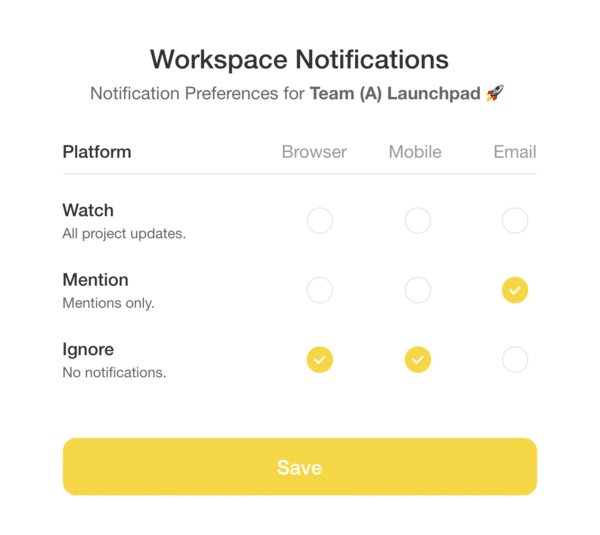
Taskade comes with +500 free templates for product and project teams. You can also create your own templates from scratch and add them to your team workspace.
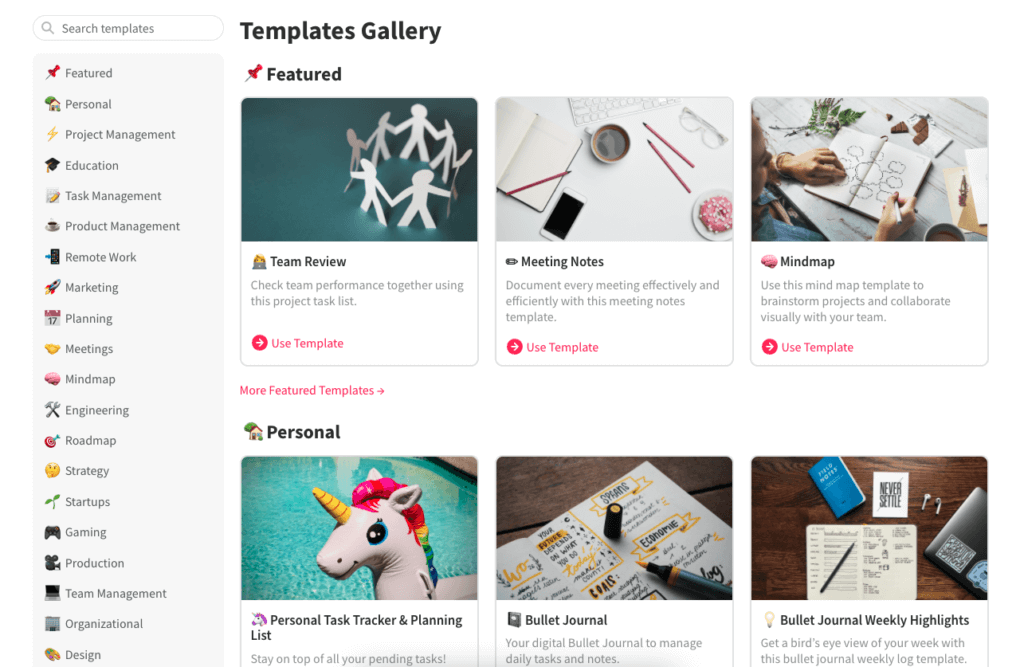
Still need some help? You can call a problem-solving meeting and mind map a handful of fixes with the team. Switch to the mindmap view and you’re ready to go.

4. Schedule, Prioritize, and Track
Most projects are inherently short-term. They may span weeks, months, or years, but a deadline always looms somewhere on the horizon.
A product lifecycle doesn’t end once the product goes on the market. Before a decline, it still needs to grow and mature—often going through numerous iterations on the way—all of which under a PM’s watchful eye.
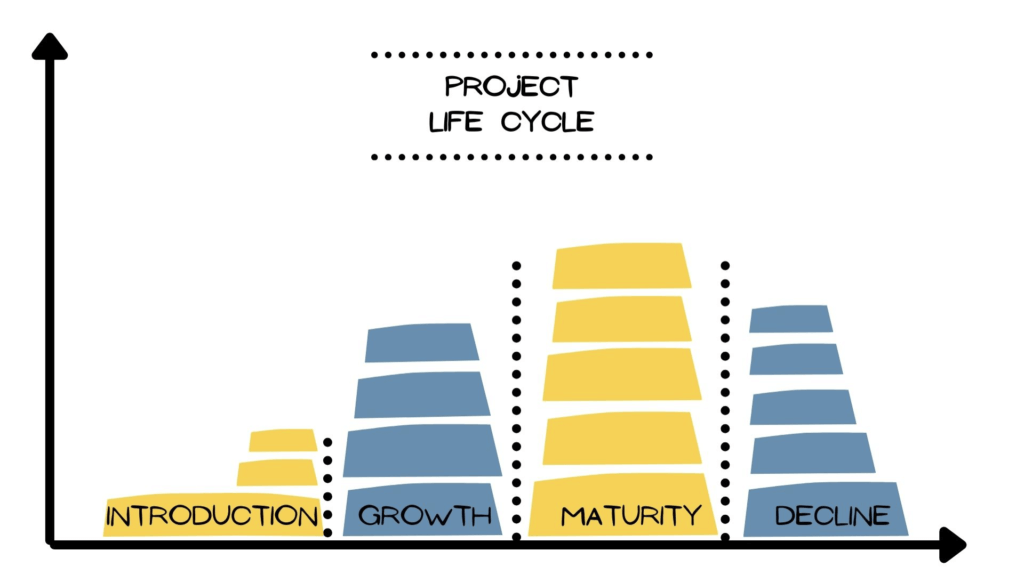
Both approaches aim for different destinations but require the same amount of planning, prioritization, and oversight to fulfill business objectives.
Taskade Tip #4 🐑
You can use Taskade to visualize project/product roadmaps so your team always knows which items require immediate attention. Adding a visual aspect to the planning stage makes it much easier to spot possible obstacles and bottlenecks down the road.
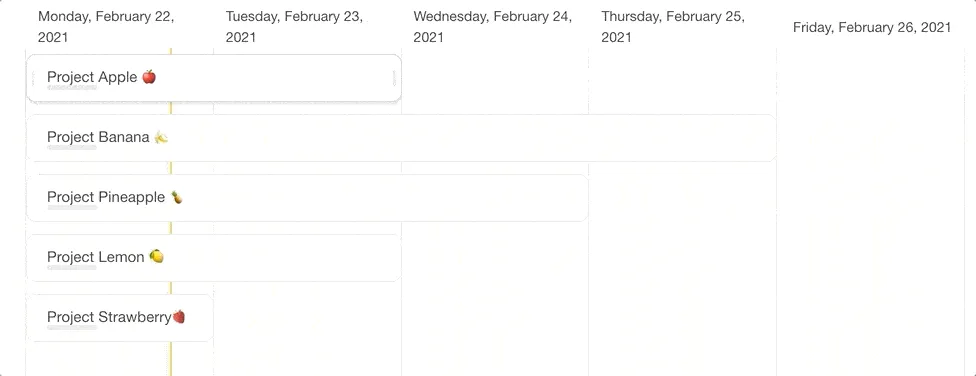
Of course, you can always map your team’s journey using the List view. That’s what we did with Taskade’s public roadmap.
P.S. Stay tuned for our new Gantt Chart project view. It’s coming!
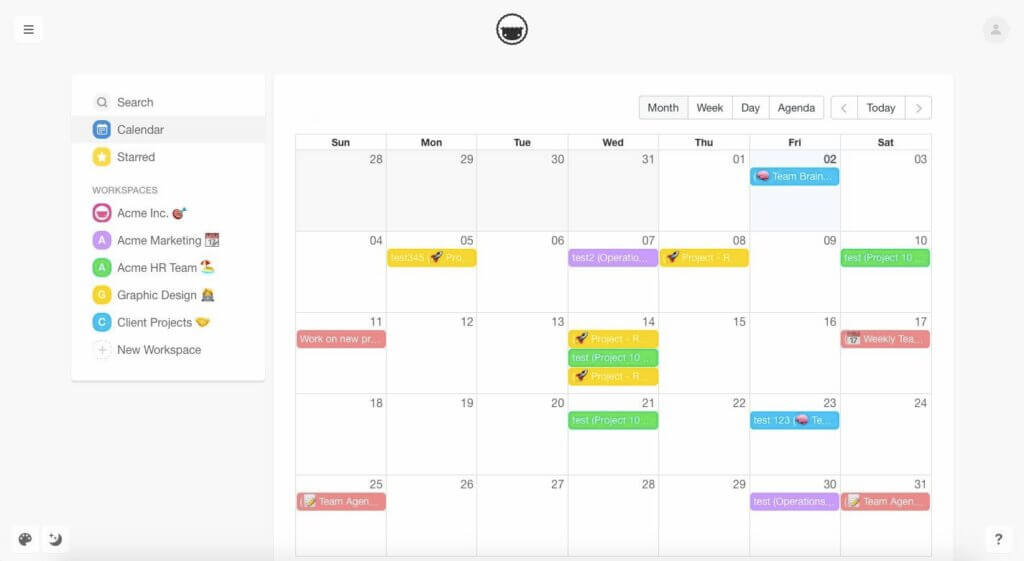
To better organize a project/product journey, use the Taskade calendar to display all tasks and projects with due dates and/or date ranges across all workspaces.
Your team can sync entries with Apple, Google, and/or Outlook Calendar!
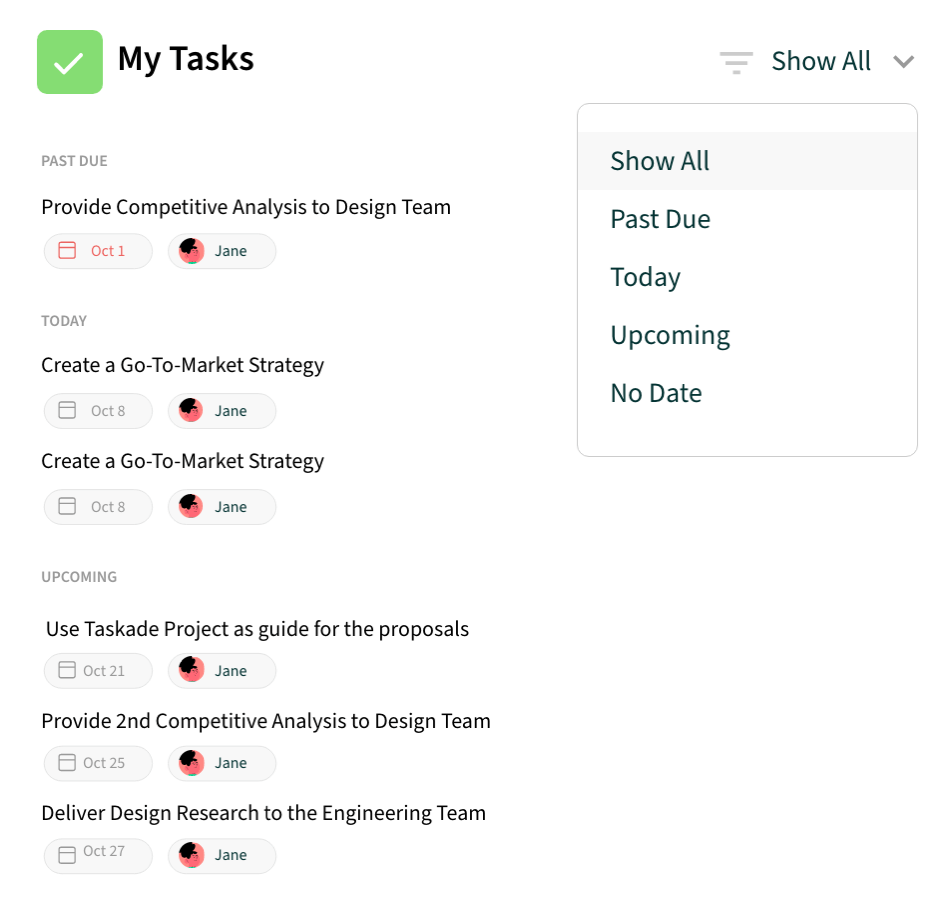
Every task assigned to a team member will be visible in the My Tasks section. To quickly filter the list by owner/user, simply click on a team member’s icon.
Like so. 👇
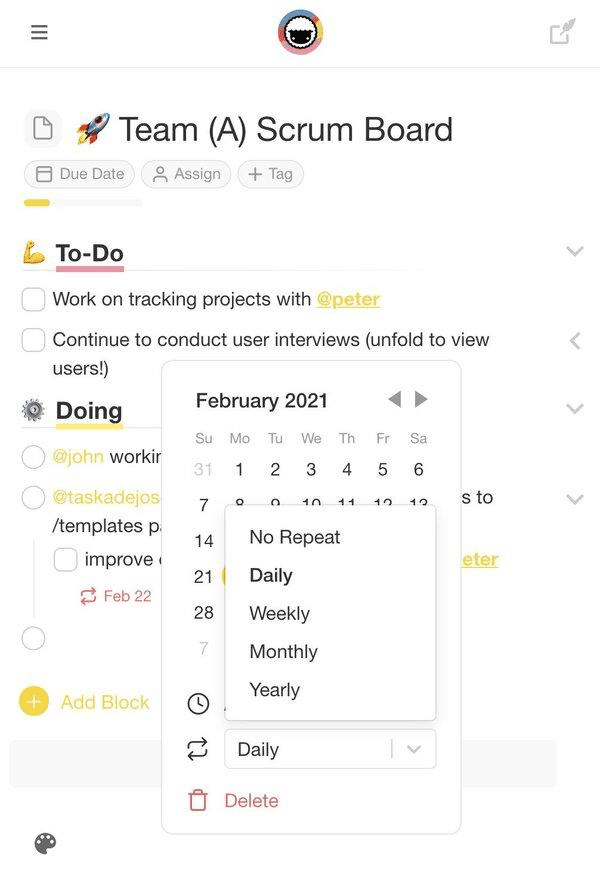
Automate your team’s workflow by setting reminders for recurring tasks and activities like meetings, feedback sessions, sprint retrospectives, and more.
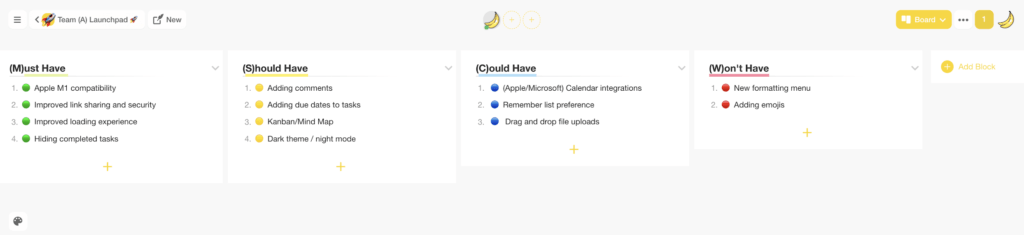
Remote product teams can use the MoSCoW method to decide which set of features to implement in the next release cycle and in what order.
🟢 (M)ust Have. Mandatory features that need to be in place for the launch. Each must-have item is mandatory for product success.
🟡 (S)hould Have. High priority features that but not absolutely necessary for a successful release. They add value so you can implement them later on.
🔵 (C)ould Have. Features/items that may or may not be implemented depending on time constraints. Alternatively, you can call these “nice to have.”
🔴 (W)on’t Have. Features that won’t launch with the current release. Funneling items into this category will help the team focus on what really matters.
Here’s the MoSCoW method visualized in Taskade. 👇
Another great way to prioritize work is the Eisenhower Matrix. Like the MoSCow method, the Eisenhower Matrix uses four categories that help focus on the most important activities first.
🟢 Urgent, Important. Mission-critical tasks that need to be dealt with as soon as possible. If possible, your team should complete them on the same day.
🟡 Important, Not Urgent. High-value tasks and activities you can reschedule and tackle when the time is right. Think of them as your long-term goals.
🔵 Urgent, Not Important. Time-sensitive tasks that can be completed following higher priority activities or delegated to someone else.
🔴 Not Urgent, Not Important. Tasks that don’t bring value or contribute to the completion of a project. They can be safely deleted from the list.
Grab this free Eisenhower Matrix template, switch to Board view, and get started!
And that’s it! 👍
Frequently Asked Questions
What is the difference between a project manager and a product manager?
A project manager (PjM) focuses on execution — delivering specific projects on time, within budget, and meeting defined scope. A product manager (PdM) focuses on strategy — defining what to build, why, and for whom based on market research and user needs. PjMs manage timelines, resources, and risks; PdMs manage vision, roadmap, and product-market fit. In remote teams, PjMs coordinate workflows while PdMs align distributed teams around product direction.
Can one person be both a project manager and product manager?
In small teams and startups, one person often fills both roles — defining the product vision while managing day-to-day execution. However, as teams grow, separating the roles prevents conflicts of interest: product managers should advocate for user value (even if it delays timelines) while project managers should advocate for delivery commitments. Combining both roles risks short-term delivery pressure overriding long-term product strategy.
How do remote project managers keep distributed teams on track?
Remote project managers succeed by establishing clear communication rhythms (async standups, weekly syncs), maintaining single-source-of-truth project documentation, using visual project views (Gantt charts, Kanban boards, timelines) for transparency, and automating status reporting. Tools like Taskade help by combining multiple project views, real-time collaboration, AI-powered task management, and built-in video chat in one workspace — reducing the tool fragmentation that plagues remote teams.
What skills do remote project managers need that office-based PMs don't?
Remote PMs need stronger written communication skills (most interaction is text-based), proficiency with async collaboration tools, ability to build trust without in-person rapport, cultural sensitivity for global teams across time zones, and expertise in documentation-first workflows. They also need to be more intentional about creating visibility — in an office, progress is visible; remotely, it must be explicitly communicated through project dashboards and regular updates.
🐑 Conclusion
Project and product teams can thrive in a remote environment. Use the tips from this article to adjust your team’s workflow and set yourself up for success.
And just in case you need a leg up, Taskade is here to help. With Taskade, your team can chat and collaborate on awesome ideas across time zones. And the best part? It’s the complete package so you’ll never need another PM tool again!
Check for yourself and take us for a ride. Jump over here to sign up for free.