






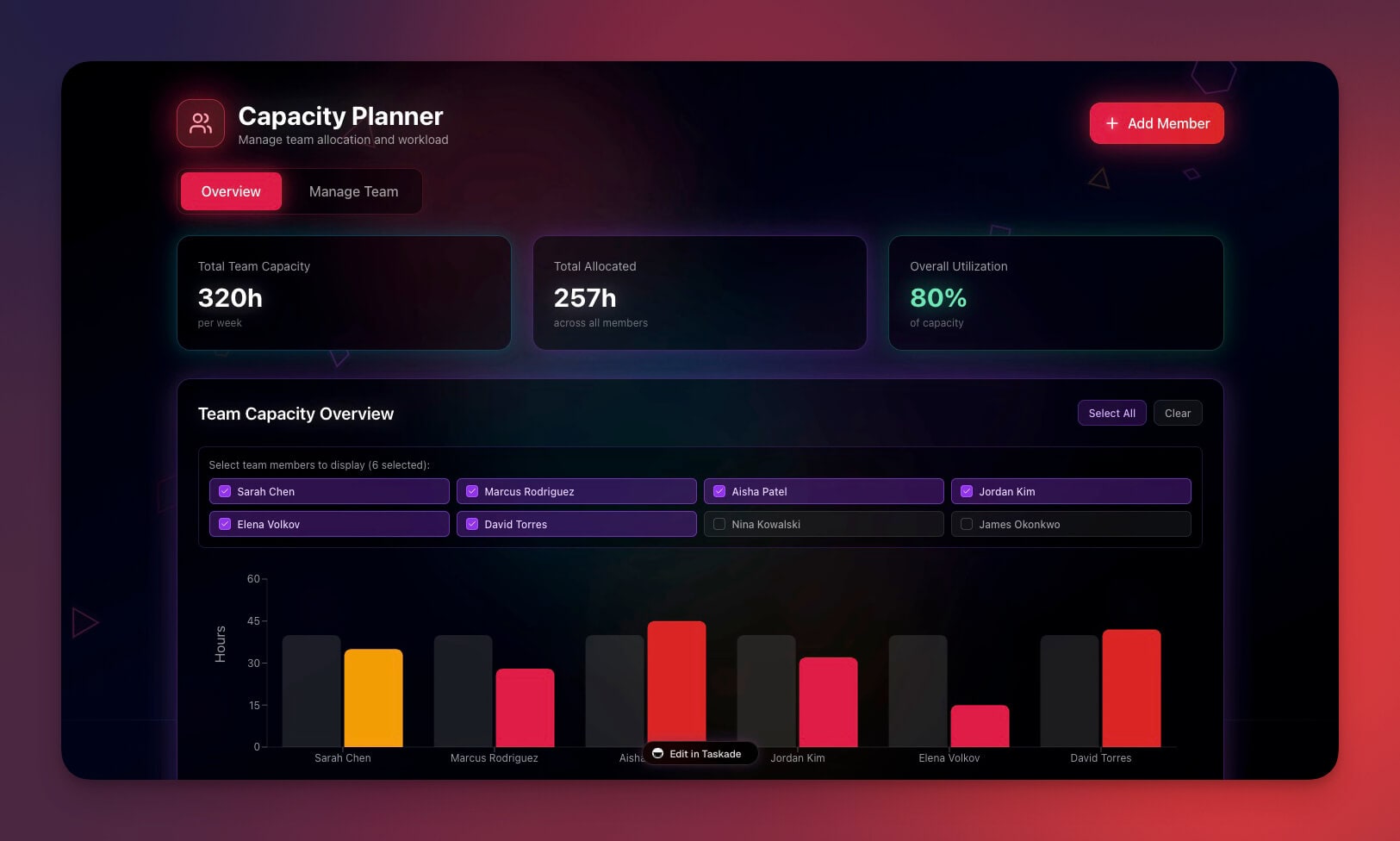
Last year at our Y Combinator demo day presentation, we set out on a journey to make Taskade a breath of fresh air in the team collaboration space. We created a remote-first productivity tool that would enable teams to collaborate in real-time without friction. We wanted to build a remote-first productivity tool, for ourselves and other distributed teams like us, in one unified workspace.
Fast-forward to today, our priorities haven’t changed. With the global pivot to remote work en route due, Team Taskade is hell-bent on a growing mission to help remote and distributed teams to become more productive. The answer starts with a minimalist tool that focuses on:
👌 Frictionless UX
🧰 Essential functionality
🚧 No siloed workflows
🚦Intuitive navigation
🍪 Incentive for individual users
🤹♀️ No context switching
But... let's start from the beginning. 🐑
🤯 The Curse of Plenty
The market of remote collaboration tools has reached a peculiar point. With hundreds of apps and platforms on the table, it seems that business owners and employees have nothing to complain about. In fact, this digital horn of plenty (pardon the dramatism) is about to burst.
Want to jump on a video conference with your team? There are dozens of apps that make that possible. The same is true for chats, VoIP, to-do lists, project management platforms, cloud storage… and the list goes on and on.
Here’s a small portion of the collaboration landscape.
Can you spot Taskade in there? 👇
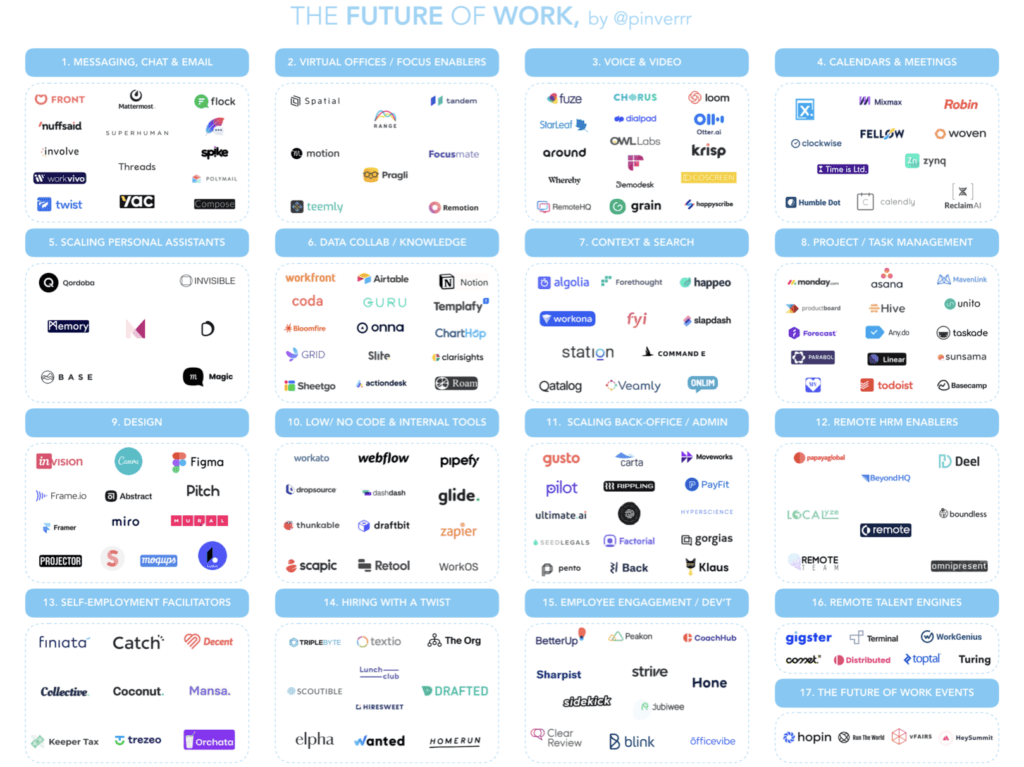
The Future of Work via Pietro Invernizzi
It seems like we have it all figured out.
But there’s a problem.
While remote teams can cherry pick the tools they work with, the sheer number of options makes for some really tough decisions. On top of that, trying to juggle with several (dozen) solutions means that meaningful, focused deep work takes a back seat.
Instead of getting work done, teams fall into a vicious circle of analysis paralysis. “Which tool should we use for this project?”, “how do we coordinate work across platforms?”, “does this app integrate with others?”
It’s a garden variety case of the paradox of plenty.
In reality, 99.9% of the projects require three essential ingredients to pan out from ideation to completion: collaboration, communication, and coordination. Most tools do a decent job of one of the three. But few manage to elegantly combine these ingredients so they’re in sync with each other.
Now, don’t get us wrong. Remote collaboration rocks. After all, we’re a remote-first team ourselves! But we believe there’s still plenty of room for improvement with the toolkits built for and by remote-first teams.

⚡ Why We Love (to Hate) Remote Collaboration Tools
“If we want users to like our software, we should design it to behave like a likeable person: respectful, generous and helpful.”
Alan Cooper, Programmer and Software Designer
1. Siloed Workflows
We’ve discussed siloed workflows many times in the past, most recently in our article on Building a Second Brain (BASB). It’s a fairly common theme across teams and organizations that use many different documentation, collaboration and communication tools.
Here’s when it becomes a problem:
🧰 Arbitrary choice of tools and platforms
✏️ No real-time collaborative document editing
🗄 Combining local and cloud storage
🧠 A lack of team-wide single source of truth (SSOT)
📣 No communication standards (email, video, calls, chat)
When remote employees work in siloes, there’s very little spontaneous, organic collaboration. And you can’t expect productivity to soar when people have no incentive or opportunity to tag team.
2. Tools vs. Workflows
What’s the best workflow? Well, everyone knows it’s the one that comes with a new tool.
After all, when the company strikes a stellar deal on a new piece of software, it’s only natural to rebuild your team’s entire workflow to match, right?
Except, it doesn’t make much sense.
The truth is, the best (read: useful) remote collaboration tools are the ones that create synergy with existing workflows. You should only consider an upgrade if the new solution:
🤔 Is equally or more intuitive to use
❤️ Can merge with established workflows
🎨 Offers *reasonable* customization
📈 Brings in substantial improvements
3. Impaired Team Communication
This one’s almost a cliche in our articles, but effective communication is *the* thing in distributed organizations. Whether it’s local branches of a company or a workforce spread all over the globe, every business dynamic always starts with a sender/recipient relation.
But effective communication isn’t a walk in the park.
🌵 Most communication apps are like walled gardens
🏃 There’s no smooth transition between multiple channels
🛣 Communication and collaboration happen in separate lanes
🤹 Alternating between channels means shuffling tabs and apps
Limping team communication isn’t just a productivity killer. In the long run, it can lead to small misunderstandings which are a stone’s throw away from team conflict.
4. Lack of Attention to User Preferences
Teamwork, camaraderie, companionship… It seems there’s nothing more important than making *teams* feel all warm and fuzzy. But in that merry back-patting festival, many collaboration tools ten completely overlook *user* preferences.
Here’s what most collaboration platforms get wrong:
🪐 Workflows are customizable but only on a global scale
🔭 There’s no incentive for individuals to explore pet-projects
🔌 You can’t unplug from team activities to tackle deep work
Effective project management requires a coordinated effort of all team members. And that means individuals should feel empowered and be able to contribute to the collective team effort in a meaningful way.
5. Clunky and Unintuitive UIs
“The next big thing is the one that makes the last big thing usable.”
Blake Ross, Co-creator of Mozilla Firefox
Does navigating your project management software feels like a tour around the USS Enterprise? Here’s the thing: Unless we’re talking about highly specialized software made for power users, over-engineering collaboration apps is a terrible idea.
We don’t like:
⭕ Reinventing the wheel
🏔 Shiny features nobody wants to use
🤩 Prioritizing eye candy over usability
🔄 Unintuitive and distracting navigation
Remote collaboration tools are used across organizations. That’s why they should be accessible to all types of users, regardless of technical proficiency.

🧘 Solution: A Minimalist All-in-one Remote Collaboration Platform
“ Anything we can do to make things simpler and more transparent is a plus.”
Cap Watkins, Former Sr. Design Manager at Etsy
Most problems with collaboration software can be solved by embracing the way of digital minimalism. It’s a concept we discussed in-depth in Minimalism in a Digital Remote World so be sure to give that article a read once you’re done here.
tl;dr According to Professor Cal Newport, digital minimalism is:
“ a philosophy of technology use in which you focus your online time on a small number of carefully selected and optimized activities that strongly support things you value, and then happily miss out on everything else.”
Digital minimalism isn’t only about personal digital habits. It’s a philosophy that can be universally applied to see whether a tool will help your team get work done or get in the way.
You should start by asking yourself a handful of questions:
🎂 What is the minimum feature set we need to get work done?
🍭 Can we replace some of the tools we use with a unified solution?
🍼 Will the new tool require lengthy onboarding and complex maintenance?
🍯 Can the new tool merge with and reinforce our current workflow?
🍪 Is the new tool process or outcome-oriented?
Answering these questions will help you decide whether an upgrade makes sense or not. You shouldn’t decide what solution to adopt based on the number of *seemingly* useful features. Instead, focus on the core functionality that your team will put to good use from day one.
Here’s a Taskade template with some additional assessment questions. 👇
🤔 Reimagining Remote Collaboration
At Taskade, we believe that simplicity is the key to successful remote collaboration. And the first step to making things a tad *less* complicated is taking a step back.
Instead of putting another brick in the wall, we decided to take a look at the modern “collaboration diet,” throw junk food out and ship only the freshest, staple ingredients:
💬 Coordination
✅ Collaboration
✍️ Communication
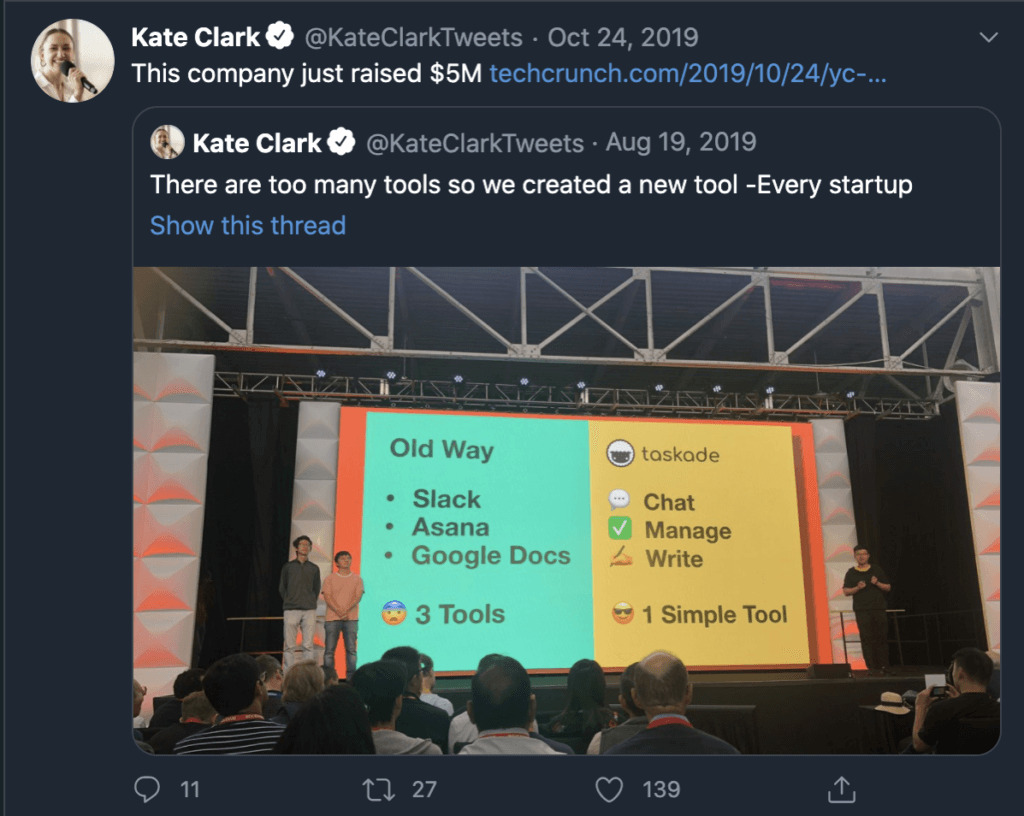
Team Taskade at Y Combinator Demo Day via Kate Clark
Nobody said challenging the status quo is easy, but...
We’re hell-bent on making that happen. ⚡️
🐑 Do More with Less in Taskade
"When UX doesn’t consider ALL users, shouldn’t it be known as “SOME User Experience” or… SUX?"
Billy Gregory, Senior Accessibility Engineer
1. No Context Switching
Having all those lovely tools at hand is great, but… switching between them, not so much. Shuffling apps and tabs isn’t just plain unproductive. It also saps your attention in a process called a cognitive (or context) switching.
In simple terms, a cognitive switch happens when you *think* you’re multitasking. While the idea of doing two things at the same time is alluring, the human brain can only focus on one thing at a time.
When you try to fill your to-do lists, host a video conference and edit documents, you merely shift attention from one task to another.
Alternating between different tools comes with a burden called a switch cost which leads to:
📉 A decrease in productivity (up to 40%)
❌ Higher chance of making mistakes
⏱ Time lost to regain focus after a switch
While we can’t avoid that penalty, we can make it much less severe.
When your team uses Taskade, work and communication happen on *one* plane. Every Taskade Project is a self-contained real-time workspace. You can brainstorm ideas (digital whiteboard), communicate (video, calls, chat), and collaboratively edit tasks, notes, and documents on the same page.
2. Incentive for Individual Users
Unlike other collaboration apps, Taskade’s focus is on both teams and individuals. We understand that every business and project starts with the individual. In a sense, individual users are the building blocks of team collaboration.
Unless you’re into a (successful) cloning business, each member of your team will have a subtly different approach to work, communication and organization. That’s why it’s important to provide them with the power to adjust their workflows accordingly.
In Taskade, we encourage individual team members to:
🔬 Visualize work in different ways (List, Action, Board, Mindmap, Org Chart)
🎨 Create their own, personalized templates and workflows
👩🔬 Explore personal pet-projects (track habits, write a novel or plan a party)
🔌 Unplug when they need to focus on deep work (escape the green dot)
⛓ Implement different types of learning systems (like Zettelkasten or BASB)

A fragment of The Evil Overlord Checklist via Peter Anspach
3. One App to Rule Them All
There’s a strong case for software unification in the collaborative space. As a fully remote team ourselves, we set out to find a perfect balance between functionality and usability. We wanted to figure out what’s the minimum feature set that lets teams get work.
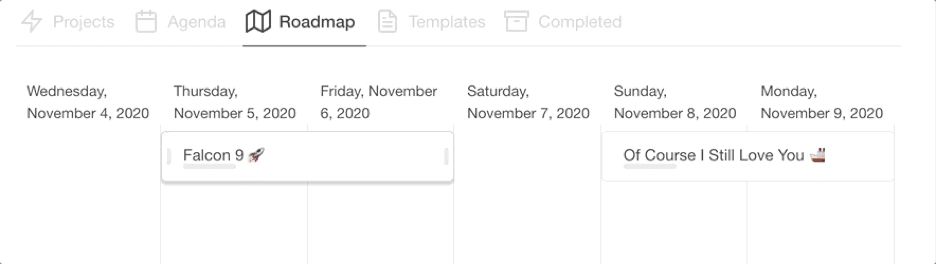
📅 Organize. With Taskade, your team can get rid of external calendars, planners, and to-do lists. Every action and task that matters now or will matter in the future can be tracked and visualized on a convenient timeline (Roadmap)
💬 Communicate. Does your team prefer video, calls, or chat? Well, now you can have all three in one package. Taskade will let you communicate with your team directly within the Project space so you don’t have to shuffle multiple tabs and windows
🤝 Collaborate. Want to create a simple checklist, a business plan, or a gripping narrative for your brand? Taskade’s outlining capabilities will help you organize thoughts, structure your writing and draft documents in a breeze
4. No Learning Curve
This is something we’re particularly proud here at Team Taskade. We wanted to make Taskade accessible to all types of users, regardless of their technical skills and productivity habits.
Here’s how we did it:
🤷♂️ Intuitive UI. “Where do I click?”, “what does this button do?”,”I don’t want to break anything.” Taskade’s UI won’t keep you up at night. The interface is clean and simple so you always know what to do next
⏱ Quick startup. You don’t need a 1000-page-long manual to get started. Taskade works out of the box so you can jump straight into action. And when you happen to break anything… No, that doesn’t happen
See? 👇
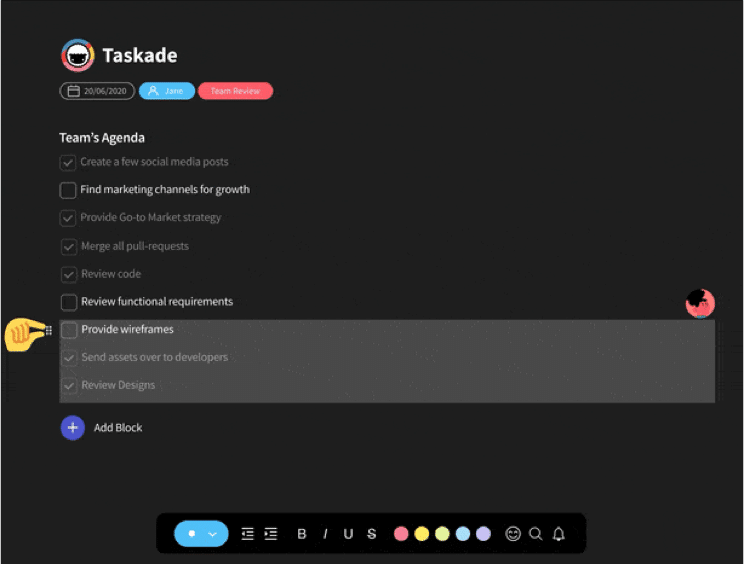
image 27
Frequently Asked Questions
Why do remote-first teams need an all-in-one app?
Remote-first teams lose productivity when information is scattered across separate tools for tasks, docs, chat, and meetings. An all-in-one platform like Taskade consolidates everything into a single workspace — reducing context-switching, eliminating information silos, and giving everyone a unified view of what's happening across the organization.
What makes a tool truly remote-first?
A remote-first tool is designed for distributed teams from the ground up — not an office tool with remote features bolted on. It must support real-time and asynchronous collaboration equally, work across devices and time zones, provide clear visibility into work status, and integrate communication directly into the workflow.
How does tool consolidation help remote teams?
Fewer tools mean less context-switching, lower software costs, easier onboarding, and better information flow. When tasks, conversations, and documents live in one platform, nothing falls through the cracks between apps. Teams spend less time managing their tools and more time doing actual work.
What features should remote-first teams prioritize in a collaboration tool?
Prioritize real-time multiplayer editing, multiple project views for different work styles, built-in chat and video, task management with assignments and deadlines, templates for repeatable workflows, and AI-powered features for automation. Taskade offers all of these plus AI agents and multiple project views.
👋 Conclusion
Want your remote team to be productive with the tools you give them? It’s easy. Pick the ones they’ll fall in love with from day one. One that effectively solves their problems, and gives them the superpowers to innovate and create, to make the tool their own. And if you haven’t found the perfect match yet... Wink wink, Taskade may be your answer. ❤️
Taskade helps remote teams stay competitive in the modern workplace by cutting down the unnecessary friction in planning, organizing, and decision making.
There is no maze of functionality or context switching between multiple tools, so you and your team can jump straight into action and get work done.
It’s the last collaboration tool your remote team will ever need.
But hey, don’t take our word for it.
Sign up to supercharge team collaboration with Taskade AI 🤖!
🤖 Custom AI Agents: Set up custom AI agents to coordinate remote work, manage schedules, track project progress, and automate tasks.
🪄 AI Generator: Generate structured workflows and collaborative projects that facilitate remote teamwork, one check at a time.
✏️ AI Assistant: Rely on the assistant for live collaboration support, helping your team draft, edit, and organize documents.
🗂️ AI Prompt Templates Library: Choose from hundreds of AI prompts curated for a variety of persona and business use cases.
💬 AI Chat: Chat with AI as you would with a regular team member and gain real-time problem-solving, idea validation, and decision support.
📄 Media Q&A: Analyze documents and team communications to extract insights about team synergy and productivity trends.
And much more...
