







Search "AI app builder" in April 2026 and you will get Lovable, Bolt.new, Cursor, v0.dev, Replit, and Base44. All of them produce one thing — code, deployed.
Search "AI workspace builder" and the results are mostly Taskade, Notion AI, and a handful of Airtable posts. The term barely exists as a category.
Yet the products ranking under both searches are solving fundamentally different problems. This post names the split and explains why the winning platform in each category is not the same.
TL;DR: AI app builders ship code files or a deployed URL — Lovable, Bolt, Cursor, v0. AI workspace builders ship Memory, Intelligence, and Execution wired together — Taskade Genesis. The two categories solve different problems and have different winning platforms. Pick based on output, not brand. Start free at /create.
🪞 The Two-Minute Test
The fastest way to tell an AI app builder apart from an AI workspace builder is to ask what exists in the world when the app is "done." An app builder leaves you with a git repo or a deployed URL you maintain. A workspace builder leaves you with a live workflow — memory, automations, agents, integrations — that your team uses daily without you babysitting it. One question decides which category you need. Here is the two-minute test.
┌─────────────────────────────────────────────────────────────┐
│  QUESTION: When the app is "done," what exists in the       │
│  world?                                                     │
│                                                             │
│  Answer A:   A git repo or a deployed URL I maintain.       │
│     ↓       → You want an AI APP BUILDER.                   │
│                                                             │
│  Answer B:   A live workflow my team uses daily with        │
│              memory, automations, and integrations that     │
│              keep running without me.                       │
│     ↓       → You want an AI WORKSPACE BUILDER.             │
│                                                             │
└─────────────────────────────────────────────────────────────┘
That is the whole split. Let us walk through why it matters.
🏗️ What AI App Builders Actually Ship
The dominant model in the AI app builder category is prompt → code → deploy. Seven leading platforms, the output each produces, and the backend dependency:
| Platform | Output | Backend required? | Deploy target | Starting price |
|---|---|---|---|---|
| Cursor | Code in a VS Code fork | Yes (your choice) | Your infra | $20/mo |
| Lovable | React + Supabase | Yes (Lovable Cloud) | Netlify / custom | $25/mo |
| Bolt.new | Full-stack code | Yes | Netlify one-click | $25/mo |
| v0.dev | Frontend components | Not included | Vercel / copy-paste | ~$20/mo |
| Replit Agent 3 | Full-stack app | Built-in hosting | Replit | $25/mo → $100/mo |
| Emergent | Full-stack app | Built-in hosting | Hosted | $20/mo → $200/mo |
| Base44 | No-code frontend | Wix-hosted | Wix | Per Wix tier |
The common thread: the output is a code or code-like artifact. If you want the app to remember a user, send an email on a schedule, call your CRM, or enforce role-based access, you write code or plug in a separate SaaS.
AI app builders ship fast because they optimize for the first minute — prompt to preview. After that, you own everything. Hosting, auth, database, integrations, maintenance, on-call when the cron job breaks.
The Category Split, Visualized
The two graphs tell the whole story. On the left, every arrow points away from the tool — the product's job ends at Deploy, and everything afterward becomes the user's problem. On the right, every arrow points back into the tool — the workspace is both the build surface and the runtime, so "making a change" and "running the app" are the same action. That loop is the category boundary.
📄 The Artifacts Gotcha: Similar Looking, Structurally Different
Claude Artifacts deserves its own callout because many readers conflate it with a micro app or a workspace builder. It is neither — it is a document with a runtime.
| Artifacts capability | Reality |
|---|---|
| Max size | 20 MB per artifact, text only (no binaries, no images, no files) |
| Persistence | Storage only works post-publish — cannot test during dev |
| Sharing | Public URL + remix into another Claude chat |
| Auth / end users | ❌ (anyone with URL, no login) |
| Custom domain | ❌ |
| Integrations | ❌ (no Slack, Notion, Stripe, GitHub, etc.) |
| Workspace / teams | ❌ (per-Claude-account only) |
| Plan requirement | Pro, Max, Team, or Enterprise |
| Gallery | madewithclaude.com is community-run, not official |
Artifacts are excellent for inline AI-powered documents — interactive React components that run inside a Claude chat. They are not a substitute for a deployed app with user data, auth, integrations, and a workspace. That distinction is what separates the category split.
🧠 What AI Workspace Builders Actually Ship
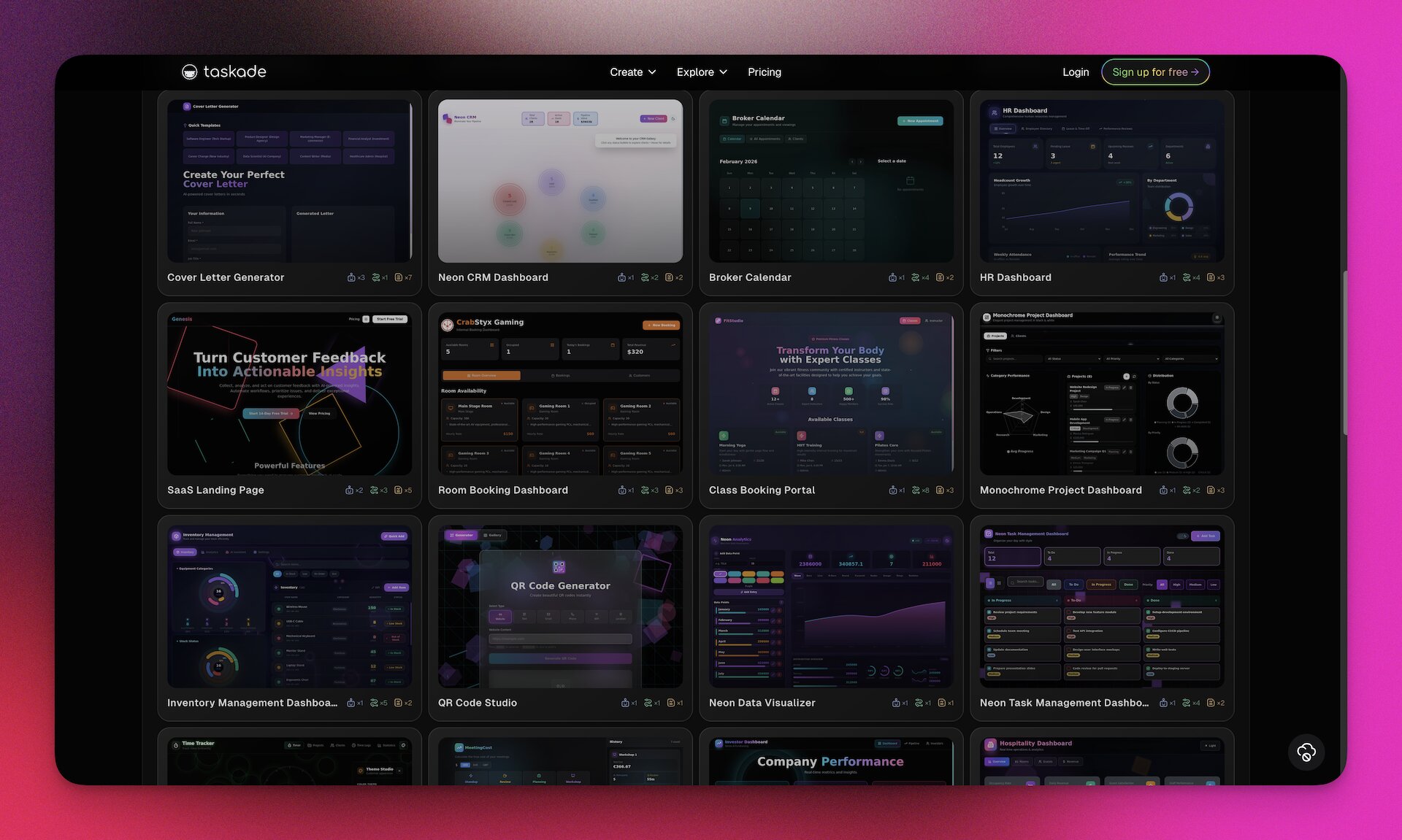
Workspace builders flip the frame. The output is not code — it is a configured workspace where memory, intelligence, and execution are primitives.
The left-hand arrow stops at "deploy URL." The right-hand arrow is a loop. That is the product difference.
Taskade Genesis — the clearest workspace builder in the market — produces a workspace with all four primitives wired in by default.
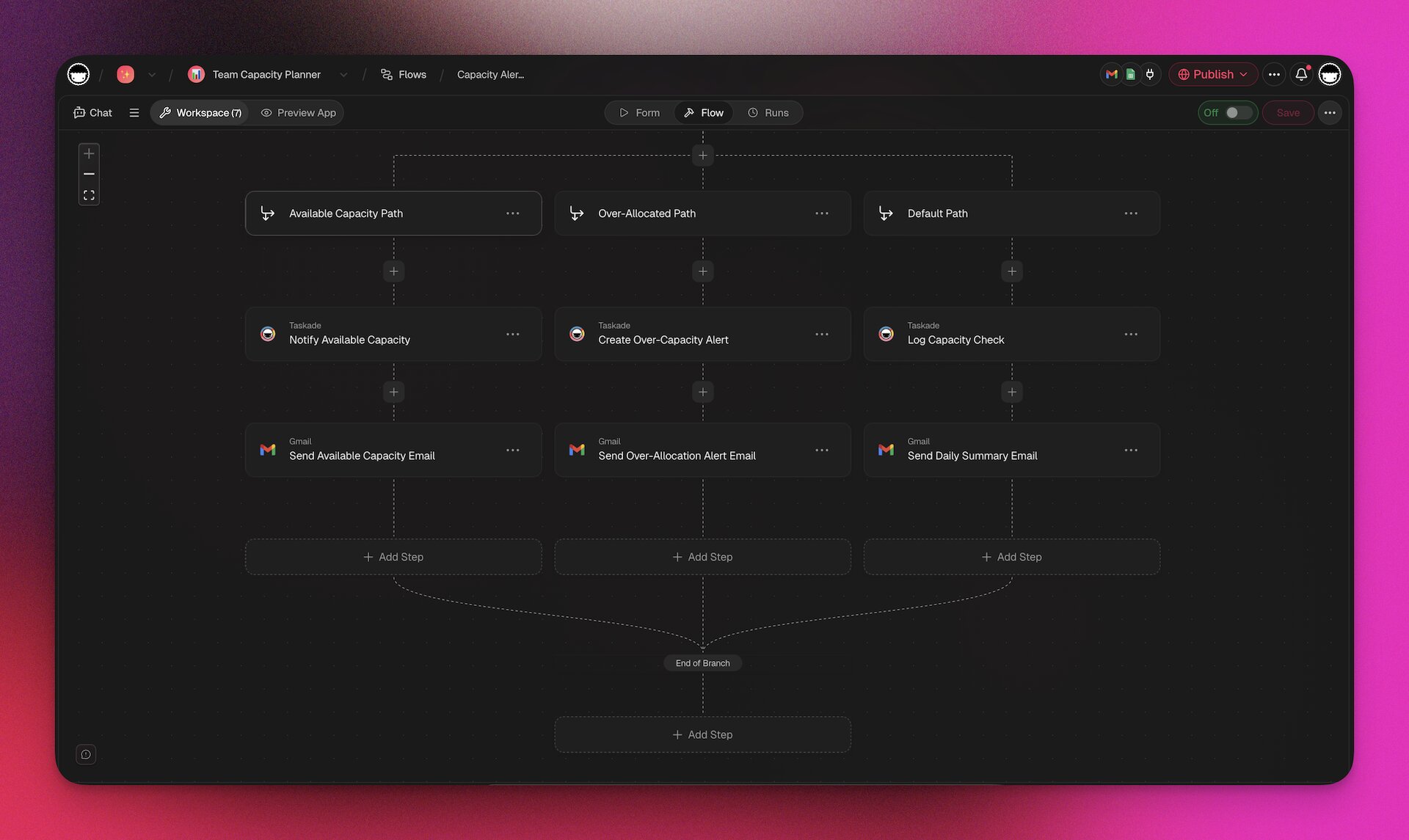
| Primitive | What you get out of a single prompt | Key capabilities (as of Apr 2026) |
|---|---|---|
| Memory | Projects tree with multiple views | List, Board, Calendar, Table, Mind Map, Gantt, Org Chart; file uploads up to 100MB; RBAC (Owner to Viewer); persistent memory in projects/memories/ |
| Intelligence | Agents v2 with custom tools + slash commands | built-in tools, custom tool creator, persistent memory, multi-model (frontier), /commands, @-mention v2, public embedding, Ask-Questions tool (v6.150) |
| Execution | Automations with a durable execution runtime | Branching + looping + filtering, 100+ integrations across 10 categories, Runs tab view (v6.150), Stripe checkout action (v6.149), GitHub export w/ PR (v6.149), scheduled + webhook + form triggers |
| Surface | Custom domain, password, auth, gallery | GenesisAuth OIDC/SSO (v6.144+), App Users beta (v6.150), clone creator credits (v6.150), auto top-up billing (v6.150), publish to 150K-app gallery, app analytics |
| MCP | Hosted MCP server, on every paid plan | taskade.com/mcp — Claude Desktop, Cursor, and VS Code connect in over OAuth2+PKCE and work with your workspace via list_spaces, inspect_space, list_tasks, write_file. Pointed outward, the MCP Client step inside an automation calls a third-party MCP server on every plan including Free; Agents v2 also reach Notion, Linear, and GitHub through 100+ integrations. |
You do not wire any of it yourself. The single prompt produces the whole stack.
📐 Side-by-Side Feature Map
The only comparison table that names the split honestly.
| Capability | AI App Builder | AI Workspace Builder |
|---|---|---|
| Primary artifact | Code or hosted URL | Workspace with primitives |
| First run to deploy | 5–30 min | 5–10 min |
| Built-in database | ❌ (external) | ✅ Projects tree |
| Built-in auth | ❌ or bolted-on | ✅ GenesisAuth OIDC |
| Built-in AI agents | ❌ or in-chat only | ✅ Agents v2 |
| Built-in automations | ❌ (code) | ✅ Durable runtime |
| Built-in integrations | Via NPM packages | ✅ 100+ native |
| Memory persists across sessions | ❌ | ✅ projects/memories/ |
| Team permissions | ❌ or per-seat SaaS | ✅ RBAC |
| Hosted MCP server (clients connect in) | ❌ (rare) | ✅ Every paid plan (v6.148) |
| Public gallery | Project feed | ✅ 150,000+ apps |
| Cost to run 3 apps (3 seats) | ~$100/mo stack | $10/mo Pro |
Notice the cost row. Three apps on an AI app builder typically means three $20 seats plus hosting plus a Supabase plan plus maybe a Zapier subscription for automations. Three apps on Taskade Genesis Pro is $10/month total because the primitives are shared across all apps in the workspace.
🎯 When to Pick Which
Clear decision rules, not fuzzy "it depends":
Pick an AI App Builder when:
- You are a software engineer and your team will own the repo
- You are shipping a public-facing consumer product (SEO, performance-critical)
- You need full control over the frontend framework and hosting
- You already have backend infrastructure (Supabase, Firebase, AWS, your own stack)
- You are prototyping a SaaS product that will be handed off to an engineering team
Best picks: Cursor for IDE-first developers. Lovable or Bolt for prompt-to-prototype. Replit for full-stack + hosting. See Best AI App Builders 2026.
Pick an AI Workspace Builder when:
- You are a team lead or solo operator, not a software engineer
- You are building internal tools, client portals, dashboards, or CRMs
- You want the app to keep running, remembering, and triggering after prompt-to-deploy
- Your team already uses a workspace (Notion, Airtable, ClickUp) — you want AI + deploy without leaving the workspace
- You are shipping micro apps for your own team or your clients
Best pick: Taskade Genesis. 150,000+ apps in the Community Gallery as proof points. Start free, with Pro from $10/mo billed annually.
📦 What "Portable App" Means in the Workspace Category
Portable-app semantics are where the category split gets sharpest. An app builder's "export" is a git repo; a workspace builder's "export" is the living system itself — projects, agents, automations, integrations — serialized and re-importable.
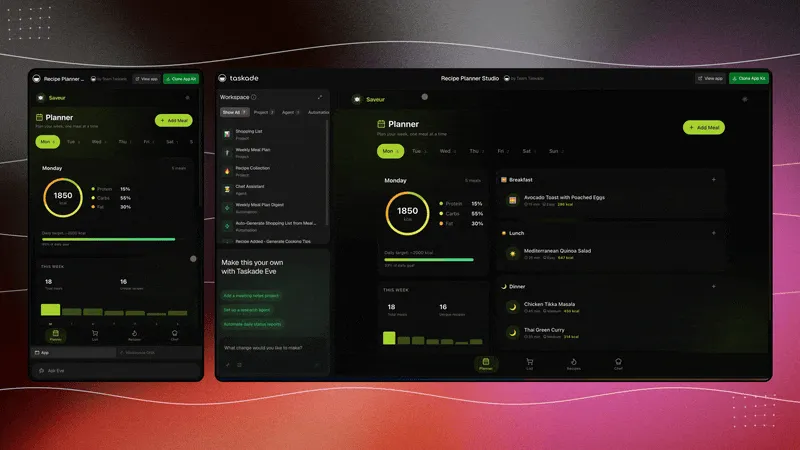
Taskade's .tsk App Kit format (April 2026) bundles the full workspace — Projects, Agents v2 configs, Automation flows, UI, integrations — into a single file. Re-import into any Taskade workspace and the living system comes back up with memory intact. That is what "portable" means when the unit is an app, not a repo.
💰 Full V8 Pricing Matrix (Workspace Builder Category)
Taskade is the only serious workspace-builder platform publishing a transparent, flat, annual-billing pricing matrix. Here it is in full.
| Plan | Monthly equivalent (annual billing) | Seats | Best for | AI credits |
|---|---|---|---|---|
| Free | $0 | 2 | Try Taskade Genesis end-to-end | No starting credits; earn or buy credits |
| Pro ★ (most popular) | $10/mo | Up to 10 | Teams building internal tools | 50,000 Monthly Credits |
| Business | $25/mo | Unlimited | Team collaboration volume | 150,000 Monthly Credits |
| Max | $100/mo | Unlimited | Taskade Genesis generation volume | 400,000 Monthly Credits |
| Enterprise | $250/mo + custom | Unlimited | Custom SLA, dedicated support | 1,100,000 Monthly Credits |
Every plan includes: basic project views (the full set on any paid plan), all frontier models from top AI labs, Agents v2, Automations, 100+ integrations, GenesisAuth client sign-in on published apps, Community Gallery publishing. Two items need a paid tier: hosted MCP server access, which is on every paid plan, and custom domains, which are Business and above. The full V8 matrix lists every feature.
Free-first matters. Every other workspace-adjacent platform (Notion AI, ClickUp AI, Monday.com) charges $10-$20/seat and requires a base plan before you can build anything. Taskade Genesis starts at $0: the free plan is the only entry point in the category that includes Genesis app building + Agents v2 + automations with no seat cost, before Pro at $10/mo unlocks 10 seats.
💼 Three Real Scenarios
Scenario 1: Solo consultant running a client portal
- AI app builder path: Lovable ($25/mo) + Supabase ($25/mo) + custom domain ($12/yr) + a Zapier plan ($30/mo) = ~$80/mo, plus maintenance.
- AI workspace builder path: Taskade Genesis, free to start, one project per client, one agent per portal, custom domains available on Business. Free to start, Pro from $10/mo billed annually.
Scenario 2: 10-person SaaS team shipping internal tools
- AI app builder path: 10 Cursor seats × $20 = $200/mo + backend + hosting + per-tool integrations. Tool sprawl.
- AI workspace builder path: Taskade Genesis Pro $10/mo flat for up to 10 seats — unlimited internal tools sharing one workspace.
Scenario 3: Enterprise deploying a compliance-gated internal portal
- AI app builder path: Cursor + internal engineering team + SSO + audit logging = weeks of work.
- AI workspace builder path: Taskade Genesis Business ($25/mo unlimited seats) with GenesisAuth OIDC, RBAC, audit trails. Same-day deploy.
🧬 The Primitive Split Underneath the Category Split
The two categories disagree on one fundamental question: what is the atomic unit you ship?
  AI APP BUILDERS ────────► The unit is a PAGE
  (Lovable, Bolt, v0,       - URL-addressable
   Cursor, Replit)          - stateless at the edge
                             - ships via git push / Netlify
                             - primitive claimed: 1991 (the Web)  AI WORKSPACE BUILDERS ──► The unit is a TASK
(Taskade Genesis,         - stateful with owner + schedule
Notion-with-agents,      - completable by humans OR AI agents
workspace retrofits)     - fires automations on events
- primitive claimed: 2026 (AI era)
App builders inherit the page primitive from the 1991 web — ship a URL, let the browser do the rest. Workspace builders claim the task primitive for the AI era — ship a unit that agents can complete, automations can trigger on, and multiple project views can render. That's why the split is structural, not stylistic. See fifty years of computing primitives →
🌊 Why the Split Will Only Widen
Three forces pulling the categories apart:
Addressable market. The engineering audience for AI app builders is ~30M developers globally. The non-developer audience for AI workspace builders is the entire knowledge worker population, ~1.2B. Gartner projects 70% of new apps will come from low-code/no-code by end of 2026. Workspace builders eat that curve.
Memory is the moat. App builders have no native memory — every new prompt starts from zero. Workspace builders accumulate memory across sessions. Workspace DNA means the app you built yesterday is smarter today because the intervening automation runs added data.
MCP is the bridge, not the equalizer. The Model Context Protocol lets agents share context across tools. Workspace builders that serve MCP (Taskade has since v6.148, on every paid plan) become context hubs — any external client can read and write the workspace. App builders that only emit code do not.
🧭 The Honest Picks
Everyone says "it depends" to dodge accountability. Here are real picks.
| Need | Pick | Why |
|---|---|---|
| IDE-first dev work | Cursor | Still the best AI code editor |
| Prompt → React app → Netlify | Lovable or Bolt | Fastest prompt-to-preview for frontend |
| Full-stack code + hosting | Replit Agent 3 | If you want code and hosting in one place |
| Frontend components | v0.dev | Cleanest component output |
| Workspace-native apps for a team | Taskade Genesis | Only platform shipping Memory+Intelligence+Execution as primitives |
| Cheapest entry in the workspace builder category | Taskade Genesis, Free | No competitor ships a full stack below $20 |
| Micro apps for solo operators | Taskade Genesis | 150K apps in gallery, clone with creator credits |
| Classic no-code database + forms | Bubble.io or Airtable | Workspace builders are newer; classic no-code is battle-tested for data-heavy apps |
📚 Further Reading
- Fifty Years of Computing Primitives: File → Icon → Page → Block → Task — the five-decade lineage behind the 2026 category split (App Builder = shipping the page; Workspace Builder = shipping the task)
- Workspace DNA: The Context Engineering Blueprint
- The Micro App Economy: 150K Apps In (2026)
- Best AI App Builders 2026
- Best Claude Code Alternatives 2026
- How to Build SaaS in 24 Hours with AI
- The Anatomy of a Taskade Genesis App
- Workspace DNA Architecture
- Taskade Genesis Compilation: Prompt to Deployed App
External references:
- Lovable.dev, Bolt.new, Cursor, Replit, v0.dev
- TechCrunch — The Rise of Micro Apps
- Gartner — Low-code/No-code projections
🎯 Try the Workspace Builder Category Free
If the two-minute test landed you on Workspace Builder, the fastest way to feel the difference is to build a micro app free. No credit card, no backend setup, no separate deploy step.
- Start free at /create
- Browse 150K community apps
- See pricing — Free, Pro $10/mo billed annually
The category is splitting. The winners in each side are different. Pick the one that matches your output — and if that output is a living workspace, Taskade Genesis was built for exactly that.
Companion Reads — The 2026 Operator Cluster
- How to Win With AI in 2026: The Workflow-First Operator's Playbook — the pillar tying this category split to operator strategy
- BYOA: The $1M-Per-Employee Era — the compensation model driving Workspace-Builder adoption
- From Roles to Workflows: The AI Org Chart — why the workspace, not the app, is the new org substrate
- Training AI Agents Like Employees — how the Intelligence layer of a Workspace Builder gets tuned
Frequently Asked Questions
What is the difference between an AI app builder and an AI workspace builder?
AI app builders (Lovable, Bolt, Cursor, v0, Replit Agent) produce code or a deployed web app from a prompt. The output is files, a repo, or a hosted URL. AI workspace builders (Taskade Genesis) produce a workspace where Memory (Projects), Intelligence (Agents), and Execution (Automations) live as one system. App builders ship software. Workspace builders ship living software — applications that keep running, remembering, and acting after you stop prompting.
When should I pick an AI app builder over an AI workspace builder?
Pick an AI app builder when the output is code that your engineering team will own, deploy on your own infrastructure, and maintain over time. Lovable, Bolt, Cursor, and v0 win this case. Pick an AI workspace builder when the output needs to keep running, remembering users, and triggering automations without a separate backend — dashboards, portals, client intake, CRMs, internal tools, one-person micro apps. Taskade Genesis wins this case with 150,000+ apps built on Workspace DNA.
Is Taskade Genesis an AI app builder or an AI workspace builder?
Taskade Genesis is the clearest example of an AI workspace builder on the market. A single prompt creates a complete living app — projects store data, AI agents reason over that data, automations trigger actions, and 100+ integrations connect to external services. Unlike code-generating app builders, Genesis apps live inside the same workspace where your team already collaborates. No separate backend, no hosting, no infra to manage. 150,000+ apps have been built on this loop since launch.
What is the typical output of an AI app builder?
Most AI app builders produce one of three outputs. (1) Code files in a repo — Cursor, Aider, Claude Code, Windsurf. (2) A hosted preview with code you can export — Lovable, Bolt, v0, Emergent. (3) A frontend-only component — v0 specifically. The common thread is that the artifact is a code snapshot. If you want the app to remember users, trigger workflows, or integrate with a CRM, you plug in a separate backend (Supabase, Firebase, Netlify functions).
What is the typical output of an AI workspace builder?
An AI workspace builder produces a workspace — projects, agents, automations, integrations, views, and RBAC scoped by role. Taskade Genesis apps include multiple project views (List, Board, Calendar, Table, Mind Map, Gantt, Org Chart), configurable AI agents with persistent memory, reliable automation workflows, and 100+ built-in integrations. The output is not a file bundle — it is an environment where software runs, remembers, and acts.
Why are AI app builders like Cursor and Lovable more popular in search than workspace builders?
The AI app builder category is two years older as a search term. Lovable ($6.6B valuation, 8M users) and Cursor ($2B+ ARR) both ran massive brand campaigns in 2025. The workspace builder category is just forming. Taskade Genesis is the leading workspace builder but the search volume for "AI workspace builder" is only around 20% of "AI app builder" as of April 2026. Expect that gap to close — the category is simply newer.
How do AI workspace builders handle backend, auth, and database?
Taskade Genesis ships these as part of the workspace by default. Memory is the workspace projects tree — no separate database to provision. Auth is GenesisAuth with OIDC/SSO support (v6.144+). Execution is a durable automation engine with branching and loops. Integrations connect to 100+ third-party services. All of this is configured through the workspace UI, not by writing code or deploying containers.
Can I use an AI app builder and an AI workspace builder together?
Yes, and many teams do. Use Cursor or Claude Code for your production engineering work in code, and use Taskade Genesis for the apps your team runs day-to-day — dashboards, portals, client intake, ops tooling. The two categories solve different problems. Taskade Genesis also ships a hosted MCP server on every paid plan, so Claude Desktop, Cursor, and VS Code can call your workspace as a tool; for reaching external services like Notion or Linear, your workspace uses its 100+ native integrations.
Which category is growing faster?
AI workspace builders are growing faster in absolute terms because the category is newer and the addressable market (non-developers who need internal tools and customer-facing micro apps) is larger than the engineering market. Taskade's Community Gallery grew from tens of thousands of apps in 2025 to 150,000+ in 2026. Gartner projects 70% of new apps will use low-code or no-code tooling by end of 2026, up from 25% in 2020 — most of that flows into the workspace builder category.
How much does an AI workspace builder cost compared to an AI app builder?
Taskade Genesis starts free, with Pro at $10/month (annual billing) covering most solo builders and unlocking 10 seats with full Genesis app building. Lovable, Cursor, and Replit all start at $20–$25/month per seat, and app builders typically require paying for a separate backend (Supabase, Netlify, Vercel) on top. A team of three running three micro apps on an AI workspace builder costs about $10/month on Pro. The same setup on an app builder stack costs at least $100/month once you include hosting and backend.