






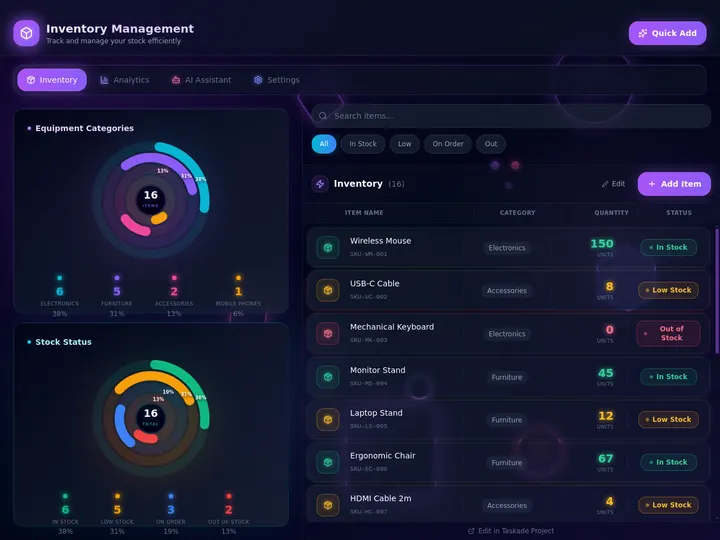
Updated July 2026. Inventory software should not lock you into a per-seat silo. Generate the tracker in Taskade Genesis, then run it as a live app, stock, SKUs, suppliers, and reorder points in a workspace you own and reshape. Cin7 and Katana lead on multi-channel forecasting, Sortly on mobile-first simplicity, and Zoho Inventory on free-tier value. But only Taskade Genesis turns inventory into an app you keep. Try Taskade Genesis free →
Try It Live: An Inventory App You Can Actually Run
Every other tool on this list hands you a configured account inside their product. This one hands you an app you own. The dashboard below was built from a single prompt in Taskade Genesis: it tracks stock on hand, SKUs, suppliers, and reorder points, fires a low-stock alert when a count drops below the threshold, and lets an agent start the reorder. Click it, clone it, and watch inventory stop being a spreadsheet you babysit.
Watch analytics, custom domains, and integrations come together on a live Taskade Genesis app:
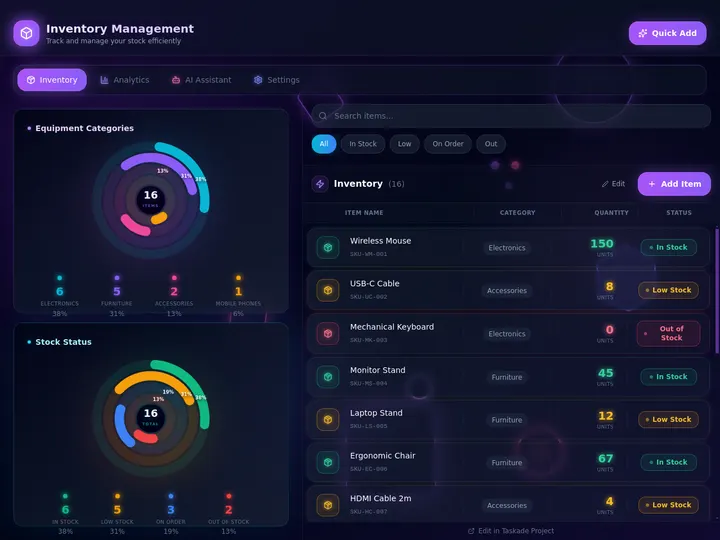
That is the difference the rest of this article is about, and you just watched it happen. A locked account ends at the notification. A running app carries the count all the way to the supplier, and it belongs to you the moment you click clone. Clone this dashboard and track your own stock →
Clone the Retail Stack: Three Live Apps, Yours in One Click
You do not have to start from a blank prompt. Three of the most-cloned apps in the Community Gallery already are the retail back office: the stock, the storefront, and the gear that keeps both running. Open one, clone it, swap in your own SKUs. The reorder logic arrives already wired.
| Live app | What it already does | Take it |
|---|---|---|
| Inventory Management Dashboard | Stock, low, reorder. | Clone it → |
| Simple Store Manager | Products, orders, revenue. | Clone it → |
| Maintenance Tracker Dashboard | Assets, schedules, downtime. | Clone it → |
Clone all three and you have a working retail operation, not three trials. The inventory app holds quantity on hand and the reorder point per SKU. The store manager holds the products those SKUs sell as, so a price change and a count change live in the same record instead of two systems that drift. The maintenance tracker holds the equipment, because a stockout and a broken chiller cost a retailer the same thing: a day of sales.
Here is what the clone already knows how to do the moment a count moves:
The run is bounded, and that is the point. The workflow walks the items currently below their reorder point, takes one pass per item, and finishes. It cannot call itself, so a bad Tuesday does not turn into forty duplicate purchase orders. You approve a draft instead of originating it, and the run ends whether or not you act. If you want the mechanics, how automations execute walks the whole path, and triggers covers what can start one.
Prefer to generate rather than clone? Build an inventory app from a prompt and describe the fields yourself. Either road ends in the same place: an app you own.
The Evolution of Inventory Software: From Ledger to Living App
Inventory software has moved through four eras, and 2026 is the start of the fifth. It began as a paper ledger and a clipboard count. It became a spreadsheet you updated by hand. It became cloud inventory software with barcode scanning and multi-channel sync. It became AI forecasting that predicts demand at the SKU level. And now, with Taskade Genesis, it becomes a living app, the tracker and the reorder automations around it, generated from one prompt. Each era kept the previous one's job and added a new one. The pattern is consistent: the count got smarter, but it stayed locked in a vendor's product. The 2026 shift is the first time the output stops being an account you rent and starts being an app you own.
Here is the whole arc, era by era:
Read the same arc as a milestone table, what changed, and what each era still left on the table:
| Era | What you tracked with | What you got | What it still couldn't do |
|---|---|---|---|
| Pre-2000 — Paper ledger | A clipboard and a pen | A count, once a week | No live stock level, no alerts |
| 2000–10 — Spreadsheets | A shared workbook | Formulas and a reorder column | Breaks at scale, no scanning |
| 2011–20 — Cloud inventory | Zoho, inFlow, Cin7 | Barcode scan, multi-channel sync | Account lives in their system |
| 2021–24 — AI forecasting | Cin7 ForesightAI, Katana | Demand prediction per SKU | Still a product you rent per seat |
| 2025–26 — Living app | Taskade Genesis | An owned app + reorder agent | — (this is the frontier) |
The plain-English takeaway: every era made the count more accurate or the forecast smarter. Only the 2026 era makes the tracker an app you own and reshape. That is the whole reason Taskade Genesis tops this list. It is built for the era the rest of the category is still catching up to. For the conceptual deep-dive on how prompt-to-app generation works, see our Genesis Loop explainer and the overview of Taskade Genesis.
What Is the Best AI Inventory Management Software in 2026?
Taskade Genesis is the best AI inventory management software in 2026 because it closes the loop between tracking stock and acting on it. Describe your items, SKUs, suppliers, locations, and reorder points in one prompt, and Taskade Genesis generates a live inventory dashboard. Then runs it as a working app with low-stock alerts, reorder automations, and an agent that watches the numbers. Every other tool on this list hands you a configured account inside their product; Taskade Genesis hands you an app you own, reshape, and clone for the next warehouse or product line.
The plain-English version: the inventory system that used to take an ops team to configure, someone to set up SKUs, someone to wire alerts, someone to chase reorders, gets generated and running in an afternoon. Taskade's first Enterprise customer — an IT program manager with no engineering team — built a production field-service dashboard on Taskade Genesis and put it this way: "What I accomplished in a few weeks would have taken a team of 40+ people 18 months in a Fortune 500." He didn't configure an account. He generated the app that runs the work.
Rent an Account vs. Own the App: Why a Locked Tracker Isn't Enough
Inventory software gives you a better account. An app generator gives you the thing the account was for, a stock system you control. That is the whole gap. Eight of the nine tools below hand you a configured product locked inside their platform. You pay per seat, you fit your business to their fields, and you can't reshape the system when your process changes. Taskade Genesis takes the same description and returns a working inventory app, with your fields, your reorder logic, and your automations. That you own, brand, and clone the same afternoon.
Here is the path inventory data actually travels when the tool doesn't stop at the account:
Most tools on this list live in the first two boxes. Taskade Genesis is the only one that carries inventory all the way to the last one, a system that reorders itself, not an account you maintain.
Side by side, the day a count drops below the reorder point looks like this:
  A RENTED ACCOUNT                        AN OWNED APP (Taskade Genesis)
  ──────────────────                      ──────────────────────
  [ you ] track stock                     [ you ] track stock
      │                                       │
      ▼                                       ▼
  count drops below reorder point         count drops below reorder point
      │                                       │
      ▼                                       ├─ agent flags the low-stock SKU
  a notification appears                      ├─ automation drafts the purchase order
      │                                       ├─ Shopify + QuickBooks stay in sync
      ▼                                       ▼
  you log in and reorder manually         the reorder runs itself
  (fit your process to their fields)      (reshape the app to your process)
The left column is where eight of these tools end. The right column is where the stockout never happens.
Why Acting on the Alert Is the Whole Game
The stock you can see is the stock you can control. A low-stock notification is only useful if something acts on it, yet most inventory tools stop at the alert and leave the reorder to a human who is busy. A stockout costs a sale; overstock ties up cash. The whole point of AI inventory software is to close that gap, predict the dip, fire the alert, and start the reorder before the shelf is empty.
That is the difference between software that tracks and software that acts. Every tool on this list can show you a stock level in 2026; tracking is a solved problem. The unsolved problem, the one that actually protects revenue, is everything that happens after the count drops. Taskade Genesis is built around that second half: the agent that watches the numbers, the automation that drafts the purchase order, and the reorder that runs without you. The count is table stakes. The reorder is the product.
How We Ranked
We ranked 9 AI inventory management tools on six criteria that matter to the person who has to keep stock in balance, not just see a number:
- Tracking depth: SKUs, barcodes, serials, locations, and how fast a count updates.
- AI forecasting, does it predict demand and suggest reorder quantities at the SKU level.
- What you keep, a rented account, or a live app you own and reshape.
- Automation & reorder, low-stock alerts plus something that acts on them automatically.
- Channels & integrations: Shopify, Amazon, QuickBooks, and multi-location sync.
- Pricing, free-tier generosity and cost at the annual price.
Scored against those six criteria, here is how the field stacks up at a glance, the column that separates the leader from the pack is "What you keep":
| Tool | Tracking | AI forecasting | What you keep | Reorder automation | Channels | Price value |
|---|---|---|---|---|---|---|
| Taskade Genesis | Custom fields | Agent-driven | Live app you own | Full + agent | 100+ integrations | Excellent (free) |
| Zoho Inventory | Strong | Add-on | Rented account | Reorder rules | Shopify, Amazon | Good (free tier) |
| Cin7 | Excellent | ForesightAI | Rented account | Auto-replenish | Multi-channel | Fair (high floor) |
| Katana | Strong (MRP) | Add-on | Rented account | Replenish recs | Shopify, Amazon | Fair |
| inFlow | Strong | Scale plan | Rented account | Reorder points | Multi-channel | Good |
| Sortly | Mobile-first | None | Rented account | Low-stock alerts | Limited | Excellent (free) |
| Fishbowl | Excellent (mfg) | Forecasting | Rented account | Auto-reorder | QuickBooks | Fair |
| Ordoro | Strong | Demand-based | Rented account | Auto-reorder | Multi-channel | Good |
| Lightspeed | Strong (retail) | Reorder points | Rented account | Reorder reports | POS + ecom | Fair (per location) |
The grid tells the story before you read a word of the reviews: most tools earn "Strong" or "Excellent" on tracking, then every single one stays a "Rented account" on what you keep, except the one that hands you a live app you own.
The 9 Best AI Inventory Management Software
1. Taskade Genesis: Best Overall: Generate the Tracker, Then Own the App
Taskade Genesis is the only tool on this list that generates an inventory tracker and runs it as a live app you own. Describe your items, SKUs, suppliers, locations, and reorder points in one prompt, and Taskade Genesis builds a complete inventory dashboard, quantity on hand, reorder point, supplier, cost, and location as fields you can sort, filter, and group. Then that same app runs the work: low-stock alerts when a count drops, reliable automation workflows that draft a purchase order, and an agent that watches the numbers and acts on them.
That is the structural gap in the whole category. Every competitor hands you a configured account locked in their product, priced per seat, with fields you can't change. Taskade Genesis hands you the app itself, your fields, your reorder logic, your automations, owned, brandable, and cloneable for the next warehouse. The inventory system that used to take an ops team to set up gets generated and running in an afternoon.
Taskade Genesis runs on 15+ frontier models from OpenAI, Anthropic, Google, and open-weight providers, so the app it builds fits your actual process, not a template. The workspace ships multiple project views — List, Board, Calendar, Table, Mind Map, Gantt, and Org Chart, with Timeline living inside Gantt rather than standing alone — so you watch stock on a Board, deadlines on a Calendar, and every SKU in a Table. A role model (Owner to Viewer) lets warehouse staff see only the count, while managers see costs. And 100+ bidirectional integrations, including a real Shopify integration, keep orders, stock, and accounting in sync, with triggers pulling order events in and actions pushing reorders out. Brand the app with your logo and a custom domain on Business and above.
Best for: Anyone, a single store, a multi-warehouse brand, or an ops team, who wants inventory to run itself, in an app they own and reshape.
Strengths: Only tool that turns inventory into an owned, reusable app; one prompt to a live dashboard; low-stock alerts plus reorder automations plus a stock-watching agent; multiple views; custom branding and domain; generous free tier.
Weaknesses: Not a dedicated barcode scanner or a turnkey ERP out of the box. You describe the fields and logic you want rather than picking from a fixed inventory template; deep manufacturing MRP lives in specialists like Katana and Fishbowl.
Pricing: Free (Free Forever plan), Pro $10/mo (the Popular tier), Business $25/mo, Max $100/mo, Enterprise $250/mo, all annual billing.
The catch: Honest one, if you need a pre-built, scan-and-go barcode app with nothing to configure, a dedicated tracker like Sortly is more turnkey on day one. Everything around the stock, alerts, reorders, agents, and ownership, is built into Taskade Genesis.
Verdict: The clear winner for anyone who wants an inventory system they own and reshape, not an account they rent per seat.
2. Zoho Inventory: Best Free-Tier Value for Small Sellers
Zoho Inventory is the small-seller value benchmark. Its free tier covers 50 orders a month with Amazon and eBay integration, purchase orders, and basic reporting, genuinely useful before you pay a cent. Paid plans start around $79/month and add multi-channel order management, deeper reporting, and tight links to the rest of the Zoho suite. For a small business already living in Zoho Books or CRM, the all-in-one fit is a real advantage.
Best for: Small and growing sellers who want a generous free tier and a path into a full business suite.
Strengths: Real free plan; Shopify, Amazon, and eBay sync; purchase orders and reorder rules; tight integration with Zoho's accounting and CRM.
Weaknesses: AI forecasting is light versus dedicated tools; the free tier's order cap is easy to outgrow; the suite is most valuable if you adopt the rest of Zoho.
Pricing: Free (50 orders/mo); Standard from around $79/mo, higher tiers above.
The catch: You get a configured account inside Zoho's product, not an app you own, reshape, or clone as your own system.
Verdict: Best if you want a free, capable tracker and you're happy inside the Zoho ecosystem.
3. Cin7: Best Multi-Channel Forecasting for Growing Brands
Cin7 is the multi-channel heavyweight. It connects ecommerce, retail, and wholesale into one inventory hub, handles stock allocation across channels, and layers in ForesightAI demand forecasting as an add-on. For a brand selling on Shopify, Amazon, and wholesale at once, Cin7's allocation and routing depth is genuinely strong and well beyond a simple tracker. The catch is the price floor and the configuration weight.
Best for: Growing multi-channel brands that need stock allocation and AI forecasting across many sales channels.
Strengths: Deep multi-channel inventory; ForesightAI demand forecasting; strong ecommerce and 3PL integrations; built for scale.
Weaknesses: High starting price; forecasting is a paid add-on; heavier to configure than a small-business tool.
Pricing: From around $349/mo (Standard, 5 users); Pro and Advanced run higher with order and integration caps.
The catch: It is a platform you rent per channel and per seat, powerful, but not an app you own or reshape outside Cin7.
Verdict: Best for multi-channel brands that need allocation plus AI forecasting and have the budget.
4. Katana: Best for Makers and Manufacturing Inventory
Katana is the maker and light-manufacturing favorite. It is a cloud MRP that tracks raw materials, work orders, and finished goods, with AI-powered demand forecasting available as an add-on that generates replenishment recommendations from sales trends and lead times. For a brand that makes what it sells, food, cosmetics, hardware, Katana's bill-of-materials and production tracking is a genuine strength a generic tracker can't match.
Best for: Makers and small manufacturers who track raw materials, production, and finished goods together.
Strengths: Real MRP with bill-of-materials; production and work-order tracking; AI replenishment recommendations; clean Shopify and accounting links.
Weaknesses: Manufacturing focus is overkill for pure resellers; forecasting is an add-on; pricing climbs with users.
Pricing: From around $359/mo (Standard, 3 users), rising with seats and add-ons.
The catch: Built around production, so a non-manufacturing seller pays for MRP depth they won't use, and it's still a rented account.
Verdict: Best if you manufacture what you sell and need materials, production, and stock in one system.
5. inFlow: Best Balanced Mid-Market Inventory
inFlow is the well-rounded mid-market pick. It covers barcode scanning, serial tracking, multi-location stock, purchase orders, and B2B showrooms in one tidy product, and its higher Scale plan adds forecasting and demand planning. For a small-to-mid business that wants real depth without enterprise complexity, inFlow hits a sweet spot, capable, learnable, and priced below the multi-channel giants.
Best for: Small-to-mid businesses that want barcode scanning, multi-location stock, and purchase orders in one balanced tool.
Strengths: Barcode and serial tracking; multi-location; purchase orders and reorder points; B2B showroom; forecasting on higher tiers.
Weaknesses: Advanced forecasting sits on the priciest plan; fewer native channel integrations than Cin7; UI is functional over flashy.
Pricing: From around $219/mo (Small Business, unlimited users); Scale plan around $729/mo adds forecasting.
The catch: A solid rented account. But the system lives in inFlow's product, not as an app you own and clone.
Verdict: Best for a mid-market business that wants balanced depth without enterprise weight.
6. Sortly: Best Mobile-First Visual Tracking
Sortly is the mobile-first simplicity leader. It is a visual item tracker built around photos, folders, and in-app barcode and QR scanning, with a free starter tier and paid plans that are easy to learn. For field teams, equipment tracking, and ultra-simple stockrooms, Sortly's phone-first design is a genuine advantage. You count by scanning, not by configuring an ERP. It is honest about its scope: a tracker, not a forecasting or order-fulfillment platform.
Best for: Field teams, equipment trackers, and small stockrooms that want simple, visual, phone-first inventory.
Strengths: Beautiful mobile app; photo-based items; in-app barcode and QR scanning; free starter tier; fast to learn.
Weaknesses: No demand forecasting or order fulfillment; limited ecommerce integrations; not built for multi-channel selling.
Pricing: Free starter tier; paid plans from around $49/mo (Advanced) to $149/mo (Ultra).
The catch: Deliberately simple, great for counting, but there's no AI reorder agent or reshapeable app behind it.
Verdict: Best if you want a clean, visual, mobile tracker and don't need forecasting or channel sync.
7. Fishbowl: Best QuickBooks-Native Warehouse and Manufacturing
Fishbowl is the QuickBooks-native warehouse veteran. It pairs deep warehouse and manufacturing inventory, work orders, bills of materials, multi-location, and auto-reorder, with tight QuickBooks integration that has made it a long-time SMB manufacturing staple. For a business already running QuickBooks that needs serious warehouse control, Fishbowl's accounting sync and manufacturing depth are real strengths.
Best for: QuickBooks-based businesses that need warehouse management and light manufacturing in one system.
Strengths: Deep warehouse and manufacturing features; strong QuickBooks integration; auto-reorder and work orders; multi-location.
Weaknesses: Interface feels dated next to cloud-native tools; setup is heavier; pricing is quote-based and not cheap.
Pricing: From around $329/mo (Online Warehouse, 2 users); manufacturing tiers higher.
The catch: Powerful but heavy, and tied to QuickBooks, a rented system, not an app you reshape on your own terms.
Verdict: Best for QuickBooks businesses that need warehouse and manufacturing depth in one place.
8. Ordoro: Best Multi-Channel Shipping Plus Inventory
Ordoro is the shipping-and-inventory combo. It auto-syncs stock across multiple sales channels, batches and discounts shipping labels, manages dropshipping and purchase orders, and offers demand-based reorder suggestions. For an ecommerce seller whose pain is fulfillment as much as stock, Ordoro's combined shipping and inventory in one tool is a genuine time-saver that a tracking-only platform doesn't address.
Best for: Ecommerce sellers who want multi-channel inventory and discounted shipping in one platform.
Strengths: Multi-channel stock sync; strong shipping and label discounts; dropshipping and purchase orders; demand-based reorder suggestions.
Weaknesses: Best value is the bundled shipping; forecasting is lighter than Cin7; smaller brand recognition.
Pricing: Free or low-cost inventory tier; paid plans scale with shipping volume and features.
The catch: The shipping bundle is the draw, but inventory still lives in Ordoro's account, not an app you own and clone.
Verdict: Best if shipping and inventory are one problem you want solved together.
9. Lightspeed Retail: Best POS-Integrated Retail Inventory
Lightspeed Retail is the POS-first retail pick. It bundles point-of-sale, inventory, and ecommerce so a brick-and-mortar or omnichannel store manages sales and stock in one system, with reorder points, purchase orders, and per-location tracking built in. For a retailer whose register and stockroom should be the same system, Lightspeed's POS depth and retail reporting are a real fit that a back-office-only tracker can't match.
Best for: Retailers and omnichannel stores that want POS, inventory, and ecommerce in one platform.
Strengths: Strong retail POS plus inventory; multi-location and ecommerce; reorder points and purchase orders; solid retail analytics.
Weaknesses: Priced per location and can climb; back-office inventory is less deep than Cin7 or Ordoro; AI forecasting is basic.
Pricing: Plans from around $109/mo (Basic) to $339/mo (Plus) per location; Enterprise custom.
The catch: A retail platform you rent per location, the register and stock are unified, but it isn't an app you reshape.
Verdict: Best for retailers who want the register and the stockroom to be one connected system.
Comparison Table: What You Keep and the Annual-Pricing Wedge
Feature matrices hide the one thing that actually decides the buy: what you walk away with. This table strips it down to the columns the rest of the category quietly skips, what you keep (a rented account or a live app you own), whether the reorder runs itself, and the annual price. This is where Taskade Genesis is the only green row.
| Tool | What you keep | Reorder runs itself | AI forecasting | Live cloneable app | Price (annual) |
|---|---|---|---|---|---|
| Taskade Genesis | Live app you own | Yes — agent + automation | Agent-driven | Yes — clone it | Free / $10 / $25 |
| Zoho Inventory | Rented account | Reorder rules | Light | No | Free / ~$79/mo |
| Cin7 | Rented account | Auto-replenish | ForesightAI (add-on) | No | ~$349/mo |
| Katana | Rented account | Replenish recs | Add-on | No | ~$359/mo |
| inFlow | Rented account | Reorder points | Scale plan | No | ~$219/mo |
| Sortly | Rented account | Alert only | None | No | Free / ~$49/mo |
| Fishbowl | Rented account | Auto-reorder | Yes | No | ~$329/mo |
| Ordoro | Rented account | Demand-based | Light | No | Free + paid |
| Lightspeed | Rented account | Reorder reports | Basic | No | ~$109/mo per location |
Read the rows top to bottom and the wedge is obvious: a rented account is where the others finish, and where Taskade Genesis is just getting started. On price, Taskade Genesis starts Free, then Pro $10 (the Popular tier), Business $25, Max $100, and Enterprise $250 per month billed annually, priced by workspace rather than per seat or per location, and every paid tier ships a live app you own. Most competitors sit at $79 to $349 per month for an account you rent. You are not paying for a prettier dashboard. You are paying for inventory that reorders itself.
Full Feature Matrix: Nine Tools, Eight Columns
This is the detailed grid the buyer's-guide pages bury or skip. It scores all nine tools on the eight capabilities that decide an inventory workflow, barcode/SKU tracking, AI forecasting, low-stock alerts, automated reorder, multi-location, Shopify/QuickBooks sync, an owned reusable app, and a free tier. Taskade Genesis is the only row that is "Yes" or "Native" across the ownership and automation columns.
| Tool | Barcode/SKU | AI forecasting | Low-stock alerts | Auto reorder | Multi-location | Shopify/QuickBooks | Owned reusable app | Free tier |
|---|---|---|---|---|---|---|---|---|
| Taskade Genesis | Custom fields | Agent-driven | Yes (+ agent) | Yes (automation) | Yes (multiple views) | Yes (100+ integrations) | Yes — clone it | Yes (Free Forever) |
| Zoho Inventory | Yes | Light | Yes | Reorder rules | Yes | Yes | No | Yes (50 orders) |
| Cin7 | Yes | ForesightAI | Yes | Auto-replenish | Yes | Yes | No | Trial only |
| Katana | Yes | Add-on | Yes | Replenish recs | Yes | Yes | No | Trial only |
| inFlow | Yes | Scale plan | Yes | Reorder points | Yes | Partial | No | Trial only |
| Sortly | Yes (mobile) | No | Yes | No | Yes | Limited | No | Yes |
| Fishbowl | Yes | Yes | Yes | Auto-reorder | Yes | QuickBooks | No | Trial only |
| Ordoro | Yes | Light | Yes | Demand-based | Yes | Yes | No | Yes (inventory tier) |
| Lightspeed | Yes | Basic | Yes | Reorder reports | Yes | Ecom + POS | No | Trial only |
The shape of the grid is the argument. Most tools earn a column of "Yes" on tracking and alerts, then go blank on an agent that acts and, every single one, on owning a reusable app. Taskade Genesis is the only tool that fills the right-hand columns, which is exactly where inventory stops being a chore and starts running itself.
Pricing Matrix: The Annual-Pricing Wedge, Tier by Tier
Most inventory-software pages quote a single "from" price and hide the per-seat or per-location math. Here is the honest annual-billing picture across the field, with what you actually keep at each price. Taskade Genesis is the only one with a real free tier and a flat per-workspace climb instead of per-seat or per-location math.
| Tool | Free tier | Entry (annual) | Mid tier | Top / Enterprise | What you keep |
|---|---|---|---|---|---|
| Taskade Genesis | Free Forever | Pro $10/mo ★ | Business $25 | Max $100 · Enterprise $250 | A live app you own + clone |
| Zoho Inventory | Yes (50 orders) | ~$79/mo | Higher tiers | Custom | A rented account |
| Cin7 | No | ~$349/mo | ~$599/mo | ~$999/mo+ | A multi-channel account |
| Katana | No | ~$359/mo | Rises with users | Custom | A rented MRP account |
| inFlow | No | ~$219/mo | ~$729/mo (Scale) | Custom | A rented account |
| Sortly | Yes (starter) | ~$49/mo | ~$149/mo (Ultra) | Custom | A rented tracker |
| Fishbowl | No | ~$329/mo | Rises with modules | Custom | A rented warehouse system |
| Ordoro | Yes (inventory) | Paid by volume | Scales with shipping | Custom | A rented account |
| Lightspeed | No | ~$109/mo per location | ~$339/mo per location | Custom | A rented retail platform |
The math is the message. Across the field you pay $79 to $349 per month, per seat or per location, and you walk away with an account you rent. Taskade Genesis starts free, climbs by workspace rather than by seat, and every paid tier ships a live, brandable, cloneable app. The Business tier at $25/mo adds the custom domain that makes the inventory app look like your own product.
Use-Case → Tool Matrix: Pick by What You're Actually Doing
Skip the feature war and start from your job. This matrix maps the most common inventory jobs to the tool that fits, and to the Taskade Genesis route that does the same job and hands you a live app you own afterward.
| Your job | Quick pick (account-first) | Taskade Genesis route (owned app) |
|---|---|---|
| Track a small stockroom for free | Zoho Inventory (free tier) | Build an inventory app |
| Count gear on your phone | Sortly (mobile-first) | Generate a SKU tracker |
| Sell across Shopify + Amazon | Cin7 (multi-channel) | Wire a Shopify sync |
| Manufacture what you sell | Katana (cloud MRP) | Build a materials + stock app |
| Run a QuickBooks warehouse | Fishbowl (QB-native) | Generate a warehouse app |
| Ship and stock in one tool | Ordoro (shipping + stock) | Build a fulfillment app |
| Run a retail register + stock | Lightspeed (POS + inventory) | Generate a store dashboard |
| Automate reorders end to end | inFlow (reorder points) | Wire a reorder agent |
The pattern reads in one glance: every row has a perfectly good account-first option, and a Taskade Genesis route that does the same job and leaves you with a live, reshapeable app instead of a rented login. That is the whole reason to start on the right-hand column.
Which Inventory Stack Fits You
Inventory is never the only thing you are running. A Shopify seller needs stock and invoices. A café needs stock and a booking sheet. A repair shop needs stock and a job board. The reason to own the app instead of renting the account is that the second thing is a clone away instead of a second subscription.
Find your row. Each stack is two or three live apps in one workspace, and each ends in an outcome you own rather than a chore you escape.
| You run | Your stack | What you end up owning |
|---|---|---|
| A Shopify store | Inventory app + storefront sync + invoice generator | A bestseller that never oversells, and an invoice that writes itself the moment the order clears |
| A café or small shop | Simple Store Manager + par-level counts + supplier list | Monday's order placed from Sunday's count, before anyone opens the walk-in |
| A repair shop | Parts inventory + job board + customer record | A job that never stalls waiting on a part nobody noticed was gone |
| A field-service crew | Maintenance Tracker + gear checkout + ops dashboard | Every asset accounted for at the end of the day, from a phone, in the van |
| A warehouse team | Multi-location stock + reconcile agent + reorder automation | One honest number per SKU per site, and a purchase order already drafted |
Read down the right-hand column and you will notice none of it is a feature. It is what Monday morning looks like when the system did its job overnight. That is also the argument for one workspace instead of five subscriptions: the same stock record feeds the invoice, the job board, and the reorder, so nothing has to be typed twice. It is the same idea as running the whole business in one app, applied to the part of the business that runs out.
From Prompt to Production: What You Can Actually Build
The fastest way to understand the gap is to look at what people ship. These are real outcome shapes, not features, that start from one prompt in Taskade Genesis and end as a running inventory app. Each is the kind of system that used to need an ops team to configure.
| Outcome you want | What you prompt | What you get to run |
|---|---|---|
| Track stock for one store | "Build an inventory tracker with SKU, quantity, reorder point, and supplier" | A live dashboard on multiple views with low-stock alerts |
| Never run out of a bestseller | "Add a low-stock automation that drafts a purchase order at the reorder point" | A reorder workflow that fires before the shelf is empty |
| Manage two warehouses | "Add a location field and a Board view per warehouse" | A multi-location app where an agent reconciles counts |
| Sync with my Shopify store | "Pull Shopify orders in and push stock updates back" | A Shopify-connected app that keeps channels aligned |
| Forecast demand by SKU | "Add an agent that flags items likely to run low next month" | A stock-watching agent that surfaces at-risk SKUs |
| Track equipment in the field | "Build a gear tracker with photos, location, and checkout status" | A mobile-friendly app your field team updates live |
| Report to a manager | "Add a dashboard view of low-stock items and reorder spend" | A shareable stock report on a custom domain |
Each of these is a clone away. The inventory dashboard above is the same idea ready to run, open it, clone it, and swap in your own SKUs, suppliers, and reorder points. That single click is the activation event the rest of this category never reaches.
Wiring inventory end to end, Shopify, QuickBooks, your shipping tool, happens through Taskade's 100+ bidirectional integrations, so the tracker isn't an island. Triggers pull order and stock events in; actions push reorders and updates out.
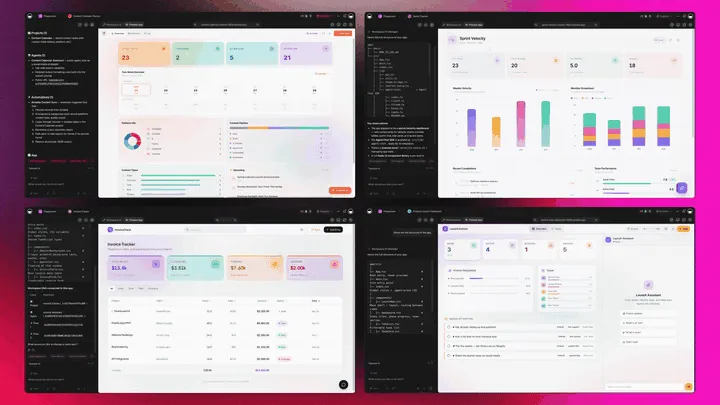
The Full Taskade Genesis Capability: What Inventory Software Looks Like When It's Actually a Platform
Inventory software that's really a platform doesn't just count stock. It runs the whole loop around it. Taskade Genesis generates the tracker as a live web app, then surrounds it with agents that watch the numbers, automations that reorder, and a workspace that remembers every stock pattern. Here is the capability slice that matters for inventory, told in plain language and shown in working product.
Taskade Genesis: Describe an Outcome, Get a Running App
This is the core move. You describe what you want in plain words, "an inventory tracker with SKUs, suppliers, reorder points, and a low-stock alert", and Taskade Genesis returns a real, running web app, not an account you configure. You can publish it, put it on a custom domain, and let others clone it with one click. Inventory stops being a vendor login and becomes a product you ship.
The loop, drawn out:
That dotted line back to the start is the part no rented account has: every stock pattern feeds the next forecast. Here is what's actually inside a Taskade Genesis inventory app, the layers a locked tracker can't carry:
  A GENESIS INVENTORY APP (one prompt builds all of this)
  ──────────────────────────────────────────────────────
  ┌─ STOCK TABLE ──────────────────────────────────┐
  │  SKU · qty on hand · reorder point · supplier   │   ← the count everyone else stops at
  ├─ VIEWS ────────────────────────────────────────┤
  │  Board by status · Calendar of deliveries       │   ← 7 views: Board, Table, Calendar...
  ├─ LOW-STOCK ALERTS ─────────────────────────────┤
  │  fires when qty < reorder point                 │   ← the moment that protects revenue
  ├─ REORDER AGENT ────────────────────────────────┤
  │  drafts the PO · 34 built-in tools              │   ← the teammate that restocks
  ├─ AUTOMATION ───────────────────────────────────┤
  │  Shopify sync · QuickBooks · Slack ping         │   ← 100+ bidirectional integrations
  └─ MEMORY ───────────────────────────────────────┘
     every stock cycle sharpens the next forecast      ← Workspace DNA, the compounding part
See the same inventory shape running live. This is the Inventory Management Dashboard app, generated from one prompt:
AI Agents v2: built-in tools and a Reorder Teammate
The stockout you avoid is usually the one an agent caught first. In Taskade, that someone is an agent. AI Agents v2 ship built-in tools, web search, code, file analysis, custom slash commands, plus persistent memory, multi-agent collaboration, public embedding, and multi-model routing. Point one at your inventory app and it watches counts, flags items likely to run low, suggests reorder quantities, and drafts the purchase order. Taskade EVE, the meta-agent, orchestrates the whole team from a single instruction. Start from a working one in custom agents, or give it more hands with agent tools.

Automation: Durable Workflows That Reorder for You
Behind the tracker sits reliable automation, workflows that branch, loop, and filter, and run dependably without you babysitting them. Wire 100+ bidirectional integrations so triggers pull stock events in (an order placed in Shopify, a count below the reorder point, a delivery received) and actions push the reorder out (draft a purchase order, update QuickBooks, post to Slack). The tracker isn't an island; it's one node in a workflow that runs itself. For the mechanics, see how automations execute.
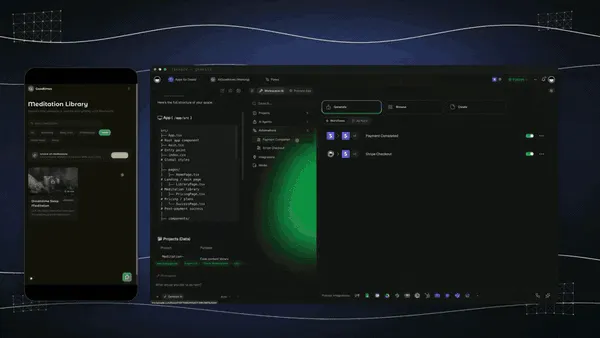
Multiple Project Views: See the Stockroom the Way You Think
Every inventory app comes with multiple project views, List, Board, Calendar, Table, Mind Map, Gantt, and Org Chart (the Timeline lives inside Gantt). Watch low-stock items move on a Board, see incoming deliveries on a Calendar, map suppliers on a Mind Map, and track every SKU in a Table. Warehouse staff see only the count you share; you see the whole operation. A locked tracker gives you one fixed layout.
Workspace DNA: Memory + Intelligence + Execution
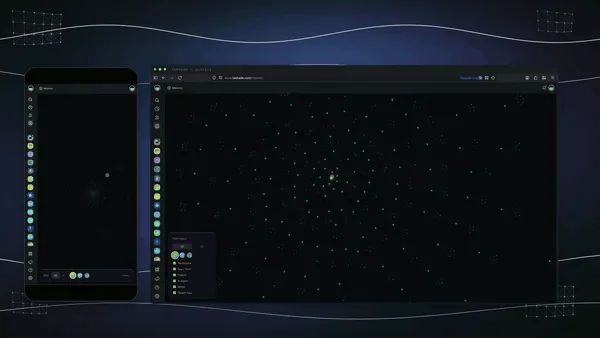
The reason the loop compounds is Workspace DNA, the self-reinforcing triad of Memory, Intelligence, and Execution (the ▲ ■ ● signature). Memory remembers your stock cycles and seasonality; Intelligence forecasts the next dip across 15+ frontier models from OpenAI, Anthropic, Google, and open-weight providers (auto-routed, no model-picking required); Execution reorders before you run out. Each stock cycle becomes Memory for the next forecast, the workspace gets sharper every season.
A Real Operator Already Runs On This
This isn't a roadmap promise. Taskade's first self-serve Enterprise customer — an IT program manager with no engineering team — built a production field-service dashboard on Taskade Genesis, a real, running app his team uses every day. His take: "What I accomplished in a few weeks would have taken a team of 40+ people 18 months in a Fortune 500." He didn't configure an account. He generated the app that runs the work, and the inventory app on this page is the same idea, ready for you to clone. Browse more live, cloneable apps in the Community Gallery, or start your own from free AI app builders.
Decision Flowchart: Which Inventory Tool for Your Job
The plain-English version: if you want inventory to run itself in an app you own, every road leads to Taskade Genesis. If you only need a fixed tracker for one niche, the specialist tools are fine.
Three Operators, One Platform: How the Same Tool Fits Different Jobs
The clearest way to see the difference is to watch three very different people use the same generator. Each starts with one prompt and ends with a running inventory app, not a rented login.
The Shopify Brand Owner
She sells across Shopify and Amazon and lives in fear of overselling a bestseller. She generates an inventory app, SKU, quantity on hand, reorder point, supplier, and channel, and wires a Shopify sync so orders pull stock down in real time. When a count drops below the reorder point, the reorder agent drafts a purchase order and pings her in Slack. The same app clones for her second product line in a click, so she never rebuilds from scratch. What used to be a spreadsheet and a panic is now a system that reorders before she runs out.
The Maker Running a Small Workshop
He turns raw materials into finished goods and needs both tracked. He generates an app with a materials table, a finished-goods table, and a simple bill-of-materials link, and an agent flags when a component is about to block production. Automations draft supplier orders when materials dip, and a Calendar view shows incoming deliveries against his build schedule. He doesn't need a heavyweight MRP and a tracker; one owned app covers materials, production, and stock, and reshapes when his process changes.
The Multi-Location Retailer
She runs three stores and a stockroom, and the hardest part is knowing where stock actually lives. She generates a multi-location app with a location field and a Board view per store, and an agent reconciles counts across sites and flags any mismatch each morning. Automations move stock requests between locations, and Workspace Memory remembers seasonal patterns so the next forecast starts smarter. When a manager asks for status, she shares one live view instead of stitching three logins together.
The thread across all three: same platform, same one-prompt start, three completely different jobs, and in every case the output is a living app the operator owns, not an account locked in a vendor's product.
How Inventory Moves Through a Taskade Workspace
Here is the path from a low count to a restocked shelf, end to end.
How to Build an Inventory System That Reorders Itself
Picking a tool is half the work; the other half is knowing what to brief it with. Four reliable patterns:
Set a Reorder Point per SKU, Not a Single Threshold
The fastest way to run out is one global reorder level. Different products sell at different speeds, so brief the generator with a reorder point per item based on how fast it moves and its lead time. A fast-mover with a long lead time needs a higher buffer than a slow, locally sourced item. Taskade Genesis builds the per-SKU field; you set the numbers.
Make the Alert Trigger an Action, Not Just a Notification
A low-stock alert that only notifies is a to-do you'll forget. Wire it so the count dropping below the reorder point triggers the reorder, an agent drafts the purchase order, an automation sends it, and you approve rather than originate. The deals you keep on the shelf are the ones the system reordered without waiting for you.
Track Location, Not Just Quantity
A single quantity number hides where stock lives. Add a location field so the same SKU is visible across warehouses, stores, and channels, and let an agent reconcile counts so a phantom stockout in one location doesn't trigger a wrong reorder. Knowing where is what turns a count into control.
Connect the Channels So Stock Stays Honest
Inventory drifts the moment your store and your tracker disagree. Connect Shopify, Amazon, and QuickBooks through the 100+ integrations so an order anywhere pulls stock down everywhere, and a reorder pushes back out. Honest, real-time stock across channels is the difference between confident selling and oversell refunds.
Inventory Jobs: What to Brief the Generator for Each One
"Inventory software" isn't one thing, a field-gear tracker and a multi-channel ecommerce system want completely different briefs. The advantage of a generator like Taskade Genesis is that all of them live in one workspace, so you brief once and reshape as you grow. Here is what each job actually needs.
| Inventory job | Brief it with | Watch out for | Build it |
|---|---|---|---|
| Single store | SKU, quantity, reorder point, supplier | One global threshold for all items | Build a tracker |
| Multi-location | Add a location field, a view per site | Phantom stockouts from unreconciled counts | Build a multi-site app |
| Ecommerce | Channel field, Shopify + Amazon sync | Overselling when channels drift | Wire a channel sync |
| Manufacturing | Materials table, finished goods, BOM link | A component blocking production unseen | Build a materials app |
| Field equipment | Photos, location, checkout status | Gear that leaves and never comes back | Build a gear tracker |
| Reorder automation | Per-SKU reorder point, supplier, lead time | An alert that notifies but never acts | Wire a reorder agent |
The plain-English rule across all six: set a reorder point per SKU, make the alert trigger an action, track where stock lives, and keep channels honest. Taskade Genesis builds the structure; you supply the specifics, and the app reorders itself. For step-by-step walkthroughs, the Genesis Loop explainer and the AI app builder guide cover the whole flow.
Where This Is Going: Our Vision for 2027 and Beyond
By 2027 the line between tracking inventory and running the system around it disappears entirely. Tools that stop at a count lose ground to platforms that generate the tracker and the forecast, the alert, and the reorder. Operators will ask of every inventory tool the question they're already starting to ask: what do I actually own when the season is over? The answer that wins is an app, not an account.
The deeper shift is the one Taskade is building toward: software you describe instead of rent. Today you generate an inventory app from a prompt. Tomorrow every operator runs their entire business as living, cloneable apps, the inventory app, the supplier app, the fulfillment app, the reporting app, each one described in plain words, each one owned, each one improving every time it's used. The workspace becomes the computer. You don't log into ten products; you describe ten outcomes, and the agents do the work.
The Enterprise customer's frame captures the size of it. What took "a team of 40+ people 18 months in a Fortune 500," he built in a few weeks, and what he built, you can clone in an afternoon. That is the inversion: the leverage that used to belong to a forty-person ops team belongs to one operator with a prompt. Multi-agent choreography is the engine. A single low-stock event kicks off a team of agents, one forecasts, one drafts the PO, one reconciles locations, one updates accounting, exactly the way Taskade's multi-agent collaboration already works today.
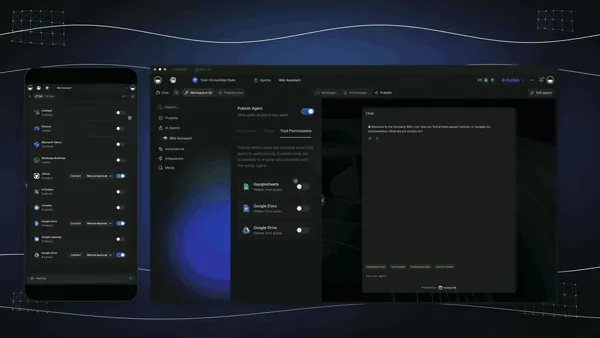
The roadmap from here is straight: more frontier models auto-routed behind the scenes, deeper agent memory so the workspace remembers every stock cycle, and a growing Community Gallery of buy-once-clone-many App Kits so you can start from a working inventory app instead of a blank page. The inventory tool that wins 2027 won't be the one with the most modules. It will be the one that hands you a system that reorders itself, and that you own.
As AI makes tracking and forecasting universal and commoditized, the durable advantage moves to the layer the rest of the category still skips: owning the running system, not renting the account. That is the lane Taskade has been building in since day one, Memory, Intelligence, and Execution in a single workspace, compounding with every stock cycle you run. For the broader context, see what AI agents are and the best AI workflow automation tools that move the data.
Related Reading
Connect the dots across our 2026 AI tooling coverage. Inventory is one node in a bigger operations system. These guides cover the apps, agents, and automations around it:
Run the operation end to end
- Best AI Workflow Automation Tools 2026, wire Shopify, QuickBooks, and reorders around your tracker
- Best AI CRM Software in 2026, pair inventory with the customers who buy it
- What Are AI Agents?, the reorder teammate that watches your stock
- Free AI App Builders, the broader category your inventory app belongs to
Build it yourself
- Taskade AI Apps, describe an outcome, get a running app
- Taskade AI Agents, the agent that flags low stock and drafts the reorder
- Taskade Automations, durable workflows that reorder for you
- How Automations Execute, the mechanics of the reorder workflow
- The Genesis Loop, how prompt-to-app-to-clone actually works
- Taskade Genesis Overview, start here, step by step
- Taskade Genesis, start building, free
Switching In: What It Takes to Move Your Inventory
Moving to an owned-app workflow is lighter than it sounds, because you don't migrate a database. You generate a fresh app from a prompt and bring your stock list with you. Three practical notes for the switch:
- Start with your live stock list, not a full migration. Generate one inventory app, import your current SKUs and counts, and run it alongside your old tool for a week. You don't have to cut over everything at once; you just stop fitting your process to a vendor's fields.
- Bring your reorder logic once. Set per-SKU reorder points and supplier details, and every clone of the app inherits the structure. The tracker stops being a fixed product and starts being a system you shape.
- Wire the channel sync first. Stock drifts fastest where your store and tracker disagree. Connect Shopify and QuickBooks early so counts stay honest from day one, and add forecasting and agents once the basics prove out.
- Keep your old tool for the one thing it does well. If you love a competitor's native barcode scanner or its POS, there's no rule against running it alongside Taskade Genesis at first, scan or sell there, track and reorder in Taskade Genesis, and consolidate once the workflow proves itself. Most operators find they stop opening the second tool within a month.
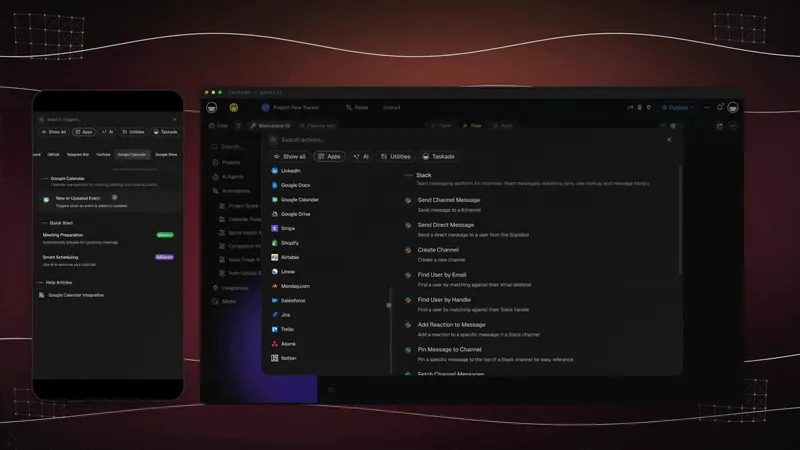
The whole switch fits in an afternoon: generate, import, sync, run. Compare that to standing up a seat-based inventory platform, mapping your data to their schema, and training a team, and you see why the free AI app builder path is the faster on-ramp.
Honest Answers to the Three Things You're Probably Wondering
A claim this clean, "generate the tracker, then run it as a live app you own", deserves a few straight answers before you commit. Here are the three objections worth raising, answered without spin.
"Isn't a dedicated inventory platform more capable than an app I generate?" For a few specialist jobs, yes, and that's honest. Katana's manufacturing MRP, Fishbowl's QuickBooks-native warehouse depth, and Cin7's multi-channel allocation are deep, mature systems. If your entire operation is one of those niches, a specialist may do that one thing better on day one. What Taskade Genesis gives you instead is an app you own across every workflow, inventory plus the supplier, fulfillment, and reporting apps around it, reshaped to your process, not a login you rent per seat.
"What about barcode scanning?" This is a fair gap to name. Sortly, inFlow, and Fishbowl ship polished, native barcode and QR scanners. In Taskade Genesis you add a barcode reference field and scan or update from mobile, which covers most stockrooms. But if your operation is high-volume scan-and-go warehousing where the scanner is the product, a dedicated tool is more turnkey there. Everything around the count, alerts, reorders, agents, and ownership, is built into Taskade Genesis.
"Is the free tier actually usable, or a teaser?" It's a real Free Forever plan. You generate an inventory app and keep it, with no export paywall. Most "free" inventory tools cap your orders (Zoho at 50/month), limit your items, or lock the data until you pay. With Taskade Genesis the app you generate on the free plan is yours to run, clone, and export. Free apps do show a small "Powered by Taskade" badge in the footer. The paid tiers (Pro $10, Business $25, both billed annually) remove it and add seats, the custom domain, and more horsepower — not the right to keep what you made.
The throughline: the leader isn't winning on a prettier dashboard. It's winning on everything around the count, the agent, the reorder, and the ownership, which is exactly where inventory stops being a chore and starts protecting revenue.
The Bottom Line in One Paragraph
If you only remember one thing: in 2026, AI made tracking and forecasting stock a solved problem, nine tools on this list do it well. The unsolved problem is owning the system that acts on the data, and that is where Taskade Genesis is the only tool that competes on the right battlefield. It generates the tracker and runs it as a live, branded app you own, with low-stock alerts, reorder automations, a stock-watching agent across multiple views, and 100+ integrations, free to start, $25/mo billed annually for a custom domain. Everyone else hands you an account you rent. Taskade Genesis hands you the app that reorders itself and stays ready to clone for the next warehouse.
Verdict
If you want a generous free tier inside a business suite, use Zoho Inventory. If you sell across many channels and need AI allocation, use Cin7. If you manufacture what you sell, use Katana for makers or Fishbowl for a QuickBooks warehouse. If you want a simple, visual, mobile-first tracker, use Sortly. If you want balanced mid-market depth, use inFlow. If shipping and stock are one problem, use Ordoro. If the register and the stockroom should be one system, use Lightspeed Retail. If you want an inventory system that reorders itself the moment you generate it, owned, brandable, and reshapeable to your process, use Taskade Genesis. Start free at /create, generate your first tracker, and run a working inventory app the same afternoon.
Stop renting an inventory account. Generate the app that reorders itself. Clone a live inventory dashboard app →, free, branded, and yours to reshape.
The inventory system that used to take an ops team, someone for SKUs, someone for alerts, someone to chase reorders, generated and running in an afternoon. That is Workspace DNA at work: Memory remembers your stock cycles, Intelligence forecasts the next dip, and Execution reorders before you run out. Every other tool on this list hands you a better account; only Taskade Genesis hands you the app that runs the work, and then keeps it, ready to clone for the next warehouse. Start free, ship a working inventory app today, and watch a low-stock count turn into a reorder on a board you actually own. ▲ ■ ●
FAQ
What is the best AI inventory management software in 2026?
Taskade Genesis is the best AI inventory management software in 2026 because it generates an inventory tracker and then runs it as a live app you own. Describe your stock, SKUs, suppliers, and reorder points in one prompt, and Taskade Genesis builds a working dashboard with low-stock alerts and reorder automations. Pricing starts free, then Pro $10/mo and Business $25/mo.
Is there a free inventory management software?
Yes. Taskade Genesis has a Free Forever plan that generates an inventory app and lets you keep it, with no export paywall. Zoho Inventory offers a free tier capped at 50 orders per month, Sortly has a free starter tier, and Square for Retail includes free POS inventory tracking. Most full platforms start at $59 to $349 per month once you outgrow the free tier.
Can AI predict stock levels and demand?
Yes. AI demand forecasting reads historical sales, seasonality, and lead times to project future demand at the SKU level, so you reorder before you run out. Cin7 ForesightAI and Katana add AI replenishment recommendations, and Taskade Genesis lets an agent watch stock data, surface low-stock items, suggest reorder quantities, and trigger a purchase order.
Does AI inventory software track barcodes and SKUs?
Yes. Sortly, inFlow, and Fishbowl include mobile barcode and QR scanning plus SKU and serial tracking for fast stock counts. In Taskade Genesis you generate an app with SKU, barcode reference, supplier, location, quantity on hand, and reorder point as columns in a Table view, then scan or update on mobile and watch the count change live.
Can inventory software send low-stock alerts?
Yes. Low-stock alerts fire when quantity on hand drops below a reorder point you set per item. Taskade Genesis wires this with reliable automation workflows, so a low-stock event triggers a Slack ping, an email, a reorder task, or a purchase order. Most tools send a notification; Taskade Genesis lets an agent act on the alert and start the reorder.
Can I manage multi-location inventory with AI?
Yes. Multi-location inventory tracks the same SKU across warehouses, stores, and channels so you always know where stock lives. Cin7, inFlow, Ordoro, and Lightspeed handle multi-channel allocation natively. In Taskade Genesis you add a location field and a Board or Table view per site, and an agent reconciles counts across locations and flags any mismatch.
Can inventory software connect to Shopify and QuickBooks?
Yes. Most platforms sync with Shopify, Amazon, and QuickBooks to keep stock and orders aligned. Taskade Genesis connects through 100+ bidirectional integrations, including a real Shopify integration, so triggers pull orders and stock changes in and actions push reorders, invoices, and updates out to your store and accounting tools.
Can I build a custom inventory app with AI?
Yes. Taskade Genesis builds a custom inventory app from one prompt. Describe the items, fields, suppliers, locations, and reorder logic you need, and Taskade Genesis generates a live app with multiple project views, low-stock automations, and an agent that monitors stock. Unlike a fixed product you rent per seat, the app is yours to reshape, brand, and clone for a second warehouse or product line.
Is my inventory data private and secure?
Yes. Your inventory app in Taskade Genesis runs on secure infrastructure with a role model, from Owner down to Viewer, so staff see only the stock view you share. You control who can edit counts and trigger reorders, and you keep cost data in a separate project shared only with the people who should see it, and on Business and above you can publish the app on a custom domain. The data is yours to export and own.
Should a small business or enterprise use AI inventory software?
Both. Small businesses want a free or low-cost tracker with barcode scanning and low-stock alerts, where Sortly, Zoho Inventory, Square, and Taskade Genesis fit well. Enterprises need multi-location, multi-channel, and ERP-grade forecasting, where Cin7, Brightpearl, and Lightspeed lead. Taskade Genesis spans both because you start free and reshape the same app as you grow.
Can AI automate reordering and purchase orders?
Yes. Automated reordering triggers a purchase order when stock hits a reorder point, using demand forecasts to set the quantity. Katana and Cin7 generate replenishment recommendations, and Taskade Genesis runs reliable automation workflows that watch the reorder point, draft the purchase order, and push it to the supplier, so you restock before a stockout instead of after.
Can I clone an inventory app instead of building it from scratch?
Yes. You can clone a live inventory management dashboard from the Taskade Community Gallery in one click, then swap in your own SKUs, suppliers, and reorder points. Cloning a working app is faster than configuring a blank inventory system and gives you the low-stock automations and reorder logic already wired up.
Do I own the inventory data if I stop paying?
Yes. The app you generate on the Free Forever plan is yours to run and export, with no export paywall. Free apps carry a small "Powered by Taskade" badge in the footer. Paid tiers remove it and add seats, a custom domain on Business $25/mo billed annually and above, and more horsepower. They do not add the right to keep what you made. Your SKUs, suppliers, counts, and reorder logic export on any plan, including free.
How does an automated reorder know when to stop?
A reorder automation in Taskade is a bounded run, not an open-ended agent. It walks the list of items currently below their reorder point, takes one pass per item, and finishes. A workflow cannot call itself, so a single low-stock event drafts one purchase order per SKU rather than cascading. You approve the draft instead of originating it, and the run ends whether or not you act. See how automations execute for the full path.
Can my storefront and my inventory share one database?
Yes. In Taskade Genesis a storefront app and an inventory app can read the same project, so a product record carries both the price shoppers see and the quantity on hand your team tracks. One update changes both. Two live examples you can clone today: the Simple Store Manager and the Inventory Management Dashboard.
How long does it take to get an inventory app running?
One prompt and an afternoon. Describe your items, SKUs, suppliers, locations, and reorder points, and Taskade Genesis returns a working dashboard across multiple project views with low-stock alerts already wired. Cloning is faster still: you swap in your own SKUs and reorder points and skip the blank page entirely. Start with your first app.