






The Automation Market Is Splitting in Two
The workflow automation market in 2026 is no longer one category. It has fractured into three distinct segments: traditional iPaaS platforms like Zapier and Make that connect apps with deterministic triggers, developer-first tools like n8n and Pipedream that give engineers full code access, and AI-native platforms like Taskade that combine autonomous agents with trigger-based workflows in a single workspace.
The split matters because traditional automation tools hit a ceiling. They excel at predictable, rules-based flows: "when a form is submitted, add a row to a spreadsheet." But they struggle with tasks that require judgment, context, and adaptation. When you need an AI agent to triage incoming support tickets, draft personalized responses, and escalate edge cases to a human — a linear Zap cannot do that.
This article tests and ranks 15 workflow automation tools across pricing, integrations, AI capabilities, and real-world use cases. We ran each tool through a standardized evaluation covering setup time, workflow complexity, error handling, and cost at scale.
TL;DR: Taskade is the only platform that unifies AI agents, trigger-based automations, and project management in one workspace — starting at $6/month with 100+ integrations and durable execution. Zapier leads for integration breadth (7,000+ apps). Make leads for visual complexity. n8n leads for self-hosted open-source. Start automating with Taskade for free.
Automation Landscape: Three Categories
Before diving into individual tools, here is how the 15 platforms map across the three automation categories.
▲ ■ ● Bidirectional: The Moat Nobody Else Builds
Zapier, Make, n8n, Workato, Tray — every automation incumbent sells "integrations" the same way: one-way glue between apps someone else owns. Taskade's automation layer is bidirectional by design. Triggers pull external events in. Actions push data out. And the workspace the workflow runs on is the same workspace that stores the result. That's a structural advantage you can't retrofit.
  External world            Taskade workspace
  ─────────────────         ──────────────────
  Slack message      ───▶   Trigger: Slack message received
  Stripe checkout    ───▶   Trigger: new payment
  Calendly booking   ───▶   Trigger: new booking
  Webhook            ───▶   Trigger: webhook
  Gmail email        ───▶   Trigger: inbox match
  Sheets row         ───▶   Trigger: new row                         ▼
                Workflow runs (Temporal-backed)
                - Branch / Loop / Filter / Delay
                - Agent Action (reason + decide)
                - Memory read/write
                         ▼
Action: Stripe checkout ───▶ Charge customer
Action: Shopify order ───▶ Fulfill order
Action: Notion sync ───▶ Update database
Action: Salesforce upsert ───▶ Update CRM
Action: GitHub PR ───▶ Open PR + branch
Action: Slack post ───▶ Notify team
Why bidirectional matters: reliability math
| Failure mode | Zapier / n8n / Make | Taskade Genesis (Temporal-backed) |
|---|---|---|
| Transient API timeout | Often silent fail | Automatic retry with exponential backoff |
| Duplicate event delivery | Often re-fires, corrupts state | Idempotency key dedupes |
| Long-running action (>5 min) | Cut or timeout | Runs to completion, survives worker restart |
| Operator restart mid-run | Orphaned executions | Resumes exactly where it left off |
| 10K operations / month | $200–$800 depending on tier | Included in plan + credit-bounded |
| Branch / loop / conditional | ~ Visual UI only | Full primitives: branch, loop, filter, delay |
| Agent step (LLM decision) | Bolt-on, external credit cost | Native: agent is a first-class action |
What ships on the surface vs under the hood
▲ ■ ●   MCP as BOTH client AND server (no rival in the listicle plays both sides)
▲ ■ ●   100+ bidirectional connectors (Stripe, Slack, GitHub, Shopify, Notion, Salesforce)
▲ ■ ●   Temporal-backed durable execution (retry, timeout, idempotency)
▲ ■ ●   Agent Action — the only automation tool where an LLM is a native step type
▲ ■ ●   7 project views of the same workflow state (List · Board · Calendar · Table · Mind Map · Gantt · Org Chart)
▲ ■ ●   Runs inside the same workspace that stores the result. One loop, not two tools.
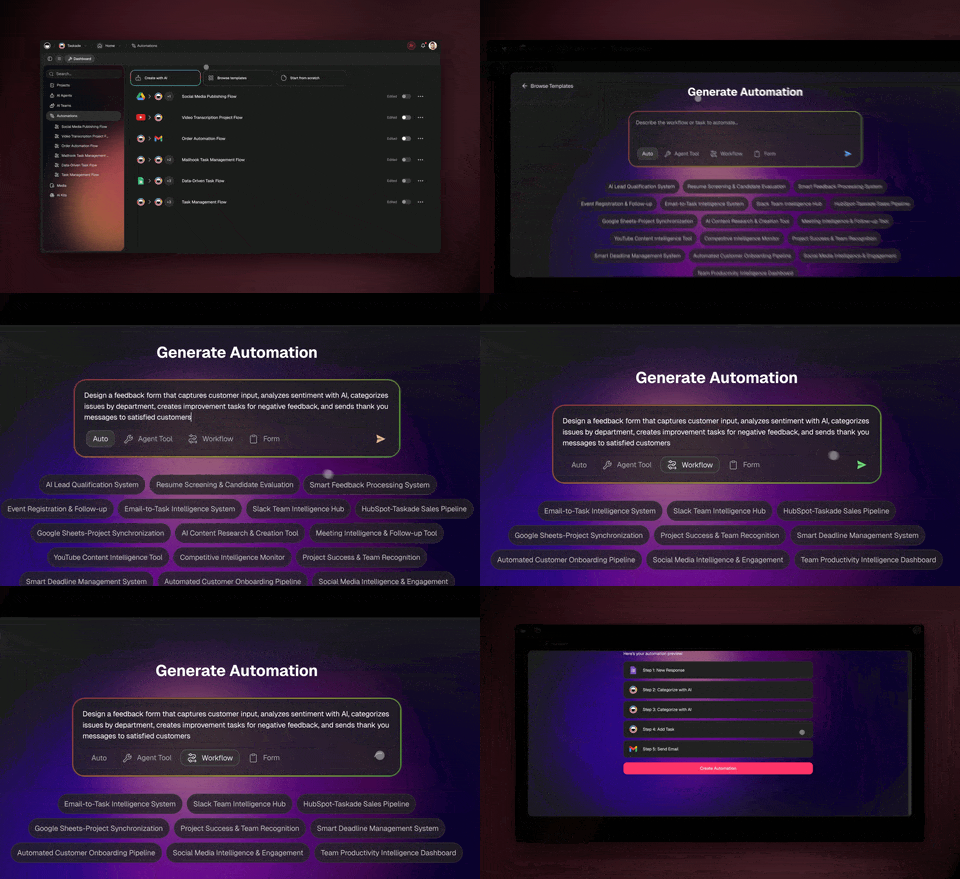
This is why Zapier keeps adding integrations and losing enterprise deals. The app-layer automation model tops out. The workspace-native model compounds. Companion reads: Durable Execution for AI Workflows, Execution Layer Thesis, Stop Worshipping Prompts, The 2026 Productivity Playbook.
Quick Comparison: 15 AI Workflow Automation Tools
| # | Tool | Starting Price | Integrations | AI Agents? | Best For |
|---|---|---|---|---|---|
| 1 | Taskade | $6/mo (annual) | 100+ | Yes (built-in) | AI-native teams that need agents + automations + projects |
| 2 | Zapier | $29.99/mo | 7,000+ | Limited (Chatbots beta) | Non-technical teams needing maximum app coverage |
| 3 | Make | $10.59/mo | 1,500+ | No (AI modules only) | Visual builders handling complex branching workflows |
| 4 | n8n | Free / $24/mo cloud | 400+ | Yes (LangChain nodes) | Developers who want self-hosted, open-source automation |
| 5 | Pipedream | Free tier | 2,000+ | No (code-level AI) | Developers building event-driven automations with code |
| 6 | Workato | Custom ($$$) | 1,200+ | Yes (Copilot) | Enterprise IT teams with compliance requirements |
| 7 | Power Automate | $15/user/mo | 500+ (Microsoft) | Yes (Copilot) | Microsoft-first organizations |
| 8 | Tray.io | Custom ($$$) | 500+ | No | Enterprise teams needing complex multi-step orchestration |
| 9 | Activepieces | Free (self-hosted) | 200+ | No | Teams wanting MIT-licensed open-source automation |
| 10 | Bardeen | Free tier | 100+ | Yes (browser AI) | Non-technical users automating browser-based tasks |
| 11 | IFTTT | Free tier | 800+ | No | Consumer IoT and simple single-trigger automations |
| 12 | Latenode | $17/mo | 300+ | Yes (AI nodes) | Low-code teams wanting affordable AI-enhanced automation |
| 13 | Albato | $19/mo | 300+ | No | Small businesses needing simple, affordable iPaaS |
| 14 | Lindy | $49.99/mo | 100+ | Yes (autonomous) | Solo professionals automating email, calendar, research |
| 15 | Boost.space | $48/mo | 80+ | No | Teams centralizing data across multiple platforms |
The 15 Best AI Workflow Automation Tools in 2026
Each tool below was evaluated on setup time, workflow complexity, error handling, pricing transparency, and AI capabilities. Pricing reflects annual billing where available.
1. Taskade — AI Agents + Automations + Projects in One Workspace
Taskade is the only platform that combines AI agents, trigger-based workflow automations, and structured project management inside a single workspace. Instead of stitching together separate tools for task management, agent orchestration, and workflow automation, Taskade unifies all three under one roof.
| Spec | Details |
|---|---|
| Pricing | Free / Starter $6/mo / Pro $16/mo / Business $40/mo (annual) |
| Integrations | 100+ across 10 categories (Salesforce, Notion, Slack, Google, Shopify, and more) |
| AI Agents | Yes — multi-agent systems with custom tools, 33 built-in tools, persistent memory |
What sets Taskade apart is the Workspace DNA architecture: Memory (your projects and knowledge) feeds Intelligence (AI agents that reason about your data), which triggers Execution (automations that act on agent outputs). This creates a self-reinforcing loop where every automation makes the workspace smarter.
Taskade automations use durable execution, meaning workflows survive crashes and restarts without losing progress. If a step fails at 3 AM, the workflow retries from exactly where it stopped. Combined with role-based access across 7 permission levels (Owner through Viewer), Taskade is built for teams that need both AI intelligence and operational reliability.
Strengths: Unified AI agents + automations + projects, flat-rate pricing (no per-operation charges), durable execution, 7 project views (List, Board, Calendar, Table, Mind Map, Gantt, Org Chart), 15+ frontier AI models from OpenAI, Anthropic, and Google.
Weaknesses: Fewer raw integrations than Zapier (100+ vs 7,000+). Best suited for teams ready to adopt AI-native workflows rather than pure point-to-point app connections.
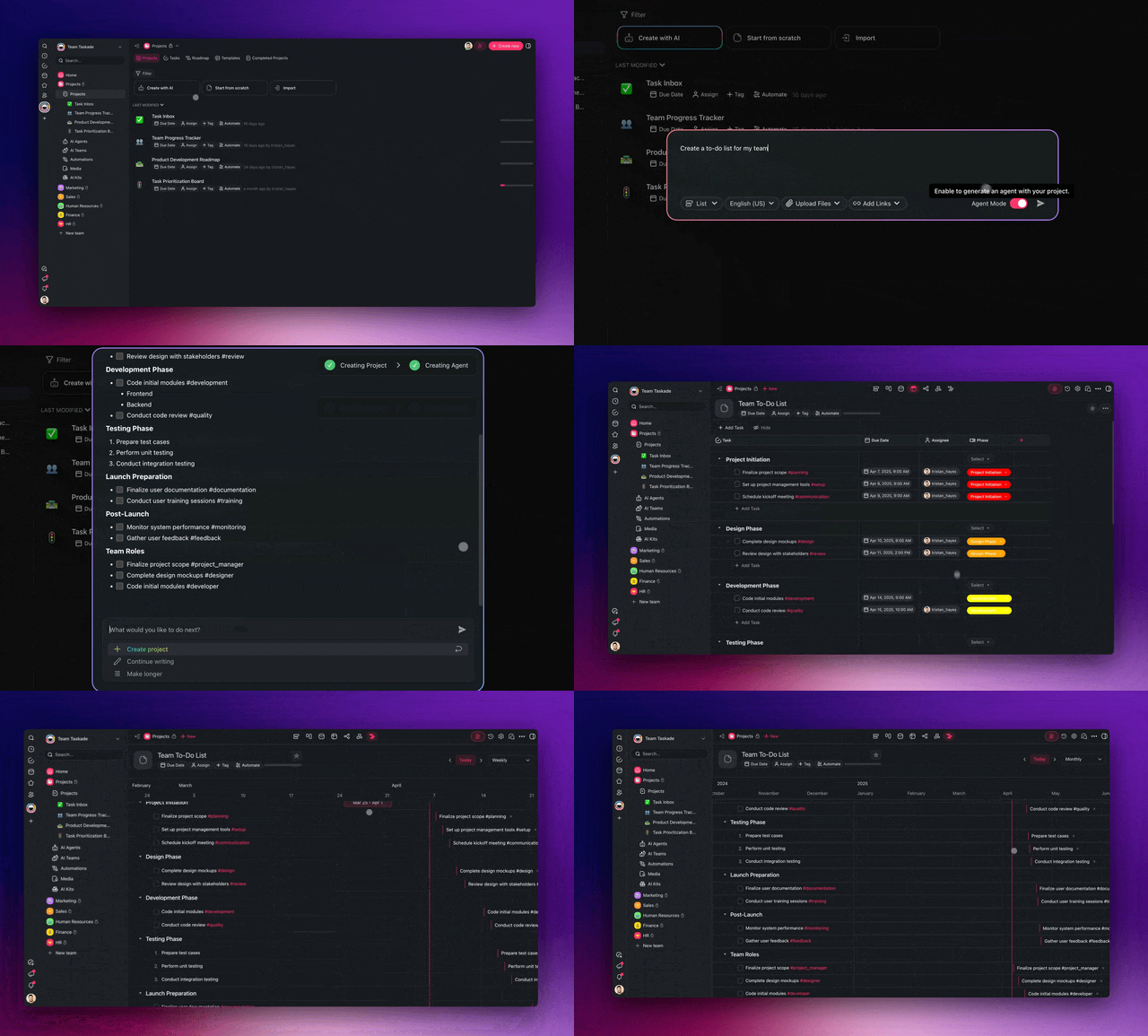
Start automating with Taskade for free.
2. Zapier — The Integration Volume Leader
Zapier dominates the automation market with 7,000+ app integrations and a workflow model that non-technical users can learn in minutes. Create a "Zap" by choosing a trigger app, an action app, and mapping fields between them.
| Spec | Details |
|---|---|
| Pricing | Free (100 tasks/mo) / Starter $29.99/mo / Professional $73.50/mo / Team $103.50/mo |
| Integrations | 7,000+ |
| AI Agents | Limited — Chatbots and AI actions, not autonomous agents |
Zapier's strength is breadth. If an app exists, Zapier probably connects to it. The Zap model — trigger, filter, action — is intuitive for linear workflows like "new Shopify order sends a Slack message and adds a HubSpot contact."
Strengths: Largest integration library, easy learning curve, reliable uptime, strong documentation, Tables for lightweight data storage.
Weaknesses: Per-task pricing gets expensive at scale ($29.99/mo for just 750 tasks). Linear workflow model struggles with branching logic. AI features are bolt-on modules, not native intelligence. No project management capabilities.
3. Make (formerly Integromat) — Visual Branching for Complex Workflows
Make takes a fundamentally different approach from Zapier. Instead of linear Zaps, Make uses a visual canvas where you drag, connect, and branch workflow modules. This makes it the go-to choice for complex scenarios with conditional routing, loops, and data transformation.
| Spec | Details |
|---|---|
| Pricing | Free (1,000 ops/mo) / Core $10.59/mo / Pro $18.82/mo / Teams $34.12/mo |
| Integrations | 1,500+ |
| AI Agents | No — AI modules for OpenAI/Anthropic API calls, but no autonomous agents |
Make scenarios can handle multi-branch logic that would require multiple Zaps in Zapier. The visual builder shows data flowing between modules in real-time, making debugging straightforward. Make also offers superior data transformation with built-in functions for text, math, dates, and arrays.
Strengths: Visual scenario builder, powerful data transformation, cost-effective per-operation pricing, real-time execution monitoring, good error handling with retry logic.
Weaknesses: Steeper learning curve than Zapier. Fewer integrations (1,500+ vs 7,000+). No AI agents or project management. Complex scenarios can become visually overwhelming.
4. n8n — Open-Source, Self-Hosted Automation
n8n is the leading open-source workflow automation platform, offering self-hosted deployment with no per-execution costs. For teams with technical resources, n8n provides the most control over data, infrastructure, and workflow logic.
| Spec | Details |
|---|---|
| Pricing | Free (self-hosted) / Starter $24/mo / Pro $60/mo (cloud) |
| Integrations | 400+ built-in nodes + community nodes |
| AI Agents | Yes — LangChain-powered AI agent nodes with tool calling and memory |
n8n's AI agent nodes, powered by LangChain under the hood, support RAG (retrieval-augmented generation), vector store integrations, and tool-calling for connecting AI to any n8n integration. The platform reached $40M ARR in 2025 with 150,000+ GitHub stars.
Strengths: Self-hosted (full data control), no per-execution fees, AI agent nodes with LangChain, active open-source community, fair-code license allows modification.
Weaknesses: Requires technical setup for self-hosting. Fair-code license (not OSI-approved open source) restricts commercial hosting. Cloud pricing adds up for teams. Fewer polished integrations than Zapier or Make. Security vulnerabilities in self-hosted deployments require active patching.
5. Pipedream — Developer-First Event-Driven Automation
Pipedream targets developers who want full code access inside their automations. Every workflow step can include custom JavaScript, Python, Go, or Bash code alongside pre-built integrations.
| Spec | Details |
|---|---|
| Pricing | Free (daily credits) / Basic $29/mo / Advanced $59/mo / Business $299/mo |
| Integrations | 2,000+ APIs with auth handled |
| AI Agents | No — code-level AI API calls, not autonomous agents |
Pipedream handles OAuth and API authentication for 2,000+ services, so developers skip the boilerplate and jump straight to business logic. The event-driven architecture supports webhooks, cron triggers, and email triggers out of the box.
Strengths: Full code access (JS/Python/Go/Bash), generous free tier, managed OAuth for 2,000+ APIs, version-controlled workflows, real-time event inspection.
Weaknesses: Requires coding skills. No visual builder for non-technical users. No AI agents. Free tier credits are daily-limited. Enterprise features are expensive ($299/mo+).
6. Workato — Enterprise Automation With Governance
Workato targets enterprise IT departments that need automation with compliance, governance, and audit trails. "Recipes" — Workato's term for workflows — support complex multi-step orchestration with built-in error handling.
| Spec | Details |
|---|---|
| Pricing | Custom enterprise pricing (typically $10,000+/year) |
| Integrations | 1,200+ |
| AI Agents | Yes — Workato Copilot for recipe building and troubleshooting |
Workato's strength is enterprise readiness: SOC 2 Type II compliance, HIPAA support, role-based access, environment management (dev/staging/production), and centralized recipe management for IT governance.
Strengths: Enterprise-grade security and compliance, IT governance tools, sophisticated error handling, Workato Copilot for AI-assisted recipe building, strong ERP and ITSM integrations.
Weaknesses: Expensive (enterprise pricing only). Not accessible for small teams or startups. Requires training for recipe-building. Overkill for simple automations.
7. Microsoft Power Automate — The Microsoft Ecosystem Play
Power Automate is Microsoft's automation platform, deeply embedded in the Microsoft 365 ecosystem. If your organization runs on Teams, SharePoint, Outlook, and Dynamics 365, Power Automate connects them with minimal friction.
| Spec | Details |
|---|---|
| Pricing | $15/user/mo (cloud flows) / $40/user/mo (with RPA) |
| Integrations | 500+ connectors (Microsoft-first) |
| AI Agents | Yes — Copilot for flow generation and AI Builder for document processing |
Power Automate supports both cloud-based flows (API automations) and desktop flows (RPA for legacy desktop applications). AI Builder adds pre-trained models for document processing, form extraction, and sentiment analysis.
Strengths: Deep Microsoft 365 integration, combined cloud + RPA capabilities, Copilot for natural language flow building, AI Builder for document processing, included in some M365 plans.
Weaknesses: Per-user pricing model is expensive for large teams. Non-Microsoft integrations are limited. Desktop flows (RPA) require Windows. Complex flow builder UI. Vendor lock-in to Microsoft ecosystem.
8. Tray.io — Enterprise Visual Orchestration
Tray.io positions itself as the enterprise integration platform for complex, multi-step workflows that connect SaaS applications, databases, and internal APIs. The visual builder supports branching, looping, and error handling at enterprise scale.
| Spec | Details |
|---|---|
| Pricing | Custom enterprise pricing (typically $600+/mo) |
| Integrations | 500+ connectors |
| AI Agents | No — pre-built automation without autonomous AI |
Tray.io excels at orchestrating complex business processes that span multiple departments and systems. The platform handles data transformation, conditional logic, and API abstraction in a single visual canvas.
Strengths: Enterprise-grade reliability, visual orchestration for complex workflows, strong API abstraction layer, dedicated customer success teams, SOC 2 compliance.
Weaknesses: Enterprise-only pricing (not accessible for SMBs). Steep learning curve. No AI agents. Fewer integrations than Zapier or Make. Requires onboarding with sales team.
9. Activepieces — MIT-Licensed Open-Source Automation
Activepieces is a fully open-source automation platform under the MIT license — the most permissive license in the automation space. Unlike n8n's fair-code model, Activepieces allows unrestricted commercial use, modification, and hosting.
| Spec | Details |
|---|---|
| Pricing | Free (self-hosted) / Cloud from $0 (limited) to $99/mo |
| Integrations | 200+ pieces (growing rapidly) |
| AI Agents | No — AI API pieces for OpenAI, Anthropic, but no autonomous agents |
The platform is growing fast, with an active community contributing new "pieces" (integrations). Activepieces is a strong choice for organizations that need full code ownership with no licensing restrictions.
Strengths: True MIT open-source license, self-hosted with no restrictions, clean modern UI, growing piece library, low resource requirements for self-hosting.
Weaknesses: Smaller integration library than competitors (200+ vs thousands). Younger platform with fewer enterprise features. No AI agents. Community support primarily through Discord.
10. Bardeen — Browser-Based AI Automation
Bardeen takes a different approach: automation lives in your browser as a Chrome extension. Instead of connecting APIs, Bardeen scrapes web pages, fills forms, and automates browser-based tasks with AI assistance.
| Spec | Details |
|---|---|
| Pricing | Free (limited) / Pro $10/mo / Business $15/user/mo |
| Integrations | 100+ web apps + browser scraping |
| AI Agents | Yes — browser AI that reads pages, extracts data, and takes actions |
Bardeen's AI can read a web page, understand its structure, and extract structured data without manual CSS selectors. This makes it accessible for non-technical users who need to automate repetitive browser tasks like lead research, data entry, and content gathering.
Strengths: No-code browser automation, AI-powered web scraping, Chrome extension (no infrastructure needed), good for lead generation workflows, affordable pricing.
Weaknesses: Browser-dependent (no server-side execution). Limited to Chrome. Scraping workflows break when websites change. Not suitable for enterprise-scale automation. Limited integration depth.
11. IFTTT — Simple Consumer Automation
IFTTT (If This Then That) is the original consumer automation platform, focused on simple single-trigger, single-action applets. It dominates in IoT (Internet of Things) automation — connecting smart home devices, fitness trackers, and consumer apps.
| Spec | Details |
|---|---|
| Pricing | Free (2 applets) / Pro $3.49/mo / Pro+ $14.99/mo |
| Integrations | 800+ services (strong IoT/consumer focus) |
| AI Agents | No |
IFTTT shines for personal automation: "When I leave the office (GPS trigger), turn off my smart lights and set my thermostat to eco mode." The applet model is intentionally simple — one trigger, one action.
Strengths: Simplest automation tool to use, strong IoT/smart home integrations, affordable, mobile-first experience, large consumer community.
Weaknesses: Single-trigger/single-action model (no branching, no multi-step). Not suitable for business automation. Limited data transformation. No AI capabilities. Pro+ required for multi-action applets.
12. Latenode — Low-Code AI-Enhanced Automation
Latenode combines a visual workflow builder with inline JavaScript nodes and AI integration at an affordable price point. It targets the gap between no-code simplicity and developer-level flexibility.
| Spec | Details |
|---|---|
| Pricing | Free (limited) / Starter $17/mo / Growth $47/mo / Prime $97/mo |
| Integrations | 300+ nodes |
| AI Agents | Yes — AI nodes for natural language processing, code generation, data analysis |
Latenode's AI integration allows workflow steps that use natural language to process, transform, and route data. The JavaScript nodes provide escape hatches for custom logic without leaving the visual builder.
Strengths: Affordable pricing, combined visual + code workflow building, AI-enhanced nodes, database nodes for persistent data, generous execution limits.
Weaknesses: Smaller integration library (300+). Younger platform with less documentation. AI nodes are API wrappers, not autonomous agents. Community is still growing.
13. Albato — Simple, Affordable iPaaS
Albato targets small businesses and solopreneurs who need basic app-to-app integration without the complexity or cost of enterprise tools. The interface is straightforward: pick a trigger app, pick an action app, map fields, activate.
| Spec | Details |
|---|---|
| Pricing | Free (limited) / Starter $19/mo / Business $49/mo / Company $99/mo |
| Integrations | 300+ |
| AI Agents | No |
Albato serves the budget-conscious segment well. For teams that need 5-10 simple integrations running reliably, Albato does the job at a fraction of Zapier's cost.
Strengths: Affordable pricing, simple UI, adequate for basic integrations, growing app library, straightforward setup process.
Weaknesses: Limited workflow complexity (basic linear flows). No AI capabilities. Smaller integration library. Limited error handling. Not suitable for complex enterprise workflows.
14. Lindy — AI-First Autonomous Agents
Lindy takes the AI-first approach to automation. Instead of building trigger-action workflows, you describe what you want in natural language and Lindy's AI agents handle the execution. The platform specializes in email, calendar, and research automation.
| Spec | Details |
|---|---|
| Pricing | Free trial / Pro $49.99/mo / Business $99.99/mo |
| Integrations | 100+ (email, calendar, CRM focused) |
| AI Agents | Yes — autonomous agents that reason, plan, and execute multi-step tasks |
Lindy agents can triage your inbox, draft responses matching your writing style, schedule meetings across time zones, and research topics by browsing the web. The agent-first model means less manual workflow configuration.
Strengths: True autonomous AI agents, natural language setup, strong email/calendar automation, meeting scheduling with context, research agent for data gathering.
Weaknesses: Higher starting price ($49.99/mo). Fewer integrations than traditional iPaaS. Agent behavior can be unpredictable for edge cases. Limited branching/conditional logic. Newer platform with less enterprise validation.
15. Boost.space — Data Centralization and Sync
Boost.space focuses on a specific automation problem: keeping data synchronized across multiple platforms. Instead of building workflow automations, Boost.space creates a centralized data layer that syncs contacts, products, orders, and other entities across your tools.
| Spec | Details |
|---|---|
| Pricing | Free (limited) / Starter $48/mo / Pro $96/mo / Business $198/mo |
| Integrations | 80+ platforms |
| AI Agents | No |
The data-centralization approach works well for e-commerce businesses and agencies managing product catalogs, customer databases, and inventory across Shopify, WooCommerce, HubSpot, and similar platforms.
Strengths: Data synchronization (not just event-driven automation), centralized data management, good for multi-platform e-commerce, bidirectional sync, data normalization.
Weaknesses: Expensive starting price ($48/mo). Limited to data sync use cases. Fewer integrations (80+). Not a general-purpose automation tool. No AI capabilities. Niche positioning limits flexibility.
Pricing Matrix: Monthly Cost at Scale
Per-operation pricing makes costs unpredictable. Here is what each tool costs at 1,000, 5,000, and 10,000 monthly operations (annual billing where available).
| Tool | 1K ops/mo | 5K ops/mo | 10K ops/mo | Pricing Model |
|---|---|---|---|---|
| Taskade | $6 | $6 | $6 | Flat-rate (unlimited automations) |
| Zapier | $29.99 | $73.50 | $73.50 | Per-task tiers |
| Make | $10.59 | $18.82 | $18.82 | Per-operation tiers |
| n8n (cloud) | $24 | $60 | $60 | Execution tiers |
| n8n (self-hosted) | $0* | $0* | $0* | Free (+ hosting costs) |
| Pipedream | $29 | $59 | $59 | Credit tiers |
| Workato | ~$833 | ~$833 | ~$833 | Enterprise (annual contract) |
| Power Automate | $15/user | $15/user | $15/user | Per-user flat |
| Tray.io | ~$600 | ~$600 | ~$600 | Enterprise (annual contract) |
| Activepieces | $0* | $0* | $49 | Self-hosted free / cloud tiers |
| Bardeen | $10 | $10 | $10 | Flat-rate per user |
| IFTTT | $3.49 | $14.99 | $14.99 | Applet tiers |
| Latenode | $17 | $47 | $97 | Execution tiers |
| Albato | $19 | $49 | $99 | Transaction tiers |
| Lindy | $49.99 | $49.99 | $99.99 | Agent tiers |
| Boost.space | $48 | $96 | $96 | Record tiers |
*Self-hosted tools have infrastructure costs (server, maintenance, monitoring) not included in this table.
Taskade's flat-rate pricing means your automation costs stay predictable regardless of volume. At 10,000 operations per month, Taskade costs $6 while Zapier costs $73.50 and Latenode costs $97.
Monthly Cost at 10K Operations: Top 6 Tools
Feature Matrix: What Each Tool Actually Supports
| Tool | AI Agents | Visual Builder | Self-Hosted | Branching | Durable Execution | RBAC | API Access | Free Tier |
|---|---|---|---|---|---|---|---|---|
| Taskade | Yes | Yes | No | Yes | Yes | 7-tier | Yes | Yes |
| Zapier | Limited | Yes | No | Limited | No | Team roles | Yes | Yes |
| Make | No | Yes | No | Yes | No | Team roles | Yes | Yes |
| n8n | Yes | Yes | Yes | Yes | No | Basic | Yes | Yes |
| Pipedream | No | No (code) | No | Yes | No | Team roles | Yes | Yes |
| Workato | Yes | Yes | No | Yes | Yes | Enterprise | Yes | No |
| Power Automate | Yes | Yes | No | Yes | No | Azure AD | Yes | No |
| Tray.io | No | Yes | No | Yes | No | Enterprise | Yes | No |
| Activepieces | No | Yes | Yes | Yes | No | Basic | Yes | Yes |
| Bardeen | Yes | Yes | No | Limited | No | Basic | No | Yes |
| IFTTT | No | Yes | No | No | No | None | Yes | Yes |
| Latenode | Yes | Yes | No | Yes | No | Basic | Yes | Yes |
| Albato | No | Yes | No | No | No | Basic | Yes | Yes |
| Lindy | Yes | No (AI) | No | Limited | No | Basic | Yes | No |
| Boost.space | No | Yes | No | Limited | No | Team roles | Yes | Yes |
Key takeaway: only Taskade and Workato offer both AI agents and durable execution. Taskade starts at $6/month. Workato starts at $10,000+/year.
How Taskade's AI Automation Works
Taskade Genesis approaches automation differently from every other tool on this list. Instead of connecting apps with rigid trigger-action pairs, Taskade builds on the Workspace DNA architecture — a self-reinforcing loop where Memory, Intelligence, and Execution work together.
Here is how this plays out in practice:
Trigger: A new Shopify order arrives, a Slack message mentions your team, or a scheduled time fires. Taskade supports 100+ integration triggers across communication, email, CRM, payments, development, productivity, content, data, storage, calendar, and e-commerce categories.
Intelligence: Instead of routing to a static action, the trigger can invoke an AI agent that reads the context, reasons about the appropriate response, and decides the next step. The agent has access to your entire project workspace — past decisions, customer history, team preferences — through persistent memory.
Action: The agent executes one or more actions: updating a project, sending a message, creating a task, triggering a downstream automation. Branching and looping logic handles conditional paths. The durable execution engine ensures nothing gets lost even if a step temporarily fails.
Memory: The output feeds back into the workspace as new project data, agent memory, or knowledge base entries. The next time a similar trigger fires, the agent has more context and makes better decisions.
This is the fundamental difference between Taskade and traditional iPaaS tools. Zapier and Make execute the same predefined steps every time. Taskade's AI agents learn, adapt, and improve with each execution cycle.
For teams building multi-agent systems, Taskade supports multiple agents collaborating on a single workflow — each with distinct roles, tools, and memory. A triage agent reads incoming requests, a research agent gathers data, and a response agent drafts the output. All within one workspace, orchestrated by automations.
Decision Framework: Which Tool Fits Your Team?
The right automation tool depends on your team's technical capabilities, scale, and whether you need AI intelligence inside your workflows.
Small Teams (2-10 people)
Choose Taskade if you want AI agents, project management, and automations in one platform at $6/month. The flat-rate pricing means costs stay predictable as you scale.
Choose Zapier if you need to connect 20+ different apps and your workflows are linear (trigger, filter, action). The 7,000+ integration library covers almost every SaaS tool.
Choose Make if your workflows have complex branching logic and you need visual debugging. Make's per-operation pricing is affordable at moderate volumes.
Enterprise Teams (50+ people)
Choose Taskade Business or Enterprise if you need AI-native automation with 7-tier role-based access, flat-rate pricing for unlimited automations, and a unified workspace for projects and agents. Contact the Taskade team for Enterprise SLA details.
Choose Workato if compliance is the top priority — SOC 2, HIPAA, IT governance, and audit trails. Expect $10,000+/year.
Choose Power Automate if your organization is already on Microsoft 365 and wants automation tightly integrated with Teams, SharePoint, and Dynamics 365.
Developer Teams
Choose n8n if you want self-hosted, open-source automation with AI agent nodes and LangChain integration. Zero per-execution costs if you host it yourself.
Choose Pipedream if you prefer writing JavaScript or Python inside your workflow steps with managed OAuth for 2,000+ APIs.
Choose Activepieces if you need true MIT-licensed open-source with no commercial restrictions.
Non-Technical Users
Choose Taskade if you want AI agents that handle reasoning and decision-making alongside simple trigger-action automations. The workspace interface is designed for non-engineers.
Choose IFTTT if your automation needs are simple (one trigger, one action) and focused on consumer apps and IoT devices.
Choose Bardeen if you primarily need to automate browser-based tasks like web scraping, form filling, and data extraction.
Common Automation Mistakes to Avoid
Before choosing a platform, learn from the mistakes that derail most automation projects.
Building too many single-purpose Zaps. Teams often create dozens of disconnected workflows — one for Slack notifications, one for CRM updates, one for email follow-ups. Each runs independently with no shared context. When the sales process changes, you update 15 separate workflows. A unified platform like Taskade keeps all automations in one workspace where agents share context and memory.
Ignoring failure modes. Most teams test automations on the happy path and skip error handling. What happens when the API returns a 500? When the webhook payload is malformed? When a rate limit kicks in at 2 AM? Durable execution (available in Taskade and Workato) handles retries automatically. On platforms without it, you need explicit error-handling branches.
Per-operation pricing traps. A workflow that runs 100 times/day seems affordable at $29.99/month. But add 5 more workflows, each with 3 steps, and you burn through 50,000 operations/month. On Zapier, that costs $448.50/month. On Taskade, it is still $6/month with flat-rate pricing.
Treating AI as a search-and-replace for logic. Bolting an OpenAI API call into a Make scenario does not make it AI-native. Real AI-native automation means the agent reasons about context, remembers past interactions, and adapts its behavior over time. Check whether the platform offers persistent agent memory — not just stateless API calls.
Skipping access controls. When your automation can modify CRM records, send customer emails, and update billing systems, you need granular permissions. Taskade's 7-tier role-based access (Owner, Maintainer, Editor, Commenter, Collaborator, Participant, Viewer) ensures the right people control the right automations. Most tools offer only basic team roles.
What To Look For in an AI Automation Tool
When evaluating workflow automation tools in 2026, focus on five criteria:
1. AI Agent Integration vs. AI Bolt-Ons. Some platforms (Taskade, Lindy) build AI agents into the core workflow engine. Others (Zapier, Make) bolt on AI modules as optional steps. Built-in agents reason about context and adapt. Bolt-on AI modules just call an API endpoint.
2. Pricing Model at Scale. Per-operation pricing (Zapier, Make) becomes expensive as your automation volume grows. Flat-rate pricing (Taskade) keeps costs predictable. Self-hosted (n8n, Activepieces) eliminates per-operation fees but adds infrastructure overhead.
3. Execution Reliability. Ask whether the platform supports durable execution — workflows that survive failures and retry from the exact point of failure. Taskade's durable execution engine and Workato both offer this. Most others use basic retry mechanisms.
4. Integration Depth vs. Breadth. Zapier has 7,000+ integrations but many are shallow (limited trigger/action options). Taskade has 100+ integrations with deeper action support across 10 categories. Consider what you actually need to connect, not just the total count.
5. Workspace Context. Standalone automation tools execute workflows in isolation. Taskade embeds automations inside your project workspace — your agents and automations have access to the same projects, documents, and knowledge base where your team actually works. This context-awareness is what separates AI-native automation from bolted-on AI features.
The Bottom Line
The automation tool you choose in 2026 depends on one question: do you need AI agents integrated with your workflows, or do you need maximum integration coverage?
If your workflows require reasoning, context, and adaptation — triaging support tickets, personalizing customer outreach, managing multi-step approval processes — then an AI-native platform like Taskade will save you from stitching together separate AI and automation tools. The Workspace DNA architecture means your agents and automations share the same context as your projects, documents, and team knowledge.
If your primary need is connecting 50+ different SaaS apps with simple trigger-action logic, Zapier's 7,000+ integration library remains unmatched. For developer teams that want full code control, n8n's self-hosted open-source model eliminates per-operation costs entirely.
For most teams building new workflows in 2026, the future is AI-native. Taskade Genesis combines the project workspace where your team already works with the AI agents that reason about your data and the automations that execute without human intervention. All starting at $6/month with flat-rate pricing.
Start building AI-powered automations with Taskade today.
Related Reading
Explore more about AI-native automation and agentic workflows:
- Automate with Taskade — Set up your first automation with 100+ integrations
- AI Agents — Build custom AI agents with 33 built-in tools
- Integrations — Browse all 100+ integrations by category
- What is n8n? Complete History — Deep dive into n8n's journey from side project to $2.5B valuation
- Agentic Workspaces — How Workspace DNA connects Memory, Intelligence, and Execution
- Multi-Agent Systems — Build AI teams that collaborate on complex tasks
- Agentic Engineering Without Code — No-code guide to building multi-agent systems
- Community Gallery — Browse 150,000+ apps built with Taskade Genesis
- AI Apps — Build live dashboards, portals, and forms from prompts
- Learn: Automation Triggers — Step-by-step guide to setting up automation triggers
- Learn: Custom Agents — How to build and configure custom AI agents
- Pricing — Compare Taskade plans starting at $6/month
Frequently Asked Questions
What is the best AI workflow automation tool in 2026?
Taskade leads for AI-native workflow automation, combining AI agents with 100+ integrations and durable execution in one workspace from $6/month. Zapier leads for volume and breadth with 7,000+ app integrations. Make leads for visual complexity. n8n leads for self-hosted open-source. The right choice depends on whether you need AI agents integrated with your automations.
What is the best free Zapier alternative?
n8n is the best free self-hosted Zapier alternative with unlimited workflows. Taskade offers a free tier with AI agents and basic automations included. Make offers a free plan with 1,000 operations per month. Pipedream offers a generous free tier for developers. For AI-native automation, Taskade Free is the strongest starting point.
Can AI agents replace Zapier?
AI agents complement traditional automation tools. Zapier excels at deterministic if-this-then-that workflows. AI agents handle tasks requiring judgment, context, and adaptation. Taskade combines both — trigger-based automations for predictable workflows and AI agents for tasks requiring reasoning. Most teams will use both patterns.
What is the difference between Zapier and Make?
Zapier prioritizes simplicity with linear workflows (Zaps) and 7,000+ integrations. Make prioritizes flexibility with visual branching workflows and data transformation. Zapier is easier to learn. Make handles complex multi-step scenarios better. Both charge per operation. Taskade charges flat-rate with unlimited automations on paid plans.
How much do workflow automation tools cost?
Prices range from free to $750+/month. Taskade starts at $6/month with AI agents included. Zapier starts at $29.99/month for 750 tasks. Make starts at $10.59/month for 10,000 operations. n8n is free self-hosted or $24/month cloud. Most tools charge per execution, making costs unpredictable at scale.
What is durable execution in workflow automation?
Durable execution means workflows survive crashes, restarts, and failures without losing progress. If a step fails, the workflow retries from exactly where it stopped instead of restarting from scratch. Taskade uses durable execution for all automations, ensuring reliability for mission-critical workflows. Traditional tools like Zapier and Make use simpler retry mechanisms.
Can I automate workflows without coding?
Yes. Taskade, Zapier, Make, and IFTTT all offer no-code workflow builders. Taskade adds AI agents that can reason about tasks, not just execute predefined steps. For developer-oriented automation, n8n, Pipedream, and Activepieces offer code-first approaches with visual editors.
What integrations do AI automation tools support?
Zapier leads with 7,000+ integrations. Make supports 1,500+. Taskade supports 100+ integrations across 10 categories including communication, email, CRM, payments, development, and e-commerce — with recent additions of Salesforce and Notion. n8n supports 400+ through community nodes.