






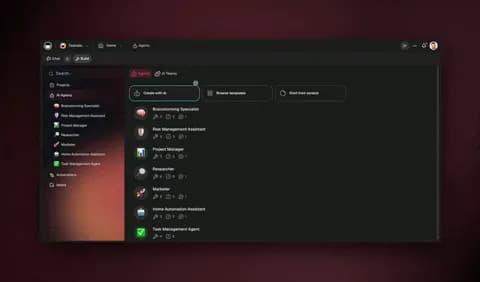
AI agents let a five-person startup run like a twenty-person team — by handing the four functions that eat the most founder time (support, sales, ops, and research) to software that reasons, plans, and acts on its own. By Q1 2026, Gartner reports that 80% of new enterprise apps embed at least one AI agent, so this is no longer an edge play. It is the default way lean teams build. The fastest path is to stop hiring for every gap and instead describe the role you need — then let an agent fill it, with persistent memory, built-in tools, and the ability to collaborate with other agents as a team.
TL;DR: AI agents are the lean-team multiplier of 2026 — 80% of new enterprise apps now embed at least one agent. Give agents your support, sales, ops, and research, and a 5-person startup covers the work of 20. Describe the role and let Taskade Genesis build the agent, database, and automations. Clone the working startup app below →
This is not the agency playbook and it is not the small-business playbook. If you run a studio billing many clients, read AI agents for agencies — that one is about multiplying billable delivery across accounts. If you run a local shop, read automate your small business — that one is about replacing manual back-office work. This guide is the startup-specific lean-team playbook. It shows you which four agents to build first, in what order, and how they collaborate so your founding team operates like a company twice its size.
See it live — clone a startup operations app
You do not have to imagine this. The app below was built from a single prompt and runs in your browser right now. Clone it in about 30 seconds and it lands in your own workspace with the support, sales, ops, and research agents already wired together.
That is the whole point of agentic startups: the output is not a slide deck of "AI strategy," it is software that runs the function. You describe the role, and you get a real app with a database, AI agents, and automations — no canvas to wire, no server to host. Browse more cloneable startup apps or start your own from a prompt.
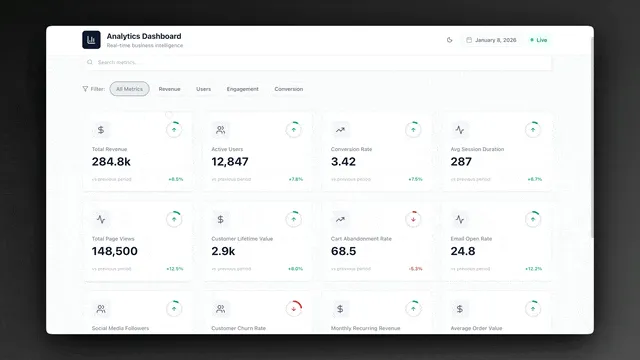
What does it mean to run a startup on AI agents?
Running a startup on AI agents means assigning each internal function to software that reasons instead of hiring a person for every gap. By Q1 2026, 80% of new enterprise apps embed at least one AI agent, according to Gartner — agents have crossed from novelty to infrastructure. An AI agent sets a goal, plans the steps, uses tools, evaluates the result, and adjusts on its own. That is the line between a chatbot and an agent: a chatbot answers one message; an agent owns the whole job until it is done.
For a startup, the math is brutal and simple. You have more functions than people. A five-person team still needs support coverage, sales follow-up, operational hygiene, and market awareness — four jobs that would normally take four hires. AI agents let you cover those functions today, with the people you already have, and reserve hiring for the roles where human judgment is the product.
Here is the difference in one picture. A solo founder doing everything is a bottleneck. A founder directing a team of agents is a multiplier.
The shift is not "use AI to write faster." It is org-design at zero marginal headcount cost. You design the roles, the agents fill them, and you scale the team without scaling payroll. Learn the fundamentals on the AI agents hub or read the AI agents explained primer if the concept is new to you.
How does a 5-person startup run like a team of 20?
A five-person startup runs like a team of 20 by giving AI agents the four highest-frequency functions — support, sales, ops, and research — so each founder covers a role plus an agent-run function. The 80% enterprise-adoption figure from Gartner reflects exactly this: teams are not replacing people, they are extending each person with an agent that handles the repeatable share of a job. One human plus one agent reliably covers what used to take two to four people.
The trick is to map functions to agents, not tasks to prompts. A prompt writes one email. An agent owns the entire sales-follow-up function — reading new leads, enriching them, scoring them, drafting outreach, logging the result, and escalating the hot ones. Here is how a lean founding team maps to a 20-person-equivalent agent org.
| Founder owns | Agent covers | 20-person-team equivalent |
|---|---|---|
| Product & engineering | Support triage agent | 4 support reps |
| Growth & GTM | Sales follow-up agent | 3 SDRs |
| Operations | Onboarding ops agent | 3 ops coordinators |
| Founder/CEO | Competitor research agent | 2 analysts |
| Design & brand | Content repurposing agent | 3 marketers |
Each row is one human directing one agent that does the work of several people. The agents are not islands — they share one workspace, so a fact the research agent learns is instantly available to the sales agent. That shared memory is the difference between five disconnected tools and one operating company. See the pattern in action across the Community Gallery or start building on Taskade Genesis.
To make the multiplier concrete, look at the hours. The work that eats a founder's week is rarely the high-judgment 20% — it is the repetitive 80% that any agent can own. Here is roughly where the time goes for a five-person team before and after handing the four functions to agents.
| Function | Founder hours/week before | Agent owns | Founder hours/week after | Reclaimed |
|---|---|---|---|---|
| Support triage + replies | ~10 | Read, draft, tag, escalate | ~2 (approvals) | ~8 |
| Sales follow-up + enrichment | ~8 | Enrich, score, draft, log | ~2 (hot-lead calls) | ~6 |
| Onboarding + recurring ops | ~6 | Run checklist, chase blockers | ~1 (exceptions) | ~5 |
| Competitor + market research | ~4 | Monitor, summarize, feed team | ~0.5 (review) | ~3.5 |
| Total | ~28 hrs | — | ~5.5 hrs | ~22.5 hrs |
That is more than a half-week of founder time returned per person, redirected from operational drag back to product and customers. Multiply across a five-person team and the lean startup is suddenly operating with the throughput of a company several times its size — which is exactly the shape behind the Gartner 80% adoption figure. The agents do not replace judgment; they clear the runway so the humans spend their hours where judgment is the product.
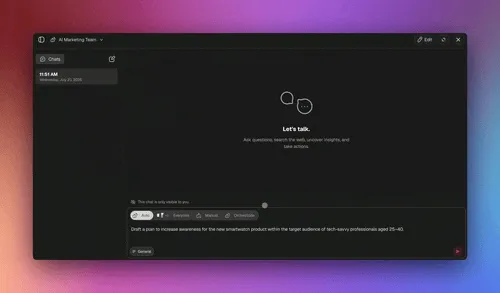
The four agents every startup should build first
The four agents every lean startup should build first are a support agent, a sales agent, an ops agent, and a research agent — in that order, because that is the order in which work interrupts a founder. Build one, measure the hours it saves, then add the next. By the time the fourth agent is live, your five people are covering the operational surface of a team four times their size, and Gartner's 80% adoption benchmark stops being a statistic and becomes your org chart.
Here is the build order and what each agent owns.
┌─────────────────────────────────────────────────────────────┐
│           STARTUP AGENT BUILD ORDER (week by week)           │
├──────────┬──────────────────────┬───────────────────────────┤
│  WEEK 1  │  SUPPORT AGENT       │  Triage tickets, draft     │
│          │  (stop the           │  replies from docs, tag,   │
│          │   interruptions)     │  escalate hard cases       │
├──────────┼──────────────────────┼───────────────────────────┤
│  WEEK 2  │  SALES AGENT         │  Enrich leads, score,      │
│          │  (never drop a       │  follow up, log to CRM,    │
│          │   lead again)        │  flag hot prospects        │
├──────────┼──────────────────────┼───────────────────────────┤
│  WEEK 3  │  OPS AGENT           │  Run onboarding checklist, │
│          │  (make the           │  chase blockers, update    │
│          │   machine hum)       │  status, file recurring    │
├──────────┼──────────────────────┼───────────────────────────┤
│  WEEK 4  │  RESEARCH AGENT      │  Monitor competitors,      │
│          │  (see around         │  summarize, feed sales +   │
│          │   corners)           │  product with intel        │
└──────────┴──────────────────────┴───────────────────────────┘
   By week 5: 4 agents live, 5 humans operating like 20.
1. The support agent — stop the interruptions first
Build the support agent first because customer questions are the single biggest source of founder context-switching. A support agent reads each incoming ticket, searches your help docs, drafts a reply in your tone, tags the issue, updates your tracker, and only escalates the genuinely hard cases. Founders who deploy a support agent first report the largest immediate reclaim of deep-work time, because the inbox stops pulling them out of product work every few minutes.
In Taskade Genesis the support agent ships with built-in tools — web search, file analysis, and document lookup among them — and carries persistent memory so it learns your product and common answers over time. Wire it to your inbox and help center through the 100+ integrations, and pair it with a Calendar or Board view so the escalations land in front of a human. Step-by-step setup lives in custom agents on Learn.
The difference between a chatbot and an agent is easiest to see as a state machine. A chatbot has one state — reply — and then stops. A support agent runs a loop: read, plan, use a tool, check the result, and either resolve, escalate, or try again. That loop is what lets it close a ticket end to end instead of handing the founder a half-answer.
2. The sales agent — never drop a lead again
Build the sales agent second because dropped leads are the most expensive silent failure at an early startup. A sales agent reads a new lead the moment a form is filled, enriches it, scores it against your ideal-customer profile, drafts a personalized follow-up, logs it to your CRM, and flags the hottest prospects for a human call. One sales agent reliably covers the lead-handling work of three SDRs because it never sleeps and never forgets to follow up.
This is where bidirectional integrations earn their keep. Triggers pull the new lead in from your form or ads, and actions push the enriched, scored, contacted lead back out to your CRM — all in one continuous run. Read the automation hub for the mechanics, or learn the building blocks in triggers and actions.
3. The ops agent — make the machine hum
Build the ops agent third to keep onboarding, renewals, and recurring tasks from slipping through the cracks. An ops agent runs each customer's onboarding checklist, chases blockers, updates status, and files the recurring weekly and monthly work that no founder remembers to do. It is the operational hygiene that normally requires a coordinator or two — handled by an agent that treats the checklist as a goal, not a static list.
The ops agent thrives on structure, which is why it lives best inside a real project with the right view for the job — a Board for pipeline, a Table for the customer database, or a Gantt for onboarding timelines. Connect it to your tools through the integrations and let it run the back office while you build the front.
4. The research agent — see around corners
Build the research agent fourth to turn market awareness from a quarterly scramble into a continuous feed. A research agent monitors your competitors, summarizes pricing and positioning changes, watches your category, and pipes the intel straight to your sales and product work. Because it shares memory with the other agents, the moment it learns a competitor dropped a price, your sales agent can reference it in the next follow-up.
This is the agent that makes the team feel like 20 instead of five — it gives a founding team the situational awareness a much larger company gets from a dedicated analyst function. Ground it in the AI agents hub and see how research feeds the rest of the loop in the multi-agent collaboration guide.
How AI agents collaborate as a team
AI agents collaborate as a team by handing work to each other through a shared workspace memory, the same way a real founding team passes context across desks. In Taskade Genesis, multi-agent collaboration is native — a research agent gathers facts, a writer agent drafts from them, a support agent answers from those same docs, and a sales agent personalizes outreach with the research. Because all four read and write to one workspace, a fact one agent learns is instantly available to the others, which is the mechanism that lets five people cover the surface of twenty.
Here is the handoff loop that turns four separate agents into one operating team.
The key is that this is not four chatbots in four tabs. It is one workspace where Memory (your projects and docs), Intelligence (your agents), and Execution (your automations) reinforce each other. The research agent's findings become memory; that memory sharpens the sales agent's intelligence; the sales agent's automation logs the result back into memory. That self-reinforcing loop is what we call Workspace DNA — and it is why an agent team compounds where a stack of disconnected tools just adds friction. Dive deeper in multi-agent systems or build your team on Genesis.
How Taskade does it differently — a living app, not a wired canvas
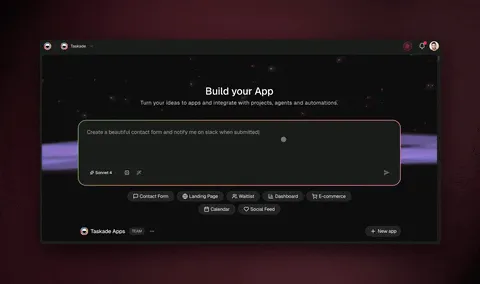
Taskade does it differently by shipping a living app from a single prompt instead of asking you to wire nodes on a canvas. This is the wedge for startups specifically: when you are five people, the last thing you have time for is becoming a part-time automation engineer. Most agent and automation platforms — n8n, Lindy, Zapier, Make — give you a blank canvas and a node library. Taskade Genesis gives you a working app with a database, agents, and automations already connected, generated from a plain-English description of the role you need.
To be fair, the node-based tools are genuinely good at what they do. n8n is excellent if you want open-source, self-hosted control over every step, and a technical operator can build extremely precise pipelines with it. Zapier has the deepest catalog of pre-built connectors in the industry, and for simple two-app triggers it is hard to beat. Make's visual canvas is powerful for operators who think in flowcharts and want to see every branch. If your startup has an engineer who loves infrastructure, those tools shine.
The difference is what you start with and what you end up owning.
| Dimension | Node-based tools (n8n, Lindy, Zapier, Make) | Taskade Genesis |
|---|---|---|
| Starting point | Blank canvas + node library | Plain-English prompt |
| What you build | A wired workflow | A living app + agent team |
| The team | You assemble pieces | Multi-agent teammates, built in |
| Data layer | Bring your own / external | Projects database, multiple views |
| Result | An automation that fires | Software you and your team run |
Where node tools wire steps, Taskade ships a team. Each agent comes with built-in tools, persistent memory, and access to frontier models from top AI labs. The whole thing lives in a workspace with multiple project views — List, Board, Calendar, Table, Mind Map, Gantt, and Org Chart — and role-based access from Owner to Viewer so you control exactly what each teammate and agent can touch. And because every app is cloneable, you can start from a working community app instead of a blank screen.
                    ┌──────────────────────────────┐
                    │      ONE PROMPT FROM YOU      │
                    │  "Build me a startup ops app  │
                    │   with support, sales, ops,   │
                    │   and research agents"        │
                    └───────────────┬──────────────┘
                                    │
                  ┌─────────────────▼─────────────────┐
                  │        TASKADE GENESIS BUILDS      │
                  ├──────────┬───────────┬─────────────┤
                  │ DATABASE │  AGENTS   │ AUTOMATIONS │
                  │ All views│ Built-in  │ 100+ integr │
                  │ Memory   │ Intellig. │ Execution   │
                  └──────────┴───────────┴─────────────┘
                                    │
                    ┌───────────────▼──────────────┐
                    │   A LIVING APP YOU CAN CLONE  │
                    │   share, embed, and run today │
                    └──────────────────────────────┘
Compare the philosophies head to head if you are evaluating: Taskade vs Zapier, Taskade vs Make, and Taskade vs n8n. The honest summary: pick a node tool when you want to hand-wire infrastructure; pick Taskade Genesis when you want to describe a role and get a teammate.
Taskade Genesis vs the alternatives for startups
For startups specifically, the AI-agent market in 2026 splits into two camps: agent builders (Lindy, Relevance AI, Cognosys) and workflow builders (Gumloop, Dust). Both are good at building the agent or the flow — but neither hands you the living app the agent lives inside. Taskade Genesis is the only one of the five that ships the database, the project views, the multi-agent team, and the automations as one cloneable app from a single prompt. Here is the honest head-to-head, including where each competitor genuinely wins.
| Platform | Best at | Pricing entry (2026) | The startup catch | Taskade Genesis edge |
|---|---|---|---|---|
| Lindy | No-code single agents for email, scheduling, voice | ~$49.99/mo (credits 1–10 per task) | Per-task credit burn; agents, not a shared app | One app + a team of agents from $10/mo annual |
| Relevance AI | "AI workforce" for sales BDR + data enrichment | Mid-market, sales-narrow | Powerful but built around sales/data, not a full startup OS | Covers support, sales, ops, AND research in one workspace |
| Dust | Shared company-knowledge assistants | Per-seat, enterprise lean | Great memory, but no living app or database output | Workspace memory plus multiple project views you actually run on |
| Gumloop | Visual node-canvas AI workflows | ~$37/mo solo (20–60 credits per call) | You wire the canvas; complex calls burn credits fast | Plain-English prompt builds the flow — no canvas to wire |
| Cognosys | Autonomous objective → sub-task execution | Mid-tier | Thin app/team layer; one agent, not a collaborating team | Multi-agent handoffs + cloneable app, not a lone executor |
| Taskade Genesis | A living startup app (DB + agents + automations) from one prompt | Free; Pro $10/mo annual | — | The whole operating company in one workspace |
The pattern is consistent: the competitors are excellent at one layer of the stack. Lindy and Cognosys nail the single agent. Relevance AI is hard to beat for a sales-and-enrichment AI workforce. Gumloop's canvas is genuinely powerful if you think in flowcharts. Dust's shared-knowledge model is the right idea for company memory. Taskade Genesis wins for startups because a five-person team cannot afford to stitch five tools — one per layer — into a working company. You describe the role once, and the database, the agents, the views, and the automations arrive together as a single app you and your teammates run.
There is also a cost story founders feel immediately. Most agent and workflow tools meter by credits per task, and AI-heavy actions (web research, enrichment, long context) burn 5–60 credits a call — costs that spike exactly when your agents are most useful. Taskade Genesis starts free and runs Pro at $10/month on annual billing, with the agent platform, the database, and the automations bundled rather than billed per action. For a lean team, predictable spend beats a meter that punishes you for using the product.
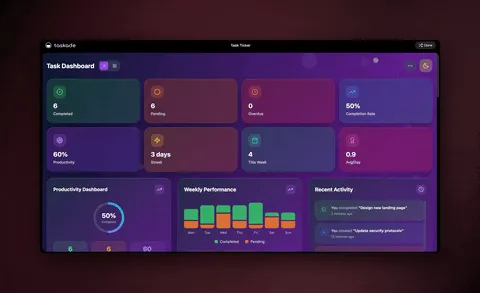
What does it cost to run a startup on agents?
Running a startup on AI agents with Taskade Genesis starts free, and paid plans on annual billing run Pro at $10/month (the popular tier), Business at $25/month, Max at $100/month, and Enterprise at $250/month. Because one workspace replaces a separate help-desk tool, sales tool, ops tracker, and research dashboard, most lean teams cut total software spend substantially after consolidating. The 80% of new apps now embedding agents are not each buying four point tools — they are consolidating into platforms like this one.
Here is how the plans map to startup stages.
| Plan (annual) | Price | Best for | Startup stage |
|---|---|---|---|
| Free | $0 | First agent, kicking the tires | Pre-seed / nights-and-weekends |
| Pro ★ | $10/mo | Founding team, multi-agent | Seed, 2-5 people |
| Business | $25/mo | Scaling team, custom domains | Seed to Series A |
| Max | $100/mo | Heavy agent + automation load | Series A, scaling |
| Enterprise | $250/mo | SSO, governance, larger org | Series B+ |
The Business tier is the upgrade point for scaling teams because it unlocks custom domains and Genesis app authentication — the point where your internal agent apps start looking like real products. For the full feature matrix, see pricing. For how credits and models work, read AI credits explained.
What Taskade Genesis can do for a startup
Taskade Genesis is a full operating system for a lean startup, not a single-purpose agent tool — it combines a projects database, AI agents, and automations into one self-reinforcing workspace built from a plain-English prompt. The four-agent playbook above is the starting shape; underneath it is a platform deep enough to run the whole company. Here is the full capability set, mapped to what each one does for a five-person founding team.
The engine is Workspace DNA — a self-reinforcing loop where Memory feeds Intelligence, Intelligence triggers Execution, and Execution creates new Memory. For a startup, that loop is the difference between five disconnected SaaS subscriptions and one company that gets smarter every week.
Here is what each part of the platform unlocks for a startup, and why it matters when you are five people doing the work of twenty.
| Capability | What it is | What it does for a 5-person startup |
|---|---|---|
| built-in agent tools | Web search, code, file analysis, slash commands, memory, embedding | Each agent acts like a specialist hire — researching, drafting, and acting without you wiring tools |
| Multiple project views | List, Board, Calendar, Table, Mind Map, Gantt, Org Chart | One dataset shows as a sales board, a customer table, or an onboarding Gantt — no extra tools |
| Multi-agent teams | Agents hand work to each other in one workspace | A research finding reaches your sales agent instantly — five people cover twenty roles |
| 100+ bidirectional integrations | Triggers pull events in, actions push data out | Your inbox, CRM, forms, and chat stay in sync without copy-paste |
| Frontier models | Models from top AI labs | Pick the right brain per job — fast for triage, deep for research — inside one workspace |
| Custom domains + Genesis publishing | Ship your agent app on your own domain with sign-in | Your internal ops app becomes a real product customers can log into |
| Persistent memory | Agents remember product, customers, and tone over time | Agents get better every week instead of starting fresh each session |
| Role-based access | Owner to Viewer | Gate exactly what each agent and teammate can see, one level at a time |
The capabilities in plain terms
A real database, not just a chat thread. Every Genesis app ships with a projects database you can view many ways — a Board for your sales pipeline, a Table for the customer list, a Calendar for renewals, a Gantt for onboarding timelines, a Mind Map for product planning, an Org Chart for the agent team itself, and a List for everything else. Your agents read and write to that database, so the support agent's tags and the sales agent's lead scores live in one place a founder can actually see. Learn the views on Project Views in Learn.
Agents with built-in tools and persistent memory. A Taskade agent is not a prompt — it carries built-in tools (web search, file analysis, document lookup, custom slash commands, and more) and remembers your product, customers, and tone across sessions. That is why the support agent gets sharper every week and the research agent's competitor facts are still there next month. Set them up in custom agents on Learn.
Automations that flow both ways. Through 100+ bidirectional integrations, triggers pull events in (a new lead, a new ticket, a calendar booking) and actions push data back out (an enriched CRM record, a logged ticket, a scheduled call). A startup's data stays in sync across the stack without a founder playing copy-paste. The building blocks are triggers and actions.
Ship it as a real product. On the Business tier and up, you can put your Genesis app on a custom domain with Genesis app authentication, so your internal ops tool becomes something a customer logs into. The cloneable Community Gallery means you start from a working app instead of a blank screen — clone, adapt, ship the same day. See the full breakdown in AI agents explained and the agency-scale version of this playbook.
Where this is heading
The direction is unmistakable: every startup will run on a self-reinforcing loop where Memory feeds Intelligence and Intelligence triggers Execution — and one prompt becomes a living, self-improving app rather than a static document or a wired flowchart. Today you describe four agents and get a working operations app; tomorrow you describe the company and get a workspace that staffs its own roles, learns from every interaction, and improves the apps it already shipped. The 80% of new enterprise apps embedding agents in early 2026 is the first wave. The second wave is apps that build and refine themselves as your startup grows.
That is the Taskade vision: a workspace where Memory (your projects), Intelligence (your agents), and Execution (your automations) compound into a company that gets smarter every week — so a five-person founding team does not just keep up with a twenty-person competitor, it out-learns them. The lean team stops being a constraint and becomes the advantage.
A 30-day rollout plan for a lean startup
The fastest rollout is one agent per week for four weeks, starting with the function that interrupts your founders most. By day 30 a five-person team has support, sales, ops, and research running on agents, with humans owning only strategy and final approval — exactly the org structure behind the Gartner 80% benchmark. Each week you ship one agent, measure the hours it reclaims, and let that proof fund the next.
| Week | Build this agent | Reclaim this | Connect to |
|---|---|---|---|
| 1 | Support triage | Founder deep-work time | Inbox, help docs |
| 2 | Sales follow-up | Dropped-lead revenue | Forms, CRM |
| 3 | Onboarding ops | Operational slippage | Project board, calendar |
| 4 | Competitor research | Market blind spots | Web search, sales feed |
A few rules that keep it safe and sane:
- Keep a human on the customer-facing 1%. Agents draft and act; a founder approves anything a customer sees until trust is earned. Use roles to gate exactly what each agent and teammate can do.
- Clone, don't build from zero. Start from a working community app and adapt it — you will ship the same day instead of the same week.
- Let the agents share one workspace. The compounding only happens when memory is shared. Don't split agents across four disconnected tools.
- Measure hours reclaimed, not tasks done. The metric that matters is founder time returned to product and customers.
Ready to start? Build your first agent on Genesis, browse ready-made startup agents, or wire your existing tools through the automation hub. For step-by-step walkthroughs, the Learn center has the full setup path.
The bottom line for founders
The bottom line is that AI agents have turned headcount into a design choice rather than a budget constraint — and by Q1 2026, with 80% of new enterprise apps embedding an agent, the startups that skip this are competing a person down against teams that operate a person up. A five-person founding team that gives agents its support, sales, ops, and research functions does not just save time. It changes what is possible at its size. You can pursue the market like a 20-person company while keeping the focus and burn of a five-person one.
The move is not "add AI to your stack." It is describe the roles you need and let the agents fill them — each with persistent memory, built-in tools, frontier models, and the ability to work as a team across 100+ bidirectional integrations. That is the lean-team multiplier, and it is available today on Taskade Genesis. Clone the startup operations app above, ship your first agent this afternoon, and let your five people start operating like twenty.
For adjacent playbooks, read AI agents for solopreneurs if you are a team of one, AI agents for agencies if you bill clients, automate your small business if you run a local shop, how AI agents automate work for the day-to-day mechanics, and multi-agent systems explained for the architecture under the hood. Then come build on Genesis and browse what other founders have already shipped in the Community Gallery.
Workspace DNA — ▲ Memory (your projects) feeds ■ Intelligence (your agents), Intelligence triggers ● Execution (your automations), and Execution creates new Memory. That self-reinforcing loop is how a five-person startup runs like twenty. Start the loop on Taskade Genesis →
Frequently Asked Questions
How do AI agents help a startup run lean in 2026?
AI agents let a small startup cover the work of a much larger team by handing each repeatable function to software that reasons, plans, and acts on its own. A five-person startup can give agents the support inbox, the sales follow-up, the ops checklist, and the market research, then keep the founders focused on product and customers. By Q1 2026, Gartner reports that 80 percent of new enterprise apps embed at least one AI agent, so this is now the default way teams build. In Taskade Genesis each agent ships with built-in tools, persistent memory, and access to frontier models from top AI labs. It starts free, with Pro from 10 dollars per month on annual billing.
Can a 5-person startup really run like a 20-person team?
Yes, when you give AI agents the four functions that eat the most founder time — support, sales, operations, and research. Each agent handles the high-frequency, low-judgment work continuously while a human owns strategy and final approval. A support agent triages tickets, a sales agent enriches and follows up on leads, an ops agent runs onboarding checklists, and a research agent monitors competitors. With multi-agent collaboration in Taskade Genesis, those agents hand work to each other, so the system covers roles you have not hired for yet.
What AI agents should a startup build first?
Start with the function that interrupts your founders most often. For most startups that is customer support, followed by sales follow-up. Build a support triage agent, then a lead-enrichment and follow-up agent, then an onboarding-ops agent, then a competitor-research agent. In Taskade Genesis you describe the role in plain English and it builds the agent, the database it reads from, and the automations that fire it. You add the next agent once the first one is saving real hours.
How is a startup AI agent different from a chatbot?
A chatbot answers a question and stops. An AI agent sets a goal, plans the steps, uses tools, checks the result, and adjusts until the job is done. A support chatbot replies to one message. A support agent reads the ticket, searches your docs, drafts the reply, tags the issue, updates your tracker, and escalates the hard cases to a human. Taskade agents carry persistent memory, so they learn your product, customers, and tone over time rather than starting fresh each session.
Do I need engineers to deploy AI agents at my startup?
No. Taskade Genesis is fully no-code. You describe the agent and the outcome you want in plain English, and it builds the agent, the workflow, the database, and a shareable app. There is nothing to wire, host, or deploy. A non-technical founder or program manager can ship a working support or sales agent in an afternoon without an engineer, then clone and adapt it as the startup grows.
How do startup AI agents connect to the tools I already use?
Through 100 plus bidirectional integrations. Triggers pull events in from your inbox, CRM, forms, and chat, and actions push data back out to those same tools. A sales agent can read a new lead from a form, enrich it, score it, write the follow-up, and push it to your CRM in one continuous run. Because every integration works in both directions, your startup data stays in sync across the stack without manual copy-paste.
How much do AI agents cost for a startup?
Taskade Genesis is free to start. Paid plans on annual billing are Pro at 10 dollars per month, Business at 25 dollars per month, Max at 100 dollars per month, and Enterprise at 250 dollars per month. Because one platform replaces a separate help-desk tool, sales tool, ops tracker, and research dashboard, most lean teams cut total software spend significantly after consolidating agents, projects, and automations into one workspace.
Can multiple AI agents work together at a startup?
Yes. Taskade Genesis supports multi-agent collaboration, so agents hand work to each other like a real team. A research agent gathers competitor facts, a writer agent drafts the positioning, a support agent answers from those same docs, and a sales agent uses the research to personalize outreach. They share one workspace memory, so a fact one agent learns is available to the others. This is how a five-person startup covers roles it has not hired for.
Are AI agents safe and accurate enough to run startup functions?
Yes, when you keep a human on the small share of work that needs judgment. The reliable pattern is a multi-agent team where a research agent gathers facts, a working agent drafts or acts, a reviewer agent checks accuracy, and a human approves anything customer-facing before it ships. Taskade agents carry persistent memory and role-based access from Owner to Viewer, so you control exactly what each agent and teammate can see and do.
What is the difference between AI agents for startups and for agencies?
Agencies run agents per client to multiply billable delivery across many accounts, while startups run agents per internal function to cover roles before they can afford to hire. The startup playbook is about depth on four functions — support, sales, ops, research — so a small founding team operates like a larger one. The agency playbook is about breadth across clients. The underlying engine is the same Taskade Genesis multi-agent workspace.
How fast can a startup get AI agents into production?
In an afternoon. Because Taskade Genesis builds the agent, database, and automations from a single plain-English prompt, there is no canvas to wire or server to host. You describe the support or sales role, clone a working app from the Community Gallery as a starting point, connect your existing tools through the integrations, and the agent is live. Most lean teams ship their first production agent the same day they decide to.
How does Taskade Genesis compare to Lindy, Relevance AI, Dust, and Gumloop for startups?
Lindy, Relevance AI, Cognosys, Dust, and Gumloop are each excellent at one layer of the stack — Lindy and Cognosys at single agents, Relevance AI at a sales-and-enrichment AI workforce, Dust at shared company knowledge, and Gumloop at visual node-canvas workflows. Taskade Genesis is the one that ships the whole operating company from one prompt — a projects database with multiple views, a multi-agent team, and 100 plus bidirectional integrations as a single cloneable app. It also avoids the per-task credit metering those tools use, starting free with Pro from 10 dollars per month on annual billing, which keeps spend predictable for a lean team.