







The no-code AI agent market is growing at 31% CAGR, and by the end of 2026, Gartner projects that 40% of enterprise applications will embed agentic AI capabilities. You do not need a team of engineers to build your own AI agents. You need the right platform.
TL;DR: Taskade Genesis is the fastest way to build, deploy, and scale AI agents without code. Define your agent's purpose, pick from built-in tools, train it on your data, and connect it to 100+ integrations. Over 150,000 apps built. Pro plan starts at $10/month for 10 users. Try it free
This guide walks you through every step: what AI agents actually are (not chatbots), the five agent archetypes every team needs, a hands-on tutorial for building your first agent in Taskade Genesis, multi-agent collaboration patterns, and the failure modes that kill 95% of agent pilots.
Whether you are a founder automating operations, a marketer building content workflows, or a team lead scaling customer support, this is your complete playbook.
Let's build.
What Is an AI Agent? (Not a Chatbot, Not an Assistant)
AI agents are autonomous software entities that perceive their environment, plan multi-step approaches, execute actions using tools, and learn from results. They are fundamentally different from chatbots and AI assistants, though the terms get conflated constantly.
Here is how to think about the capability spectrum:
CAPABILITY SPECTRUM: CHATBOTS → ASSISTANTS → AGENTS┌─────────────────────────────────────────────────────────────────────────────┐
│                                                                             │
│  CHATBOT              ASSISTANT              AGENT                          │
│  ──────              ─────────              ─────                           │
│  Responds to         Executes single        Plans + executes               │
│  messages            commands               multi-step tasks               │
│                                                                             │
│  No memory           Session memory         Persistent memory              │
│  No tools            Limited tools          34 tools + APIs               │
│  Pre-programmed      Template-driven        Goal-driven                    │
│  Reactive            Responsive             Proactive                      │
│                                                                             │
│  "Answer this        "Summarize this        "Research competitors,         │
│   question"           document"              draft a report, email         │
│                                              the team, then schedule       │
│                                              a follow-up in 2 weeks"       │
│                                                                             │
└─────────────────────────────────────────────────────────────────────────────┘
A chatbot answers a question and forgets it happened. An assistant performs a single task when asked. An AI agent operates with autonomy: it breaks down a complex goal into subtasks, selects the right tools for each step, executes, evaluates the result, and adjusts its plan if something goes wrong.
The Agent Decision Loop
Every AI agent operates on a continuous loop. The agent perceives input from its environment (messages, data, triggers), plans an approach, acts using tools and integrations, and learns from the outcome to improve future decisions.
Perceive: The agent receives a trigger. This could be a user message, a webhook from Slack, a scheduled automation, or a new row in a Google Sheet. In Taskade, agents perceive workspace context: project data, documents, conversation history, and connected tool outputs.
Plan: The agent breaks the goal into steps. A research agent asked to "analyze our top three competitors" does not just search once. It plans: identify competitors, gather pricing data, compare features, summarize findings, format the report.
Act: The agent uses tools to execute each step. Taskade agents have access to built-in tools including web search, document writing, data analysis, file management, and API calls. They can also trigger automations that connect to external tools.
Learn: The agent evaluates the output. Did the search return relevant results? Is the report complete? Persistent memory means the agent remembers what worked for next time.
Chatbot vs Assistant vs Agent: The Comparison
| Capability | Chatbot | AI Assistant | AI Agent |
|---|---|---|---|
| Memory | None (stateless) | Session-only | Persistent across sessions |
| Tools | 0 | 1-3 basic tools | built-in tools + custom tools |
| Planning | None | Single-step | Multi-step with branching |
| Autonomy | Reactive only | Task-following | Goal-driven |
| Learning | Static | Limited adaptation | Continuous improvement |
| Integrations | None | Manual API calls | 100+ native integrations |
| Collaboration | 1:1 | 1:1 | Multi-agent + human-in-loop |
| Use case | FAQ responses | Document summaries | End-to-end workflow automation |
The shift from assistants to agents is the defining trend of 2026. If you are still using basic AI chat tools, you are leaving 10x productivity gains on the table. Read more about what AI agents are and how they work.
The AI Agent Market in 2026
The AI agent market is not emerging. It has arrived. According to Gartner, 40% of enterprise applications will embed agentic AI capabilities by the end of 2026, up from less than 1% in 2024. Grand View Research values the market at $7.84 billion in 2025, growing to $52.62 billion by 2030 at a 31% CAGR.
Three forces are driving this acceleration:
Foundation model maturity: Frontier models from OpenAI, Anthropic, and Google now handle complex reasoning, tool use, and multi-step planning reliably enough for production workloads.
No-code platforms: Tools like Taskade Genesis have eliminated the engineering barrier. You do not need to manage infrastructure, write Python scripts, or deploy containers. You describe what you want and the platform builds it.
Integration ecosystems: Agents are only useful when they can act on real data. The explosion of 100+ native integrations across communication, CRM, payments, development, and productivity tools means agents can reach every part of your workflow.
Top No-Code AI Agent Builders Compared (2026)
| Platform | Best For | Agent Tools | Integrations | Collaboration | Pricing (per month) |
|---|---|---|---|---|---|
| Taskade Genesis | Teams + project management | built-in + custom | 100+ | Real-time multiplayer, multiple views | Free / $10 Pro (10 users) |
| Relevance AI | Enterprise workflows | Custom tool builder | 50+ | Limited | $99+ |
| Botpress | Customer-facing chatbots | Flow-based | 30+ | None | Free / $79+ |
| MindStudio | Custom AI apps | Template-based | 20+ | None | Free / $23+ |
| Voiceflow | Voice + chat agents | Conversation design | 40+ | Team workspaces | Free / $50+ |
| Stack AI | Enterprise automation | API-based | 60+ | Limited | $199+ |
What makes Taskade different is the workspace. Every other platform on this list builds agents in isolation. Taskade Genesis builds agents inside your project management system, connected to your team's documents, conversations, and automation workflows. This is Workspace DNA: Memory feeds Intelligence, Intelligence triggers Execution, Execution creates Memory.
Agent Builder Pricing Breakdown (2026)
The feature comparison above shows capabilities. Here is the pricing reality — what you actually pay when you factor in team seats, AI usage limits, and workspace features:
| Platform | Starting Price | Team Pricing | AI Limits | Workspace? |
|---|---|---|---|---|
| Taskade Genesis | Free | $10/mo (10 users) | Unlimited | Yes |
| Relevance AI | Free (200 actions) | $599/mo Business | Action-based | No |
| Botpress | Free (PAYG) | $89/mo Plus | Usage-based | No |
| MindStudio | Free (1,000 runs) | $60/mo Pro | Run-based | No |
| Lindy.ai | Free (400 credits) | $49.99/mo | Credit-based | No |
| n8n | Free (self-hosted) | EUR 60/mo Pro | Execution-based | No |
Every competitor on this list charges per action, per run, or per credit. The more your agents work, the more you pay. Taskade Genesis is the only platform with flat-rate pricing that includes the workspace, agents, automations, and project management in a single plan.
Taskade is notably absent from every major "best AI agent builder" listicle — Lindy, MindStudio, Budibase, Airtable, and Vellum all publish self-serving lists that feature their own platforms prominently. This article is different. It is a practical guide, not a listicle, and it focuses on the only platform that combines agents with workspace context, persistent memory, and team collaboration in a single environment.
For a deeper dive into the open-source agent landscape, see our guide on open-source AI agents.
The "Stop Building Agents" Debate: Why Workspace Architecture Wins
A growing countermovement among AI practitioners argues that you should stop building AI agents entirely. Instead of wiring up LangChain, CrewAI, or custom Python agent frameworks, they advocate for simpler approaches: folder structures with markdown files that route AI context task-by-task.
The argument has merit. 95% of AI agent pilots fail to reach production (Gartner). The failure mode is consistent: teams over-engineer the agent architecture while under-engineering the context architecture. They build elaborate multi-agent orchestration systems when what they actually needed was structured information in the right place at the right time.
The Three Approaches to AI Agents in 2026
| Approach | How It Works | Strengths | Weaknesses |
|---|---|---|---|
| Code-based frameworks (CrewAI, LangGraph, AutoGen) | Write Python to define agents, tools, and orchestration | Maximum customization, open-source | Requires developers, infrastructure, and maintenance |
| File-based routing (CLAUDE.md, folder systems) | Markdown files with routing tables tell AI what to read per task | Simple, editable, no dependencies | Solo-user, no integrations, no automation, no deployment |
| Workspace-native agents (Taskade Genesis) | Agents built inside a collaborative workspace with memory and automation | No code, team collaboration, instant deployment | Platform-dependent |
The file-based routing camp discovered something the context engineering community formalized: AI does not need complex orchestration. It needs the right information at the right time. A well-structured folder with a routing table outperforms a poorly designed multi-agent framework every time.
But file-based routing hits a ceiling fast:
- No collaboration. The folder lives on one machine. No team access.
- No integrations. The AI cannot reach your CRM, email, or analytics.
- No automation. Workflows must be triggered manually in the terminal.
- No deployment. The output is files, not working applications.
- No persistent memory. Context must be reloaded every session.
Taskade Genesis resolves the debate by giving you the best of both worlds: workspace-native agents with the structured context routing that file-based systems provide, plus the collaboration, integrations, automation, and deployment that they cannot. Your projects are the routing table. Your agents are the intelligence layer. Your automations are the execution layer. No code, no terminal, no infrastructure.
The "stop building agents" movement proves the Workspace DNA thesis. AI needs structure, not complexity. The question is whether you build that structure manually in markdown files or let Taskade Genesis generate it as a living system. Try it free →
5 AI Agent Archetypes for Teams
After analyzing over 150,000 agents built on Taskade Genesis, five archetypes cover 80% of team use cases. Each one maps to a specific business function and can be deployed in under 10 minutes.
1. The Research Agent
The Research Agent gathers, synthesizes, and presents information from multiple sources. It replaces the manual process of searching across 15 tabs, copying relevant quotes, and assembling findings into a coherent summary.
What it does: Searches the web, reads documents, extracts key data points, compares sources, and generates structured reports with citations.
Example system prompt:
You are a competitive intelligence researcher for a B2B SaaS company.Your task:
- Search the web for the latest pricing, features, and reviews of [competitor names]
- Extract key data points: pricing tiers, user limits, unique features, recent product launches
- Compare findings against our product features (reference the attached feature matrix)
- Generate a structured comparison table
- Highlight opportunities where we have a clear advantage
- Flag areas where competitors have launched features we lack
Output format: Structured report with executive summary, comparison table, and action items.
Tone: Direct, data-driven, no filler.
Use case: A product manager runs this agent weekly to track three key competitors. The agent searches for pricing changes, new feature announcements, and customer reviews. It compiles a one-page summary with a comparison table and sends it to the team's Slack channel via automation.
Explore research agent templates in the Taskade community.
2. The Customer Support Agent
The Customer Support Agent handles incoming tickets, provides accurate answers from your knowledge base, and escalates complex issues to the right team member.
What it does: Reads incoming messages, searches your documentation and FAQs, drafts contextual responses, categorizes ticket severity, and routes escalations.
Example system prompt:
You are a Tier 1 customer support agent for [Company Name].Knowledge sources:
- Help center documentation (attached)
- Product FAQ (attached)
- Recent changelog entries (attached)
Rules:
- Always check the knowledge base before answering
- If the answer is not in the knowledge base, say "Let me connect you with a specialist" and tag @support-lead
- Never make up product features or pricing
- Include a relevant help article link in every response
- For billing issues, always escalate to @billing-team
- Log every interaction with: ticket category, resolution status, and time to first response
Tone: Friendly, professional, concise. Use the customer's name.
Use case: An e-commerce brand connects this agent to their Slack support channel. When a customer asks about order tracking, the agent searches the knowledge base, provides the tracking URL, and logs the interaction. Billing disputes are automatically escalated to the finance team.
Real-world lesson — Klarna's AI support evolution: Klarna deployed an AI customer service agent that handled 2.3 million conversations across 23 markets in 35 languages, doing the work of 700 employees. Resolution times dropped from 11 to 2 minutes. But CEO Sebastian Siemiatkowski later acknowledged the approach had "too much focus on cost" — the agent optimized for speed when the real goal was customer relationships. Klarna pivoted to a hybrid model: AI handles routine queries while passionate Klarna customers work part-time as VIP support agents through an Uber-style model. The critical insight Siemiatkowski shared: "For customer service agents to answer questions really well, they need as much context as possible. Where is that context? It's in the source code of your software." This is why your support agent needs deep workspace context — not just an FAQ document, but access to your full knowledge base, project history, and automation logs.
3. The Content Agent
The Content Agent drafts, edits, and optimizes content across formats. It understands your brand voice, follows your style guide, and can generate everything from social posts to long-form articles.
What it does: Generates drafts based on briefs, rewrites content for different channels, optimizes for SEO, checks brand voice consistency, and suggests internal links.
Example system prompt:
You are a content strategist and writer for [Company Name].Brand voice:
- Tone: Knowledgeable but accessible, conversational, confident without arrogance
- Avoid: Jargon, passive voice, filler phrases ("In today's digital landscape...")
- Always: Lead with the answer, use data points, include CTAs
For blog posts:
- Research the target keyword using web search
- Analyze top 5 ranking articles for content gaps
- Generate an outline with H2/H3 headings (include question-based headings for FAQ schema)
- Write the full draft (2,000-4,000 words)
- Add internal links to relevant pages
- Generate meta title (55-60 chars) and meta description (150-160 chars)
- Create 3 social media post variations (LinkedIn, Twitter/X, newsletter teaser)
Output: Full article draft + metadata + social variations
Use case: A marketing team uses this agent to produce two blog posts per week. The team lead provides a keyword and a one-sentence brief. The agent researches, outlines, writes, and delivers a publication-ready draft with SEO metadata and social copy. The team reviews, edits, and publishes. Content velocity increases 4x.
Browse content agent templates and prompt libraries to get started.
4. The Sales Agent
The Sales Agent qualifies leads, enriches contact data, drafts personalized outreach, and manages follow-up sequences. It turns your CRM into an active selling machine.
What it does: Scores incoming leads based on criteria, researches prospects, drafts personalized emails, schedules follow-ups, and updates your CRM.
Example system prompt:
You are a sales development representative for [Company Name].Lead qualification criteria:
- Company size: 50-500 employees (ideal), 10-50 (acceptable), <10 (low priority)
- Industry: SaaS, e-commerce, professional services (high fit)
- Budget signal: Visited pricing page, requested demo, or downloaded whitepaper
- Technology stack: Uses [relevant tools] (check from LinkedIn or website)
For each new lead:
- Research the company (website, LinkedIn, recent news)
- Score the lead (1-10) based on criteria above
- If score >= 7: Draft a personalized 3-email sequence
- If score 4-6: Add to nurture campaign with weekly value content
- If score < 4: Log and archive
- Update the CRM project with lead status, score, and next action
Email rules:
- Subject lines under 8 words
- First line must be personalized (reference something specific about their company)
- Clear CTA in every email
- No generic phrases ("I hope this email finds you well")
Use case: A SaaS startup connects this agent to their website form submissions via automation. When a prospect fills out the contact form, the agent researches the company, scores the lead, and either drafts a personalized outreach sequence or adds them to a nurture flow. The sales team reviews high-priority leads daily instead of sifting through every submission.
5. The Operations Agent
The Operations Agent handles recurring operational tasks: onboarding new team members, generating reports, managing approvals, and keeping processes on track.
What it does: Triggers onboarding workflows, generates recurring reports from project data, tracks task completion, sends reminders, and manages approval chains.
Example system prompt:
You are an operations manager for [Company Name].Responsibilities:
- New hire onboarding: When triggered, create onboarding project from template, assign tasks to relevant team members, schedule check-in meetings at day 1, 7, 30, 90
- Weekly reporting: Every Monday at 9am, compile project status across all active workspaces, generate summary with blockers, completed items, and upcoming deadlines
- Approval workflows: Route budget requests over $500 to @finance-lead, PTO requests to @team-lead, software purchase requests to @it-admin
- Process compliance: Check that all client projects have a kickoff doc, timeline, and assigned owner. Flag non-compliant projects.
Output formats:
- Onboarding: Taskade project with checklist
- Reports: Structured summary with tables
- Approvals: Notification to relevant approver with context
- Compliance: Weekly audit report with action items
Use case: A consulting firm uses this agent to manage client project compliance. Every Friday, the agent audits all active projects, checks for missing kickoff documents or unassigned owners, and sends a compliance report to the operations lead. Non-compliant projects get flagged with specific action items. Manual audit time drops from 4 hours to zero.
For more agent architecture patterns, see our guide to agentic engineering.
Step-by-Step: Build Your First AI Agent in Taskade Genesis
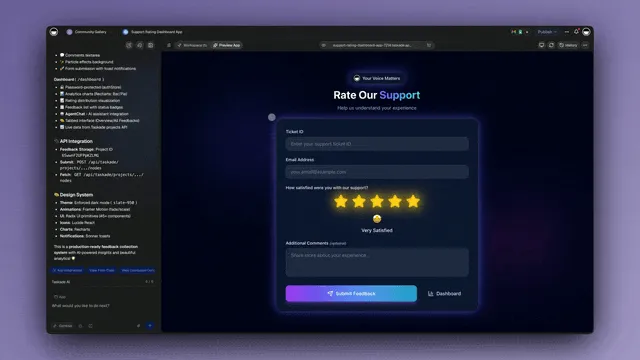
This tutorial walks you through building a production-ready AI agent in Taskade Genesis. No code. No infrastructure. Start to finish in under 15 minutes.
Step 1: Define Your Agent's Purpose
Before you open the builder, answer three questions:
What problem does this agent solve? Be specific. "Help with marketing" is too vague. "Draft weekly LinkedIn posts based on our blog content and brand voice guidelines" is specific enough for the agent to act on.
What data does the agent need? List the knowledge sources: company docs, style guides, product specs, FAQs, competitor research. The agent is only as good as its context.
What actions should the agent take? Search the web, write documents, update projects, send messages, trigger automations. Each action maps to a tool.
Step 2: Open the Agent Builder
Navigate to Taskade Genesis and select Build an AI Agent. You will see the agent configuration panel with three tabs: Identity, Tools, and Knowledge.
Alternatively, go to your workspace and click the Agents tab in the sidebar. Click + New Agent to start from scratch, or browse agent templates to clone a pre-built agent.
Step 3: Configure the System Prompt
The system prompt is the DNA of your agent. It defines who the agent is, how it behaves, and what rules it follows. Here is a template structure:
You are [role] for [company/team].Context
[Background information about the team, product, or workflow]
Responsibilities
- [Primary task]
- [Secondary task]
- [Tertiary task]
Rules
- [Hard constraint: things the agent must always/never do]
- [Quality standard]
- [Escalation criteria]
Output Format
[How the agent should structure its responses]
Tone
[Voice and communication style guidelines]
Keep the system prompt under 2,000 words. Be explicit about constraints. An agent without clear rules will improvise, and improvisation is where hallucinations happen.
Step 4: Select Built-In Tools
Taskade agents come with built-in tools. Select the ones your agent needs:
| Tool Category | Tools | Use Case |
|---|---|---|
| Search | Web search, workspace search | Research, finding documents |
| Write | Create document, edit text, format content | Content generation, reporting |
| Data | Read spreadsheet, analyze data, calculate | Analysis, reporting |
| Project | Create task, update status, assign member | Project management |
| Communication | Send message, create comment, notify team | Collaboration |
| File | Upload file, read PDF, process image | Document handling |
| Custom | Slash commands, custom tool schemas | Specialized workflows |
Start with 3-5 tools. You can always add more later. Every additional tool increases the agent's decision surface, which can reduce accuracy if the agent does not have clear guidance on when to use each tool.
Step 5: Add Knowledge Sources
Knowledge sources give your agent context. Without them, the agent relies only on its base training data, which knows nothing about your company, products, or processes.
In Taskade, you can add knowledge from three sources:
Workspace projects: Connect existing Taskade projects so the agent can read your team's documents, meeting notes, and task lists.
Uploaded documents: Upload PDFs, Word docs, text files, or spreadsheets. The agent indexes the content and references it when answering questions.
URLs: Point the agent to web pages, help articles, or documentation sites. The agent fetches and indexes the content.
Best practice: Start with 5-10 high-quality knowledge sources rather than dumping your entire document library. Focused context produces better results than breadth.
Step 6: Create Custom Slash Commands
Slash commands let you define reusable actions that the agent executes on demand. Think of them as macros with AI intelligence.
For example, a content agent might have these custom commands:
/draft-linkedin— Generate a LinkedIn post from the selected text/seo-check— Analyze the current document for SEO optimization/competitor-brief— Research a named competitor and generate a one-page summary
Each slash command has its own prompt template. When a team member types /draft-linkedin, the agent uses the command's specific instructions rather than the general system prompt. This gives you precise control over different workflows within a single agent.
Step 7: Test, Deploy, and Connect Automations
Before deploying, test your agent with 5-10 representative queries:
- Happy path: A straightforward request the agent should handle easily
- Edge case: A request that sits at the boundary of the agent's knowledge
- Out of scope: A request the agent should decline or escalate
- Ambiguous input: A vague request that requires the agent to ask clarifying questions
- Multi-step task: A complex request that requires the agent to use multiple tools in sequence
Once testing passes, connect your agent to automation workflows:
- Trigger: New Slack message in #support channel
- Action: Agent reads the message, searches knowledge base, drafts a response
- Condition: If confidence is high, post the response. If low, notify a human.
You can also embed your agent publicly for customer-facing use cases or share it with your team via the Community Gallery.
For more on building with Genesis, read the micro-apps AI builder guide.
No-Code vs Low-Code vs Code Agent Builders
Choosing the right approach depends on your team's technical skills, customization needs, and timeline. Here is how the three categories compare.
Detailed Platform Comparison
| Feature | Taskade Genesis (No-Code) | CrewAI (Code) | n8n (Low-Code) | Relevance AI (No-Code) | Botpress (No-Code) |
|---|---|---|---|---|---|
| Setup time | Minutes | Days-weeks | Hours-days | Hours | Hours |
| Coding required | None | Python | Minimal (scripting) | None | None |
| Agent tools | built-in + custom | Framework-defined | Node-based | Custom builder | Flow-based |
| Multi-agent | Native | Native | Manual wiring | Limited | None |
| Integrations | 100+ native | Manual APIs | 400+ nodes | 50+ | 30+ |
| Project management | Multiple views built-in | None | None | None | None |
| Collaboration | Real-time multiplayer | Git-based | Shared workflows | Team accounts | Team accounts |
| Hosting | Managed (zero-config) | Self-hosted | Self-hosted or cloud | Managed | Managed |
| Custom domains | Yes | DIY | No | No | Yes |
| Pricing | Free / $10/mo (10 users) | Open source + hosting | Free self-hosted / $24/mo | $99/mo+ | Free / $79/mo+ |
| Best for | Teams, all skill levels | Developers, custom pipelines | Technical teams, complex integrations | Enterprise, custom tools | Customer-facing chatbots |
Decision Tree: Which Approach Is Right for Your Team?
The Hidden Cost of Code-Based Agents
Code-based frameworks like CrewAI, LangGraph, and AutoGen offer maximum flexibility. But flexibility has a price:
- Development time: Building a production-ready agent with CrewAI takes 40-120 hours of developer time. At $100/hour, that is $4,000-$12,000 before the agent handles its first task.
- Infrastructure: Self-hosted agents need servers ($50-500/month), monitoring, scaling, and security patching. A managed platform handles all of this.
- Maintenance: LLM APIs change. Models get deprecated. Frameworks release breaking updates. Someone on your team needs to keep the agent running.
- Collaboration: Code-based agents live in Git repos. Non-technical team members cannot modify prompts, add knowledge sources, or adjust workflows without filing a ticket.
For teams without dedicated AI engineers, no-code platforms like Taskade Genesis deliver 90% of the capability at 10% of the cost and timeline.
For more on code-based alternatives, see our comparison of OpenClaw alternatives (including the growing MyClaw/MaxClaw managed ecosystem), the complete history of OpenClaw, and the guide to building AI agents with code.
Advanced: Multi-Agent Collaboration
Single agents handle single workflows. Multi-agent systems handle complexity. When you chain multiple specialized agents together, each one focuses on what it does best, and the system handles tasks that no single agent could manage alone.
How Multi-Agent Collaboration Works
In Taskade Genesis, multi-agent collaboration works through workspace context and automation triggers. Agents share the same workspace, read each other's outputs, and trigger next steps through automation workflows.
Each agent in the chain has its own system prompt, tools, and knowledge sources. The Research Agent is optimized for search and data extraction. The Writing Agent is trained on your brand voice. The Editor Agent checks for accuracy against your knowledge base. The Publisher Agent formats the output for different channels.
Three Multi-Agent Patterns
Pattern 1: Sequential Pipeline (Research to Report)
Agents pass work product down a linear chain. Each agent adds value and passes the result to the next.
Agents: Research Agent, Analysis Agent, Writing Agent, Review Agent
Workflow:
- Research Agent gathers data from web search and workspace documents
- Analysis Agent identifies patterns, gaps, and key insights
- Writing Agent produces a structured report with visualizations
- Review Agent checks facts against source documents and flags inconsistencies
Use case: Weekly competitive intelligence reports, market research briefs, due diligence summaries.
Pattern 2: Parallel Fan-Out (Simultaneous Processing)
Multiple agents work on different aspects of the same task simultaneously, then a coordinator agent merges their outputs.
Agents: SEO Agent, Content Agent, Social Agent, Email Agent, Coordinator Agent
Workflow:
- Coordinator receives a content brief
- SEO Agent researches keywords and generates optimization recommendations
- Content Agent drafts the article
- Social Agent creates platform-specific post variations
- Email Agent drafts the newsletter teaser
- Coordinator merges all outputs into a content package
Use case: Content marketing campaigns, product launch communications, event promotion packages.
Pattern 3: Supervisor with Specialists (Routing)
A supervisor agent receives all incoming requests and routes them to the appropriate specialist agent based on the request type.
Agents: Supervisor Agent, Technical Support Agent, Billing Agent, Sales Agent, Escalation Agent
Workflow:
- Supervisor reads incoming message
- Classifies: technical issue, billing question, sales inquiry, or unknown
- Routes to the appropriate specialist agent
- Specialist handles the request using its domain-specific knowledge
- If the specialist cannot resolve, the Escalation Agent notifies a human
Use case: Customer support triage, internal help desk, multi-department service desk.
Visit the Taskade Community Gallery to explore multi-agent workflows built by other teams and clone them into your workspace.
From Agents to Autoresearch: Building Self-Improving Loops Without Code
The most powerful pattern in agentic engineering is not a single agent completing a task — it is an autoresearch loop where agents continuously improve a measurable outcome without human intervention.
Pioneered by Andrej Karpathy in March 2026, autoresearch follows a simple three-step architecture:
- Define the goal — A human writes clear instructions and picks one metric to optimize (conversion rate, response time, customer satisfaction score, cost per lead)
- Let the agent iterate — The agent modifies one variable, measures the result, keeps improvements, discards regressions, and repeats
- Review the results — The human reviews what the agent discovered and adjusts direction
This pattern scales to any team function:
| Team | What the Agent Optimizes | Metric |
|---|---|---|
| Marketing | Email subject lines, ad copy, landing page variants | Open rate, CTR, conversion rate |
| Sales | Outreach sequences, follow-up timing, lead scoring rules | Response rate, close rate |
| Customer Support | Response templates, routing rules, escalation triggers | Resolution time, CSAT score |
| Operations | Workflow sequences, approval chains, resource allocation | Throughput, cost per process |
| Content | Headlines, meta descriptions, CTA placement | Click-through, time on page |
The key insight: most teams run 30 experiments per year. With autoresearch loops, teams can run 36,000 — approximately 100 per day. Each experiment follows the same pattern: agent modifies the variable, measures the outcome, decides whether to keep or discard.
In Taskade Genesis, you build this pattern without code:
- Create an AI agent with instructions to optimize a specific variable
- Connect it to your data via 100+ integrations to measure outcomes
- Set up an automation workflow that triggers the agent on a schedule
- The agent reads results, adjusts its approach, and iterates — creating a self-improving loop powered by Workspace DNA
This is the bridge between the autoresearch pattern used by ML researchers and the business optimization that every team needs. You do not need a GPU, a training script, or a terminal — you need a clear metric and an agentic workspace.
Start building your first autoresearch loop →
Connecting Agents to Your Tools (100+ Integrations)
An AI agent without integrations is a brain without hands. It can think but it cannot act on the systems where your work actually lives. Taskade's 100+ integrations connect your agents to every major tool category.
Integration Categories
| Category | Tools | What Agents Can Do |
|---|---|---|
| Communication | Slack, Microsoft Teams, Discord | Read messages, post updates, trigger from channel events |
| Email & CRM | Gmail, Outlook, Salesforce, HubSpot | Read/send emails, update contacts, log activities |
| Payments | Stripe, Shopify, PayPal | Read transactions, generate reports, trigger on payments |
| Development | GitHub, GitLab, Jira, Linear | Create issues, read PRs, update sprint boards |
| Productivity | Google Sheets, Airtable, Notion | Read/write data, sync records, generate reports |
| Content | WordPress, Webflow, Medium | Publish posts, update pages, manage media |
| Data & Analytics | Google Analytics, Mixpanel, Segment | Pull metrics, generate dashboards, alert on anomalies |
| Storage | Google Drive, Dropbox, OneDrive | Read/write files, organize folders, process documents |
| Calendar | Google Calendar, Outlook Calendar | Schedule meetings, check availability, send reminders |
| E-commerce | Shopify, WooCommerce, BigCommerce | Manage orders, update inventory, handle customer queries |
How Agent-Tool-Workspace Data Flow Works
The key insight is the bidirectional flow. Agents do not just read from external tools. They write back to them. A sales agent reads a new lead from HubSpot, enriches it with web research, scores it, and writes the score and notes back to HubSpot. The CRM stays updated without anyone copying and pasting.
MCP: Both Directions, In Two Different Places
MCP (Model Context Protocol) is an open standard for connecting AI clients to tools and data. Taskade runs both sides of it. On the server side, every paid plan includes a hosted MCP server, so an external client connects into your workspace. On the client side, the MCP Client step inside an automation reaches out to a third-party MCP server, on every plan including Free.
With the hosted MCP server, a client like Claude Desktop, Cursor, or VS Code can:
- List the spaces in your workspace
- Inspect a project's structure
- Read tasks
- Write files back into the workspace
Reaching outward is the job of the MCP Client step, the 100+ native integrations, and the agent's own tools. The boundary worth drawing on the whiteboard: an agent does not dial a remote MCP server by itself. It reads the project, makes the judgment call, hands the outbound step to an automation, and reads the result back.
Learn more about automation capabilities at Taskade Automations and explore conversion workflows that agents can trigger.
Why 95% of AI Agent Pilots Fail (And How to Avoid It)
According to Gartner, the vast majority of AI agent pilots never reach production. The failure rate is not a technology problem. It is an architecture problem. Teams build agents in isolation and then wonder why they fall apart when exposed to real workflows.
The numbers are sobering: MIT's 2025 report found 95% of generative AI pilots fail to reach production. HyperSense research found 88% of AI agents never make it to production — only 12% successfully deploy. The root cause is not model quality — it is the "learning gap" between what agents know and what they need to know about your organization.
The Three Failure Modes
Failure Mode 1: No Workspace Context
An agent without access to your team's real data will hallucinate. It is that simple. If your customer support agent cannot read your actual product documentation, it will make up features. If your sales agent cannot see your CRM, it will guess at lead scores.
Klarna CEO Sebastian Siemiatkowski explained this failure mode from lived experience: "If your data is separated in these silos, a little bit in this SaaS, a little bit in that SaaS... it's just harder to provide the AI the appropriate context." Klarna dropped Salesforce and 1,200 other SaaS services specifically to unify context for their agents — rebuilding as an AI-native tech stack where "AI and deterministic and probabilistic code" operate as one system. For most teams, the same principle applies at workspace scale: agents that live alongside your projects, documents, and knowledge bases perform dramatically better than agents bolted onto fragmented tools.
The fix: Build agents inside your workspace, not in a separate tool. Taskade agents live alongside your projects, documents, and conversations. They have persistent access to the same context your team uses every day.
Failure Mode 2: Compound Error Accumulation
When an agent executes a 10-step workflow and each step has 85% accuracy, the end-to-end accuracy is not 85%. It is 0.85^10 = 20%. This is the compound error problem, and it kills multi-step agent workflows.
Step accuracy: 85% per stepSteps:  1     2     3     4     5     6     7     8     9     10
Acc:   85%   72%   61%   52%   44%   38%   32%   27%   23%   20%
The fix: Design agents with human-in-the-loop checkpoints at critical steps. Use automation workflows to insert approval gates where errors are most costly. A 5-step workflow with a human check at step 3 has much higher end-to-end reliability than a 10-step fully autonomous chain.
Failure Mode 3: The Pilot-to-Production Chasm
Demo agents work because they operate on clean data with predictable inputs. Production agents face messy data, edge cases, adversarial inputs, and scale. The agent that works perfectly in a 10-person pilot crashes when 500 people start using it with real requests.
The fix: Build agents on a platform that handles production concerns natively. Taskade Genesis manages infrastructure, scaling, error handling, and audit trails. You focus on the agent's behavior and let the platform handle the engineering.
The Workspace DNA Advantage
The root cause of most agent failures is isolation. Agents built in standalone tools lack the context, collaboration, and execution infrastructure that production workflows require.
Taskade's Workspace DNA solves this through a self-reinforcing loop:
Memory (Projects & Documents): Your team's knowledge, organized in multiple project views — List, Board, Calendar, Table, Mind Map, Gantt, Org Chart. Agents read and write to these projects, building persistent context over time.
Intelligence (AI Agents): Agents that understand your workspace context, not just generic training data. They reference real project data, real conversations, and real documents when making decisions.
Execution (Automations): 100+ integrations that let agents act on external systems. Automations ensure reliability through structured workflows with error handling, retries, and conditional logic.
Memory feeds Intelligence. Intelligence triggers Execution. Execution creates Memory. The loop compounds over time. An agent that has been running for 3 months has far richer context than one deployed yesterday.
This is why workspace-native agents outperform standalone agent builders. Context is not a feature. It is the foundation.
For a deeper exploration of context architecture, read our context engineering for teams guide.
The Skill That Matters Now: Agent Orchestration as Career Insurance
Every knowledge work role is converging on a single meta-skill: directing AI agents with domain expertise toward measurable outcomes.
This is not a prediction for 2030. It is happening now. Gartner projects that close to half of enterprise applications will integrate task-specific AI agents by the end of 2026 — up from less than 5% in 2025. Legal teams use AI to review contracts in hours instead of weeks. Finance teams use agents to build projections that used to take days. Customer success teams run agents that handle 80%+ of initial inquiries.
The pattern repeats across every function: the job shifts from doing the work to configuring the system that does the work. Your domain expertise becomes the irreplaceable input — a marketing agent without marketing knowledge optimizes the wrong metric, a legal agent without legal context produces dangerous output.
What changes is how you apply that expertise:
- Instead of writing the email, you write the agent instructions that generate 100 email variants
- Instead of running the A/B test, you define the metric and let the agent iterate
- Instead of building the dashboard, you describe the outcome and let Taskade Genesis build the workspace
The builders who learn to express their knowledge as agent configurations, clear metrics, and automation workflows will compound their value. Those who wait for the technology to "settle down" will find that early adopters have already built the workflows and captured the opportunities.
The learning curve follows a counterintuitive pattern: going faster with AI is actually safer than going slow. Like learning to ride a bicycle, balance comes from momentum, not caution. The people who engage daily — who lean into AI tools with curiosity rather than resistance — develop unconscious pattern recognition across systems. The skills compound. The SWE-bench coding benchmark went from 4% AI solve rate in 2023 to approximately 90-95% in 2025. The depreciation rate of any specific AI skill is accelerating. But the meta-skill of continuously learning and adapting — that half-life is getting longer and more durable.
Building your first AI agent without code is the starting point. Try it free →
Agents Are the New SaaS: The Business Opportunity
The business model for AI is shifting. In the SaaS era, you built software and invited customers to press the buttons. In the agent era, you build agents and invite customers to the agents — and the agents do the work that creates value.
This is not theoretical. On platforms like Upwork, businesses are posting $500–$20,000 jobs for AI workflow automation — work that AI agents can complete in hours. The arbitrage opportunity is immediate:
- Find the pain — Search Upwork for "robotic process automation" or "AI workflow." These jobs describe exactly what agents can automate: data entry, report generation, CRM updates, client onboarding
- Build the demo — Use Taskade Genesis to build a working prototype in minutes. Show the client a live workspace with agents, automations, and integrations already configured
- Verticalize — Pick one industry (real estate, e-commerce, manufacturing, legal) and build a library of agent workflows for that domain. Each new client gets a pre-configured workspace with trained agents ready to go
- Scale with sub-agents — A single orchestrator agent can spawn specialized sub-agents for parallel tasks. One agent monitors emails, another processes data, a third updates the CRM — all running 24/7
The key insight from practitioners: start with the lowest-effort, highest-value automation first. Map every potential automation on two axes — business value and implementation effort. Start in the high-value, low-effort quadrant. Build trust, then expand.
The winners will not be the ones who build the best agent. They will be the ones who verticalize — building deep domain expertise in one industry and packaging it as a workspace of pre-trained agents that new clients can adopt immediately.
Start building your agent business →
Templates and Quick-Start Resources
Getting started is faster when you do not start from scratch. Here are the resources to accelerate your agent-building journey.
Cloneable Agent Templates
Browse these categories in the Taskade Community Gallery and clone any agent directly into your workspace:
- Research Agents: Competitive analysis, market research, trend monitoring
- Content Agents: Blog writing, social media, email marketing, SEO optimization
- Support Agents: Ticket triage, FAQ responses, escalation routing
- Sales Agents: Lead scoring, outreach drafting, pipeline management
- Operations Agents: Onboarding, compliance auditing, reporting
Automation Templates
Pre-built automation workflows that connect agents to your tools:
- Slack to Agent: New message triggers agent response
- Email to Agent: Incoming email triggers agent processing
- Scheduled Reports: Daily/weekly agent-generated summaries
- Form Submission to Agent: New lead triggers scoring and outreach
- GitHub to Agent: New issue triggers triage and assignment
Learning Resources
- What Are AI Agents? — Foundational concepts and capabilities
- How to Build AI Agents (Code + No-Code) — Technical deep dive
- What Is Agentic Engineering? — Architecture patterns and best practices
- Open-Source AI Agents — Framework comparison and evaluation
- How Workspace DNA Works — The Memory-Intelligence-Execution loop
- Micro-Apps AI Builder Guide — Building apps alongside agents
- Context Engineering for Teams — Designing effective agent context
Getting Started Today
Building AI agents without code is no longer a future promise. It is a current capability. The tools exist, the platforms are mature, and the cost has dropped to a fraction of what custom development requires.
Here is your action plan:
- Pick one workflow that consumes the most manual time on your team. Start there.
- Open Taskade Genesis and build your first agent using the step-by-step tutorial above.
- Add 5-10 knowledge sources — your best documents, guides, and data.
- Test with 10 real queries before deploying to your team.
- Connect one automation — a Slack trigger, email trigger, or scheduled run.
- Iterate weekly — review agent outputs, refine the system prompt, add knowledge sources.
The teams that build their agent infrastructure now will have a compounding advantage. Every week of agent operation adds context, refines behavior, and automates another workflow. The teams that wait will spend the next 12 months doing manually what their competitors automated in an afternoon.
Start building your first AI agent — free.
Frequently Asked Questions
Can I build AI agents without any coding skills?
Yes. Taskade Genesis lets you build production-ready AI agents through a visual interface with no code required. Describe your agent's purpose, select from built-in tools, train it on your documents, and deploy. Over 63% of Genesis users have no coding background.
What is the difference between a chatbot and an AI agent?
A chatbot responds to messages with pre-programmed or AI-generated text. An AI agent can plan multi-step tasks, use tools (search, calculate, write files, call APIs), maintain persistent memory across sessions, and take autonomous actions. Read our full breakdown of what AI agents are.
What are the best no-code AI agent builders in 2026?
Top no-code AI agent builders include Taskade Genesis (team agents with project management, $10/mo for 10 users), Relevance AI (enterprise workflows), Botpress (customer-facing chatbots), and MindStudio (custom AI apps). Taskade is the only platform that combines agents with multiple project views, real-time collaboration, and 100+ automation integrations.
How much does it cost to build an AI agent?
With Taskade Genesis, building and deploying AI agents starts free with up to 6,000 one-time credits (1,000 when you verify your email + 5,000 on your first build). The Pro plan at $10/month (annual) for 10 users includes unlimited AI agents. By comparison, custom-coded agents using frameworks like CrewAI or LangGraph require developer time ($50-200/hour) plus hosting costs ($50-500/month).
What can AI agents actually do for my team?
AI agents can research topics and compile reports, draft content in your brand voice, manage customer support tickets, score and nurture sales leads, automate HR onboarding workflows, monitor competitors, generate meeting summaries, and trigger multi-step automations. Agents with persistent memory improve over time as they learn your team's patterns.
What is multi-agent collaboration?
Multi-agent collaboration is when multiple AI agents work together on complex tasks. A Research Agent gathers data, a Writing Agent drafts a report, and a Review Agent checks for errors. Taskade Genesis supports multi-agent workflows where agents share workspace context and pass tasks between each other through automation triggers.
Why do 95% of AI agent pilots fail?
According to Gartner, common failure modes include lack of workspace context (agents hallucinate without real data), compound errors (85% accuracy per step = 20% over 10 steps), and the pilot-to-production chasm. Workspace-native platforms like Taskade solve these by giving agents persistent context, reliable automation execution, and team collaboration built in.
How do I connect my AI agent to other tools?
Taskade Genesis agents connect to 100+ integrations including Slack, Gmail, Google Sheets, Salesforce, HubSpot, Stripe, Shopify, Jira, and GitHub. Automations trigger when specific events occur and agents can read and write data across connected tools. No API keys or code required.
What is the difference between no-code, low-code, and code-based agent builders?
No-code builders (Taskade Genesis, Relevance AI) require zero programming. Low-code builders (n8n, Retool) use visual workflows but may need scripting for advanced logic. Code-based frameworks (CrewAI, LangGraph, AutoGen) require Python/JavaScript and infrastructure management. See our comparison of open-source AI agent frameworks.
Can AI agents work autonomously without human supervision?
AI agents can work semi-autonomously on well-defined tasks within guardrails. Taskade provides controlled autonomy through automation workflows with human-in-the-loop checkpoints, approval gates, and audit trails. Fully autonomous operation works for low-risk tasks while high-stakes decisions typically include human review steps.
How do I train an AI agent on my company's data?
In Taskade, add knowledge sources to your agent by uploading documents, connecting workspace projects, or pointing to URLs. The agent learns from this knowledge and uses it when responding to queries or executing tasks. You can also create custom slash commands that define specific behaviors. Training takes minutes, not weeks.
What makes Taskade different from other AI agent platforms?
Taskade is the only platform that combines AI agents with native project management (multiple views), real-time multiplayer collaboration, video calls, and automation workflows (100+ integrations) in a single workspace. Taskade's Workspace DNA creates a self-reinforcing loop: Memory feeds Intelligence, Intelligence triggers Execution, Execution creates Memory.
Ready to build your first AI agent? Start free with Taskade Genesis — no code, no credit card, no infrastructure to manage. Join 150,000+ teams already building with AI agents.