






Hi Taskaders! 🎉
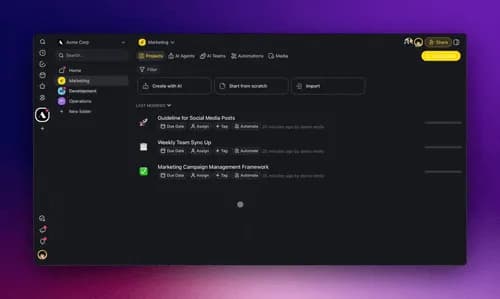
Meet Taskade AI Kits, the fastest way to create and share AI-powered workflows in a single click. Package your AI Agents, Automations, and Projects into a fully connected system—ready to deploy instantly.
We've also made AI Agents smarter with dynamic knowledge, enhanced automation tools, and added new ways to structure your data.
Here’s what’s new! 👇
TL;DR: Introducing Taskade AI Kits — package AI agents, automations, and projects into 1-click deployable workflows. Train agents with unlimited web links, enjoy a redesigned automation UI, and convert structured data with the new Array to String action. Try it free →
🎁 Introducing Taskade AI Kits
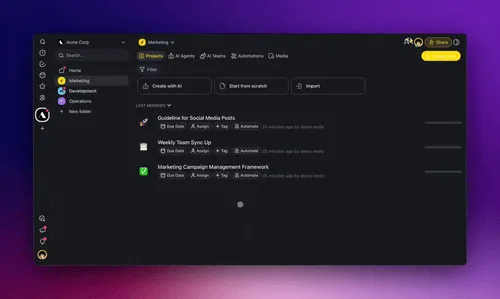
Taskade AI Kits let you package and share a complete workspace with a single click. Think of it like Origami—everything stays connected and unfolds instantly.
Easily share with your team, clients, or anyone, and start using AI Kits in seconds. Learn more.
One-click install: Deploy ready-to-use AI workflows instantly.
Everything connected: AI Agents, Automations, Projects work together.
Easily share with your team or clients: No setup required.
Try these free AI Kits from Taskade now:
AI Lead Generation Kit — Organize and follow up on leads.
AI Customer Requests Kit — Manage customer requests.
AI Email Campaign Kit — Create custom email campaigns.
AI Multi-Source News Digest Kit — Collect info from multiple sources.
AI RSS News Gathering Kit — Gather news and research automatically.
👉 How to Use: Click your Workspace Name → select Kits → click ➕ Add Kit, or simply right-click a Folder to pre-package it.
🌐 Train AI Agents with Unlimited Links
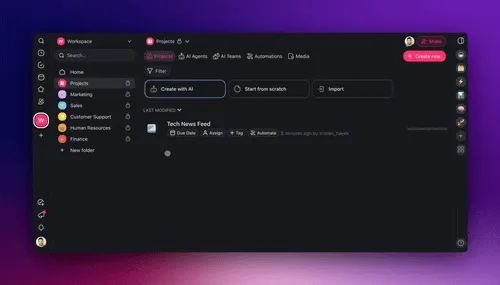
Now, your AI Agents can learn from unlimited web links in real-time. Simply drop links into a Taskade Project, and connected AI Agents will automatically update their memory and knowledge. Learn more.
Get started and install our new AI Agent Training Kit for Taskade!
Use Projects as AI Knowledge: Collect and organize useful links and resources for your AI Agent — manually, collaboratively, or automatically.
Sync in Real-time: Any updates to your Taskade Projects instantly retrain every connected AI Agent.
Integrate with Automation: Click "Automate" in the Project title to set up workflows and dynamically update your projects from external sources like RSS Feeds and AI Forms.
👉 How to Use: Create a New Project → Add links → Click Add to Agent Knowledge → Select an AI Agent → All links and changes auto-update.
🪄 Simpler and Faster Automation UI
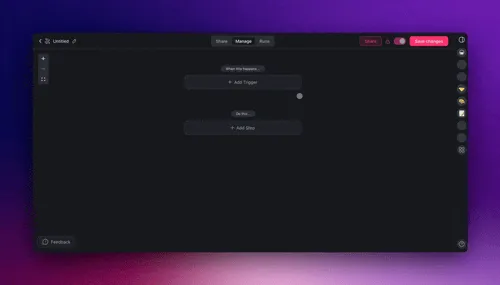
Building automations is now easier than ever. We’ve redesigned the Trigger & Action Menu for a cleaner and more intuitive experience. Learn more.
Easy navigation: Quickly find what you need.
Organized categories: Triggers and Actions are grouped logically.
Built-in help: Get tutorials and tips while setting up automations.
✨ Pro Tip: Use arrow keys to quickly navigate between Actions & Triggers.
🔀 Transform Data with Array to String
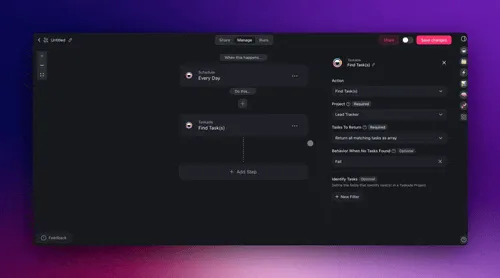
The new Transform Array to String action makes structured data easier to process by converting it into readable text for reports, automation, and AI Agents. Convert the output of Find Task(s) and Find Row(s) into a formatted string so you can process any data more efficiently. Learn more.
Convert action outputs into text – Pass task and row data as structured text for reports, AI processing, and automations.
Generate cleaner summaries – Format multiple data points into readable reports, documentation, logs, and dashboards.
Format meeting agendas – Combine tasks, milestones, and deadlines into a single, structured summary.
👉 How to Use: Go to Automations → Add Find Task(s) or Find Row(s) → Configure to return an array → Add Transform Array to String.
🚀 Other Improvements
New: Taskade AI Kits is live! Share fully pre-configured workspaces bundled with AI agents, automations, and projects—all with a single click.
Customizable & Shareable Kits: Create, preview, and share like:
AI Lead Generation Kit — Organize and follow up on leads.
AI Customer Requests Kit — Manage customer requests.
AI Email Campaign Kit — Create custom email campaigns.
AI News Digest Kit — Collect info from multiple sources.
AI RSS Feed Kit — Gather research automatically.
1-Click Install: AI agents, workflows, and projects with a single link.
Instant Onboarding: Quickly onboard teams or clients with pre-trained AI agents and ready-to-use workspaces.
New: Custom Domain (CNAME) Support for Branded Links:
Add and manage branded public URLs in your workspace.
Provide clients with a more consistent and professional experience.
Future updates include support for projects, forms, and workspaces.
New: AI Agent Enhancements:
Improved Agent Knowledge for faster and more accurate responses.
Improved Agent Widgets: Embed fine-tuned agents on your websites.
Improved Project History: Review past agent commands in projects.
Improved Public Agent Inbox: Easily monitor and manage AI conversations with improved organization and filtering.
New: AI Automation Enhancements:
New Action & Trigger Menu: The redesigned automation setup makes selecting triggers and actions faster and more intuitive.
New Automation Actions & Triggers:
Transform Array to String: Simplify how data arrays are processed in automation workflows.
GitHub Automation: New Release Trigger. Automate pull requests, issues, and task syncing with real-time updates.
AI Agent Structured Output: AI Agents now support number and boolean values in structured responses, making automations more intelligent and adaptive.
Google Integration Enhancements:
Google Docs Integration: Search and manage Google Docs directly in workflows.
Google Sheets Enhancements: Better handling for rows and cells in triggers and actions.
HTTP Request & Webhook Updates:
Generate schemas automatically for easier workflow design.
Enhanced Webhooks & API Calls: Webhook triggers now offer better response handling for smoother third-party integrations.
Improved: Import Anything into Taskade:
Convert to Taskade: Create structured docs, tables, and projects.
Summarize with AI: Generate outlines from files, articles, or videos.
Import from Webpages: Extract data with the "Scrape Webpage" tool
Improved Markdown Export: Cleaner formatting for AI-generated content and project updates
Improved AI Agent Sidebar: Faster and more responsive search for agents
Fixed Clipboard Permissions: Copy and paste in embedded AI Agents.
Fixed Calendar: Added event background colors for scheduled tasks.
Fixed Project Templates: Views and fields are retained when duplicating.
Fixed Performance Issues:
Faster load times on desktop and mobile
Improved dropdowns and filter options
More reliable real-time updates for AI agents
Fixed UI bugs in automation and agent panels
Fixed various bugs to improve overall performance and stability.
Check out all the latest updates on our Changelog Forum.
🚀 Join the Community
Join us every Thursday at 4 PM (US PST) for our weekly Taskade LIVE stream, featuring demos, advanced use cases, and Q&A with the Taskade team.
Connect with us on our official Forum, Subreddit, Facebook Group, and Twitter/X, and don’t forget to watch our past Streams on Youtube.
Check out our Latest Updates and share your feedback — we’d love to hear from you! Have questions? Visit our Help Center or contact us.
Whether you’re deploying your first agent or scaling your team, Taskade is here to empower you every step of the way.
Here’s to 2025, the Age of Agents.
Let’s build the future, together! 🚀John Xie, Co-founder and CEO, Taskade
— Team Taskade 🐑
P.S. Love Taskade? Share your experience on our testimonials page to get featured, or dive into our Affiliate Partnership program today!

Frequently Asked Questions
What are Taskade AI Kits?
Taskade AI Kits are deployable workflow packages that bundle AI Agents, Automations, Projects, and Templates into a single shareable unit. Think of them as Origami — everything stays connected and unfolds instantly when installed. Recipients get a fully functional workspace with one click, complete with pre-trained agents and active automations.
How do I train Taskade AI Agents with unlimited web links?
Drop web links into any Taskade Project, then connect that project to an AI Agent's knowledge base. The agent automatically learns from all linked content and updates in real time as the project changes. You can also automate knowledge updates by connecting RSS feeds, AI Forms, and other sources to the project via automation workflows.
What is the Transform Array to String automation action?
Transform Array to String converts structured data arrays (from Find Task(s) or Find Row(s) actions) into readable text. This makes it easy to generate summaries, format reports, create meeting agendas, or pass structured data to AI Agents for analysis. It bridges the gap between raw database output and human-readable content in your automations.
How has the Taskade automation UI been improved?
The redesigned Trigger & Action menu features organized categories, cleaner navigation, and built-in tutorials. You can use arrow keys to quickly navigate between Actions and Triggers, find integrations faster through logical grouping, and get contextual help while building automation flows. The overall setup process is faster and more intuitive.