






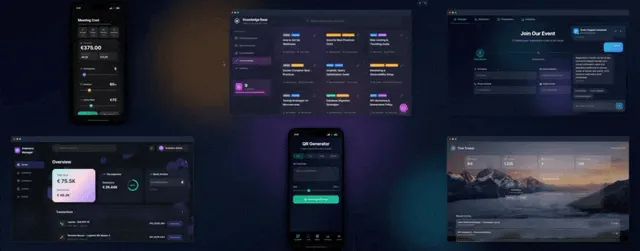
The fastest way to run a team is to stop stitching tools together. With Taskade Genesis you describe the internal tool you need, a wiki that answers, a board that hires, a picker that schedules, and it becomes a live app your team uses the same day. These are the workspace apps that run your team, the internal-facing twin of the run-your-whole-business wave. Build yours with AI or clone a working one in a click.
TL;DR: Three new live Taskade Genesis workspace apps run your team: an Internal Docs wiki with an agent that answers across every page, an Application Tracker hiring board with pipeline lanes and follow-up nudges, and a meeting picker with a best-slot agent that drafts the invite. Plus four more, from analytics to onboarding. Clone one free, then build your own.
What Are Live Workspace Apps?
Live workspace apps are working internal tools you build by describing them, then run on real connected projects instead of a static template. A wiki, a hiring board, a meeting picker: each one holds live data, and each one has an AI agent that reads that data and acts on it. You clone a working version, point it at your own pages and people, and it runs your team's day.
The difference from a document or a spreadsheet is that the app does the work. A doc stores your hiring notes. A hiring board moves the candidate, counts the pipeline, and nudges you about the ones gone quiet. Each app runs on the same three-layer Workspace DNA loop, the through-line of every Genesis Apps Live story.
Build a Wiki That Answers
A Taskade Genesis Internal Docs app gives your team one home for every page, with sidebar groups and instant search, and a docs agent that answers questions in plain language. Instead of hunting through folders, anyone can ask "what is our onboarding process" and get the answer pulled straight from your own docs.
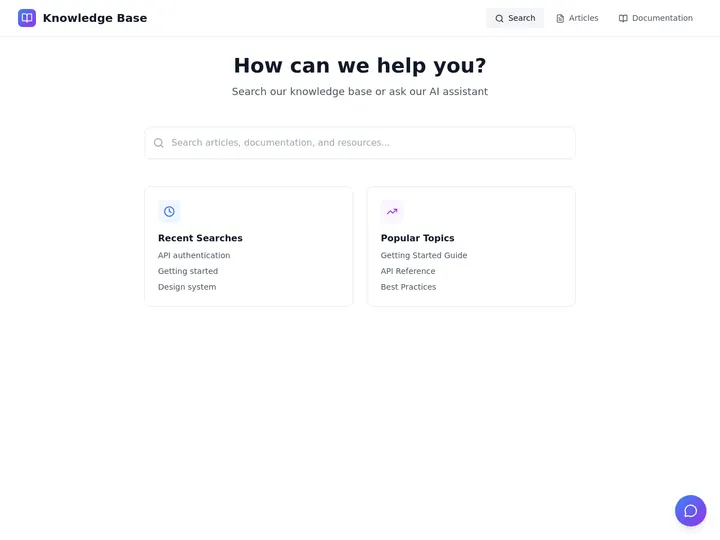
The Internal Docs app above is free to clone. Three things make it a real knowledge tool rather than a pile of pages:
| Inside the wiki | What it does |
|---|---|
| Sidebar groups | Engineering, Product, HR, one home with sane structure |
| Instant search | Jump to any page as you type, no folder spelunking |
| Docs agent | Answers questions in plain language across every doc |
The agent reads your connected pages the same way the multi-agent workspace update describes, so the answers stay grounded in your real docs. Pair it with agent memory and connected tools to see how the wiki feeds the rest of the workspace.
Run Hiring. Track Every Candidate.
A Taskade Genesis hiring board moves candidates through real pipeline lanes, Applied, Interviewing, Offer, Rejected, with drag-and-drop status and live counters at the top. Follow-up nudges remind you about candidates gone quiet, so nobody slips through while you are busy running everything else.
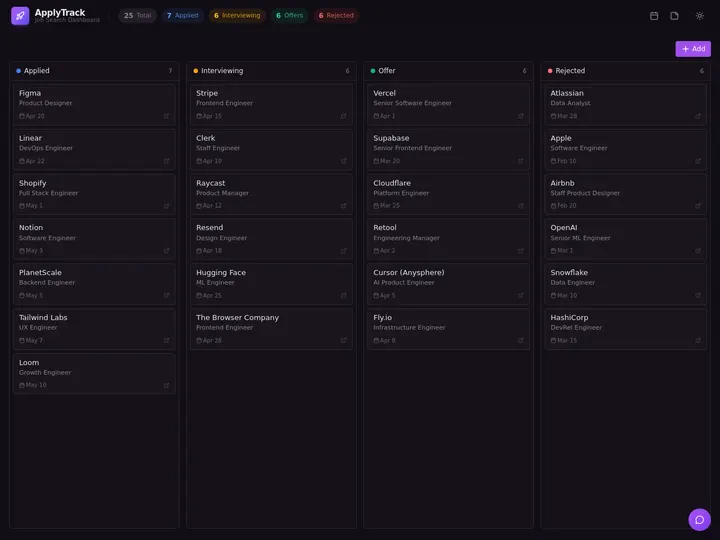
The Application Tracker board above is free to clone. Because it runs on connected projects, a candidate, their stage, and your notes are one linked record.
| In the hiring board | What it does |
|---|---|
| Pipeline lanes | Applied, Interviewing, Offer, Rejected, drag to update |
| Live counters | Total, applied, interviews, and offers at a glance |
| Follow-up nudges | Auto-remind on stale candidates so nobody slips through |
For the team-logins version, where each interviewer sees their own view, turn on App Users, the same authenticated sign-in behind the run-your-whole-business apps.
Find a Time. Send the Invite.
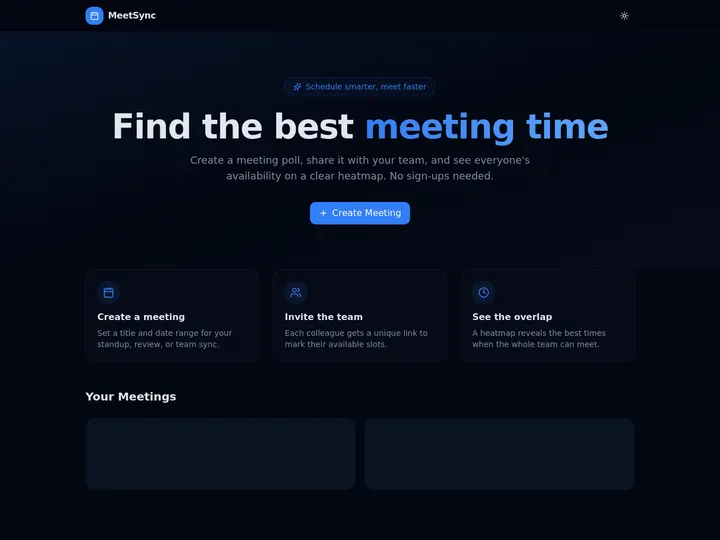
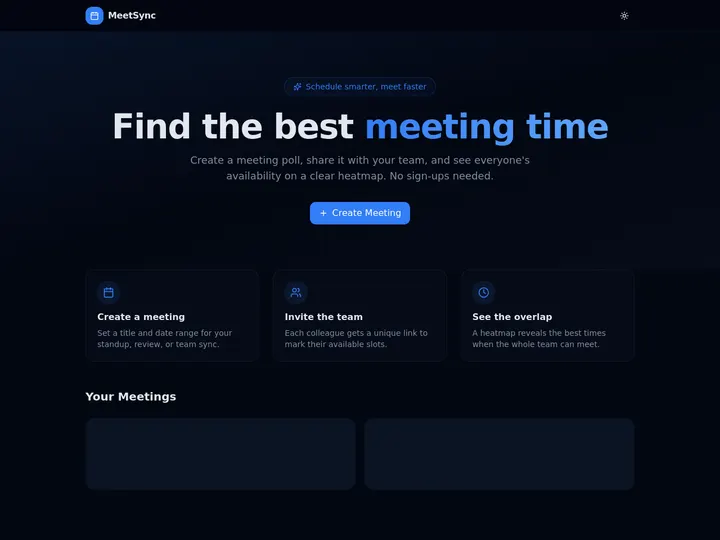
A Taskade Genesis meeting picker finds a time and sends the invite for you. Guests drag across their open slots on an availability heatmap, with no accounts and no calendar permissions to share. A best-slot agent then picks the winning time, drafts the invite, and sends the confirmation. The flow below shows exactly how it closes the loop.
The meeting picker above is free to clone. The booking and confirmation run on a scheduled automation, the same execution layer behind book classes and schedule clients.
More Live Workspace Apps. Clone One.
The three above are the start. Four more live apps run the rest of your team's week, from growth to onboarding, and each is cloneable in one click, points at your data, and runs.
| Live app | What it runs | Clone it |
|---|---|---|
| Growth Analytics | MRR, leads, and growth on one dashboard | Clone → |
| Customer Health | Health, churn, and retention at a glance | Clone → |
| Sales Pipeline | Pipeline, win rate, and deals end to end | Clone → |
| Onboarding Portal | Day-1, day-7, and day-30 onboarding steps | Clone → |
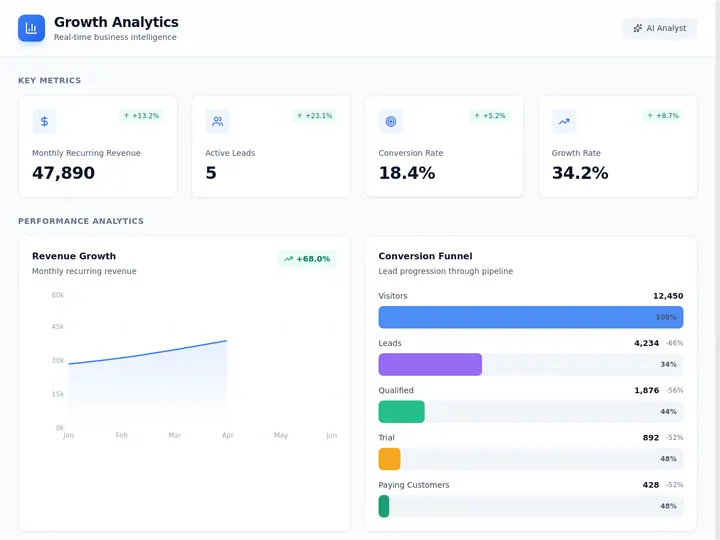

Browse hundreds more in the Community Gallery, or read the new app kits, agents, and workflows drop and agent teams and automated workflows for the patterns behind them.
Start in 60 Seconds. Make It Yours.
Three ways in, and all of them end with an app that is yours.
| Step | What you do |
|---|---|
| 1. Prompt it | Type what you want, get a working app in Taskade Genesis |
| 2. Clone it | Pick a live app, clone it, and it is yours to edit |
| 3. Hire a role | Add a pre-built agent role, then point it at your projects |
Every app on this page is built by describing it, not by dragging boxes around. The agents inside, the docs agent, the best-slot agent, read your connected projects and act on them, which is the memory layer of Workspace DNA.
What It Costs to Run Your Team on One App
You can build and clone every app on this page free, then upgrade only when you want client or teammate logins on your own domain. App Users and custom domains unlock on Business and above.
| Plan (annual billing) | Price | Best for |
|---|---|---|
| Free | $0 | Building and cloning workspace apps |
| Starter | Legacy plan | Existing subscribers only, not offered to new signups |
| Pro ★ | $10/mo | Up to 10 users, the popular choice |
| Business | $25/mo | Team logins and a custom domain, with App Users |
One Pro seat at $10/month runs the wiki, the hiring board, and the scheduler together, less than a single tool subscription for any one of them on its own.
Describe the Tool. Run the Team.
One prompt. One app. Your team's knowledge, hiring, and schedule, on apps you own. Connected projects remember the data, AI agents answer and act on it, and automations keep it moving across 100+ integrations. That is your Workspace DNA.
Ready to build your own? Start in Taskade Genesis, or clone a live one and have it working in a minute.
Read Next: The Run-Your-Business Wave
- Run Your Whole Business in One App →, the client-facing twin of these internal apps: ops dashboard, CRM, and client portal.
- New App Kits, Agents & Workflows →, more live apps and the agents that run them.
- Multi-Agent Workspace →, how the agents read your connected projects and act across them.
- Agent Teams & Automated Workflows →, the execution layer that keeps every app running.
▲ ■ ● Memory · Intelligence · Execution
The three-layer architecture behind every Taskade Genesis app, connected projects remember, agents think, automations run. Clone any live app above to feel the loop close itself, or build your own on the same primitives.
Frequently Asked Questions
What is a live workspace app in Taskade Genesis?
A live workspace app is a working internal tool you build by describing it, a wiki, a hiring board, a meeting picker, backed by real connected projects instead of a static template. Each one runs your team's day, and you can clone a working version in one click and point it at your own data.
Can a Taskade Genesis wiki answer questions across my docs?
Yes. The Internal Docs app groups your pages in a sidebar with instant search, and a built-in docs agent answers questions in plain language across every page. Ask "what is our refund policy" and it reads your wiki and replies, no folder hunting.
How does a hiring board work in Taskade Genesis?
The Application Tracker board moves candidates through pipeline lanes, Applied, Interviewing, Offer, Rejected, with drag-and-drop status and live counters at the top. Follow-up nudges remind you about stale candidates so nobody slips through the cracks.
Do I need to code to build these workspace apps?
No. You describe the tool you want in plain language and Taskade Genesis builds it. Non-technical operators build wikis, hiring boards, and schedulers this way every day, with no developer and no setup wizard.
How does the meeting picker schedule a time?
Guests drag across their open slots on an availability heatmap, with no accounts or calendar permissions to share. A best-slot agent then picks the winning time, drafts the invite, and sends the confirmation for you.
What other live apps can I clone besides these three?
Many more, all cloneable in one click: Growth Analytics, Customer Health, Sales Pipeline, and an Onboarding Portal, plus CRMs, ops dashboards, and content planners. Browse hundreds of live apps in the Community Gallery and point any of them at your own data.
Which AI models power the agents inside these apps?
15+ frontier models from OpenAI, Anthropic, Google, and open-weight providers, switchable per agent. The Auto setting routes each task to a sensible default, so the docs agent or best-slot agent acts on your connected projects without you choosing a model by hand.