







The best AI flashcard maker in 2026 depends on two things: where your study material lives, and how you plan to review it. Anki is still the free review engine that serious students trust. Quizlet and Knowt build a set from your notes in seconds. RemNote keeps notes and cards in one place. Taskade turns a PDF, a slide deck, a YouTube link or pasted notes into an editable deck inside the same workspace as your notes, your study plan and your study group.
This guide compares 12 tools, but it starts with something the other lists skip. A flashcard is a self-test, and a self-test is metacognition in practice: you find out what you do not know. AI can write the cards for you. It cannot do the finding out for you. That changes how you should use every tool on this list.
TL;DR: Anki is the best free review engine, Quizlet and Knowt are the fastest set builders, and Taskade turns a PDF, slides or a YouTube link into an editable deck in your study workspace. Students who made their own cards beat premade decks (d = 0.45), so edit every AI card. Try the PDF to Flashcards converter.
Last updated: November 23, 2026. Facts checked on 2026-11-10.
Method: we compared every tool from its public product page, pricing page and help center on November 10, 2026. We did not run a hands-on accuracy test for this edition. Where a vendor page did not state a number, we left the number out. Taskade publishes this guide, and we make Taskade.
Quick Answer: The Best AI Flashcard Makers in 2026
The best AI flashcard maker for most students is a pair: one tool that writes good cards from your material, and one tool that schedules the reviews. Some apps do both. Anki schedules best but writes nothing on its own. Gemini Notebook (formerly NotebookLM) writes well from your sources but does not schedule. The table shows which job each tool does best.
| Tool | Makes cards from | Reviews with | Free tier | Best for |
|---|---|---|---|---|
| Taskade | PDF, slides, YouTube link, pasted notes | AI tutor agent, scheduled review list | Yes. Pasting text works on Free. PDF upload needs a paid plan | Cards inside your study workspace and study group |
| Anki | Your typing, imports, AI add-ons | FSRS scheduler, built in | Free on desktop, Android and web | Long-term review, medicine, languages |
| Quizlet | Pasted text, PDF, slides, Word, Google Drive | Learn mode | Limited AI and limited Learn rounds | Fast sets and a huge shared library |
| Knowt | PDF, slides, images, video, audio, YouTube | Learn mode, spaced repetition mode | AI flashcards, Learn and spaced repetition free | The strongest free study system |
| RemNote | Your notes, PDF, YouTube | Spaced repetition in the notes app | 5 AI cards and 250 AI credits a month | Notes and cards in one app |
| Gizmo | PDF, YouTube, notes, PowerPoint, Anki and Quizlet imports | Memorise mode with spaced repetition | Yes, with a wait between imports | Game-style review |
| Gemini Notebook | Your uploaded sources | Got it or Missed it, retry missed cards | Yes | Cards grounded in your own sources |
| StudyFetch | PDF, slides, lecture recordings, YouTube | Flashcards, quizzes, games | Free to start | Cards with citations back to the source |
| Brainscape | PPT, PDF, docs, instructions | Confidence-based repetition | Hundreds of AI cards | Rating your own confidence |
| Mochi | Markdown notes | Spaced repetition | Free forever, offline | Plain Markdown and code cards |
| Revisely | PDF, slides, images, handwriting, text | Flashcards and quizzes | 5 pages per document | Printing and exporting to Anki |
| ChatGPT | Pasted text, uploaded files | Study mode knowledge checks | Yes | Custom card formats on request |
Facts checked on 2026-11-10 on each vendor's own page. Prices and limits change often. Check the vendor page before you buy.
Why a Flashcard Is Metacognition You Can Hold
A flashcard works because it forces a prediction you can check. You read the front, you try to answer, you flip the card, and you see at once whether you knew it. That moment is metacognition: thinking about your own thinking. John Flavell named the field in 1979, and Thomas Nelson and Louis Narens (1990) split it into two jobs, monitoring (how well do I know this?) and control (what do I study next?).
Rereading gives you no such moment. A page you have seen twice feels familiar, and familiarity feels like knowing. Asher Koriat and Robert Bjork (2005) called the result an illusion of competence: when the answer sits in front of you while you study, you overrate how well you will recall it later. A flashcard hides the answer, so the illusion breaks on the first card you miss.
The pink diamond is the whole point. Every card is a small experiment on your own memory, and the rating you give is your monitoring judgment. The spaced repetition app then turns that judgment into control: it decides when you see the card again.
Students already know half of this. In a survey of 472 UCLA undergraduates, Nate Kornell and Robert Bjork (2007, Psychonomic Bulletin & Review) found that most students who tested themselves did it mainly to check what they knew, not because testing itself builds memory. Both reasons are true. A self-test tells you what you do not know, and the act of recall makes the memory stronger. For the full story on how monitoring and control work, read our guide to what metacognition is.
What AI changes, and what it does not
| Step | Who does it with an AI flashcard maker | Can AI do it for you? |
|---|---|---|
| Find the facts worth learning | AI drafts, you choose | Partly. AI cannot know what your exam stresses |
| Write the question | AI drafts, you edit | Yes for a draft, no for the final card |
| Try to recall the answer | You | No. This is where learning happens |
| Judge whether you knew it | You | No. This is the metacognition |
| Decide when to review | The scheduler | Yes. Algorithms do this well |
| Repair a card you keep missing | You, with AI help | Partly. AI can suggest a split |
The rows marked "You" are the ones no tool can take over. An AI that writes 300 cards in a minute saves the slowest step, but it also tempts you to skip the step that makes cards work: deciding what you need to learn and saying it in your own words.
The Learning Science Behind Flashcards, in Five Minutes
Two findings explain why flashcards work: retrieval practice and spacing. In their 2013 review of ten common study techniques, John Dunlosky and colleagues rated practice testing and distributed practice the only two with high utility. Flashcards with a scheduler combine both. This section is short on purpose. The history and the algorithms are in our guide to spaced repetition explained.
The testing effect
Henry Roediger and Jeffrey Karpicke (2006, Psychological Science) had students read prose passages and then either reread them or take a recall test. Rereaders did better at five minutes. Testers did better a week later. The students who reread also felt more confident, which is the illusion of competence again. Karpicke and Roediger (2008, Science) then showed that dropping a learned item from testing hurt later recall, while dropping it from restudy did not.
Two meta-analyses confirm the pattern across hundreds of studies: Christopher Rowland (2014, Psychological Bulletin) and Olusola Adesope, Dominic Trevisan and Narayankripa Sundararajan (2017, Review of Educational Research). Recall beats review.
The spacing effect
Hermann Ebbinghaus described forgetting and the value of spaced study in 1885. Nicholas Cepeda and colleagues (2006, Psychological Bulletin) reviewed the distributed practice literature and found that spreading study over time beats massing it, for the same total study time. For flashcards the sharpest test is Kornell (2009, Applied Cognitive Psychology):
| Finding from Kornell (2009) | What it means for your deck |
|---|---|
| One big stack beat four small stacks | A big stack puts more time between repeats of each card |
| 90% of participants learned more with spacing | The effect held for almost everyone, not just on average |
| After the first session, 72% believed massing had worked better | Your feeling about what works is not a reliable guide |
That last row is the metacognition problem in one number. Cramming feels better while it is happening, so learners pick it, even when it works worse.
Making your own cards beats premade cards
This is the finding that matters most for AI flashcards. Steven Pan, Inez Zung, Megan Imundo, Xuxin Zhang and Yunning Qiu (2023, Journal of Applied Research in Memory and Cognition) ran six experiments in which students studied text passages with either cards they made themselves or premade cards, and then took a test 48 hours later.
Self-made cards won on definition questions (d = 0.45) and, in most experiments, on application questions (d = 0.29). The authors also report that most participants did not realize how much making the cards helped. An AI-generated deck is a premade deck. The practical rule follows directly: let AI draft the deck, then do the making yourself by editing, rewriting, cutting and adding. The generation effect, first shown by Norman Slamecka and Peter Graf (1978), points the same way: what you produce, you remember better than what you only read.
| Research finding | Source | Rule for AI flashcards |
|---|---|---|
| Recall beats rereading on delayed tests | Roediger and Karpicke, 2006 | Study by answering cards, not by reading the deck |
| Keep testing items you already got right | Karpicke and Roediger, 2008 | Do not delete a card after one correct answer |
| Spaced study beats massed study | Cepeda et al., 2006 | Use a scheduler, not a night-before marathon |
| Big stacks beat small stacks | Kornell, 2009 | Shuffle the whole deck instead of drilling 10 cards |
| Dropping cards early hurts a little | Kornell and Bjork, 2008 | Let the scheduler retire cards, not your mood |
| Self-made cards beat premade cards | Pan et al., 2023 | Edit and rewrite every AI card |
| Overconfidence ends study too early | Dunlosky and Rawson, 2012 | Trust your miss rate, not your feeling |
What Makes a Good Flashcard (and Why AI Often Writes Bad Ones)
A good flashcard asks for one fact, has one correct answer, and takes a few seconds to answer. Piotr Wozniak, who created SuperMemo, wrote this down in 1999 as rule 4 of his twenty rules of formulating knowledge: stick to the minimum information principle. AI tools break this rule more than any other, because a language model likes to write complete, paragraph-sized answers.
The minimum information principle
A card that asks for five facts at once fails in a hidden way. You remember three, you feel you mostly know it, you rate it "good," and the two weak facts never get the extra reviews they need. Split the card, and each fact gets its own schedule.
Bad cards and better cards
These are the five card shapes AI tools produce most often, with the rewrite for each.
| Bad card an AI tends to write | Problem | Better card |
|---|---|---|
| "Explain the causes of World War I." | Essay, not a card | "Whose assassination in June 1914 triggered the July Crisis?" |
| "List the 7 SI base units." | A set to enumerate | Seven cards, one per unit: "What is the SI base unit of electric current?" |
| "What is photosynthesis?" with a 60-word answer | Too much on the back | "Which gas do plants take in during photosynthesis?" |
| "Mitochondria are important because ___." | Many correct answers | "Which organelle makes most of the cell's ATP?" |
| "True or false: enzymes are proteins." | Guessable, half right | "Enzymes are mostly made of which class of molecule?" |
Cloze deletion: the card format AI handles best
A cloze card hides one word or phrase inside a sentence. Wozniak's rule 5 reads "Cloze deletion is easy and effective," and Anki has a built-in cloze note type. It suits AI well because the source sentence stays intact, so the tool cannot drift far from the text. In Anki the syntax looks like this:
The {{c1::mitochondrion}} makes most of the cell's ATP.
Aspirin irreversibly inhibits {{c1::cyclooxygenase (COX)}} enzymes.
The Treaty of {{c1::Westphalia}} ended the Thirty Years' War in {{c2::1648}}.
The third line makes two cards from one sentence, one for the treaty and one for the year. That is fine, because each card still asks for one fact.
Card types and when to use each
| Subject | Best card type | Example front |
|---|---|---|
| Vocabulary and languages | Reversible | "el perro" and, on its own card, "the dog" |
| Medicine and biology | Cloze and image occlusion | A labeled diagram of the heart with one label hidden |
| History and law | Basic, with dates as cloze | "Which case established judicial review in the US?" |
| Math and physics | Basic, with a worked step | "What is the first step to solve a quadratic by completing the square?" |
| Programming | Basic, with a code snippet | "What does this one-line list comprehension return?" |
| Concepts and theory | Why or how prompts | "Why does a vaccine produce memory cells?" |
Wozniak's rules, applied to AI drafts
Five of the twenty rules do most of the work when you edit an AI deck:
| Rule (Wozniak, 1999) | What to check in an AI draft |
|---|---|
| 1. Do not learn if you do not understand | Delete any card you cannot explain. Learn the idea first, then card it |
| 4. Stick to the minimum information principle | Split any answer longer than one short line |
| 9 and 10. Avoid sets and avoid enumerations | Break every "list the" card into single facts |
| 11. Combat interference | Add a cue when two cards look alike, for example the chapter name |
| 18. Provide sources | Keep the page number or video time on the back |
Here is the anatomy of a card that passes all five checks:
+-------------------------------------------------------------+
| FRONT                                                       |
|   [Pharmacology, Ch. 4]                       <- cue / tag  |
|   Aspirin irreversibly inhibits which enzymes?              |
+-------------------------------------------------------------+
| BACK                                                        |
|   Cyclooxygenase (COX-1 and COX-2)            <- one fact   |
|   Source: lecture slides p. 23                <- source     |
+-------------------------------------------------------------+
| CHECKS: one fact | one answer | under 10 seconds | sourced  |
+-------------------------------------------------------------+
If you want to understand an idea before you card it, the Feynman technique is the natural first pass: explain it in plain words from memory, find the gaps, then turn each repaired gap into a card.
How AI Flashcard Makers Work
Every AI flashcard maker runs the same four steps: extract the text, find the facts, write question and answer pairs, and hand you a draft. The quality differences come from step two, choosing what matters, and from how easy the tool makes step four, your edit.
Three limits follow from this pipeline:
- YouTube tools read the transcript, not the picture. If a lecturer points at a diagram and says "this one here," no card will capture the diagram. A video without captions gives the tool nothing to read.
- Scanned PDFs need OCR. A photo of a page is an image until something reads the letters. Check the first cards from a scanned file against the page.
- AI picks what is easy to card, not what is on your exam. Definitions get carded first because they are easy to spot. The worked problem your professor stressed may never appear. Tell the tool what to focus on.
For a deeper look at the reading step, our guides to PDF to notes AI tools, YouTube to notes tools and handwritten notes to text apps compare how each type of tool extracts text.
How We Compared 12 AI Flashcard Makers
We compared the tools on six questions, all answered from vendor pages on November 10, 2026. We did not score a test deck for this edition, so this guide has no accuracy ranking. The order below is an order of reading, not a score. Each tool wins a different job, and each section names that job.
| Question | Why it matters |
|---|---|
| What can it make cards from? | PDF, slides, YouTube, notes, images and handwriting are different jobs |
| Can you edit the draft before you study? | Editing is where self-made cards get their advantage |
| How does it schedule reviews? | Spacing is half of why flashcards work |
| Can you get the cards out? | Anki import, CSV and printing protect your work |
| What does the free plan stop at? | Most students start free |
| What does the first paid plan cost? | Read from the vendor's own pricing page |
Every tool section uses the same frame: what it is, how it makes cards, the free plan, pros, cons, pricing and who it is best for.
1. Taskade: Best for Flashcards Inside Your Study Workspace
Taskade turns a PDF, a slide deck, a YouTube link or pasted notes into a deck of question and answer cards inside a project you can edit, share and study with an AI agent. It is the pick when the cards need to live next to your notes, your study plan and your study group.
What it is. Taskade is an AI workspace with projects, AI agents and automations.
How it makes cards. The PDF to Flashcards converter turns a PDF's concepts, definitions and facts into question and answer pairs in a List, Board or Table. Presentation to Flashcards does the same for slides. Import with AI accepts a YouTube link, and the YouTube to Anki converter drafts cloze cards from the transcript. The AI Flashcard Tutor quizzes you and brings missed words back more often.
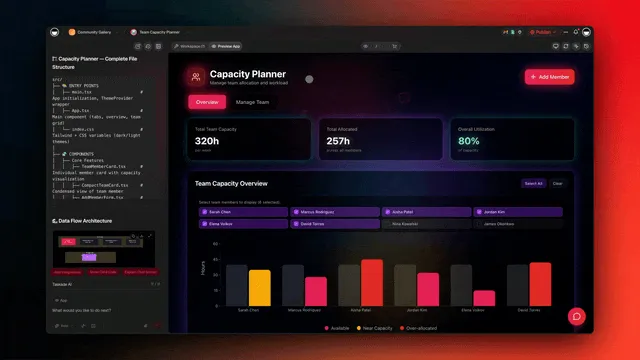
Free plan. 1 AI agent with 1 knowledge item, 3 Taskade Genesis apps, 2 members and 10 automation runs per billing period. Pasting notes works on Free. PDF and other non-image uploads need a paid plan. AI work uses credits. On Free, you earn free AI credits with referrals and invites, and you can upgrade any time.
Pros:
- Cards land in an editable project, so a rewrite is one line.
- An agent trained on your PDFs explains a card you keep missing.
- A study group edits one deck in real time, with role-based access from Owner to Viewer.
Cons:
- No algorithmic scheduler such as FSRS, and no dedicated Anki export. For months of spaced review, export a CSV file and import it into Anki.
- PDF upload needs a paid plan.
- A converted deck is a project, not a flip-card screen. For that, use the AI Flash Card Maker app.
Pricing. Pro is $10 a month billed annually ($120 a year), or $20 billed monthly, with 50,000 AI credits a month, unlimited agents and up to 10 members.
Best for. Students and teachers who want the PDF, notes, cards and study plan in one place.
2. Anki: Best Free Review Engine (Add AI With an Add-On)
Anki is the free, open flashcard app that many medical students and language learners use for long-term review, and it now ships the FSRS scheduler built in. It writes no cards with AI by itself. You add AI through an add-on or import cards that another tool wrote.
What it is. Anki runs on Windows, macOS and Linux, with AnkiDroid on Android and AnkiMobile on iOS. The current desktop release on the download page is 26.09.4. The desktop app, AnkiDroid and AnkiWeb sync are free. AnkiMobile is a paid app, and its purchases fund development.
How it makes cards. You type them, import them, or use an add-on. Anki has a built-in cloze note type, and since version 23.10 it supports image occlusion cards natively. Its text importer reads files separated by commas or tabs, which is how cards from ChatGPT, Taskade and most AI tools get in. Add-ons on AnkiWeb add AI. One example, the open-source Anki AI field generator, fills fields on cards you already have using your own AI provider key. Another, NovaCards, generates cloze cards from pasted notes or uploaded PDF, DOCX and PPTX files and adds them to your collection.
Free plan. Everything except AnkiMobile is free. Add-ons that call an AI provider can need your own paid API key.
Pros:
- The FSRS scheduler lets you set a target, with a default desired retention of 90%.
- Cloze, image occlusion, audio, images and add-ons cover almost any subject.
- Your collection is yours, and huge shared decks exist for medicine and languages.
Cons:
- No native AI card writer. AI means add-ons, imports and setup.
- The interface takes time to learn.
- AnkiMobile on iOS costs money.
Pricing. Free on desktop, Android and web. AnkiMobile is a paid app.
Best for. Anyone who studies for months or years, such as medical boards, bar exams and languages, and wants the strongest scheduler. Pair it with an AI tool for the first draft.
3. Quizlet: Best for Fast Sets and a Huge Shared Library
Quizlet turns pasted text, a PDF, slides, a Word file or a Google Drive document into a draft flashcard set with its Smart Assist feature, and its Learn mode adapts questions to what you know. It is the most familiar name in flashcards, with a large library of public sets.
What it is. Quizlet is a study platform with flashcards, Learn, practice tests and study guides on the web, iOS and Android.
How it makes cards. In the help center steps, you select Create, start a flashcard set, then type or paste text, upload a file, or enter a topic. Smart Assist writes draft cards in a preview where you can edit, delete or add before you publish. Quizlet lists PDF, PowerPoint and Word files as inputs, up to 100,000 characters of pasted text in one session, and Google Drive as a source.
Free plan. You can make sets by hand and use core study modes. Some AI features are free with limited access. Learn is free for a limited number of rounds per set, and Plus subscribers get more.
Pros:
- The draft preview makes editing before you study easy.
- A large library of public sets for common courses.
- Learn mode mixes question types and adapts to your answers.
Cons:
- Heavier AI use and full Learn access sit behind a paid plan.
- Quizlet does not describe Learn as a spaced repetition algorithm.
- Public sets are premade cards, with the weaker results Pan and colleagues found.
Pricing. Quizlet sells two paid plans, Quizlet Plus and Plus Unlimited. Quizlet's upgrade page blocked our check on November 10, 2026, so we leave the prices out. Check the upgrade page before you buy.
Best for. Students who want a set in a minute, who study with classmates on Quizlet already, or who want a public set for a standard course to adapt.
4. Knowt: Best Free Study System Built Around Flashcards
Knowt is the free Quizlet alternative that makes flashcards from files with its AI, Kai, and gives free Learn and spaced repetition modes. It has one of the most generous free tiers among the AI flashcard apps we compared.
What it is. Knowt is a study app on the web and on mobile with flashcards, notes, practice tests and AP, SAT and ACT prep.
How it makes cards. The AI flashcard maker page lists PDFs, images, videos, slides and audio, plus Google Drive and YouTube, with up to 30 files at once. "Kai will make flashcards instantly," the page says. Knowt says its Chrome extension imports Quizlet flashcards in two clicks, with images and formatting.
Free plan. Knowt's FAQ says you can make AI flashcards for free. Its Learn mode is free for every set, any number of times, and Knowt says its spaced repetition mode is free too.
Pros:
- Learn and spaced repetition are free, not trial features.
- Many study modes from one set: Learn, practice test, spaced repetition, match and more.
- A simple path from Quizlet with the Chrome extension.
Cons:
- The plans page does not say which AI limits apply on Free.
- Many features to learn if you only want a deck.
- Ultra is expensive month to month.
Pricing. Ultra is $7.99 a month billed as $95.99 a year, or $24.99 billed monthly. Ultra adds AI summarizers for PDFs, videos and slides, a lecture recording summarizer and more.
Best for. Students who want a full free study system around flashcards, and anyone leaving Quizlet.
5. RemNote: Best for Notes and Flashcards in One App
RemNote is a note-taking app where flashcards grow out of your notes, with AI that turns text, PDFs and YouTube videos into cards and a built-in spaced repetition schedule. It is the pick when you want one app, not a notes app plus a flashcard app.
What it is. RemNote is a notes and spaced repetition app for the web, desktop and mobile. You write a note, mark parts as flashcards, and review them on a schedule.
How it makes cards. You can turn a line of notes into a card as you type. AI "Text to Cards" turns pasted text into cards. YouTube to Cards extracts the main ideas of a video into cards that stay in RemNote, and you can edit them and add exam dates. The pricing page lists "Learn PDF: AI Flashcards, Quizzes, and Summaries" on the Pro with AI plan.
Free plan. Free includes 5 AI cards and 250 AI credits a month. You can start YouTube to Cards for free.
Pros:
- Cards stay linked to the note they came from, so context is one click away.
- Exam dates on cards fit review to a deadline.
- Making cards while you take notes is a natural self-made workflow.
Cons:
- The free AI allowance is small.
- The full PDF flashcard feature sits on the most expensive plan.
- The annual plan shows no discount over monthly on the pricing page.
Pricing. Pro is $8 a month or $96 a year. Pro with AI is $18 a month or $216 a year, with 1,000 AI cards and 20,000 AI credits a month.
Best for. Students who take notes in one app and want flashcards to grow out of them, especially in theory-heavy courses.
6. Gizmo: Best for Game-Style Review
Gizmo turns PDFs, YouTube videos, notes and slides into AI flashcards and quizzes, then reviews them in a game-style Memorise mode that uses spaced repetition. It is built to make review feel like a game.
What it is. Gizmo is an AI quiz and flashcard app, with the tagline "Get addicted to learning."
How it makes cards. The site lists PDF to Flashcards, YouTube to Flashcards, Notes to Flashcards and PowerPoint to Flashcards. Its Magic Import accepts PDFs, recordings, pasted notes, photos, PowerPoint, Quizlet sets, existing Anki decks and CSV files. After import, Gizmo highlights key words, and those are what Memorise mode quizzes you on.
Free plan. Free works, with a 20-minute wait between imports, per Gizmo's help center. The Unlimited plan removes the wait.
Pros:
- Memorise mode uses spaced repetition to pick when each card returns.
- Many question types: multiple choice with AI-written wrong options, typing, voice, matching, true or false and ordering.
- Imports both Anki decks and Quizlet sets, so you can bring old decks.
Cons:
- Multiple choice with AI distractors tests recognition, which is easier than recall.
- The import wait slows a big batch on Free.
- Prices are not listed on the pages we could read.
Pricing. Free and Unlimited plans. Gizmo's public pages did not show a price when we checked, so we leave the number out.
Best for. Students who skip review because it feels like a chore, and groups that want live multiplayer quizzes with Gizmo Live.
7. Gemini Notebook (Formerly NotebookLM): Best for Cards Grounded in Your Sources
Gemini Notebook, the new name for Google's NotebookLM since July 16, 2026, generates flashcards from the sources you upload to a notebook, with difficulty and quantity settings. Its cards stay tied to your own material, not to the open web.
What it is. Gemini Notebook is Google's research notebook. You add sources such as PDFs, docs and links, then ask questions or generate study aids from them. Google's announcement says it remains a standalone product and also connects to the Gemini app.
How it makes cards. Per the help center, open the Studio panel and select Flashcards. The pencil icon lets you pick easy, medium or hard, choose fewer, standard or more cards, and add a prompt for focus, style or audience. You mark each card "Got it!" or "Missed it!", and you can retry only the cards you missed. An Explain button explains a card, you can delete a card from the deck, and you can download the deck as a CSV file.
Free plan. Flashcards work in the free product. Usage limits apply, and Google lists them on a separate page.
Pros:
- Cards come from your own sources, which cuts invented facts.
- "Only cards you missed" is a quick self-test loop.
- CSV download makes the deck easy to move to Anki.
Cons:
- No spaced repetition schedule.
- Limited control over individual card wording compared with a full editor.
- Built for research first, so deck management is basic.
Pricing. Free to use, within the usage limits that Google lists on its help center.
Best for. Students who already keep course readings in a notebook and want quick, grounded cards to export into a scheduler.
8. StudyFetch: Best for Cards With Citations to the Source
StudyFetch turns PDFs, slides, documents, lecture recordings, images of notes and YouTube links into flashcards, quizzes and games, and every flashcard cites the part of your material it came from. That citation makes checking an AI card fast.
What it is. StudyFetch is an AI study platform with a tutor called Sparky, a Live Lecture recorder and an Arcade of study games.
How it makes cards. You upload your own material or paste a YouTube link. The homepage says every flashcard "comes with citations back to your original materials." Live Lecture records a class and turns it into study material.
Free plan. "Getting started with StudyFetch is free," the homepage says. Premium is described for students who want it as their full study system.
Pros:
- Citations on every card make the accuracy check quick.
- Lecture recording turns a live class into cards.
- A tutor that answers follow-ups from your own material.
Cons:
- The homepage does not describe the card formats or a spaced repetition schedule.
- Prices were not on the pages we could read.
- An all-in-one platform is more than you need if you only want cards.
Pricing. Free to start, with a Premium plan. We could not read a price on StudyFetch's public pages, so we leave the number out.
Best for. Students who record lectures and want cards they can trace back to the exact source.
9. Brainscape: Best for Rating Your Own Confidence
Brainscape makes flashcards with AI from a PPT, PDF, document or plain instructions, and it reviews them with confidence-based repetition, where you rate how well you knew each card. That rating is metacognition made explicit.
What it is. Brainscape is a flashcard platform for the web, iOS and Android. Its paid plan adds certified content and organization tools.
How it makes cards. The FAQ says you can "provide instructions or source materials (like a PPT, PDF, doc, etc)," and the AI builds cards you then refine. Brainscape says it "trusts the user (not the game) to determine their own confidence in each item." Its homepage shows a 1 to 5 rating scale.
Free plan. Brainscape says it is free to make or import unlimited flashcards. The pricing page lists "Use AI to make 100s of flashcards" on Free.
Pros:
- Confidence rating trains you to judge your own knowledge.
- Unlimited manual and imported cards on Free.
- Certified content on the paid plan for exam takers who want a vetted start.
Cons:
- Confidence ratings only work if you are honest, and overconfidence is common.
- Unlimited AI generation needs Pro.
- Fewer input types than Knowt or Gizmo.
Pricing. Pro is $7.99 a month on the annual plan, with unlimited AI flashcard creation.
Best for. Learners who want to practice judging their own confidence, and exam takers who want certified content to start from.
10. Mochi: Best for Plain Markdown Cards
Mochi is a Markdown notes and flashcard app with spaced repetition, local-first storage and optional AI for example sentences and study prompts. It suits people who like plain text and want their cards to stay simple.
What it is. Mochi runs on Mac, Windows, Linux, iOS, Android and the web. Your data lives on your device and syncs when you are online.
How it makes cards. You write notes in Markdown, with headings, lists and code, and turn parts into cards. Because the card is your own writing, Mochi sits close to the self-made end of the Pan et al. results. The site says Mochi can generate example sentences or study prompts with current AI models, and Pro adds "AI integration."
Free plan. Free is $0 forever, with unlimited offline use. You keep the full card editor and spaced repetition reviews on Free.
Pros:
- Markdown makes code, formulas and formatting easy to write.
- Local-first, so your cards work offline.
- A clean interface that Anki switchers praise in the testimonials on its site.
Cons:
- AI helps with parts of a card, not with turning a whole PDF into a deck.
- Sync across devices needs Pro.
- Smaller shared library than Anki or Quizlet.
Pricing. Pro is $5 a month and adds sync, deck publishing, dynamic fields and AI integration.
Best for. Programmers, writers and language learners who write their own cards and want a fast, plain-text tool.
11. Revisely: Best for Printing and Exporting to Anki
Revisely turns PDFs, slides, images, photos, handwriting and text into flashcards and quizzes, and it can print double-sided cards or send them to Anki. It is the pick when you want paper cards or a quick deck for another app.
What it is. Revisely is an AI study tool with a flashcard generator, quiz maker and notes.
How it makes cards. The flashcard generator accepts uploads by drag and drop, a photo, a PDF or pasted text, and says it works with handwritten content. It exports to Anki "and many others," and prints single-sided or auto-aligned double-sided cards. A printed deck still works as a self-test, as long as you say the answer before you turn the card.
Free plan. Basic is $0, with 5 AI chat messages a day, 5 pages per document and 25,000 characters per text upload. Non-AI flashcards, quizzes and notes are unlimited.
Pros:
- Printable double-sided cards for people who study on paper.
- Anki export for students who review there.
- Reads handwriting and photos.
Cons:
- 5 pages per document on Free is tight for a textbook.
- No built-in scheduler described on the generator page.
- Fewer study modes than Knowt or Quizlet.
Pricing. $4.99 a month billed yearly, or $11.99 billed monthly, with unlimited AI flashcards and 200 pages per document.
Best for. Students who print cards, and anyone who wants a fast first draft to send into Anki.
12. ChatGPT: Best for Custom Card Formats on Request
ChatGPT writes flashcards in any format you describe, from pasted text or an uploaded file, and its study mode adds hints and knowledge checks. It has no deck or scheduler, so it is a card writer, not a review app.
What it is. ChatGPT is OpenAI's general AI assistant. Its study mode offers "step-by-step guidance instead of quick answers," with quizzes, open-ended questions and progress tracking. You turn it on by choosing "study" in chat.
How it makes cards. You attach a file or paste text and ask for cards in a format you choose: cloze, question and answer, reversed vocabulary, or a two-column table ready for import. The study mode page suggests the prompt "Turn this into flashcard-style questions and answers."
Free plan. ChatGPT has a free plan. OpenAI's help center says study mode is available across ChatGPT plans.
Pros:
- Any card format you can describe, including cloze syntax for Anki.
- Good at rewriting a bad card into an atomic one when you paste it back.
- Study mode quizzes you with follow-up questions.
Cons:
- No deck, no scheduler and no Anki file. You copy or import the output.
- Long documents drift. Work one chapter at a time.
- Facts can be wrong. Check every card against the source.
Pricing. Free plan available, with paid plans for more use.
Best for. Students who already know what a good card looks like and want a flexible writer to feed Anki, Mochi or Quizlet.
Free Plans, Prices and Inputs Side by Side
Free AI flashcard makers exist, but almost every free plan caps something: pages, AI cards, imports or review rounds. The first table shows where each free plan stops. The second shows the first annual price we could read on each vendor's own page.
Where each free plan stops
| Tool | What the free plan includes | Where it stops |
|---|---|---|
| Taskade | 1 agent with 1 knowledge item, 3 apps, 2 members, pasted notes | PDF upload needs a paid plan. On Free, you earn free AI credits with referrals and invites, and you can upgrade any time. |
| Anki | The whole desktop, Android and web app | AnkiMobile on iOS is paid. AI add-ons can need your own key |
| Quizlet | Manual sets, core modes, some AI | Limited AI and limited Learn rounds |
| Knowt | AI flashcards, Learn and spaced repetition | The plans page does not list AI limits |
| RemNote | Notes, cards, 5 AI cards, 250 AI credits a month | Full PDF flashcards need Pro with AI |
| Gizmo | AI flashcards and Memorise mode | 20-minute wait between imports |
| Gemini Notebook | Flashcards from your sources | Google's usage limits |
| StudyFetch | Free to start | Premium for the full system |
| Brainscape | Unlimited manual cards, hundreds of AI cards | Unlimited AI needs Pro |
| Mochi | Unlimited offline use | Sync needs Pro |
| Revisely | 5 pages per document, 25,000 characters | Bigger files need a paid plan |
| ChatGPT | Card writing in chat | No dedicated flashcard deck or scheduler |
First annual price on the vendor's page
| Plan | Billed annually | Note |
|---|---|---|
| Revisely | $4.99 a month, billed yearly | $11.99 billed monthly |
| Brainscape Pro | $7.99 a month on the annual plan | Unlimited AI cards |
| Knowt Ultra | $95.99 a year | $24.99 billed monthly |
| RemNote Pro | $96 a year | Pro with AI is $216 a year |
| Taskade Pro | $120 a year | Up to 10 members on one plan, $20 billed monthly |
| Mochi Pro | $5 a month | Yearly price not listed |
| Anki | Free | AnkiMobile is a paid iOS app |
Quizlet, Gizmo, StudyFetch and Gemini Notebook did not show a price we could confirm on their public pages, so they are not in the chart. The Revisely and Brainscape bars multiply the monthly rate on the annual plan by 12.
What each tool can make cards from
| Tool | Slides | YouTube | Pasted notes | Photos or handwriting | |
|---|---|---|---|---|---|
| Taskade | Yes, paid plan | Yes, paid plan | Yes | Yes | Yes |
| Anki | Through add-ons | Through add-ons | Through other tools | Typing or import | Image occlusion |
| Quizlet | Yes | Yes | Not stated | Yes | Not stated |
| Knowt | Yes | Yes | Yes | Yes | Yes |
| RemNote | Pro with AI | Not stated | Yes | Yes | Not stated |
| Gizmo | Yes | Yes | Yes | Yes | Yes |
| Gemini Notebook | Yes | Not stated | Not stated | Yes | Not stated |
| StudyFetch | Yes | Yes | Yes | Yes | Images of notes |
| Brainscape | Yes | Yes | Not stated | Yes | Not stated |
| Revisely | Yes | Yes | Video tab | Yes | Yes |
| ChatGPT | As an uploaded file | As an uploaded file | Not stated | Yes | As an uploaded image |
"Not stated" in these tables means the vendor pages we read did not say. It does not mean the feature is missing.
How each tool schedules reviews
| Tool | Review method | Getting cards out |
|---|---|---|
| Anki | FSRS scheduler, default desired retention 90% | Its own decks, text and shared decks |
| Knowt | Spaced repetition mode | Not stated |
| RemNote | Spaced repetition with exam dates | Not stated |
| Gizmo | Memorise mode with spaced repetition | Not stated |
| Brainscape | Confidence-based repetition | Not stated |
| Mochi | Spaced repetition | Not stated |
| Quizlet | Learn mode, adaptive | Not stated |
| Gemini Notebook | Got it or Missed it, retry missed cards | CSV download |
| Taskade | AI tutor agent and scheduled review lists | CSV and Markdown export |
| Revisely | Flashcards and quizzes | Anki export, printing |
| ChatGPT | Study mode knowledge checks | Copy or table output |
How a Card Moves Through a Spaced Repetition Scheduler
A spaced repetition scheduler moves each card from new to learning to review, and it stretches the gap every time you recall the card. In Anki, a card with an interval of 21 days or more counts as mature. If you forget a card, it lapses and goes through relearning before its gaps start to grow again. This diagram shows the forward path.
This is why the source of your cards matters more than the speed of the generator. A scheduler can only space what you give it. A deck of vague, multi-fact cards gets scheduled just as faithfully as a deck of sharp ones, and you pay for the vague ones every day.
Most decks share one data shape, whichever tool you use:
Keep the SOURCE link on every card, either a page number or a video time. When a card turns out to be wrong, the source tells you where to check.
How to Choose the Right AI Flashcard Maker
Choose by your review habit first and your source material second. If you will review for months, pick a scheduler, and then pick whatever writes the best first draft for it. If you review for one exam in two weeks, a single app that does both is enough.
| Your situation | Pick | Why |
|---|---|---|
| Medical school or a board exam | Anki plus an AI drafting tool | Cloze, image occlusion and FSRS for thousands of cards |
| Language vocabulary | Anki, Mochi or the AI Flashcard Tutor | Reversible cards and daily review |
| One course, one final, free | Knowt | Free AI cards, Learn and spaced repetition |
| A big PDF reading list | Taskade or Gemini Notebook | Cards from your own sources, kept with your notes |
| Recorded lectures | StudyFetch or RemNote | Lecture and YouTube inputs with source links |
| A study group | Taskade or Quizlet | Shared decks that everyone edits |
| You print cards | Revisely | Double-sided printing |
| You hate reviewing | Gizmo | Game-style Memorise mode |
| A teacher building class decks | Taskade or Quizlet | Generate once, share with the class |
If your exam calls for practice questions rather than cards, see our comparison of AI quiz generators, and for a printable one-page summary before the test, see AI reviewer makers.
Workflow 1: PDF to Flashcards in Four Steps
To create flashcards from a PDF, generate a draft from one chapter at a time, edit every card, add the page number, and then move the deck to your review tool. The edit step is not optional. It is where a premade deck becomes a self-made one.
Step 1: Generate a draft from one chapter
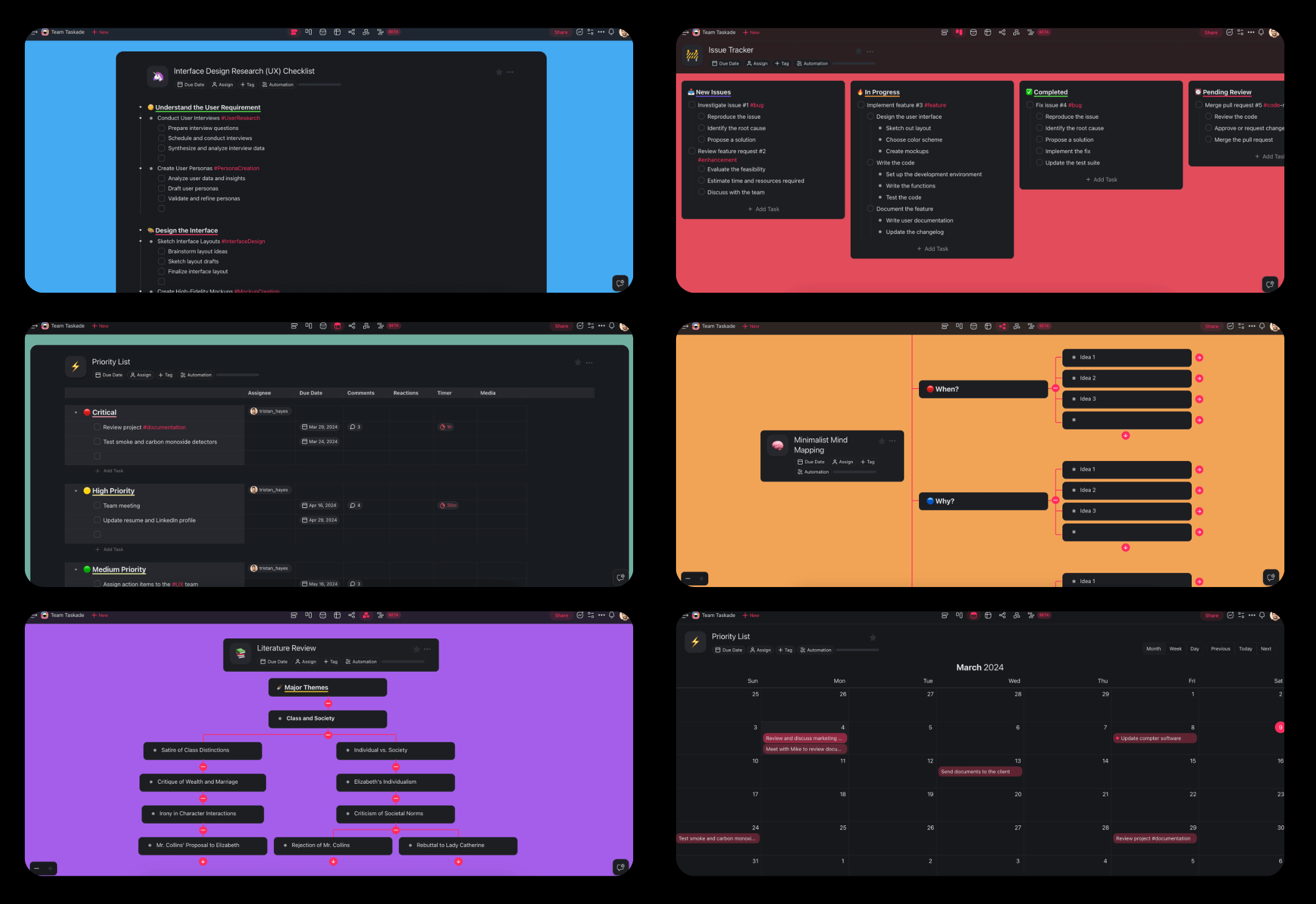
Open the PDF to Flashcards converter and import one chapter, not the whole textbook. A smaller input gives the AI less room to wander and gives you a deck you can edit in one sitting. In Taskade the cards land in a project as question and answer pairs. For slide decks, use Presentation to Flashcards.
Step 2: Tell the AI what matters
Paste your syllabus line, the learning objectives at the top of the chapter, or your professor's review sheet, and ask for cards on those points only. Here is a prompt that works in any of the tools above:
Make flashcards from the attached chapter for my exam on [topic].
Rules:
- One fact per card. The answer must fit on one short line.
- Write questions that have exactly one correct answer.
- Turn every list into separate cards, one item each.
- Use cloze format for definitions: "The {{c1::term}} is ...".
- Add the page number on the back of every card.
- Skip examples, anecdotes and anything not in the objectives below.
Objectives: [paste the learning objectives]
Output a two-column table: Front | Back.
Step 3: Edit until the deck is yours
Go through every card and ask four questions: is it one fact, does it have one answer, can I answer it in a few seconds, and do I understand it? Delete what fails, split what is too big, and rewrite the rest in your own words. This is the step that the Pan et al. results reward.
Step 4: Move the deck into your review habit
If you review in Taskade, ask the agent to quiz you and to mark missed cards. If you want strict long-term spacing, export the project as a CSV file, check that front and back sit in separate columns, and import the file into Anki. For a broader plan around the deck, the PDF to Study Guide converter and PDF to Notes converter build the other half of the study kit, and our guide to AI study guide makers compares the rest.
Workflow 2: YouTube to Flashcards (Including YouTube to Anki)
To turn a YouTube video into flashcards, use a tool that reads the transcript, generate cards per section of the video, and add the timestamp to each card. The timestamp is your source. It lets you rewatch the 30 seconds behind a card you keep missing.
- Check for captions. Open the video's transcript on YouTube. If there is none, an AI tool has nothing to read.
- Generate. Paste the link into the YouTube to Flashcards converters. For an Anki deck, the YouTube to Anki converter drafts cloze or question cards from the transcript, and you review them in Table view.
- Fill the gaps the transcript missed. Add cards for any diagram, equation or slide the speaker pointed at but never read out.
- Export and import. In Table view, click Export CSV, then import the file into Anki. Taskade has no dedicated Anki export, but Anki's text importer reads comma or tab separated files.
A long lecture works better in sections. Generate cards for the first 15 minutes, edit them, then do the next section. You keep the edit step small enough that you actually do it.
Workflow 3: Notes to Flashcards
Your own notes make the best AI flashcards, because the facts are already the ones you chose. Paste a page of lecture notes, ask for cards in the format above, and edit. If your notes are on paper, convert them to text first, as our guide to handwritten notes apps explains.
| Notes style | What to ask the AI for | Why |
|---|---|---|
| Cornell notes | One card per cue-column question | The cue column is already a list of questions |
| Outline notes | One card per bottom-level bullet | Bullets at the deepest level are single facts |
| Mind maps | One card per branch-to-leaf link | Each link is a relationship to recall |
| Vocabulary lists | Reversible cards | You need both directions |
| Worked problems | One card per step | Each step is a decision you must recall |
Our guide to note-taking methods covers each style in detail. For vocabulary, the AI Flashcard Tutor takes a word list and builds term and definition cards, then quizzes you with fill-in-the-blank, multiple choice and example-sentence prompts.
Common Mistakes With AI Flashcards
The most common mistake is generating 500 cards and studying none of them. A deck you never review teaches nothing, however good the cards are. The other mistakes are subtler, and each one has a direct fix.
| Mistake | What happens | Fix |
|---|---|---|
| Generating the whole textbook at once | A huge deck you never finish | One chapter or lecture at a time |
| Studying AI cards without editing | Premade-card results | Edit, rewrite and cut every card |
| Cards with long answers | You half-know them and rate them "good" | One fact per card |
| Deleting a card after one correct answer | Weaker long-term recall | Let the scheduler retire cards |
| Drilling 10 cards until they feel easy | Massed practice that feels better than it works | Shuffle the whole deck, review daily |
| Trusting the AI on numbers | A wrong dose, date or formula gets memorized | Check every number against the source |
| Only multiple-choice review | You practice recognition, not recall | Type or say the answer before you flip |
| Never rewriting a card you keep missing | The same lapse every week | Split it or add a cue |
A study plan helps with the first mistake. Our guides to AI study planners and studying with AI show how to fit daily review into a week, and the Education to Study Plan converter turns a syllabus into a schedule.
Limitations: When Taskade Is Not the Right Fit
Taskade is a workspace that makes and holds flashcards. It is not a dedicated spaced repetition app, and that is the main reason to pick something else.
| If you need | Use instead | Why |
|---|---|---|
| Algorithmic scheduling over months | Anki | FSRS with a target retention |
| A dedicated mobile flip-card review app | Anki, Knowt or Quizlet | Built for daily swiping on a phone |
| Free PDF upload | Knowt or Gemini Notebook | PDF upload on Taskade needs a paid plan |
| Image occlusion on diagrams | Anki | Built in since 23.10 |
| A public library of premade decks | Quizlet or Brainscape | Large shared and expert-made libraries |
Taskade fits when the deck is one part of a larger study system: the source PDFs, the notes, the study plan, an agent that answers questions from your own material, and classmates working in the same place. For pure memorization over years, review in Anki and use Taskade to write and organize the drafts.
Why We Built Taskade Around the Source, Not the Card
We built Taskade so the flashcards stay connected to everything that produced them. A card that says "see p. 23" is only useful if page 23 is one click away. In Taskade the PDF sits in agent knowledge, the notes sit in a project, and the cards sit in a project next to them. The agent can answer "why is this the answer?" from your own sources, which turns a missed card into a short tutoring moment instead of a guess.
That design follows Workspace DNA: Memory (your PDFs, notes and decks), Intelligence (agents that read them and quiz you) and Execution (automations that send the daily review list). It is a loop, and it gets better as you add material. The AI Flash Card Maker and the PDF to Quiz converters extend the same loop to quizzes. Ready-made study apps are in the Taskade App Factory, and if you want a custom flashcard app built around your course, you can describe it in Taskade Genesis.
A ready-made version. The Flash Card Maker below is a live Taskade Genesis app built by the Taskade team. You paste your notes, approve the cards that the AI drafts, and share decks that students study on a phone with no account, with a weekly email of missed cards. The kit holds 4 projects, 1 AI agent and 2 automations (checked 2026-11-12). It is free to open and preview, and cloning it needs a paid plan because it holds automations. For a personal deck that shows the cards due each day, see the Spaced Repetition App kit (4 projects, 2 AI agents and 3 automations, also a paid plan to clone).
Clone the Flash Card Maker into your workspace (a paid plan is needed to clone a kit with automations).
Frequently Asked Questions About AI Flashcard Makers
What is the best AI flashcard maker in 2026?
It depends on how you review. Anki is the strongest free review engine, with the FSRS scheduler built in, but it needs an add-on or another tool to write cards with AI. Quizlet and Knowt build a set from notes or a PDF in seconds. RemNote keeps notes and cards in one app. Taskade turns a PDF, slides, a YouTube link or pasted notes into an editable deck inside the same workspace as your notes, study plan and study group.
Is there a free AI flashcard maker?
Yes, with limits. Knowt says its AI flashcard maker is free, and its Learn mode and spaced repetition mode are free. Gemini Notebook, formerly NotebookLM, makes flashcards from your sources. RemNote Free includes a small number of AI cards. Brainscape Free lets you make hundreds of cards with AI. Anki is free on desktop and Android, but its AI comes from add-ons. On Taskade Free, you earn free AI credits with referrals and invites, and you can upgrade any time.
How do I turn a PDF into flashcards with AI?
Upload the PDF to an AI flashcard maker, pick the pages or chapter you need, and generate a first draft. Then edit every card: one fact per card, a question you can answer in a few seconds, and the page number as the source. Delete the cards you do not need. In Taskade, the PDF to Flashcards converter turns the file into question and answer pairs in a project you can edit and share. PDF upload needs a paid plan.
Can AI make flashcards from a YouTube video?
Yes, if the video has captions or a transcript. Most tools read the transcript, not the picture, so a diagram that is never said out loud does not become a card. Taskade imports a YouTube link into a project with AI, and its YouTube to Anki converter drafts cloze or question cards from the transcript. RemNote, Knowt, Gizmo and StudyFetch also accept YouTube links.
Can AI make Anki cards?
Yes, in two ways. An Anki add-on can write or fill cards inside Anki, and some add-ons need your own AI provider key. Or another tool writes the cards and you import them, because Anki imports text files separated by commas or tabs. Anki has no AI card writer built in, but it has cloze deletion, image occlusion and the FSRS scheduler.
Are AI-generated flashcards as good as cards you make yourself?
Not by default. Pan and colleagues (2023, Journal of Applied Research in Memory and Cognition) found across six experiments that students who made their own flashcards scored better on a test 48 hours later than students who used premade cards, with an effect size of d = 0.45 on definition questions. An AI deck is a premade deck, so edit, rewrite and cut it until the cards are yours.
What makes a good flashcard?
A good flashcard asks for one fact, has one correct answer, and can be answered in a few seconds. Piotr Wozniak of SuperMemo called this the minimum information principle. Use cloze deletion for facts inside a sentence, split lists into single cards, add the source page, and rewrite any card you keep getting wrong instead of just repeating it.
Can I study Taskade flashcards with spaced repetition?
Yes, in two ways. The AI Flashcard Tutor agent quizzes you and brings missed cards back more often, and a scheduled automation can send you a daily review list. Taskade does not run an algorithmic scheduler such as FSRS. For long-term spaced repetition across months, export the deck as a CSV file and import it into Anki.
Can ChatGPT make flashcards?
Yes. ChatGPT can write question and answer pairs from pasted text or an uploaded file, and its study mode adds knowledge checks and hints. It has no dedicated flashcard deck or review scheduler, so most people ask it for a two-column table and import the result into Anki, Quizlet or another app. Long documents work better one chapter at a time.
What is Gemini Notebook, and can it make flashcards?
Gemini Notebook is the new name of NotebookLM, which Google announced on July 16, 2026. In the Studio panel you can generate flashcards from your sources, pick easy, medium or hard, mark each card Got it or Missed it, practice only the cards you missed, and download the deck as a CSV file.
Which AI flashcard maker is best for medical students?
Many medical students review in Anki because of cloze deletion, image occlusion, add-ons and the FSRS scheduler. AI helps with the first draft. An add-on or a tool such as Taskade, RemNote or Knowt writes cloze cards from lecture slides, and the student edits and imports them. Check every drug, dose and number against the source.
The Verdict
The best AI flashcard maker is the one that gets you to edit the cards and review them every day. Speed of generation is the least important feature on this list, because every tool is fast now. What separates a deck that works from a deck that does not is the step after generation, when you decide what you need to learn and say it in your own words.
- For long-term memory: review in Anki, and draft cards anywhere.
- For a free all-in-one: Knowt.
- For notes and cards in one app: RemNote.
- For cards grounded in your readings: Gemini Notebook.
- For a study system with your sources, notes, plan and group in one place: Taskade, with the PDF to Flashcards converter as the starting point.
Each review is a small test of what you know, and each miss tells you where to look. That is metacognition you can hold in one hand. ▲ ■ ●
Related Reading
- Spaced Repetition Explained: the history and algorithms behind review schedules
- Best AI Quiz Generators: practice questions instead of cards
- Best AI Reviewer Makers: one-page reviewers before an exam
- What Is Metacognition?: monitoring and control, in depth
Sources
- Adesope, O. O., Trevisan, D. A., & Sundararajan, N. (2017). Rethinking the use of tests: A meta-analysis of practice testing. Review of Educational Research, 87(3), 659-701. https://doi.org/10.3102/0034654316689306
- Cepeda, N. J., Pashler, H., Vul, E., Wixted, J. T., & Rohrer, D. (2006). Distributed practice in verbal recall tasks: A review and quantitative synthesis. Psychological Bulletin, 132(3), 354-380. https://doi.org/10.1037/0033-2909.132.3.354
- Dunlosky, J., Rawson, K. A., Marsh, E. J., Nathan, M. J., & Willingham, D. T. (2013). Improving students' learning with effective learning techniques. Psychological Science in the Public Interest, 14(1), 4-58. https://doi.org/10.1177/1529100612453266
- Dunlosky, J., & Rawson, K. A. (2012). Overconfidence produces underachievement: Inaccurate self evaluations undermine students' learning and retention. Learning and Instruction, 22(4), 271-280. https://doi.org/10.1016/j.learninstruc.2011.08.003
- Ebbinghaus, H. (1885). Über das Gedächtnis. Duncker & Humblot.
- Flavell, J. H. (1979). Metacognition and cognitive monitoring. American Psychologist, 34(10), 906-911. https://doi.org/10.1037/0003-066X.34.10.906
- Karpicke, J. D., & Roediger, H. L. (2008). The critical importance of retrieval for learning. Science, 319(5865), 966-968. https://doi.org/10.1126/science.1152408
- Koriat, A., & Bjork, R. A. (2005). Illusions of competence in monitoring one's knowledge during study. Journal of Experimental Psychology: Learning, Memory, and Cognition, 31(2), 187-194. https://doi.org/10.1037/0278-7393.31.2.187
- Kornell, N. (2009). Optimising learning using flashcards: Spacing is more effective than cramming. Applied Cognitive Psychology, 23(9), 1297-1317. https://doi.org/10.1002/acp.1537
- Kornell, N., & Bjork, R. A. (2007). The promise and perils of self-regulated study. Psychonomic Bulletin & Review, 14(2), 219-224. https://doi.org/10.3758/BF03194055
- Kornell, N., & Bjork, R. A. (2008). Optimising self-regulated study (the paper on the benefits and costs of dropping flashcards). Memory, 16(2), 125-136. https://doi.org/10.1080/09658210701763899
- Nelson, T. O., & Narens, L. (1990). Metamemory: A theoretical framework and new findings. Psychology of Learning and Motivation, 26, 125-173. https://doi.org/10.1016/S0079-7421(08)60053-5
- Pan, S. C., Zung, I., Imundo, M. N., Zhang, X., & Qiu, Y. (2023). User-generated digital flashcards yield better learning than premade flashcards. Journal of Applied Research in Memory and Cognition, 12(4), 574-588. https://doi.org/10.1037/mac0000083
- Roediger, H. L., & Karpicke, J. D. (2006). Test-enhanced learning: Taking memory tests improves long-term retention. Psychological Science, 17(3), 249-255. https://doi.org/10.1111/j.1467-9280.2006.01693.x
- Rowland, C. A. (2014). The effect of testing versus restudy on retention: A meta-analytic review of the testing effect. Psychological Bulletin, 140(6), 1432-1463. https://doi.org/10.1037/a0037559
- Slamecka, N. J., & Graf, P. (1978). The generation effect: Delineation of a phenomenon. Journal of Experimental Psychology: Human Learning and Memory, 4(6), 592-604. https://doi.org/10.1037/0278-7393.4.6.592
- Wozniak, P. (1999). Effective learning: Twenty rules of formulating knowledge. SuperMemo. https://www.supermemo.com/en/blog/twenty-rules-of-formulating-knowledge
- Vendor pages read on November 10, 2026: Anki, Anki manual, Quizlet help center, Knowt, RemNote pricing, Gizmo help center, Gemini Notebook help, StudyFetch, Brainscape pricing, Mochi, Revisely, ChatGPT study mode