






Hi Taskaders 🎉
We've worked hard to make Taskade work better for you! Here's what's new:
TL;DR: This October 2022 update added customizable Action view (later renamed Table view in March 2025), task timestamps for created/edited/completed events, and refreshed mobile widgets. Today, the AI Agent activity feed and Agent Inbox give you a real-time view of every action your AI Agents v2 take across Taskade Genesis apps and Automations — far beyond simple timestamps.
Then → Now: Action view timestamps in 2022 → today's Agent activity feed and Agent Inbox tracking every autonomous action across multiple project views.
| Action view | 2022 | 2026 |
|---|---|---|
| Name | Action view (column-based) | Renamed Table view (Mar 2025) |
| Customization | Choose visible columns | Custom fields + AI custom fields |
| Timestamps | v4.19 (Oct 2022) created/updated | Same + agent activity feed |
| Mobile widgets | Refreshed designs | Synced widgets across 6 platforms via downloads |
  Action View row (2022)              Table View row (2026)
 ┌─────┬──────────┬──────┬─────┐    ┌─────┬──────────┬──────┬─────┬────────┬─────────┐
 │ ☐   │ Task     │ Due  │ Who │    │ ☐   │ Task     │ Due  │ Who │ AI tag │ Status  │
 ├─────┼──────────┼──────┼─────┤    ├─────┼──────────┼──────┼─────┼────────┼─────────┤
 │ ☑   │ Ship v4  │ Fri  │ JX  │ →  │ ☑   │ Ship v4  │ Fri  │ JX  │ launch │ done ✓  │
 │ ☐   │ Write QA │ Mon  │ —   │    │ ☐   │ Write QA │ Mon  │ EVE │ test   │ agent ⚙ │
 └─────┴──────────┴──────┴─────┘    └─────┴──────────┴──────┴─────┴────────┴─────────┘
                                       ▲ AI custom fields  ▲ Agent auto-fills
⚡️ Customizable Action View
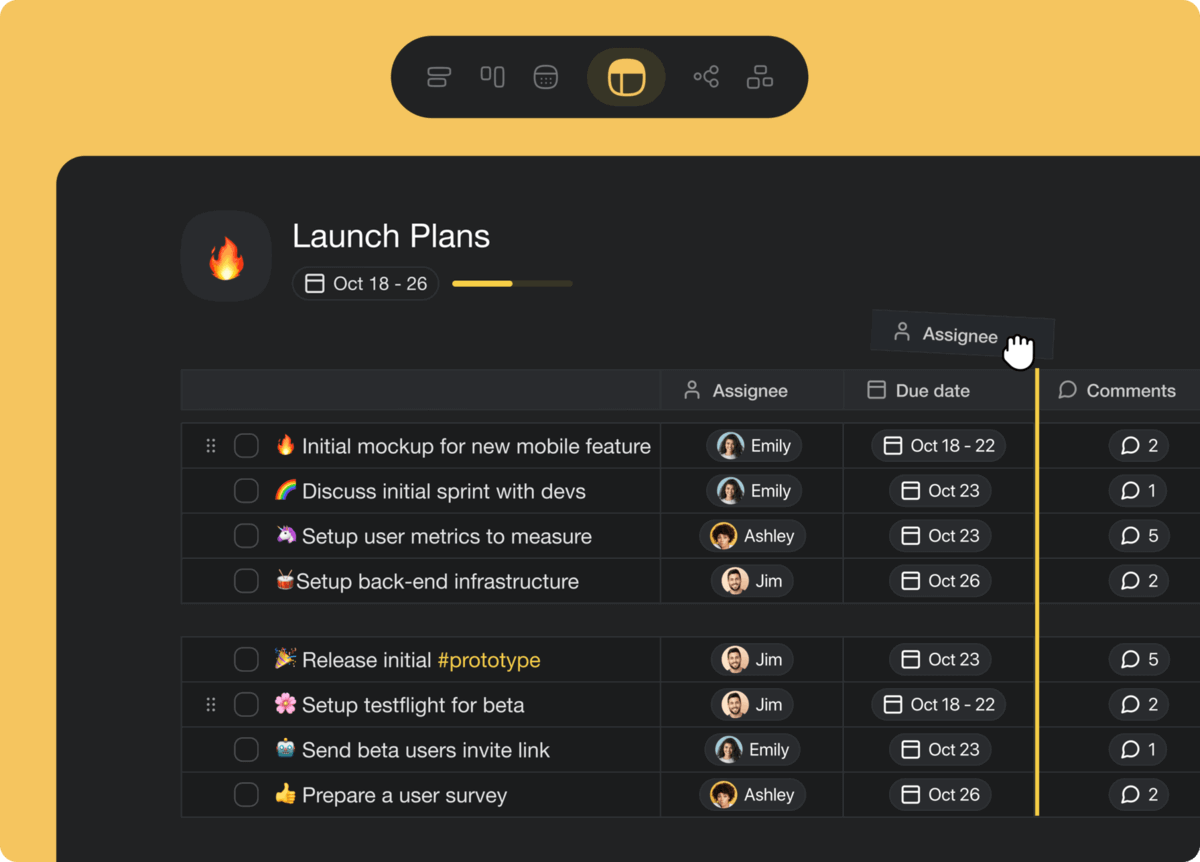
The updated Action View allows you to re-order, re-size and hide columns. This is one of many steps toward a more powerful table experience. Learn more.
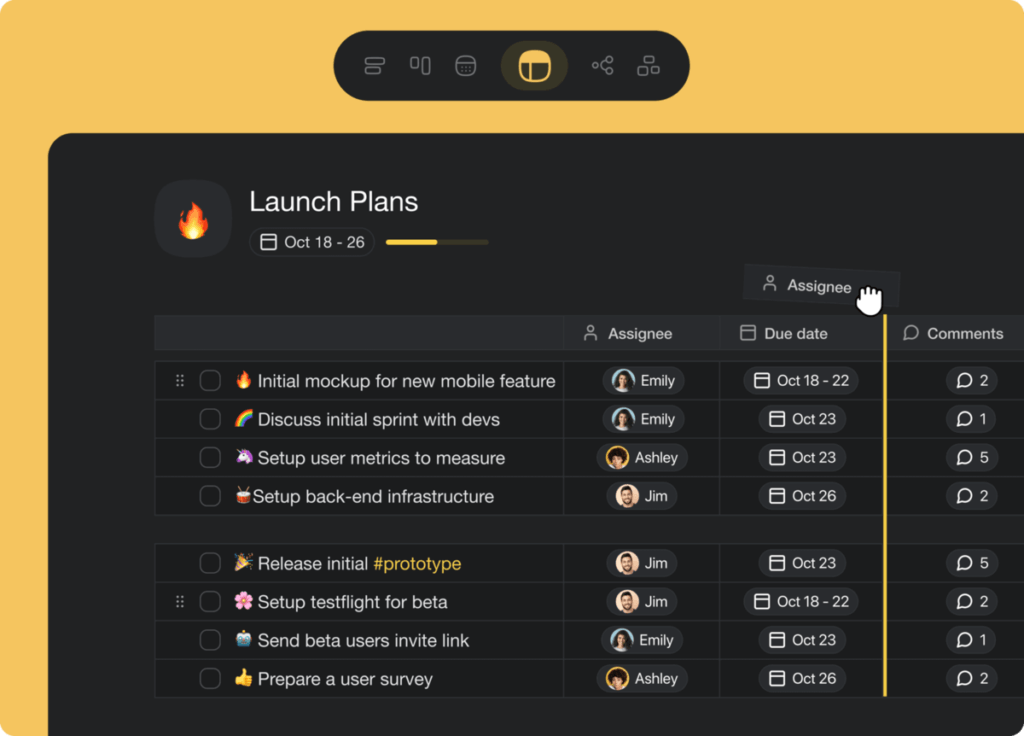
action view table
⚡️ Timestamps for Tasks
Timestamps have been added inside the action menus to inform everyone who created, edited and completed a task. Learn more.
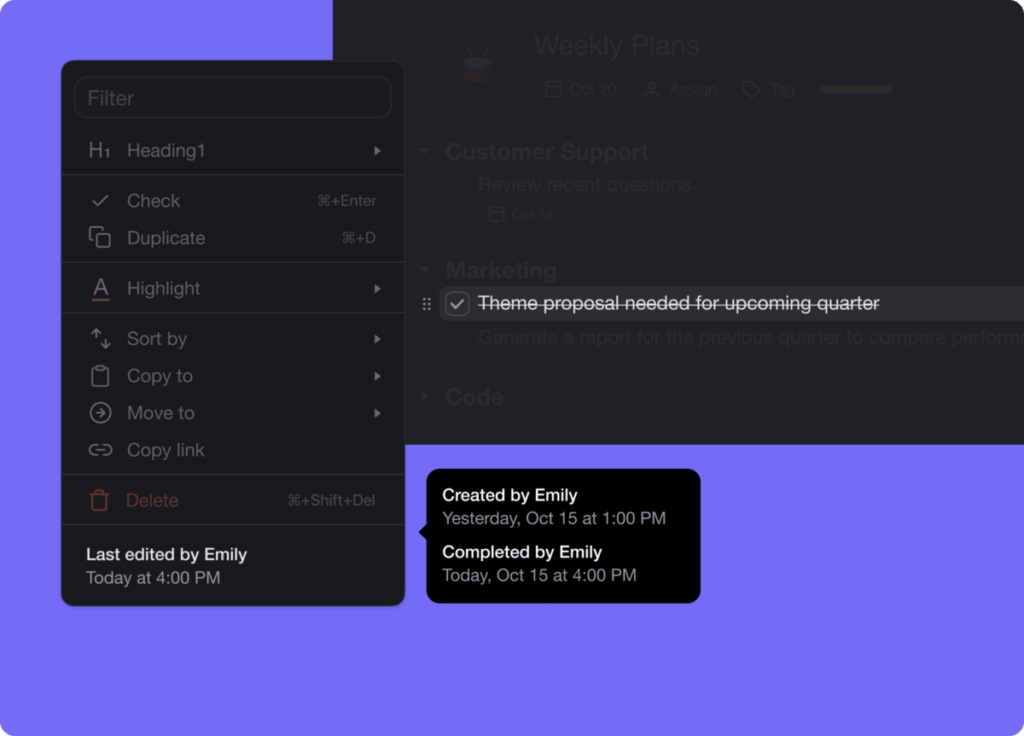
task timestamp
⚡️ New Mobile Widgets
The latest Taskade mobile update introduces new widgets and additional customizations. Learn more.
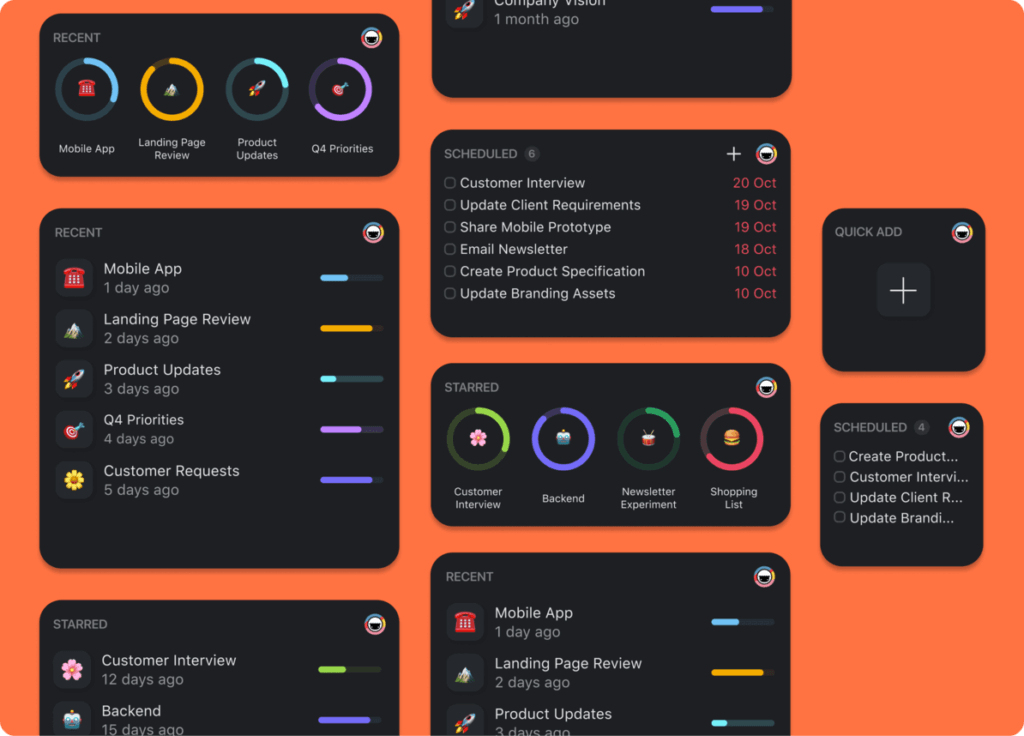
mobile widgets
🎉 Other Improvements
New: Calendar now lets you filter tasks for me, for others, and for everyone
New: Zapier app directory is now live. Search through thousands of available apps to pair with Taskade and see popular workflows
New: Templates gallery is now live. Browse from over 300+ templates
New: Project Timestamp added to the more menu
New: Support emoji ":" keyboard shortcut in chat and comments
Fix: Export to PDF is now print friendly
Fix: Dragging calendar items in month, week, and day view no longer reset or add start and end times
Fix: Moving a project between workspaces now preserves due dates
Fix: You can now leave projects shared with you from shared with me
Fix: Comments history has been expanded to fetch older comments
Fix: Comments missing team profile online indicator
Fix: Updated chat notification style to match mobile
Fix: Alignments for compact header and menus
Fix: Mobile widget syncing and stability
Fix: Mobile share extension support
Various performance improvements and bug fixes
Thanks again for supporting Taskade, and as always, don’t hesitate to reach out or visit our Help Center if you need help. We’re here for you! 😊
— Team Taskade 🐑
P.S. Want to help us improve Taskade? You can also suggest a feature. Follow us and join the discussion on Twitter and Reddit.
Frequently Asked Questions
What is the Action View in Taskade?
The Action View displays project tasks in a table format with customizable columns for assignees, due dates, status, and more. You can re-order, resize, and hide columns to tailor the table layout to your workflow — ideal for tracking action items, sprint tasks, and team deliverables.
Can I see who created or completed a task in Taskade?
Yes. Task timestamps in the action menu show who created, last edited, and completed each task, along with the exact date and time. This provides a full audit trail for accountability and helps teams track task ownership across projects.
Does Taskade have mobile widgets for iOS and Android?
Yes. Taskade offers mobile widgets for both iOS and Android that give you quick access to projects, tasks, and the Quick Add shortcut directly from your home screen. Widgets sync in real-time so you always see up-to-date task information.
Can I customize columns in Taskade's Action View?
Yes. The Action View supports full column customization — you can re-order columns by dragging, resize them to fit your content, and hide columns you don't need. This makes it easy to create focused views showing only the task details that matter for your workflow.