






What Is Grok Bot? Features, Pricing and How It Works (2026)
Grok Bot explained: what the AI teammates share and keep apart, the full timeline, plans from $30 a month, the weekly usage pool, routines, safety and rivals.
On this page (54)
Grok Bot is SpaceXSI's app for a team of always-on AI agents, which it calls Bots. Each Bot has a name, a job and its own memory, and all the Bots of one account work on one shared cloud computer with a browser, a command line and files. Grok Bot opened in beta on August 11, 2026 and reached version 1.0 on November 11, 2026.
The vendor sells it as "AI teammates you can give real work to." A Bot signs in to websites and apps, runs saved skills on a schedule or on an event, and comes back when a step needs your approval. It keeps working when your laptop is closed. Grok Bot is included in the $30, $100 and $200 monthly plans of The X Subscription, and it draws from a weekly usage pool that the vendor cut in November 2026.
This guide joins every part of the product into one dated, sourced picture: the timeline from xAI to SpaceXSI, what all Bots share and what each Bot keeps, the plans and the usage pool, routines, Team Bots, templates, the safety controls, what changed from the beta to 1.0, and how Grok Bot compares with OpenAI dots, Meta Muse and OpenClaw. Product facts come from the vendor's docs, product page, news posts and guides, read on November 25, 2026, and from its release notes, read through an Internet Archive copy of November 22, 2026. Company events come from the press reports that we name, the builders' quotes come from Peter Yang's show, and user numbers come from public threads, which we mark as reports. The vendor's news posts all show the publisher name SpaceXSI today, so we cite them as SpaceXSI. In the story, we name the company by the name it used on each date: xAI, then SpaceXAI from July 2026, then SpaceXSI from October 2026. For a side by side of hosted agents, read our always-on AI agents guide.
TL;DR: Grok Bot is SpaceXSI's team of always-on AI agents. All Bots of an account share one cloud computer, each keeps its own memory, and saved skills run on routines. It launched in beta on August 11, 2026, reached 1.0 on November 11, and is included from the $30 a month Premium plan. Build with Taskade Genesis →
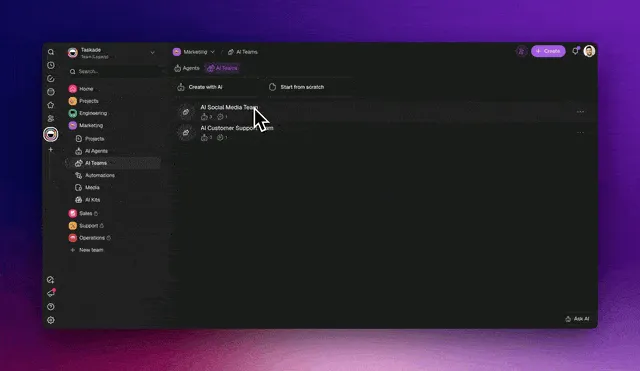
Grok Bot puts a team of agents on one cloud computer. Taskade puts agents, projects and automations in one shared workspace. We compare the two designs near the end of this guide.
Cover photo: Jenny Hautmann, the Starbase sign in Texas, 2023, via Wikimedia Commons, CC BY-SA 4.0. Resized.
Grok Bot at a Glance (Checked November 25, 2026)
| Field | Fact | Source |
|---|---|---|
| What it is | "Grok Bot is your team of always-on agents" | SpaceXSI launch post, 2026-08-11 |
| Maker | SpaceXSI (formerly xAI, then SpaceXAI), on Cursor accounts | Grok Bot docs. Press reports for the earlier names |
| Beta | 2026-08-11, on desktop and iOS | SpaceXSI launch post |
| Version 1.0 | 2026-11-11: Bots "take on work without being asked" | SpaceXSI 1.0 post |
| Where it runs | One cloud computer per account, shared by all of your Bots | Grok Bot docs |
| Apps | macOS, Windows, Linux, iPhone and iPad (iOS 18 or later), Android 9 or later | Grok Bot docs |
| Model | "Grok Bot picks the model for each task, and there is no model picker" | Grok Bot FAQ |
| Price | Premium $30, Super $100, Ultra $200 a month. Free and Plus exclude it | X Subscription pricing page, x.ai/bot, Grok Bot FAQ |
| Usage | A weekly pool shared with Grok and Cursor on the new plans | X Subscription pricing page |
| Free option | A trial usage credit with a 7-day window, for some accounts | Grok Bot FAQ |
| Teams | Team Bots on Team and Enterprise plans, in the app, Slack and Microsoft Teams | SpaceXSI 1.0 post. Team Bots post |
| Meetings | Bots join Google Meet, Zoom and Microsoft Teams calls | x.ai/bot, Grok Bot docs |
| Safety | Auto Review on by default, approval cards, Vault for logins and cards | Grok Bot docs |
As it works, the Bot also updates its own memory.
What Is Grok Bot?
Grok Bot is an agent product in which each Bot is "a durable AI teammate with a name, a job, its own conversation, and working context that develops over time," in the words of the vendor's docs. You message a Bot like a colleague, from your phone or your desktop. It works on a cloud computer until the job is done or a step needs you. The vendor's guide puts it in five words: "an agent with a computer."
A chatbot answers. A Bot does the work: it signs in to the website, fills the form, drafts the reply and comes back with the result. The launch post says Bots can sign in "including platforms with no clean API or MCP." That is the line between Grok Bot and Grok, the chatbot from the same company. The FAQ calls them "two different apps." For the general idea, see the guide to browser agents.
The Name Map
| Name | What it is | Source |
|---|---|---|
| Grok | The chatbot from SpaceXSI, in its own app and on X | Grok Bot FAQ |
| Grok Bot | The separate app for agents that do work | Grok Bot FAQ |
| A Bot | One named teammate inside Grok Bot, with its own memory and chat | Grok Bot docs |
| Primary Bot | The Bot that is "your main point of contact" and coordinates work with your other Bots | Grok Bot docs (bots page) |
| Team Bot | A Bot that a whole team shares, with private chats for each member | Team Bots post, 2026-09-28 |
| xAI | The company that made Grok, founded in 2023 | Our xAI and Grok history (source 26) |
| SpaceXAI | The name of xAI after it joined SpaceX, from July 2026 | Engadget, 2026-07 |
| SpaceXSI | SpaceX Super Intelligence, the current name, from October 2026 | TechCrunch, 2026-10-13 |
| Cursor | The coding company that SpaceX bought. Grok Bot runs on Cursor accounts | CNBC, Grok Bot docs |
| The X Subscription | The plan family for Grok, Grok Bot, Cursor and X Premium | SpaceXSI, 2026-10-12 |
Words People Use, and the Official Term
Searchers and forum posts use their own words for the parts of Grok Bot. The table maps each one to the term in the vendor's docs, so the rest of this guide reads the same either way.
| What people say | The official term | What it means |
|---|---|---|
| Agents, AI teammates | Bots | Named agents with a job and memory |
| VM, own computer, cloud PC | The cloud computer | One machine for all Bots of an account |
| Computer use | The Bot's screen and browser | A Bot clicks and types on its own screen |
| Cron, scheduled tasks | Routines | A schedule or an event that starts a Bot |
| Tokens, quota, allowance | Weekly usage | The pool that each plan includes |
| Connectors, MCP | Plugins and apps | Sign-in connections to other services |
| Bot-to-bot, agent team | Group chats and handoffs | Bots that message each other |
When Did Grok Bot Come Out? The Full Timeline (2023 to 2026)
Grok Bot came out in beta on August 11, 2026, and version 1.0 shipped on November 11, 2026. In the 92 days between, the vendor shipped webhook routines, templates, Team Bots, Vault and Bot email addresses. The company behind it also changed its name, bought Cursor and moved Grok Bot into a new plan family.
The table joins every event in one place. Changelog rows come from the vendor's release notes for the Grok Bot app, read through an Internet Archive copy of November 22, 2026.
Grok Bot Master Timeline
| Date | Event | Source |
|---|---|---|
| 2023-07-12 | xAI is announced | Our xAI and Grok history (source 26) |
| 2025-03-28 | xAI acquires X | Our xAI and Grok history (source 26) |
| 2025-07-12 | xAI apologizes for its Grok chatbot's posts on X and blames an upstream code update that was in effect for 16 hours | TechCrunch, 2025-07-12. GIGAZINE, 2025-07-13 |
| 2026-02-02 | SpaceX acquires xAI | TechCrunch, 2026-02-02 |
| 2026-04-21 | SpaceX says it can buy Cursor for $60 billion later in the year, or pay $10 billion for joint work | CNBC, 2026-04-21 |
| 2026-06-16 | SpaceX signs a formal agreement to buy Cursor for $60 billion in stock | CNBC, 2026-06-16 |
| 2026-07-06 | xAI officially becomes SpaceXAI | Engadget, 2026-07 |
| 2026-08-11 | Grok Bot beta on desktop and iOS, with its own usage | SpaceXSI launch post |
| 2026-08-12 | Routines can start from a Microsoft Teams message, a Linear issue, a Sentry alert or a PagerDuty incident (v0.17.0) | Grok Bot changelog |
| 2026-08-14 | SpaceX completes its Cursor acquisition | CNBC, 2026-08-29 |
| 2026-08-14 | A release note gives keyboard shortcuts for Windows and Linux (v0.20.0) | Grok Bot changelog |
| 2026-08-19 | Routines can start from a webhook (v0.21.0) | Grok Bot changelog |
| 2026-08-25 | Cursor Pro, SuperGrok and X Premium+ subscribers can use Grok Bot (v0.27.0) | Grok Bot changelog |
| 2026-08-26 | SpaceXAI posts that Grok Bot is "now included" with all SuperGrok, Cursor Pro and Cursor Teams plans | SpaceXSI plans post |
| 2026-08-28 | Share a Bot as a template (v0.30.0) | Grok Bot changelog |
| 2026-09-03 | Grok Bot is available to every Enterprise team (v0.40.0) | Grok Bot changelog |
| 2026-09-08 | The vendor publishes its templates guide | x.ai guide |
| 2026-09-11 | The vendor publishes "Grok Bot 101" | x.ai guide |
| 2026-09-15 | Pause and resume routines (v0.52.0). 1Password on a Mac (v0.53.0) | Grok Bot changelog |
| 2026-09-26 | Team Bots in the app and Slack (v0.61.0) | Grok Bot changelog |
| 2026-09-27 | Peter Yang interviews Grok Bot's lead designer and lead engineer | Behind the Craft |
| 2026-09-28 | SpaceXAI announces Team Bots in public beta on Teams and Enterprise plans | Team Bots post |
| 2026-10-02 | The primary Bot spots work it can take on and offers to do it (v0.66.0) | Grok Bot changelog |
| 2026-10-11 | Bot email addresses and X search without an account (v0.70.2) | Grok Bot changelog |
| 2026-10-12 | The X Subscription: Grok, Grok Bot, Cursor and X Premium in one plan | SpaceXSI, 2026-10-12 |
| 2026-10-13 | TechCrunch reports the bundle and calls the company SpaceX Super Intelligence | TechCrunch, 2026-10-13 |
| 2026-10-22 | Pages and video creation (v0.75.2) | Grok Bot changelog |
| 2026-10-23 | Vault for logins, cards and contacts, and higher routine run limits (v0.75.5) | Grok Bot changelog |
| 2026-11-01 | Weekly usage limits are cut. Elon Musk says serving cost was "unsustainably high relative to revenue" | TechCrunch, 2026-11-02 |
| 2026-11-02 | SpaceXSI describes Data Bot, its internal data science Team Bot | SpaceXSI, 2026-11-02 |
| 2026-11-11 | Grok Bot 1.0: meeting joins, Team Bots in Microsoft Teams, shared logins, Review learnings | SpaceXSI 1.0 post, changelog v1.0.1 |
| 2026-11-16 | SpaceXSI describes the five Bots that run its own accounting work | SpaceXSI, 2026-11-16 |
| 2026-11-18 | Per-tool permission settings for connectors (v1.2.3) | Grok Bot changelog |
Dates and Facts People Get Wrong
Many guides written during the beta still rank in search for Grok Bot. Here is how the record reads today.
| Older claim | The record | Source |
|---|---|---|
| Each Bot has its own computer | One computer per account, one screen per Bot | Docs |
| Bot usage is separate from Grok and Cursor | True in August. Since October, a shared pool | Launch post, pricing page |
| Grok Bot runs on Grok 4.7 | No model picker. The model is not shown | FAQ |
| Grok Bot is a $20 add-on | No add-on. Premium at $30 is the lowest plan | Pricing page |
| Routines can run every minute | Schedules are at least five minutes apart | Docs |
| It runs only on Mac and iPhone | macOS, Windows, Linux, iOS and Android | Docs |
| Every Bot has a description | Only Team Bots have one now | Docs |
| xAI makes Grok Bot | The company is SpaceXSI now | TechCrunch, 2026-10-13 |
Who Makes Grok Bot? xAI, SpaceXAI, SpaceXSI and Cursor
SpaceXSI makes Grok Bot, and Cursor accounts sit underneath it. SpaceXSI is the company first called xAI, which SpaceX acquired on February 2, 2026, renamed SpaceXAI on July 6, 2026, and renamed SpaceX Super Intelligence in October 2026. SpaceX completed its $60 billion purchase of Cursor on August 14, 2026, three days after the Grok Bot beta.
The shared accounts show up across the docs. The teams page says: "Members sign in to Grok Bot with their Cursor account, so your existing SCIM and SSO setup carries over." Privacy and training choices follow "Cursor account settings." OAuth tokens stay "on Cursor's connector backend," and Bots can "hand coding work to Cursor Cloud Agents." The X Subscription then put Grok, Grok Bot, Cursor and X Premium into one plan family on October 12, 2026. The company story is in our xAI and Grok history, and Cursor's side is in the Anysphere and Cursor history.
The people are on the record too. Peter Yang's episode notes of September 27, 2026 call Peng Zheng and Lauren Tan "the lead designer and engineer for Grok Bot at SpaceXAI." The vendor's own team posts show how SpaceXSI uses Grok Bot inside the company, which we cover in the section on real jobs.
Which Model Does Grok Bot Use?
Grok Bot does not tell you, by design: "Grok Bot picks the model for each task, and there is no model picker." The FAQ says the model can be "a first-party SpaceXSI model or a third-party model" from a provider on its sub-processor list, and that it can change from one request to the next. Usage shows as Grok Bot usage, not by model or provider.
| Question | What the docs say | Source |
|---|---|---|
| Can I pick the model? | No: "there is no model picker" | Grok Bot FAQ |
| Which company's model runs? | First-party SpaceXSI or a third-party provider on the sub-processor list | Grok Bot FAQ |
| Can it change mid-task? | It can change from request to request | Grok Bot FAQ |
| Can I see it in my usage? | No. Usage shows as Grok Bot usage | Grok Bot FAQ |
| Does my team's model allowlist apply? | "Your team's Cursor model allowlist or blocklist does not apply to Grok Bot" | Grok Bot FAQ |
| What drives the cost of a task? | How much effort each task takes | Grok Bot FAQ |
Any guide that names the Grok version behind your Bots is guessing. If you want a fixed model for a job, use the model directly in a chat or an API, and compare the model families on their own pages.
How Does Grok Bot Work? One Shared Computer, Many Bots
Every Bot of one account works on the same cloud computer, so files, browser sign-ins and command-line credentials are common to all of them, while each Bot keeps its own screen, memory, conversation and routines. The docs state it plainly: "The computer is assigned to your user account, not an individual Bot." A few facts about you, such as your name and time zone, are also shared.
Peng Zheng described the split on Peter Yang's show as an "intentional design that all the capabilities are shared," and said that "the memory and preferences are local to each individual bot." The reason to run several Bots is clean context, not separate security. The docs agree: "A Bot with one job builds up memory for that job, so you only explain it once."

Photo: Victorgrigas, Wikimedia Foundation servers, 2012, via Wikimedia Commons, CC BY-SA 3.0. Resized. A generic data center, not SpaceXSI hardware.
What All Bots Share and What Each Bot Keeps
| Part | Shared or per Bot | What the docs say |
|---|---|---|
| Cloud computer | Shared | "Every Bot on your account uses the same computer" |
| Files | Shared | A shared workspace at /workspace keeps files between tasks |
| Browser sessions | Shared | "Browser sessions persist," and every Bot can use them |
| Command-line credentials | Shared | "Command-line credentials are shared" |
| Plugins started by a command | Shared | An MCP server started by a command "is available to your other Bots too" |
| Private skills | Shared | "Private skills are one library shared by all your Bots" |
| Facts about you | Shared | Name and time zone. "Tell any Bot your time zone, and all your Bots know it" |
| Screen | Per Bot | "Each Bot gets its own screen," and you can watch any screen live |
| Memory | Per Bot | "Each Bot has its own memory": preferences, rules and a dated log of work |
| Conversation | Per Bot | Its own chat, plus summaries of earlier work |
| Routines | Per Bot | "A routine tells one Bot when to run a workflow" |
| Name, picture, label | Per Bot | Only the owner can change them |
The four shared parts sit on one computer that every Bot uses. The four kept parts belong to one Bot.
Does Each Bot Get Its Own Computer?
No. The launch post says Bots "have their own computer," and the computer and apps page of the docs makes that precise: one computer for all the Bots of an account, and "The screens are separate work surfaces, not separate security boundaries." The docs add, "Do not use separate Bots as a security boundary." Between users the line is firm: "each user's computer is dedicated and hardware-isolated." A Bot also has "no account or credentials of its own," so it acts with yours.
Does Grok Bot Keep Working When Your Laptop Is Off?
Yes. The FAQ says that closing the app, the laptop or the phone "does not stop a background turn or routine," and the routines page says: "Routines run in the cloud while your laptop is closed." Your own computer is a separate case. A Bot can run commands on the Mac or Windows machine in front of you only "when that capability is enabled and you approve it," with "Ask every time" as the default.
What Can a Grok Bot Do, and What Can It Not Do?
A Grok Bot can browse and sign in to websites, use connected apps, run commands, write files, send email from its own address, build Pages, make images and short videos and join meetings. It cannot use the apps on your phone, it runs one computer-use task on its screen at a time, and it cannot buy or send behind an approval rule without your yes. The table gives each answer with its source.
| Capability | Answer | Source |
|---|---|---|
| Browse and sign in to websites | Yes, in a real browser with persistent sessions | Grok Bot docs |
| Use connected apps | Yes. "Apps give a Bot a structured way to work with services" | Grok Bot docs |
| Run commands and keep files | Yes, on the cloud computer | Grok Bot docs |
| Email from its own address | Yes, since v0.70.2. Addresses are "never reissued" | Changelog, Grok Bot docs |
| Search X | Yes. "This access is read-only and doesn't sign in as you" | Grok Bot docs |
| Build Pages and make videos | Yes, since v0.75.2 | Grok Bot changelog |
| Join meetings | Yes: Google Meet, Zoom and Microsoft Teams calls, on eligible plans | x.ai/bot, Grok Bot docs |
| Voice chat | One Bot at a time, not in group chats | Grok Bot docs |
| Make phone calls | Yes, in the US only: "Phone calls are available in the US only, from the Grok Bot desktop and phone apps" | Grok Bot docs |
| Use apps on your phone | No. The troubleshooting page covers "A Bot can't use your phone's apps" | Grok Bot docs |
| Run two computer-use tasks at once | No. One Bot runs one computer-use task on its screen at a time | Grok Bot docs |
| Work while you sleep | Yes, on the cloud computer | Grok Bot FAQ |
What People Use Grok Bot For
The vendor's use-cases page groups the jobs in three steps: an assistant, a Bot with one job, and a team of Bots for a bigger goal.
| Job | The vendor's promise |
|---|---|
| Inbox manager (assistant) | "Urgent threads first, with replies drafted for your OK" |
| Travel coordinator (assistant) | "The two best flights and hotels, ready for you to pick" |
| Meeting prep (assistant) | "A one-page brief on who's in the room, your last touch, and open threads" |
| Invoice coordinator (one job) | "Invoices matched to purchase orders, with mismatches flagged" |
| Bug reproduction (one job) | "A repro pack with exact steps, screenshots, and browser details" |
| Account health (one job) | "A ranked watch list of accounts at risk or ready to expand" |
| Month-end close (team) | "Invoices matched, expenses reconciled, and exceptions listed for your sign-off" |
| Support queue (team) | "Tickets sorted, replies drafted, and bugs reproduced for your review" |
Every promise on the list ends with a person: "for your OK," "for your sign-off," "for your review." That is the design of the product, and it is the same shape that the AI employee guide recommends for any AI worker.
How Do Plugins, Skills and MCP Fit Together in Grok Bot?
Plugins connect a Bot to other services, skills tell it how to do a task, and MCP servers add tools that are not in the plugin catalog. The vendor's guide says Grok Bot "supports the same MCP servers, plugins, and skills as Cursor." A skill is "a reusable set of instructions for how to do a task." The routines page adds: "A skill captures steps, decision rules, expected output, and safety boundaries."
| Part | What it is | Scope |
|---|---|---|
| App | A sign-in link to a service such as Gmail or Slack | Tokens stay on the connector backend |
| MCP server | A tool server, added by URL or by a command | A command-started server serves all your Bots |
| Skill | Steps, rules and limits for one task | One private library for all your Bots |
| Teach a task | A screen record of up to ten minutes | No microphone. "The learned skill is a draft" |
| Vault | Saved logins, cards and contacts | "Saved values are write-only" |
| Connector policy | Which connectors a team allows | Follows the team's Cursor connector policy |
Source: the Grok Bot docs. Vault arrived in release v0.75.5 of the changelog.
For the history of the protocol, read the history of the Model Context Protocol.
Can Grok Bot Use Sites Behind a Login?
Yes. A Bot signs in through the browser on its computer, and "Browser sessions persist so you usually do not need to sign in for each task." Logins from Vault and values from Secure Forms "are filled in without the Bot seeing them." When a site asks for single sign-on, a passkey, a CAPTCHA or a bank card check, "The Bot hands you the computer": you complete only the blocked step and tell the Bot to continue. The computer and apps page repeats one rule: "Never paste passwords or one-time codes into ordinary chat."
How Do Grok Bot Routines Work? Triggers, Limits and Run History
A routine tells one Bot when to run a workflow: on a schedule, or when something happens. Seven event sources are in the docs today: a Slack message, a GitHub, Linear, Sentry or PagerDuty event, an email to the Bot's own address, and a webhook call. Routines "run in the cloud while your laptop is closed," and each run spends weekly usage.
| Rule | Value | Source |
|---|---|---|
| Routines for each Bot | Up to 50 | Grok Bot docs |
| Time between scheduled runs | At least five minutes | Grok Bot docs |
| Runs an hour, all routines | Up to 300 | Grok Bot docs |
| Runs an hour, one routine | Up to 200 | Grok Bot docs |
| Run records kept | The 20 most recent for each routine | Grok Bot docs |
| First run of a new routine | Waits for its next scheduled time. Use Test to try it now | Grok Bot docs |
| Event history | "Only new activity counts" | Grok Bot docs |
| Pause and resume | Since v0.52.0, 2026-09-15 | Grok Bot changelog |
| A run past a limit | Fails with "Automation run rate limit exceeded" and is not retried | Grok Bot docs |
The Bot runs the skill on the shared cloud computer, and each run spends weekly usage.
The Microsoft Teams trigger. The beta added routines that "start from a Microsoft Teams message" in v0.17.0 on August 12, 2026. The trigger list in today's docs names seven sources and does not include Teams. Team Bots can work in Microsoft Teams chats since 1.0, which is a different feature.
Run history. "Run history shows each recent run as Running, Succeeded, or Failed," with the reason for a failed run. Since v0.36.0, routine runs open in their own chats. If a routine "hasn't run for 24 hours or more with no error shown," the troubleshooting page says to report a bug. For the same idea in your own tools, see the schedule trigger guide.
How Do Grok Bots Work Together? Group Chats, Handoffs and Team Bots
Grok Bots work together through group chats of two to six Bots, @mentions and asynchronous handoffs, and the docs set one rule above the rest: "Ask for a single owner at each stage." A group fits "when several Bots need one shared outcome and visible handoffs." Every reply counts toward usage, "including replies in a group and messages between Bots."
| Situation | What Grok Bot does | Source |
|---|---|---|
| You start a group | Add two to six Bots in the To: field | Grok Bot docs |
| You @mention one Bot | That Bot owns the request | Grok Bot docs |
| You write with no mention | "Write normally to let the participating Bots decide who should respond" | Grok Bot docs |
| A Bot needs another Bot | "The receiving Bot wakes, handles the request, and can reply later" | Grok Bot docs |
| Feedback on one result | Reply in a thread | Grok Bot docs |
| Bots message each other | Each reply counts toward weekly usage | Grok Bot docs |
The Org Chart That Three Users Drew
Three daily users arrived at the same structure: one front-door Bot, a few leads, and many Bots with one job each. Creator Nate Herk drew it in his course video of August 31, 2026, and the two builders showed it on Peter Yang's show on September 27, 2026.
Nate warns that one main agent over a swarm "becomes overwhelmed because it has so many different agents to pick through." His fix is a setup "where we have you that just talks to a few executives." Peng Zheng sends unclear work to his chief of staff: "If I don't know which one should take the task, then I'll send it to chief of staff." Lauren Tan's engineering lead Bot, Matcha, breaks a project down for the engineering Bots under it.
| Layer | Nate Herk (course) | Peng Zheng (designer) | Lauren Tan (engineer) |
|---|---|---|---|
| Front door | A chief of staff Bot | Chief of staff: "my go-to bot" | Chief of staff, plus a personal assistant |
| Leads | A few "executives" | Designer and writer Bots, pinned | Matcha, the engineering lead |
| One-job Bots | Inbox, tasks, video, meetings | Podcast, a website Bot | Engineering Bots, a Bot that reads her X mentions |
This chart organizes context, not access. Every Bot in it works on the same computer with the same sign-ins. The same design question runs through AI subagents vs agent teams, agent handoff explained and multi-agent systems. For the company-level view, see the AI org chart.
Should You Use One Bot or a Team of Bots?
Start with one Bot for one job. Add a Bot when a job needs its own memory, and use a group only when several Bots need one shared outcome. Two sources point the same way. The docs say that every Bot reply counts toward usage, so fewer Bots in a group means fewer replies. And in the Cursor forum thread "Grok Bot: weekly usage hits 100% after bot-to-bot reviews the user asked to stop" (first post of 2026-09-01), a staff reply of September 2 explained that "each bot-to-bot message runs a turn," and suggested running the work in one Command Agent with subagents, because subagents finish and stop.
What Are Team Bots?
A Team Bot is one Bot that a whole team works with, and each person's chat with it stays private. SpaceXAI announced Team Bots on September 28, 2026, "in public beta on Teams and Enterprise plans," with ready-made Team Bots for sales, product, marketing and data. Since 1.0, Team Bots also work in Microsoft Teams.
| Team Bot rule | What the vendor says | Source |
|---|---|---|
| Who gets it | "Teams and Enterprise plans" | Team Bots post |
| Private chats | "Each member's chat is private, including from the owner and the Bot's Managers" | Grok Bot docs |
| Shared resources | Secrets, apps and files that the owner or a Manager adds are in every teammate's chat | Grok Bot docs |
| Where to use it | The app, Slack and, since 1.0, Microsoft Teams | Team Bots post, changelog v1.0.1 |
| Shared logins | "Allow Shared Logins" is off by default | Grok Bot docs |
| Learning from teammates | Since 1.0, lessons wait under "Review learnings" for the owner or a Manager | Changelog v1.0.1 |
| Description | A Team Bot keeps a description. Personal Bots do not | Grok Bot docs |
How Much Does Grok Bot Cost? Plans and Availability (Checked November 25, 2026)
Grok Bot has no separate subscription: it is included in the Premium plan of The X Subscription at $30 a month, Super at $100 and Ultra at $200. Free and Plus do not include it. Yearly billing costs $300, $1,000 and $2,000. Bot usage draws from the seat's weekly pool, and the vendor's product page lists "Weekly Grok Bot usage included" in the Premium plan. Prices read on November 25, 2026.
| Plan | Month | Year | Usage | Grok Bot |
|---|---|---|---|---|
| Free | $0 | $0 | Limited | No (FAQ) |
| Plus | $8 | $80 | Base | No |
| Premium | $30 | $300 | 4x | Yes |
| Super | $100 | $1,000 | 15x | Yes |
| Ultra | $200 | $2,000 | 50x | Yes |
Source: the X Subscription pricing page in the vendor docs and the x.ai/bot product page, read on 2026-11-25. The same page sets team seats at the same prices as the individual tiers. The FAQ states that Free and Plus do not include Grok Bot.
Is There a Free Tier or Only a Trial Credit?
There is no free plan with Grok Bot. "Some accounts can try Grok Bot before they pay," and the trial "is a usage credit" with "a 7-day window." It "never turns into a paid plan," there is "no charge to cancel," and if you end it early, the remaining credit goes and you cannot start the trial again. The product page also has a "Get started for free" button. The vendor does not publish the size of the trial credit.
Older Plans, Teams and Enterprise
People who subscribed before October 12, 2026 keep their plans. SpaceXSI's post of that day says: "Nothing changes for existing SuperGrok, Cursor, or X Premium subscribers." The FAQ adds that on a legacy Cursor account "Grok Bot is included with every paid individual plan," and that with a linked SuperGrok plan, Grok Bot "uses whichever one grants more weekly usage." For teams, the FAQ says that on self-serve Cursor Teams "every member gets Grok Bot," and that on Enterprise, Grok Bot must first be turned on for the team. Team Bots need a Team or Enterprise plan. The teams page adds: "A separate Grok Bot spend cap is not available today."
Which Plans Get Meetings?
The 1.0 post says "Meetings are available on Team, Enterprise, and Ultra plans." The teams page in the docs lists "Team, Enterprise, Ultra, and Super plans." The two official pages differ on Super. If meetings decide your plan, check the setting under Bot Capabilities before you buy.
How Does Grok Bot Usage Work? The Weekly Pool, Limits and What a Routine Costs
Grok Bot usage is a weekly pool that resets each week, and every Bot reply, routine run and Bot-to-Bot message draws from it. When the pool runs out, prepaid credit covers more on The X Subscription, and on-demand usage covers more on a legacy Cursor plan. With on-demand off, "Grok Bot stops when weekly usage runs out" and resumes at the reset.
The rules that decide a bill, from the vendor's own pages:
| Rule | What the vendor says | Source |
|---|---|---|
| What counts | "Every Bot reply counts toward your usage, including replies in a group and messages between Bots" | Grok Bot docs |
| Routines | "Each run spends usage." An idle routine spends nothing, but Test does | Grok Bot docs |
| Fast drains | "An hourly schedule, a short interval, or a Slack trigger on a busy channel can use a week of usage in a day" | Grok Bot docs |
| Pool on new plans | "Bot usage draws from that seat's shared weekly usage pool, not a separate additive pool" | X Subscription pricing page |
| Past the pool | On The X Subscription, "prepaid credit covers usage past the pool." Legacy plans use on-demand | Grok Bot FAQ |
| Mid-run caps | "The cap does not stop a Bot in the middle of a run" | Grok Bot FAQ |
| A usage reset | "A usage limit reset brings your weekly usage back to 0% right away" | Grok Bot docs |
| Team Slack use | Replies to Slack members outside the team count against the team's usage | Grok Bot docs |
The November change. On November 2, 2026, TechCrunch reported that some users found their weekly usage at its limit over the Halloween weekend, and that Elon Musk wrote in a reply on X: "The cost of serving Grok Bot was unsustainably high relative to revenue." TechCrunch reported no new published limits. Any usage number from before November 1 can overstate what a plan buys today.
A Worked Example From Sourced Numbers
The vendor publishes plan multiples, not hours, so the honest example combines the vendor's rules with what users reported in public, each with its date. These are reports from single users, not vendor figures.
| Setup | What the vendor's rules imply | What one user reported | Source and date |
|---|---|---|---|
| Three hours of tests the day after launch, by a user who bought Ultra to test it | Exploration spends usage on every reply | "48% weekly usage left after 3 hours of experimenting" | Hacker News, "Grok Bot" (thread of 2026-08-11), a reply of 2026-08-12 |
| Four specialist Bots (QC, UAT, Coding, UIUX) that kept talking, and a Command Agent | Every Bot-to-Bot reply runs a turn | Weekly usage at 100%, with a banner that said it resets in 3 days | Cursor forum, "Grok Bot: weekly usage hits 100% after bot-to-bot reviews the user asked to stop" (thread of 2026-09-01) |
| Use on Cursor Ultra after November 1 | The cut applies to the same pool | "Cursor Ultra buys you about 12 hours of Grok Bot usage per week at the new rates" | Cursor forum, "Grok Bot alternatives" (thread of 2026-11-04), a reply of 2026-11-06 |
| Two Bots split by domain, "one for my biz admin and one for my personal admin" | Narrow Bots keep context small | Inference spend "2-3x'd," and a task "often takes an hour end to end" against about 10 minutes for a local prompt | Hacker News, "Dots: Always-on agents" (thread and comment of 2026-09-29) |
Every report in the table is heavy or exploratory use, and the vendor publishes no hours for any plan. Our always-on agents guide (source 27) works through the same question with list prices for agents that wake on a timer.
RUNS A DAY, ONE ROUTINE
(our arithmetic on vendor limits)

288  every 5 minutes, the shortest
 96  every 15 minutes
 48  every 30 minutes
 24  every hour
  1  once a day
  0  an event trigger, no events

Account cap: 300 runs an hour
Each Bot reply draws on the pool
Why Did My Weekly Usage Jump to 100%?
Three sourced causes explain most jumps. First, Bots that message each other: each reply counts. Second, a routine on a short interval or a busy channel, which the docs say "can use a week of usage in a day." Third, the November 1 change: TechCrunch reported on November 2, 2026 that some users found their weekly usage maxed out even though they had not used Grok Bot overnight. Check the Usage limits section in Settings, which "shows how much of your weekly usage you've used and when it resets."
Why Is a Task Slower Than a Local Prompt?
The docs give no speed figure. A Bot works through a browser on a cloud computer, runs one computer-use task on its screen at a time, can wait for your approval and can hand code to a cloud agent, so one job holds many steps. In the Hacker News thread "Dots: Always-on agents," one user wrote on September 29, 2026 that a task "often takes an hour end to end" against about 10 minutes for a local prompt. Give a Bot jobs where you do not need to watch the clock.
Can Grok Bot Code in Your Repo? Cursor Cloud Agents Explained
The docs say that Bots can "hand coding work to Cursor Cloud Agents and attach the results to their reply," and replies on the Cursor forum describe the rest: Grok Bot does not index your code itself, and the cloud agent usually returns a branch or a pull request. A staff reply of November 6, 2026 said that routing repository edits through a Cursor cloud agent is how Grok Bot "is set up to work right now."
| Question | Answer | Source |
|---|---|---|
| Does a Bot read my local codebase? | A reply in the thread says there is no separate codebase plugin, and that Grok Bot hands repo work to a cloud agent | Cursor forum, "Does GrokBot not have access to my Cursor Codebase?" (thread of 2026-08-27), a reply of 2026-08-29 |
| What comes back? | The same reply: usually a branch or a pull request | Same thread |
| Can it edit code on its own computer? | A staff reply: by default it routes repo edits through a cloud agent, and you ask explicitly for a local change | Cursor forum, "Grok refuses to submit code unless its on cursoor cloud?" (thread of 2026-11-05), a staff reply of 2026-11-06 |
| Does the vendor document it? | "They can also hand coding work to Cursor Cloud Agents and attach the results to their reply" | Grok Bot docs |
| Whose usage does a cloud agent use? | Users in the November thread report that it draws on Cursor usage | Same November thread |
The builders use the same pattern at scale. Lauren Tan's engineering Bots start Cursor cloud agents, and on Peter Yang's show she said, "Sometimes I actually don't even look at the PR until after it's landed."
What Changed From the Grok Bot Beta to 1.0?
Grok Bot 1.0, released on November 11, 2026, turned a personal beta into a team product: Team Bots in Slack and Microsoft Teams, meeting joins, shared logins, a review step for what teammates teach, and Bots that "take on work without being asked." The plans and the usage model changed between the two dates as well. Most guides from August and September still describe the left column.
| Beta, Aug 2026 | 1.0, Nov 2026 | Source |
|---|---|---|
| Some SuperGrok and Cursor plans, an Enterprise waitlist | Premium, Super, Ultra and legacy plans. Enterprise since 2026-09-03 | Launch post, pricing page, changelog |
| Usage "separate from your Grok and Cursor plans" | A shared weekly pool, cut on 2026-11-01 | Launch post, TechCrunch |
| Desktop and iOS | Today's docs add Windows, Linux and Android. No Android date is published | Docs |
| Personal Bots | Team Bots in the app, Slack and Microsoft Teams | Changelog |
| No meetings | Meet, Zoom and Teams calls | 1.0 post |
| You ask for each task | The primary Bot offers to take work | Changelog v0.66.0 |
| Each person signs in alone | "Allow Shared Logins", off by default | Changelog v1.0.1 |
| Lessons saved at once | "Review learnings" by the owner or a Manager | Changelog v1.0.1 |
| Personal Bots had a description | Only Team Bots have one | Docs |
| Passwords typed at sign-in | Vault for logins and cards | Changelog v0.75.5 |
What Are Grok Bot Templates?
A Grok Bot template shares a Bot's setup by link, and the vendor's guide sums it up: "Templates share a bot as a recipe, not a clone." Template sharing shipped in v0.30.0 on August 28, 2026. The person who adds a template gets a copy on their own account, and never gets "your computer, logins, or conversation history."
| Template question | Answer | Source |
|---|---|---|
| What travels | The docs list identity, description, skills and routines. The guide lists instructions, memories, skills and plugins | Grok Bot docs, templates guide |
| What stays behind | The computer, logins and conversation history. Custom code and scripts | Grok Bot docs, templates guide |
| Who can see it | You pick your team or a public link. "A new template link is public" | Templates guide, Grok Bot docs |
| What to remove first | "API keys, internal URLs, customer data" | Grok Bot docs |
| Publishing control | A team can allow public, team-only or no template publishing (v0.77.0) | Grok Bot changelog |
| Deleting a Bot | Also deletes the templates you shared from it | Grok Bot docs |
| Where to find them | The marketplace, with examples such as Meeting Recap Deck and Pitch Deck Coach | Grok Bot docs |
A template carries instructions, and instructions steer a Bot that holds your sign-ins. The guide warns, "Be very careful about what you're installing in your bot," and Nate Herk tells viewers to "make sure there's nothing like super malicious in here." Read the template, then test it on a Bot that touches nothing important.
How Do You Start With Grok Bot? Your First Bot, Skill and Routine
Start with one Bot and one repeated job, watch it work once, correct it, save the result as a skill, prove the skill in one shot, and only then put it on a routine. The builders, the vendor and the power users teach the same order. Lauren Tan gave the reason on Peter Yang's show: "it ultimately comes back to trust." The docs say: "Get a task working once and save it as a skill."
Your First Week, Step by Step
- Install the desktop app for macOS, Windows or Linux, or the iPhone or Android app, and sign in. Setup creates your first Bot, named Grok Bot.
- Give it one repeated job, such as a morning inbox summary. The vendor's guide says a first Bot takes "10 or 15 minutes" to stand up.
- Connect only the apps that this job needs.
- Watch the first run on the Bot's screen, and correct it in the chat.
- Ask the Bot to save the job as a skill, then read the skill.
- Run the skill from one command until it works without help.
- Test the routine on a safe example. The routines page warns: "A test run performs real work."
- Schedule the routine, and add Ask first rules for any send, publish or delete step.
The Trust Ladder
Lauren described the first rungs: "spend the time to sort of observe the bot or agent doing the work and then you course correct it." Nate Herk calls the same method "the bike method": "you're teaching a kid to ride a bike." He warns about people who skip it: "they build 15 agents on day one, they don't test it."
If a run surprises you, go back one rung.
SpaceXSI's accounting team follows the same ladder with its own Bots. Its post of November 16, 2026 describes a three-week onboarding:
| Week | What the Bot does | What people do | Source |
|---|---|---|---|
| 1 | Builds its knowledge base and observes staff | Show the work | SpaceXSI, 2026-11-16 |
| 2 | Proposes actions | Approve or reject each one | SpaceXSI, 2026-11-16 |
| 3 | Handles routine work, escalates exceptions | Review the exceptions | SpaceXSI, 2026-11-16 |
The AI agent reliability guide shows how to measure each rung of the ladder.
How Do People Use Grok Bot? Real Jobs From the Builders and SpaceXSI
Two first-party records show real Grok Bot use: the people who built it, and SpaceXSI's own teams. On Peter Yang's show of September 27, 2026, Grok Bot's lead designer and lead engineer showed their Bots. In November 2026, the vendor described a data Bot and five accounting Bots that it runs inside the company. All of these are first-party accounts.
The Builders' Bots (Peter Yang's Show, 2026-09-27)
| Bot | Owner | The job, in one line |
|---|---|---|
| Chief of staff | Peng Zheng | Bought 3D printing filament, then updated his inventory database |
| Chief of staff | Peng Zheng | Lists a used microphone for sale from one photo, and asks the writer Bot how he wrote past listings |
| Designer | Peng Zheng | Turns one key frame into a whole user flow in the design tool |
| Podcast | Peng Zheng | Turns an article link into audio for the drive |
| Website | Peng Zheng | Turned a street photo into a clay miniature for his website |
| Personal assistant | Lauren Tan | Booked a multi-city trip in a corporate travel tool and checked with her before it booked |
| Matcha | Lauren Tan | Breaks a project down for the engineering Bots |
| Engineering Bots | Lauren Tan | Start Cursor cloud agents and land pull requests |
| Dr. Eggbot | Lauren Tan | Designs her other Bots and reviews them on a routine |
| Mentions Bot | Lauren Tan | Checks her X mentions about every 30 minutes and groups bug reports |
| Crumb | Lauren Tan | Finds what fills her hard disk, on her own computer |
Peng described his design workflow in one line: "I will do the first 5%." Lauren calls her setup a "Michelin kitchen," not a software factory: quality at scale.
SpaceXSI's Own Bots (Vendor Posts, November 2026)
| Bot | Job | Vendor figure |
|---|---|---|
| Data Bot | Data questions from the warehouse | "about 70 hours of work" in one week |
| Provisioning Bot | Turns on access from signed contracts | Tells the sales rep in Slack |
| Billing Bot | Checks billing, issues invoices | Invoices in minutes, not about 24 hours |
| Billing Support Bot | Billing questions from sales | About eight hours a day saved, estimated |
| Cash Applications Bot | Applies payments to invoices | A 3 to 4 hour task in about 30 minutes |
| Collections Bot | The AR inbox and refunds | Refunds need an authorized person |
Sources: SpaceXSI, 2026-11-02 (Data Bot, whose additions to shared memory a manager approves) and 2026-11-16 (the five accounting Bots).
The accounting post adds two rules worth copying: each Bot reads its operating manual every night, and the Bots "cannot edit the documents themselves." Sensitive actions such as credits and refunds wait for an authorized person. Three patterns run through both tables. Bots ask each other for context. One Bot supervises many runs. And a person signs off at the step that moves money.
Is Grok Bot Safe? Approvals, Vault and Security Controls
Grok Bot's docs give the safety rules in plain words: Auto Review checks each action, approval cards wait for you, Vault fills in secrets without showing them to the model, text from an email or a web page "doesn't count as your request," and "Do not use separate Bots as a security boundary." Read the rules before you connect an inbox, a bank or a card.
| Control | What the docs say | Docs page | What to do |
|---|---|---|---|
| Auto Review | On by default. It "should complement, not replace, least privilege" | Approvals, security and privacy | Keep it on, and add your own rules |
| Ask first rules | "Ask first rules always stop matching actions for you" | Approvals, security and privacy | Add them for sending, publishing and deleting |
| Built-in checks | "Built-in safety checks always apply, whatever your rules say" | Approvals, security and privacy | Treat them as a floor, not a fence |
| Approval cards | Allow once, Always allow or Deny. A card from background work "expires after 30 minutes" | Approvals, security and privacy | Answer routine cards within 30 minutes |
| Vault | Logins and Secure Form values are "filled into the page without being shown to the model" | Approvals, security and privacy | Do not send a password, a one-time code or an API key in chat |
| Outside text | "Text from somewhere else, such as an email or a web page, doesn't count as your request" | Approvals, security and privacy | Narrow the routines that read mail from strangers |
| One computer | "Do not place a credential or file on it if another Bot on your account should not be able to use it" | Computer and apps | Connect only what every Bot may touch |
| Deleting a Bot | "Deleting a Bot does not remove shared-computer files or browser sessions" | Approvals, security and privacy | Clean up files and sessions by hand |
| Data | "Grok Bot requires data storage and does not support Legacy Privacy Mode." Training opt-out follows Cursor settings | Approvals, security and privacy | Check your Cursor privacy settings first |
| Account deletion | "All data is removed within 30 days" | FAQ | Export what you need first |
Enterprise Controls
| Control | What it does | Plan | Source |
|---|---|---|---|
| Network policy | Allow all, allow all sites except a list, defaults plus a team allowlist, or a team allowlist only | Enterprise | Grok Bot docs |
| Inference hooks | Each model request goes to your security server to allow or deny. Starts in Shadow mode. Beta | Enterprise | Grok Bot docs |
| Audit logs | Administrative, security, sign-in and Grok Bot control-plane events | Enterprise | Grok Bot docs |
| SSO and SCIM | Members sign in with Cursor accounts, so SSO and SCIM carry over | SCIM on Enterprise | Grok Bot docs |
| MCP allowlist | Inherits the team's Cursor connector policy | Enterprise | Grok Bot docs |
| Shared logins | "Allow Shared Logins" lets a Manager share logins, off by default | Team and Enterprise | Grok Bot docs |
| Analytics | Groups Bot conversations by type of work and level of automation | Enterprise | Grok Bot docs |
The docs mark the limit of the network control themselves: "Blocking works on a best-effort basis and is not a security boundary." For a full governance checklist, read AI agent governance.
Is It Safe to Give Grok Bot Your Inbox or Bank?
The vendor's own answer is a set of rules, not a yes or a no. Every Bot of your account can use the sign-ins on the shared computer, so the question is whether every Bot may touch that inbox or that bank. Card payments can run from Vault: "A card saved in Vault fills in at checkout without a separate approval each time." Keep purchases and sends behind Ask first rules, read approval cards before you press Always allow, and keep the Bot that reads mail from strangers away from the accounts that move money.
Why Does Control Matter for Agents That Act? A Short History Note
An agent that acts needs three things that a chatbot can do without: a review of its instructions before they change, an approval before a step that sends, buys or deletes, and a record of what it did. Instructions are text, and text changes. In Grok Bot, the instructions are skills, memories and template text that people and Bots edit every day, and the output is a sent email, a purchase or a merged pull request, not only a reply.
The company behind Grok Bot has one public example of the first point. In July 2025, before Grok Bot existed, xAI apologized for posts by its Grok chatbot on X. It blamed an "update to a code path upstream of the @grok bot," which it called "independent of the underlying language model that powers @grok," and which made the bot "susceptible to existing X user posts," as TechCrunch reported on July 12, 2025. GIGAZINE's report of July 13, 2025 adds from the same statement that the update went in around 23:00 on July 7 and was in effect for 16 hours.
The 2026 docs show brakes for each of the three needs: Auto Review, Ask first rules and approval cards that expire guard the actions, Vault and the rule that outside text is not a request guard the instructions, and run history gives the reason for each failure. What you do with them is simple. Read a skill before you put it on a routine, as you would read code. Add Ask first rules for every send, buy and delete. And keep your own record of what each routine did.
What Do Grok Bot Users Argue About?
Users argue about six questions: the price, the usage pool, the shared computer, hosted against self-hosted, coding, and one Bot against a team. The table gives each side with its source. The forum threads are reports from users, and the docs are the vendor's word.
| The claim | The case for | The case against |
|---|---|---|
| It is worth the price | Users in the Cursor forum thread "Grok Bot alternatives" (thread of 2026-11-04) say the built-in features make it hard to leave | A reply of 2026-11-06 in the same thread reports about 12 hours of use a week on Cursor Ultra |
| Routines and group chats burn the pool | The docs: every reply counts, including messages between Bots. A staff reply of 2026-09-02 in "Grok Bot: weekly usage hits 100% after bot-to-bot reviews the user asked to stop" confirmed it | The docs: a routine that never runs spends nothing, and event triggers wait for free |
| One shared computer is safe | Each user's computer is "dedicated and hardware-isolated" (computer and apps page), and Vault values are write-only (vault page) | The docs: "Do not use separate Bots as a security boundary" |
| Hosted beats self-hosted | No server to run, and work continues with the laptop closed (docs) | Self-hosted claws keep your keys and files on your own machine (our always-on agents guide, source 27). Users in the alternatives thread are testing Hermes Agent |
| It works for coding | A reply of 2026-08-29 in "Does GrokBot not have access to my Cursor Codebase?" says it hands repo work to a cloud agent that returns a pull request | Users in "Grok refuses to submit code unless its on cursoor cloud?" (thread of 2026-11-05) report that it stopped editing code on its own computer. A staff reply said cloud agents are the default |
| A team of Bots beats one Bot | The docs: a Bot with one job builds better context. The builders run many Bots | The staff reply of 2026-09-02 suggested one Command Agent with subagents, so that Bots stop waking each other |
Grok Bot vs OpenAI Dots vs Meta Muse vs OpenClaw
Grok Bot, OpenAI dots and Meta Muse are hosted agents that keep working on a vendor's cloud computer, while OpenClaw and Hermes Agent are open-source agents that you run yourself. Grok Bot runs many Bots on one shared computer, while dots gives each dot its own cloud computer and Muse gives each user a Secure VM. The facts for the rivals come from two of our guides (sources 27 and 28), where each fact has its own source. For the questions that people ask about Grok Bot against OpenAI dots, read our always-on AI agents guide: scheduled work while the computer is off, memory between conversations, multi-agent coordination and shared memory, how to trial the same task in both, cost and usage limits, and when each one notifies you.
| Agent | Maker and launch | Where it runs | Price as published | Source |
|---|---|---|---|---|
| Grok Bot | SpaceXSI, 2026-08-11 | One shared cloud computer per account | Included from Premium at $30 a month | X Subscription pricing page, read 2026-11-25 |
| OpenAI dots | OpenAI, 2026-09-29 | Its own cloud computer with Chrome | First dot included in ChatGPT Pro and Business Premium. No separate dot price published | Our always-on agents guide (source 27), read 2026-11-25 |
| Meta Muse | Meta, 2026-09-08 | A Muse Secure VM for each user | Free for most needs. Paid plans reported at $20 and $100 a month | Our Meta Muse history (source 28), read 2026-11-25 |
| OpenClaw | Open source | Your own device or server | Free software. You pay for tokens and hosting | Our always-on agents guide (source 27) |
| Hermes Agent | Open source | Your own machine or server | Free software. You pay for tokens and hosting | Our always-on agents guide (source 27) |
| Agent | Who checks an action | Built for |
|---|---|---|
| Grok Bot | Auto Review, approval cards, Ask first rules | A person or a team that runs many Bots |
| OpenAI dots | Custom Rules, Auto-review, secure sign-in, an Activity View | A person with one primary dot, specialist dots in pilots |
| Meta Muse | A separate Sentinel agent approves outbound actions | One person's errands |
| OpenClaw and Hermes | Whatever you configure | People who want their own keys and files |
For the open-source side, read the OpenClaw history. The always-on guide also works through a full cost model for agents that wake on a timer.
Where Do the Official Pages Disagree?
Five facts differ between the vendor's own pages, and a reader who quotes one page can be wrong by the other. We list both versions and how we write each in this guide.
| Topic | One page | The other page |
|---|---|---|
| Meetings | Team, Enterprise, Ultra (1.0 post) | Adds Super (teams page) |
| Super and Ultra usage | 3.5x and 12x Premium (x.ai/bot) | 15x and 50x Plus, Premium 4x: 3.75x and 12.5x Premium (pricing page) |
| Computers | Bots "have their own computer" (launch post) | One per account (docs) |
| Templates carry | Identity, description, skills, routines (docs) | Instructions, memories, skills, plugins (guide) |
| Beta plans | Cursor Pro on 2026-08-11 (launch post) | Cursor Pro in v0.27.0, 2026-08-25 (changelog) |
This guide names both meeting lists, prints the pricing page multiples, describes one shared computer, lists both template contents and keeps both plan dates in the timeline.
Claims We Could Not Verify
Some Grok Bot claims in other guides have no official source, and we leave them out of the facts above. Each row says what we found.
| Claim | Status | What we found |
|---|---|---|
| An early price of $200, then lower tiers | Not verified | No vendor page gives a launch price for Grok Bot alone |
| A $20 plan that includes Grok Bot | Not verified | The lowest new plan with Grok Bot is Premium at $30 |
| A named Grok model behind every Bot | Not verified | The FAQ says there is no model picker and does not name a model |
| The release date of the Android app | Not found | The docs list Android 9 or later today |
| The release date of Teach a task | Not found | The docs say it "may be enabled gradually" |
| The size of the trial credit | Not published | The FAQ gives a 7-day window, not an amount |
| The day and hour of the weekly reset | Not published | The docs say only "your regular weekly reset" |
| New usage limits after November 1 | Not published | TechCrunch reported none on 2026-11-02 |
| Weekly paying user counts | Not verified | We found no vendor figure |
| The hours a plan buys | User reports only | One user reported about 12 hours a week on Cursor Ultra in November |
Where Does Taskade Genesis Fit Next to Grok Bot?
Taskade puts AI agents, agent teams and automations in one shared workspace, next to the projects that hold the team's record. Taskade Genesis turns that work into a live app from one prompt, and Taskade EVE builds the app, its agents and its automations together. Taskade calls the loop Workspace DNA: Memory + Intelligence + Execution.
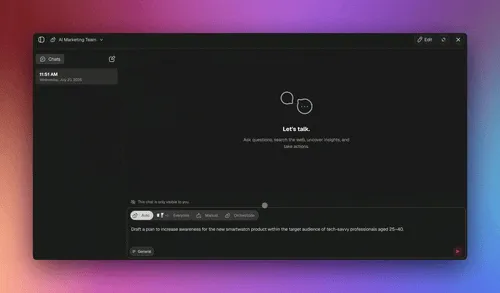
Grok Bot starts from the Bot and its computer. Taskade starts from the workspace and its record. In Taskade, custom AI agents have their own instructions, knowledge, memory and commands. An AI Team puts several agents in one chat, with Auto, Everyone, Manual and Orchestrate modes that decide who replies. Automations start agents on a schedule or on an event, such as a new email, a form, a webhook, or a Slack or Teams message.
Grok Bot gives Bots with their own memory a shared computer. Taskade builds on Workspace DNA, where projects, agents and automations share one memory.
Grok Bot Ideas and Their Taskade Counterparts (Checked November 25, 2026)
| Grok Bot idea | What Grok Bot does | Taskade counterpart | Status in Taskade |
|---|---|---|---|
| A named Bot with a job | A Bot with memory and chat | Custom AI agents with instructions, knowledge, memory and commands | Shipped |
| Group chats | Two to six Bots in one chat | An AI Team with Auto, Everyone, Manual and Orchestrate modes | Shipped, on Pro and up |
| Routines | A schedule or one of seven event sources | Automations on a schedule or on an event: email, form, webhook, Slack or Teams message | Shipped. The webhook trigger needs Pro and up |
| Run history | Running, Succeeded or Failed for recent runs | The Runs tab shows each step of each run | Shipped |
| Approval cards | Allow once, Always allow or Deny | The Wait for approval step reaches the approver in the tools they use | Shipped |
| Templates | Share a Bot by link | App Kits that you can share, sell or clone. Memory and connected accounts stay with the owner | Shipped |
| Team Bots | One Bot for a team, private chats | One workspace for the team, the agents and the record, with role-based access from Owner to Viewer | Shipped |
| A cloud computer and browser | Signs in to sites with no API | None. Taskade agents do not sign in to websites or drive a browser | Not offered |
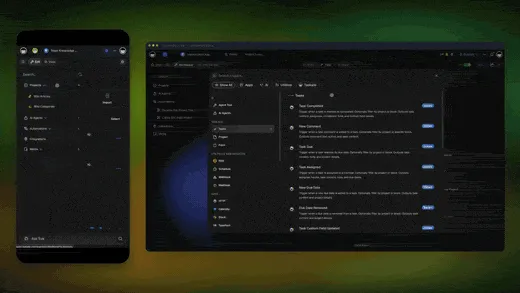
The Runs tab: open any automation run to see each step and its result.
The approval pattern from the safety section is a step you place yourself. The Wait for approval step pauses a run until a teammate approves or rejects it, and the request can reach the approver by email or in Slack, Teams and more. The Slack and Teams approval actions are premium integrations on paid plans. Put the AI step before the approval, so the approver reads the exact text that the next step will send. The no-code approval workflow guide walks through a full example.
Which Tool for Which Job?
| Job | Better fit | Why |
|---|---|---|
| Sign in to a website with no API and fill a form | A cloud-computer agent such as Grok Bot | It works in a browser where no integration exists |
| Triage requests, draft replies, wait for a teammate's yes | Taskade | Agents, approval steps and the record sit in one workspace |
| A team that shares agents, projects and history | Taskade | Members and role-based access from Owner to Viewer |
| Share or sell an agent setup | Taskade App Kits | Memory and connected accounts stay with the owner |
| Personal errands across many websites | A cloud-computer agent | It acts with your logins in a browser |
What a workspace agent does not do: Taskade agents do not sign in to websites, drive a browser or run on a computer of their own. If your job needs a site that has no integration and no API, a cloud-computer agent such as Grok Bot is the right tool. If the job lives in email, forms, tickets, projects and the 100+ integrations that Taskade connects, a trigger-driven workspace agent gives you memory that the team can read and a review before send.
Free includes 2 workspace members, 3 Taskade Genesis apps, 1 AI agent and 10 automation runs per billing period. AI Teams and the webhook trigger need Pro or a higher plan, and Pro is $10 a month billed annually. Premium integrations need a paid plan. Facts checked on November 25, 2026 against pricing. Browse live apps in the Taskade App Factory to see what teams already run.
Quo Vadis, Grok Bot?
Grok Bot's next steps that the vendor has stated are proactive work, wider access to The X Subscription, and more team controls, while the usage limits after November 1 are still unpublished. The table lists what the vendor said and when.
| Next step | What the vendor said | When | Source |
|---|---|---|---|
| Proactive Bots | Bots "take on work without being asked" | 2026-11-11 | SpaceXSI 1.0 post |
| Learning across a team | "When someone teaches a Bot a better way to complete a task, that improvement can benefit everyone" | 2026-11-11 | SpaceXSI 1.0 post |
| The X Subscription for everyone | "Over the next few days, we'll make it available to everyone globally" | 2026-10-12 | SpaceXSI, 2026-10-12 |
| Switching for old subscribers | "We're also rolling out the option to switch" | 2026-10-12 | SpaceXSI, 2026-10-12 |
| Inference hooks | In beta for Enterprise | Undated | Grok Bot docs |
| Teach a task | Teaching "may be enabled gradually" | Undated | Grok Bot docs |
| A Grok Bot spend cap | A separate cap is "not available today" | Undated | Grok Bot docs |
| Future usage limits | No statement on new limits | After 2026-11-01 | TechCrunch, 2026-11-02 |
Three open questions will decide how this chapter reads in a year. Will the usage pool settle? The November change showed that a hosted agent's cost sits with the vendor, and the plan price is the only number a buyer can plan on. Will teams trust one shared computer? Team Bots, shared logins and Review learnings move the product toward companies, and companies will ask for the per-Bot isolation that the docs say does not exist today. Will the coding hand-off hold? Routing repository work through Cursor cloud agents ties Grok Bot to its sister product, and users disagree about it.
Grok Bot shows where agents are going: named teammates with memory, skills and a schedule, and a computer that keeps working while you sleep. The design choice under every agent product is the same. Decide what the agents share, what each one keeps, where the record lives and where a person says yes. ▲ ■ ●
Ready to build agents that your team can review? Create your first app in Taskade Genesis →
Related Reading
- Grok vs Claude: the model families side by side
- Free OpenClaw Alternative: agents without a server to run
Sources
- Introducing Grok Bot, SpaceXSI, 2026-08-11.
- Grok Bot is now included with more plans, SpaceXSI, 2026-08-26.
- Team Bots: shared AI teammates that learn as they work, SpaceXSI, 2026-09-28.
- Introducing The X Subscription, SpaceXSI, 2026-10-12.
- Giving every team a data scientist with Grok Bot, SpaceXSI, 2026-11-02.
- Introducing Grok Bot 1.0, SpaceXSI, 2026-11-11.
- Building an accounting team with Grok Bot, SpaceXSI, 2026-11-16.
- Grok Bot product page, with pricing and FAQ, read 2026-11-25.
- Vendor guides: Templates for Grok Bot, 2026-09-08, and Grok Bot 101, 2026-09-11.
- X Subscription pricing, vendor docs, read 2026-11-25.
- Grok Bot documentation: get started, use cases, bots, chat and collaboration, computer and apps, skills, routines and automations, how Grok Bot works, teams and enterprises, approvals, security and privacy, settings and notifications, vault, troubleshooting, FAQ. Read 2026-11-25.
- Grok Bot changelog (x.ai), read through the Internet Archive copy of 2026-11-22.
- Elon Musk's SpaceX officially acquires Elon Musk's xAI, TechCrunch, 2026-02-02.
- SpaceX says it can buy Cursor later this year for $60 billion, CNBC, 2026-04-21.
- SpaceX to acquire the AI coding startup Cursor for $60 billion, CNBC, 2026-06-16.
- xAI is now officially known as SpaceXAI, Engadget, July 2026.
- OpenAI to end model access to Cursor after acquisition by SpaceX, CNBC, 2026-08-29. Source for the 2026-08-14 close.
- SpaceXSI bundles X Premium, Grok, and Cursor into one subscription, TechCrunch, 2026-10-13.
- Elon Musk throttles Grok Bot limits due to "unsustainably high" costs, TechCrunch, 2026-11-02.
- xAI and Grok apologize for "horrific behavior", TechCrunch, 2025-07-12, with xAI's statement of the same day.
- We Built Grok Bot. Here Are Our 14 Best Bots, Peter Yang, Behind the Craft episode notes, 2026-09-27. Source for the roles of Peng Zheng and Lauren Tan.
- Peter Yang with Peng Zheng and Lauren Tan, "We Built Grok Bot. Here Are Our 14 Best Bots | Peng Zheng & Lauren Tan", Behind the Craft video, 2026-09-27. The quotes of Peng Zheng and Lauren Tan come from this episode.
- Nate Herk, "Build & Sell Grok Bots (2 Hour Course)", YouTube, 2026-08-31. The title is the creator's. The video runs 1 hour 45 minutes.
- xAI and Grok apologize for 'horrific actions', GIGAZINE, 2025-07-13. Source for the 16 hours and the July 7 time.
- User threads, cited by site and title. A thread carries the date of its first post. Where we cite a reply, the text gives the date of the reply. Hacker News, "Grok Bot" (2026-08-11) and "Dots: Always-on agents" (2026-09-29). Cursor forum, "Does GrokBot not have access to my Cursor Codebase?" (2026-08-27), "Grok Bot: weekly usage hits 100% after bot-to-bot reviews the user asked to stop" (2026-09-01), "Grok Bot alternatives" (2026-11-04) and "Grok refuses to submit code unless its on cursoor cloud?" (2026-11-05).
- Taskade, xAI and Grok History, our guide, read 2026-11-25.
- Taskade, Always-On AI Agents, our guide, read 2026-11-25.
- Taskade, Meta Muse History, our guide, read 2026-11-25.
Frequently Asked Questions About Grok Bot
What is Grok Bot, and what does it do that Cursor or a chat app does not?
Grok Bot is SpaceXSI's app for a team of always-on AI agents, called Bots. A chat app answers you. A Bot works on a cloud computer, signs in to websites and apps, runs saved skills on routines and keeps working when your laptop is closed. Cursor writes code, and a Bot can hand coding work to Cursor cloud agents.
How is Grok Bot different from OpenClaw or Hermes Agent?
Grok Bot is hosted: SpaceXSI runs the cloud computer, the memory and the approval layer, and the plan price includes weekly usage. OpenClaw and Hermes Agent are open-source agents that you run on your own machine or server, with your own keys and your own token and hosting bill. You get more control and more setup work.
Does Grok Bot use its own usage pool or my Cursor or Grok usage?
It depends on the plan. At the August 2026 launch, Grok Bot came with its own usage, separate from Grok and Cursor plans. On The X Subscription, launched on October 12, 2026, Bot usage draws from the seat's shared weekly pool across Grok and Cursor. On a legacy Cursor account, Grok Bot uses whichever linked plan grants more weekly usage.
Why did my Grok Bot weekly usage jump to 100%?
Usually because Bots talk to each other or a routine wakes often. The docs count every Bot reply, including messages between Bots, and say that a short schedule can use a week of usage in a day. TechCrunch also reported a cut to usage limits on November 1, 2026. The usage section of this guide has the details.
Which plan do I need for Grok Bot, and what does it cost?
On The X Subscription, Grok Bot is included in Premium at 30 dollars a month, Super at 100 dollars and Ultra at 200 dollars, or 300, 1,000 and 2,000 dollars a year. Free and Plus do not include it. Older SuperGrok and Cursor plans keep it. Team Bots need a Team or Enterprise plan. Prices read on November 25, 2026.
Does each Grok Bot get its own computer?
No. One cloud computer serves all the Bots of an account, with one set of files and sign-ins. What each Bot has to itself is a screen on that computer. The vendor says not to use separate Bots as a security boundary. Different users get separate, hardware-isolated computers.
Is it safe to give Grok Bot my accounts, inbox or bank?
Grok Bot has controls: Auto Review checks each action, approval cards ask before sensitive steps, and Vault fills in logins and cards without showing them to the model. But every Bot of an account can use the same sign-ins. Connect only the accounts that all your Bots may touch, and keep send, buy and delete behind Ask first rules.
Can Grok Bot code in my repo, and why does it start a Cursor cloud agent?
Yes, through Cursor. The docs say that Bots can hand coding work to Cursor cloud agents. Replies on the Cursor forum add that Grok Bot does not index your code itself, that the cloud agent usually returns a branch or a pull request, and, in November 2026, that this is the default unless you ask for a local change.
Does Grok Bot keep working when my laptop is off?
Yes. Bots run on a cloud computer that the vendor hosts, so closing the app, the laptop or the phone does not stop a background task or a routine. Commands on your own computer are the exception: they run only when you turn that on and approve them.
Can Grok Bot use sites behind a login?
Yes. Bots sign in through a real browser on the cloud computer, and the sessions persist for later tasks. Vault fills in saved logins without showing them to the model. For single sign-on, passkeys, CAPTCHAs or card checks, you take over the screen for that one step and hand it back.
Should I use one Grok Bot or a team of Bots?
Start with one Bot for one job, and add Bots only when a job needs its own memory. Every reply between Bots counts toward weekly usage, so a team costs more to run. Use a group chat when several Bots must reach one shared result.
Why is a Grok Bot task slower than a local prompt?
Because a Bot does more than reply. It uses a browser on a remote computer, one computer-use task at a time on its screen, and it can wait for your approval or for a cloud agent. The vendor gives no speed figure. One Hacker News user reported about an hour against ten minutes.