






Updated June 2026. A quoting tool should not hand you a PDF estimate and walk away. Generate the quote in Taskade Genesis, then run it as a live app, branded, buyer-approvable, and tracked from sent to invoiced. PandaDoc leads on document lifecycle, Qwilr on interactive web quotes, DealHub on complex deal desks, and Quoter and Zomentum on service-business quoting. But only Taskade Genesis turns the quote into a system you own. Try Taskade Genesis free →
Try It Live: A Quoting Tool You Can Actually Run
Every other tool on this list hands you an estimate and a separate billing step. This one keeps going in one workspace. The app below was built from a single prompt in Taskade Genesis: it generates the quote, tracks it as a live deal, and carries it from estimate to approved to invoiced on a board your whole team can see. Click it, clone it, and watch a quote stop being a one-shot PDF.
Watch a sales-and-quoting app built from one prompt:
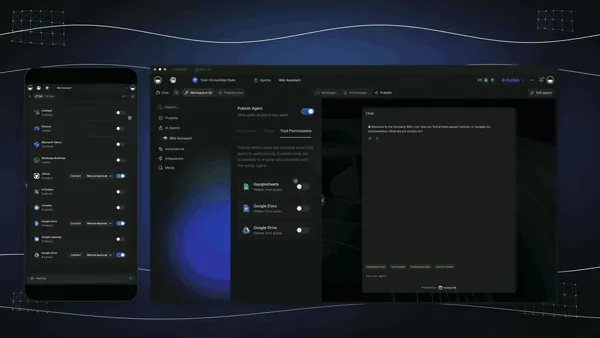
What this video shows: Image generation in chat, an agent preview before you share it, and an assistant that sends a Gmail welcome email through an integration. Read the step-by-step walkthrough.

This is the difference the rest of the article is about. A quoting tool that gives you a file is a tool. A quoting tool that gives you a running quote-to-cash app is leverage. Clone this app and run your next quote from estimate to invoice →
The Evolution of Quoting Software: From Spreadsheet to Living App
Quoting software has moved through four eras, and 2026 is the start of the fifth. It began as a spreadsheet you formatted by hand and emailed as a PDF. It became branded quote templates with open-tracking. It became CPQ, configure, price, quote, with rules engines and approval routing. It became an AI generator that drafts the line items for you. And now, with Taskade Genesis, it becomes a living app, the quote and the estimate-to-invoice pipeline around it, generated from one prompt. Each era kept the previous one's job and added a new one. The pattern is consistent: the quote got smarter, but it stayed a document handed off to billing. The 2026 shift is the first time the output stops being a file and starts being a running system you own.
Here is the whole arc, era by era:
Read the same arc as a milestone table, what changed, and what each era still left on the table:
| Era | What you sent | What you got back | What it still couldn't do |
|---|---|---|---|
| 1990s–2000s — Spreadsheet | A formatted .xls or PDF |
A reply, maybe | No idea if it was opened |
| 2010–15 — Branded template | A polished quote (Proposify, Qwilr) | An "opened" notification | Rebuild the math each deal |
| 2016–21 — CPQ engine | A configured quote (DealHub, ConnectWise) | Rules, approvals, sign-off | Quote lives in their system, not yours |
| 2022–24 — AI drafting | A prompt-generated quote (PandaDoc AI) | A faster first draft | Still a document, still siloed from billing |
| 2025–26 — Living app | A branded quote app (Taskade Genesis) | A tracked quote-to-invoice you own | — (this is the frontier) |
The plain-English takeaway: every era made the quote look better, price faster, or route smarter. Only the 2026 era makes the quote do work after you send it, and carry itself all the way to the invoice. That is the whole reason Taskade Genesis tops this list. For the conceptual deep-dive on how prompt-to-app generation works, see our Genesis Loop explainer and the Learn Taskade Genesis overview.
What Is the Best AI Quoting Software in 2026?
Taskade Genesis is the best AI quoting software in 2026 because it closes the loop between building the quote and collecting the payment. Describe the customer, the line items, your rates, and any discount rules in one prompt, and Taskade Genesis generates a branded quote. Then runs it as a live app with an approval workflow, a status tracker, and a follow-up agent that carries the quote from estimate to invoice. Every dedicated CPQ tool on this list is deep but per-seat and siloed; Taskade Genesis hands you a quote-to-cash app you own, track, and reuse for the next quote.
The plain-English version: the quote that used to take a sales rep to build, a manager to approve, and an ops person to bill gets generated and tracked to invoiced in an afternoon. Taskade's first self-serve Enterprise customer — an IT program manager with no engineering team — built a production field-service dashboard on Taskade Genesis and put it this way: "What I accomplished in a few weeks would have taken a team of 40+ people 18 months in a Fortune 500." He didn't generate a file. He generated the app that runs the work.
Generate the Estimate vs. Run the System: Why a PDF Quote Isn't Enough
A quoting tool gives you a better estimate. An app generator gives you the thing the estimate was for, a paid invoice. That is the whole gap. Six of the seven tools below hand you a configured quote or a hosted page locked inside their editor, then hand the won deal off to a separate billing system. You still have to send it, track it by refreshing your inbox, and rebuild the math for the next customer. Taskade Genesis takes the same prompt and returns a working quote app, branded, buyer-approvable, and tracked from estimate to invoice. That your team opens, edits, and reuses the same afternoon.
Here is the path a quote actually travels when the tool doesn't stop at the file:
Most tools on this list live in the first two boxes and then hand off to billing. Taskade Genesis is the only one that carries the quote all the way to the last box, an invoiced deal, in the same app.
Side by side, the week after you send a quote looks like this:
  A QUOTE GENERATOR                       AN APP GENERATOR (Taskade Genesis)
  ──────────────────────                  ──────────────────────────
  [ you ] build a quote                   [ you ] build a quote
      │                                       │
      ▼                                       ▼
  export a PDF / CPQ page                 a live quote app
      │                                       │
      ▼                                       ├─ buyer reviews each line item
  email it and hope                       ├─ status: sent → approved → invoiced
      │                                       ├─ agent follows up when it stalls
      ▼                                       ▼
  hand off to a billing tool              clone it → reuse for the next customer
  (rebuild the math next deal)            (your whole quote-to-cash in one workspace)
The left column is where six of these tools end. The right column is where the cash actually lands.
Why Tracking From Estimate to Invoice Is the Whole Game
The quote you can see is the quote you can close. Most quotes stall not because the price was wrong but because nobody followed up at the right moment, and a static PDF quote goes dark the instant you hit send. A live quote app does the opposite: it tells you when the buyer opened it, which line items they questioned, and when the quote has gone quiet, and an automation or agent can act on that signal automatically, then advance the approved quote straight to invoice.
That is the difference between a generator that hands you a file and one that hands you a system. Every tool on this list can produce a clean quote in 2026; AI made drafting and configuring a solved problem. The unsolved problem, the one that actually moves close rates and shortens days-to-cash, is everything that happens after you send and before the money lands. Taskade Genesis is built around that span: the tracking, the approval routing, the follow-up agent, and the jump from approved quote to sent invoice. The drafting is table stakes. The quote-to-cash loop is the product. Trades and field-service teams run the same loop under a different name — quote, job, and invoice in one pipeline.
How We Ranked
We ranked 7 AI quoting and estimate tools on six criteria that matter to the person who has to get paid, not just format the estimate:
- Quote generation, how complete and accurate the line-item draft is from a single brief.
- Configuration depth, pricing rules, discount tiers, product catalog, and bundles.
- Output you keep, a static quote, a hosted CPQ page, or a live app you own and reuse.
- Estimate-to-invoice, does it carry the quote to billing, or hand off to a separate tool.
- Tracking & approvals, status after sending, approval routing, and a follow-up nudge.
- Pricing, free-tier generosity and per-seat cost at the annual price.
Scored against those six criteria, here is how the field stacks up at a glance, the column that separates the leader from the pack is "Output you keep":
| Tool | Generation | Config depth | Output you keep | Estimate→invoice | Price value |
|---|---|---|---|---|---|
| Taskade Genesis | Excellent | Flexible | Live app | One workspace | Excellent (free) |
| PandaDoc | Excellent | Good | Document | Native billing | Fair |
| Qwilr | Good | Good | Hosted page | Accept + pay | Low (seat min) |
| Proposify | Good | Good | Document | Hand-off | Fair |
| DealHub | Excellent | Excellent | CPQ deal room | Quote-to-revenue | Low (enterprise) |
| Quoter | Good | Strong (IT) | Document | Hand-off | Good |
| Zomentum | Good | Strong (MSP) | Document | Billing add-on | Fair |
The grid tells the story before you read a word of the reviews: most tools earn "Good" or "Excellent" on generation and configuration, then every single one drops to "Document," "Hosted page," or "CPQ deal room" on output, except the one that hands you a live app.
The 7 Best AI Quoting & Estimate Software
1. Taskade Genesis: Best Overall: Generate the Quote, Then Run It to Invoice
Taskade Genesis is the only tool on this list that generates a quote and runs it as a live app from estimate to invoice. Describe the customer, the line items, your rates, and any discount rules in one prompt, and Taskade Genesis drafts a complete quote, line-item table, subtotals, taxes, terms, and a clear approve action, tuned to the kind of quote you need. Then, in one more click, that same artifact becomes a working app: a buyer surface where the customer reviews each line, an approval workflow that routes sign-off, a status tracker where you watch a quote move from sent to approved, and a follow-up agent that nudges when a quote goes quiet. Then advances the approved quote to a sent invoice.
That is the structural gap in the whole category. Every dedicated CPQ competitor stops at a configured quote and hands the won deal to a separate billing system. Taskade Genesis carries the quote from estimate to invoice in the same workspace and keeps the app around it. The quote that used to take a rep to build, a manager to approve, and ops to bill gets generated and tracked to invoiced in an afternoon.
One workspace covers both worlds. Service businesses brief Taskade Genesis with labor, parts, and recurring line items; SaaS teams brief it with subscription tiers and usage pricing, and because you describe the line items rather than fight a rigid template, the quote app matches your business instead of the other way around. It pairs naturally with the AI invoice generators for the billing half and the AI proposal generators for the win-the-deal half, distinct stages of the same revenue motion, all in one platform.
Taskade Genesis runs on frontier models from top AI labs, so the quote reads in your voice and the line items match your catalog. The workspace ships multiple project views (List, Board, Calendar, Table, Mind Map, Gantt, Org Chart, the Timeline lives inside Gantt), a role model (Owner to Viewer) so buyers and teammates see exactly the right surface, and 100+ bidirectional integrations to wire CRM sync, e-signature, and payment around the deal. Brand the app with your logo and a custom domain on Pro and above, and the quote stops looking like a template and starts looking like your own product.
Best for: Anyone, agency, MSP, contractor, or SaaS sales team, who wants the quote to get paid, not just look good in an inbox.
Strengths: Only tool that turns the quote into a tracked, reusable estimate-to-invoice app; covers service and SaaS quoting in one workspace; live buyer surface plus approval automation plus follow-up agent; custom branding and domain; generous free tier.
Weaknesses: Native one-click e-signature is wired through integrations rather than built into the editor; the rules-engine depth for thousand-SKU catalogs is younger than DealHub's deal desk.
Pricing: Free (Free Forever plan), Pro $10/mo (the Popular tier), Business $25/mo, Max $100/mo, Enterprise $250/mo, all annual billing.
The catch: An honest one, for a Fortune 500 deal desk with thousands of SKUs and a hard-coded rules engine, a heavyweight CPQ like DealHub is more turnkey out of the box. Everything around the quote-to-cash loop, though, is built in.
Verdict: The clear winner for anyone who wants a quote to land cash, not just to look good in an inbox.
2. PandaDoc: Best Full Document Lifecycle with E-Sign and Payments
PandaDoc is the document-ops benchmark. It covers the whole lifecycle, quotes, proposals, contracts, and legally binding e-signatures, with a product catalog, AI content generation, CRM sync, and built-in payment collection. If your motion needs the quote, the signature, the contract, and the payment in one document platform, PandaDoc is the heavyweight, and its native e-sign and payments are more turnkey than wiring them yourself.
Best for: Sales teams that need quotes, contracts, e-signatures, and payments in one document platform.
Strengths: Native e-signature and payments; a real product catalog with pricing tables; deep CRM integrations; strong analytics; covers proposals and contracts too.
Weaknesses: Output lives as a document inside PandaDoc's editor, not a reusable app; pricing climbs fast for a small team; configuration depth trails a true CPQ for complex deals.
Pricing: Essentials around $19/user/mo; Business around $49/user/mo; enterprise custom.
The catch: It is a document platform first. You get the quote, the signature, and the payment, but not a reusable workspace app or a follow-up agent.
Verdict: Best for teams that want quotes, contracts, e-sign, and payments in one document platform.
3. Qwilr: Best Interactive Web-Page Quotes
Qwilr replaces the PDF quote with an interactive web page, a "quote microsite" with embedded video, pricing the buyer can toggle, accept-and-pay blocks, and built-in view analytics. It is the closest competitor to "live," and a Qwilr quote genuinely feels more modern than a flat estimate. The catch is that it is a hosted page in Qwilr's system, not a cloneable app you own, and the pricing assumes a team.
Best for: Teams that want stunning, interactive web-page quotes and have a per-seat budget.
Strengths: Beautiful interactive quote pages; embedded media; accept-and-pay blocks; clear view analytics; optional quotes that let buyers self-upsell.
Weaknesses: Hosted page, not a reusable workspace app; seat minimums make it pricey for solos; no free generate-and-keep.
Pricing: Business plan from around $35/user/mo; higher tiers with seat minimums.
The catch: The page lives in Qwilr's system, not yours. You can't clone it as an app or run your pipeline around it.
Verdict: Best if you want stunning interactive quote pages and have a team budget.
4. Proposify: Best Branded, Trackable Quote Templates
Proposify is the design-and-sales incumbent. It turns a quote into a branded, sendable template with a pricing table, a content library, open-tracking, and approval workflows, the classic "make our quotes look consistent and know when the client opens them" tool. For agencies that send a high volume of similar quotes, the polished template gallery and the consistency it enforces are a genuine strength.
Best for: Agencies sending a high volume of similar branded quotes that need to look consistent.
Strengths: Strong branded templates; editable pricing tables; open-and-view tracking; content library; approval flows; established with agency teams.
Weaknesses: Output is a document inside Proposify's editor, not a reusable app; carries to billing only by hand-off; entry plan caps volume.
Pricing: Team plan around $19/user/mo; Business around $49/user/mo.
The catch: You get a polished document inside Proposify's editor, not an app you own, clone, or run from estimate to invoice.
Verdict: Best if you send many similar branded quotes and want consistency plus open-tracking.
5. DealHub: Best Enterprise CPQ Deal Desk
DealHub is the enterprise CPQ benchmark. It handles complex configurations with a guided selling engine, deep pricing rules, multi-step approval routing, and a "DealRoom" where the buyer reviews and accepts, all the way through to quote-to-revenue with CLM and billing on the higher tiers. For a sales org running configurable, high-value deals with a real deal desk, the configuration depth is genuinely strong and well beyond what a general tool offers.
Best for: Mid-market and enterprise sales teams running complex, configurable, high-value deals.
Strengths: Deep CPQ configuration and pricing rules; guided selling; robust approval routing; buyer DealRoom; quote-to-revenue with CLM and billing tiers.
Weaknesses: Enterprise-priced and demo-gated; per-seat with minimums; overkill for a freelancer, contractor, or small team typing "quoting software."
Pricing: Custom, typically around $60–$100/user/mo with seat minimums; quote-based.
The catch: Demo-gated and enterprise-priced, powerful, but invisible and heavy for anyone outside a dedicated deal desk.
Verdict: Best for enterprise sales teams that need a deep CPQ engine and a real deal desk.
6. Quoter: Best for IT and Service-Provider Quoting
Quoter is the IT and service-provider specialist. It builds clean, sectioned quotes with labor, products, and services grouped into readable line items, drag-and-drop editing, and direct integrations with major distributors so quotes always reflect current pricing and availability. For an IT shop or service provider that quotes hardware and labor together, the distributor sync and the speed are a real advantage over a general document tool.
Best for: IT service providers and technology resellers who quote hardware, software, and labor together.
Strengths: Fast sectioned quote building; live distributor pricing sync; recurring and one-time line items; quote templates; PSA and accounting integrations.
Weaknesses: Output is a quote document, not a reusable app; carries to billing by hand-off; less relevant outside the IT and MSP niche.
Pricing: Starter around $70/mo (1 user); Professional around $140/mo (3 users); Business around $350/mo (10 users).
The catch: It does one job well, fast, accurate IT quotes. So there's no app, buyer portal, or owned pipeline to reuse afterward.
Verdict: Best for IT service providers who quote hardware and labor with live distributor pricing.
7. Zomentum: Best All-in-One MSP Quote-to-Cash
Zomentum is the MSP revenue-platform benchmark. It covers the full service-business workflow, quoting and proposals, e-sign, payments, distributor integrations, approval workflows, and pipeline management, in one quote-to-cash platform trusted by thousands of service providers. For an MSP that wants quoting, billing, and renewals under one roof with PSA and accounting sync, the breadth is real and well beyond a standalone quoting tool.
Best for: MSPs and service businesses that want quoting, e-sign, payments, and billing in one platform.
Strengths: End-to-end MSP quote-to-cash; native e-sign and payments; distributor integrations; AI-assisted approval and renewal workflows; 50+ PSA, CRM, and accounting integrations.
Weaknesses: Per-seat with a higher floor; MSP-oriented positioning; the output is a quote inside Zomentum, not an app you own and clone.
Pricing: Expand around $83/user/mo; Growth around $90/user/mo; Enterprise custom.
The catch: Broad and capable for MSPs, but the quote-to-cash flow lives inside Zomentum's surface, not a reusable app you own across every other workflow.
Verdict: Best for MSPs that want quoting, billing, and renewals under one roof.
Comparison Table: Output, Estimate-to-Invoice, and the Annual-Pricing Wedge
Feature matrices hide the one thing that actually decides the buy: what you walk away with. This table strips it down to the columns the rest of the category quietly skips, what you get (a document, a hosted page, or a live app), whether it carries the quote to invoice in one place, and the annual price. This is where Taskade Genesis is the only green row.
| Tool | Output you keep | Estimate → invoice | Approvals + tracking | Live cloneable app | Price (annual) |
|---|---|---|---|---|---|
| Taskade Genesis | Live app (quote + invoice) | Yes — one workspace | Yes — automation + agent | Yes — clone it | Free / $10 / $25 |
| PandaDoc | Document in their editor | Native billing | E-sign + open status | No | ~$19/user/mo |
| Qwilr | Hosted web page | Accept + pay | View analytics | No | ~$35/user/mo |
| Proposify | Document in their editor | Hand-off | Open-tracking + approvals | No | ~$19/user/mo |
| DealHub | CPQ deal room | Quote-to-revenue | Deep approval routing | No | Custom (~$60–$100/user) |
| Quoter | Quote document | Hand-off | Quote status | No | ~$70–$350/mo |
| Zomentum | Quote document | Billing add-on | Approval + renewal flows | No | ~$83–$90/user/mo |
Read the rows top to bottom and the wedge is obvious: a document handed off to billing is where the others finish, and where Taskade Genesis is just getting started. On price, Taskade Genesis starts Free, then Pro $10 (the Popular tier), Business $25, Max $100, and Enterprise $250, and every paid tier ships a live app with a custom domain. The field sits at $19–$100 per user per month for a tool that still hands you a quote and a hand-off to billing. You are not paying for a prettier estimate. You are paying for a quote that carries itself to invoiced.
Full Capability Matrix: Seven Tools, Eight Columns
This is the detailed grid the buyer's-guide pages bury or skip. It scores all seven tools on the eight capabilities that decide a quoting workflow, AI drafting, config depth, branding, buyer review, status tracking, native invoicing, a reusable owned app, and a free tier. Taskade Genesis is the only row that fills the right-hand columns straight across.
| Tool | AI draft | Config depth | Branding | Buyer review | Status tracking | Invoice in app | Owned reusable app | Free tier |
|---|---|---|---|---|---|---|---|---|
| Taskade Genesis | Yes | Flexible | Logo + domain | Live app | Yes (multiple views) | Yes | Yes — clone it | Yes (Free Forever) |
| PandaDoc | Yes | Catalog | Yes | View + sign | Open + sign | Native billing | No | Trial only |
| Qwilr | Partial | Toggles | Yes | Interactive page | View analytics | Accept + pay | No | Trial only |
| Proposify | Partial | Pricing table | Yes | Doc review | Open-tracking | Via hand-off | No | Trial only |
| DealHub | Yes | Deep rules | Yes | DealRoom | Deal status | Quote-to-revenue | No | No |
| Quoter | Partial | Strong (IT) | Yes | Doc review | Quote status | Via hand-off | No | Trial only |
| Zomentum | Yes | Strong (MSP) | Yes | Doc review | Pipeline | Billing add-on | No | Trial only |
The shape of the grid is the argument. Most tools earn "Yes" on drafting and config, then go blank on owning a reusable app, every single one. Taskade Genesis is the only tool that fills the right-hand columns, which is exactly where a quote becomes a paid invoice.
Use-Case → Tool Matrix: Pick by What You're Actually Quoting
Skip the feature war and start from your job. This matrix maps the most common quoting jobs to the tool that fits, and to the Taskade Genesis route that does the same job and hands you a live estimate-to-invoice app afterward.
| Your job | Quick pick (document-first) | Taskade Genesis route (live app) |
|---|---|---|
| Quote a service engagement | PandaDoc (e-sign + pay) | Build a quote app in Taskade Genesis |
| Send an interactive web quote | Qwilr (accept + pay page) | Build a quote app in Taskade Genesis |
| Quote IT hardware + labor | Quoter (distributor sync) | Build a quote app in Taskade Genesis |
| Run MSP quote-to-cash | Zomentum (billing + renewals) | Build a quote app in Taskade Genesis |
| Configure a complex SaaS deal | DealHub (deal desk) | Build a quote app in Taskade Genesis |
| Keep quotes on-brand at volume | Proposify (template gallery) | Build a quote app in Taskade Genesis |
| Quote → approve → invoice in one place | — | Build a quote app in Taskade Genesis |
The pattern reads in one glance: every row has a perfectly good document-first option, and a Taskade Genesis route that does the same job and leaves you with a tracked, reusable app instead of a one-shot quote handed off to billing. That bottom row, quote-to-invoice in one place, is where the platform story really lives.
From Quote to Production: What You Can Actually Build
The fastest way to understand the gap is to look at what people ship. These are real outcome shapes, not features, that start from one prompt in Taskade Genesis and end as a running app. Each is the kind of system that used to need a rep, an approver, and an ops chaser.
| Outcome you want | What you prompt | What you get to run |
|---|---|---|
| Quote a service engagement | "Build a quote with labor and parts line items, plus an approval tracker" | A branded quote app on multiple views where status moves sent → approved → invoiced |
| Run the sales pipeline | "Build a sales pipeline dashboard that tracks every quote to close" | A live pipeline dashboard across your whole book |
| Manage a client | "Build a client portal where the buyer reviews the quote and approves" | A branded portal app you reuse per customer |
| Bill the won quote | "Build an invoice generator wired to the approved quote" | A billing app that turns an approved quote into a sent invoice |
| Win the deal first | "Build a proposal with scope, pricing tiers, and a client portal" | A sales pipeline app that feeds the quote |
| Approve high-value quotes | "Build a quote app that routes anything over $10k to a manager" | An app with reliable automation workflows that route sign-off |
Each of these is a clone away. The sales pipeline app above is the same idea ready to run, open it, clone it, and swap in your own line items and rates. That single click is the activation event the rest of this category never reaches.
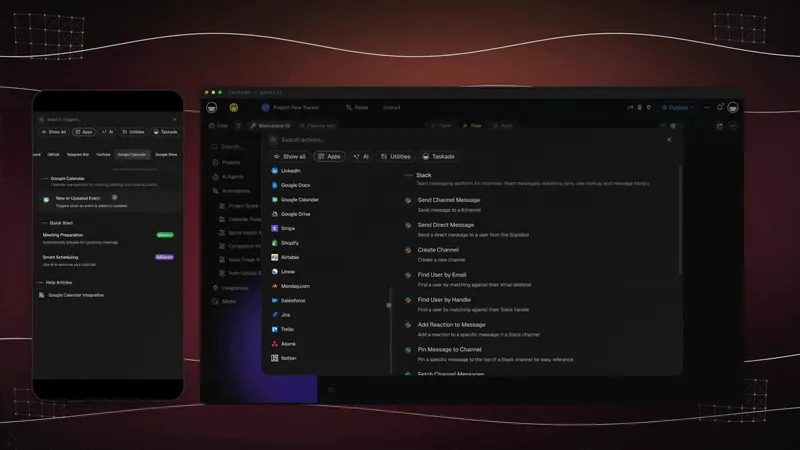
Wiring the deal end to end, CRM sync, e-signature, payment, happens through Taskade's 100+ bidirectional integrations, so the quote isn't an island. Triggers pull buyer events in; actions push the approved quote and the invoice out.
The Full Taskade Genesis Capability: What a Quoting Tool Looks Like When It's a Platform
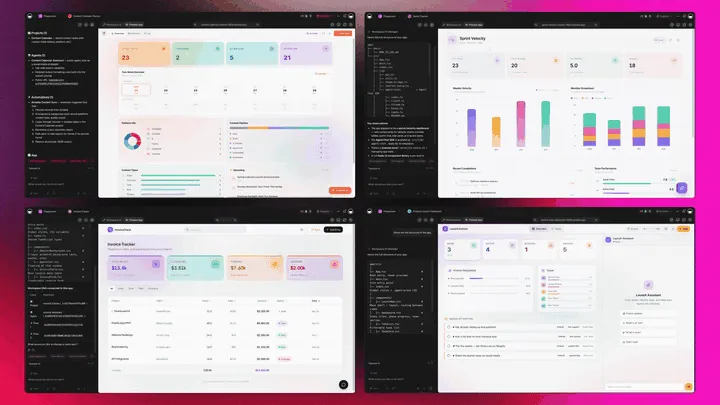
A quoting tool that's really a platform doesn't just build the quote. It runs the whole revenue motion around it. Taskade Genesis generates the quote as a live web app, then surrounds it with agents that follow up, automations that route approvals and advance the quote to invoice, and a workspace that remembers every win. Here is the capability slice that matters for quoting, told in plain language and shown in working product.
Taskade Genesis: Describe a Quote, Get a Running App
This is the core move. You describe what you want in plain words, "a quote with labor and parts line items, an approval step, and an invoice", and Taskade Genesis returns a real, running web app, not a file you download. You can publish it, put it on a custom domain, and let others clone it with one click. The quote stops being a document you guard and becomes a product you ship.
The loop, drawn out:
That dotted line back to the start is the part no CPQ tool has: every closed quote feeds the next prompt. Here is what's actually inside a Taskade Genesis quote app, the layers a static PDF can never carry:
  A GENESIS QUOTE APP (one prompt builds all of this)
  ─────────────────────────────────────────────────────
  ┌─ QUOTE ────────────────────────────────────────┐
  │  line items · subtotals · taxes · terms        │   ← the document everyone else stops at
  ├─ BUYER SURFACE ────────────────────────────────┤
  │  review each line · approve inline · sign      │   ← your branded surface, your domain
  ├─ STATUS TRACKER ───────────────────────────────┤
  │  drafted → sent → viewed → approved → INVOICED │   ← multiple views: Board, Table, Calendar...
  ├─ APPROVAL + FOLLOW-UP ─────────────────────────┤
  │  routes sign-off · nudges · built-in tools     │   ← the teammate that chases the close
  ├─ AUTOMATION ───────────────────────────────────┤
  │  approve → invoice · payment · CRM sync         │   ← 100+ bidirectional integrations
  └─ MEMORY ───────────────────────────────────────┘
     every win sharpens the next quote                 ← Workspace DNA, the compounding part
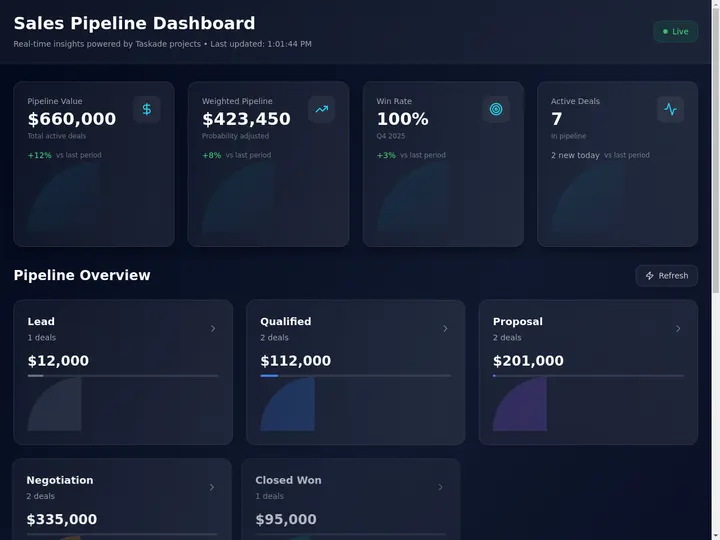
See the same quote-to-cash shape running live. This is the Sales Pipeline Dashboard, generated from one prompt:
AI Agents v2: built-in tools and a Follow-Up Teammate
The quote that closes is usually the one someone followed up on. In Taskade, that someone is an agent. AI Agents v2 ship built-in tools, web search, code, file analysis, custom slash commands, plus persistent memory, multi-agent collaboration, public embedding, and multi-model routing. Point one at your quote pipeline and it drafts line items, checks margins, routes approvals, and nudges the buyer when a quote goes quiet. EVE, the meta-agent, orchestrates the whole team from a single instruction.

Automation: Reliable Workflows That Move the Quote to Cash
Behind the quote sits reliable automation, workflows that branch, loop, and filter, and run dependably without you babysitting them. Wire 100+ bidirectional integrations so triggers pull buyer events in (a quote viewed, an approval granted, a payment cleared in Stripe) and actions push the deal out (update the CRM, send the invoice, post to Slack). An approved quote advances to a sent invoice automatically. The quote isn't an island; it's one node in a workflow that runs itself.
Multiple Project Views: See the Pipeline the Way You Think
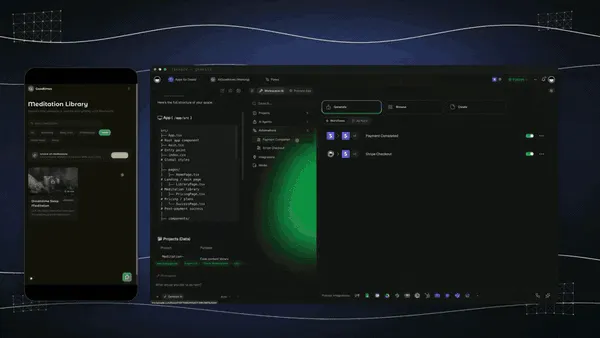
Every quote app comes with multiple project views, List, Board, Calendar, Table, Mind Map, Gantt, and Org Chart (the Timeline lives inside Gantt). Watch quotes move on a Board, see follow-up dates on a Calendar, map the line items on a Table, and track every quote in one place. The buyer sees only the surface you share; you see the whole pipeline. A static PDF gives you none of these.
Workspace DNA: Memory + Intelligence + Execution
The reason the loop compounds is Workspace DNA, the self-reinforcing triad of Memory, Intelligence, and Execution (the ▲ ■ ● signature). Memory remembers your past winning quotes and catalog; Intelligence drafts the next one in your voice with frontier models from top AI labs (auto-routed, no model-picking required); Execution routes approvals and chases the invoice. Each closed quote becomes Memory for the next one, the workspace gets smarter every time you win.
A Real Operator Already Runs On This
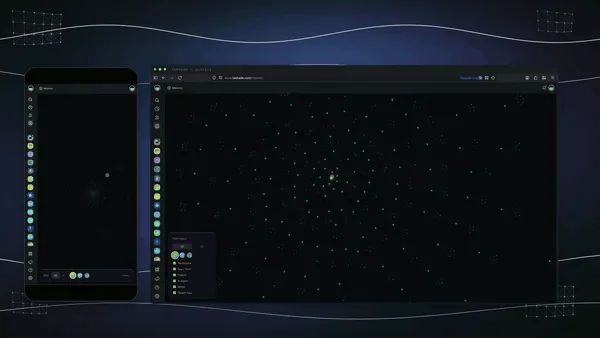
This isn't a roadmap promise. Taskade's first self-serve Enterprise customer — an IT program manager with no engineering team — built a production field-service dashboard on Taskade Genesis, a real, running app his team uses every day. His take: "What I accomplished in a few weeks would have taken a team of 40+ people 18 months in a Fortune 500." He didn't generate a file. He generated the app that runs the work, and the quote app on this page is the same idea, ready for you to clone. Browse more live, cloneable apps in the Community Gallery, or start your own from free AI app builders.
How a Quote Moves Through a Taskade Workspace
Here is the path from brief to invoice, end to end.
Decision Flowchart: Which Quoting Tool for Your Job
The plain-English version: if you want the quote to carry itself to invoice, every road leads to Taskade Genesis. If you only need a configured estimate for one niche, the dedicated tools are excellent at their slice.
Three Operators, One Platform: How the Same Tool Fits Different Jobs
The clearest way to see the difference is to watch three very different people use the same generator. Each starts with one prompt and ends with a running app, not a folder of PDFs handed off to billing.
The Contractor
He quotes jobs on site and loses deals to slow follow-up. He generates a quote app, labor, materials, a clean line-item table, three options, and ships it as a branded app on his own domain. The customer picks an option and approves inline; he watches the status move from viewed to approved on a Board. When a quote stalls, the follow-up agent nudges the customer for him, and an approved quote becomes a sent invoice without retyping a number. What used to be a handwritten estimate and a hopeful text is now a quote-to-cash flow he controls.
The MSP
The shop sends fifty quotes a month with recurring and one-time line items. They generate a quote app template once, managed-service tiers, hardware, labor, renewal terms, brand it, and clone it per client. Every live quote lands in one sales pipeline dashboard so the owner sees the whole book at a glance. Automations route high-value quotes for approval and wire the won ones into onboarding and the CRM, so a sign-off kicks off billing without anyone copying data by hand. Distributor pricing, approvals, and tracking, in one app they own.
The SaaS Sales Rep
She configures subscription deals with usage tiers and discount thresholds. She generates a quote app with the right plan tiers, a discount-approval step, and a buyer surface where the prospect reviews and accepts. Workspace Memory remembers the last winning configuration, so the next quote starts from a stronger draft. When a deal needs a manager sign-off, a reliable automation workflow routes it; when it's approved, it advances to invoice. She doesn't need a heavyweight deal desk and a billing tool; the app covers both.
The thread across all three: same platform, same one-prompt start, three completely different quoting jobs, and in every case the output is a living quote-to-invoice app the operator owns, not a file locked in a vendor's editor.
Where This Is Going: Our Vision for 2027 and Beyond
By 2027 the line between building a quote and running the system around it disappears entirely. Tools that stop at a configured estimate lose ground to platforms that generate the quote and the approval flow, the buyer surface, and the invoice. Buyers will ask of every tool the question they're already starting to ask: what do I actually keep when the deal is done, and how fast does it turn into cash? The answer that wins is a system, not a file.
The deeper shift is the one Taskade is building toward: software you describe instead of build. Today you generate a quote app from a prompt. Tomorrow every operator runs their entire business as living, cloneable apps, the quote app, the proposal app, the invoice app, the reporting app, each one described in plain words, each one owned, each one improving every time it's used. The workspace becomes the computer. You don't open ten tools; you describe ten outcomes, and the agents do the work.
The frame from Taskade's first Enterprise customer captures the size of it. What took "a team of 40+ people 18 months in a Fortune 500," he built in a few weeks, and what he built, you can clone in an afternoon. That is the inversion: the leverage that used to belong to a forty-person deal desk belongs to one operator with a prompt. Multi-agent choreography is the engine. A single quote kicks off a team of agents, one drafts line items, one checks margins, one routes approval, one chases the invoice, exactly the way Taskade's multi-agent collaboration already works today.
The roadmap from here is straight: more frontier models auto-routed behind the scenes, deeper agent memory so the workspace remembers every win, and a growing Community Gallery of cloneable apps so you can start from a working quote app instead of a blank page. The quoting tool that wins 2027 won't be the one with the deepest rules engine. It will be the one that hands you a business that runs itself, from estimate to invoice and back to the next quote. That is the lane Taskade has been building in since day one, Memory, Intelligence, and Execution in a single workspace, compounding with every deal you close.
Related Reading
Connect the dots across our 2026 AI tooling coverage. A quote is one node in a bigger revenue system. These guides cover the proposal before it, the invoice after it, and the apps and agents around it:
Run the deal end to end
- Best AI Invoice Generators in 2026, turn the approved quote into a sent invoice
- Best AI Proposal Generators in 2026, win the deal before the quote stage
- Best AI CRM Software in 2026, track every quote-turned-deal in a CRM you generate from a prompt
- Best AI Workflow Automation Tools in 2026, wire approvals, CRM sync, and payment around the quote
Sharpen the inputs
- What Are AI Agents?, the follow-up teammate that chases the close
- Free AI App Builders, the broader category your quote app belongs to
Build it yourself
- Taskade AI Apps, describe an outcome, get a running app
- Taskade AI Agents, the follow-up teammate that chases the invoice
- Taskade Automations, reliable workflows that move the quote to cash
- The Genesis Loop, how prompt-to-app-to-clone actually works
- Learn Taskade Genesis, start here, step by step
- Taskade Genesis, start here, free
Switching In: What It Takes to Move Your Quotes
Moving to a living-app workflow is lighter than it sounds, because you don't migrate a CPQ config. You generate fresh apps from prompts and bring your line items with you. Three practical notes for the switch:
- Start with your next quote, not your catalog. Generate one quote app for the deal in front of you, ship it, and track it to approval. You don't have to rebuild your whole product catalog on day one; you just stop sending PDF estimates.
- Bring your branding once. Add a custom domain on Pro and above, and your logo and colors on Business and above, and every quote app you generate after that inherits the look. The quote stops looking like a template and starts looking like your product.
- Wire the approval and the invoice. Put your sign-off threshold and a follow-up date into a reliable automation workflow, so high-value quotes route for approval and an approved quote advances to invoice without anyone copying data by hand.
- Keep your old tool for the one thing it does well. If you love a competitor's native e-sign or its distributor sync, there's no rule against running it alongside Taskade Genesis at first, generate and track in Taskade Genesis, sign or sync in the other tool, and consolidate once the workflow proves itself. Most operators stop opening the second tool within a month.
The whole switch fits in an afternoon: generate, brand, ship, track to invoice. Compare that to standing up a seat-based CPQ tool, importing a catalog, and training a team, and you see why the free AI app builder path is the faster on-ramp.
Honest Answers to the Three Things You're Probably Wondering
A claim this clean, "generate the quote, then run it as a live app to invoice", deserves a few straight answers before you commit. Here are the three objections worth raising, answered without spin.
"Don't I need a real CPQ rules engine for complex pricing?" If you run a Fortune 500 deal desk with thousands of SKUs and hard-coded approval matrices, yes, DealHub or a Salesforce-class CPQ is more turnkey out of the box, and that's a legitimate reason to pick one. For the vast majority of quoting, service work, IT, agency, SMB SaaS. You describe the line items, the discount tiers, and the approval threshold, and Taskade Genesis builds the app to match. You keep full control of every number.
"What about native e-signature?" This is the honest gap. PandaDoc, Zomentum, and Qwilr bake e-sign into the editor; Taskade Genesis wires it through the 100+ integrations instead. For most operators that's a one-time setup that then runs on every quote. If your only need is sign-and-done with nothing around it, a document-first tool is more turnkey. If you want the signature plus the tracking, the approval routing, and the jump to invoice, the integration trade is worth it.
"Is the free tier actually usable, or a teaser?" It's a real Free Forever plan. You generate quotes and keep the live quote-to-invoice app you build, with no export paywall. Most CPQ tools have no free tier at all and start at $19–$100 per user per month. With Taskade Genesis the quote you generate on the free plan is yours to send, clone, and track. Free apps do show a small "Powered by Taskade" badge in the footer. The paid tiers (Pro $10, Business $25, both billed annually) remove it and add seats, the custom domain, and more horsepower — not the right to keep what you made.
The throughline: the leader isn't winning on a prettier estimate. It's winning on everything that happens after the estimate, which is exactly where cash is actually won or lost.
The Bottom Line in One Paragraph
If you only remember one thing: in 2026, AI made the building of quotes a solved problem, seven tools on this list do it well. The unsolved problem is what happens after you hit send and before the money lands, and that is where Taskade Genesis is the only tool that competes on the right battlefield. It generates the quote and runs it as a live, branded app with a buyer surface, a status tracker across multiple views, approval automation, a follow-up agent, and 100+ integrations, free to start, $25/mo for a custom domain. Everyone else hands you a quote and a hand-off to billing. Taskade Genesis hands you the system that carries the quote to invoiced and keeps it ready to clone for the next one.
Verdict
If you need quotes plus contracts, e-sign, and payments in one document platform, use PandaDoc. If you want stunning interactive web-page quotes, use Qwilr. If you send a high volume of similar branded quotes, use Proposify. If you run complex, configurable, high-value SaaS deals with a real deal desk, use DealHub. If you quote IT hardware and labor with live distributor pricing, use Quoter. If you want full MSP quote-to-cash with billing and renewals, use Zomentum. If you want a quote that turns into a living estimate-to-invoice app the moment you generate it, branded, buyer-approvable, and tracked to invoiced, use Taskade Genesis. Start free at /create, describe the quote you need, and ship a working quote-to-cash app the same afternoon.
Stop sending PDF estimates. Generate the system that carries the quote to cash. Clone a live quote-to-invoice app →, free, branded, and yours to track from estimate to invoice.
The quote that used to take a rep, an approver, and an ops chaser, generated and tracked to invoiced in an afternoon. That is Workspace DNA at work: Memory remembers your past wins, Intelligence drafts the next quote, and Execution routes the approval and chases the invoice. Every other tool on this list hands you a better estimate; only Taskade Genesis hands you the system that lands the cash, and then keeps it, ready to clone for the next one. Start free, ship a working quote app today, and watch your next deal move from sent to invoiced on a board you actually control. ▲ ■ ●
FAQ
What is the best AI quoting software in 2026?
Taskade Genesis is the best AI quoting software in 2026 because it generates the quote and then runs it as a live app from estimate to approval to invoice in one workspace. Dedicated CPQ tools like DealHub, PandaDoc, and Quoter are deep but per-seat and siloed. Taskade Genesis turns one prompt into a branded quote app with a status tracker, approval automation, and a follow-up agent. Pricing starts free, then Pro at $10/mo and Business at $25/mo, both billed annually.
What is CPQ software?
CPQ stands for Configure, Price, Quote. CPQ software helps sales teams build accurate quotes by configuring a product or service, applying the right pricing rules and discounts, and generating a branded quote a buyer can review and approve. Modern CPQ adds approval workflows, e-signature, and CRM sync. Examples include DealHub, PandaDoc, Quoter, and Zomentum. Taskade Genesis covers the same quote-to-cash flow as a live app you own.
Is there a free AI quoting software?
Yes. Taskade Genesis has a Free Forever plan that generates quotes and keeps the live quote-to-invoice app you build, with no export paywall. Most CPQ tools have no free tier at all and charge $19 to $100 per user per month with seat minimums. With Taskade Genesis, the quote you generate on the free plan is yours to send, clone, and track from estimate to invoice.
How do I generate a quote with AI?
Describe the customer, the line items, your rates, and any discount rules in one prompt, and Taskade Genesis drafts a complete quote with a line-item table, subtotals, taxes, and terms. Then it becomes a live app where the buyer reviews each line, approves, and you watch the status move from sent to approved to invoiced. Start at /create and describe the quote you need.
Can I do quote to invoice in one place?
Yes, and this is the core difference. A Taskade Genesis quote is a live app, so the same workspace carries it from estimate to approval to invoice without copying data into a second tool. An approval automation flips the status, a follow-up agent nudges the buyer, and the won quote becomes an invoice in the same app. Most CPQ tools hand the quote off to a separate billing system.
Can I track quote status after sending it?
Yes. A Taskade Genesis quote runs as a live app, so you watch each quote move through stages such as drafted, sent, viewed, approved, and invoiced on a Board or Table view. An agent can nudge the buyer when a quote goes quiet. A static PDF quote gives you no signal after you hit send, which is where most quotes stall and die.
Can I add custom branding to a quote?
Yes. Taskade Genesis lets you brand the quote app with your logo, colors, and a custom domain on Pro and above. The quote stops looking like a generic template and starts looking like your own product. Proposify, Qwilr, and PandaDoc also offer strong branding inside their editors, but the branded surface there is a document, not an app you own and reuse.
Can AI quoting software connect to my CRM and payments?
Yes. Taskade Genesis wires CRM sync, e-signature, and payment collection through 100+ bidirectional integrations, so triggers pull buyer events in and actions push the won quote out. Dedicated CPQ tools like DealHub, Zomentum, and PandaDoc ship native CRM and payment connectors. Taskade Genesis gives you the same connections plus a reusable app you own around the whole quote-to-cash flow.
What is the difference between service business and SaaS quoting?
Service businesses such as MSPs and contractors need quotes with labor, parts, distributor pricing, and recurring line items, which is where Quoter and Zomentum specialize. SaaS sales teams need configurable subscription tiers, usage pricing, and deal desks, which is where DealHub excels. Taskade Genesis covers both because you describe the line items you need and it builds the quote app to match, no rigid template required.
How does AI price a quote?
AI quoting software prices a quote by applying your pricing rules, discount tiers, and product catalog to the line items you select, then suggesting a total a buyer is likely to accept. Taskade Genesis drafts the line-item table and pricing from your prompt with frontier models from top AI labs, and you keep full control to adjust rates, margins, and discounts before the quote goes out. The numbers are yours, not a black box.
Do AI quotes support approval workflows?
Yes. Taskade Genesis runs approval workflows as reliable automation workflows inside the quote app, so a quote above a threshold routes to a manager, a discount triggers a sign-off, and an approved quote advances to invoice automatically. DealHub and Zomentum are strong on native approval routing for complex deals. Taskade Genesis gives you the same routing plus a live app you own end to end.
Can I clone a quoting app instead of building it from scratch?
Yes. You can clone a live quote-to-invoice app from the Taskade Community Gallery in one click, then swap in your own line items, rates, and branding. Cloning a working app is faster than configuring a CPQ tool from a blank template, and you get the status tracker and approval automation already wired up.