






Hi Taskaders,
We're excited to announce fully automated agent actions in Taskade, along with new agent and automation enhancements to 10x your productivity. Enjoy!
TL;DR: Taskade launches Autonomous Agent Actions that let AI Agents edit, complete, and prioritize tasks via natural language. Import anything into projects with 2 modes—Convert to Taskade or Summarize with AI—and generate complete automation workflows. Try it free →
⚡ Autonomous Agent Actions
You can now chat with AI Agents to interact directly with your projects to edit, complete, prioritize tasks, manage deadlines, and delegate work seamlessly.
Taskade Actions are accessible everywhere in your workspace, from the project chat and agent popup to the right agent sidebar. Learn more.
Ask your agent to: "Reschedule #important tasks to next week"
Organize tasks like: "Move completed tasks to the review section"
Try multiple actions at once: "Assign design tasks to me and set due dates for next week." ... and so much more!
📥 Import Anything into Taskade
Our project importer now supports Convert to Taskade and Summarize with AI, with new sources: Webpage, YouTube, and pasted content. Learn more.
Convert to Taskade: Create structured, actionable projects and docs
Summarize with AI: Generate detailed outlines and summaries
Supported Sources: Import from any webpages, YouTube links, pasted markdown text, or file uploads (.pdf, .docx, .txt, .md, .csv)
🪄 Convert to Project in Media Tab
Along with our new import options above, you can now head to your workspace's Media tab and use "Create Project" to transform existing docs and files in your workspace into new structured Taskade projects. Learn more.
🔗 Automation: Add URL to Media Action
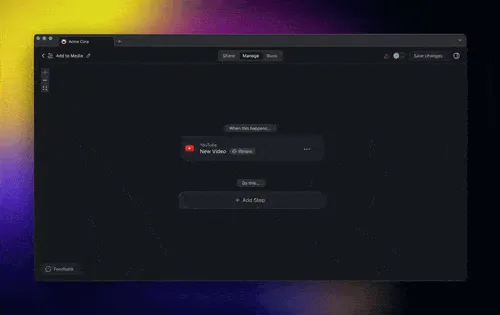
Our new Add URL to Media action lets you automate file uploads from web resources directly into your workspace. Learn more.
🔌 Automation: Nested Webhook Parameters
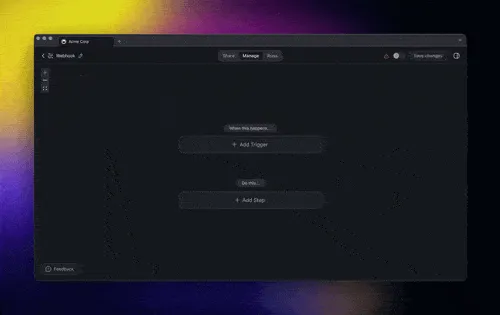
The Webhook Trigger now gives you control over nested JSON payload parameters. Select JSON Object as the output parameter to extract nested values, or stack multiple JSON objects to reach deeper levels. Learn more.
🔁 Automation: Generate Forms & Agent Tools
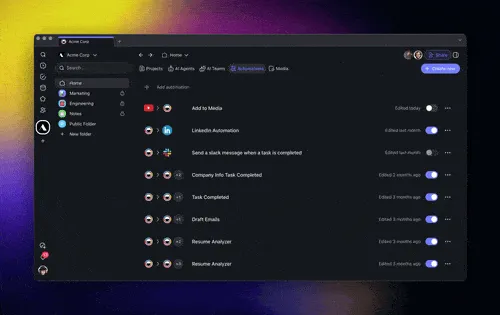
Meet the new Automation Generator and let Taskade take care of the initial setup for you, now with multiple new generation modes. Learn more.
Form Mode: Generates smart forms that trigger actions on submission
Agent Tool Mode: Generates intelligent workflows as an agent tool
Workflow Mode: Sets up standard project automations and flows
Auto (Default): Selects the optimal mode for your task and goal
🎉 Other Improvements
New: Autonomous Taskade Actions Now Live! Let your AI Agents edit, create tasks, schedule due dates, prioritize projects, and more.
Create and Complete Tasks: Ask your agent to "Create a new task for team feedback" or "Complete all review tasks."
Manage Due Dates: Try "Set a due date for next Monday" or "Remove the due date on completed tasks."
Assign Tasks: Prompt an agent to "Assign this task to me" or "Unassign the marketing tasks."
Move and Edit Tasks: Tell your agent "Move finished tasks to Done" or "Edit the task title to include ‘urgent’."
Compose Multiple Actions: Combine commands in one go, e.g., "Assign design tasks to me and set due dates for next week."
New: Import Anything into Taskade: You can now transform any unstructured data from various sources into actionable projects!
Convert to Taskade: Turn anything into structured and collaborative documents that support task lists, mind maps, and various views
Summarize with AI: Get a concise summary in tree-structured outline from lengthy content, perfect for files, articles, and videos
Supported Sources: Bring in data from Webpages, YouTube, Pasted Content (Markdown supported), and file uploads
Content Curation: Import articles or web links and structure insights for quick team reference
Project Kick-offs: Upload meeting notes or requirements documents, converting them into actionable tasks
Knowledge Summaries: Summarize research papers or videos and save summaries directly in your workspace
Bulk Import: To import multiple links and files into Taskade, you can upload them into your AI Agent's Knowledge tab.
-
Added Markdown support to improve formatting in AI chats and conversations and make inputs more LLM-friendly
Enhanced multi-user Project Chat for collaborative AI team chats within shared projects
Agent Tools with OpenAPI Support: Introduced advanced integrations, including the Taskade Autonomous Agent Actions
Private and Team Messaging for Agents: Clarified dedicated private chats for agents, ensuring privacy in project collaborations
Agent Sidebar Quick Access: Added contextual quick-access features to the sidebar, allowing instant access to core agent tools
Agent Knowledge Activation: Fixed issues enabling knowledge by default, ensuring that agents are set up with the right context
Cache Management in Agent Mode: Resolved session-based caching errors for smoother transitions between agent operations
New AI Automation Enhancements:
New Generator Modes: Introduced distinct generator modes, expanding automated workflow generation
New X/Twitter and LinkedIn Post Automation: Added the ability to automate posts, streamlining social media content generation
Webhook Trigger Enhancements with JsonSchema: Implemented schema validation for secure and accurate data handling in webhook triggers
Enhanced Error Handling for Automation: Implemented improved error tracking and reporting to prevent session interruptions and optimize data flows
Added an option to output "Task Content" when a Custom Field is updated
New Action for Agent Knowledge Management: Enabled adding entire projects to agent knowledge, allowing agents to access and utilize project data seamlessly
New: Taskade's Public API (TaskOS): Expanded our API for third-party applications to manage AI Agents, Automation, and Workspace resources
New: Add Projects to Agent Knowledge in one-click
Improved: Table View UI for Custom Fields: Enabled clickable links in text fields for read-only views to improve data accessibility
Improved: Table View UI: Allow renaming of the default "Task" column and Custom fields like date-time are now available
Fixed: Various bugs for stability and performance
⚡️ TLDR: Watch Video Summary
In a hurry? Check our latest video summary for a step-by-step guide to the new changes:
🤖 Help Us build Taskade AI
-
New Google Sheets Actions for Automation
New Google Calendar Integration for AI Agents
New Google Docs and G-Drive Integration for Automation
Join Our Weekly Live Webinar & Q&A
We host live webinars every Thursday at 4 pm Pacific (PST) on LinkedIn, YouTube, and Twitter / 𝕏.
Missed a session? Watch past streams!
Excited for you to explore the latest updates—dive in and share your feedback! We're always here for your questions via our Help Center and Feedback Forum.
Let's make this the most productive year yet with Taskade! 🚀
— Team Taskade 🐑
P.S. Love Taskade? Share your experience on our testimonials page to get featured, or dive into our Affiliate Partnership program today!

Frequently Asked Questions
What are Autonomous Agent Actions in Taskade?
Autonomous Agent Actions let AI Agents interact directly with your projects — editing, completing, prioritizing tasks, managing deadlines, and delegating work through natural language commands. Ask an agent to 'Reschedule important tasks to next week' or 'Move completed tasks to the review section' and it executes automatically within the project.
How does Taskade's Import Anything feature work?
The project importer converts content from webpages, YouTube videos, pasted markdown, and file uploads (.pdf, .docx, .txt, .md, .csv) into structured Taskade projects. Two modes are available: Convert to Taskade creates actionable documents, while Summarize with AI generates outlines and summaries. All imported content can feed AI Agent knowledge.
Can Taskade automatically generate automation workflows?
Yes. The AI Automation Generator creates complete workflows from natural language descriptions. Describe what you need automated — processing invoices, managing leads, coordinating team tasks — and Taskade generates the triggers, actions, and connections. You can also generate smart forms and agent tools as part of the workflow.
Can AI Agents combine multiple actions at once in Taskade?
Yes. Autonomous Agent Actions support compound commands. You can say 'Assign design tasks to me and set due dates for next week' and the agent executes both actions simultaneously. Agents can create tasks, complete them, manage due dates, assign work, and organize projects — all from a single natural language instruction.