







Jeff spends his days buried in spreadsheets, manually entering data and double-checking for errors. His evenings? Often, the same. Tedious, repetitive tasks tie him down. But you don’t have to be like Jeff. You can use Robotic Process Automation (RPA) to streamline repetitive tasks in a jiffy.
Last year, the global RPA market was valued at $5.63 billion, and it's expected to 10x by 2032.
The rapid growth isn't surprising when we consider the advantages — lower operational costs, fewer errors, and more time for teams to focus on innovation and growth.
It's clear why more businesses are jumping on the RPA bandwagon
In this article, you'll learn what Robotic Process Automation is and why you should integrate it into your workflow. We'll delve into its benefits, implementation strategies, and real-world examples to help you get started. You'll also learn how AI is making RPA smarter and more flexible.
TL;DR: Robotic Process Automation (RPA) uses software bots to handle repetitive, rule-based digital tasks — data entry, invoice processing, reports — that used to eat human hours. The 2026 upgrade is intelligent automation: AI agents add judgment, so bots handle unstructured inputs (emails, PDFs, calls) without brittle rules. In Taskade, agents + automations replace the old RPA stack in one workspace. Companion reads: Workflow-First Playbook, Durable Execution for AI Workflows, The 2026 Productivity Playbook.
▲ ■ ● Rules-based bots. Judgment-based agents. Both, together.
| Criterion | Classic RPA | Intelligent Automation (Taskade) |
|---|---|---|
| Input shape | Structured (CSV, forms) | Any (emails, PDFs, voice, chat) |
| Brittleness | Breaks on schema changes | Self-heals via agent reasoning |
| Setup time | Weeks (mapping + rules) | Minutes (describe the workflow) |
| Decision-making | None (rule follower) | Yes (agent judgment + memory) |
| Auditability | Log files | Run history + Memory Projects |
🤖 What Is Robotic Process Automation?
Robotic Process Automation (RPA) is a technology that uses software robots, or "bots," to automate repetitive and rule-based tasks traditionally performed by humans. These bots interact with digital systems and applications to execute tasks such as data entry, transaction processing, and responding to simple customer service queries.
By mimicking human actions within software environments, RPA enhances efficiency, reduces errors, and allows human workers to focus on more complex and strategic activities.
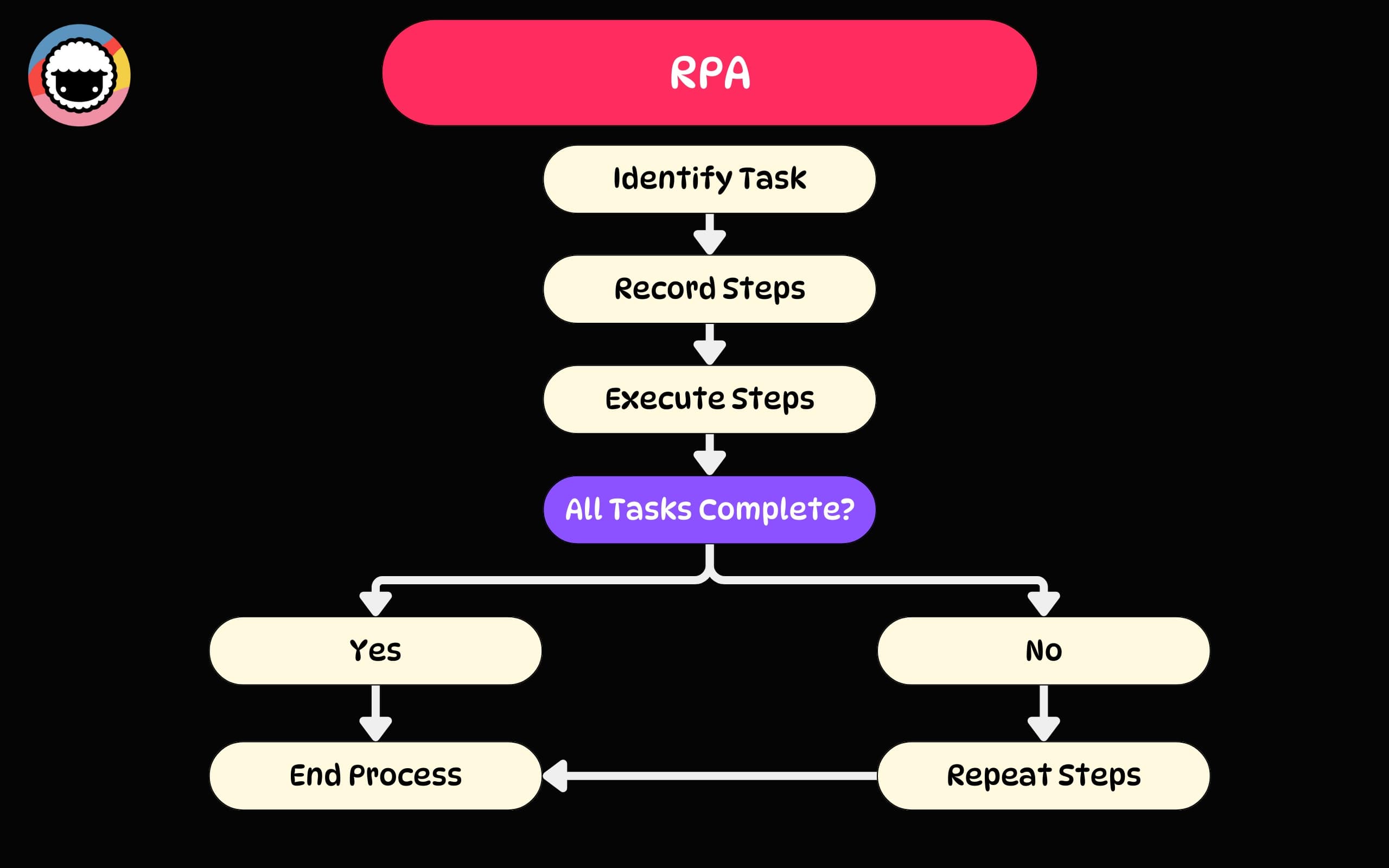
RPA can be applied across various industries and functions, such as finance, human resources, customer service, and supply chain management. It’s also scalable, so it grows with your business.
💡 Trivia: Robotic Process Automation tech emerged in the early 2000s, building on simpler tools like screen scraping and basic workflow automation. It quickly caught on because it could work with the systems companies already had in place, which meant that no major overhauls were needed.
RPA can be applied across various industries and functions, such as finance, human resources, customer service, and supply chain management. It’s also scalable, so it grows with your business.
While RPA may seem similar to AI tools based on large language models (LLMs), they serve different purposes. The former focuses on automating repetitive, rule-based tasks in a consistent manner. The latter can make intelligent decisions and handle tasks that require deep comprehension.
But we’ll get to that in a moment.
⚡ Key Benefits of RPA
Increased Efficiency
Imagine cutting down a 15-hour task to just 20 minutes. Or saving hundreds of man-hours each month by automating routine activities. RPA can easily take over recurring tasks, which means less grunt work and more time for your team to focus on strategic work that actually moves the needle.
And the best part?
RPA processes don't require supervision. They run 24/7, even while you sleep, taking care of data processing, reporting, and other critical tasks No more bottlenecks, no more downtime. Just smooth, efficient operations that make you wonder how you ever managed without it.
Cost Savings
Did you know you could reduce your operational costs by up to 30% with RPA?
For instance, automating tasks like data entry can save an average of 10 minutes per entry while automated invoice processing can be done 60% faster. According to Deloitte, organizations reported an average cost reduction of 24% in 2020 by adopting robotic process automation.
Improved Accuracy
The average organization deals with vast amounts of information, and manual data entry produces spotty results. In fact, error rates can range from 1% to 5%, depending on the complexity of the data and the experience of the person entering it. This can be costly.
RPA improves accuracy by handling tasks consistently every time. It guarantees data accuracy and ensures that every critical activity aligns perfectly to keep process information current.
Scalability
As your business grows, you'll inevitably face growing pains. The processes and systems that worked for a small operation can quickly get bottlenecked as volume increases and demands become more complex. It's a natural part of scaling any successful business.
RPA offers a way to seamlessly expand your business without the headaches. It allows you to quickly implement changes and scale operations up or down based on your current needs.
⚙️ Common Use Cases for Robotic Process Automation
Finance and Accounting
RPA can easily take over repetitive tasks like invoice processing, managing expenses, and generating reports. This means fewer errors, faster processing times, and more accurate data.
According to Gartner, more than 80% of finance executives have implemented or plan to implement RPA as it offers significant improvements in efficiency and precision.
For instance, Bancolombia implemented RPA to handle its accounts payable process. This transformation resulted in a 65% reduction in processing times. It also allowed the finance team to focus on strategic activities like financial analysis and planning rather than manual data entry.
Customer Service
Unsurprisingly, RPA is also making waves in client relations.
RPA can automate many customer service tasks like verifying customer information and responding to routine inquiries, so your team can focus on building relationships.
Take AT&T as an example. The telecom giant introduced RPA to manage routine customer inquiries, which improved their response times by 80%. This change helped ensure that customers received quicker, more accurate responses, which, in turn, boosted overall customer satisfaction and loyalty.
Human Resources
Onboarding new employees shouldn't feel like a drag. RPA can automate onboarding, from setting up payroll to tracking compliance, which means that new hires get up and running faster.
In 2022, a global supplier of polymers Covestro adopted RPA to process 500 sick leave certificates weekly. By achieving a 95% accuracy rate, this change alone freed up HR manpower to focus on strategic initiatives like talent management and employee engagement.
IT Operations
Keeping IT operations running smoothly can be tough and maintenance takes up a lot of time.
RPA can easily handle system monitoring, password resets, and software updates. It can also automate data backups, network management, and compliance checks.
This is what happened at IBM. After implementing RPA, the company saw a 30% bump in operational efficiency, which allowed its IT teams to channel the resources into critical projects.
🏗️ How to Implement RPA
Now that we know “what,” let’s discuss the “how.”
Implementing RPA can transform the way your business operates, if you approach it the right way. Every organization is different, so think of the points below as a starting point.
Step 1: Assess the Need
First, you need to identify high-volume, repetitive, and rule-based processes, which is just the kind of work that is perfect for RPA bots. To do that, consider the following questions:
🟡 How often is the task performed? High-frequency tasks benefit the most.
🟡 Is the task executed in a rule-based manner? Tasks with clear steps are ideal.
🟡 What is the volume of operations involved? High-volume tasks yield better gains.
🟡 Is this task prone to human errors? Automating such tasks can improve accuracy.
🟡 Does the task involve data used across multiple systems?
🟡 How many resources are dedicated to this task? Labor-intensive tasks go first.
🟡 Does the task require adherence to regulatory standards
🟡 Can the automation solution scale with growing business needs?
Of course, we’re barely scratching the surface, but the questions should give you a pretty good idea of where to start and help pinpoint the areas where automation will deliver the most impact.
Step 2: Choose the Right RPA Tools
Every industry comes with its own set of standards for RPA systems. Selecting the right tools that align with your business needs can make all the difference. Here’s what you should consider:
🟢 Make sure the tool offers the functionality required to automate your identified tasks.
🟢 The tool should be user-friendly to minimize the learning curve for your team.
🟢 Choose a solution that can scale. You don’t want to outgrow your RPA tool.
🟢 The ability to integrate is crucial. Check for compatibility with your current tech stack.
🟢 Evaluate the total cost of ownership, including licensing and maintenance costs.
🟢 Ensure that the tool adheres to security best practices and regulatory standards.
Ultimately, the right RPA tool should empower your team to focus on higher-value work. Take the time to thoroughly research and test different options before making a decision.
Taskade’s automation layer allows you to leverage the "if this, then that" logic to design custom automations with support for external tools, web scraping, video transcription, and more.
Check the video below or click the button to start immediately.👇
Step 3: Plan and Deploy
Once you’ve assessed your needs and chosen the right tools, it’s time to plan and deploy your RPA:
🔴 Document every step to create a clear blueprint for your RPA bots.
🔴 Use your selected RPA tool to build and configure the bots based on your process maps.
🔴 Conduct extensive testing to ensure the bots perform as expected.
🔴 Roll out RPA in increments, gradually moving to more important processes.
🔴 Track key metrics and gather feedback to identify areas for improvement.
🔴 Use the insights to refine your bots and consider scaling across other departments.
And that’s it.
🔮 The Future of RPA
We know where Robotic Process Automation is now. But where is it going?
According to the latest analysis, last year, the global RPA market was valued at USD 2.94 billion and is projected to grow at a compound annual growth rate (CAGR) of 39.9% until 2030.x
This growth is driven by several key factors.
First, businesses across all sectors see RPA’s value. Healthcare, finance, customer service, education — everyone is harnessing its power. And we're barely scratching the surface here.
A much more important aspect of RPA today, though, is how it blends in with modern AI tech.
According to Andrew Ng, an AI researcher and co-founder of Google Brain, agentic workflows are the future of AI systems. Agents powered by modern LLMs can now iterate, learn, and adapt, which means they can offer more autonomy. And that's just the thing RPA needs to stay relevant.
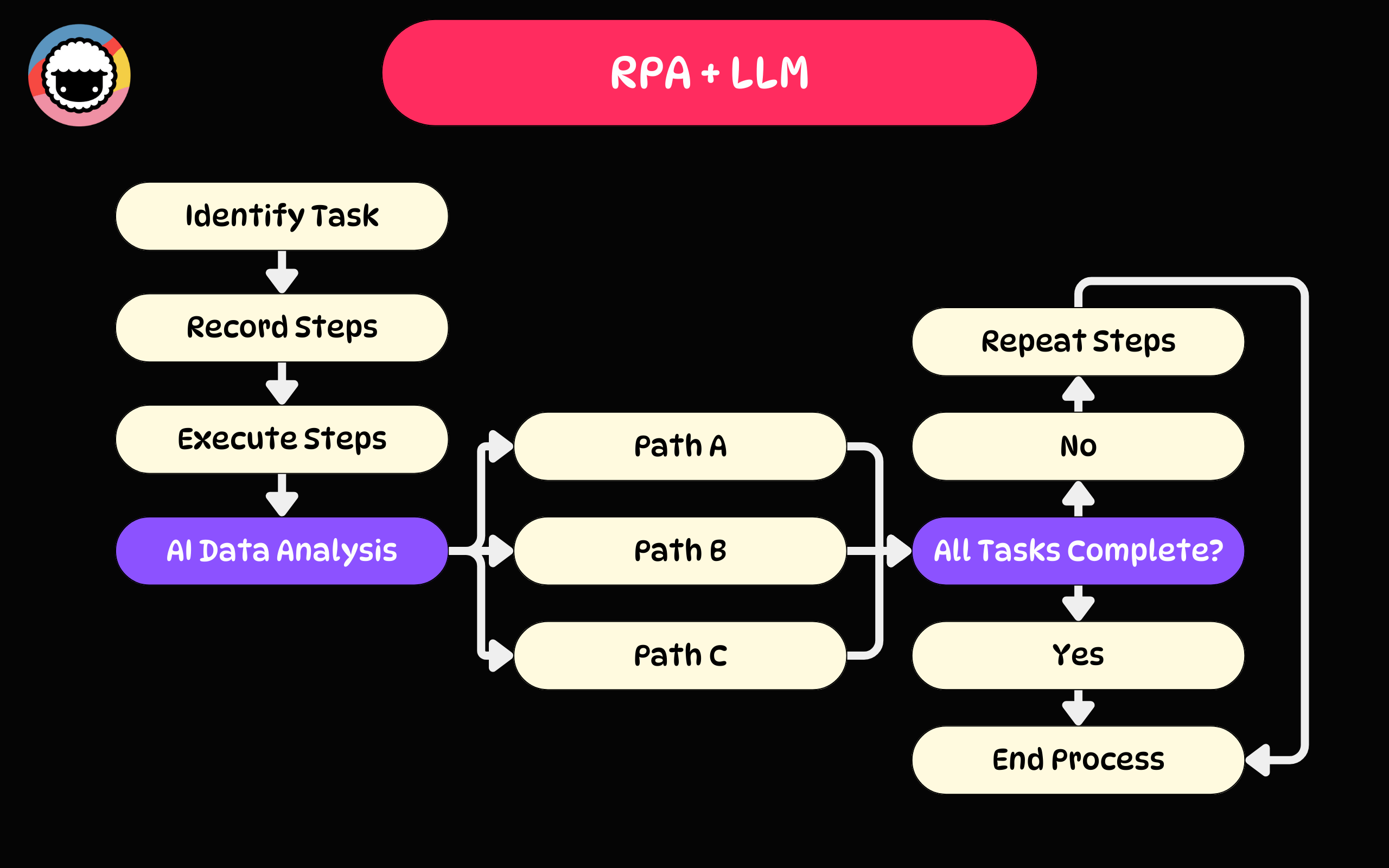
Autonomous agents, smart automations, and fully-fledged agentic workflows are clearly the future. But there is a catch — the integration with AI must be seamless and cost-effective.
Businesses need no-code or low-code solutions to make this transition viable. After all, no one wants to get bogged down in complex coding or endless troubleshooting.
And this takes us to Taskade.
🐑 ➕ 🤖 Embrace RPA with Taskade
Taskade combines the principles of RPA, agentic workflows, and AI-driven automations to supercharge project & task management, all in a simple and elegant no-code package.
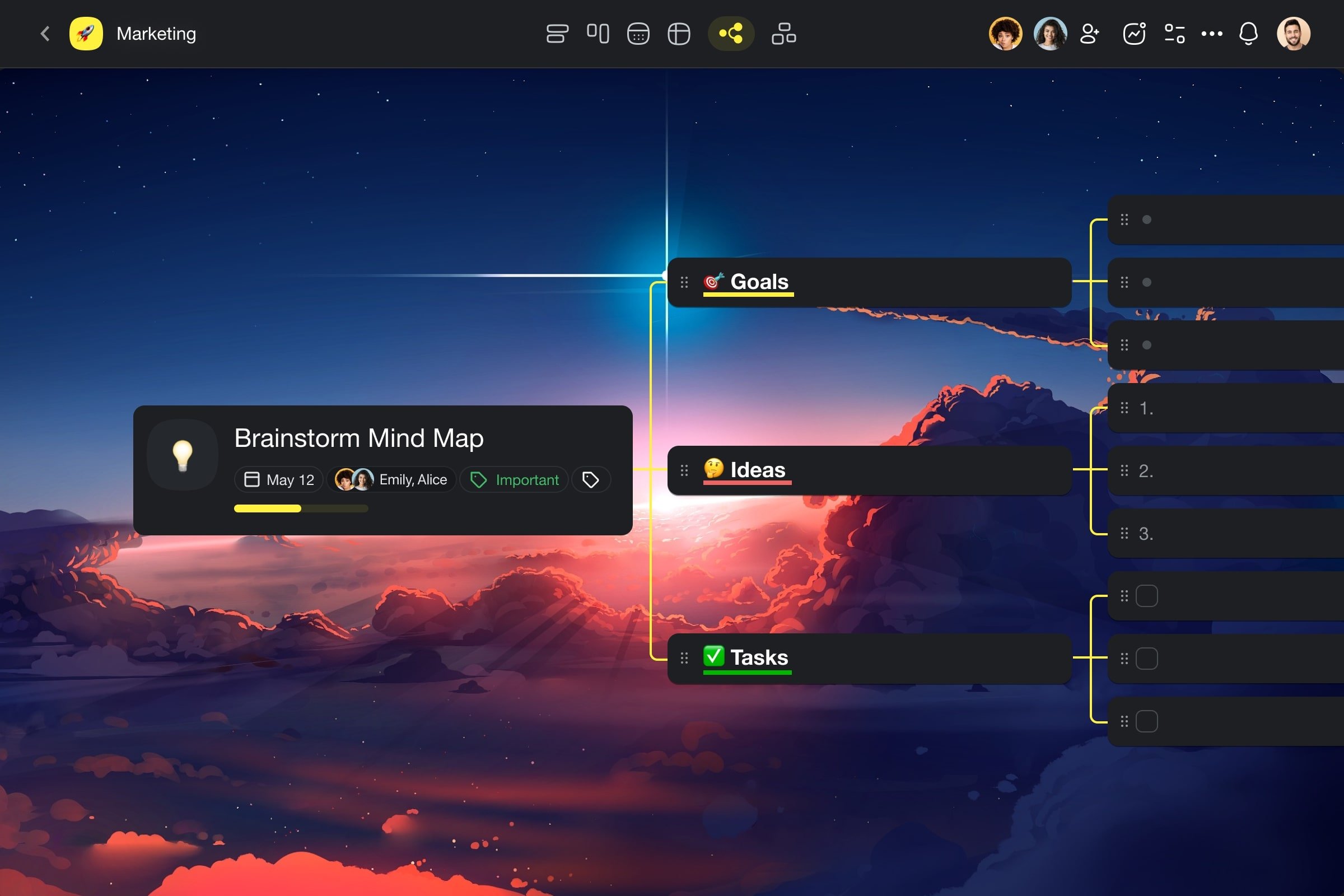
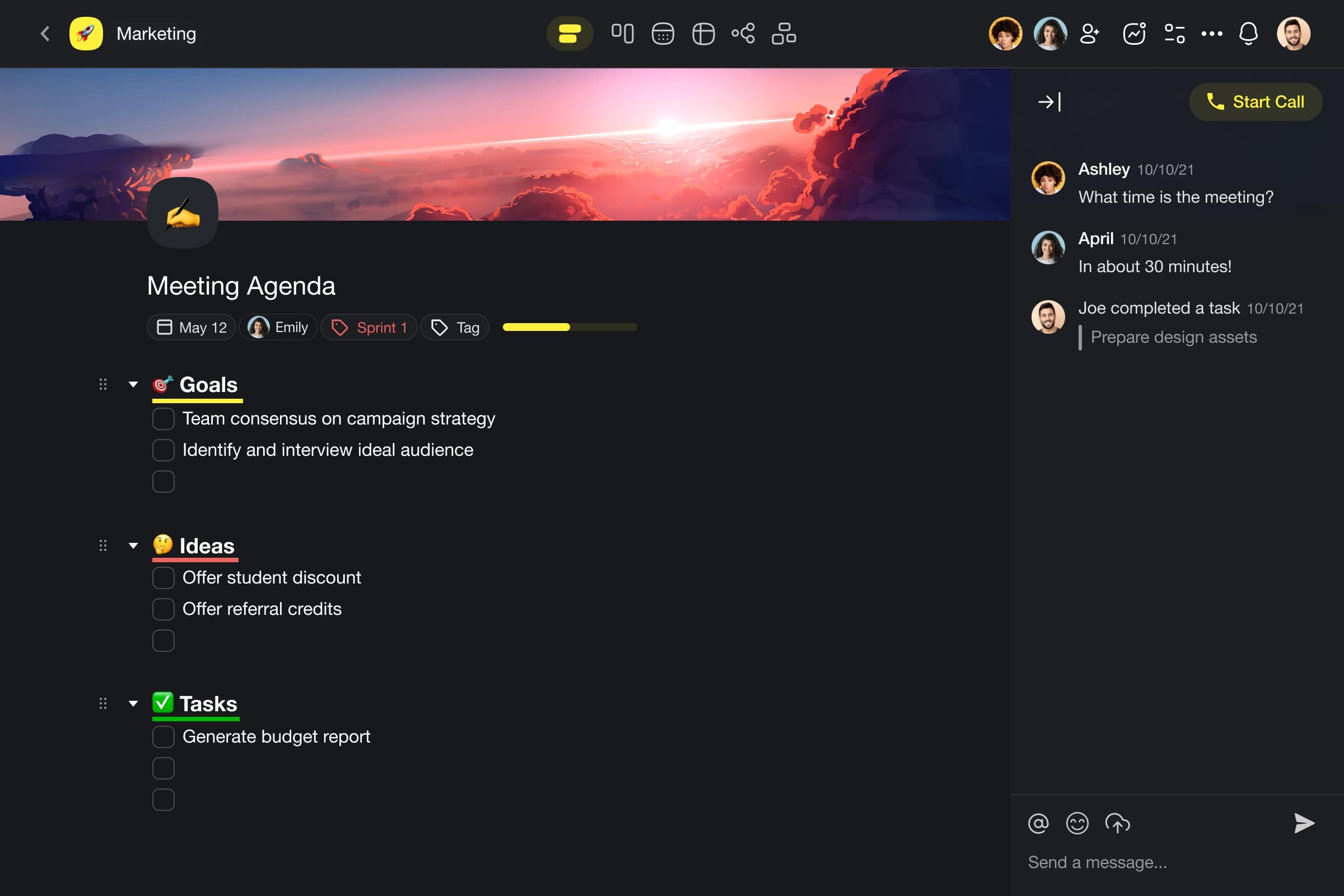
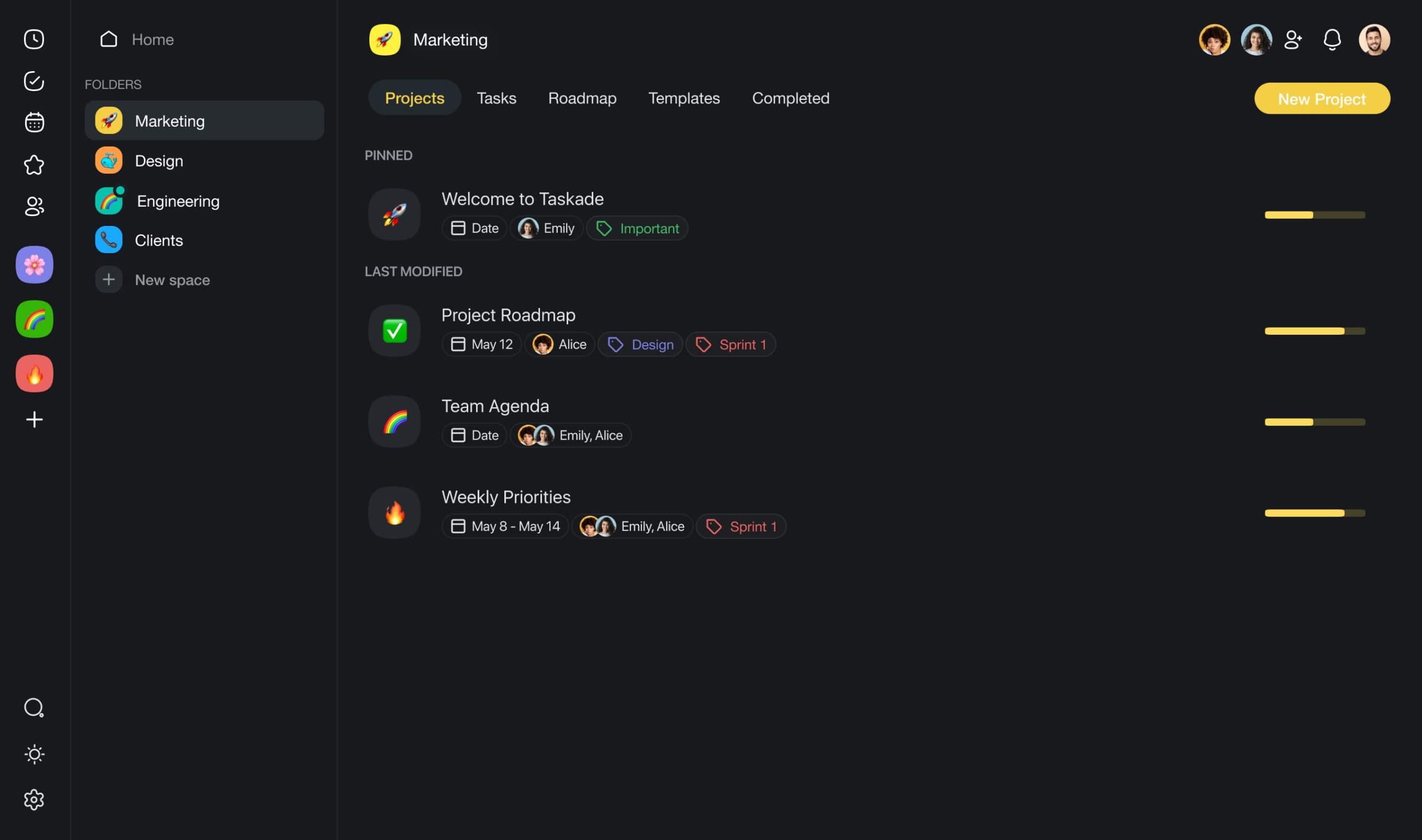
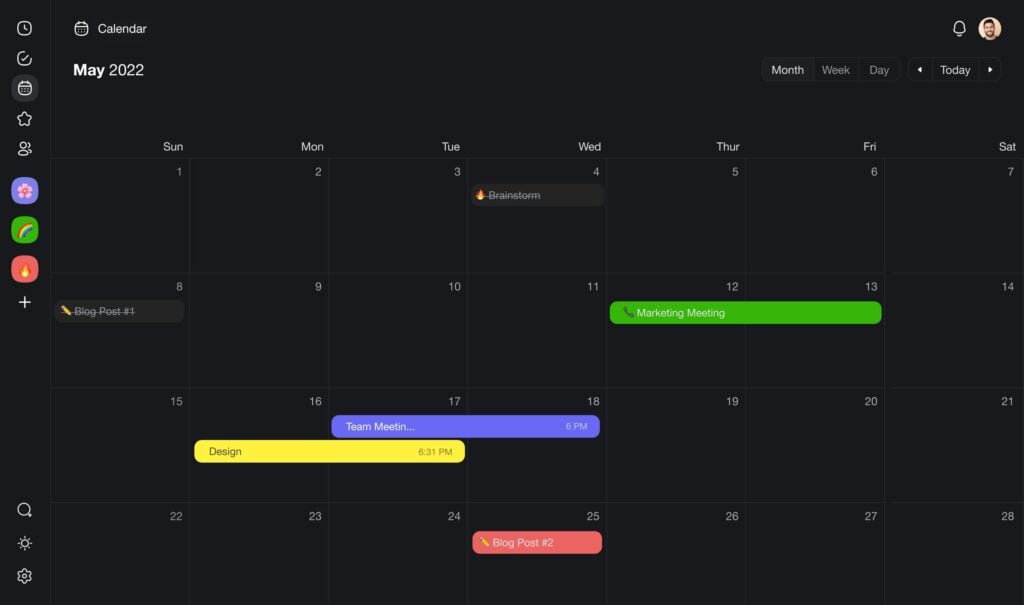
It's the only platform you need to:
⚡️ Create, organize, and collaborate.
🔄 Set up, multi-layered automations.
🤖 Build and deploy autonomous AI agents.
🛠️ Manage all your tools.
But how does Taskade make this happen?
Let's dive into the three layers of smart automation that Taskade offers. 👇
Layer 1: Autonomous AI Agents
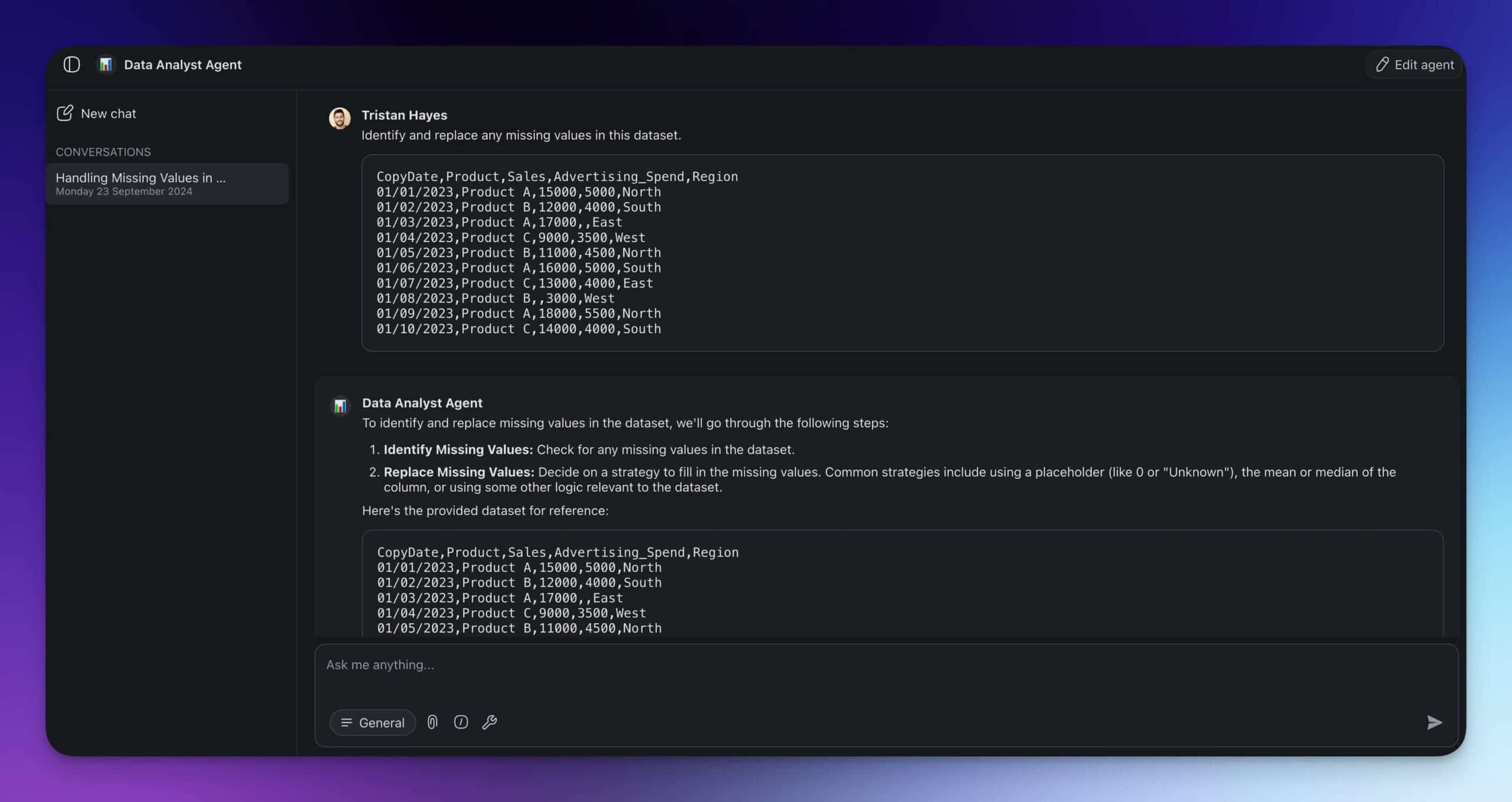
AI Agents are the building blocks of agentic workflows in Taskade. Think of them as hyper-personalized assistants that let you streamline tasks like research, data analysis, content creation, and more.
For example, you can create a data analyst agent to pull data from various sources, clean it, and generate reports. Or you can create a content agent that will help you craft blog and social media content.
So, how do you build an agent?
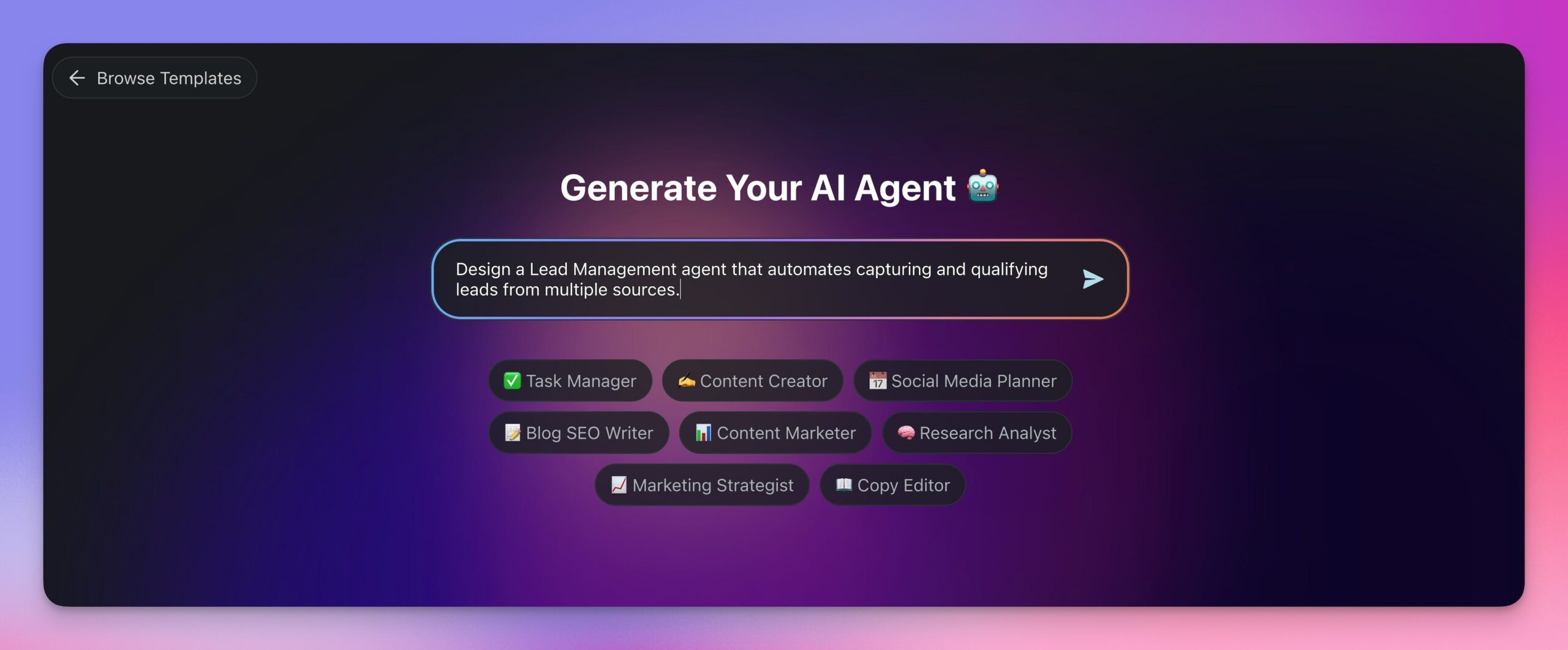
All you have to do is describe what you need help with and let Taskade AI handle the rest.
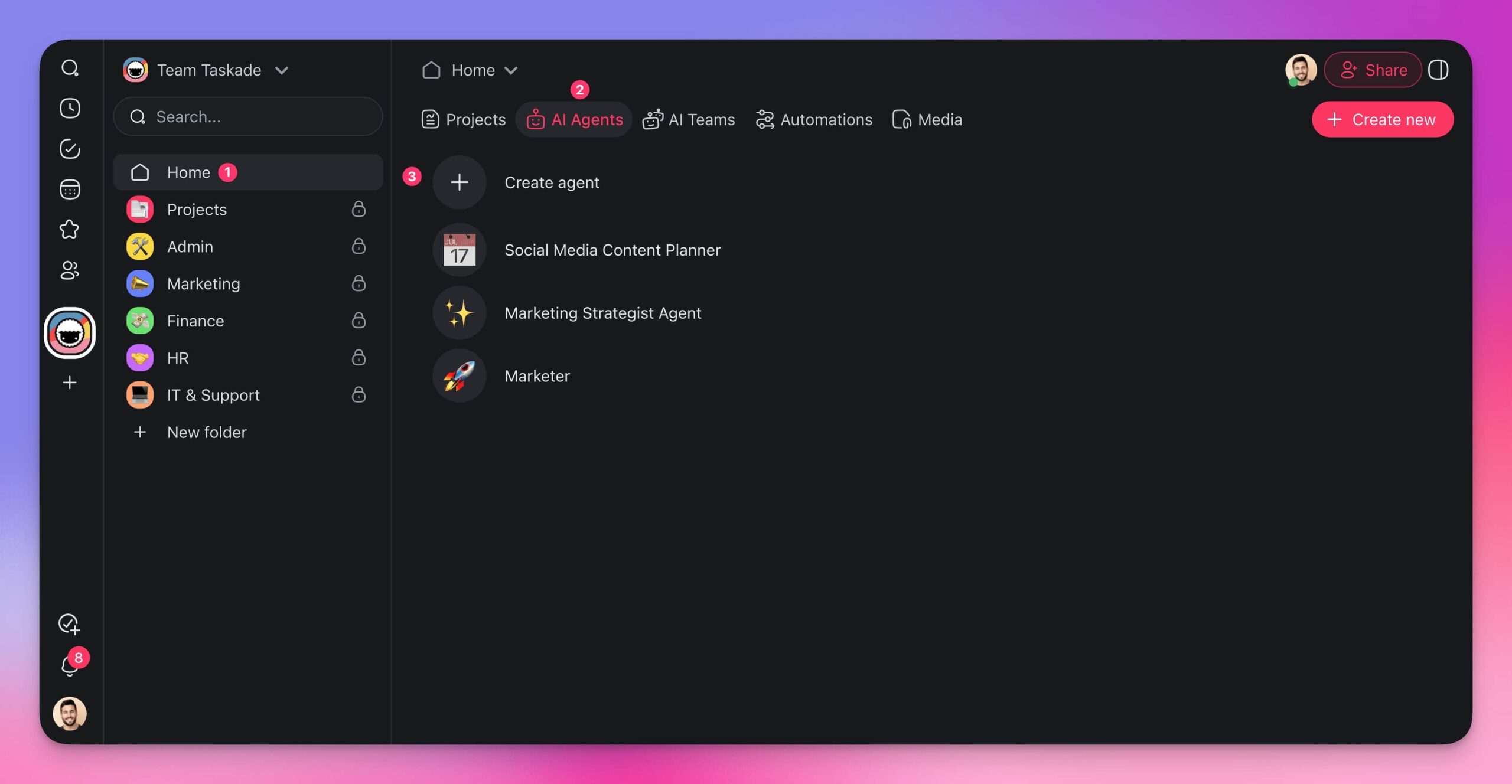
Voila! Your agent is ready to roll.
You can now interact with the agent using the chat interface...
...or deploy it inside projects using a set of customizable commands.
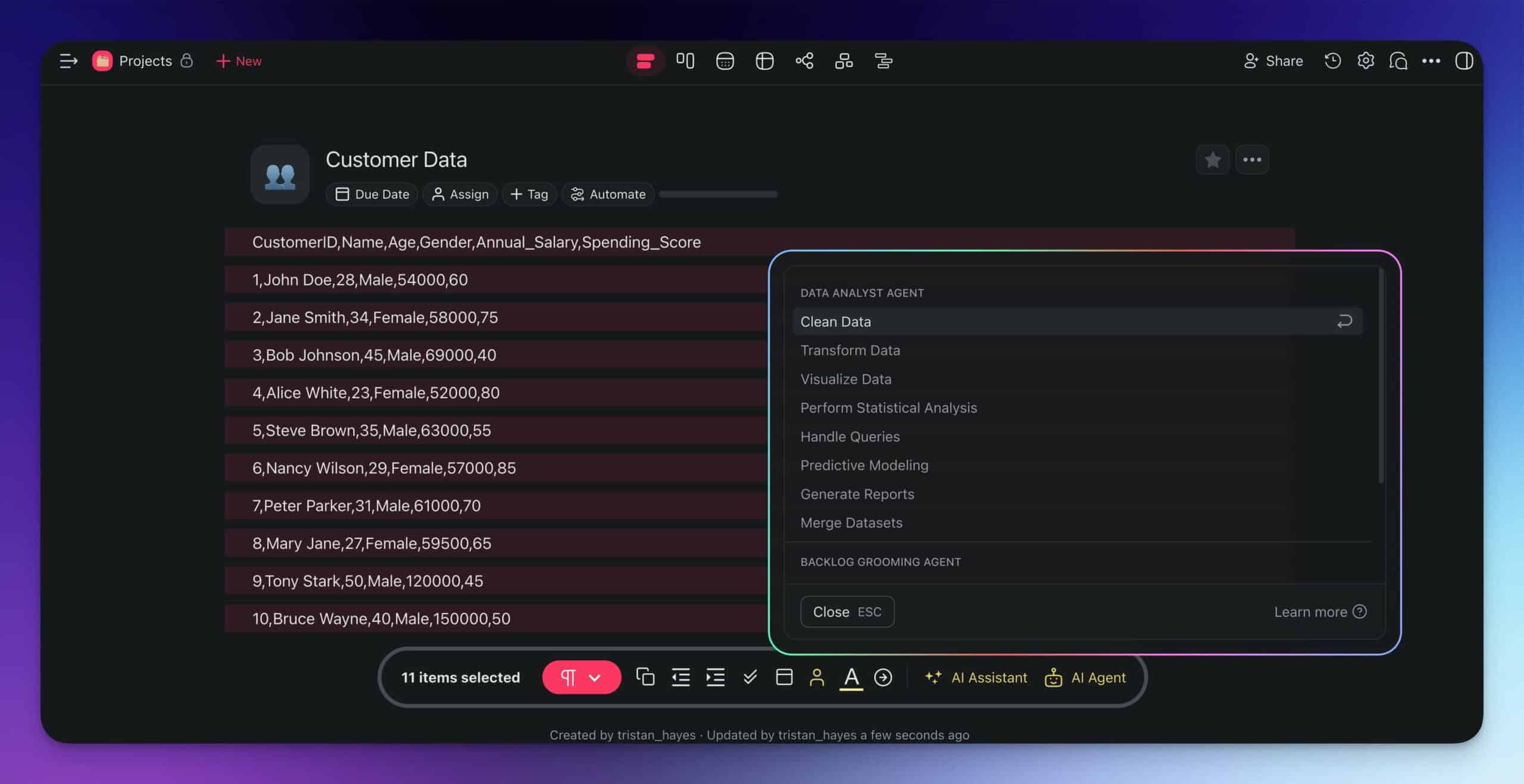
Agents can have unique knowledge, skills, and commands tailored to a specific use case. You can also connect them to your favorite tools and platforms to perform various tasks, including:
Sending emails through Gmail to specified recipients.
Adding new tasks to existing projects to keep your workflow organized.
Extracting content from web pages for data gathering and analysis.
Turing videos into text to make information easily accessible.
Publishing posts on WordPress to keep your audience engaged.
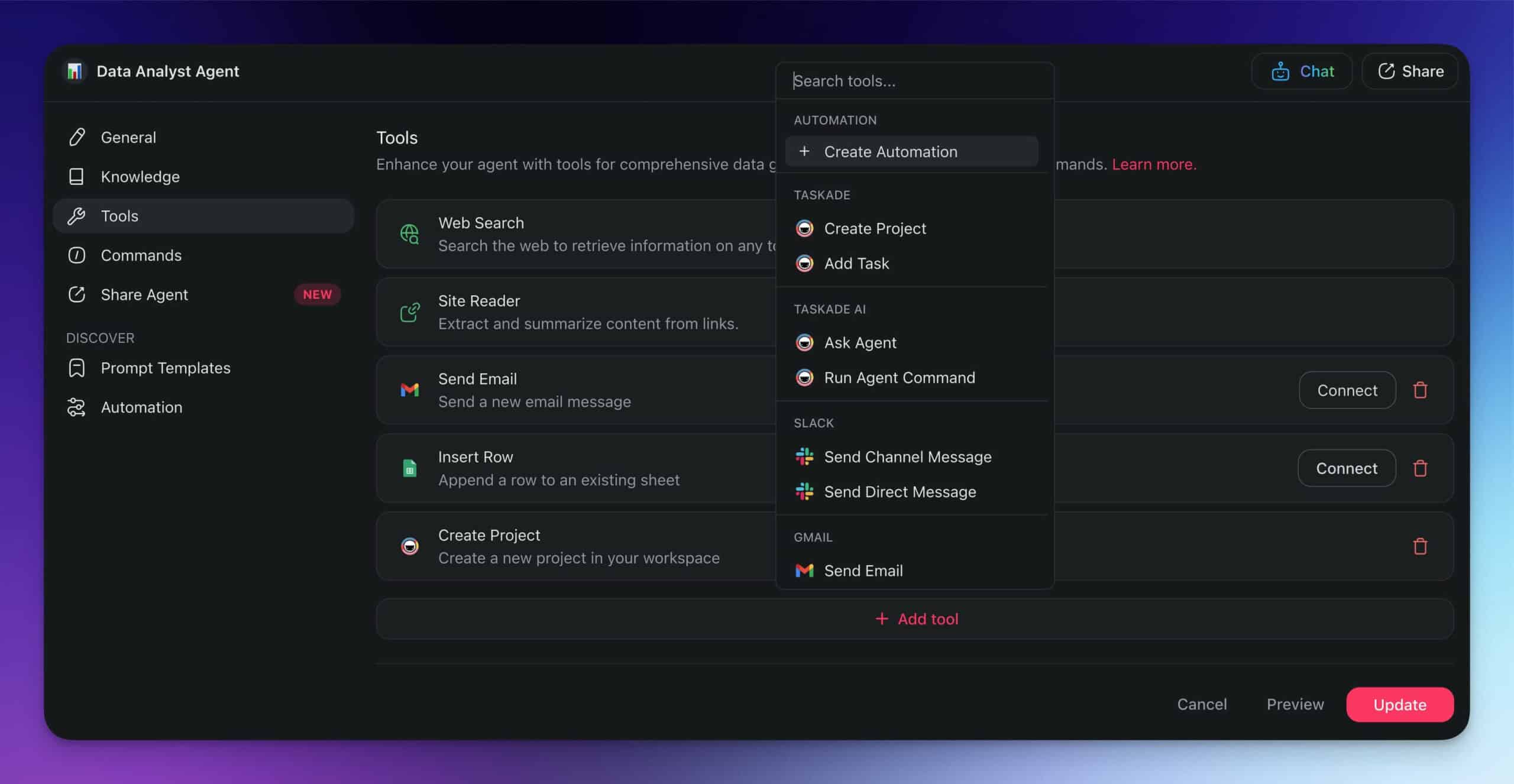
This gives you the freedom to automate various aspects of your business operations without grunt work. But agents are just the first step — let's take it up a notch.
💡 Read our guide to autonomous AI agents and learn how to build your first AI agent.
Layer 2: AI Teams
Why build just one AI agent when you can have an entire team collaborating on tasks?
AI teams are perfect for complex workflows that require multiple steps and different types of expertise.
You may set up a Segmentation and Analysis team with a data collection agent to retrieve data, an analyst agent to identify trends, and a forecasting agent to generate detailed projections.
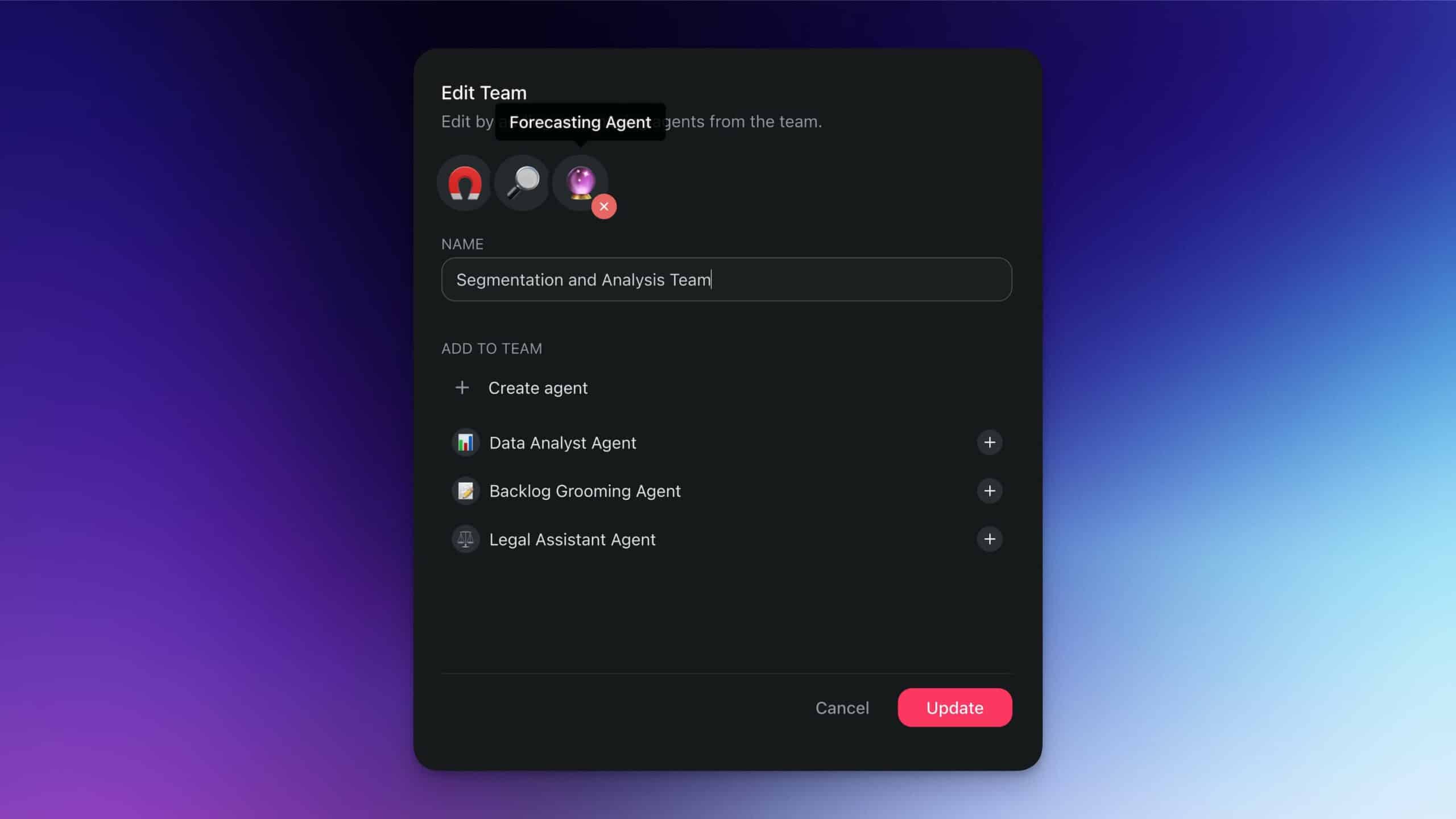
Since each AI team member is fine-tuned using internal documents and company data, they can share the workload and handle complex projects much more effectively than individual agents.
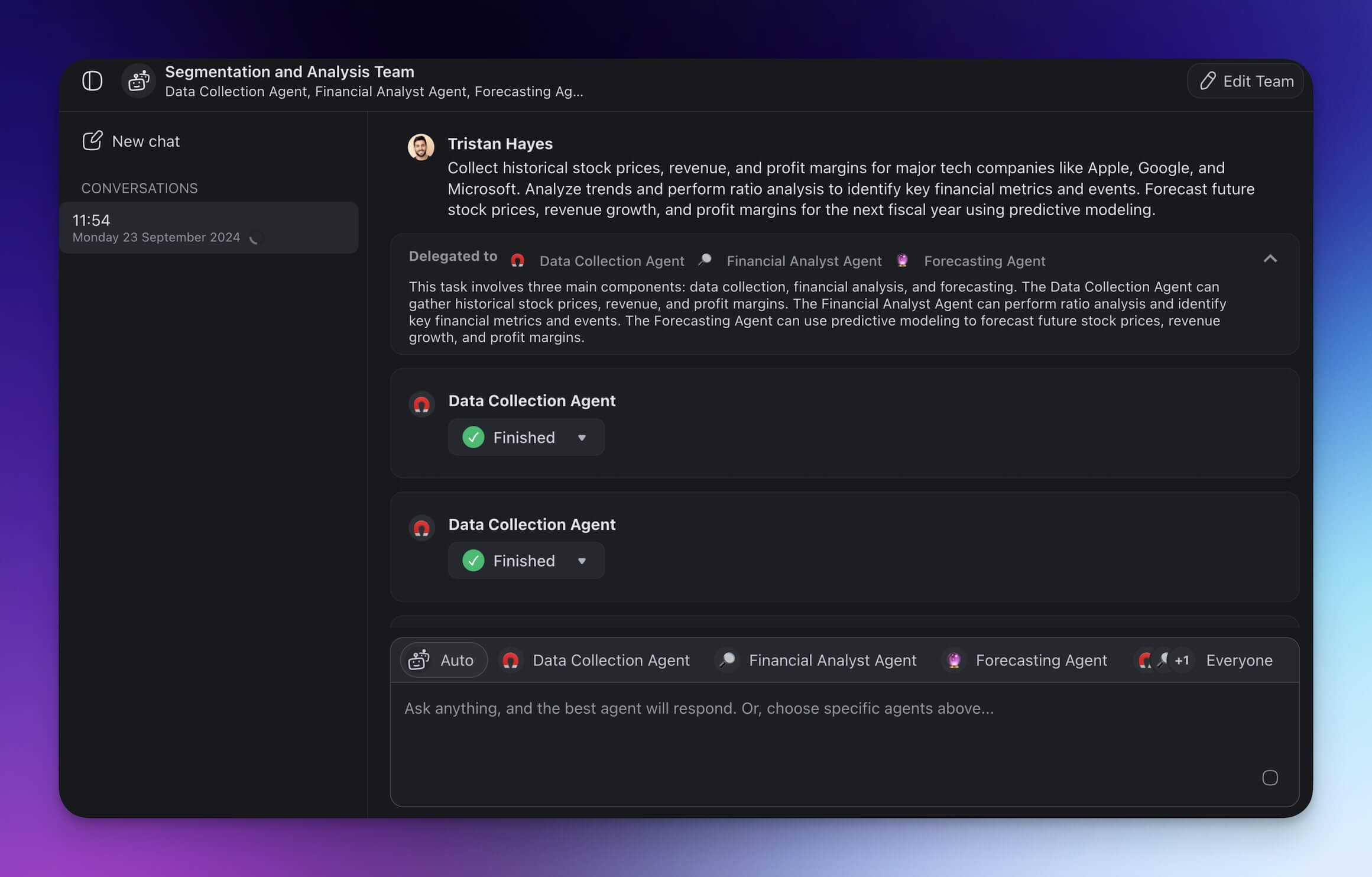
Like individual agents, AI teams can also dynamically access tools, depending on the situation.
The process of interacting with agents remains the same. However, the second layer gives you more flexibility and unlocks more complex interactions with your agentic system.
💡 Read our guide to AI teams and learn how to build your AI workforce.
Layer 3: Automation Flows
Automation in Taskade gives AI agents and teams a completely new dimension. They allow you to create smart, end-to-end automations for any situation in a few clicks.
Imagine your sales workflow: a new lead enters your CRM project.
What happens next?
You need to update the lead status, send follow-up emails, and schedule calls. This process is slow and repetitive. But with automation flows, these tasks are done automatically.
An AI agent can qualify the lead based on specific criteria. Once done, it will draft a personalized follow-up email and kick off an automation step that will send it from your business Gmail address.
Once this is done, another automation step updates custom fields in your CRM project inside Taskade.
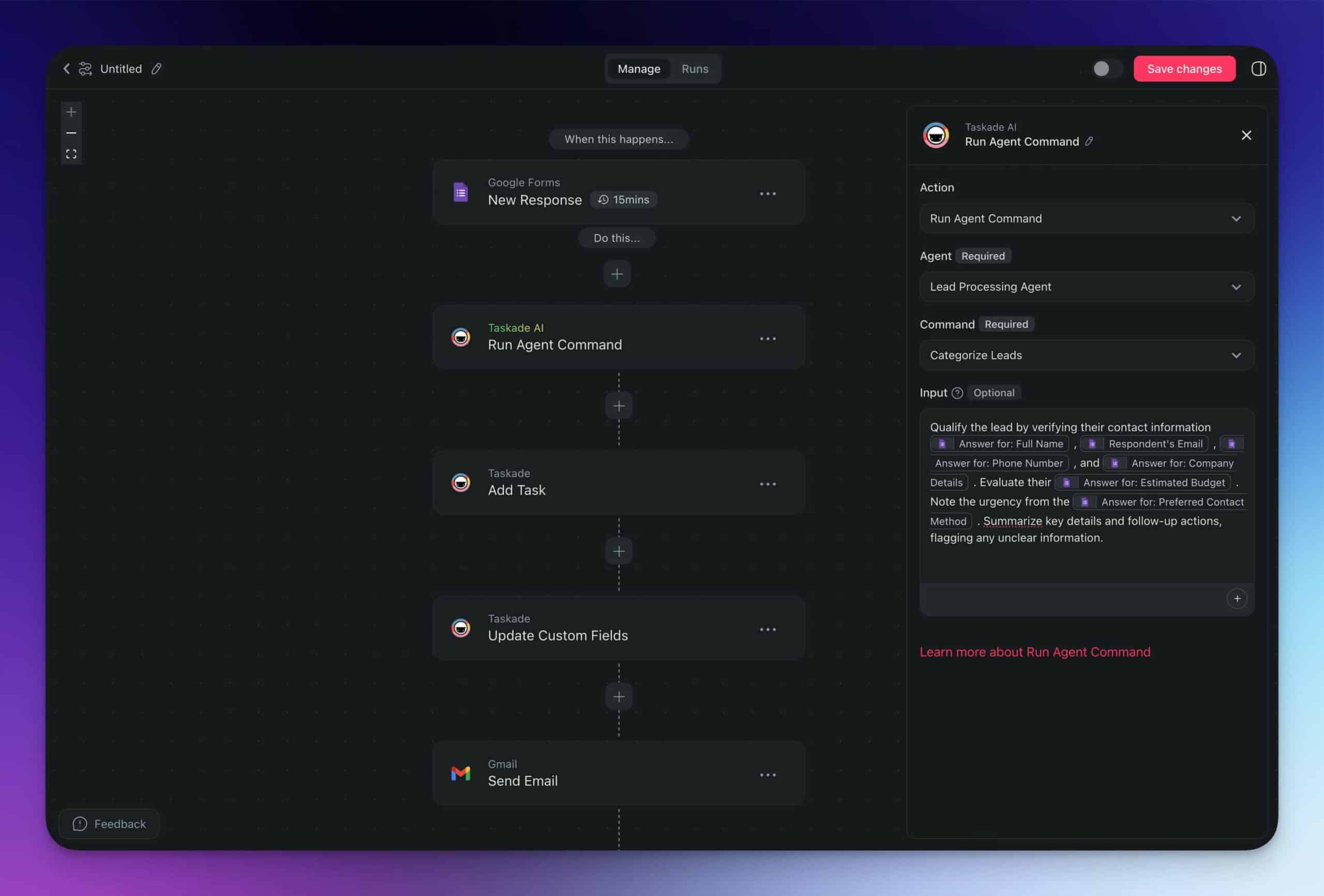
This entire process happens on autopilot.
Taskade AI brings RPA to a new level by integrating AI decision-making into the workflow. This way, your projects and tasks flow naturally while you focus on strategic areas of your work.
💡 Read our guide to automations and learn how to build your first automation flow.
🚀 Embracing Robotic Process Automation for a Competitive Edge
If you haven't considered Robotic Process Automation (RPA) for your business, now's the time. RPA can transform your business by automating repetitive tasks, driving efficiency, and cutting costs. And when you combine it with powerful AI tools, the potential for innovation and growth becomes limitless.
🧬 The Next Evolution: From RPA to Living Software
While RPA automates individual tasks, Taskade Genesis builds complete automation systems from a single prompt. Describe your business process and Taskade creates AI agents trained on your knowledge, workflows, databases, and automations — all working together as living software. It's vibe coding: intent-driven automation that thinks, learns, and evolves. Explore AI apps in our community.
So, what are you waiting for?
Create a Taskade account and get started today!
💬 Frequently Asked Questions About Robotic Process Automation
What is an example of robotic process automation?
An example of robotic process automation (RPA) is automatically processing invoices. RPA bots can extract data from incoming invoices, input it into the accounting system, and schedule payments without human intervention. This process not only saves time but also significantly reduces errors.
What are the challenges of using RPA?
Using RPA comes with challenges such as high initial setup costs and the complexity of scaling. Integrating RPA with legacy systems can also be difficult, and ongoing maintenance requires specialized skills and resources. These factors can make RPA implementation demanding.
What can I automate inside of Taskade?
Inside Taskade, you can automate various tasks like project status updates, task assignments, and sending notifications. The platform provides ready-made blocks to streamline workflows and integrate seamlessly with external tools. These automations help ensure tasks are consistently executed without manual intervention.
What should I look for in an RPA solution?
When selecting an RPA solution, consider how well it integrates with your existing systems and its scalability. A user-friendly interface is crucial for ease of use, and robust support and maintenance options are essential for ongoing success. Additionally, advanced analytics and reporting features can provide valuable insights into your operations.
