






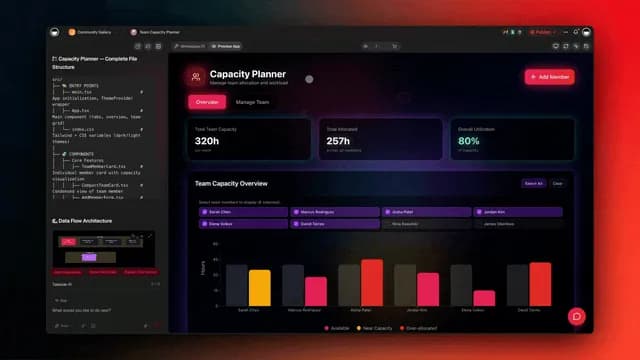
This is the biggest agent intelligence upgrade we've shipped. Your AI agents just learned to read anything — PDFs, spreadsheets, cloud drives, even YouTube transcripts. Your apps just became editable with a single click. And your workspace just got agent teams, maps, custom domains, and four new AI modes.
Here's everything that's new in Taskade Genesis this February — and why it matters for the way you build and ship.
📚 Train AI Agents With Any File
Upload docs and files. Connect cloud drives. Paste web URLs. Your agents learn from it all — and retrieve answers using semantic search and knowledge filtering. Learn more →
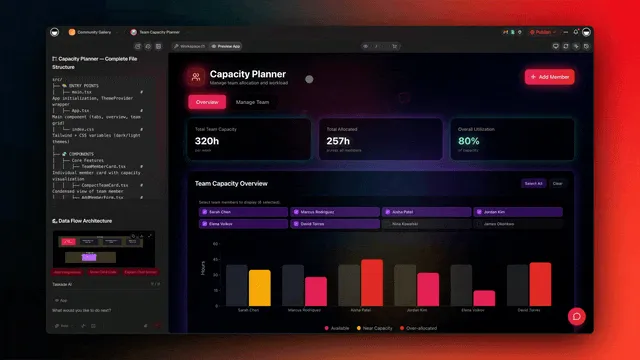
Knowledge Sources:
Local Files
- 📄 .pdf — Research papers, reports, documentation
- 📑 .docx / .pptx / .xlsx — Office documents, presentations, spreadsheets
- 📖 .epub / .md / .txt / .csv — eBooks, markdown, plain text, data exports
Cloud Drives
- ☁️ Google Drive — Import docs, sheets, and slides directly
- 📦 Dropbox / Box / OneDrive — Sync files from any cloud storage
Web Sources
- 🌐 URLs & Sitemaps — Any webpage, docs site, or blog
- ▶️ YouTube — Auto-transcribe videos as knowledge
- 📡 RSS Feeds — Stay trained on live content streams
Smart Retrieval
- 🧠 Semantic search — HNSW vector retrieval finds contextually relevant answers, not just keyword matches
- 🔍 OCR file content search — Extract and search text inside images and scanned documents
- 🎯 Knowledge filtering — Auto-filters and ranks results by relevance. Faster and smarter
- 📌 Dynamic sync — Taskade projects as living knowledge in real-time
This is how you build agents that actually know your business — not just parrot back training data. Feed them your SOPs, product docs, and client briefs, and they retrieve the right answer every time. Learn more about training agents on your own knowledge.
🖱️ Click to Edit Apps Visually
Point. Click. Describe what you want. The Element Selector lets you click any element in your app — buttons, headers, forms, images, sections — and describe changes in plain English. No code. No context menus. Just direct manipulation. Learn more →
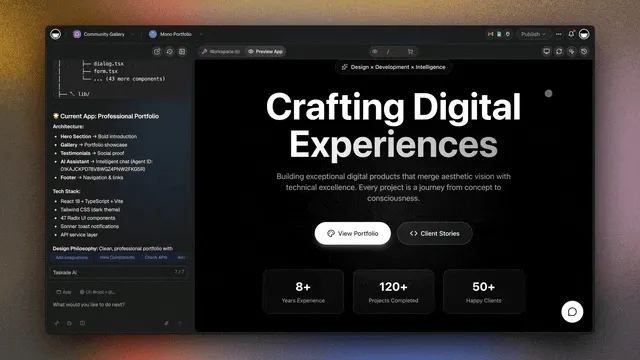
What you can edit:
- 🎨 Styling — Colors, fonts, sizes, spacing, borders
- ✏️ Content — Text, labels, button copy, descriptions
- 📐 Layout — Position, alignment, visibility
- ⚙️ Behavior — Actions, links, form validations
How to use:
- Open your app → Preview App tab
- Click Element Selector (top-right)
- Click any element you want to change
- Describe your change in Taskade AI Chat — e.g., "Make this button bigger and change the color to blue"
This is like having a designer on call 24/7. Select a header, say "make it bold and centered." Select a form, say "add email validation." The AI handles the rest.
🤖 Build AI-powered apps with Taskade Genesis — Train agents, automate workflows, and deploy live apps from a single prompt. No code required.
🧠 15+ AI Models from OpenAI, Anthropic, and Google — choose the right model for every task.
🧠 Memory and Agent Teams
Your agents now pick up exactly where you left off. Memory is no longer session-based — it auto-saves to your workspace, feeds into the agent's knowledge base, and creates a continuous learning loop. This is the Intelligence Pillar at work.
Living Memory
- 🧠 Auto-summary — Conversations are auto-saved to your workspace
- 🔄 Welcome back — Agent loads previous context when you return
- 🔗 Knowledge pipeline — Memory feeds directly into agent knowledge, creating a continuous learning loop
- 📊 Workspace-wide — Memory is stored at the workspace level and shared across sessions
Agent Teams
- 🤝 Multi-agent chat — Talk to a team of specialized agents in one thread
- 🛠️ Custom tools per agent — Each agent gets its own tools and actions
- ⚡ Custom /commands — Define commands with two modes: Default (direct response) and Plan & Execute (sets structured goals before acting)
- 🌍 Publish & share — Make agents public or share with your team
Example Team:
Research Agent trained on your docs + web search tool
Writer Agent trained on brand guidelines + writing commands
Review Agent trained on style guide + editing tools
One chat. Three experts. Better output.
If you're new to AI agents, check out our guide on what AI agents are and how they work. Already using agents? Learn how to build multi-agent systems for your team or explore agentic engineering to understand the broader discipline.
✨ One Chat. Four AI Modes.
Taskade Genesis auto-routes your work through EVE — the unified intelligence behind your workspace. EVE connects Memory, Intelligence, and Execution into one seamless experience. When you want precision, switch to a specific mode. Learn more →
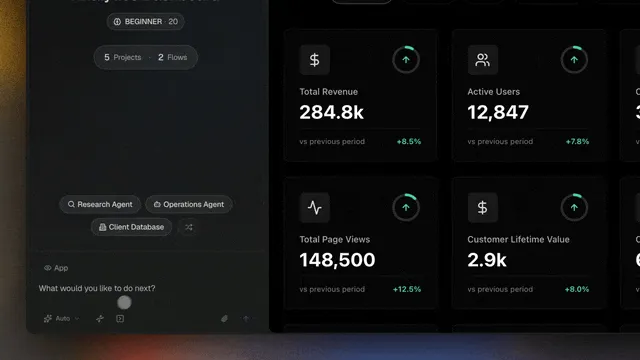
Available modes:
- ✨ Genesis AI — Build and edit apps and workspaces. Auto-routed by EVE
- 📋 Projects — Create and manage projects with tasks and data across multiple views
- 🤖 AI Agents — Create and deploy agents with tools and knowledge
- ⚡ Workflows — Build, connect, and run automations and integrations
🗺️ Build Apps With Maps
Real estate portals. Service areas. Location finders. Add interactive maps to your apps with addresses, pins, and more. Explore apps →
What you can do:
- 📍 Interactive maps — Embed maps with custom pins and data
- 🗺️ App + Map views — Toggle between app and map display
- 🏠 Real estate ready — Property portals, listings, location search
🌐 Custom Domains and Publishing
Publish your apps to the web with your own domain, a free Taskade subdomain, or keep them private. Full control over visibility, SEO, and branding. Learn more →
Custom Domains
- 🔗 Buy or connect — Purchase a domain directly in Taskade or connect one you already own
- 🔒 Auto SSL — HTTPS enabled automatically on all custom domains
- 🆓 Free subdomain — Every app gets a free
yourname.taskade.appsubdomain
Three Visibility Levels
- 🌍 Public — Discoverable by anyone. Eligible for the community gallery. Cloneable
- 🔐 Secret — Hidden from search and galleries. Accessible only via private link
- 🔒 Private — Stays inside your workspace. Not accessible externally
Search Engine Controls
- Allow or block indexing per page
- Control link following behavior
- Full robots meta control for published apps
⚡ More Upgrades. Less Noise.
We shipped a lot more this month:
- ⚡ Agent Commands — Define custom
/slashcommands with two execution modes: Default (direct response) and Plan & Execute (structured goals) - 🚀 Performance boost — Faster UI rendering and app optimizations
- 💾 Workflow auto-save — Automation workflows save as you build
- 📊 Cascade List View — New project view for structured data
- 🔒 Password protection — Secure apps with site-wide passwords
- 📷 AI image generation — Generate images with built-in tools
- 🔄 Version history — Restore any previous version of your app
- 🔌 100+ integrations — Connect Slack, Gmail, Shopify, Stripe, and more with 50+ triggers and 100+ actions
🌱 Your Workspace, Alive
Every update makes your workspace more powerful. AI Agents think and act. Projects remember and learn. Automations power your app 24/7.
This is the origin of living software — built on the Tree of Life: Memory, Intelligence, and Execution.
🐑 Build with Taskade Genesis — The AI-powered workspace where agents think, projects remember, and automations execute.
🤖 Custom AI Agents — built-in tools, persistent memory, 15+ models
🧠 Multiple Project Views — List, Board, Calendar, Table, Mind Map, Gantt, Org Chart
⚡ 100+ Integrations — Slack, Gmail, Shopify, Stripe, and more
💬 Frequently Asked Questions
What file formats can Taskade AI agents learn from?
Taskade agents support PDF, DOCX, PPTX, XLSX, EPUB, Markdown, TXT, and CSV files. You can also connect Google Drive, Dropbox, Box, and OneDrive for cloud-based training. Web sources include URLs, sitemaps, YouTube video transcripts, and RSS feeds. All uploaded content is indexed using semantic search for contextual retrieval.
How does agent memory work in Taskade?
Agent memory in Taskade is persistent and workspace-scoped. Conversations are auto-summarized and saved to your workspace. When you return, the agent loads previous context automatically. Memory feeds directly into the agent's knowledge base, creating a continuous learning loop — the more you use an agent, the smarter it gets.
What are AI agent teams in Taskade?
Agent teams let you group multiple specialized agents — each with their own knowledge, tools, and custom commands — into a single chat thread. For example, you might create a Research Agent, a Writer Agent, and a Review Agent that collaborate on content production. Teams can be created manually or generated instantly with "Create with AI."
How do I use the Element Selector to edit apps?
Open your app in the Preview App tab, click the Element Selector button in the top-right corner, then click any element you want to modify — buttons, headers, forms, images, or sections. Describe your change in plain English in the AI Chat (e.g., "make this button blue and larger"). Changes apply instantly. You can customize styling, content, layout, and behavior.
Can I publish apps with a custom domain?
Yes. You can purchase a domain directly in Taskade, connect an existing domain, or use a free Taskade subdomain. All custom domains include automatic SSL. Published apps support three visibility levels — Public (discoverable, cloneable), Secret (private link only), and Private (workspace only) — with granular search engine indexing controls.
What chat modes are available in Taskade Genesis?
Taskade Genesis offers four chat modes: Genesis AI (auto-routed by EVE for app building), Projects (task and data management), AI Agents (agent creation and deployment), and Workflows (automation building). EVE is the unified intelligence that connects Memory, Intelligence, and Execution across your workspace.