






Hi Taskaders!
We're thrilled to introduce Multi-AI Agents, now in open beta at Taskade!
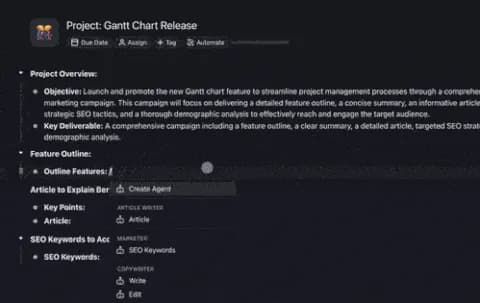
Want to deploy one AI agent to conduct research while another converts the insights into actionable tasks? Agents can now perform multiple actions simultaneously — write articles, browse the web, summarize findings, and even edit content — all at the same time!
Now, let's see all the latest enhancements and cool features we've rolled out with this update.
TL;DR: This release introduces 5 updates: Multi-AI Agents in open beta, code block support, Custom Fields in Table View, bulk task moves, and file uploads to the Media Tab for AI document chat. Deploy multiple AI agents in parallel for research, writing, and editing. Try it free →
💡 What would you build with your own AI agent? Reply with your AI Agent idea on Twitter/X, LinkedIn, or Reddit for a chance to win free SWAG! 🐑 🎁
🤖🤖 Introducing Multi-AI Agents: Your AI Team
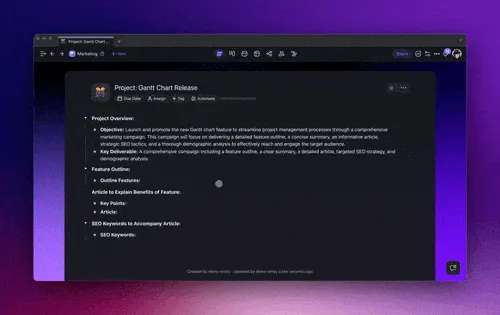
Explore the future of productivity with Multi-AI Agents designed to work autonomously in the background, simplifying complex tasks and freeing you up to focus on what matters most.
Agents let you replicate your knowledge and expertise. Train them just once and then watch as they handle tasks. It’s like having a mini-version of yourself to share the workload! Learn more...
What's new?
🔸 Multitasking: Assign tasks to multiple AI agents and let them work in the background. Focus on your priorities while Taskade AI handles the rest.
🔸 Agent History: Agents store a comprehensive log of every AI command and interaction within the project so you can monitor and tweak AI performance as needed.
🔸 Iterative Outputs: Continuously review and fine-tune AI-generated results with follow-up prompts. Ensure outputs align perfectly with your project goals.
🔸 Tools and Web Access: Agents can now run web searches and integrate additional information seamlessly with their trained knowledge and short-term/long-term memory.
🔸 Custom Knowledge & Long-term Memory: Equip your AI agents with the ability to retain information for more effective conversations and contextual understanding. Learn more...
⌨️ Code Block Support in AI Agents
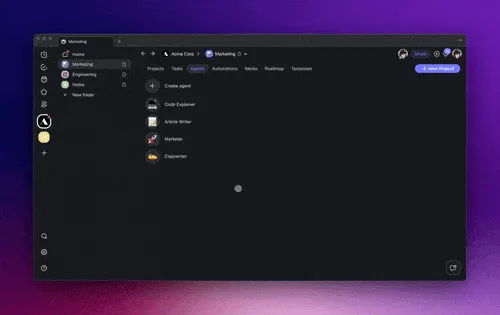
Taskade AI Chats and AI Agents can now generate code blocks with syntax. Use this feature to share code snippets, share implementation examples, or troubleshoot issues. Learn more...
🏷️ Custom Field Add-Ons
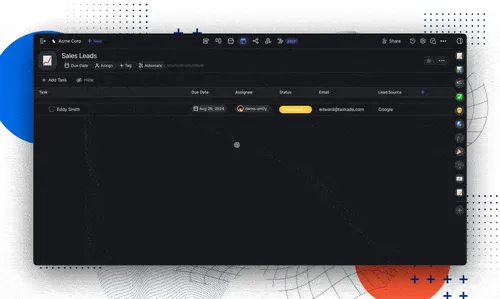
Explore our all-new Table View with fully customizable columns and dropdown menus. Set your task Status, Priority, Type, and more to tailor your table to your team’s workflow. Learn more...
📤 Upload Files and Chat with AI in Media Tab
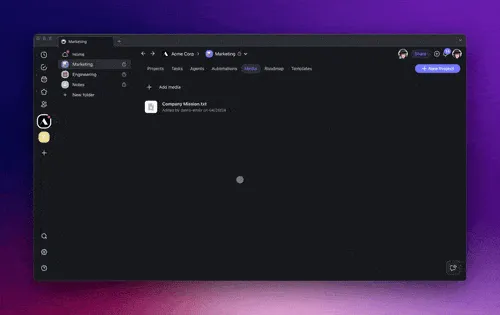
Upload files from your devices or cloud services via integrations like Google Drive, Dropbox, and Box to the Media Tab in your workspace. Then, use Taskade AI to chat with PDFs, Docs, and CSVs! Learn more...
🗃️ Bulk Move Tasks with Multi-Select
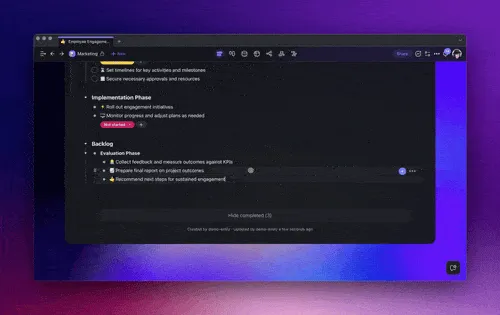
Manage project sprints and workflows with our new Multi-Select Toolbar. Quickly select multiple tasks, notes, or nodes and move them within the same project in seconds. Learn more...
Explore other bulk actions:
🔸 AI Assistant: Use AI for smart writing and editing support.
🔸 AI Agents: Assign agents to automate your tasks and processes.
🔸 Assign To: Delegate tasks to team members in a single action.
🔸 Add Due Date: Set multiple task deadlines simultaneously.
🔸 Format: Organize visually with simple formatting tools.
✨ Other Improvements
New: Multi-AI Agents are live in public beta! Give them a try today. Deploy and assign multiple AI agents to work autonomously in the background; automate complex tasks without lifting a finger!
AI Agent enhancements:
The ability to create new projects within the AI chat.
More dynamic conversations, enhancing how you manage interactions.
Improvements in the AI editor for a cleaner interface and more intuitive usage.
AI Automation enhancements:
New tools for AI Agents that improve workflow management and task automation.
Improved dropdown options for smoother interactions and automation setup.
Looking for additional actions & triggers? Let us know here.
-
- Upload files directly into the Media Tab for quick access and faster document AI chat.
-
- Enhanced bulk editing capabilities for moving and duplicating items.
-
- Add custom fields across various project views.
-
- Added undo and redo to help you better control changes.
File Previews:
- Improved image and file previews.
Various bug fixes and performance improvements.
Remember, our Help Center and Feedback Forum are always open for your questions and suggestions.
We can't wait for you to try the latest features and see how they can transform the way you work. Dive in and start exploring today! Cheers to a transformative and AI-powered year at Taskade! 🚀
— Team Taskade 🐑
💌 P.S. Love Taskade? Share your story and experience by leaving a review on our testimonials page.

Frequently Asked Questions
How do Taskade Multi-AI Agents handle multitasking in the background?
Multi-AI Agents run autonomously in the background, each processing its own task in parallel. You can assign research to one agent, content writing to another, and data analysis to a third — all within the same project. A comprehensive Agent History log tracks every command and interaction so you can monitor and fine-tune performance.
Can Taskade AI Agents generate and display code blocks?
Yes. AI Agents and AI Chat in Taskade render code blocks with full syntax highlighting. You can use this feature to share code snippets, walk through implementation examples, or troubleshoot technical issues directly inside your project conversations.
What are Custom Fields in Taskade's Table view?
Custom Fields let you add fully customizable columns and dropdown menus to the Table view. Set task Status, Priority, Type, or create your own categories to tailor the table to your team's workflow. Fields are visible across project views so data stays consistent everywhere.
How do I upload files and chat with documents using Taskade AI?
Upload files from your device or cloud services like Google Drive, Dropbox, and Box to the Media Tab in your workspace. Once uploaded, use Taskade AI to chat with PDFs, Docs, and CSVs — ask questions, extract key points, and generate summaries without leaving the platform.