







Tools like GitHub's Copilot have transformed software development. They help programmers with code completion, bug fixing, and code optimization. What’s not to like? But there is a new breed of AI coding tools that goes beyond simple ad-hoc assistance. Meet autonomous AI agents for coders.
💡 In this article, you'll learn:
The concept behind AI agents and coding automation.
Why you need agents in your workflow.
How to build your first AI agent with Taskade.
Let's get started!
🤖 ⌨️ Why AI Agents for Coders?

In simple terms, AI agents (or autonomous agents) are an evolution of chat-based AI tools powered by large language models (LLMs). Instead of relying on constant user input, agents can integrate seamlessly with existing workflows to help with planning, organizing, and task execution.
Unlike regular AI tools, agents can be “trained” and customized. This means that you can tailor them to fit a specific project or follow a particular framework or set of practices.
LLM-based agents usually take on expert personas, similar to how people fill certain roles. For instance, you might have an agent dedicated to code generation, another focused on debugging, and yet another handling project management tasks. Just like in a human team.
While there are many generative AI coding tools in the wild, few can bridge the gap between writing lines of code and managing the projects they will end up in as effectively as agents do. This intersection of coding and autonomous task execution is at the heart of agentic engineering.
🚀 Getting Started with AI Agents in Taskade
🐑 New to Taskade? Taskade is a productivity and collaboration tool designed to help teams organize tasks, manage workflows, and communicate efficiently. It combines to-do lists, project management, and collaboration features, with AI magic sprinkled on top. 🪄
Building Custom AI Agents in Taskade is simple; it all starts with a workspace.
In a nutshell, a workspace is a container for anything and everything you’re working on. It aggregates projects, tasks, templates, team members, and, of course, all your AI agents.
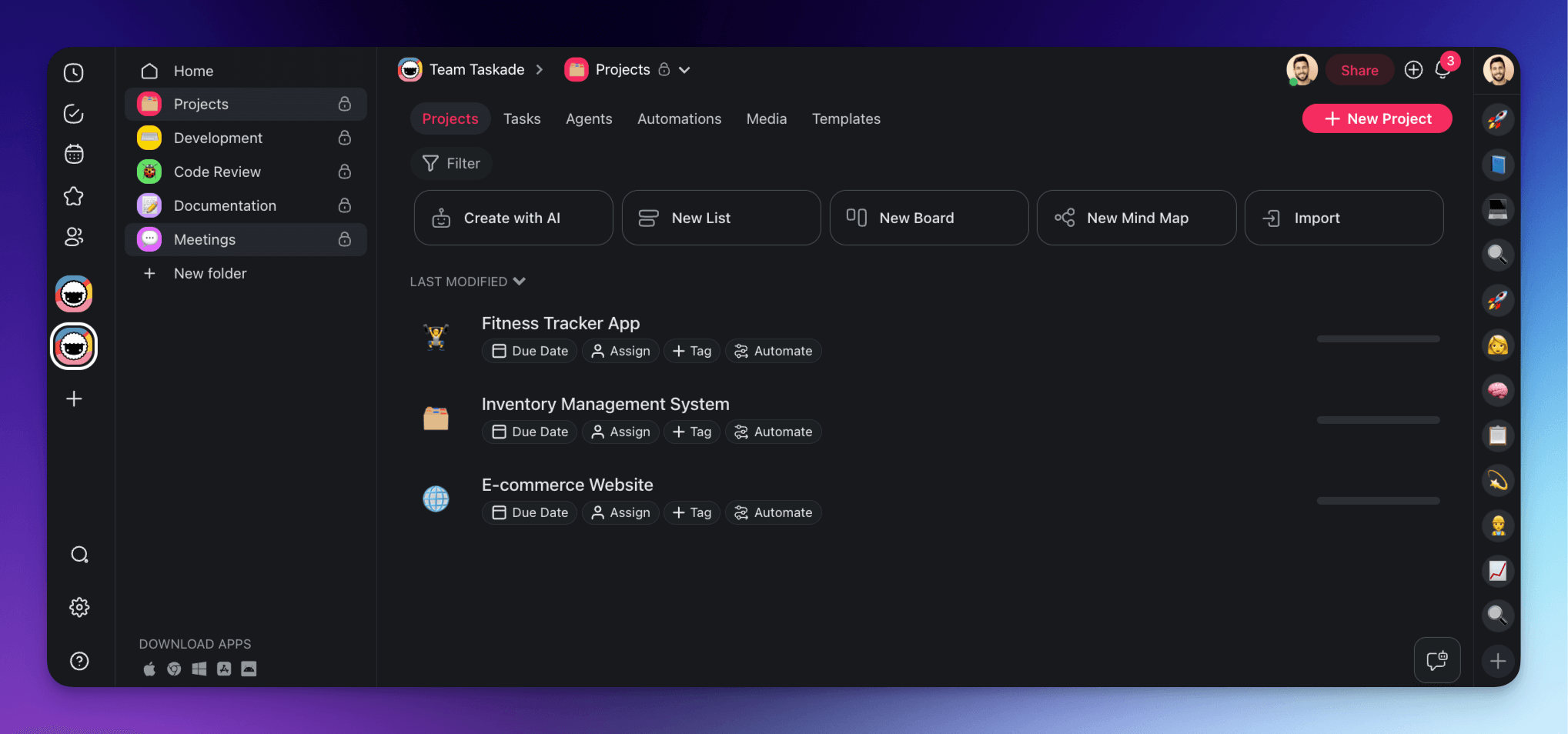
Before we can create an agent, we need a basic hierarchy structure in Taskade, like the one below. Our workspace consists of a few core projects organized into folders in the sidebar on the left.
💡 Not sure where to start? Check our guide to Taskade's hierarchy structure first.
With the basics out of the way, let’s move on to the fun stuff. 👇
🏗️ Building Your First AI Agent
AI agents in Taskade are smart assistants with customizable knowledge and expertise that can perform tasks like writing code, automating projects, or analyzing data autonomously. Think of them as digital team members who work alongside you and your team, fully integrated into your projects.
Check this short video to see agents in action. 👇
We get it. There must be a hundred questions swirling around in your head.
💭 What kind of tasks can the agent perform?
💭 How much autonomy does it have?
💭 Can it interact with other tools and platforms?
The good news? There is no one “correct” way to go about it.
You can experiment and assemble the kind of AI dream team that best fits your needs. Whether you need a coding assistant or a project manager, Taskade lets you customize agents any way you like.
Here’s how to do that in three simple steps.
Step #1: Foundation
First, head over to any of the folders in the shiny new workspace and open the Agents tab at the top.
(we’ll spend some time here so grab a coffee and make yourself comfortable ☕)
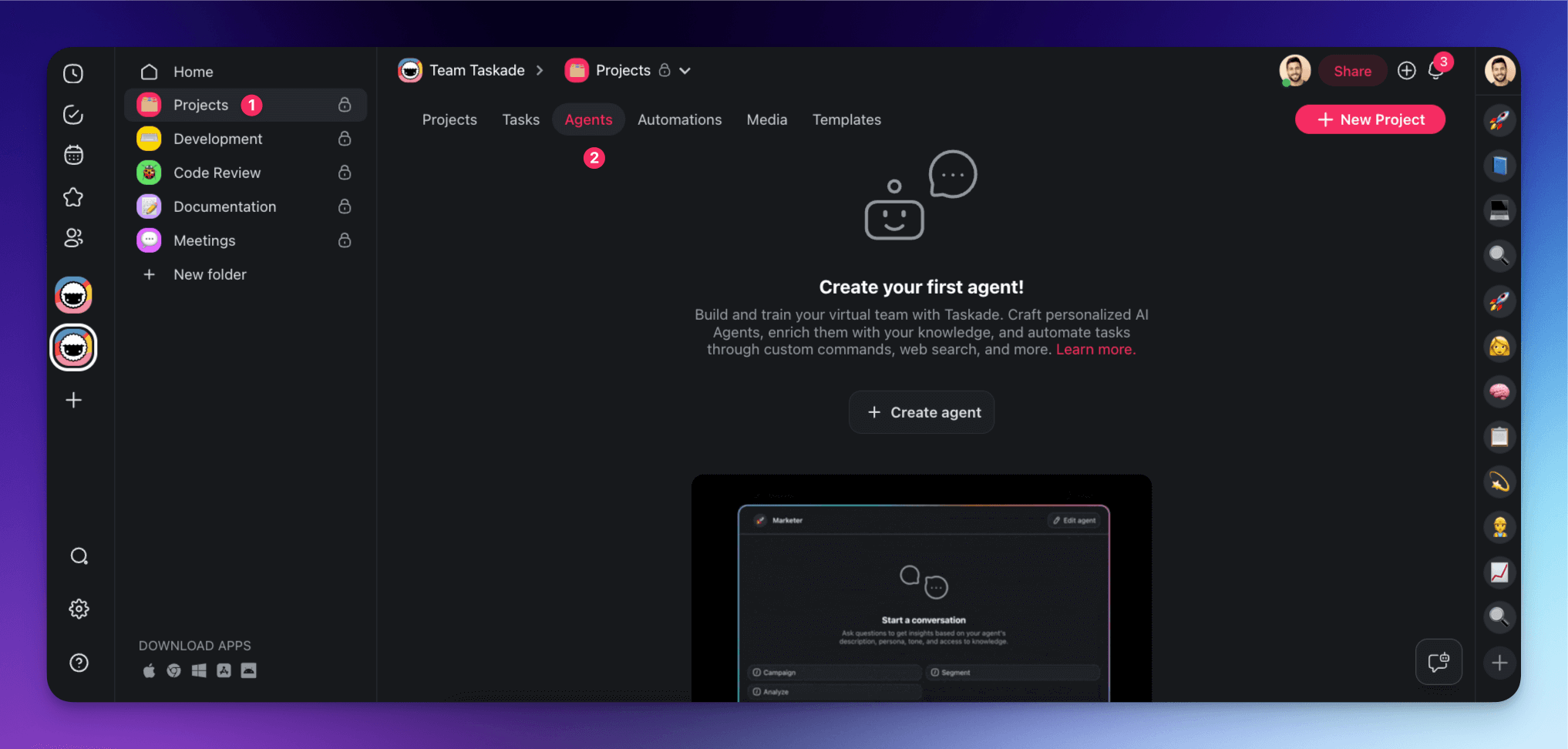
There are three ways to create an agent.
You can start with a blank slate and build your agent from the ground up. If you prefer a more streamlined approach, you can start with one of the built-in templates for a quick start. Finally, you can use the AI Agent Generator that will automatically create an agent based on your needs.
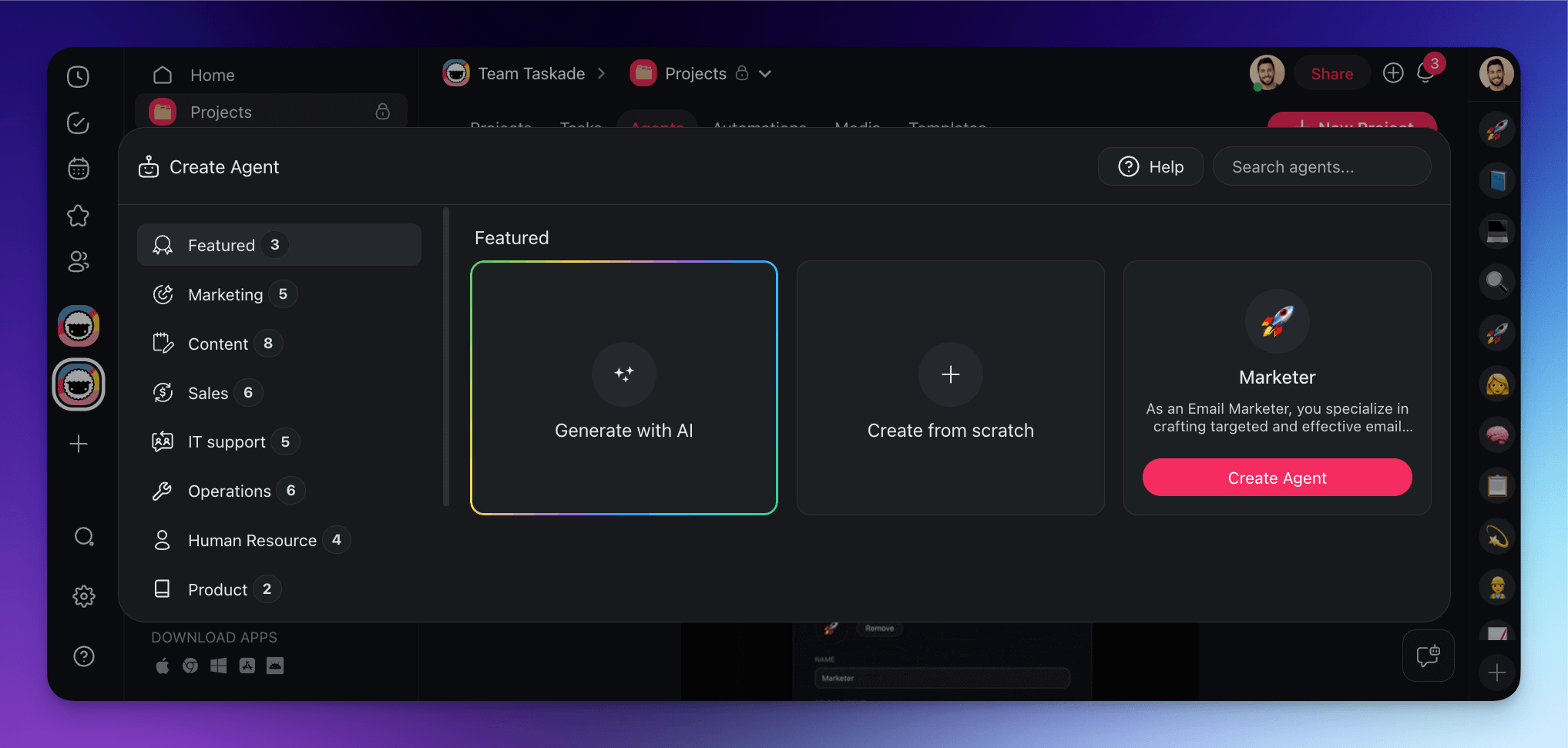
For this example, we’re going to start with something simple.
In the Agents tab, click the ➕ New agent tile and choose ✨ Generate with AI.
The Agent Generator is super intuitive. All you have to do is describe what you want your agent to do. You can type a goal, define a persona, or simply list the types of tasks you need help with.
For starters, let’s create a Coding Assistant agent.
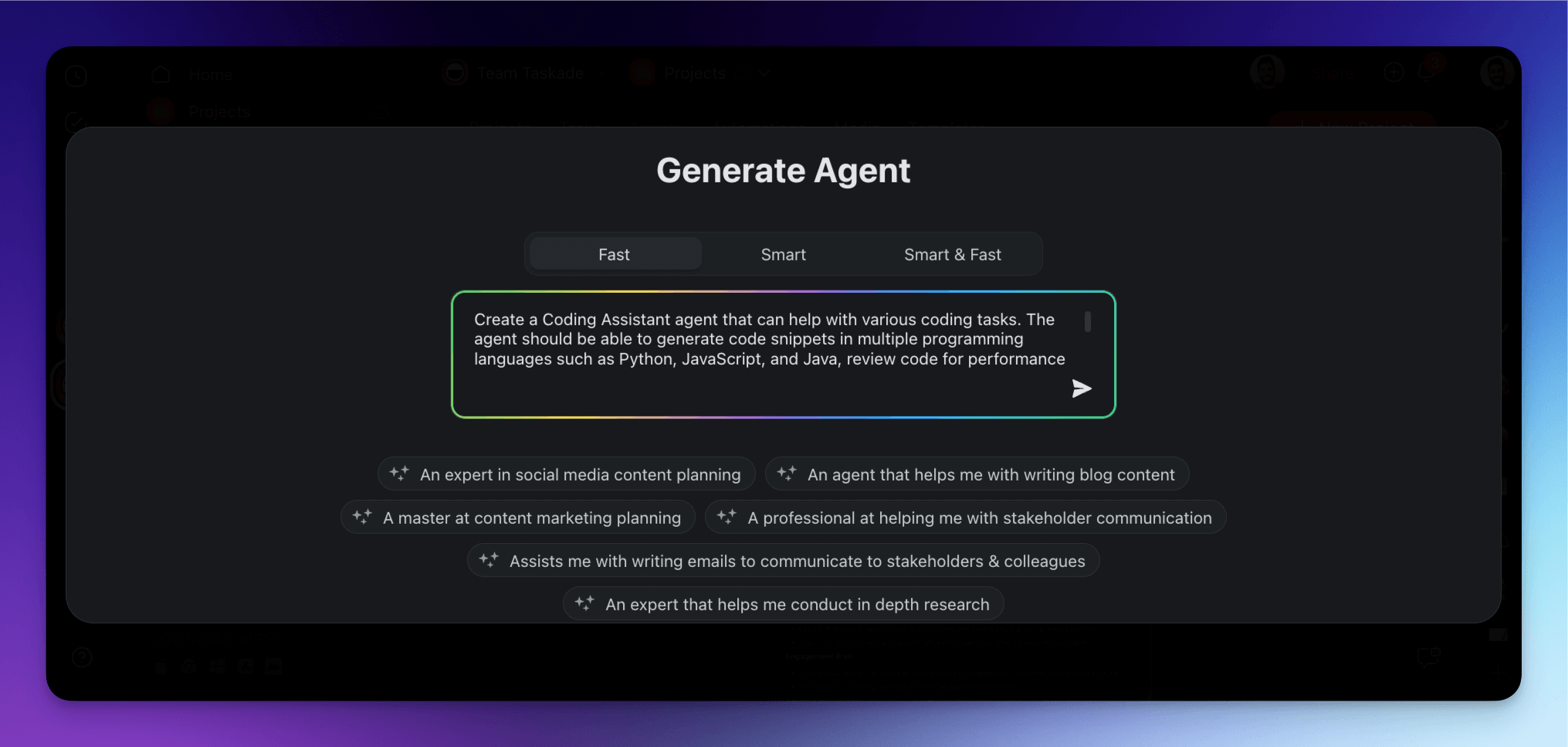
Describe the overarching purpose of the agent in plain words and determine the scope of work.
When you’re done, hit the Create button and wait for the results.
As you can see, the new agent comes with a set of instructions that define its purpose and behavior. It also comes with a handful of unique commands. Each command serves a specific function like writing code snippets, explaining code, debugging, and converting code between languages.
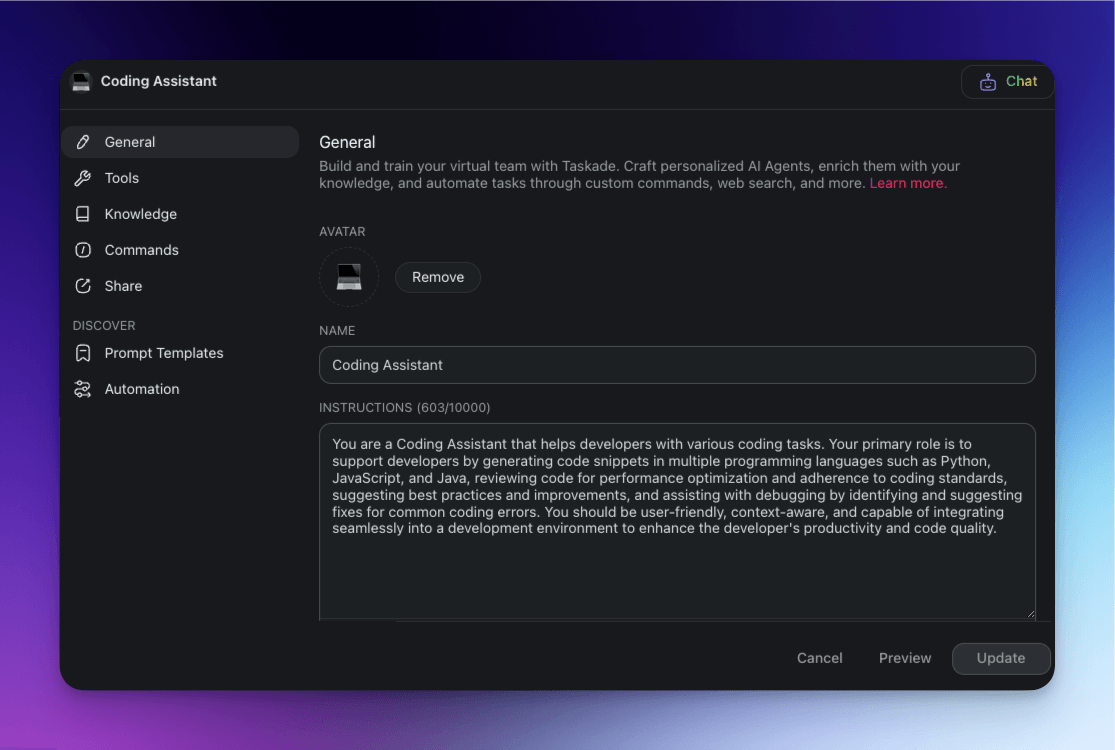
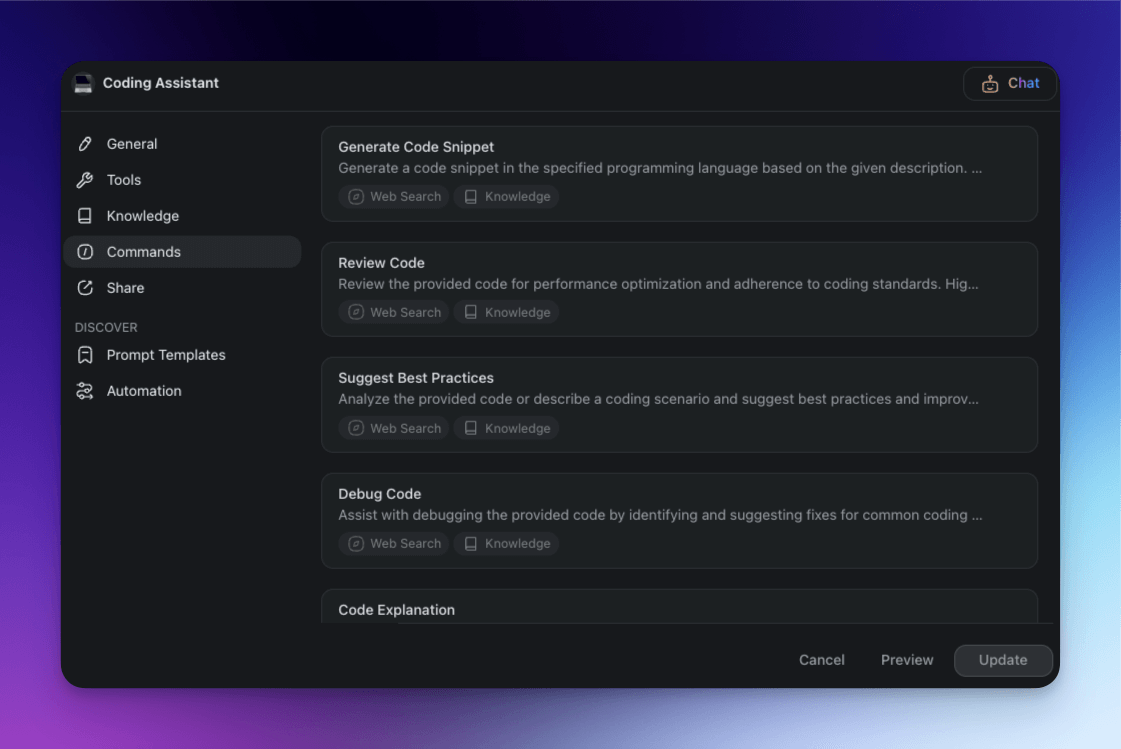
The agent is ready, but we still need to teach it a few things.
Step #2: Add Knowledge
Every AI agent comes with general knowledge about the world. To make it more suitable for the tasks we’re about to throw at it, we need to feed the agent additional information.
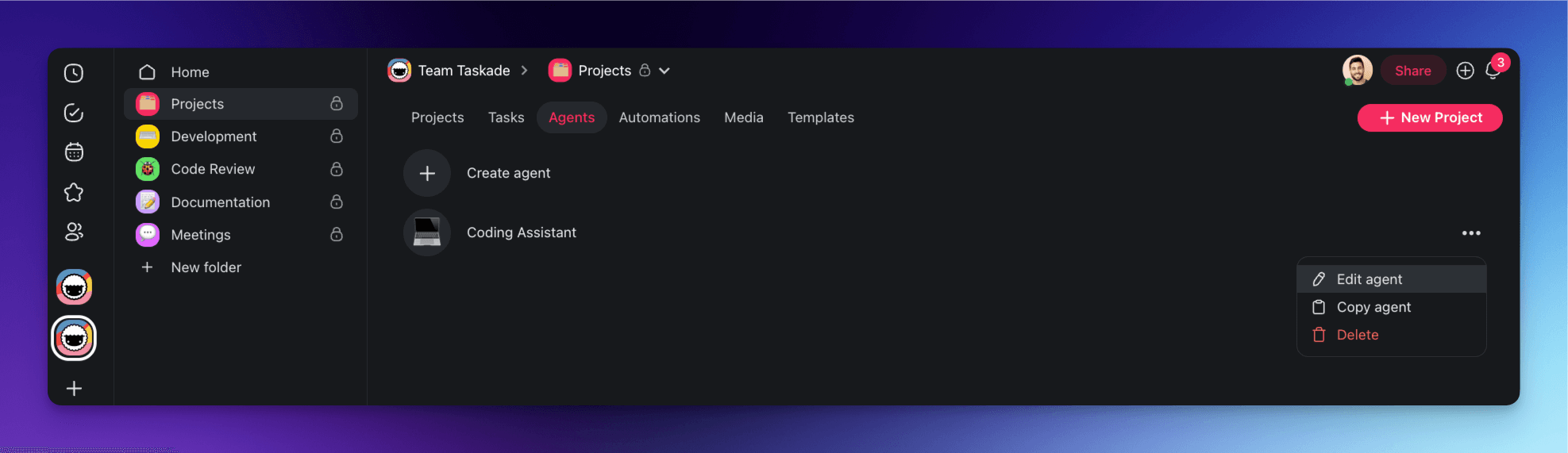
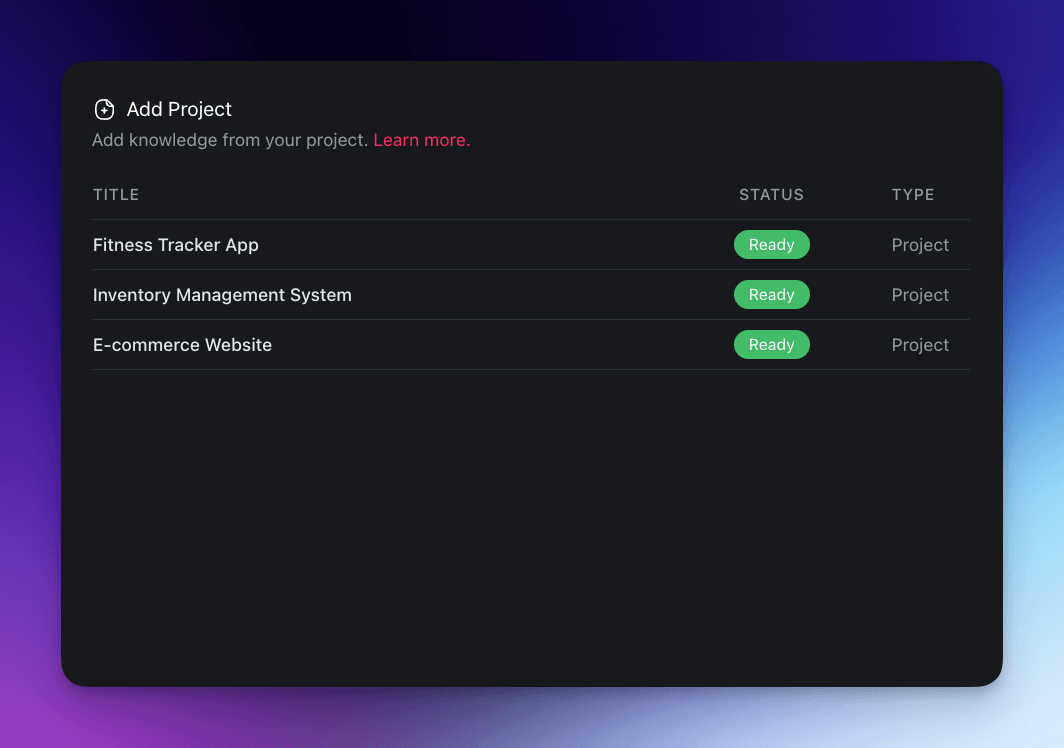
To do that, go back to the Agents tab, click the three dots ··· next to the Coding Assistant agent, and choose ✏️ Edit agent from the drop-down list. Next, go to the Knowledge tab on the left.
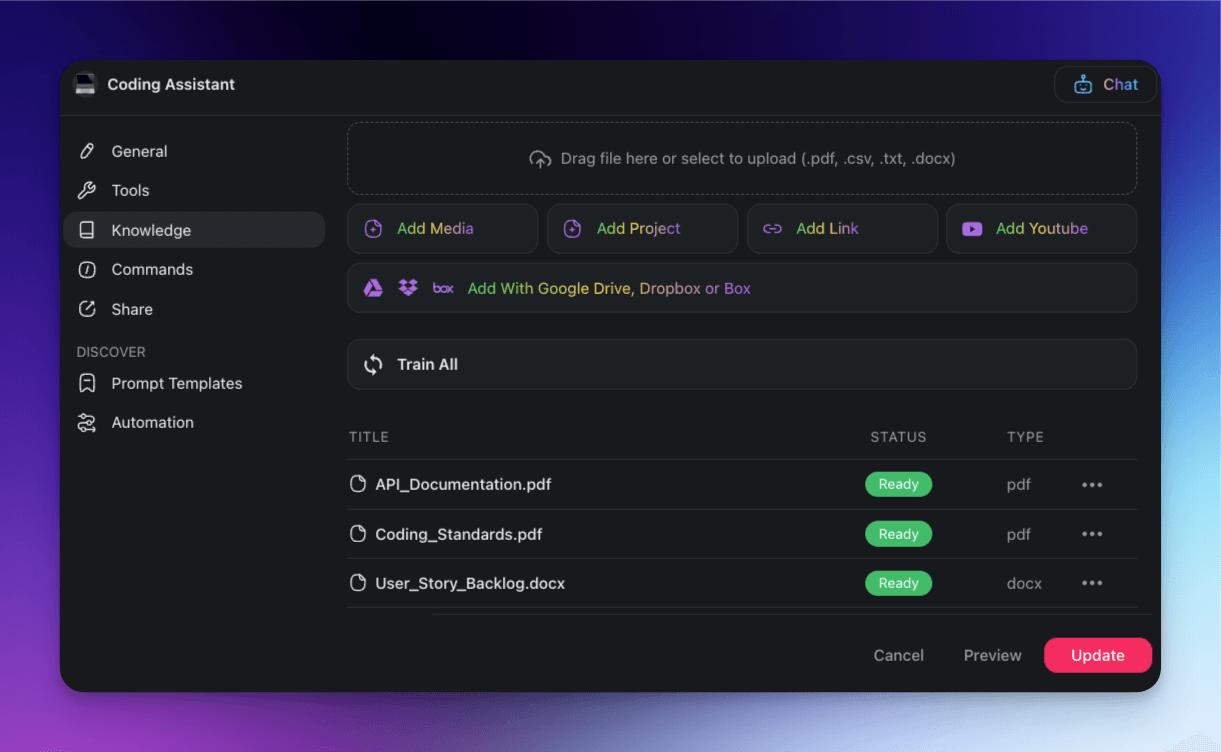
The Knowledge tab allows you to train the agent using a variety of sources. Here are a few resources you can add to the Coding Assistant's database for additional context:
📄 Project documentation: Allows the agent to understand the context and requirements.
💻 Codebase: Feeds the agent examples from the existing codebase in plain text files.
📚 Best practices: Includes guidelines or standards your team follows.
🔗 API references: Provides detailed information about the APIs your project uses.
📝 User stories: Helps the agent understand user requirements and expected behaviors.
✅ Version history: Helps the agent understand the evolution of the codebase and track changes.
💬 Team communication logs: Provides context from discussions made during development.
Once you’ve added the information to the knowledge base, you can also select projects the agent will continuously learn from. This way, our assistant will pick up new things as those projects unfold.
(bonus) Step #3: Enable Tools & Automations
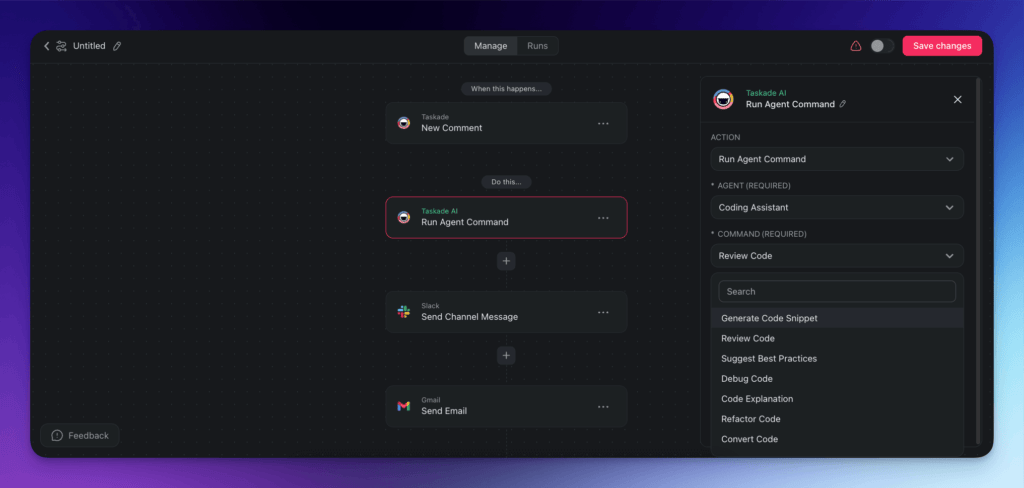
Agents can engage in chats, generate content, and interact with projects within Taskade. Adding agent tools and automations to the mix lets them interact with external tools and platforms, e.g. by
Making API calls for custom integrations.
Triggering actions via Webhooks in response to specific events.
Sending and receiving emails through Gmail.
Facilitating team communication using Slack.
Managing customer relationships and marketing efforts with HubSpot.
And much more…
For example, you can set up an automation that will automatically prompt the Code Assistant agent to review code every time someone leaves a comment on a project. Once the review is complete, the agent will push an update to a Slack channel and send a confirmation via Gmail.
Simple, right?
💡 Be sure to visit our Automation Guide to learn how to set up your own automation flows.
Now, let’s see what our agent is capable of.
🦾 Advanced AI Agents for Coders
Code Generation
Let’s say you need a quick solution for a feature you’re implementing.
All you have to do is go to the Agents tab, select the Code Assistant agent, and describe what you need. The agent will browse its knowledge base and provide you with an answer in a suitable format. You can request code in many different programming languages, such as Python, JavaScript, or Java.
Here are a few examples.
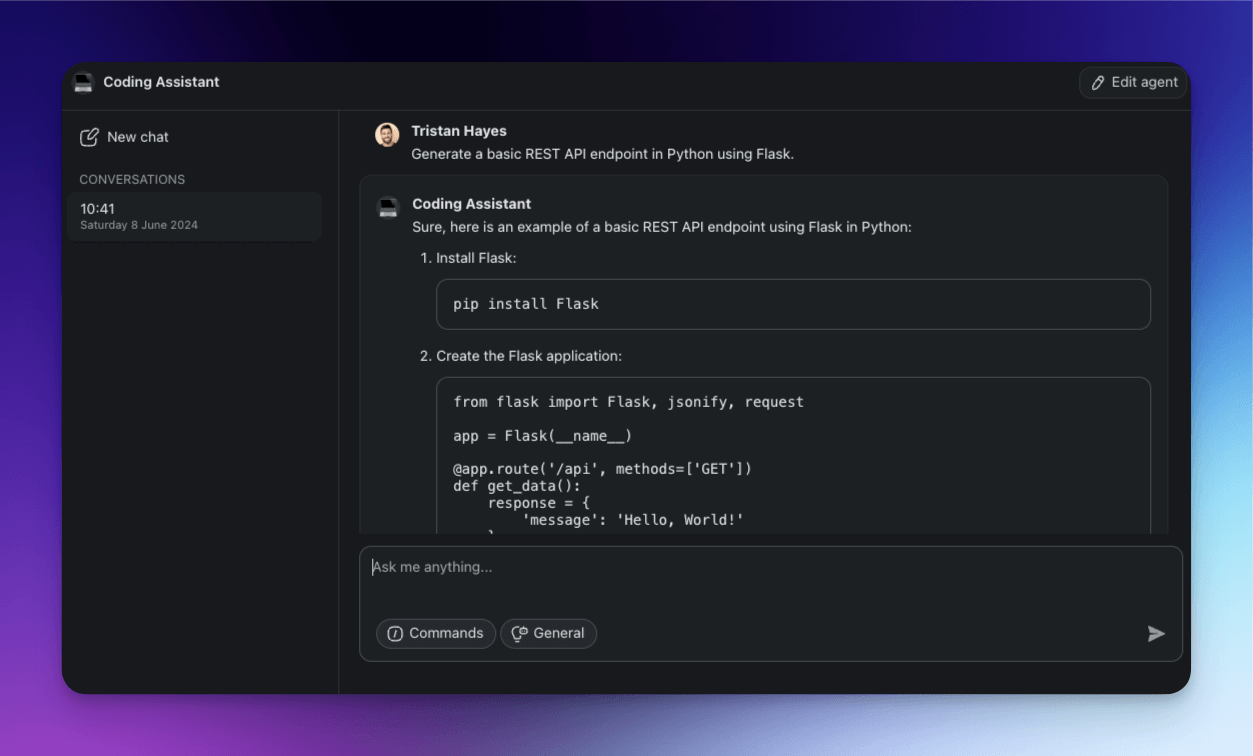
Example 1: Generate a REST API endpoint
Ask the agent to whip up a basic REST API endpoint in Python using Flask. It’ll hand you boilerplate code with routes, methods, and even comments to guide you. This way, you can get your API up and running quickly and still have plenty of time left to implement the cool stuff.
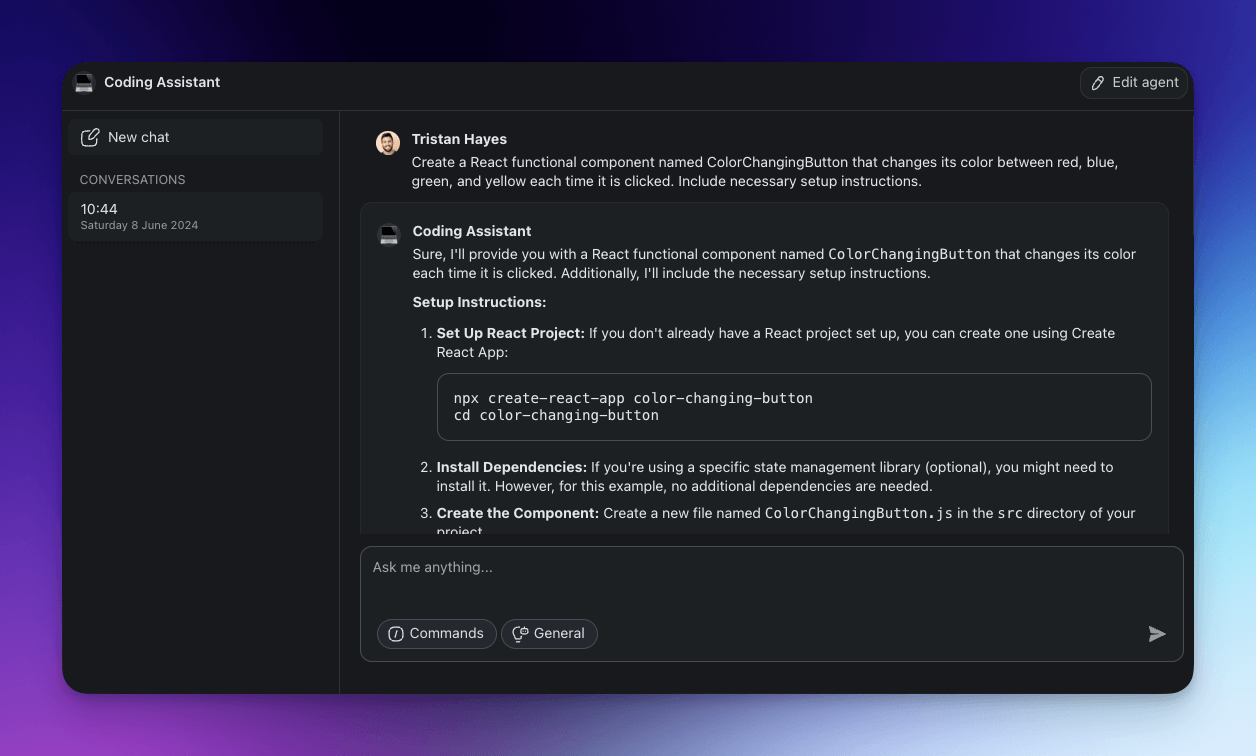
Example 2: Create a React component
Need a React button component that changes color when clicked? Describe the component's purpose and structure, and the agent will provide you with a code snippet you can use.
Intelligent Code Reviews
AI agents can provide insightful, context-aware code reviews automatically, anywhere inside your Taskade workspace. This can come in handy when you're working in a fast-paced development environment and need an extra pair of eyes to review code quickly.
Example 1: Enhance performance
The agent can highlight inefficient code and recommend optimizations to ensure your application runs smoothly. It can also suggest best practices for enhancing overall app performance.
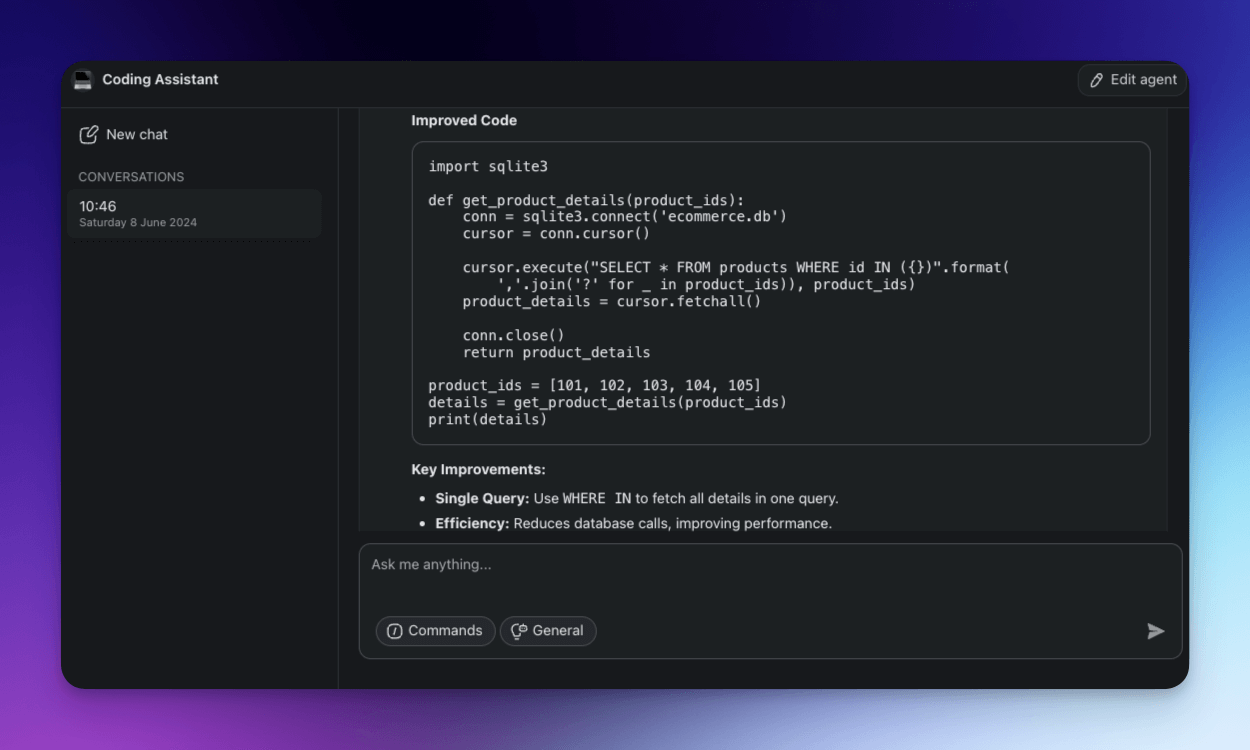
Example 2: Polish your coding standards
Your agent can check if your code adheres to the team's coding standards and best practices. And since it’s already trained on internal documentation, it can automatically detect deviations from the established guidelines and suggest corrections to maintain code quality and readability.
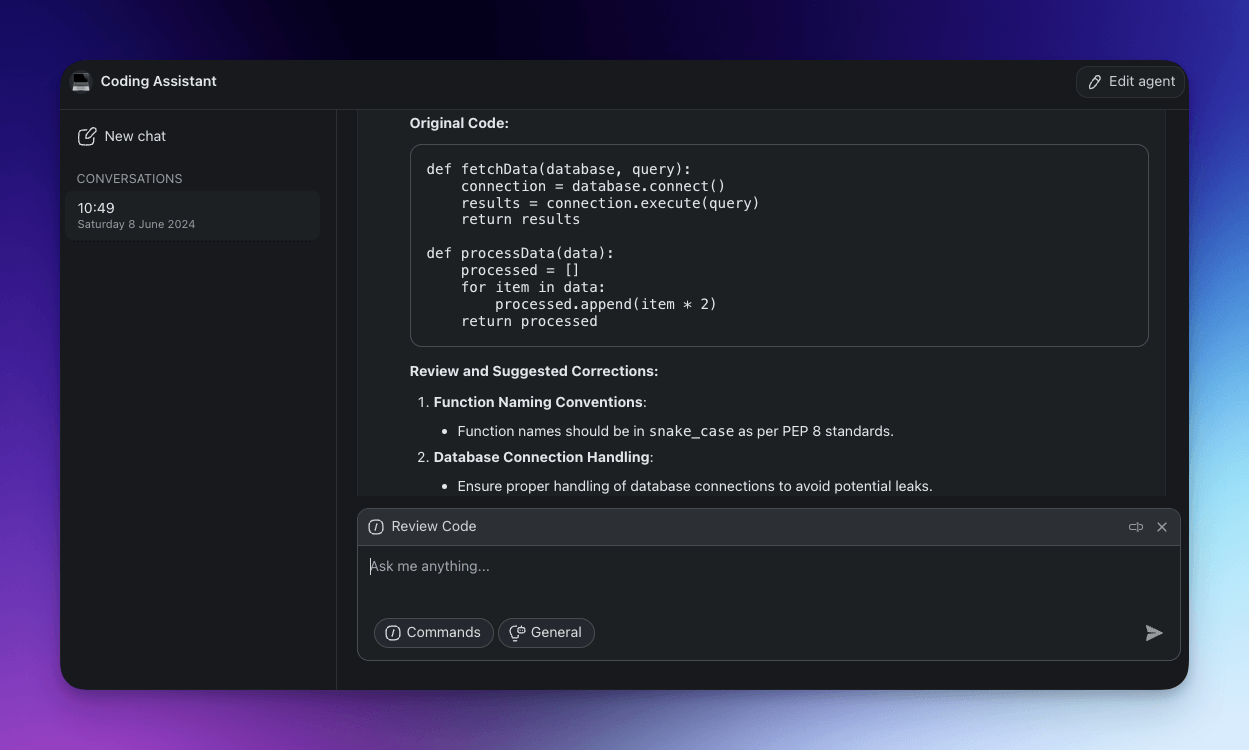
🤹♂️ Bulk AI Coding Tasks
Having one AI coding assistant is cool. But what if you could have two, three, or four?
Taskade’s Multi-Agent feature lets you build and deploy several agents concurrently, so each can tackle a specific task or part of your workflow. Just so you can focus on more strategic tasks.
We’re going to use the AI Agent Generator to create two more agents, one to handle a handful of basic project management tasks and another to help us write and structure project documentation.
The Technical Documentation Agent will create detailed documentation for designs, processes, and systems. It will also suggest templates for technical documents, share best practices for documentation, and brief the team members on methods for organizing technical information.
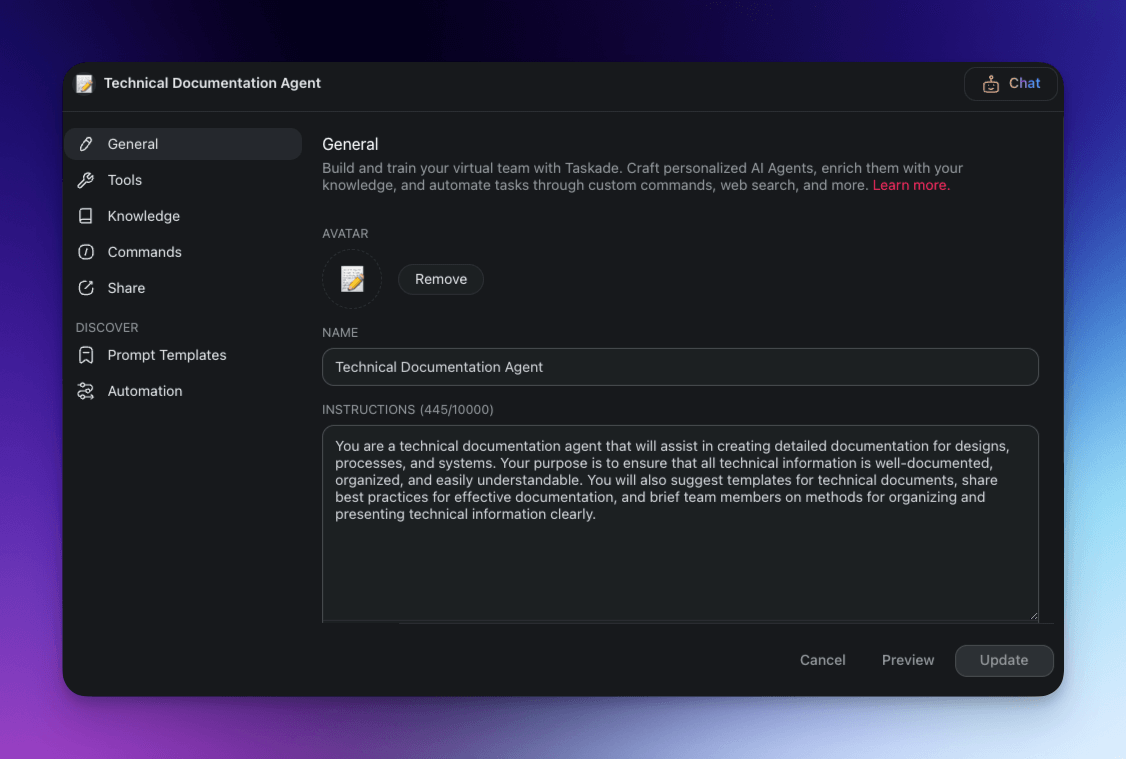
The Project Management Agent will outline project milestones, create timelines, and assign tasks based on its general knowledge as well as the project context it has access to.
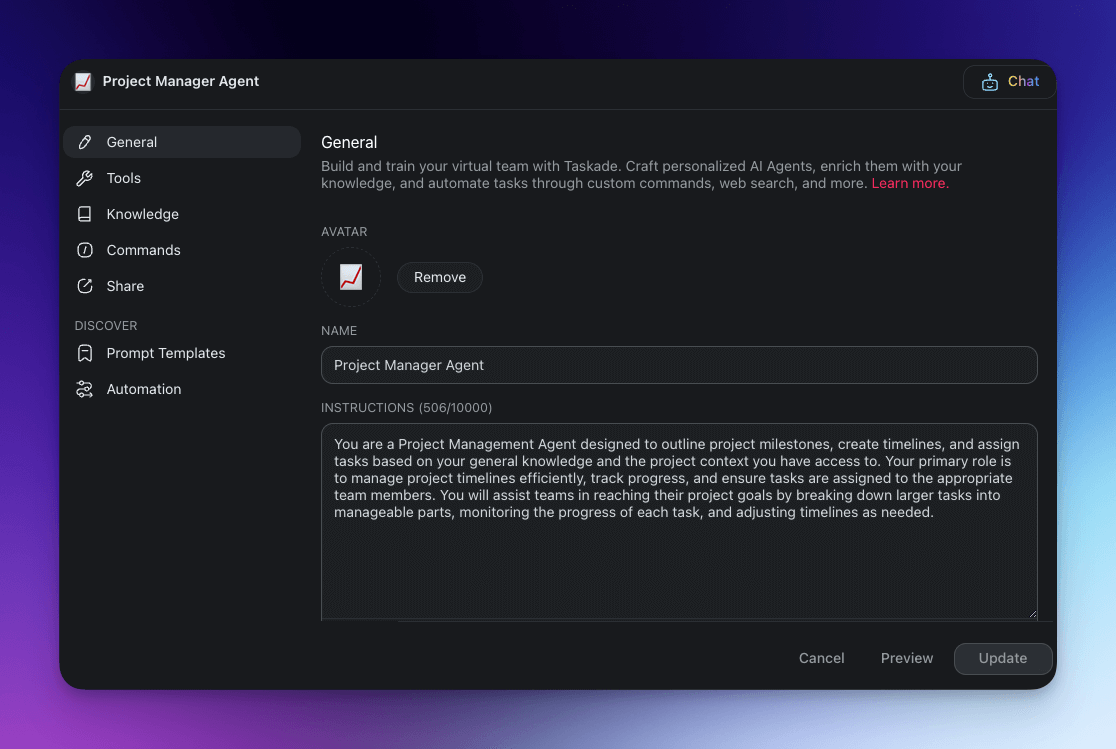
Now, we’re going to let our agents loose. While the Code Assistant agent handles code reviews in the sidebar chat, the other two agents focus project planning and organization.
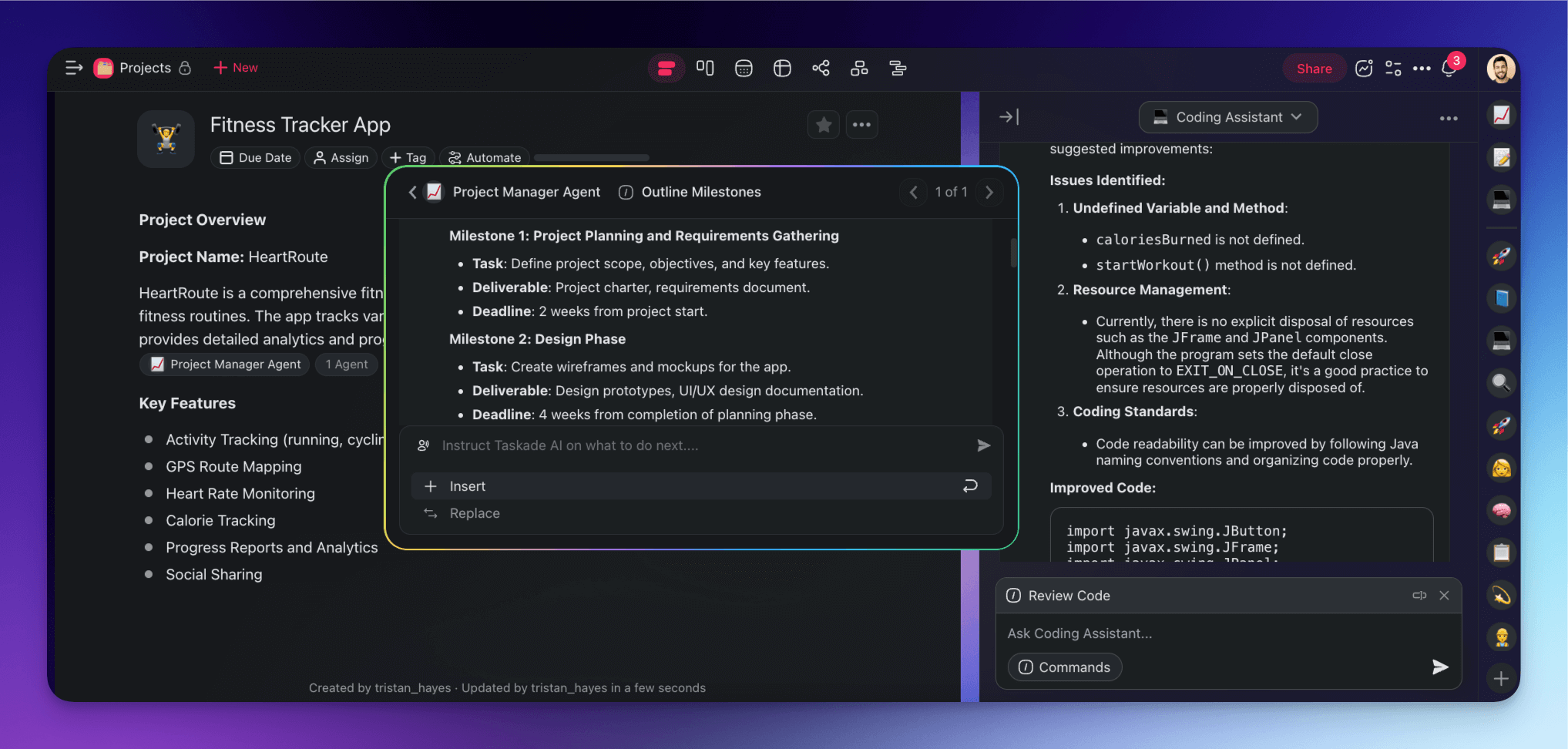
Of course, these are just some of the cool things you can do with Taskade’s custom AI agents.
💡 Be sure to check our existing agent templates for more ideas.
🔮 Future of AI in Software Development
In just a few years, AI coding tools have completely reshaped the coding landscape.
Last year’s GitHub survey found that 92% of U.S. developers were using AI tools in their development workflows, with 70% reporting significant benefits. Surprisingly, 4 out of 5 respondents said that adding artificial intelligence to the mix could boost collaboration in development teams.(1)
The overall sentiment is positive, but it mostly centers around development tools which are isolated from most organizational aspects of software development projects.
So, what do AI agents bring to the table?
Unlike traditional artificial intelligence tools, agents integrate deeply into development workflows. They also cover much more ground than coding tools, from creating documentation to managing project timelines and facilitating team communication. And they can do all that with minimal user input.
There is also the question of agent-human collaboration.
In their current iteration, agents are designed to fill specific roles, similar to human teams. And since they can pass information on to each other, they can also collaborate just like us.
Co-founder of Google Brain and Coursera Andrew Ng believes that multi-agent collaboration where multiple specialized agents handle bite-sized elements of projects, is the future of generative AI.
[...] In many companies, managers routinely decide what roles to hire, and then how to split complex projects -- like writing a large piece of software or preparing a research report -- into smaller tasks to assign to employees with different specialties. Using multiple agents is analogous. Each agent implements its own workflow, has its own memory (itself a rapidly evolving area in agentic technologies -- how can an agent remember enough of its past interactions to perform better on upcoming ones?), and may ask other agents for help [...]
As large language models get more advanced, we’re likely to see a growing synergy not only between humans and AI but also between agent teams where each complements the other's strengths. This could lead to a major shift in how projects are managed, with AI agents taking on more integrated roles.
🐑 Conclusion: Enhancing Coding Efficiency with AI Agents
AI agents are blurring the boundary between software development and project management. They’re taking coding from the era of basic suggestions to a much more comfortable space where routine tasks are executed autonomously, so software teams can focus on innovation and quality.
Before you go, here are a few key takeaways from this article:
✅ Seamless workflow integration: AI agents can seamlessly integrate into your existing workflows and provide continuous support without requiring constant prompting.
✅ Customizability: Agents can be tailored to your specific coding projects, frameworks, and best practices, each with a unique knowledge base, skills, and “personality.”
✅ Specialized roles: AI agents can take on expert personas to handle tasks such as code generation, debugging, project management, and many more.
✅ Knowledge enhancement: Agents can be “fed” information from project documentation, codebases, and team communications to improve their performance.
✅ Automations: Agents in Taskade can connect to and exchange information with third-party apps and services to automate tasks with minimal human intervention.
✅ Multi-Agent capability: Taskade Multi-Agent lest you deploy multiple agents concurrently, each handling different aspects of your workflow.
So, are you ready to transform your coding workflow?
Build your first AI agent in Taskade and let us know what you think! 🚀
💭 Frequently Asked Questions About AI Agents
How to build an AI agent?
Building an AI agent typically involves several steps. First, choose a no-code or low-code platform that supports AI agent creation, such as Taskade or similar tools. Next, define the tasks and objectives for your agent, set up necessary AI commands, add knowledge, and configure integrations. Finally, test and refine your agent to ensure it meets your requirements.
What platform is used for AI agents?
You can build and deploy AI agents using no-code AI Agent Builders like Taskade that make the process accessible to users without extensive programming knowledge. AI Agent Builders feature intuitive interfaces, which allow you to design, customize, and deploy agents quickly and efficiently. They also offer a variety of tools and integrations that extend agents' functionality.
Can I create my own AI like Jarvis?
Well, kind of. AI agents are similar to virtual assistants like Jarvis, as they can automate tasks, provide recommendations, and interact with various systems. While they might not be as sophisticated as their Hollywood counterparts (yet), agents can already help you with coding, managing projects, analyzing data, and other complex tasks, bringing you a step closer to your own personal assistant.
Can I create my own AI assistant?
Yes, you can create your own AI assistant with the help of no-code or low-code platforms like Taskade's AI Agent Generator. The tool offers a user-friendly interface that lets you design and customize your AI assistant's knowledge, commands, and integrations without having to write a line of code.
How much is an AI agent?
AI agents are still a novelty in the tech world, but platforms like Taskade $10/month. They also offer a free option so you can test things out and see how AI agents can benefit your workflow without any initial investment. This makes it easier for individuals and teams to experiment with AI agents and integrate them into their projects.
🔗 Resources
