






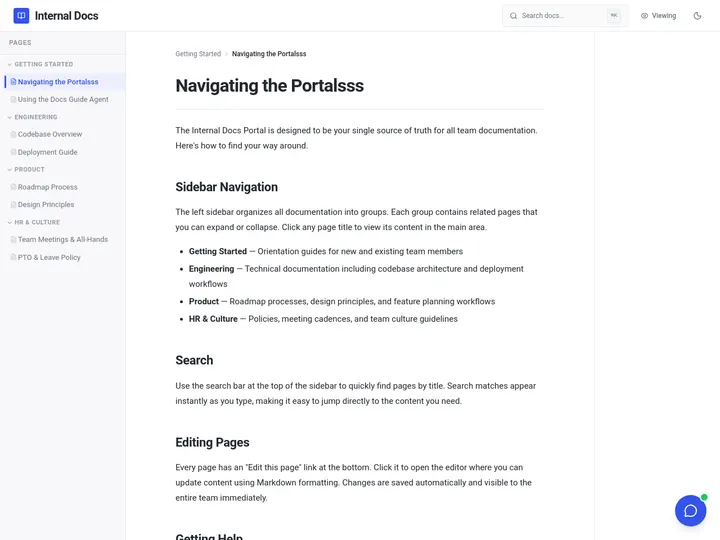
Updated June 2026. A worldbuilding generator should not hand you a lonely block of text and walk away. Generate the quest, character, or setting in Taskade Genesis, then keep it as a living world bible, connected, shareable, and yours to expand. World Anvil and LegendKeeper lead on dedicated wikis, Sudowrite and NovelAI on fiction prose, and Inkarnate on maps. But only Taskade Genesis turns the world into a system you own. Try Taskade Genesis free →
Try It Live: A Worldbuilding Generator You Can Actually Run
Every other tool on this list hands you text or a locked wiki and stops. This one keeps going. The app below is a live Taskade Genesis app built from a single prompt: an RPG-flavored creative workspace where a quest, a cast of characters, and a setting all live in one connected world. Click it, clone it, and grow it into your full world bible, quests next to NPCs next to lore, all in a workspace you own and can share with your players in one link.
Watch how one prompt becomes a running app you can expand:

This is the difference the rest of the article is about. A worldbuilding generator that gives you a paragraph is a tool. A worldbuilding generator that gives you a living, connected world you own is leverage. Clone this RPG app and grow it into your full world bible →
The Evolution of Worldbuilding Tools: From Notebook to Living World Bible
Worldbuilding tools have moved through four eras, and 2026 is the start of the fifth. It began as a paper notebook and a binder of index cards. It became a personal wiki you hand-maintained. It became a dedicated worldbuilding platform with maps, timelines, and cross-linked articles. It became an AI generator that drafts the lore for you. And now, with Taskade Genesis, it becomes a living app, the world and the system around it, generated from one prompt and shareable in one link. Each era kept the previous one's job and added a new one. The pattern is consistent: the world got richer, but it stayed a file or a silo. The 2026 shift is the first time the output stops being a wiki you maintain and starts being a running world you own and share.
Here is the whole arc, era by era:
Read the same arc as a milestone table, what changed, and what each era still left on the table:
| Era | What you built | What you got | What it still couldn't do |
|---|---|---|---|
| 1970s–90s — Notebook | Hand-written lore in a binder | A personal reference | No search, no links, no sharing |
| 2000–10 — Personal wiki | A self-hosted wiki | Cross-linked entries | You maintained every page by hand |
| 2011–20 — Dedicated platform | A world on World Anvil / Kanka | Maps, timelines, articles | The world lives in their silo |
| 2021–24 — AI drafting | A prompt-generated paragraph | A faster first draft | Just text, nowhere to keep it |
| 2025–26 — Living world bible | A world app (Taskade Genesis) | A shareable world you own | — (this is the frontier) |
The plain-English takeaway: every era made the world richer or faster to draft. Only the 2026 era makes the world a living system you own and share. That is the whole reason Taskade Genesis tops this list. It is built for the era the rest of the category is still catching up to. For the conceptual deep-dive on how prompt-to-app generation works, see our Genesis Loop and no-code app builder explainers.
What Is the Best AI Worldbuilding Generator in 2026?
Taskade Genesis is the best AI worldbuilding generator in 2026 because it closes the loop between generating a quest and keeping a whole world. Describe a region, a faction, and a tone, and Taskade Genesis generates the hook, the NPCs, the lore, and the reward. Then keeps it all in a living world bible you can browse, link, and share. Every other tool either hands you a one-shot block of text or locks your world inside its own wiki silo; Taskade Genesis hands you a connected system you own, expand, and share with your players in one link.
The plain-English version: the world that used to take a game master a binder, a wiki account, and three browser tabs gets generated and organized into one connected workspace in an afternoon. Taskade's first Enterprise customer — an IT program manager with no engineering team — built a production app on Taskade Genesis and put it this way: "What I accomplished in a few weeks would have taken a team of 40+ people 18 months in a Fortune 500." He didn't generate a file. He generated the app that runs the work, and a world bible is exactly that shape of app.
Generate the Lore vs. Run the World: Why a Paragraph Isn't Enough
A worldbuilding generator gives you a better paragraph. An app generator gives you the thing the paragraph was for, a living, connected world. That is the whole gap. Eleven of the twelve tools below hand you a block of text, a name, a map image, or a wiki entry locked inside their system. You still have to file it, link it by hand, and rebuild the structure for the next campaign. Taskade Genesis takes the same prompt and returns a working world app, quests next to characters next to lore, browsable on multiple views and shareable on a custom domain. That you open, edit, and expand the same afternoon.
Here is the path a world actually travels when the tool doesn't stop at the text:
Most tools on this list live in the first two boxes. Taskade Genesis is the only one that carries the world all the way to the last one, a shared, living world bible, not a filed paragraph.
Side by side, the week after you generate looks like this:
  A ONE-SHOT GENERATOR                    A LIVING WORLD BIBLE (Taskade Genesis)
  ──────────────────────                  ──────────────────────────────
  [ you ] prompt a side quest             [ you ] prompt a side quest
      │                                       │
      ▼                                       ▼
  copy the text somewhere                 a connected world app
      │                                       │
      ▼                                       ├─ quest links to its NPC + region
  paste into a notes app                  ├─ browse on Mind Map / Table / Docs
      │                                       ├─ agent expands lore on request
      ▼                                       ▼
  hunt for it next session                share one link with your players
  (rebuild structure next campaign)       (your whole world in one workspace)
The left column is where eleven of these tools end. The right column is where the world actually comes alive.
Why Keeping the World Connected Is the Whole Game
The world you can browse is the world you can run. Every major 2026 comparison of worldbuilding tools reaches the same conclusion: the unsolved problem is not idea generation. It is memory and consistency across sessions, chapters, and campaigns. A one-shot generator drafts a brilliant NPC and then forgets it the instant you close the tab. A living world bible does the opposite: it remembers the faction that NPC belongs to, the region they rule, and the quest they offer, and links all of it so your world stays consistent as it grows.
That is the difference between a generator that hands you text and one that hands you a system. Every tool on this list can produce a good first draft in 2026; AI made drafting a solved problem. The unsolved problem, the one that actually keeps a campaign alive, is everything that happens after you generate: the linking, the browsing, the sharing, and the expansion. Taskade Genesis is built around that second half. The drafting is table stakes. The living, connected, shareable world is the product.
How We Ranked
We ranked 12 AI worldbuilding generators on six criteria that matter to the person who has to run the world, not just draft a paragraph:
- Generation quality, how vivid and on-tone the quest, character, or setting is from a single prompt.
- Coverage, quests, characters, settings, names, maps, and prose, or only one slice.
- What you keep, a block of text, a locked wiki, a map image, or a living app you own and expand.
- Connection & consistency, do entries link together so the world stays coherent as it grows.
- Sharing & collaboration, can players open your world, and can you control what they see.
- Pricing, free-tier generosity and cost at the annual price.
Scored against those six criteria, here is how the field stacks up at a glance, the single column that separates the leader from the pack is "What you keep":
| Tool | Generation | Coverage | What you keep | Connection | Sharing | Price value |
|---|---|---|---|---|---|---|
| Taskade Genesis | Excellent | All (quest/char/setting) | Living app | Full + agent | Link + domain | Excellent (free) |
| World Anvil | Good | World wiki | Locked wiki | Strong links | Public world | Fair |
| LegendKeeper | Good | World wiki | Locked wiki | Strong links | Share link | Fair |
| Campfire | Good | Modular world | Locked modules | Module links | Limited | Good |
| Kanka | Good | Campaign manager | Locked campaign | Strong links | Public/share | Excellent (free) |
| Sudowrite | Excellent (prose) | Fiction + bible | Story Bible | In-doc memory | Doc only | Fair |
| NovelAI | Excellent (prose) | Fiction + lorebook | Lorebook | Keyword links | Doc only | Good |
| Inkarnate | Excellent (maps) | Maps only | Map image | None | Image export | Good |
| Perchance | Good | Random generators | Nothing kept | None | Copy text | Excellent (free) |
| Fantasy Name Generators | Good (names) | Names only | Nothing kept | None | Copy text | Excellent (free) |
| Notion | Fair | DIY wiki | Locked page | Manual links | Share page | Good |
| ChatGPT | Good | General prose | Nothing kept | None | Copy text | Fair |
The grid tells the story before you read a word of the reviews: most tools earn "Good" or "Excellent" on generation, then every single one drops to "locked wiki", "map image", or "nothing kept" on what you actually own, except the one that hands you a living app.
The 12 Best AI Worldbuilding Generators
1. Taskade Genesis: Best Overall: Generate the World, Then Run It
Taskade Genesis is the only tool on this list that generates worldbuilding content and runs it as a living world bible. Describe a region, a faction, and a tone in one prompt, and Taskade Genesis drafts what you need, a side quest with a hook and objectives, an NPC with a backstory and a secret, a setting with regions, history, and conflicts, tuned to the genre you are building. Then, in one more click, that same artifact becomes a working app: a connected workspace where the quest links to its NPC, the NPC links to their faction, and the faction links to the region, all browsable on a Mind Map, a Table, or in Docs.
That is the structural gap in the whole category. Every other tool either hands you a one-shot block of text or locks your world inside its own wiki silo. Taskade Genesis carries the world all the way to a living, shareable bible and keeps the system around it. The world that used to take a binder, a wiki account, and three browser tabs gets generated and connected in an afternoon.
One workspace covers every worldbuilding job. Taskade Genesis generates side quests at /generate/game-development/game-side-quest, and turns a logline into a full movie script at /generate/content/movie-script. Then keeps both inside the same connected world. Characters, factions, locations, lore, and quests all link together, and you expand the world with another prompt whenever the story needs it. Competitors silo into names only or maps only or a locked wiki; Taskade Genesis covers all of it in a single living workspace.
Taskade Genesis runs on 15+ frontier models from OpenAI, Anthropic, Google, and open-weight providers, so the lore reads in the tone your world needs, not a template. The workspace ships multiple project views (List, Board, Calendar, Table, Mind Map, Gantt, Org Chart, the Timeline lives inside Gantt), a role model (Owner to Viewer) so players see exactly the regions you reveal while your secret plot threads stay private, and 100+ bidirectional integrations to wire your world into the rest of your tools. Brand the world app with your own domain on Business and above, and your campaign stops looking like a generic wiki and starts looking like your own product.
Best for: Anyone, game master, novelist, screenwriter, or worldbuilder, who wants the world to live and grow, not just sit in a folder.
Strengths: Only tool that turns generated lore into a living, connected app; quests, characters, and settings in one workspace; Mind Map + Table + Docs views; player sharing with role-based access; custom domain; generous free tier.
Weaknesses: Not a dedicated cartography tool, so detailed battle maps still pair best with Inkarnate; the worldbuilding-template gallery is younger than World Anvil's decade-old library.
Pricing: Free (Free Forever plan), Pro $10/mo (the Popular tier), Business $25/mo, Max $100/mo, Enterprise $250/mo, all annual billing.
The catch: Honest one, for hand-painted maps you still want a dedicated map tool, and the genre-specific template library is younger than the worldbuilding incumbents. Everything around the living world, though, is built in.
Verdict: The clear winner for anyone who wants a world to live and grow, not just sit in a wiki tab.
2. World Anvil: Best Dedicated Worldbuilding Wiki
World Anvil is the worldbuilding incumbent. With over 1.5 million users, it is the largest dedicated platform for building interconnected wikis, interactive maps, and detailed timelines. Its template system gives you structured prompts for every kind of article, characters, religions, technologies, ethnicities, and the cross-linking keeps a sprawling world coherent. For a worldbuilder who wants depth and a decade of polish, World Anvil is the deepest dedicated tool here.
Best for: Novelists and game masters who want the deepest dedicated worldbuilding wiki with maps and timelines.
Strengths: Huge structured template library; interactive maps; timelines; massive community; public-world sharing.
Weaknesses: Your world lives inside World Anvil's silo, not an app you own and reshape; the interface has a steep learning curve; AI generation is a lighter add-on, not the core.
Pricing: Free tier (2 worlds, limited articles), then roughly $7, $12, and $34/mo.
The catch: It is a wiki you fill in, not an app you generate, and the world lives in their system, not a workspace you reshape or run automations around.
Verdict: Best if you want the deepest dedicated worldbuilding wiki and don't mind maintaining it by hand.
3. LegendKeeper: Best Clean, Fast Worldbuilding Canvas
LegendKeeper is the modern, fast alternative to World Anvil. It is a clean wiki-meets-canvas built for game masters, with infinite-canvas maps, nested pages, and a snappy interface that many users prefer over the heavier incumbents. The flat single-price model, unlimited storage and unlimited collaborators, is a genuine relief in a category that loves tiered limits.
Best for: Game masters who want a fast, clean worldbuilding wiki with unlimited storage at one flat price.
Strengths: Fast, modern interface; infinite-canvas maps; unlimited storage and collaborators; flat pricing.
Weaknesses: Still a wiki silo, not a generated app; lighter on AI drafting; no free tier beyond the trial.
Pricing: Around $9/mo or $90/yr; 14-day free trial.
The catch: A polished wiki you maintain, not a world you generate, and your campaign lives in LegendKeeper's system rather than a workspace you own and automate.
Verdict: Best if you want a fast, clean worldbuilding canvas with unlimited storage and one flat price.
4. Campfire: Best Modular Worldbuilding for Novelists
Campfire is the modular worldbuilding tool for fiction writers. It splits worldbuilding into modules, characters, encyclopedias, relationships, timelines, manuscripts, and you toggle on only the ones you use, paying for just those. For a novelist who wants worldbuilding and manuscript drafting in one place, the modular pay-for-what-you-use model is genuinely flexible.
Best for: Novelists who want flexible, modular worldbuilding bolted onto their manuscript workflow.
Strengths: Pay only for the modules you use; strong relationship and character mapping; built for fiction; one-time and subscription options.
Weaknesses: Modules live in Campfire's app, not an owned workspace; the à la carte pricing adds up; lighter on tabletop and RPG features.
Pricing: Modular, free core, paid per module, with subscription and one-time options.
The catch: A flexible writing suite, not a generated living app, and the world stays inside Campfire's modules rather than a workspace you can share as one app.
Verdict: Best if you're a novelist who wants modular worldbuilding alongside your manuscript.
5. Kanka: Best Free RPG Campaign Manager
Kanka is the free campaign-management benchmark. It packs everything a game master needs into one place, characters, locations, maps, calendars, timelines, journals, and quests, with the most generous free tier in the category. Its strong linking keeps a tabletop campaign organized session to session, and the public-campaign sharing lets players browse the world you reveal.
Best for: Tabletop game masters who want a fully featured campaign manager for free.
Strengths: Best-in-class free tier; characters, maps, calendars, and quests in one place; strong cross-linking; public and shared campaigns.
Weaknesses: Built for tabletop management rather than generating lore; AI features are limited; the world lives in Kanka's silo.
Pricing: Free tier with unlimited core elements; paid plans from $4.99 to $24.99/mo.
The catch: A campaign filing cabinet, not a generator. You organize lore beautifully, but you bring the lore yourself, and the campaign isn't an owned app you reshape.
Verdict: Best if you want a free, fully featured tabletop campaign manager.
6. Sudowrite: Best AI Prose for Fiction Worldbuilding
Sudowrite is the fiction-writer's AI benchmark. Its Story Bible captures magic systems, character details, and world lore, then references them while it drafts prose in your voice. So the worldbuilding stays consistent across chapters. For a novelist who wants worldbuilding baked into the writing, Sudowrite's prose quality and story-aware generation are genuinely strong.
Best for: Novelists who want AI prose that stays consistent with their world lore across a manuscript.
Strengths: Excellent fiction prose; Story Bible for consistency; built specifically for novelists; strong rewrite and expand tools.
Weaknesses: Worldbuilding lives inside a writing doc, not a browsable world app; weaker for tabletop and visual worldbuilding; subscription required for serious use.
Pricing: Tiered subscription; entry plans run roughly $19–$44/mo by word allowance.
The catch: The world lives inside the manuscript, not a standalone shareable app, great for a novelist, less so for a game master who needs a player-facing world.
Verdict: Best if your world is a novel and you want AI prose that respects your lore.
7. NovelAI: Best Lorebook-Driven Fiction Worldbuilding
NovelAI is the lorebook specialist. Its Lorebook system is an advanced database where you define characters, factions, and objects, and the AI dynamically references that lore whenever an activation keyword appears in your story. Paired with built-in stylized image generation, NovelAI lets you build a world's text and visual identity in one place, with strong privacy controls.
Best for: Fiction writers who want a keyword-triggered lorebook plus AI image generation in one tool.
Strengths: Powerful Lorebook with keyword activation; integrated image generation; strong customization and privacy; flexible model controls.
Weaknesses: Built for prose generation, not a structured world-management app; learning curve on lorebook setup; no live world to share with players.
Pricing: Subscription tiers, roughly $10–$25/mo by feature and image access.
The catch: A brilliant prose-and-lore engine, not a shareable world bible, the lore powers your story but isn't a browsable app your players can open.
Verdict: Best if you want a keyword-driven lorebook and AI art in one fiction tool.
8. Inkarnate: Best Fantasy Map Maker
Inkarnate is the gold standard for browser-based fantasy maps. Its drag-and-drop interface, painterly art style, and library of 23,000+ assets make it the go-to for world, region, city, and battle maps, with AI features that suggest terrain and speed up the tedious parts. For the visual layer of a world, Inkarnate is genuinely best in class.
Best for: Worldbuilders and game masters who need beautiful fantasy and battle maps.
Strengths: Huge asset library; painterly maps; easy drag-and-drop; affordable Pro tier; AI-assisted placement.
Weaknesses: Maps only, no lore, characters, or quests; output is an image you export, not a connected world; everything else lives elsewhere.
Pricing: Free tier; Pro around $5/mo or $25/yr.
The catch: It does one thing superbly, maps. So the rest of your world (lore, NPCs, quests) needs a separate home, and the map is an export, not a living entry.
Verdict: Best for the map layer of your world; pair it with a tool that holds the lore.
9. Perchance: Best Free One-Shot World Generators
Perchance is the free, no-signup generator playground. It hosts countless community-built generators, random fantasy worlds, hierarchical world structures, AI map images, NPC tables. That spit out instant inspiration with zero friction. For brainstorming a seed or breaking a blank page, Perchance is fast, free, and endlessly varied.
Best for: Anyone who wants instant, free worldbuilding seeds with no account.
Strengths: Completely free; no signup; huge variety of community generators; instant output; AI image generation included.
Weaknesses: Output is disposable text, nothing is saved, linked, or owned; quality varies by generator; no structure or consistency.
Pricing: Free.
The catch: It generates and forgets, perfect for a spark, useless as a place to keep a world, since nothing persists once you close the tab.
Verdict: Best for free, instant inspiration when you need a seed, not a system.
10. Fantasy Name Generators: Best Free Naming Resource
Fantasy Name Generators is the naming workhorse. It is a vast free library of name generators for every species, culture, place, and item imaginable, plus description generators for towns, characters, and more. When you need a believable name for an elf, a tavern, or a sci-fi corporation right now, this is the fastest free answer on the web.
Best for: Worldbuilders who need believable names for people, places, and things, instantly and free.
Strengths: Enormous variety; completely free; covers obscure genres and cultures; description generators too.
Weaknesses: Names only, no lore, structure, or storage; output is copy-paste; no world to build inside it.
Pricing: Free.
The catch: It solves naming and nothing else, a fantastic utility, but you still need a home for everything the name belongs to.
Verdict: Best free resource for names; bookmark it and keep the names in a real world bible.
11. Notion: Best DIY Worldbuilding Database
Notion is the flexible DIY option. With databases, linked pages, and templates, you can hand-build a worldbuilding wiki shaped exactly how you want, and its AI can draft entries on request. For a worldbuilder who likes to design their own system and already lives in Notion, it is a capable, familiar canvas.
Best for: Worldbuilders who want to design their own wiki structure in a tool they already use.
Strengths: Flexible databases and linked pages; familiar interface; AI drafting; good free tier; broad templates.
Weaknesses: You build the whole structure by hand; no worldbuilding-specific generation; not an app you publish for players; consistency is on you.
Pricing: Free for personal use; paid plans from roughly $10/user/mo.
The catch: It is a blank canvas, not a worldbuilding generator. You do all the structure-building yourself, and there's no living app to share with players.
Verdict: Best if you want to design your own worldbuilding database from scratch.
12. ChatGPT: Best General-Purpose Brainstorming Partner
ChatGPT is the all-purpose creative partner. Ask it for a quest, an NPC, a magic system, or a region, and it drafts vivid, flexible prose across any genre. As a brainstorming engine and a sounding board, it is excellent and ubiquitous. The limit is memory and structure: each chat is a one-shot, and nothing is linked, saved, or shareable as a world.
Best for: Anyone who wants a flexible, conversational brainstorming partner for any genre.
Strengths: Vivid, flexible generation; any genre or format; conversational refinement; widely available.
Weaknesses: No structured world storage; limited cross-session memory; output is text you must file elsewhere; no player-facing world.
Pricing: Free tier; Plus around $20/mo.
The catch: A brilliant idea engine with no world to keep them in, every great NPC it writes ends up as loose text you have to organize yourself.
Verdict: Best as a brainstorming partner; pair it with a tool that holds the world it helps you imagine.
Comparison Table: What You Keep, Connection, and the Annual-Pricing Wedge
Feature matrices hide the one thing that actually decides the choice: what you walk away with. This table strips it down to the columns the rest of the category quietly skips, what you keep (loose text, a locked wiki, a map image, or a living app), whether the world stays connected, and the annual price. This is where Taskade Genesis is the only green row.
| Tool | What you keep | World stays connected | Coverage | Live cloneable app | Price (annual) |
|---|---|---|---|---|---|
| Taskade Genesis | Living app (world bible) | Yes — linked + agent | Quests, characters, settings | Yes — clone it | Free / $10 / $25 |
| World Anvil | Wiki in their silo | Yes — strong links | Full world wiki | No | Free / ~$7–$34/mo |
| LegendKeeper | Wiki in their silo | Yes — links + canvas | Full world wiki | No | ~$9/mo |
| Campfire | Modules in their app | Module links | Fiction worldbuilding | No | Free + per-module |
| Kanka | Campaign in their silo | Yes — strong links | Campaign manager | No | Free / up to $24.99/mo |
| Sudowrite | Story Bible in a doc | In-doc memory | Fiction prose | No | ~$19–$44/mo |
| NovelAI | Lorebook in a doc | Keyword links | Fiction prose + art | No | ~$10–$25/mo |
| Inkarnate | Map image export | No | Maps only | No | Free / ~$5/mo |
| Perchance | Nothing saved | No | Random generators | No | Free |
| Fantasy Name Generators | Nothing saved | No | Names only | No | Free |
| Notion | Page in their app | Manual links | DIY wiki | No | Free / ~$10/user/mo |
| ChatGPT | Nothing saved | No | General prose | No | Free / ~$20/mo |
Read the rows top to bottom and the wedge is obvious: a paragraph, a wiki silo, or a map image is where the others finish, and where Taskade Genesis is just getting started. On price, Taskade Genesis starts Free, then Pro $10 (the Popular tier), Business $25, Max $100, and Enterprise $250, and every paid tier ships a living, shareable world app with a custom domain. Most competitors sit free to $34/mo for a tool that hands you a locked wiki or disposable text. You are not paying for a prettier wiki entry. You are paying for a world that lives, links, and shares itself.
Full Feature Matrix: Twelve Tools, Eight Columns
This is the detailed grid the buyer's-guide pages bury or skip. It scores all twelve tools on the eight capabilities that decide a worldbuilding workflow, quest generation, character generation, setting generation, connected entries, player sharing, an expansion agent, an owned reusable app, and a free tier. Taskade Genesis is the only row that is "Yes" straight across the capability columns.
| Tool | Quest gen | Character gen | Setting gen | Connected entries | Player sharing | Expansion agent | Owned reusable app | Free tier |
|---|---|---|---|---|---|---|---|---|
| Taskade Genesis | Yes | Yes | Yes | Yes (multiple views) | Yes (roles) | Yes (agent) | Yes — clone it | Yes (Free Forever) |
| World Anvil | Partial | Yes | Yes | Yes | Public world | No | No | Yes (limited) |
| LegendKeeper | Partial | Yes | Yes | Yes | Share link | No | No | Trial only |
| Campfire | Partial | Yes | Yes | Module links | Limited | No | No | Yes (core) |
| Kanka | Yes | Yes | Yes | Yes | Public/share | No | No | Yes |
| Sudowrite | Partial | Yes | Yes | In-doc | No | No | No | Trial only |
| NovelAI | Partial | Yes | Yes | Keyword | No | No | No | Trial only |
| Inkarnate | No | No | Map only | No | Image export | No | No | Yes |
| Perchance | Yes | Yes | Yes | No | Copy text | No | No | Yes |
| Fantasy Name Generators | No | Names | No | No | Copy text | No | No | Yes |
| Notion | Partial | Partial | Partial | Manual | Share page | No | No | Yes |
| ChatGPT | Yes | Yes | Yes | No | Copy text | No | No | Yes |
The shape of the grid is the argument. Most tools earn a column of "Yes" on generation, then go blank on connected entries, player sharing, an expansion agent, and, every single one, on owning a reusable app. Taskade Genesis is the only tool that fills the right-hand columns, which is exactly where a paragraph becomes a living world.
Use-Case → Tool Matrix: Pick by What You're Actually Doing
Skip the feature war and start from your job. This matrix maps the most common worldbuilding jobs to the tool that fits, and to the Taskade Genesis route that does the same job and keeps it in a living world bible afterward.
| Your job | Quick pick (one-shot or silo) | Taskade Genesis route (living world) |
|---|---|---|
| Generate a side quest | Perchance (free random) | /generate/game-development/game-side-quest |
| Turn a logline into a script | ChatGPT (general prose) | /generate/content/movie-script |
| Build a full world wiki | World Anvil (deepest) | Taskade Genesis world bible |
| Run a tabletop campaign | Kanka (free manager) | Taskade Genesis campaign app |
| Write consistent fiction lore | Sudowrite (Story Bible) | Taskade Genesis lore workspace |
| Name everything | Fantasy Name Generators | Taskade Genesis world bible |
| Make a fantasy map | Inkarnate (best maps) | Taskade Genesis + Inkarnate export |
| Brainstorm a setting | ChatGPT or Perchance | Taskade Genesis setting app |
The pattern reads in one glance: every row has a perfectly good one-shot or silo option, and a Taskade Genesis route that does the same job and leaves you with a connected, shareable world instead of loose text. That is the whole reason to start on the right-hand column.
Best Tool by Who You Are
If you'd rather pick by who you are than by what you're building, here's the one-line answer for each persona, and where Taskade Genesis fits for each:
| You are | One-shot / silo pick | Why Taskade Genesis still fits |
|---|---|---|
| Tabletop game master | Kanka (free manager) | Generate quests and run the campaign as one shareable app |
| Fantasy novelist | Sudowrite (Story Bible) | Lore bible + manuscript notes in one owned workspace |
| Screenwriter | ChatGPT (script prose) | Script + character bibles + shot list in one app |
| Solo worldbuilder | World Anvil (depth) | A world you own and reshape, not a wiki you maintain |
| Indie game dev | Perchance (seeds) | Quests, NPCs, and design docs linked in one workspace |
| Mapmaker | Inkarnate (maps) | Hold the lore and quests the map belongs to |
| Hobbyist brainstormer | ChatGPT or Perchance | Keep the best ideas in a world instead of losing them |
| Worldbuilder running a whole project | — | The whole point: the entire world as a living app you describe |
Across every persona the one-shot pick is a fine tool, and Taskade Genesis is the one that turns that same generation into a world you keep. That bottom row, the worldbuilder running a whole project, is where the platform story really lives.
From Prompt to Production: What You Can Actually Build
The fastest way to understand the gap is to look at what people ship. These are real outcome shapes, not features, that start from one prompt in Taskade Genesis and end as a running world app. Each is the kind of system that used to need a wiki account, a names tab, and a binder.
| Outcome you want | What you prompt | What you get to run |
|---|---|---|
| Run a tabletop campaign | "Build a D&D campaign workspace with NPCs, quests, and a session log" | A campaign app on multiple views where quests link to their NPCs |
| Generate a side quest | "Generate a side quest in a smuggler's port with a hook, NPC, and reward" | A linked quest entry that drops into your world bible |
| Write a movie | "Turn this logline into a script with scenes, characters, and a shot list" | A script app where the script sits next to its character bibles |
| Build a world bible | "Build a fantasy world bible with regions, factions, history, and a map" | A connected wiki-style app on Mind Map, Table, and Docs views |
| Design a magic system | "Design a magic system with rules, costs, and three example spells" | A lore entry linked to the characters and quests that use it |
| Manage a cast | "Build a character database with relationships and backstories" | A browsable cast app on a Table and Mind Map |
| Share with players | "Publish a player-facing world page that hides my secret plot threads" | A shareable app on a custom domain, built from a player-facing project that never contains the secrets |
Each of these is a clone away. The RPG-flavored app above is the same idea ready to run, open it, clone it, and swap in your own setting, characters, and lore. That single click is the activation event the rest of this category never reaches.
Wiring the world into the rest of your tools, Discord for your table, a notes app, a publishing pipeline, happens through Taskade's 100+ bidirectional integrations, so the world isn't an island. Triggers pull events in; actions push updates out.
The Full Taskade Genesis Capability: What a Worldbuilding Generator Looks Like When It's Actually a Platform
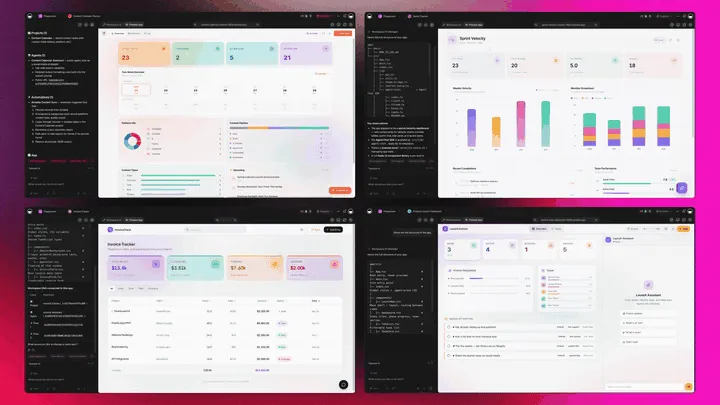
A worldbuilding generator that's really a platform doesn't just write the lore. It runs the whole world around it. Taskade Genesis generates the quest, character, or setting as a live web app, then surrounds it with agents that expand the world, automations that keep it in sync, and a workspace that remembers every entry. Here is the capability slice that matters for worldbuilding, told in plain language and shown in working product.
Taskade Genesis: Describe a World, Get a Running App
This is the core move. You describe what you want in plain words, "a fantasy world bible with regions, feuding factions, and a starter quest", and Taskade Genesis returns a real, running web app, not a file you download. You can publish it, put it on a custom domain, and let others clone it with one click. The world stops being a wiki you guard and becomes a product you ship.
The loop, drawn out:
That dotted line back to the start is the part no one-shot generator has: every entry you add feeds the next prompt. Here is what's actually inside a Taskade Genesis world app, the layers a paragraph of text can never carry:
  A GENESIS WORLD BIBLE (one prompt builds all of this)
  ─────────────────────────────────────────────────────
  ┌─ SETTING ──────────────────────────────────────┐
  │  regions · history · factions · conflicts      │   ← the lore everyone else stops at
  ├─ CHARACTERS ───────────────────────────────────┤
  │  NPCs · backstories · relationships · secrets  │   ← linked to the factions they serve
  ├─ QUESTS ───────────────────────────────────────┤
  │  hooks · objectives · rewards · giver NPC       │   ← 7 views: Mind Map, Table, Board...
  ├─ EXPANSION AGENT ──────────────────────────────┤
  │  drafts new lore on request · 34 built-in tools │   ← the teammate that grows the world
  ├─ AUTOMATION ───────────────────────────────────┤
  │  Discord ping · notes sync · publish pipeline   │   ← 100+ bidirectional integrations
  └─ MEMORY ───────────────────────────────────────┘
     every entry sharpens the next generation         ← Workspace DNA, the compounding part
See the same world shape running live. This is the RPG-flavored Taskade Genesis app, built from one prompt and ready to clone into your own world bible:
AI Agents v2: built-in tools and an Expansion Teammate
The world that stays alive is usually the one someone kept expanding. In Taskade, that someone is an agent. AI Agents v2 ship built-in tools, web search, code, file analysis, custom slash commands, plus persistent memory, multi-agent collaboration, public embedding, and multi-model routing. Point one at your world bible and it drafts new quests, fleshes out an NPC's backstory, checks your lore for contradictions, and proposes the next plot thread. EVE, the meta-agent, orchestrates the whole team from a single instruction. For the basics of what agents are, see our explainer on what AI agents are.

Automation: Durable Workflows That Keep the World in Sync
Behind the world sits reliable automation, workflows that branch, loop, and filter, and run dependably without you babysitting them. Wire 100+ bidirectional integrations so triggers pull events in (a player submits a character sheet, a form adds a new faction) and actions push updates out (post the session recap to Discord, sync the wiki, publish the player page). The world isn't an island; it's one node in a workflow that runs itself.
Multiple Project Views: See the World the Way You Think
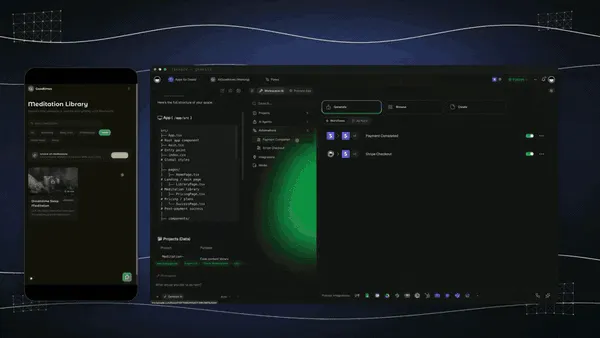
Every world app comes with multiple project views, List, Board, Calendar, Table, Mind Map, Gantt, and Org Chart (the Timeline lives inside Gantt). Map your factions on a Mind Map, track quests on a Board, browse your cast in a Table, and plot your campaign's history on a Gantt. Players see only the surface you share; you see the whole world. A locked wiki or a paragraph of text gives you none of these. Explore ready-made structures in the Community Gallery or the template library.
Workspace DNA: Memory + Intelligence + Execution
The reason the loop compounds is Workspace DNA, the self-reinforcing triad of Memory, Intelligence, and Execution (the ▲ ■ ● signature). Memory remembers every NPC, faction, and quest you've added; Intelligence drafts the next entry in your world's tone across 15+ frontier models from OpenAI, Anthropic, Google, and open-weight providers (auto-routed, no model-picking required); Execution shares and syncs it. Each new entry becomes Memory for the next one, the world gets richer and more consistent every time you build.
A Real Operator Already Runs On This
This isn't a roadmap promise. Taskade's first self-serve Enterprise customer — an IT program manager with no engineering team — built a production app on Taskade Genesis, a real, running app his team uses every day. His take: "What I accomplished in a few weeks would have taken a team of 40+ people 18 months in a Fortune 500." He didn't generate a file. He generated the app that runs the work, and a world bible is the same shape of app, ready for you to clone. Browse more live, cloneable apps in the Community Gallery, or start your own from free AI app builders.
Decision Flowchart: Which Worldbuilding Tool for Your Job
The plain-English version: if you want the world to live, link, and share itself after you generate it, every road leads to Taskade Genesis. If you only need a one-off paragraph, a name, a map, or a wiki silo for a single slice, the niche tools are fine.
Three Worldbuilders, One Platform: How the Same Tool Fits Different Jobs
The clearest way to see the difference is to watch three very different people use the same generator. Each starts with one prompt and ends with a living world, not a folder of loose text.
The Tabletop Game Master
She runs a weekly D&D table and lives in prep. She generates a side quest, a hook, an NPC, objectives, a reward, and it drops straight into her campaign app, linked to the faction and region it belongs to. She browses her cast on a Table, maps the city's guilds on a Mind Map, and shares a player-facing link that reveals the regions her party has discovered while her secret villain stays hidden. The expansion agent drafts next week's encounter on request. What used to be a binder, a wiki tab, and a names site is now one living world she controls.
The Screenwriter
He's adapting a logline into a feature. He turns it into a movie script, scene headings, action, dialogue, and the script lands in a workspace next to his character bibles, world lore, and a shot list. When a character's backstory needs deepening, Taskade Genesis drafts it in the right tone and links it to every scene that character touches. Automations push each draft to his collaborators, and Workspace Memory keeps the canon consistent across rewrites. The script stops being a lonely document and becomes a connected production hub.
The Fantasy Novelist
She's three books into a series and drowning in continuity. She builds a world bible, regions, magic system, factions, a full cast with relationships, and every entry links to the others, so when she invents a new house she sees instantly who it allies with. The agent flags a contradiction when a character's age doesn't match the timeline. She doesn't need a prose tool and a wiki and a names site; the workspace holds it all. When her editor asks about the magic rules, she shares one live view instead of digging through a folder. For more on keeping a connected knowledge base, see our guide to the best AI second-brain tools.
The thread across all three: same platform, same one-prompt start, three completely different jobs, and in every case the output is a living world the builder owns, not loose text scattered across tools.
What Worldbuilding Generators Will Do by 2027
By 2027, the line between "generate the lore" and "run the world" disappears entirely. The 2026 winners already generate vivid quests and characters; the 2027 frontier is worlds that maintain themselves, agents that keep the canon consistent, surface contradictions before you ship them, and expand the map in your voice while you sleep. The world stops being something you fill in and becomes something that grows.
Taskade Genesis is already built on that trajectory. Today an agent drafts a quest, links it to its NPC, and checks your lore for contradictions. Tomorrow a team of agents runs your whole world bible, proposing plot threads, flagging continuity errors, and keeping the player-facing page in sync, while you focus on the story only a human can tell. The category is moving from generator to living world, and the tools that only hand you a paragraph or a locked wiki will feel like the index cards they replaced.
Related Reading
- What Are AI Agents? The Complete Guide, the teammates that expand and maintain your world.
- Best AI Prompt Generators, write sharper prompts for richer quests and characters.
- Best AI Second-Brain Tools, keep your whole world bible as a connected knowledge base.
- Free AI App Builders, start building a world app without spending a dollar.
- Genesis Loop and No-Code App Builder, how prompt-to-app generation works.
- Taskade Genesis Overview, a step-by-step walkthrough of building your first app.
Verdict: Generate the Quest, Then Run the World
The best AI worldbuilding generator in 2026 is Taskade Genesis, because it is the only one that generates the quest, character, or setting and keeps it inside a living world bible you own and share. World Anvil is the deepest dedicated wiki, LegendKeeper the cleanest, Kanka the best free campaign manager, Sudowrite and NovelAI the best for fiction prose, and Inkarnate the best for maps, each genuinely excellent at its slice. But every one of them either hands you a paragraph or locks your world in a silo.
Taskade Genesis is the one that turns generation into a system: a connected world on multiple views, an expansion agent with built-in tools, player sharing with role-based access, and a custom domain, all from one prompt, starting free. Generate a side quest, turn a logline into a movie script, or clone a live RPG app and grow it into your full world bible. The paragraph is where the others finish. The living world is where yours begins. ▲ ■ ●
Start building your world free in Taskade Genesis →
Frequently Asked Questions
What is the best AI side quest generator in 2026?
Taskade Genesis is the best AI side quest generator in 2026 because it generates the quest and then keeps it inside a living world bible you own. Describe a region, a faction, and a tone, and it drafts a hook, objectives, NPCs, and a reward. Then that quest becomes a card in a connected workspace next to your characters, lore, and map. Generate one free at /generate/game-development/game-side-quest.
How do I turn a logline into a movie script with AI?
Type your logline, genre, and the beats you want, and Taskade Genesis drafts a structured movie script with scene headings, action lines, and dialogue. Because it lives in a workspace, the script sits next to your character bibles, world lore, and shot list instead of a lonely document. Start free at /generate/content/movie-script.
How do I generate an RPG setting with AI?
Describe the world you want in one prompt, such as a sunken city of feuding merchant guilds, and Taskade Genesis generates the setting with regions, factions, history, and conflicts. Unlike a one-shot generator, the Taskade Genesis version is a workspace app you keep and expand. Add maps, NPCs, and quests over time and share the whole world with your players in one link.
Can AI write character backstories?
Yes. Taskade Genesis writes full character backstories from a short prompt covering origin, motivation, relationships, and a secret. Each backstory lands as an entry in your world bible, linked to the factions, locations, and quests that character touches. The result is a connected cast you can browse on a Table or Mind Map view, not a stack of disconnected text files.
Is there a free AI worldbuilding generator?
Yes. Taskade Genesis has a Free Forever plan that generates quests, characters, and settings and keeps the world bible you build, with no export paywall. Perchance and Fantasy Name Generators are also free for one-shot output. The difference is that Taskade Genesis keeps everything connected in a workspace you own, while free generators hand you text you have to file somewhere else.
How do I keep a worldbuilding bible in one place?
Build it as a Taskade Genesis app. One prompt creates a connected workspace where characters, factions, locations, lore, and quests all link together across multiple project views including Mind Map, Table, and Docs. Everything lives in a single shareable workspace you own, instead of being scattered across a wiki silo, a notes app, and a name generator tab.
What is the best AI tool for D&D campaigns?
Taskade Genesis is the best AI tool for running a whole D&D campaign because it generates encounters, NPCs, and quests and then organizes them into a living campaign workspace. Kanka and World Anvil are strong dedicated campaign managers with maps and timelines. Taskade Genesis adds prompt-to-app generation, 15+ frontier models, and a sharable app your players can open in one link.
Can AI generate NPCs and quests together?
Yes. Taskade Genesis generates an NPC and the quest they offer in the same flow, then links them inside your world bible so the giver, the objective, and the reward stay connected. Most generators hand you an NPC or a quest in isolation. The Taskade Genesis workspace keeps the relationships intact so your world stays consistent as it grows.
Can I turn my lore into a wiki?
Yes. Taskade Genesis turns your lore into a connected, browsable workspace that works like a wiki, with linked entries for people, places, factions, and events across Docs, Table, and Mind Map views. World Anvil and LegendKeeper are dedicated worldbuilding wikis. Taskade Genesis lets you generate the lore and the wiki structure from a prompt and keep it all in a workspace you own.
Can I share my world with players?
Yes. A Taskade Genesis world is a live, shareable app, so you publish it on a custom domain and give players a single link with role-based access that shows exactly what you choose. They can browse the regions and characters you reveal while you keep your secret plot threads private. A static document or a locked wiki silo cannot do this in one link.
Which genres can AI worldbuilding generators cover?
Taskade Genesis covers every genre because you describe the world in plain words. Fantasy, sci-fi, cyberpunk, horror, historical, and tabletop settings all start from one prompt and build into a connected world bible. Specialist tools lean toward fantasy and tabletop. Taskade Genesis stays genre-neutral and runs on 15+ frontier models so the tone matches whatever world you are building.
Can I clone a worldbuilding app instead of building from scratch?
Yes. You can clone a live worldbuilding app from the Taskade Community Gallery in one click, then swap in your own setting, characters, and lore. Cloning a working RPG-flavored app is faster than starting from a blank page and gives you the views, links, and structure already wired up. Most worldbuilding tools run free to about $34 per month, while Taskade Genesis starts free, then Pro $10 the Popular tier, Business $25, Max $100, and Enterprise $250 on annual billing. Browse cloneable apps at /apps.