






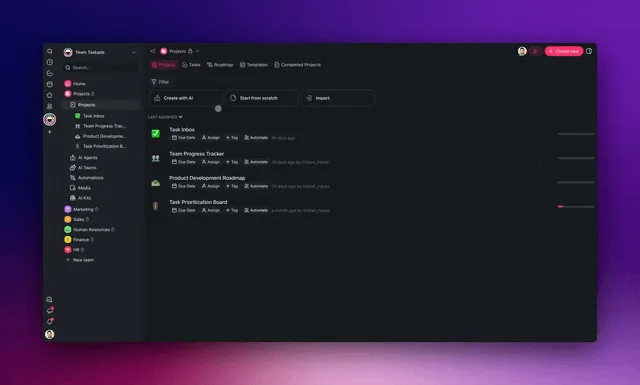
TL;DR: AI for writers in 2026 isn't a single text box. It's one workspace that outlines, drafts, edits, and remembers your voice. In Taskade Genesis you describe a writing studio in plain English and get a Mind Map for structure, AI agents that research and draft, and a brand-voice editor that keeps every piece sounding like you. It starts free, and 150,000+ apps have been built on it since launch.
Most "AI for writers" tools stop at one trick: you paste a prompt, you get text, you copy it out, and the tool forgets everything the moment you close the tab. That is fine for a quick blurb. It falls apart the moment you are writing a series, working in a brand voice, or juggling research across a dozen drafts.
The real bottleneck in writing was never typing words. It is holding the whole shape in your head, the outline, the sources, the voice, the deadlines, while you move from idea to published. This guide shows how to put that entire shape into one workspace, so AI does the heavy lifting at every stage instead of just the middle.
What is the best AI for writers in 2026?
The best AI for writers is a workspace that handles the full craft, outline, draft, edit, and research memory, in one place, not a disconnected chat window. Taskade Genesis leads here because it combines AI agents with built-in tools, a Mind Map for structure, persistent memory for your brand voice, and reliable automation to move pieces through publishing. You describe the writing studio you want, and it builds it, no code, no separate tools to stitch together.
A pure text generator gives you words. A writing studio gives you a process that compounds. Here is the difference at a glance, before we walk through it stage by stage.
| What you need | One-shot AI text tool | Writing studio (Taskade Genesis) |
|---|---|---|
| Outline | A paragraph you copy out | Mind Map nodes that become your draft |
| Brand voice | Re-pasted in every prompt | Learned once, remembered for every piece |
| Research | Lost when the tab closes | Saved, sorted, and reusable in a Project |
| Multiple drafts | Separate chats, no link | One workspace, one source of truth |
| Publishing | Manual copy-paste | Automated push to your CMS |
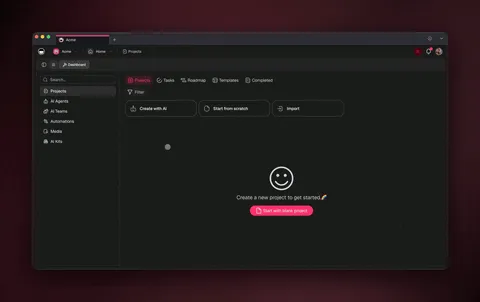
The four stages of writing, and where AI helps in each
Writing breaks into four stages, research, outline, draft, edit, and AI can carry weight in every one when they live in the same workspace. The trick is keeping the stages connected, so an outline becomes a draft becomes an edit without re-typing. Here is the studio you are building, in plain terms.
┌──────────────────────────────────────────────────────────────┐
│  ✍️  My Writing Studio                         Taskade Genesis │
├──────────────────────────────────────────────────────────────┤
│  PROJECTS                          AGENTS                      │
│  ● Research Vault       142 notes  🤖 Research Scout   active  │
│  ● Article Drafts        18 pieces 🤖 Brand-Voice Editor       │
│  ● Editorial Calendar     6 due    🤖 Outline Builder          │
├──────────────────────────────────────────────────────────────┤
│  ▸ "Climate desk" — DRAFT                       🧠 Mind Map ▾  │
│      ├─ Hook: the 2026 number that surprised me               │
│      ├─ Section 1 ▸ what changed   (3 sources linked)         │
│      ├─ Section 2 ▸ why it matters (Scout: 5 sources)         │
│      └─ CTA ▸ on-voice close       (Editor: ✓ approved)       │
├──────────────────────────────────────────────────────────────┤
│  [ Outline ]  [ Draft ]  [ Edit ]  [ Schedule ]   ▲ ■ ●       │
└──────────────────────────────────────────────────────────────┘
Each stage feeds the next inside one app. No copy-paste, no lost sources, no voice drift. Let's walk through how to build it.
How do I organize research without losing it?
Point an AI agent at your topic and it gathers sources into a Project you can sort, tag, and reuse, instead of a chat history you lose. In Taskade Genesis, a research agent searches the web, reads files you upload, and drops findings into a structured Project. Because agents have persistent memory (Workspace DNA), what you learn for one article is still there for the next.
This is where multi-agent work shines. You can run several agents at once in orchestration mode: one scouts sources, one summarizes them, one flags contradictions, and they hand off to each other automatically.
The research lives in a real Project with multiple project views, switch to Table to scan sources at a glance, or Board to move them through "to read → cited → archived." Nothing evaporates when you close the tab.
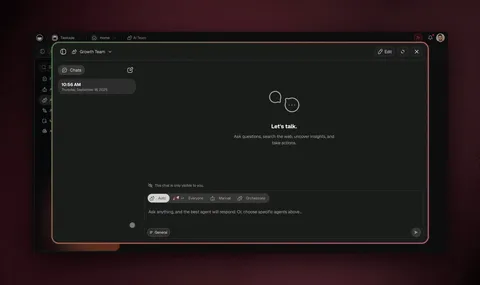
Can AI outline an article for me?
Yes, describe the topic and angle, and an AI agent returns a hierarchical outline you reshape in a Mind Map view. The outline is structured data, not a throwaway paragraph, so the same nodes carry straight into your draft. This is the single biggest time saver for most writers: you never face a blank page again.
In the Mind Map, you expand and collapse branches, drag sections into a better order, and split or merge ideas visually. When the shape feels right, the approved outline becomes the skeleton of your draft in the List view, same nodes, now with room to write under each one.
| Writing stage | Best Taskade view | What AI does for you |
|---|---|---|
| Brainstorm | Mind Map | Expands a topic into branches and sub-points |
| Outline | Mind Map → List | Orders sections, suggests missing angles |
| Draft | List | Writes first copy under each outline node |
| Track pieces | Board | Moves drafts through idea → draft → edit → live |
| Hit deadlines | Calendar | Schedules pieces and reminds you |
| Plan a series | Table | Sorts topics, status, and word counts in one grid |
Timeline is part of the Gantt view, not a separate one, handy when you are mapping a long content series against deadlines.
How does a brand-voice AI agent keep my drafts sounding like me?
A brand-voice agent is a custom AI agent you feed your style guide and sample writing, and it keeps that guidance in persistent memory across every draft. So instead of re-explaining your tone in every prompt, you teach it once and it stays on-voice. It can run two ways: as a drafter that writes first copy already in your style, or as an editor that rewrites flat sentences and flags off-voice phrasing.
This is what separates a writing studio from a generic chatbot. The agent remembers. Your voice is not a prompt you re-paste. It is a teammate that already knows the rules.
Because Taskade Genesis routes across 15+ frontier models from OpenAI, Anthropic, Google, and open-weight providers, the agent can pick a model that fits the job, a fast one for line edits, a stronger one for a tricky opening paragraph, without you managing any of it.

Taskade Genesis vs standalone AI writing tools
The standalone AI writing tools are genuinely good at the slice they own, and most "best AI writing tools" lists rank them on that slice. Jasper is the strongest marketing-copy tool, with a Brand Voice feature that learns your tone and a deep template library for ads, landing pages, and blog intros. Sudowrite is the best fiction tool by a wide margin, its Story Engine handles plotting, character arcs, and "show, don't tell" prose in a way no general assistant matches. ChatGPT is the fastest, cheapest general-purpose drafter at $20/month, and Claude is widely rated the most natural long-form writer. Copy.ai wins short-form with real-time web access, and Notion AI bolts clean AI onto a workspace you may already use.
Credit where it's due: if your only job is marketing copy, Jasper is excellent; if you write novels, Sudowrite is purpose-built; if you want the fastest blank-box draft, ChatGPT is hard to beat. The question isn't whether those tools are good. It's whether a chat box is the whole job.
| Capability | Jasper | Sudowrite | ChatGPT / Claude | Notion AI | Taskade Genesis |
|---|---|---|---|---|---|
| Best at | Marketing copy + templates | Fiction + story plotting | Fast general drafting | Workspace-native notes | Whole writing studio |
| Brand-voice memory | Yes (Brand Voice) | Limited | Re-pasted per chat | Per-workspace context | Custom agent, persistent |
| Research that's saved & sorted | No | No | Lost when chat closes | In your pages | Agents fill a Project |
| Visual outline (Mind Map) | No | Story bible | No | Outline blocks | Mind Map → draft, same nodes |
| Multi-agent (research + draft + edit) | No | No | One assistant | No | Scout → summarize → draft → review |
| Multiple project views for the workflow | No | No | No | Few | List, Board, Calendar, Table, Mind Map, Gantt, Org Chart |
| Publish as a live app | No | No | No | Page share | Custom domain + built-in sign-in |
| Starting price (annual) | Higher tier | Mid tier | $20/mo (ChatGPT Plus) | Add-on | Free, Pro $10/mo |
The honest summary: a standalone tool is the right call when you need one thing done brilliantly. Taskade Genesis is the right call when you need the whole craft, research, outline, draft, edit, voice, and publishing, to live in one place and remember itself between pieces.
Why a workspace beats a chat box for writers
Most AI writing tools, even the new "workspace" ones, still hand you a chat box and a blank document. Taskade Genesis hands you a studio: research agents that fill a saved Project, a Mind Map that turns your outline into your draft, a brand-voice agent that remembers your style, and a publishable app at the end. That's the angle the top-ranked listicles miss. They compare text boxes to text boxes, when the real bottleneck is keeping the whole shape of a piece (sources, structure, voice, schedule) connected.
Here's why it matters in practice. In a chat box, every piece starts cold: you re-paste your tone, re-find your sources, re-build your outline. The tool forgets you the moment the tab closes. In a workspace, the writing compounds, your research is still there next week, your brand voice is a teammate not a prompt, and your outline is structured data that becomes the draft instead of a paragraph you copy by hand.
This is also why a workspace scales past a solo writer. A chat box is one person typing to one assistant. A studio lets a research agent, a brand-voice editor, and a human work in the same Project at once. Then publish the result as a live app with a custom domain and built-in sign-in for a client or your whole content team.
See it live, then clone it
Here's a real, working content studio built entirely in Taskade Genesis, a multi-stage Content Workflow with two AI agents handling drafting and review. Click into it, preview the structure, and fork it to your own workspace in about 30 seconds. (Note: if the preview is blank in a local environment, that's expected, share apps are live in production.)
This isn't a template screenshot. It's a live app you can clone it and edit. Swap in your own brand voice, point the research agent at your beat, and you have a writing studio running today. Browse more cloneable apps in the Community Gallery.
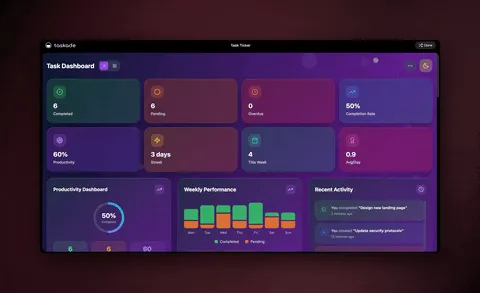
What a writing studio does that a text box can't
A text generator produces a block of words. A writing studio in Taskade Genesis produces a process, and then keeps it running. Here is the full capability set a writer gets in one place.
| Capability | What it means for your writing |
|---|---|
| One-prompt studio | Describe your workflow; get a live app with projects + agents |
| AI agents (built-in tools) | Agents research the web, read files, draft, and edit |
| Multi-agent collaboration | Scout → summarize → draft → review, handed off automatically |
| Brand-voice memory | Your tone learned once, applied to every piece |
| 15+ frontier models | OpenAI, Anthropic, Google + open-weight, routed for you |
| Multiple project views | Mind Map to outline, List to draft, Board to track, Calendar to ship |
| 100+ integrations | Push finished drafts to your CMS; pull briefs from forms |
| Reliable automations | Schedule, notify, and publish — resumes from the failed step |
| Publish as an app | Custom domain, built-in sign-in, share with clients or your team |
A non-technical operator can build all of this. One IT program manager shipped a production content dashboard for his team with no engineers, just a plain-English description and a few rounds of refinement. That is the bar now.
This loop, Memory + Intelligence + Execution, is why your studio gets better the more you write in it. Every approved draft sharpens the voice. Every researched source stays available. Every published piece can trigger the next one.
How to build your writing studio in one prompt
Start by describing the studio in plain English. You do not design the plumbing. You state the outcome. Open Taskade Genesis and try a prompt like:
"Build a writing studio with a research project, a drafts project with a Mind Map outline, a brand-voice editor agent trained on my style, and a calendar that schedules pieces with deadline reminders."
From there:
- Feed the brand-voice agent your style guide and three to five sample pieces. It commits them to memory.
- Point the research agent at your beat or topic. It fills the Research Vault.
- Outline in the Mind Map, then turn the approved branches into a List-view draft.
- Run the editor agent over the draft for an on-voice pass.
- Schedule and publish, connect your CMS through 100+ integrations so a finished piece goes live on its own.
For step-by-step product walkthroughs, the AI workflow builder guide and the content agents catalog are good next stops. If you want the full publishing pipeline, calendar, automations, and all, see the sibling guide on building an AI content workflow.
Frequently Asked Questions
What is the best AI for writers in 2026?
The best AI for writers is a workspace that handles outline, draft, edit, and research memory in one place. Taskade Genesis does this with AI agents (built-in tools), a Mind Map for structure, and persistent brand-voice memory, built from a plain-English description, starting free.
Can AI outline an article for me?
Yes. You describe the topic and angle, and an AI agent returns a hierarchical outline you reshape in a Mind Map view. Because the outline is structured data, the same nodes carry into your draft instead of being retyped.
How does a brand-voice AI agent work?
You give a custom AI agent your style guide and sample writing, and it keeps that in persistent memory. Every draft and edit it touches stays on-voice, no re-pasting your tone into each prompt.
Do I need to know how to code to build an AI writing tool?
No. Taskade Genesis builds your writing studio from a description in plain English. There is no canvas to wire and no server to manage, operators with no engineering team ship working apps this way every day.
How do AI agents help with research?
Agents search the web, read your uploaded files, and organize findings into a Project you can sort and tag. With orchestration mode, several agents work at once, one scouts, one summarizes, one drafts, and hand off automatically.
What project views are best for writers?
Mind Map for outlining, List for drafting, Board for tracking pieces, and Calendar for deadlines. Taskade Genesis ships multiple project views total, so content moves between structure, draft, and schedule without re-entry.
How much does an AI writing studio cost?
Taskade Genesis is free to start. On annual billing: Pro $10/mo (Popular), Business $25/mo, Max $100/mo, Enterprise $250/mo. Every paid tier includes agents, integrations, and automations. See the pricing page.
Can a whole content team use it, not just one writer?
Yes. Multi-agent collaboration and real-time co-writing let a brand-voice agent, a research agent, and a human editor work in one Project. Publish the workspace as a live app with custom domains and role-based access.
Does the writing studio connect to my other tools?
Yes, 100+ bidirectional integrations (triggers pull events in, actions push data out), including native Shopify and Stripe. A finished draft can post to your CMS, and a new brief can arrive from a form automatically.
Ready to stop facing the blank page? Start free with Taskade Genesis, describe your writing studio, and watch it build the research vault, the brand-voice agent, the Mind Map outline, and the calendar that ships your work. Then explore the agent library, browse cloneable apps, or build the full pipeline with our AI content workflow guide.
▲ ■ ● Memory, Intelligence, Execution, your studio remembers your voice and your sources, reasons over them to draft and edit, and runs the work from outline to published. That's the difference between an AI text box and a writing studio that compounds.