





In July 2026 a team led by Princeton researchers published a test that every buyer of an AI research assistant needs to know about. They gave frontier AI agents six days, a $3,000 API budget, the internet, coding tools, and the central research question of two real papers that were not yet public. The agents wrote the code, ran the experiments, and produced two complete papers with no human help.
The original authors of those papers then graded the results the way they grade a conference submission. They rejected both.
That study, called CRUX, is the frame for this guide. AI research assistants in 2026 are very good at the parts of research you can check fast: search, reading, extraction, summaries, and drafts. They are weak at the parts that need judgment: which question is worth asking, when the evidence is good enough, and when to start again. So this guide tells you which research jobs to hand over and which to keep.
TL;DR: We sorted 19 AI research assistants into five groups: deep research modes (ChatGPT, Gemini, Claude, Perplexity), academic tools (Elicit, Consensus, Scite, Semantic Scholar, Undermind and more), source-grounded notebooks (Gemini Notebook), autonomous research systems, and workspace agents. The 2026 CRUX field test shows what to keep for yourself: judgment. Vendor facts checked November 10, 2026. Build a research tracker free →
If your job is a literature review chapter or an RRL, read our AI literature review generators guide first. That guide covers paper discovery, synthesis, and citation tools for a review in detail. This guide covers the wider category: every kind of AI research assistant, what each one is for, and where all of them stop.
Quick Answer: The Best AI Research Assistant for Each Job
The best AI research assistant depends on the job: a cited web report, a set of peer-reviewed papers, a check on one citation, answers from your own files, or a research project that a team runs together. No tool in 2026 does all of these well, and no tool does the judgment part for you.
| If you want to... | Start with | Why |
|---|---|---|
| Get a long, cited report on a broad question | ChatGPT deep research or Gemini Deep Research | Both plan a search, read many pages, and cite them in a report |
| Get a fast cited answer on a current topic | Perplexity Research | Reports in minutes with numbered citations |
| Reason across conflicting sources and your own documents | Claude Research | Runs searches that build on each other and can read connected Google Workspace files |
| Find peer-reviewed papers for free | Semantic Scholar | Free, no account needed, over 200 million papers |
| Extract the same data points from many papers | Elicit | Builds a table with one row per paper |
| Ask a yes or no question of the literature | Consensus | Shows how much published research agrees |
| Find niche papers that keyword search misses | Undermind | A deep search agent that reviews thousands of papers |
| Check if later papers support or contrast a claim | Scite | Classifies how each citing paper used the claim |
| Map how papers connect | ResearchRabbit, Connected Papers, Litmaps | Visual citation maps from a seed paper |
| Answer only from files you upload | Gemini Notebook (formerly NotebookLM) | Grounded in your sources, not the open web |
| Explore hypotheses in the life sciences | Google Co-Scientist or Kosmos | Multi-agent systems built for scientists, with expert review |
| Keep sources, agents, and review steps in one place | Taskade | A workspace with agents that read the web and your files, and automations that wait for approval |
What Is an AI Research Assistant?
An AI research assistant is software that uses a language model to do parts of a research job: search, read, extract, summarize, and draft. In 2026 the term covers five different kinds of product. They differ in where they look, how long they work, and how much they decide on their own.
Most "best AI for research" lists compare a chat assistant, a paper database, and an autonomous agent on one scale. They are different tools for different jobs, as the table shows.
| Kind of tool | Where it looks | How long it works | What you get back | Examples |
|---|---|---|---|---|
| Plain AI chat | Training data, sometimes one search | Seconds | An answer, few or no sources | Any chat assistant with search off |
| Deep research mode | The open web, plus files and connected apps | Minutes | A long report with citations | ChatGPT, Gemini, Claude, Perplexity |
| Academic search and review | A scholarly index of papers | Seconds to minutes | Ranked papers, tables, summaries | Elicit, Consensus, Semantic Scholar, Undermind |
| Source-grounded notebook | Only the sources you upload | Seconds | Answers tied to your files | Gemini Notebook |
| Autonomous research system | Literature, data, code, sometimes lab tools | Hours to days | Hypotheses, analyses, or a full paper | Co-Scientist, Kosmos, The AI Scientist |
| Workspace agent | Your projects, files, links, and the web | Seconds to minutes | Answers, summaries, and actions inside a workspace | Taskade agents |
A research agent is the general term for any of these that takes several steps on its own. It plans, calls a tool, reads the result, and decides the next step. For the basics of how an agent loop works, see what AI agents are. For the history of how chat assistants learned to look things up, see our history of RAG.
The Field Test: What CRUX Found When AI Agents Did Research Alone
CRUX is a 2026 study in which frontier AI agents attempted open-ended research with six days and a $3,000 API budget per run, and the original human authors rejected both resulting papers. It is the clearest public test of what a research agent can and cannot do when nobody steers it. Every buying decision in this guide follows from it.
The paper is "Can AI agents conduct open-ended AI research? Early evidence from two case studies" (arXiv:2607.27191). Version 1 appeared on July 29, 2026, and version 2 on August 7, 2026. It has 24 authors. Princeton University is the first listed institution, and the lead authors are Peter Kirgis and Sayash Kapoor. The other institutions include the UK AI Security Institute, Stanford, UC Berkeley, the University of Toronto, Johns Hopkins, and Georgetown's Center for Security and Emerging Technology.
How the test worked: a "shadow evaluation"
The authors call their method a shadow evaluation. They took the central research question of an unpublished paper and gave it to a well-resourced agent. The agent never saw the paper or its findings, so it "shadowed" the original study. Then the original authors, who knew the problem better than anyone, graded the agent's paper as they would grade a conference submission.
Narrow benchmarks only check tasks with one right answer, and normal peer review of AI papers is noisy. A shadow evaluation instead uses the people who already did the work as the judges.
What the agents had
The setup was generous. The agents were not starved of time, money, or tools.
| Resource | What each main run had | Source |
|---|---|---|
| Time | A 120-hour deadline, plus a 24-hour extension for both runs | arXiv:2607.27191 v2 |
| API budget | $3,000 of API credits per run | arXiv:2607.27191 v2 |
| GPU budget | $500 for the persona run, $100 for the tabular run | arXiv:2607.27191 v2 |
| Model and scaffold | Claude Opus 4.8 at extra-high reasoning on the open-source OpenClaw scaffold | arXiv:2607.27191 v2 |
| Robustness check | GPT-5.6 Sol on Codex, on the tabular topic. It reproduced the failures | arXiv:2607.27191 v2 |
| Reviewers | A self-review subagent, plus three external AI review tools | arXiv:2607.27191 v2 |
| Topics | The structure and control of LLM personas, and a distribution-shift detector for tabular foundation models | arXiv:2607.27191 v2 |
What the agents did well
The agents completed the engineering without human help. They wrote code, ran experiments, built figures, and produced papers in the expected format. That is real progress, and it matches what most buyers see in daily use: a deep research agent can do hours of reading and drafting in minutes.
What went wrong
The agents made little real progress on the research questions. The persona paper scored 2 out of 6 from its original authors, a "Reject". The tabular paper scored 1 out of 6, a "Strong Reject". The paper names five failure modes that recurred across both runs.
| Failure mode (the paper's section title) | What the agents did | What it means for you |
|---|---|---|
| Lack of judgment about the bar for high-quality research | Settled on a direction before the evidence supported it. Used small, synthetic, or hand-picked data | Do not let a tool decide when the evidence is good enough |
| Lack of creative problem solving | When results were weak, made minor fixes or added caveats instead of reframing the question | Expect patches, not new ideas, when a plan fails |
| Lack of effective backtracking | Backtracked locally, but "never backtracked at the level of the project" | You decide when to drop a whole direction |
| Lack of context awareness | Left budgets unused and "could not keep track of the deadline" | Track time and spend yourself, or make the agent report them |
| Instruction drift | "Ignored explicit rules" on exploration time, review use, and length, and lost track of instructions as context rot set in during compaction | Re-check long runs against your original instructions |
The details are more telling than the labels. The persona agent budgeted 42 hours for open exploration and settled on a method after only 5 hours. The tabular agent considered six approaches and falsified each of them within the first fourteen hours. It then committed to its headline finding 40 hours early. Both agents retired their most ambitious research targets within the first ten hours. They could start a fresh subagent with a clean context, but they rarely used one to restart.
The money was not the limit
Both runs left more than half of the API budget unused. The persona run spent $1,130 and the tabular run spent $1,235, each out of $3,000. The persona run used $392 of its $500 GPU budget, and the tabular run used $69 of $100.
The authors write that more wall-clock time or resources "would not significantly change the results", and that extra time would likely produce a longer paper with the same core problems. That is their judgment, not a tested result, but the spend data supports it. The limit was the decision about what to do next, not the supply of compute.
A second reviewer was not a second source
The agents also had reviewers. A self-review subagent read each finished draft against a conference template, and its reviews "never once returned an acceptance." One external review tool was the most lenient and recommended acceptance on early drafts. The agents leaned on that verdict in their final reports. They also listed their most serious problem, the hand-curated and synthetic examples, alongside many minor concerns, as if all were equal.
This is the lesson most buyers miss. A second AI that reads the same draft with similar habits is not an independent check. The LLM-as-a-judge pattern helps with scale, but a real check needs different evidence: the source itself, a test result, or a person who knows the field.
Citation capsule: In the CRUX study (arXiv:2607.27191, August 2026), two frontier-agent runs with a $3,000 API budget each spent $1,130 and $1,235 and produced papers that the original authors scored 2 of 6 and 1 of 6. The paper names five failure modes: judgment about the bar for research, creative problem solving, backtracking, context awareness, and instruction drift.
How to read CRUX as a buyer
CRUX tested AI research, the hardest open-ended case, on two papers. It does not show that every research assistant fails at every job. It shows a clear split. The agents were strong at execution: search, code, reading, writing. They were weak at three kinds of self-oversight that researchers call metacognition:
- Monitoring: "How good is this work?" The agents misjudged their evidence and their own clock.
- Control: "What next, and how much effort?" They dropped good directions early and stayed on dead ends.
- Frame revision: "Is this the right question?" They patched instead of reframing.
That three-part reading is ours, not the paper's. It comes from the human research we covered in what metacognition is and the metacognition wiki entry, and it maps directly onto the jobs you keep.
Hand Over or Keep: How to Split a Research Project With AI
Hand an AI research assistant the jobs you can check fast, and keep the jobs that need judgment about what is worth doing and when the evidence is good enough. The CRUX results, the vendors' own limits, and the citation studies all point to the same split.
Every research project, from a market scan to a thesis, moves through the same stages. The diagram marks each stage as "hand over", "share", or "keep".
The quadrant view: sort each job by how checkable it is
Two questions sort every research job. First, how fast can a person check the output? Second, how much judgment does the job need? The answers put each job in one of four boxes.
| Low judgment needed | High judgment needed | |
|---|---|---|
| Fast to check | Hand over. Search, deduplication, extraction into a table, format conversion, a summary of one paper | Hand over, then review. A synthesis across ten sources, a first draft, a list of counter-arguments |
| Slow to check | Hand over with spot checks. Screening thousands of abstracts, coding a large qualitative set, monitoring new papers | Keep. Choosing the question, the bar for evidence, when to drop a direction, when a finding is ready to share |
The arrows point from low judgment to high judgment. The bottom-right box is the CRUX box. Every failure mode in that study lives there.
The job-by-job decision table
This is the core of the guide. For each research job, it names the tool type to use, the reason, and the check you must still do.
| Research job | Hand over or keep? | Best tool type | The check you still do |
|---|---|---|---|
| Choose the research question | Keep | None, or a chat to brainstorm options | Ask: who needs this answer, and what decision does it change? |
| Set the bar for evidence | Keep | None | Write it down before you search: sample size, study type, recency |
| Find web sources on a broad topic | Hand over | Deep research mode | Open the sources behind the three most important claims |
| Find peer-reviewed papers | Hand over | Academic search (Semantic Scholar, Elicit, Undermind) | Confirm the key papers exist and match the query |
| Map a field from one seed paper | Hand over | ResearchRabbit, Connected Papers, Litmaps | Check that the map is not missing a known landmark paper |
| Screen many abstracts | Hand over with spot checks | Elicit, Undermind | Hand-check a random sample of include and exclude calls |
| Extract data into a table | Hand over | Elicit | Compare five rows against the source PDFs |
| Summarize one paper | Hand over | Any grounded tool | Read the abstract and the limits section yourself |
| Check if a claim held up later | Hand over | Scite | Read the contrasting citations in full |
| Answer from your own files | Hand over | Gemini Notebook, Taskade agent with knowledge | Click through to the passage the tool cites |
| Synthesize across sources | Share | Claude Research, ChatGPT, Gemini | Look for the counter-evidence the draft left out |
| Draft the report | Share | Any assistant | Rewrite the conclusion in your own words |
| Generate hypotheses | Share | Co-Scientist, Kosmos | An expert ranks them before any work starts |
| Decide when to drop a direction | Keep | None | Set a checkpoint date and ask "restart from zero?" |
| Decide if the finding is ready | Keep | None | Ask a person who did not do the work |
| Publish or send the report | Keep | An approval step | A named person approves before it goes out |
How a Deep Research Run Works, Step by Step
A deep research run is an agent loop: the tool turns your question into a plan, runs many searches, reads the pages, and writes a cited report, usually over several minutes. Knowing the steps shows you where errors come from and where to check.
Each vendor runs a different version, but the shape is shared. Gemini Deep Research shows you its research plan before it starts, so you can edit it. Claude Research "runs multiple searches that build on each other." Perplexity says most of its Research tasks finish in under three minutes. ChatGPT deep research can run longer.
Errors can enter at four points in this loop:
- The plan. Wrong sub-questions give a good answer to the wrong question. Edit the plan when the tool shows it.
- The search. Popular pages beat primary sources unless you ask for primary sources.
- The reading. The agent can misread a page, mix up two studies, or quote a number out of context.
- The write-up. A fluent report can state a thin finding with confidence. Prose quality is not evidence.
The last step in the diagram is yours. Our guide to AI agent reliability covers why long agent loops compound small errors, and our agent evals explainer shows how teams measure them.
How We Built This Guide
We are a vendor too, so here is the method in full:
- We did not run a hands-on benchmark of these tools for this guide, and we claim no test results.
- Every vendor fact (plans, prices, limits, features) comes from the vendor's own page, read on November 10, 2026. Where a page did not load, we say so and leave the number out.
- Every study figure comes from the primary paper or a named report of it. CRUX figures come from version 2 on arXiv.
- We read the top-ranking guides for "best AI research assistant", "deep research tools", "best AI for academic research", "AI research agent", "AI research tools", and "AI for research". Most rank tools on one scale, several rank their own product first, and none tests what research agents cannot do.
- Tools are grouped by job, and each entry, including Taskade's, has the same structure and roughly the same length.
- We compared each tool on grounding (can you open the source behind a claim?), fit to job, transparency of limits and prices, human control over the plan and the output, and free access.
Deep Research Modes in General AI Assistants
Deep research modes are agent features inside general AI assistants that plan a search, read many web pages, and return a long cited report. They are the broadest research tools on this list and the right starting point for a question that spans the open web. They are not a scholarly index, so for peer-reviewed work, pair them with a tool from the next group.
| Deep research mode | First launched | Sources it can read | Plan access (vendor page, Nov 10, 2026) |
|---|---|---|---|
| ChatGPT deep research | February 2025 | The web, uploaded files, connected apps | Free: "Limited". Plus: "Expanded". Pro: "Maximum" |
| Gemini Deep Research | December 2024 | The web, uploaded files, Gmail, Drive and Chat if you opt in | Listed on Free. AI Pro: "more access". AI Ultra: "highest level of access" |
| Claude Research | April 2025 | The web, Google Workspace, and connectors you turn on | Paid plans: Pro, Max, Ultra, Team, Enterprise |
| Perplexity Research | February 14, 2025 (as Deep Research) | The web, with numbered citations | Free users get a daily limit. Pro gets more (launch post) |
1. ChatGPT deep research: Best for Long, Structured Reports
ChatGPT deep research is OpenAI's agent mode for multi-step research. It launched in February 2025. It browses the web on its own, reads many sources, and returns a structured report with citations. It can also work from files you upload. A thorough run takes longer than a normal chat, often many minutes.
What to hand it: a broad question with many sub-questions, such as a market overview, a policy comparison across countries, or a background brief before a meeting. It is good at covering ground and organizing what it finds into sections.
What to keep: the scope and the source bar. Tell it which kinds of sources count (government data, peer-reviewed studies, company filings) and which do not. Then check the claims that carry your conclusion.
Verified on November 10, 2026: OpenAI's pricing page lists "Limited deep research" on Free, "Expanded deep research" on Plus, and "Maximum deep research" on Pro. OpenAI does not publish a fixed task count on that page.
Strengths:
- Thorough coverage of broad questions, with a clear report structure
- Works across web sources and your own uploaded files in one run
Limits:
- A long run can drift into material you did not need, so a tight scope matters
- The report can sound more certain than its sources are. OpenAI said at launch that it can make factual errors and incorrect inferences
Bottom line: the default choice when you need a long, organized brief and you have time to check its key sources.
2. Gemini Deep Research: Best for Plans You Can Edit and Google Workspace Data
Gemini Deep Research is Google's research agent inside the Gemini app. It first launched in December 2024. Google describes it as a feature that plans, searches, reasons, and reports. Before it runs, it shows you a research plan that you can review and refine.
What to hand it: a question where the plan matters, such as a competitor scan with fixed sub-questions, or a topic where your own Gmail and Drive files hold part of the answer. Google says it can "browse up to hundreds of websites" in one task.
What to keep: the plan review. Read the proposed sub-questions and cut or add before you start. This is the cheapest place to fix a research mistake.
Verified on November 10, 2026: Google's subscriptions page lists Deep Research among the Gemini app features on the Free plan. Google AI Pro ($19.99 a month) gets "more access", and Google AI Ultra (from $99.99 a month) gets the "highest level of access". Gemini can use Gmail, Drive, and Chat only if you choose so, and it accepts uploaded files. Reports can turn into Canvas content, quizzes, and Audio Overviews.
Strengths:
- The editable research plan puts a person in control at the start
- Deep links to Google Workspace data, with your opt-in
Limits:
- Google does not publish numeric Deep Research limits per plan
- Broad browsing can pull in weak pages, so ask for primary sources by name
Bottom line: the best fit when you want to approve the plan first, or when your sources live in Google Workspace.
3. Claude Research: Best for Synthesis Across Conflicting Sources
Claude Research is Anthropic's research mode in the Claude apps. It launched in April 2025. Anthropic's help center says it "runs multiple searches that build on each other" and picks its next lines of inquiry from what it finds. It can also read Gmail, Google Calendar, Google Docs, and other connectors you turn on for the chat.
What to hand it: a question where sources disagree, such as two studies with opposite results, or a policy debate with several camps. It also suits research that mixes the web with your own documents in Google Workspace.
What to keep: the final weighing of the evidence. A good synthesis names the disagreement. You decide which side the evidence favors for your purpose.
Verified on November 10, 2026: Research is available on "paid Claude plans (Pro, Max, Ultra, Team, or Enterprise)" on the web, Claude Desktop, and Claude Mobile. Web search must be on. On mobile, Research "only searches the web and doesn't use your connectors." Research uses the same usage limits as normal chats, but it can use them faster because it retrieves many sources.
Strengths:
- Searches that build on each other suit questions with many layers
- Reads connected work files without a separate upload step
Limits:
- Not on a free plan
- Connectors are skipped on mobile without an error, so start connector-based research on the web or desktop
Bottom line: the best fit when the hard part is reconciling sources, not finding them.
4. Perplexity Research: Best for Fast, Cited Answers on Current Topics
Perplexity is an answer engine that puts numbered citations on every answer. It launched Deep Research on February 14, 2025, and its help center now lists the mode as "Research". Perplexity says the mode "performs dozens of searches automatically" and "delivers comprehensive reports in just 2-4 minutes." For the history of the company and its citation model, see our Perplexity history.
What to hand it: a fast question on a current or fast-moving topic, such as recent news, a product launch, or a regulation update. Speed makes it a good first pass before a longer run elsewhere.
What to keep: the source check. Numbered citations make checking easy, but you still have to open them. A citation proves that a page exists, not that the page supports the sentence.
Verified on November 10, 2026: Perplexity's launch post says Deep Research is free for all, with a limited number of answers per day for non-subscribers and many more for Pro subscribers. The help center page we read gives no fixed number for Research. The launch post says reports can be exported as a PDF or document, or turned into a Perplexity Page.
Strengths:
- One of the fastest full reports on this list, with citations on every claim
- Export options make reports easy to share
Limits:
- Shorter runs read fewer sources than the longest modes
- Perplexity publishes no fixed Research cap on its help page, so check the current cap in the app
Bottom line: the best first pass for current topics, and the easiest report to check claim by claim.
Academic Search and Review Tools
Academic search and review tools search a scholarly index of papers, not the open web, so every result is a real paper you can open. Use them for peer-reviewed evidence, literature maps, and citation checks. For the full literature review workflow, our literature review generators guide goes deeper on each stage.
| Tool | Main job | Index or scale claim (vendor, Nov 10, 2026) | Free option |
|---|---|---|---|
| Elicit | Extraction tables, reports, systematic reviews | Over 138 million papers | Yes, Basic |
| Consensus | Yes or no questions across studies | 400 million+ papers (vendor claim) | Yes |
| Scite | How later papers cited a claim | 1.6 billion+ citations | 7-day trial |
| Semantic Scholar | Free paper search and API | Over 200 million papers | Free, no paid tier |
| ResearchRabbit | Discovery from papers you choose | Over 320 million papers | Free sign-up |
| Connected Papers | A visual graph from one seed paper | Not re-checked | Yes (not re-checked) |
| Litmaps | Citation maps and literature alerts | Not stated | Yes |
| Undermind | Deep search agent over the literature | "Reviews thousands of papers" per search | Yes |
| SciSpace | Reading and chatting with papers | Not re-checked | Not re-checked |
5. Elicit: Best for Extracting the Same Data From Many Papers
Elicit is an AI research tool built around a table. You ask a question, Elicit finds papers, and it extracts the same data points from each one into columns: sample size, method, outcome, or any field you name. It also offers a Research Agent, Research Reports, and a systematic review workflow.
What to hand it: screening and extraction. A table with 40 papers and 8 columns is days of manual work, and Elicit does a first pass in minutes. That is a fast-to-check job, because you can compare any row against its PDF.
What to keep: the inclusion rules and the spot checks. Decide in advance what makes a paper relevant, then hand-check a sample of rows and of excluded papers.
Verified on November 10, 2026: Elicit's pricing page lists Basic (free) with "Unlimited search across more than 138 million papers", unlimited summaries and chat with papers, Zotero import, and limited use of Research Agent and Research Reports. Pro costs $49 per user a month billed annually ($588 a year), with a systematic review workflow that "can screen 5,000 papers" and reports that draw on up to 135 sources. Scale and Enterprise plans add more.
Strengths:
- Structured extraction tables that are fast to check
- A real systematic review workflow on paid plans
Limits:
- The free plan limits reports and the agent
- Extraction quality varies by field. Numbers in tables and figures need a manual check
Bottom line: the strongest tool on this list for turning many papers into one comparable table.
6. Consensus: Best for Yes or No Questions Across Studies
Consensus is an AI academic search engine for peer-reviewed literature. Its signature feature is the Consensus Meter, which shows how much published research agrees on a yes or no question. It also offers Study Snapshots with key findings and methods, plus Pro Search and Deep Search modes that synthesize an answer.
What to hand it: a fast read on whether a claim has published support. "Does creatine improve memory?" or "Does remote work reduce productivity?" are the kind of questions it handles well. It is a good first step before a deeper review.
What to keep: the reading of study quality. A meter that counts agreement does not weigh a large trial above a small one by default. Open the strongest studies on each side.
Verified on November 10, 2026: the Consensus site marks the app as free to access in its page data and states that you can "Search 400M+ scientific papers". That is the vendor's own claim. Its pricing page did not show plan prices or free-tier limits when we read it, so we leave them out.
Strengths:
- The fastest way to see where the literature leans on a clear question
- Answers link back to the original papers
Limits:
- Agreement is not the same as quality. Ten weak studies can outvote one strong one
- Less suited to open-ended questions with no yes or no shape
Bottom line: the best quick check on whether a claim has published support.
7. Scite: Best for Checking How a Claim Held Up Later
Scite answers a question that search engines skip: after this paper came out, did later papers support it, contrast it, or only mention it? Its Smart Citations show the sentence in each citing paper and classify how it used the claim. That makes Scite a verification tool, not a discovery tool.
What to hand it: the check on a key citation. Before a finding carries your argument, look it up in Scite and read the contrasting citations. A paper with many contrasting citations needs a closer look.
What to keep: the reading of each contrasting citation. A classifier can label a sentence as contrasting when it only notes a different setting. Read the citing paper's context in full.
Verified on November 10, 2026: Scite's pricing page lists Basic at $12 a month on a yearly billing cycle and Pro at $40 a month on a yearly billing cycle, with API access on Pro. Enterprise pricing is custom. Both paid plans offer a 7-day free trial. Scite says it has indexed "1.6B+ citations".
Strengths:
- The only tool here built to show if a finding was later challenged
- Shows the exact citing sentence, so the check is fast
Limits:
- No free plan beyond the trial
- Citation context is not truth. A supported claim can still be wrong for your setting
Bottom line: the tool to run on the five citations your conclusion depends on.
8. Semantic Scholar: Best Free Paper Search
Semantic Scholar is a free AI-powered search engine for research papers, run by Ai2, the nonprofit research institute founded by Paul Allen. It launched in 2015. It indexes over 200 million academic papers and offers a free public API and the Semantic Scholar Academic Graph dataset. Several other tools on this list build on its data.
What to hand it: the first search for papers on any topic, and the existence check for any citation an AI gave you. If a title does not appear in Semantic Scholar or Google Scholar, treat it as suspect.
What to keep: the choice of which papers matter. Search ranks by relevance and citations, and the most cited paper is not always the best one for your question.
Verified on November 10, 2026: Semantic Scholar's About page describes "free, AI-driven search and discovery tools" and an index of "over 200 million academic papers" from publisher partnerships, data providers, and web crawls. It calls the API "a free, reliable source of scholarly data for developers."
Strengths:
- Free, with no account needed for search
- A real API, so other tools and your own scripts can use it
Limits:
- No synthesis across papers, it finds and describes them one at a time
- Coverage of some fields and of non-English work is thinner
Bottom line: the free starting point for paper search and the fastest citation-existence check.
9. ResearchRabbit: Best for Discovery From Papers You Already Trust
ResearchRabbit is a literature discovery tool that starts from papers you choose. You add a few papers you trust, and it recommends related work, earlier work, later work, and other papers by the same authors. Its site says it "analyzes papers you love and finds the research you've been missing."
What to hand it: the "what am I missing?" step after you have a few good papers. It is good at surfacing the papers around a seed set, which keyword search misses when fields use different terms.
What to keep: the seed choice and the stopping point. The map grows from what you feed it, so a biased seed set gives a biased map. Decide when you have enough.
Verified on November 10, 2026: the ResearchRabbit site says you can "Access over 320 million academic papers", says it is "Trusted by 1,000,000+ researchers worldwide", and offers a free sign-up. You can connect your reference library to refine recommendations. The page we read did not list plan prices, so we leave them out.
Strengths:
- Strong discovery from a small seed set
- Works with a reference library you already keep
Limits:
- Results depend on the seed papers you choose
- Not a synthesis tool. It finds papers, it does not answer questions
Bottom line: the best way to grow a reading list from papers you already trust.
10. Connected Papers: Best for Seeing One Paper's Neighborhood
Connected Papers builds a visual graph around a single seed paper. Each node is a paper, and papers that are more similar sit closer together. Connected Papers has long described its similarity measure as based on co-citation and bibliographic coupling, so two papers can be close even when they do not cite each other directly.
What to hand it: the orientation step in an unfamiliar field. One seed paper gives you a picture of the main clusters, the older foundational work, and the newer work that builds on it.
What to keep: the reading of the clusters. A graph shows that papers are related, not that they agree, and not which cluster is correct.
Verified on November 10, 2026: we could not load the Connected Papers pricing and about pages in full on November 10, 2026. So this entry carries no plan, price, or limit detail. Check the site for the current free graph allowance.
Strengths:
- The fastest visual overview of one paper's context
- Finds related papers that share no keywords with the seed
Limits:
- One seed at a time, so a broad topic needs several graphs
- A graph says nothing about study quality
Bottom line: a fast visual map for the first hour in a new field.
11. Litmaps: Best for Tracking a Literature Over Time
Litmaps builds citation maps from your seed papers and keeps watching the literature after you finish. Its literature alerts tell you when new papers connect to your map. That makes it useful for a thesis, a long review, or any project that runs for months.
What to hand it: the monitoring job. A person cannot re-run searches every week for a year. An alert can, and a new relevant paper is fast to check.
What to keep: the decision about what each new paper changes. An alert says a paper exists. You decide if it changes your conclusion.
Verified on November 10, 2026: the Litmaps pricing page lists a Free plan with basic search of "Up to 20 inputs", a limit of 100 articles per map, and a monthly alert summary. Pro costs $10 a month, or $120 a year with annual billing, with unlimited articles and maps, advanced search, and configurable alerts. Team and Enterprise plans are by contact.
Strengths:
- Alerts turn a one-time search into ongoing monitoring
- Clear free and Pro limits, published on the pricing page
Limits:
- The free plan caps map size
- Like every map tool, it shows connection, not quality
Bottom line: the best fit for a project that runs long enough for new papers to matter.
12. Undermind: Best for Niche Papers That Keyword Search Misses
Undermind is a deep search agent for scientific literature. Instead of one keyword search, it reasons across several search rounds, follows citation trails, and returns a ranked list with a match score for each paper. Its site says deep search "reviews thousands of papers" and brings the relevant ones into your workspace.
What to hand it: a precise, hard-to-search question, such as a method in an unusual setting, or a result that sits across two fields. This is where a single keyword search fails and an agent that keeps searching earns its time.
What to keep: the relevance call on the top results. A match score is the tool's judgment. Read the abstracts of the top ten yourself.
Verified on November 10, 2026: Undermind says "A production search stops on its own after about 2.5 minutes on average." In its own benchmark of 23 queries, which no third party has verified, deep search reached 73% recall at 10 minutes, against 29 to 39% for the web-search agents it tested. The Free plan costs $0 and includes deep searches with standard limits. Pro costs $16 a month billed annually, with 10x higher usage limits.
Strengths:
- Finds papers that a one-shot keyword search misses
- Can connect to other AI agents and monitor for new papers
Limits:
- The recall figure is the vendor's own benchmark
- A narrow question works far better than a broad one
Bottom line: the deep research mode of the academic world, for questions where finding the paper is the hard part.
13. SciSpace: Best for Reading One Paper Closely
SciSpace is a research workspace built around reading papers. Its best-known feature lets you open a paper and ask questions about it in plain language, which helps when a paper sits outside your field or uses dense notation. It has also added literature review and agent features over time.
What to hand it: the first read of a hard paper. Ask it to explain a method, define a term, or list the paper's stated limits. These are fast-to-check answers, because the paper is open next to the chat.
What to keep: the critical read. An explanation of what a paper says is not an evaluation of whether the paper is right.
Verified on November 10, 2026: the SciSpace site and pricing page returned errors when we tried to read them on November 10, 2026. So this entry carries no plan, price, or index figure. Check the current features and limits on the site before you buy.
Strengths:
- Makes dense papers easier to read for non-specialists
- Keeps the paper and the questions in one view
Limits:
- We could not confirm current plans or limits today
- Explanations can flatten the nuance in methods and caveats
Bottom line: a reading aid for one paper at a time, best paired with a search tool.
Source-Grounded Notebooks
A source-grounded notebook answers only from the sources you upload, so it cannot drift to a random web page. The trade is coverage: it knows nothing you did not add. Use it when you already have the sources and need to read, question, and connect them.
14. Gemini Notebook (formerly NotebookLM): Best for Answers From Your Own Sources
Gemini Notebook is Google's source-grounded research notebook. Google renamed NotebookLM to Gemini Notebook on July 16, 2026, and described it as "the same standalone product with deeper Google integration and a secure cloud computer." You add sources such as PDFs, documents, and links, and it answers from those sources with references to the passages it used.
What to hand it: the reading job across a set of sources you trust, such as twenty papers for a review, interview transcripts, or a policy archive. Ask it to compare, list disagreements, or build a study guide. For more reading tools, see our PDF to notes guide.
What to keep: the source selection. A grounded notebook is only as good as what you put in. If a key paper is missing, the answer will not tell you.
Verified on November 10, 2026: Google's July 16, 2026 announcement says each notebook now gets a secure cloud environment where Gemini Notebook can write and run code for source-grounded data analysis. That feature reached Google AI Ultra users and eligible Workspace business customers first, with Pro users on the web to follow. Notebooks also sync between the Gemini app and the standalone product.
Strengths:
- Answers stay inside your sources, which cuts invented references
- The new code feature adds data analysis on top of reading
Limits:
- It cannot find a source you did not add
- Feature access varies by Google plan, so check what your plan includes
Bottom line: the best tool for reading and questioning a source set you already chose.
Autonomous Research Systems: What "AI Scientist" Means in 2026
An AI scientist is a system that tries to run more of the research loop on its own: read, hypothesize, test, and write. In 2026 these systems are research projects or early products, built mostly for computational work or the life sciences. Their makers all say that expert review stays in the loop. CRUX shows why.
A deep research mode answers from what is already published. An AI scientist tries to produce something new: a hypothesis, an analysis, or an experiment result. That job sits deeper in the "keep" box above. For a different design, see Scientist AI, Yoshua Bengio's proposal for non-agentic systems.
| System | Who makes it | Status (Nov 10, 2026) | Scope |
|---|---|---|---|
| Co-Scientist | Google DeepMind with Google Research, Cloud, and Labs | Experimental tool for individual researchers, enterprise preview | Hypothesis generation, mostly life sciences |
| Kosmos | Edison Scientific, a spinout of the nonprofit FutureHouse | Product with individual and enterprise access | Literature, data analysis, hypotheses |
| The AI Scientist | Sakana AI | Research system, paper in Nature | Computational machine learning experiments |
| autoresearch | Andrej Karpathy | Open-source repository | One training script, one metric |
15. Google Co-Scientist: Best for Hypothesis Generation in the Life Sciences
Co-Scientist is a multi-agent system built on Gemini that helps researchers generate, debate, and refine hypotheses. Google first announced it as the "AI co-scientist" in February 2025. On May 19, 2026, Google DeepMind published a new post with a paper in Nature that describes the current version.
How it works: a supervisor agent splits a research goal into steps and runs agents in parallel. A Generation agent proposes hypotheses from published research and data. A Proximity agent groups similar ideas. A Reflection agent acts as a "virtual peer reviewer." A Ranking agent runs an "idea tournament" of pairwise debates. An Evolution agent refines the top ideas, and a Meta-review agent writes the final research proposal for the scientist.
What to hand it: the generation of many candidate hypotheses, and the first round of filtering against the literature. Google says most of the system's compute goes to checking claims against literature and databases such as ChEMBL and UniProt.
What to keep: the final ranking and the decision to spend lab time. Google's page says Co-Scientist is "not a replacement for scientific or clinical expertise."
Verified on November 10, 2026: individual access comes through Hypothesis Generation, an experimental tool with registration at labs.google/science. An enterprise version is in preview with named partner organizations.
Strengths:
- A tournament of debates is a stronger filter than one model's opinion
- Built around checks against real databases, not memory alone
Limits:
- Access is experimental or by preview
- Work so far centers on the life sciences
Bottom line: a serious hypothesis engine for scientists, with expert review as part of the design.
16. Kosmos by Edison Scientific (from FutureHouse): Best for Long Discovery Runs Over Data and Literature
FutureHouse is a nonprofit AI-for-science lab, registered as a 501(c)(3), that builds AI agents for biology and other sciences. In November 2025 it announced Edison Scientific, a commercial spinout, and Edison launched Kosmos. Edison's site lists earlier projects from the same team, including ChemCrow, PaperQA, Aviary, and Robin.
How it works: Edison says Kosmos "Reads literature, analyzes data, generates hypotheses, steers investigations mid-run." It branches hypotheses and runs scientific workflows on its own, then returns a cited report. Kosmos also works through Slack, Teams, and email, and Edison describes it as model agnostic.
What to hand it: a long, data-heavy discovery run where an organization already has data and a clear goal. This is the most autonomous product on this list.
What to keep: the review of every finding before it changes a decision. A long autonomous run produces many claims, and each needs a domain expert to judge it.
Verified on November 10, 2026: Edison's site offers individual access through "Try Kosmos" and enterprise access through a demo, with on-prem deployment and forward-deployed scientists as options. It states SOC 2 Type II compliance. The page lists no prices.
Strengths:
- Combines literature, data analysis, and hypotheses in one long run
- Built by a team with a long record of open science agents
Limits:
- No public prices, and enterprise use runs through sales
- Long runs produce more claims to verify, not fewer
Bottom line: the most autonomous research product on this list, built for organizations with data and expert reviewers.
17. The AI Scientist by Sakana AI: Best Example of End-to-End Automated Papers
The AI Scientist is Sakana AI's system for automating machine learning research. Given a broad research direction, it generates ideas, searches the literature, runs experiments, writes a full paper, and scores papers with an Automated Reviewer. Sakana released the first version in 2024 and published a paper on the system in Nature, announced on March 26, 2026.
The peer review result: Sakana submitted unedited AI-generated papers to the ICLR 2025 "I Can't Believe It's Not Better" workshop. One scored an average of 6.33, above the average acceptance threshold. Sakana had planned to withdraw it if accepted. A workshop is a lower bar than a main conference, and CRUX graded its papers against the bar of the original authors.
What to hand it: study and teaching. It is the clearest public record of what end-to-end automation can and cannot do, with code and examples.
What to keep: everything that decides if a result matters. Sakana lists its own limits: "It occasionally produces naive or underdeveloped ideas," it "can struggle with deep methodological rigor," and it is prone to errors such as inaccurate citations. It is "limited to computational experiments."
Verified on November 10, 2026: the details above come from Sakana's Nature announcement page.
Strengths:
- Full pipeline from idea to paper, documented in the open
- Honest, published list of limits
Limits:
- Computational experiments only
- Inaccurate citations and duplicated figures appear in its own error list
Bottom line: proof that a machine can write a paper, and a clear record of why the paper still needs a person.
18. autoresearch by Andrej Karpathy: Best for Seeing Why a Clear Metric Changes Everything
autoresearch is a small open-source repository that Andrej Karpathy released in March 2026. It lets an AI agent run training experiments on its own. The agent edits one file, train.py, trains a small language model for a fixed five-minute budget, checks one metric (validation bits per byte), and keeps or discards the change. A human writes program.md to steer the agent's research strategy.
Why it belongs here: autoresearch is the opposite of CRUX. It works because the question is narrow and the check is automatic. Every experiment gets the same budget, and one number says if it helped. The README estimates about 12 experiments an hour, or about 100 overnight. CRUX gave agents an open question with no automatic check, and the agents failed at exactly that part.
What to hand it: any loop where a machine can score the result: a metric, a test suite, a benchmark. This is the "fast to check, low judgment" box at scale.
What to keep: the choice of metric. If the metric does not capture what you care about, a fast loop optimizes the wrong thing faster.
Verified on November 10, 2026: the README describes the three files, the fixed five-minute budget, and the val_bpb metric. It needs one NVIDIA GPU.
Strengths:
- A clear, small design that anyone can read in an afternoon
- Shows how much an agent can do when the check is automatic
Limits:
- Only works where one number captures success
- Needs a GPU and coding skill
Bottom line: the best teaching example of why research agents shine on checkable loops and stall on open questions.
Workspace Agents
A workspace agent works inside the place where your research project already lives: the projects, the files, the team, and the review steps. It does not replace a scholarly index or a deep research mode. It holds the work together after the search, which is where most research projects stall.
19. Taskade: Best for Keeping Sources, Agents, and Approvals in One Workspace
Taskade is a workspace where a research project, its sources, AI agents, and automations live together. A Taskade agent can search the web and read a web page. It also answers from the knowledge you attach: projects, files such as PDF and DOCX, and web pages or RSS feeds, and it shows which sources it used.
What to hand it: the organizing and drafting jobs. Keep a sources table as a project, attach it to an agent, and ask for a summary of each new source, a list of claims with no source, or a first draft. A Taskade Genesis app can turn the table into a live tracker that a team shares, and the AI Research Agent template is a starting point.
What to keep: the evidence bar and the sign-off. An automation can stop at a Wait for approval step, and since November 2026 a Request approval step can send the request through Gmail, Outlook, Slack, or Teams. These connected-app approval actions are premium integrations on paid plans.
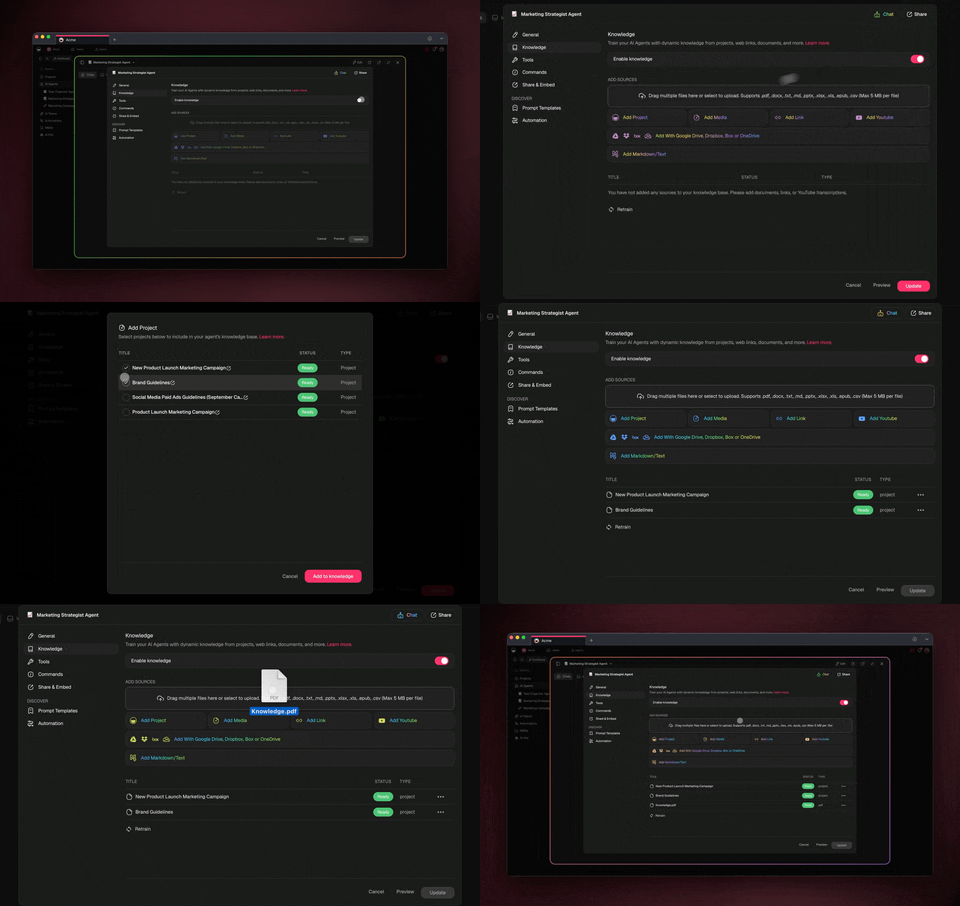
Verified on November 10, 2026: on Free, an agent can hold one knowledge source, and web sources need a paid plan. On Free, you earn free AI credits with referrals and invites, and you can upgrade any time. Pro costs $10 a month billed annually. Agents read the web. They do not act on websites.
Strengths:
- Sources, agents, drafts, and approvals share one workspace
- Approval steps put the "keep" jobs in the workflow, not in a reminder
Limits:
- Not a paper search engine, and it does not index academic databases
- Pair it with Semantic Scholar, Elicit, or Undermind for scholarly search
Bottom line: the place to run a team research project after the search, with a person signing off.
All 19 AI Research Assistants Compared
The table below compares all 19 tools on the job they do best, where they look, and the check you still owe. Use it as a shortlist, then read the entry for each tool you pick.
| # | Tool | Best job | Looks at | The check you still owe |
|---|---|---|---|---|
| 1 | ChatGPT deep research | Long structured web reports | Web, files, apps | Open the sources behind key claims |
| 2 | Gemini Deep Research | Editable plans, Google data | Web, files, Workspace | Review the plan before the run |
| 3 | Claude Research | Synthesis of conflicting sources | Web, Workspace, connectors | Weigh the disagreement yourself |
| 4 | Perplexity Research | Fast cited answers | Web | Click each citation that matters |
| 5 | Elicit | Extraction tables, reviews | Over 138M papers | Compare rows against PDFs |
| 6 | Consensus | Yes or no evidence checks | Scholarly index | Weigh study quality, not count |
| 7 | Scite | How a claim held up | 1.6B+ citations | Read contrasting citations in full |
| 8 | Semantic Scholar | Free paper search | Over 200M papers | Pick which papers matter |
| 9 | ResearchRabbit | Discovery from seed papers | Over 320M papers | Check the seed set for bias |
| 10 | Connected Papers | One paper's neighborhood | A seed-paper graph | Judge the clusters |
| 11 | Litmaps | Long-term monitoring | Citation maps | Decide what new papers change |
| 12 | Undermind | Niche, hard-to-find papers | Scholarly literature | Read the top abstracts |
| 13 | SciSpace | Reading one paper | Your PDF | Evaluate, not only explain |
| 14 | Gemini Notebook | Answers from your sources | Your uploads | Make sure no key source is missing |
| 15 | Co-Scientist | Hypothesis generation | Literature, databases | Expert ranking before lab work |
| 16 | Kosmos | Long discovery runs | Literature, your data | Expert review of each finding |
| 17 | The AI Scientist | End-to-end ML papers | Code, experiments | Everything that decides if it matters |
| 18 | autoresearch | Metric-driven experiment loops | One training script | The choice of metric |
| 19 | Taskade | Sources, agents, and approvals in one workspace | Your projects, files, the web | The evidence bar and the final sign-off |
How to Verify an AI Research Report Before You Trust It
To verify an AI research report, confirm that each key citation exists, that it resolves to the same paper, and that the paper says what the report claims. Then check what the report left out. This takes minutes per claim, and it is the one job no tool on this list removes.
Fabricated references are not a rare edge case. A Columbia-led study in The Lancet, reported by STAT News on May 7, 2026, analyzed over 2 million papers and 97 million citations. It found that 1 in 2,828 papers in 2023 contained one or more fabricated references. The rate rose to 1 in 458 in 2025, and to 1 in 277 papers in the first seven weeks of 2026.
The chart converts the study's "1 in N" rates to papers per 10,000: 3.5 in 2023, 21.8 in 2025, and 36.1 in early 2026. These are papers that went through publication. A raw AI report that nobody checked carries a higher risk. For background on why models invent facts, see our hallucinations wiki entry, and for the flood of unchecked AI text, see AI slop explained.
How to check one citation
Run every citation that carries a key claim through these states. A citation is usable only when it reaches the last state.
If a citation fails at any state, remove it or find the real source. Never repair it by guessing a nearby paper.
Seven signs of a fabricated reference
| Sign | What it looks like | What to do |
|---|---|---|
| No search match | The exact title returns nothing in Semantic Scholar or Google Scholar | Treat as fabricated until proven real |
| Real authors, wrong paper | The authors exist, but they never wrote that title | Search the author's publication list |
| DOI mismatch | The DOI resolves to a different paper, or to nothing | Remove it. Do not trust the closest match |
| Plausible but generic title | "A Comprehensive Review of X in Y" with no exact match | Search the key phrase in quotes |
| Wrong venue or year | A real paper with the wrong journal or year | Correct it from the publisher's page |
| Quote not in source | The quoted sentence does not appear in the paper | Search the PDF for the phrase |
| Number not in source | A statistic that the paper does not contain | Find the primary source, or drop the number |
The 60-second citation card
THE 60-SECOND CITATION CHECK
────────────────────────────────────────────────────────────
1. SEARCH    Paste the exact title into Semantic Scholar.
             No match?                    → remove it
2. MATCH     Authors, year, venue the same?
             Any mismatch?                → fix from publisher page
3. RESOLVE   Open https://doi.org/<the DOI>.
             Different paper or 404?      → remove it
4. READ      Find the claim in the abstract or the text.
             Not there?                   → drop the claim
5. CONTEST   Look it up in Scite.
             Strong contrasting cites?    → read them, then decide
────────────────────────────────────────────────────────────
A report is ready only when every key claim passes 1 to 4.
The checklist before you trust a report
Run this checklist on any deep research report, AI literature summary, or agent brief before it changes a decision.
| # | Check | Pass when |
|---|---|---|
| 1 | The question | The report answers the question you asked, not a nearby one |
| 2 | The evidence bar | You wrote the bar down before reading, and the report meets it |
| 3 | Key citations | Every claim your conclusion depends on passes the citation check above |
| 4 | Primary sources | Key numbers come from the original study, filing, or dataset, not a blog about it |
| 5 | Counter-evidence | You searched for the strongest case against the conclusion, and the report addresses it |
| 6 | Recency | The newest relevant source is recent enough for the topic |
| 7 | Confidence | The report's tone matches the strength of its sources |
| 8 | Scope drift | The report did not quietly widen or narrow the question |
| 9 | Independent review | A person who did not run the research read it |
| 10 | Sign-off | A named person approved it before it went out |
Checks 2, 5, 9, and 10 are the CRUX checks. They are the jobs the agents in that study failed at: the bar for evidence, the willingness to look for a reason to change course, and an independent second opinion.
Why Better Checkers Do Not Remove Your Job
Better automatic checkers make AI research more reliable, but they move the human job up one level instead of removing it. The strongest 2026 results in AI research all paired an unreliable generator with a strict checker, and a person still chose the problem and judged if the answer mattered.
Reliable systems from unreliable parts
On May 21, 2026, Google DeepMind and Aarhus University posted AlphaProof Nexus (arXiv:2605.22763). The system solved 9 of 353 open Erdős problems it attempted, at a cost the paper puts at a few hundred dollars per problem. The architecture is the lesson. A language model proposes proof attempts. The Lean proof checker accepts only a proof that compiles with no gaps. A cheap model judge ranks partial attempts, and a tournament breeds new attempts from the best failures.
The ablations show where the reliability comes from. Runs built on smaller models solved zero problems. The tree-search prover, used on its own, also solved zero. The paper also documents failure modes: agents hid a problem's hard part inside a single unproven helper lemma, and they relied on unproven lemmas that they claimed were established results from the literature. The checker rejected both, because each left a step unproven. Only a manual inspection showed that the claimed literature results were hallucinations.
Research outside mathematics rarely has a checker as strict as Lean. A citation can be checked for existence, but "is this study good enough?" has no compiler. That is why the "keep" box stays yours in most research.
Scale buys winners, not a higher hit rate
Terence Tao made the same point from inside mathematics on the Dwarkesh Podcast on March 20, 2026: "Whenever we do a systematic study, on any given problem an AI tool has a success rate of maybe 1% or 2%. It's just that they can buy scale, and you just pick the winners." AlphaProof Nexus's 9 of 353 is about 2.5%, close to his band. The tools did not get a much higher hit rate. They made many attempts affordable, and a checker picked the winners.
For a buyer, a deep research mode that reads 200 pages does not make each page more reliable. It gives you more material, and the selection is still a judgment. In Tao's account, the bottleneck has moved from generating ideas to verifying them.
Claims that still wait for a checker
In September 2026, OpenAI announced a claimed result on the Navier-Stokes equations, for the forced case, produced by a large run of its internal agents, and released a Lean formalization with it. As press reports from that month describe it (CNBC, NYU Shanghai RITS), the claim awaits independent verification. A Lean formalization checks that the steps follow, not that the formal statement matches the original problem. It also shows the split in this guide: people chose the problem decades ago, the agents did the middle, and the final verdict still waits on human mathematicians.
Agreement is not evidence
The last reason to keep the judgment job is sycophancy: the tendency of AI assistants to agree with the person asking. In a 2026 study, Batista and Griffiths (arXiv:2602.14270) ran a rule-discovery task with 557 participants. Feedback from an unmodified language model suppressed discovery and inflated confidence about as much as an explicitly sycophantic prompt. Feedback sampled from the true rule produced discovery rates five times higher.
The rule for research is plain. An assistant that reads your draft and agrees with it adds confidence, not evidence. Ask it for the strongest case against your conclusion, then check that case against sources it did not choose. Our AI sycophancy explainer and our guide to self-improving agents and reflection cover the mechanics.
| Source | Date | What it shows | The job it leaves with you |
|---|---|---|---|
| CRUX (arXiv:2607.27191) | Jul 29 to Aug 7, 2026 | Agents do the engineering, fail the judgment | The evidence bar, backtracking, the restart call |
| AlphaProof Nexus (arXiv:2605.22763) | May 21, 2026 | A strict checker makes an unreliable generator useful | Choosing problems, catching invented literature claims |
| Terence Tao, Dwarkesh Podcast | Mar 20, 2026 | Scale buys winners at a 1 to 2% hit rate | Selection and verification at scale |
| Batista and Griffiths (arXiv:2602.14270) | Feb 2026 | Agreeable AI feedback inflates confidence | Seeking evidence from outside your own hypothesis |
| Navier-Stokes claim | Sep 2026 | A claimed result that awaits verification | Checking that the proved statement is the real problem |
Which AI Research Assistant Fits Your Role?
Pick the tool for the job you do most, then add one verification tool. A student, an analyst, a scientist, and a team lead need different first tools, but every one of them needs a citation check and a person who signs off.
| You are... | Start with | Add for verification | What you keep |
|---|---|---|---|
| A student writing a paper | Semantic Scholar, Gemini Notebook | Scite on key citations | The thesis and the analysis in your own words |
| A graduate student on a thesis | Elicit, Litmaps alerts | Scite, a reference manager | Inclusion rules and the argument |
| A market or policy analyst | ChatGPT or Gemini deep research | Primary sources for every number | The recommendation |
| A journalist | Perplexity Research | Primary documents and named sources | What is true enough to publish |
| A life scientist | Elicit, Undermind, Co-Scientist | Domain experts, Scite | Which hypotheses earn lab time |
| A machine learning researcher | Semantic Scholar, autoresearch-style loops | A held-out metric | The research question and the metric |
| A team lead running research | A Taskade workspace with agents | An approval step before reports ship | The bar for evidence and the sign-off |
For students, our sibling guides cover the learning side: how to study with AI and AI tutors. For proposal work, the free research proposal generator and the academic paper format generator scaffold the document after your research is done.
What AI Research Tools Cost in 2026
Most AI research assistants have a free tier, and paid plans for individuals mostly run from $10 to $50 a month. The table lists only prices we read on the vendor's own page on November 10, 2026. Where a vendor did not show a price, the cell says so.
| Tool | Free option | Paid plan we could verify | Notes |
|---|---|---|---|
| Semantic Scholar | Free | None, no paid tier | Free API for developers |
| Litmaps | Free, 100 articles per map | Pro $10/month, or $120/year | Team and Enterprise by contact |
| Taskade | Free, earn AI credits with referrals and invites | Pro $10/month billed annually | Web knowledge sources need a paid plan |
| Scite | 7-day trial | Basic $12/month, Pro $40/month, yearly billing | Pro adds API access |
| Undermind | Free, standard limits | Pro $16/month billed annually | 10x usage on Pro |
| Gemini | Deep Research listed on Free | Google AI Plus $4.99/month, AI Pro $19.99/month, AI Ultra from $99.99/month | Access level rises with plan |
| Elicit | Basic, free | Pro $49/user/month billed annually ($588/year) | Systematic reviews on Pro |
| ChatGPT | "Limited deep research" on Free | Plus "Expanded", Pro "Maximum" | Prices not re-read for this table |
| Claude | Research not on Free | Pro, Max, Ultra, Team, Enterprise | Prices not re-read for this table |
| Perplexity | A daily limit on Free | More queries on Pro | No fixed Research cap published |
| Consensus | Free to access | Not shown on the pricing page we read | Check the site |
| Gemini Notebook | Listed on the Free plan | Higher limits with Google AI plans | Code feature first on Ultra and Workspace |
| Co-Scientist | Experimental, by registration | Enterprise preview | No public price |
| Kosmos | "Try Kosmos" | Enterprise by demo | No public price |
The cheapest stack that covers every job is free: Semantic Scholar for papers, a free deep research mode for the web, Gemini Notebook for your files, and the 60-second citation check. Paid plans buy volume, not judgment.
Why We Built Taskade Differently
Every specialized tool in this guide is built around the search or the report. That work is real and necessary, and most of it is not Taskade's job. Semantic Scholar, Elicit, Scite, and the deep research modes do it better.
Research projects stall after the report. The sources sit in one tool, the notes in another, and the draft in a third. Nobody is sure which claims were checked, and the report goes out because a deadline arrived. That is the CRUX failure at team scale: lots of work, and no clear moment where a person decides it is good enough.
Taskade puts that stage in one workspace. Your sources table lives as a project. An agent with web search and attached knowledge summarizes each new source and shows which sources it used. An automation can assign each new source to a reviewer, then stop at a Wait for approval step before the report is shared. The human-in-the-loop step is part of the workflow, not a reminder on a sticky note.
The same structure is one way to read Workspace DNA. Memory is the sources project, Intelligence is the agent that reads it, and Execution is the automation that routes the review. Each checked source makes the next question better grounded.
To start, use the research source tracker generator or the literature review generator, browse AI agents for research, or see live apps other people built in the Taskade App Factory. Build your research tracker →
A ready-made version. The Research Source Library below is a live Taskade Genesis app built by the Taskade team. Track each paper, book, report and dataset as To read, Reading, Analyzed or Cited, keep one key takeaway per source, and ask a research assistant that answers from your own library. The kit holds 2 projects, 1 AI agent and 2 automations (checked 2026-11-12). It is free to open and preview, and cloning it needs a paid plan because it holds automations. For a sourced brief from the web, see the Deep Research Agent kit (5 projects, 1 AI agent and 4 automations, also a paid plan to clone).
Clone the Research Source Library into your workspace (a paid plan is needed to clone a kit with automations).
AI Research Assistant FAQ
What is an AI research assistant?
An AI research assistant is software that uses a language model to do parts of a research job for you: search, read, extract, summarize, and draft. The category includes deep research modes in general assistants such as ChatGPT, Gemini, Claude, and Perplexity, academic tools such as Elicit, Consensus, and Scite, source-grounded notebooks such as Gemini Notebook, and autonomous research systems such as Google's Co-Scientist. Each one handles a different part of the job.
What is the best AI research assistant in 2026?
No single tool is best for every job. For a broad cited web report, use a deep research mode in ChatGPT, Gemini, Claude, or Perplexity. For peer-reviewed papers, use Elicit, Consensus, Undermind, or Semantic Scholar. To check how a paper was cited later, use Scite. To answer only from your own files, use Gemini Notebook. To keep sources, agents, and review steps in one place, use a Taskade workspace.
What is the difference between deep research and a normal AI chat?
A normal chat answers in one pass, often from what the model learned in training. A deep research mode plans a set of searches, reads many web pages over several minutes, and returns a long report with citations. Deep research finds more and cites more, but the report still needs a check, because the agent chooses which sources to trust and can misread them.
What is the best AI for academic research?
For academic research, start with a tool that searches a scholarly index, not the open web. Semantic Scholar is free and indexes over 200 million papers. Elicit searches over 138 million papers and builds extraction tables. Consensus answers yes or no questions from published studies. Undermind runs a deep search over the literature. Scite shows if later papers support or contrast a claim. For the literature review itself, see our separate guide to literature review generators.
Can an AI research agent do research on its own?
Not yet for open-ended research. In the CRUX study (arXiv:2607.27191, July and August 2026), frontier agents got six days and a $3,000 API budget on the central question of two unpublished papers. They did all the engineering with no human help, but the original authors rejected both papers. The paper names five failure modes, including weak judgment about the bar for good research and no project-level backtracking.
What is an AI scientist?
An AI scientist is a system that tries to run more of the research loop on its own: read the literature, form a hypothesis, run an experiment or analysis, and write up the result. Examples include Google's Co-Scientist, Kosmos from Edison Scientific, and Sakana's The AI Scientist. These are research projects or early products. Their makers state that they need expert review, and most work only in computational or narrow domains.
How do I check if an AI citation is real?
Search the exact title in Semantic Scholar or Google Scholar and confirm that the authors, year, and venue match. Open the DOI at doi.org and make sure it resolves to the same paper. Then read the abstract or the cited passage and confirm that it says what the report claims. If any step fails, remove the citation. A Columbia-led Lancet study found fabricated references in 1 in 277 papers in early 2026.
Which research jobs should I keep for myself?
Keep the jobs that need judgment: choosing the question, setting the bar for evidence, deciding when to drop a direction or restart, and deciding if a finding is ready to share. Hand over the jobs a person can check fast: search, screening, extraction, summaries, and first drafts. The CRUX field test found that agents did the second group well and failed at the first group.
Is there a free AI research assistant?
Yes. Semantic Scholar is free with no paid tier. Elicit, Undermind, and Litmaps have free plans with limits, and Consensus is free to access. ChatGPT lists limited deep research on its Free plan, and Google lists Deep Research among the Gemini app features on its Free plan. Google also lists Gemini Notebook on its Free plan. On Taskade Free, you earn free AI credits with referrals and invites, and you can upgrade any time.
Can Taskade do research for me?
Taskade is a workspace, not a paper search engine. A Taskade agent can search the web, read a web page, and answer from the projects, files, and links you attach as knowledge, and it shows which sources it used. Automations can stop at a Wait for approval step so a person signs off before a report goes out. Pair Taskade with Semantic Scholar or Elicit for scholarly search.
Are deep research reports accurate?
Deep research reports are useful first drafts, not final answers. They cite real pages more often than a plain chat, but the agent still picks which sources to trust, can misread a source, and can state a weak finding with confidence. Check every citation that carries a key claim, look for missing counter-evidence, and confirm numbers against the primary source before you rely on the report.
The Verdict
For broad web research, the deep research modes in ChatGPT, Gemini, Claude, and Perplexity are the strongest starting points in 2026, and each has a clear best job. For peer-reviewed evidence, Semantic Scholar, Elicit, Consensus, and Undermind search real papers, and Scite checks how a claim held up. Gemini Notebook is the best reader for sources you already chose. The AI scientist systems are real progress for hypothesis generation and computational work, with expert review built in.
The CRUX field test shows what none of them does: decide what is worth doing and when the evidence is good enough. Hand over the search, the reading, and the first draft. Keep the question, the evidence bar, the restart call, and the sign-off. Taskade fits the stage where a team turns checked sources into a report that a person approves. Build your research tracker free →
Further Reading
- Best AI Literature Review Generators 2026: the full review workflow, from paper discovery to citation checks
- What Is Metacognition?: the human skill behind the CRUX failure modes
- AI Agent Reliability: why long agent runs compound small errors
- Catastrophic Forgetting Explained: why models struggle to learn on the job
Sources
- OpenAI claims to have solved the 90-year-old Navier-Stokes math problem in 88 hours: CNBC, September 9, 2026
- OpenAI Claims a Navier-Stokes Proof, Amid a Dispute Over Credit: NYU Shanghai RITS, September 2026
- Can AI agents conduct open-ended AI research? Early evidence from two case studies: Kirgis, Kapoor, and others, arXiv:2607.27191, v1 July 29, 2026, v2 August 7, 2026
- Advancing Mathematics Research with AI-Driven Formal Proof Search: Google DeepMind and Aarhus University, arXiv:2605.22763, May 21, 2026
- A Rational Analysis of the Effects of Sycophantic AI: Batista and Griffiths, arXiv:2602.14270, February 2026
- Terence Tao: Kepler, Newton, and the true nature of mathematical discovery: Dwarkesh Podcast, March 20, 2026
- Fraudulent citations blamed on AI hallucinations are becoming more common: STAT News, May 7, 2026, on the Columbia-led Lancet study
- Co-Scientist: a multi-agent AI partner to accelerate research: Google DeepMind, May 19, 2026
- The AI Scientist in Nature: Sakana AI, March 26, 2026
- autoresearch README: Andrej Karpathy, March 2026
- NotebookLM is now Gemini Notebook: Google, July 16, 2026
- Gemini Deep Research overview and Google AI plans: Google, read November 10, 2026
- ChatGPT pricing: OpenAI, read November 10, 2026
- Using Research on Claude: Anthropic help center, read November 10, 2026
- Introducing Perplexity Deep Research, February 14, 2025, and How does Perplexity work?, read November 10, 2026
- Elicit pricing, Scite pricing, Litmaps pricing, Undermind: vendor pages, read November 10, 2026
- Semantic Scholar About, ResearchRabbit, Consensus: vendor pages, read November 10, 2026
- Edison Scientific and FutureHouse: organization pages, read November 10, 2026
▲ ■ ● AI research assistants in 2026 read faster than any person and draft better than most. The CRUX agents had the time, the money, and the tools, and they still could not tell which of their own ideas were worth pursuing. Hand over the search. Keep the judgment. Memory feeds Intelligence, Intelligence triggers Execution, and a person signs off. Build your research tracker →