






Hi Taskaders!
We're excited to announce the arrival of the Gantt Chart view, along with more AI-powered enhancements for your custom agents and automation. Enjoy!
TL;DR: The new Gantt Chart view is one of Taskade's project views, letting you track timelines and deadlines visually. Copy and share AI agent knowledge across workspaces, collaborate with context-aware agents in project chats, and automate with new triggers and bulk-duplicate tasks. Try it free →
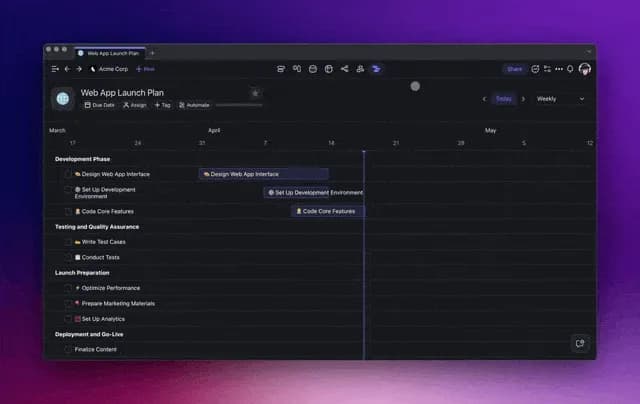
📐 Introducing the Gantt Chart View
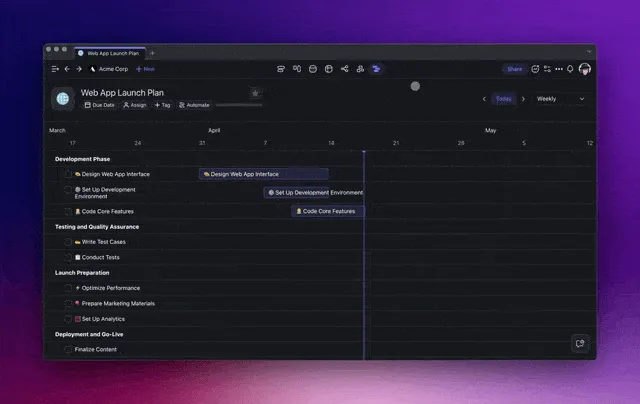
The new Gantt Chart view is here! Get a clear picture of your project timelines and stay in sync with deadlines. Tracking progress has never been easier.
Toggle between multiple views in your project — from Mind Maps and Boards to Tables and Calendars — with persistent data across all views. Collaborate with your team with full flexibility on each project. Learn more...
📚 Copy and Share AI Agent Knowledge
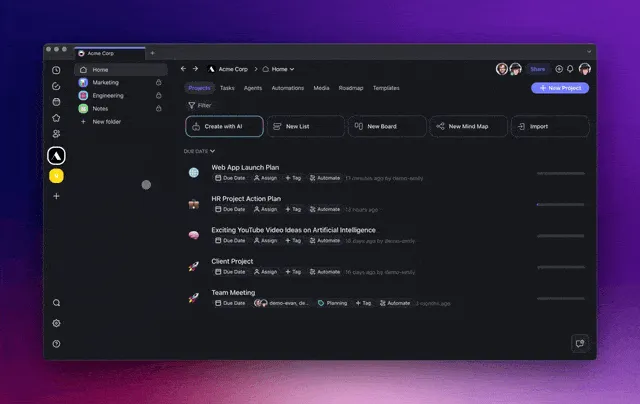
Access your agents anywhere. When you copy an agent to a new workspace, their knowledge follows — no extra uploads or training needed. Learn more...
💡 Smarter AI Agents in Project Chats
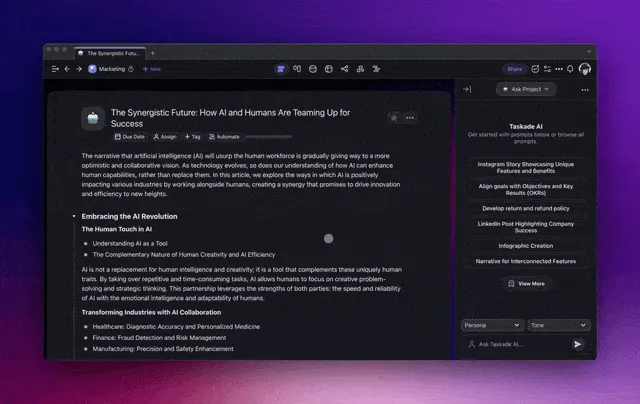
Collaborate with smarter, context-aware AI Agents in your project chats!
Agents are pre-trained on the projects you're working on, which means they deliver tailored insights and adapt as your projects unfold. Learn more...
🔄 New Automations to Simplify Your Workflows
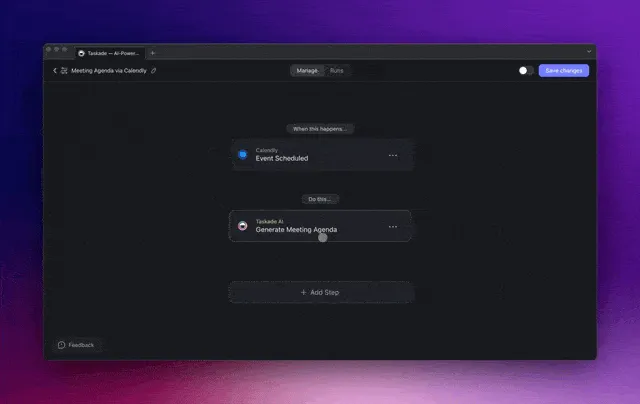
Streamline your project management workflow with new automations. Set reminders and task assignments to keep your team in sync. Learn more...
➕ Bulk-Duplicate Tasks with Multi-Select
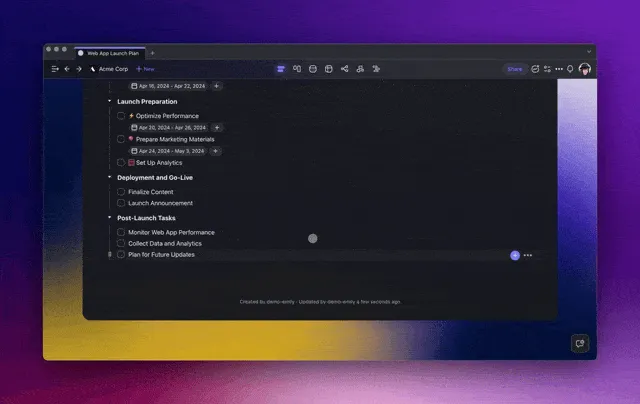
Explore the new Multi-Select Toolbar! Copy/duplicate multiple tasks within the same project to develop your projects much faster! Learn more...
Bulk actions in the Multi-Select Toolbar include:
AI Assistant: Use AI for smarter writing and editing.
AI Agents: Assign agents to automate your tasks and processes.
Assign To: Delegate tasks to team members in a single action.
Add Due Date: Set multiple task deadlines simultaneously.
Format: Organize visually with simple formatting tools.
✨ Other Improvements
New: Multi-AI Agents in Background Now in Beta! Get early access to deploy and assign multiple AI agents to work autonomously in the background. Automate complex tasks without lifting a finger!
Exclusive Early Access: Get a first look now on LinkedIn, Twitter/X, and Reddit — reply to the posts with "AI Agents" to receive an invite!
Multitasking: Assign tasks to multiple AI agents and let them work in the background. Focus on your priorities while AI handles the rest.
Agent History: Keep a comprehensive log of every AI command and interaction to monitor and tweak AI performance as needed.
Iterative Outputs: Continuously review and fine-tune AI-generated results. Ensure outputs align perfectly with your project goals.
Tools and Web Access: AI Agents can tap into the web for context and integrate seamlessly with third-party platforms, enhancing your workflow, decision-making, and productivity.
AI Agent enhancements:
AI Agents can now handle more complex tasks and provide tailored responses based on the specific context of your projects.
The option to copy agents with knowledge across workspaces.
Larger context windows and improved AI Chat with your projects and documents, including PDFs, Docs, and more.
AI Automation Enhancements:
Numerous bug fixes and performance enhancements.
Enhanced AI automation flows and template copies.
Refined automation triggers and actions.
Optimized task management and workflow automation.
Various bug fixes and performance improvements.
If you'd like to see new connections & integrations, let us know! Explore 100+ integrations to connect your favorite tools.
Need help or advice? Our Help Center and Feedback Forum are always open for your questions and suggestions.
Cheers to a transformative and AI-powered year at Taskade! 🚀
— Team Taskade 🐑
P.S. Love Taskade? Share your story and experience by leaving a review on our testimonials page.

Frequently Asked Questions
What is the Gantt Chart view in Taskade?
The Gantt Chart view displays your project tasks on a visual timeline so you can track start dates, end dates, and progress at a glance. It syncs with all other project views — List, Board, Calendar, Table, Mind Map, and Org Chart — so changes in one view are reflected everywhere.
Can I copy AI Agent knowledge to a different workspace?
Yes. When you copy an AI agent to a new workspace, all of its trained knowledge follows automatically — no extra uploads or retraining required. This makes it easy to reuse specialized agents across teams, clients, or projects.
How do context-aware AI Agents work in Taskade project chats?
Context-aware AI Agents are pre-trained on the content of the project they're attached to. When you ask a question in the project chat, the agent draws on that project's tasks, notes, and documents to deliver tailored insights and recommendations that adapt as your project evolves.
What automation triggers and actions does Taskade support for task management?
Taskade supports triggers like Task Due, Task Assigned, Task Completed, and scheduled intervals (hourly, daily, weekly, monthly). Actions include Assign Task, Move Task, Create Project from Template, and AI-powered actions like Ask Agent and Generate with AI, letting you build end-to-end automated workflows.