







TL;DR: Taskade Genesis is the best AI HTML code generator in 2026: one prompt builds living software with agents, forms, and automations, not a static file. Need markup only? Start with the HTML code generator. v0 wins React/Tailwind components; Bolt.new wins browser prototyping. Try Taskade Genesis free →
Taskade Genesis leads this list because it ships a live HTML app you clone from one prompt, with embedded agents, form handlers, and 100+ integrations. For paste-ready markup, use the HTML code generator; for the full builder story, see best AI app builders. v0 fits polished UI components, Bolt.new fits full-stack browser prototypes, and Cursor fits inline editing in your repo. Generate HTML from a prompt when you want to start from a brief instead of a blank file.
Quick answer
Taskade Genesis is the best AI HTML code generator in 2026 because one prompt ships a live HTML app with agents, form handlers, and hosting, not a static file. v0 is the pick for React and Tailwind components. Bolt.new is the pick for browser prototypes. Cursor is the pick for inline repo edits.
See It Live: Clone This Genesis HTML App in One Click
Every other tool on this list hands you a code snippet or a screenshot. This one hands you a running app. The SaaS landing page below was generated from a single prompt in Taskade Genesis — it's deployed, hosted, SSL-secured, and fully cloneable right now. Click it, open the live app, then clone it and make it yours.
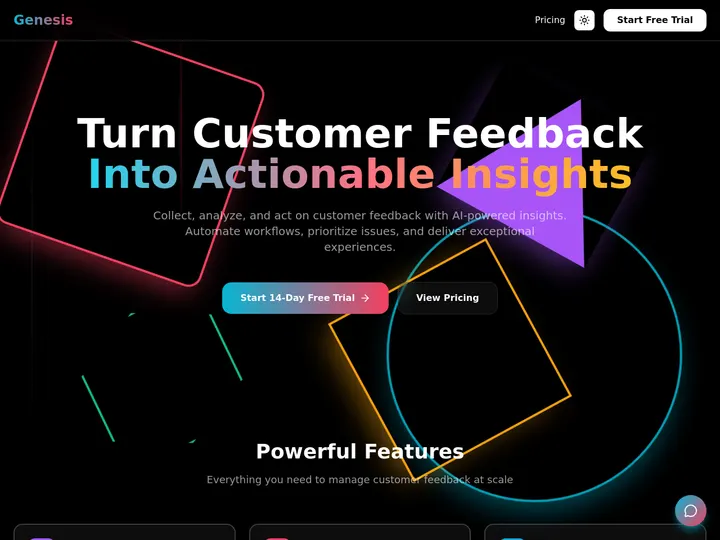
This is the whole argument in one image: you don't get a .html file you still have to host. You get the HTML and the live app behind it — the database, the form handler, the agent, the domain. Here is the path from your sentence to a shipped product:
The snippet generators stop at step two. Genesis runs the whole line — and the result is something you'd actually run your business on.
From Prompt to Production: Build the App You'd Actually Run
The fastest way to understand "living HTML" is to watch someone build a real one. Taskade's first self-serve Enterprise customer, an IT program manager with no engineering team, used Taskade Genesis to build a production field-service dashboard — four connected projects (Customers, Jobs, Invoices, Team) tracking 20+ live jobs, deployed to a custom domain. His words:
"What I was able to accomplish in a few weeks would have taken me and a team of 40+ people 18 months or longer in the Fortune 500 space."
He didn't generate an HTML file. He shipped an app he runs his business on — a CRM, a job tracker, an invoicing surface, all from prompts. That's the gap between a snippet generator and a living builder: one gives you markup, the other gives you a working system with a database, form handlers, and agents wired in. Start with the SaaS landing page above, or describe your own at Taskade Genesis. If you only need the markup right now, the HTML code generator returns it in the browser, and the front-end code generator covers the CSS and JavaScript around it.
What Is the Best AI HTML Code Generator in 2026?
Taskade Genesis is the best AI HTML code generator in 2026. It converts a single natural language prompt into a living HTML experience that includes embedded AI agents for content updates, form handlers wired to email automations, custom domain publishing with automatic SSL, and 100+ integrations for data feeds. Unlike traditional generators that output static code snippets, Taskade Genesis deploys and maintains the entire site — agents re-read data sources daily, automations trigger on form submissions, and the HTML evolves without manual edits.
Other tools excel in narrower lanes: v0 produces the cleanest React/Tailwind components, Bolt.new scaffolds full-stack apps in a browser IDE, and Cursor gives developers inline AI editing inside VS Code. The right choice depends on whether you need a file, a component, or a living system.
The Invisible Gap: HTML Files vs Living HTML
Most AI HTML generators solve the wrong problem. They turn a prompt into a .html file and stop. You still need to find hosting, configure SSL, wire up form handlers, connect a database, and revisit the code every time content changes.
A living HTML experience closes every gap in a single prompt.
+---------------------------------------------------------------+
|              TRADITIONAL AI HTML GENERATOR                    |
|                                                               |
|   Prompt ──▶ .html file ──▶ ??? hosting                      |
|                              ??? SSL cert                     |
|                              ??? form handler                 |
|                              ??? database                     |
|                              ??? content updates              |
|                              ??? email on submit              |
|                                                               |
|   You ship a FILE. Then you start the real work.              |
+---------------------------------------------------------------++---------------------------------------------------------------+
|              LIVING HTML (TASKADE GENESIS)                     |
|                                                               |
|   Prompt ──▶ deployed site ──▶ custom domain + SSL            |
|              ├── AI agents    (update content on schedule)     |
|              ├── form handler (captures submissions)           |
|              ├── automations  (email on submit, Slack alert)   |
|              ├── database     (built-in project store)         |
|              └── 100+ integrations (Stripe, Sheets, HubSpot)  |
|                                                               |
|   You ship a SYSTEM. The work is done.                        |
+---------------------------------------------------------------+
This is the gap that every ranked list ignores. The generators below are ordered by how close they get to closing it.
What Is an AI HTML Generator?
An AI HTML generator is a tool that converts natural language prompts into HTML markup — sometimes plain HTML/CSS/JS, sometimes React or Vue components, sometimes full deployed websites. The category spans three tiers.
| Tier | What It Produces | Deploy Step | Content Updates | Example |
|---|---|---|---|---|
| Snippet generator | Code block you copy-paste | Manual (FTP, Netlify, etc.) | Manual edits | ChatGPT, Claude chat |
| Component builder | Framework-ready component | Export + build pipeline | Manual edits | v0, Lovable |
| Living builder | Deployed site with agents | Zero — auto-published | Agents + automations | Taskade Genesis |
The first two tiers solve a developer convenience problem. The third tier solves a business problem: getting a live, self-maintaining web presence from a single prompt.
How We Ranked These 12 Tools
We evaluated every tool on six dimensions drawn from real SERP analysis of "ai html code generator" queries.
- Prompt-to-output speed — How fast does the tool go from natural language to usable HTML?
- Code quality and semantics — Does the output use semantic HTML5, ARIA roles, and clean structure?
- Deployment path — Can the output go live without a separate hosting step?
- Ongoing maintenance — Can the tool update content, handle forms, and run automations after initial generation?
- Free tier generosity — How much can you build at zero cost?
- Integration depth — How many data sources, APIs, and services plug in natively?
#1. Taskade Genesis — Living HTML From a Single Prompt
Best for: Teams that need a deployed, self-maintaining HTML site — not just a code file.
Taskade Genesis does not generate HTML files. It generates living HTML experiences. One prompt produces a fully deployed website with a custom domain, automatic SSL, embedded AI agents, form submission handlers, email automations, and a built-in project database — all without writing or deploying a single line of code yourself.
What Makes Genesis Different
Prompt-to-deploy, not prompt-to-file. Type "build a SaaS landing page with pricing table, testimonials section, and email signup form" and Genesis returns a live URL, not a code block. The page is hosted, SSL-secured, and ready to share in under two minutes.
Embedded AI agents. Attach an AI agent to your site and schedule it to update pricing copy weekly, summarize new testimonials from a Google Sheet, or rewrite hero text for seasonal campaigns. The agent has persistent memory and access to built-in tools, so it understands your site context across sessions.
Form handlers with automations. When a visitor submits the signup form, a reliable automation workflow fires: sends a confirmation email, posts a Slack notification, adds the lead to HubSpot, and logs the row in a Table view. No Zapier. No webhooks. No code.
Multiple project views. Every Genesis project supports List, Board, Calendar, Table, Mind Map, Gantt, and Org Chart views — so the same data powering your landing page can be viewed as a Kanban board by your marketing team or a Gantt chart by your project manager.
100+ integrations. Connect Stripe for payment widgets, Google Sheets for dynamic data tables, PostHog for analytics, and 100+ more. Data flows into the site and back out through automations.
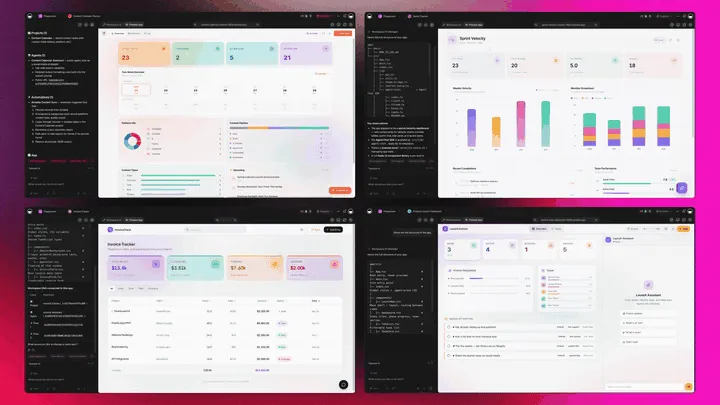
Integrations are bidirectional: triggers pull events in (a new Stripe payment, a new Google Sheets row), and actions push data out (post to Slack, add a HubSpot contact, send an email). Your HTML stops being a static page and becomes the front door to a connected system.
Custom domains and access control. Publish to app.yourbrand.com with automatic SSL. Password-protect staging versions. Embed the site inside another page. Share it to the Community Gallery for public discovery.
Role-based access. Permissions run from Owner down to Viewer, covering every team member from the founder editing copy to the client viewing the draft.
| Feature | Detail |
|---|---|
| AI Models | Frontier models from top AI labs |
| Free Credits | None to start; earn or buy credits |
| Pricing | Free / Pro $10/mo billed annually (10 users) / Business $25/mo / Enterprise |
| Deployment | Auto-publish to custom domain + SSL |
| Agents | Persistent memory, built-in tools, scheduled updates |
| Automations | Email, Slack, HubSpot, Stripe, 100+ triggers |
| Views | List, Board, Calendar, Table, Mind Map, Gantt, Org Chart |
| Role-based access | Owner → Viewer |
Over 150,000 Genesis apps have been built since launch. Explore real examples in the Community Gallery or start building now.
#2. v0 by Vercel — Polished React/Tailwind Components
Best for: Front-end developers who need production-ready React UI components styled with Tailwind CSS.
v0 is Vercel's AI-powered UI generator. Describe a component — "pricing table with toggle for monthly/annual billing and a highlighted Pro tier" — and v0 returns clean React code with Tailwind styling, ready to drop into a Next.js project.
Strengths: The output quality is best-in-class for isolated UI components. v0 understands design patterns like card grids, navigation bars, and form layouts. It uses shadcn/ui primitives, so the code integrates cleanly with the Tailwind ecosystem. Preview rendering is instant.
Limitations: v0 is front-end only. There is no backend, no database, no authentication, no form handling, and no deployment. You generate a component, copy it, and integrate it into your own build pipeline. Content updates require re-prompting and re-deploying.
| Feature | Detail |
|---|---|
| Output | React + Tailwind CSS components |
| Deployment | None — export and deploy yourself |
| Free tier | Limited generations per day |
| Pricing | From $20/month |
| Best use | UI prototyping, component libraries |
#3. Bolt.new by StackBlitz — Full-Stack in the Browser
Best for: Developers who want to prototype a full-stack app without local setup.
Bolt.new runs a complete development environment in the browser. Describe your app, and Bolt scaffolds front-end, backend, and database in a WebContainer — a browser-native Node.js runtime. You can edit files, run the dev server, and preview changes without leaving the tab.
Strengths: Multi-file generation across frameworks (Next.js, Remix, Vue, Svelte). Built-in terminal. Package management. Real-time preview. The closest experience to a local IDE, but entirely in the cloud.
Limitations: Generated code often needs manual cleanup for production use. No built-in custom domain publishing. No agents or automations — once generated, the app is static until you edit it again. Debugging complex builds can be frustrating because the WebContainer has filesystem and networking constraints.
| Feature | Detail |
|---|---|
| Output | Full-stack apps (HTML, JS, backend) |
| Deployment | Export or connect to Netlify/Vercel |
| Free tier | Limited tokens per day |
| Pricing | From $20/month |
| Best use | Rapid full-stack prototyping |
#4. Lovable — No-Code MVP Builder
Best for: Non-technical founders who need a working MVP in hours, not weeks.
Lovable targets the gap between idea and validation. Describe your app in plain language, and Lovable generates a React front-end backed by Supabase for authentication, database, and storage. The emphasis is on speed: you can go from prompt to deployed MVP faster than any code-first tool.
Strengths: Supabase integration means real auth and database out of the box. The visual editor lets non-developers tweak layouts after generation. Deployment is one click.
Limitations: Limited framework choice — React + Supabase only. The generated code can be opinionated and hard to eject from if you outgrow the platform. No AI agents for ongoing maintenance. Enterprise compliance features are limited on lower tiers.
| Feature | Detail |
|---|---|
| Output | React + Supabase full-stack app |
| Deployment | Built-in one-click deploy |
| Free tier | Limited (no permanent free tier) |
| Pricing | From $25/month |
| Best use | MVP validation, landing pages |
#5. Cursor — AI-Native Code Editor
Best for: Professional developers who want AI-assisted HTML editing inside a familiar VS Code environment.
Cursor is a VS Code fork rebuilt around AI. It indexes your entire codebase, so suggestions are context-aware. Select a block of HTML, describe what you want changed, and Cursor rewrites it inline. Composer mode can create and edit multiple files simultaneously.
Strengths: Codebase-aware completions. Multi-file editing. Tab completion that predicts your next edit. The closest to pair-programming with AI. Supports every language and framework, not just HTML.
Limitations: Cursor is a code editor, not a builder. There is no deployment, no hosting, no form handling, and no automation. You still need your own build pipeline. The learning curve is higher than prompt-to-output tools.
| Feature | Detail |
|---|---|
| Output | Inline code edits in your project |
| Deployment | None — use your own pipeline |
| Free tier | Limited completions |
| Pricing | From $20/month |
| Best use | Professional development, refactoring |
#6. Windsurf — Agentic IDE
Best for: Developers who want an AI agent that understands multi-step coding tasks across files.
Windsurf (formerly Codeium) positions itself as an "agentic" IDE. Instead of autocomplete, it runs multi-step plans: "add a contact form to the landing page, validate inputs, and connect it to the API route." The AI agent reads your project, proposes a plan, and executes edits across multiple files.
Strengths: Multi-step reasoning across files. Good at refactoring tasks that touch HTML, CSS, and JavaScript simultaneously. Free tier is more generous than Cursor for individual developers.
Limitations: Agentic execution can sometimes make unexpected changes. No deployment or hosting. The tool is still maturing — complex plans occasionally require manual correction.
| Feature | Detail |
|---|---|
| Output | Multi-file code edits |
| Deployment | None — use your own pipeline |
| Free tier | Generous for individuals |
| Pricing | From $15/month |
| Best use | Multi-file refactoring, feature addition |
#7. GitHub Copilot — Inline Completions at Scale
Best for: Developers already using VS Code or JetBrains IDEs who want faster HTML/CSS/JS writing.
GitHub Copilot is the most widely adopted AI code assistant. It predicts your next line, completes HTML boilerplate, suggests CSS classes, and generates JavaScript event handlers based on surrounding context. Copilot Chat adds conversational interaction for explaining code or generating snippets.
Strengths: Deep integration with GitHub ecosystem. Works across every major IDE. Copilot Workspace extends into project planning. Enterprise features include organization-wide policy controls and audit logs.
Limitations: Copilot generates code inline — it does not build, deploy, or maintain anything. Suggestions are sometimes generic for HTML because the model optimizes for completion speed over semantic correctness. No form handling, no automations, no deployment path.
| Feature | Detail |
|---|---|
| Output | Inline code completions |
| Deployment | None |
| Free tier | Free for verified students and OSS maintainers |
| Pricing | From $10/month |
| Best use | Daily coding speed boost |
#8. Claude (Anthropic) — Conversational HTML Generation
Best for: Developers who want to generate complete HTML pages through detailed conversational prompting.
Claude from Anthropic excels at generating long, well-structured HTML documents from detailed prompts. Ask for "a responsive pricing page with three tiers, feature comparison table, FAQ accordion, and footer" and Claude returns a complete, semantic HTML file with inline CSS and JavaScript.
Strengths: Handles long-context prompts — you can paste an existing page and ask for specific modifications. The output is typically cleaner and more semantic than ChatGPT for HTML tasks. Artifacts mode renders the HTML live in the chat interface. Strong at accessibility-aware markup when prompted.
Limitations: Claude is a conversational AI, not a builder. You get a code block that you copy-paste into your project. No deployment, no hosting, no form handling, no agents, no automations. Each generation is stateless unless you paste previous context back in.
| Feature | Detail |
|---|---|
| Output | Complete HTML/CSS/JS in chat |
| Deployment | None — copy-paste |
| Free tier | Limited daily messages |
| Pricing | From $20/month (Pro) |
| Best use | Complex single-page generation, code review |
#9. ChatGPT + Canvas — Visual HTML Editing
Best for: Non-developers who want to generate and visually tweak HTML in a side panel.
ChatGPT with Canvas mode lets you generate HTML in a conversational flow and then edit the output in a side-by-side code editor. You can highlight sections and ask for changes, making it more interactive than pure chat-based generation.
Strengths: The Canvas interface bridges the gap between conversation and code editing. You can iterate visually without leaving the ChatGPT window. Good for learning HTML structure. The underlying models produce solid boilerplate for common page types.
Limitations: Canvas is still a code editor in a chat window — there is no preview rendering, no deployment, no hosting. The output requires manual integration into your project. Complex multi-file projects are awkward to manage in a single conversation thread.
| Feature | Detail |
|---|---|
| Output | HTML/CSS/JS in Canvas editor |
| Deployment | None — copy-paste |
| Free tier | Available with ChatGPT Free |
| Pricing | From $20/month (Plus) |
| Best use | Learning, quick prototypes |
#10. Replit Agent — Conversational App Builder
Best for: Beginners who want to go from idea to deployed app through conversation.
Replit Agent turns natural language into running applications. Describe your project, and the agent creates files, installs packages, writes code, and deploys — all through a conversational interface. You can watch the agent work in real time and intervene at any step.
Strengths: True end-to-end flow from prompt to deployed URL. Built-in hosting with .repl.co domains. Database support through Replit's key-value store and PostgreSQL. The agent can debug its own errors, which reduces the back-and-forth.
Limitations: Generated code quality is inconsistent for complex projects. The agent sometimes loops on errors. Custom domain support requires a paid plan. No AI agents for ongoing maintenance after deployment — updates require re-engaging the agent.
| Feature | Detail |
|---|---|
| Output | Full apps with hosting |
| Deployment | Built-in Replit hosting |
| Free tier | Limited compute and storage |
| Pricing | From $25/month (Core) |
| Best use | Learning, hobby projects, quick deploys |
#11. Webflow AI — Visual Builder With Code Export
Best for: Designers who want AI-assisted site building with the option to export clean HTML/CSS.
Webflow AI adds prompt-based generation to Webflow's visual builder. Describe a page, and the AI scaffolds sections, copy, and layout using Webflow's Flowkit CSS framework. You can then refine visually in the designer and export clean HTML/CSS/JS or host on Webflow's platform.
Strengths: The visual editor is best-in-class for design fidelity. AI generates multi-page sites (up to five pages in a single prompt). Built-in SEO tools auto-generate alt text, metadata, and schema markup. CMS integration for dynamic content. Hosting included.
Limitations: Webflow is a visual builder first — the AI layer accelerates layout but does not replace the visual editor. Exported code is Webflow-specific and can be verbose. No AI agents for content updates. No automation beyond basic form notifications. Pricing is per-site, which adds up for agencies.
| Feature | Detail |
|---|---|
| Output | Visual sites + exportable HTML/CSS |
| Deployment | Built-in Webflow hosting or export |
| Free tier | Limited (1 site, Webflow branding) |
| Pricing | From $18/month |
| Best use | Marketing sites, portfolios, client work |
#12. Jasper — AI Copy + HTML Email Templates
Best for: Marketing teams that need AI-generated HTML email templates and landing page copy.
Jasper is primarily a marketing copy tool, but its template engine generates HTML email layouts, landing page sections, and ad copy formatted for direct use. The HTML output is designed for email clients, which means inline CSS and table-based layouts that render correctly in Outlook, Gmail, and Apple Mail.
Strengths: Email-optimized HTML is a specific niche that general-purpose generators handle poorly. Jasper understands email client rendering quirks. Brand voice controls ensure consistency. Team collaboration features for marketing departments.
Limitations: Jasper is not a general-purpose HTML generator. It excels at copy-heavy templates but cannot build interactive web applications. No deployment. No agents. No automations beyond Jasper's own workflow features. Pricing is enterprise-oriented.
| Feature | Detail |
|---|---|
| Output | HTML email templates, landing page copy |
| Deployment | None — export to email platform |
| Free tier | 7-day trial |
| Pricing | From $49/month |
| Best use | Email marketing, ad copy |
Mega Comparison Matrix: All 12 AI HTML Generators
The single column that matters most is the first one: do you get an HTML file you still have to host, or a living app that's already running? Every competitor below ships a file or a component. Only Taskade Genesis ships a deployed app with a database, agents, and automations behind the HTML.
| Tool | Output (file vs app) | Deploy + Hosting | Database | Agents | Automations | Custom Domain | Free Tier | Pricing From |
|---|---|---|---|---|---|---|---|---|
| Taskade Genesis | Living app | Auto-publish + hosted | Built-in | Yes (built-in tools) | Yes (100+) | Yes + SSL | Earn or buy credits | Free |
| v0 | HTML/React file | Export only | No | No | No | No | Limited/day | $20/mo |
| Bolt.new | App code (you deploy) | Export/connect | Add yourself | No | No | No | Limited tokens | $20/mo |
| Lovable | App (React + Supabase) | One-click | Supabase | No | No | Paid tier | Limited | $25/mo |
| Cursor | Code edits in your repo | None | No | No | No | No | Limited | $20/mo |
| Windsurf | Multi-file edits | None | No | No | No | No | Generous | $15/mo |
| GitHub Copilot | Inline completions | None | No | No | No | No | Students/OSS | $10/mo |
| Claude | HTML in chat | None | No | No | No | No | Limited/day | $20/mo |
| ChatGPT + Canvas | HTML in editor | None | No | No | No | No | Yes | $20/mo |
| Replit Agent | App + hosting | Built-in | Replit DB | No | No | Paid tier | Limited | $25/mo |
| Webflow AI | Visual site + export | Built-in | CMS | No | Limited | Paid tier | 1 site | $18/mo |
| Jasper | Email HTML template | None | No | No | No | No | 7-day trial | $49/mo |
Read across the Genesis row: it's the only tool with a "Yes" in every column — living app, hosting, built-in database, agents, automations, custom domain, and a permanent free tier. That's the structural difference between generating HTML and shipping a product. On annual billing, Genesis runs Free / Pro $10 (10 users, Popular) / Business $25 / Max $100 / Enterprise $250 — and the free tier starts with no AI credits: you earn credits or buy a credit pack.
Use Case Playbook: Which Tool for Which Job?
Landing Pages
A SaaS landing page needs a hero section, feature grid, pricing table, testimonial carousel, and email signup form — plus hosting, SSL, and analytics.
Best choice: Taskade Genesis. One prompt generates the entire page, deploys it to your custom domain, and wires the signup form to an email automation. No export step. No separate hosting. The agent can A/B test headline variants on a schedule.
Runner-up: v0 if you already have a Next.js project and just need the UI components. Webflow AI if you want pixel-perfect visual control and are willing to use Webflow hosting.
Web Forms With Backend Logic
Contact forms, survey forms, and application forms need validation, submission handling, database storage, and notification routing.
Best choice: Taskade Genesis. The form handler captures submissions into a Table view. A reliable automation workflow fires on each submission — sending a confirmation email, posting to Slack, and adding a row to Google Sheets. No backend code required.
Runner-up: Bolt.new if you want to write the form logic yourself in a browser IDE. Replit Agent for quick prototypes with built-in database.
Interactive Dashboards
Data dashboards need charts, tables, filters, and live data connections.
Best choice: Taskade Genesis. The dashboard builder connects to Stripe, Google Sheets, PostHog, and 100+ sources. AI agents summarize changes daily and send alerts when KPIs cross thresholds. Project views display the same data in List, Board, Calendar, Table, Mind Map, Gantt, and Org Chart formats.
Runner-up: Bolt.new for custom chart libraries. Cursor for building dashboard components inside an existing React project.
HTML Email Templates
Email templates need inline CSS, table-based layouts, and compatibility with Outlook, Gmail, and Apple Mail.
Best choice: Jasper. Email-optimized HTML is Jasper's core strength — it understands rendering quirks across email clients and generates table-based layouts with inline styles.
Runner-up: Claude chat for one-off email templates. ChatGPT + Canvas for iterating on email copy and markup side by side.
5 Copy-Paste AI Prompts for HTML Generation
Use these prompts with any AI HTML generator. They are optimized for Taskade Genesis but work with v0, Bolt.new, Claude, and ChatGPT.
Prompt 1: SaaS Landing Page
Build a SaaS landing page with:
- Hero section: headline, subheadline, CTA button, product screenshot placeholder
- Feature grid: 6 features with icons, titles, descriptions in 3x2 grid
- Pricing table: 3 tiers (Free, Pro, Enterprise) with toggle for monthly/annual
- Testimonial carousel: 3 customer quotes with avatars and company names
- Email signup form: name, email, submit button with success message
- Footer: 4-column link grid, social icons, copyrightUse semantic HTML5, ARIA landmarks, mobile-responsive layout with CSS Grid.
Dark theme with accent color #ff2d60.
Prompt 2: Portfolio Site
Build a personal portfolio website with:
- Navigation: sticky header with name/logo and 4 section links
- About section: photo placeholder, bio text, skills tags
- Projects grid: 6 project cards with thumbnail, title, description, tech stack tags, live/source links
- Experience timeline: 4 entries with company, role, dates, bullet points
- Contact form: name, email, message, submit button
- Responsive: mobile hamburger menu, stacked layout on small screensMinimal design, system font stack, subtle animations on scroll.
Prompt 3: Dashboard UI
Build an analytics dashboard with:
- Sidebar navigation: 6 menu items with icons, collapsible on mobile
- Top bar: search input, notification bell with badge, user avatar dropdown
- KPI row: 4 metric cards (revenue, users, conversion rate, churn) with sparkline charts
- Main chart: line chart placeholder with date range selector
- Data table: 10 rows, 6 columns, sortable headers, pagination
- Activity feed: 5 recent events with timestamp, user, actionDark theme, CSS Grid layout, responsive breakpoints at 768px and 1024px.
Prompt 4: HTML Email Template
Build a transactional email template for order confirmation:
- Header: company logo placeholder, order number
- Order summary: product name, quantity, price, subtotal, tax, total
- Shipping details: address block, estimated delivery date
- CTA button: "Track Your Order" (centered, 44px height)
- Footer: unsubscribe link, company address, social iconsRequirements: table-based layout, inline CSS only, max-width 600px,
compatible with Outlook 2019+, Gmail, Apple Mail. Font: Arial fallback.
Prompt 5: Documentation Page
Build a documentation page with:
- Left sidebar: collapsible section tree with 3 levels
- Main content: prose area with headings, code blocks, callout boxes, tables
- Right sidebar: table of contents auto-generated from headings
- Top bar: search input, version selector dropdown, dark/light toggle
- Code blocks: syntax highlighting theme, copy button, language label
- Responsive: sidebar collapses to hamburger on mobileClean design, maximum readability, inter font stack, 720px max content width.
AI HTML Generation Pitfalls (And How to Avoid Them)
Accessibility: Run axe-core Before Publishing
AI-generated HTML often misses accessibility requirements. Common issues include missing alt attributes on images, insufficient color contrast ratios, missing form labels, and non-semantic heading hierarchies (jumping from <h2> to <h4>).
Fix: Run every generated page through axe-core or the WAVE browser extension before publishing. In Taskade Genesis, prompt the agent to "audit this page for WCAG 2.1 AA compliance and fix all issues."
SEO: Semantic HTML Matters More Than Keywords
Search engines rely on semantic HTML structure — <header>, <nav>, <main>, <article>, <section>, <footer> — to understand page hierarchy. AI generators that output <div> soup rank poorly even when the content is good.
Fix: Always include "use semantic HTML5 elements" in your prompt. Verify the output has a single <h1>, logical heading hierarchy, <meta> description, and Open Graph tags. Genesis generates semantic markup by default and agents can add schema markup on request.
Security: XSS and Content Security Policy
AI-generated HTML that includes inline <script> tags or onclick handlers introduces cross-site scripting (XSS) vectors. If you embed user-generated content in the template, sanitize inputs and set Content Security Policy headers.
Fix: Review all inline JavaScript in generated output. Prefer event listeners over inline handlers. Set Content-Security-Policy: default-src 'self' headers on your hosting. Taskade Genesis deploys with security headers configured automatically.
AI HTML Security Checklist
─────────────────────────────────────────────────
[ ] No inline onclick/onload/onerror handlers
[ ] No eval() or document.write()
[ ] All user inputs sanitized before rendering
[ ] Content-Security-Policy header configured
[ ] External scripts loaded with integrity hashes
[ ] HTTPS enforced (no mixed content)
─────────────────────────────────────────────────
How Taskade Genesis Generates vs v0 and Bolt.new
The following diagram shows the fundamental architectural difference. v0 and Bolt.new generate code that you then deploy. Genesis generates, deploys, and maintains the site in a single flow.
The genesis flow eliminates five manual steps: deployment, SSL configuration, form handling, email routing, and content updates. Those steps are where most projects stall — the code is ready in minutes, but the infrastructure takes days.
Choosing the Right AI HTML Generator
Use this decision flowchart to find your best fit.
Free Tier Comparison
How much can you actually build without paying?
Taskade Genesis Free starts with no AI credits, so you earn credits or buy a credit pack, and the credits are spent per generation rather than metered per day. Most competitors cap free tiers at 5-30 generations per day or offer no permanent free tier at all.
Responsive HTML: Who Gets It Right?
We tested each tool with the same prompt: "Build a responsive pricing page with three tiers and a mobile-friendly layout."
| Tool | Mobile Layout | CSS Method | Breakpoints | Semantic HTML | Score |
|---|---|---|---|---|---|
| Taskade Genesis | Stacked cards | CSS Grid + Flexbox | 3 | Yes | 9/10 |
| v0 | Stacked cards | Tailwind utilities | 3 | Yes | 9/10 |
| Bolt.new | Stacked (sometimes broken) | Mixed | 2 | Partial | 7/10 |
| Lovable | Stacked cards | Tailwind | 2 | Yes | 8/10 |
| Cursor | Depends on prompt | User choice | User choice | Depends | 7/10 |
| Windsurf | Depends on prompt | User choice | User choice | Depends | 7/10 |
| GitHub Copilot | Inline suggestions only | N/A | N/A | N/A | 5/10 |
| Claude | Stacked cards | CSS Grid | 2 | Yes | 8/10 |
| ChatGPT | Stacked cards | Flexbox | 2 | Partial | 7/10 |
| Replit Agent | Variable quality | Mixed | 1-2 | Partial | 6/10 |
| Webflow AI | Responsive by default | Flowkit CSS | 4 | Webflow markup | 8/10 |
| Jasper | Table-based (email) | Inline CSS | 1 | Table layout | 6/10 |
The tools that produce the best responsive output are those that default to Tailwind CSS or CSS Grid. Inline-CSS tools (Jasper, some ChatGPT outputs) struggle with complex responsive layouts.
Related Reading
Explore more AI builder guides and comparisons from the same sprint:
- Best AI Website Builders in 2026 — full-site builders beyond HTML generation
- Best AI Flowchart Makers in 2026 — visual diagramming tools
- Best AI Agent Builders in 2026 — build autonomous agents
- The Living App Movement — why apps that think, adapt, and evolve are replacing static software
- Best AI Prompt Generators — optimize your prompts for better HTML output
- Best Vibe Coding Tools and AI App Builders — the vibe coding landscape
- Best v0 Alternatives and AI UI Generators — v0 competitors ranked
- Best Bolt.new Alternatives in 2026 — Bolt.new competitors ranked
- Best Cursor Alternatives in 2026 — Cursor competitors ranked
- Free AI App Builders in 2026 — zero-cost building options
- Best AI Dashboard Builders in 2026 — data visualization with AI
- AI Agents Taxonomy — understanding agent types and capabilities
- Best AI Translation Tools — multilingual content generation
- Best AI Portfolio Generators in 2026 — ship a portfolio as a live app
- 12 AI Websites You Can Build From One Prompt — real prompt-to-site examples
- Turbo AI Alternatives Compared — generator alternatives ranked
- Taskade Genesis — AI App Builder — start building now
- Community Gallery — explore 150,000+ apps built with Genesis
- Integrations Directory — 100+ data sources and services
- Learn Taskade: Getting Started — step-by-step Genesis guides
Verdict: HTML Files Are Dead — Living HTML Wins
The AI HTML generator market in 2026 splits into two camps: tools that give you code and tools that give you a running system.
If you need a React component for an existing project, use v0. If you want a browser IDE for full-stack prototyping, use Bolt.new. If you want inline AI editing in VS Code, use Cursor or GitHub Copilot.
But if you want HTML that deploys itself, handles form submissions, sends emails, updates content through AI agents, connects to 100+ data sources, and publishes to your custom domain with SSL — there is only one choice.
Don't take the claim on faith. Clone the live SaaS landing page →, open it, change the copy, and watch it stay live the whole time. That's the difference between generating a file and shipping a product you'd run your business on — Memory ▲, Intelligence ■, Execution ● in one prompt-to-deploy loop.
Start building with Taskade Genesis →
Limitations: when Taskade is not the right fit
Taskade Genesis turns a prompt into a hosted React app with data, automations, and a shareable URL, not a standalone HTML file. Five HTML jobs fit a file-first tool better: pasting one static file, email templates, pixel-level visual design, Vue, Svelte, or Angular stacks, and free code export.
- You want one static HTML file to paste into an existing site. Taskade Genesis returns a hosted React app, not a standalone
.htmlfile. A file-first generator from this list fits better when the output goes into your own build. - You build HTML email templates. Email clients render a narrow subset of HTML, and Taskade Genesis builds web apps, not email markup. Jasper or a dedicated email template builder fits better.
- A designer needs pixel-level control on a visual canvas. Taskade Genesis changes an app through prompts, not a drag-and-drop design canvas. Webflow fits better for breakpoint-by-breakpoint layout work.
- Your stack is Vue, Svelte, or Angular. Taskade Genesis generates React only.
- You want the code in your own repo on the free plan. Exporting app code, including Export to GitHub, starts on Pro.
Where Taskade Genesis fits best: a live site that captures leads, runs automations, and keeps its data in one place.
Frequently Asked Questions
What is the best AI HTML code generator in 2026?
Taskade Genesis is the best AI HTML code generator in 2026 because it turns a single prompt into a living HTML experience with embedded AI agents, form handlers, email automations, and custom domain publishing. It starts free and includes frontier models from top AI labs. Try it free →
Can AI generate a full HTML website from a prompt?
Yes. Modern AI HTML generators like Taskade Genesis, v0, and Bolt.new can scaffold entire multi-page websites from a single natural language prompt. Taskade Genesis goes further by deploying the site to a custom domain with SSL, attaching AI agents to update content, and wiring form submissions to email automations — eliminating the gap between generation and production.
What is the best free AI HTML generator?
Taskade Genesis has a permanent free tier among AI HTML generators in 2026, offering 3 Genesis apps and frontier models from top AI labs. Free starts with no AI credits: earn credits or buy a credit pack. v0 and Bolt.new also offer limited free tiers but cap daily generations and exports.
What is the difference between an AI HTML generator and an AI website builder?
An AI HTML generator produces code snippets or single-page markup that you copy into your own project. An AI website builder like Taskade Genesis generates, deploys, and maintains the entire site — including hosting, SSL, form handling, and content updates via AI agents. The builder approach eliminates the copy-paste gap.
Can AI HTML generators produce accessible HTML?
Most AI HTML generators produce semantically valid markup, but accessibility compliance varies. Always run generated output through an accessibility checker like axe-core or WAVE. Taskade Genesis produces semantic HTML5 with ARIA landmarks, and you can prompt the agent to audit and fix accessibility issues. Learn more about agent capabilities.
Do AI HTML generators support responsive design?
Yes. Leading AI HTML generators including Taskade Genesis, v0, and Bolt.new produce mobile-responsive layouts by default. They typically use CSS Grid, Flexbox, and media queries or utility frameworks like Tailwind CSS. Always test the output on multiple screen sizes before publishing.
How much does an AI HTML code generator cost?
AI HTML generators in 2026 range from free (Taskade Genesis, Replit) to $49 per month or more (Jasper). Taskade Genesis Pro is $10 per month on annual billing and includes 10 users. Most tools offer a free tier with limited generations or exports. See the pricing page for current Taskade plans.
Can I publish AI-generated HTML to a custom domain?
Yes. Taskade Genesis lets you publish any generated site to a custom domain with automatic SSL, password protection, and embedding options. Most other AI HTML generators like v0 and Bolt.new require you to export the code and deploy it yourself through a separate hosting provider. Learn more about custom domains.
What languages and frameworks do AI HTML generators support?
Most AI HTML generators support plain HTML, CSS, and JavaScript. Advanced tools like v0 generate React and Tailwind CSS. Bolt.new and Lovable support multiple frameworks including Next.js, Vue, and Svelte. Taskade Genesis generates full-stack apps with HTML front-ends, embedded databases, and 100+ integrations.
Are AI HTML generators safe to use for production websites?
AI-generated HTML is safe for production when you review it for security issues like cross-site scripting, validate semantic structure for SEO, and test accessibility. Taskade Genesis deploys to secure infrastructure with automatic SSL and content security policies built in, reducing the manual review burden. See the security checklist above.
Can I clone an existing AI-generated HTML app and customize it?
Yes. Every Taskade Genesis app published to the Community Gallery is cloneable in one click. You fork the live app, change the copy, layout, and data, and your version stays deployed the whole time. The SaaS landing page in this guide is a real cloneable app you can fork and ship today.
Can I add a database and form handling to an AI-generated HTML site?
Yes, if you use a living builder. Taskade Genesis ships every generated site with a built-in project database and form handlers — submissions land in a Table view and trigger automations like confirmation emails and Slack alerts. Snippet generators like v0, Claude, and ChatGPT produce HTML files only, so you have to wire up your own backend.
Can a non-technical person build a real app from a text prompt?
Yes. Taskade Genesis is built for non-coders — you describe the app in plain language and Genesis generates, deploys, and hosts it. One operator built a production field-service dashboard with customers, jobs, and invoicing in a few weeks, work he estimated would take a 40-person team 18 months in a Fortune 500 setting. No coding, hosting, or deployment knowledge required. Start building free →
Can I add an AI agent to my generated HTML site?
Yes. In Taskade Genesis you can attach an AI agent with persistent memory and built-in tools to any site. Schedule it to refresh pricing copy weekly, summarize new testimonials from a Google Sheet, or rewrite hero text for campaigns. Most AI HTML generators produce static output with no way to update content automatically.